2017 CHEVROLET SONIC battery
[x] Cancel search: batteryPage 278 of 342

Chevrolet Sonic Owner Manual (GMNA-Localizing-U.S./Canada-10122660) -2017 - crc - 5/13/16
Vehicle Care 277
{Warning
Fans or other moving engine
parts can injure you badly. Keep
your hands away from moving
parts once the engine is running.
5. Connect one end of the redpositive (+) cable to thepositive (+) terminal on thedischarged battery.
6. Connect the other end of thered positive (+) cable to thepositive (+) terminal of the goodbattery.
7. Connect one end of the blacknegative (–)cabletothenegative (–)terminalofthegood battery.
8. Connect the other end of theblack negative (–)cabletothenegative (–)postforthedischarged battery.
9. Start the engine in the vehiclewith the good battery and runthe engine at idle speed for atleast four minutes.
10. Try to start the vehicle that hadthe dead battery. If it will notstart after a few tries, itprobably needs service.
Caution
If the jumper cables are
connected or removed in the
wrong order, electrical shorting
may occur and damage the
vehicle. The repairs would not be
covered by the vehicle warranty.
Always connect and remove the
jumper cables in the correct order,
making sure that the cables do
not touch each other or other
metal.
Jumper Cable Removal
Reverse the sequence exactly whenremoving the jumper cables.
After starting the disabled vehicleand removing the jumper cables,allow it to idle for several minutes.
Towing the Vehicle
Caution
Incorrectly towing a disabled
vehicle may cause damage. The
damage would not be covered by
the vehicle warranty.
Do not lash or hook to
suspension components. Use the
proper straps around the tires to
secure the vehicle.
Have the vehicle towed on a flatbedcar carrier. A wheel lift tow truckcould damage the vehicle.
Consult your dealer or aprofessional towing service if thedisabled vehicle must be towed.
Recreational Vehicle
Towing
Recreational vehicle towing meanstowing the vehicle behind anothervehicle, such as a motor home. Thetwo most common types ofrecreational vehicle towing are
Page 280 of 342
Chevrolet Sonic Owner Manual (GMNA-Localizing-U.S./Canada-10122660) -2017 - crc - 5/13/16
Vehicle Care 279
The vehicle was not designed to betowed with all four wheels on theground. If the vehicle must betowed, a dolly should be used. Seethe information on dolly towing laterin this section.
Dinghy Towing All except RS
Model with Automatic
Transmission
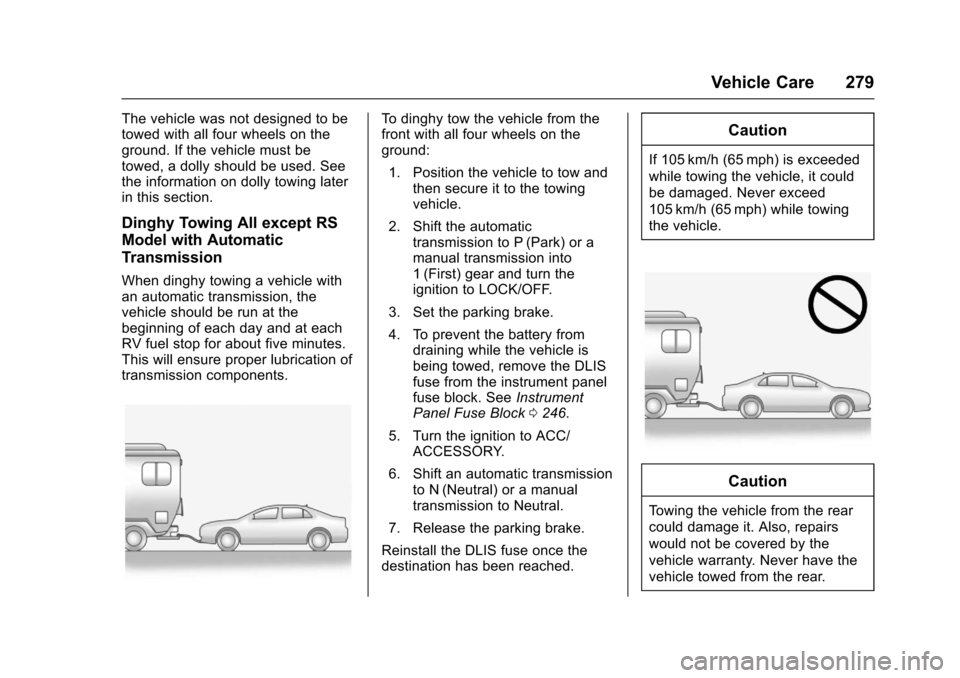
When dinghy towing a vehicle withan automatic transmission, thevehicle should be run at thebeginning of each day and at eachRV fuel stop for about five minutes.This will ensure proper lubrication oftransmission components.
To d i n g h y t o w t h e v e h i c l e f r o m t h efront with all four wheels on theground:
1. Position the vehicle to tow andthen secure it to the towingvehicle.
2. Shift the automatictransmission to P (Park) or amanual transmission into1(First) gear and turn theignition to LOCK/OFF.
3. Set the parking brake.
4. To prevent the battery fromdraining while the vehicle isbeing towed, remove the DLISfuse from the instrument panelfuse block. SeeInstrumentPanel Fuse Block0246.
5. Turn the ignition to ACC/ACCESSORY.
6. Shift an automatic transmissionto N (Neutral) or a manualtransmission to Neutral.
7. Release the parking brake.
Reinstall the DLIS fuse once thedestination has been reached.
Caution
If 105 km/h (65 mph) is exceeded
while towing the vehicle, it could
be damaged. Never exceed
105 km/h (65 mph) while towing
the vehicle.
Caution
To w i n g t h e v e h i c l e f r o m t h e r e a r
could damage it. Also, repairs
would not be covered by the
vehicle warranty. Never have the
vehicle towed from the rear.
Page 298 of 342
Chevrolet Sonic Owner Manual (GMNA-Localizing-U.S./Canada-10122660) -2017 - crc - 5/13/16
Service and Maintenance 297
Additional
Maintenance and Care
Yo u r v e h i c l e i s a n i m p o r t a n tinvestment and caring for it properlymay help to avoid future costlyrepairs. To maintain vehicleperformance, additionalmaintenance services may berequired.
It is recommended that your dealerperform these services—theirtrained dealer technicians knowyour vehicle best. Your dealer canalso perform a thoroughassessment with a multi-pointinspection to recommend when yourvehicle may need attention.
The following list is intended toexplain the services and conditionsto look for that may indicateservices are required.
Battery
The battery supplies power to startthe engine and operate anyadditional electrical accessories.
.To a v o i d b r e a k - d o w n o r f a i l u r e t ostart the vehicle, maintain abattery with full cranking power.
.Trained dealer technicians havethe diagnostic equipment to testthe battery and ensure that theconnections and cables arecorrosion-free.
Belts
.Belts may need replacing if theysqueak or show signs ofcracking or splitting.
.Trained dealer technicians haveaccess to tools and equipmentto inspect the belts andrecommend adjustment orreplacement when necessary.
.Amessagemayindicatewhenscheduled maintenance on thetiming belt and othercomponents is required.
Brakes
Brakes stop the vehicle and arecrucial to safe driving.
.Signs of brake wear may includechirping, grinding, or squealingnoises, or difficulty stopping.
.Trained dealer technicians haveaccess to tools and equipmentto inspect the brakes andrecommend quality partsengineered for the vehicle.
Fluids
Proper fluid levels and approvedfluids protect the vehicle’ssystemsand components. SeeRecommended Fluids andLubricants0300for GM approvedfluids.
.Engine oil and windshieldwasher fluid levels should bechecked at every fuel fill.
.Instrument cluster lights maycome on to indicate that fluidsmay be low and need to befilled.
Hoses
Hoses transport fluids and shouldbe regularly inspected to ensurethat there are no cracks or leaks.With a multi-point inspection, yourdealer can inspect the hoses andadvise if replacement is needed.
Page 313 of 342
Chevrolet Sonic Owner Manual (GMNA-Localizing-U.S./Canada-10122660) -2017 - crc - 5/13/16
312 Customer Information
Services Provided
.Emergency Fuel Delivery:Delivery of enough fuel for thevehicle to get to the nearestservice station.
.Lock-Out Service:Service tounlock the vehicle if you arelocked out. A remote unlock maybe available if you have OnStar.For security reasons, the drivermust present identificationbefore this service is given.
.Emergency Tow from a PublicRoad or Highway:To w t o t h enearest Chevrolet dealer forwarranty service, or if the vehiclewas in a crash and cannot bedriven. Assistance is not givenwhen the vehicle is stuck in thesand, mud, or snow.
.Flat Tire Change:Service tochange a flat tire with the sparetire. The spare tire, if equipped,must be in good condition andproperly inflated. It is the owner'sresponsibility for the repair orreplacement of the tire if it is notcovered by the warranty.
.Battery Jump Start:Service tojump start a dead battery.
.Tr i p I n t e r r u p t i o n B e n e f i t s a n dAssistance:If your trip isinterrupted due to a warrantyevent, incidental expenses maybe reimbursed within thePowertrain warranty period.Items considered are reasonableand customary hotel, meals,rental car, or a vehicle beingdelivered back to the customer,up to 805 km (500 mi).
Services Not Included in
Roadside Assistance
.Impound towing caused byviolation of any laws.
.Legal fines.
.Mounting, dismounting,or changing of snow tires,chains, or other traction devices.
Service is not provided if a vehicleis in an area that is not accessibleto the service vehicle or is not aregularly traveled or maintainedpublic road, which includes ice andwinter roads. Off-road use is notcovered.
Services Specific to
Canadian-Purchased Vehicles
.Fuel Delivery:Reimbursementis up to 7 liters. If available,diesel fuel delivery may berestricted. Propane and otherfuels are not provided throughthis service.
.Lock-Out Service:Vehicleregistration is required.
.Tr i p I n t e r r u p t i o n B e n e f i t s a n dAssistance:Must be over150 km from where your trip wasstarted to qualify.Pre-authorization, originaldetailed receipts, and a copy ofthe repair orders are required.Once authorization has beenreceived, the RoadsideAssistance advisor will help tomake arrangements and explainhow to receive payment.
.Alternative Service:Ifassistance cannot be providedright away, the RoadsideAssistance advisor may givepermission to get localemergency road service. You willreceive payment, up to $100,
Page 322 of 342
Chevrolet Sonic Owner Manual (GMNA-Localizing-U.S./Canada-10122660) -2017 - crc - 5/13/16
OnStar 321
OnStar
OnStar Overview
OnStar Overview . . . . . . . . . . . . . 321
OnStar Services
Emergency . . . . . . . . . . . . . . . . . . . 322Security . . . . . . . . . . . . . . . . . . . . . . 322Navigation . . . . . . . . . . . . . . . . . . . . 323Connections . . . . . . . . . . . . . . . . . . 323Diagnostics . . . . . . . . . . . . . . . . . . . 325
OnStar Additional Information
OnStar AdditionalInformation . . . . . . . . . . . . . . . . . . 326
OnStar Overview
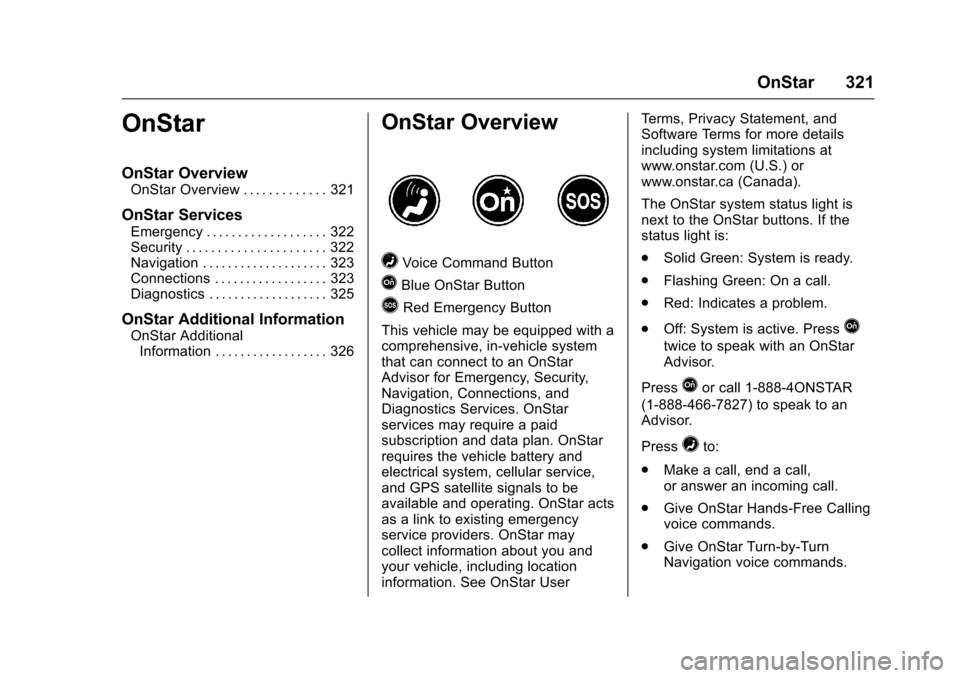
=Voice Command Button
QBlue OnStar Button
>Red Emergency Button
This vehicle may be equipped with acomprehensive, in-vehicle systemthat can connect to an OnStarAdvisor for Emergency, Security,Navigation, Connections, andDiagnostics Services. OnStarservices may require a paidsubscription and data plan. OnStarrequires the vehicle battery andelectrical system, cellular service,and GPS satellite signals to beavailable and operating. OnStar actsas a link to existing emergencyservice providers. OnStar maycollect information about you andyour vehicle, including locationinformation. See OnStar User
Te r m s , P r i v a c y S t a t e m e n t , a n dSoftware Terms for more detailsincluding system limitations atwww.onstar.com (U.S.) orwww.onstar.ca (Canada).
The OnStar system status light isnext to the OnStar buttons. If thestatus light is:
.Solid Green: System is ready.
.Flashing Green: On a call.
.Red: Indicates a problem.
.Off: System is active. PressQ
twice to speak with an OnStarAdvisor.
PressQor call 1-888-4ONSTAR
(1-888-466-7827) to speak to anAdvisor.
Press=to:
.Make a call, end a call,or answer an incoming call.
.Give OnStar Hands-Free Callingvoice commands.
.Give OnStar Turn-by-TurnNavigation voice commands.
Page 323 of 342

Chevrolet Sonic Owner Manual (GMNA-Localizing-U.S./Canada-10122660) -2017 - crc - 5/13/16
322 OnStar
.Obtain and customize the Wi-Fi®
hotspot name or SSID andpassword, if equipped.
PressQto connect to an
Advisor to:
.Verify account information orupdate contact information.
.Get driving directions.
.Receive a Diagnostic check ofthe vehicle's key operatingsystems.
.Receive Roadside Assistance.
.Manage Wi-Fi Settings,if equipped.
Press>to get a priority connection
to an OnStar Advisor available24/7 to:
.Get help for an emergency.
.Be a Good Samaritan orrespond to an AMBER Alert.
.Get assistance in severeweather or other crisis situationsand find evacuation routes.
OnStar Services
Emergency
Emergency Services require anactive, OnStar service plan(excludes Basic Plan). WithAutomatic Crash Response, built-insensors can automatically alert aspecially trained OnStar Advisorwho is immediately connected in tothe vehicle to help.
Press>for a priority connection to
an OnStar Advisor who can contactemergency service providers, directthem to your exact location, andrelay important information.
With OnStar Crisis Assist, speciallytrained Advisors are available24 hours a day, 7 days a week, toprovide a central point of contact,assistance, and information during acrisis.
With Roadside Assistance, Advisorscan locate a nearby service providerto help with a flat tire, a batteryjump, or an empty gas tank.
Security
If equipped, OnStar provides theseservices:
.With Stolen Vehicle Assistance,OnStar Advisors can use GPS topinpoint the vehicle and helpauthorities quickly recover it.
.With Remote Ignition Block™,if equipped, OnStar can blockthe engine from being restarted.
.With Stolen Vehicle Slowdown®,if equipped, OnStar can workwith law enforcement togradually slow the vehicle down.
Theft Alarm Notification
If equipped, if the doors are lockedand the vehicle alarm sounds, anotification by text, e-mail, or phonecall will be sent. If the vehicle isstolen, an OnStar Advisor can workwith authorities to recover thevehicle.
Page 329 of 342
Chevrolet Sonic Owner Manual (GMNA-Localizing-U.S./Canada-10122660) -2017 - crc - 5/13/16
328 OnStar
AtemporarylossofGPScancauseloss of the ability to send aTurn-by-Turn Navigation route. TheAdvisor may give a verbal route ormay ask for a call back after thevehicle is driven into an open area.
Cellular and GPS Antennas
Cellular reception is required forOnStar to send remote signals tothe vehicle. Do not place items overor near the antenna to preventblocking cellular and GPS signalreception.
Unable to Connect to OnStar
Message
If there is limited cellular coverageor the cellular network has reachedmaximum capacity, this message
may come on. PressQto try the
call again or try again after driving afew miles into another cellular area.
Vehicle and Power Issues
OnStar services require a vehicleelectrical system, wireless service,and GPS satellite technologies to beavailable and operating for features
to function properly. These systemsmay not operate if the battery isdischarged or disconnected.
Add-on Electrical Equipment
The OnStar system is integratedinto the electrical architecture of thevehicle. Do not add any electricalequipment. SeeAdd-On ElectricalEquipment0211.Addedelectricalequipment may interfere with theoperation of the OnStar system andcause it to not operate.
Vehicle Software Updates
OnStar or GM may remotely deliversoftware updates or changes to thevehicle without further notice orconsent. These updates or changesmay enhance or maintain safety,security, or the operation of thevehicle or the vehicle systems.Software updates or changes mayaffect or erase data or settings thatare stored in the vehicle, such asOnStar Hands-Free Calling nametags, saved navigation destinations,or pre-set radio stations. NeitherOnStar nor GM is responsible forany affected or erased data or
settings. These updates or changesmay also collect personalinformation. Such collection isdescribed in the OnStar privacystatement or separately disclosed atthe time of installation. Theseupdates or changes may also causeasystemtoautomaticallycommunicate with GM servers tocollect information about vehiclesystem status, identify whetherupdates or changes are available,or deliver updates or changes. Anactive OnStar agreement constitutesconsent to these software updatesor changes and agreement thateither OnStar or GM may remotelydeliver them to the vehicle.
Privacy
The complete OnStar PrivacyStatement may be found atwww.onstar.com (U.S.),or www.onstar.ca (Canada). Werecommend that you review it. If youhave any questions, call1-888-4ONSTAR (1-888-466-7827)
or pressQto speak with an
Advisor. Users of wirelesscommunications are cautioned that
Page 333 of 342

Chevrolet Sonic Owner Manual (GMNA-Localizing-U.S./Canada-10122660) -2017 - crc - 5/13/16
332 Index
Assistance Program,
Roadside . . . . . . . . . . . . . . . . . . . . . . 311
Audio
Theft-Deterrent Feature . . . . . . . 142
Automatic
Door Locks . . . . . . . . . . . . . . . . . . . . . 40
Headlamp System . . . . . . . . . . . . 135
Transmission . . . . . . . . . . . . . . . . . 191
Transmission Fluid . . . . . . . . . . . 223
Automatic Transmission
Manual Mode . . . . . . . . . . . . . . . . . 192
Shift Lock Control Function
Check . . . . . . . . . . . . . . . . . . . . . . . 235
Auxiliary
Devices . . . . . . . . . . . . . . . . . . . . . . . 155
Avoiding Untrusted Media
Devices . . . . . . . . . . . . . . . . . . . . . . . 149
B
Battery
Exterior Lighting Battery
Saver . . . . . . . . . . . . . . . . . . . . . . . 139
Load Management . . . . . . . . . . . . 139
Power Protection . . . . . . . . . . . . . 139
Battery - North America . . . . 234, 275
Blade Replacement, Wiper . . . . . 236
Bluetooth
Overview . . . . . . . . . . . . . . . . 155, 157
Brake
System Warning Light . . . . . . . . .114
Brakes . . . . . . . . . . . . . . . . . . . . . . . . . . 232
Antilock . . . . . . . . . . . . . . . . . . . . . . . 195
Assist . . . . . . . . . . . . . . . . . . . . . . . . . 196
Fluid . . . . . . . . . . . . . . . . . . . . . . . . . . 233
Parking . . . . . . . . . . . . . . . . . . . . . . . 196
Braking . . . . . . . . . . . . . . . . . . . . . . . . . 173
Break-In, New Vehicle . . . . . . . . . . 181
Bulb Replacement . . . . . . . . . . . . . . 241
Fog Lamps . . . . . . . . . . . . . . . . . . . 239
Halogen Bulbs . . . . . . . . . . . . . . . . 238
Headlamp Aiming . . . . . . . . . . . . . 237
Headlamps . . . . . . . . . . . . . . . . . . . 238
Headlamps and Front Turn
Signal . . . . . . . . . . . . . . . . . . . . . . . 238
License Plate Lamps . . . . . . . . . 241
Ta i l l a m p s , T u r n S i g n a l ,
Stoplamps, and Back-up
Lamps . . . . . . . . . . . . . . . . . . . . . . 240
Buying New Tires . . . . . . . . . . . . . . . 263
C
Calibration . . . . . . . . . . . . . . . . . . . . . . 104
California
Fuel Requirements . . . . . . . . . . . 208
California (cont'd)
Perchlorate Materials
Requirements . . . . . . . . . . . . . . . 213
California
Proposition
65 Warning . . . . . . . . . .213, 234, 275
Camera
Rear Vision (RVC) . . . . . . . . . . . . 201
Canadian Vehicle Owners . . . . . . . . 2
Capacities and
Specifications . . . . . . . . . . . . . . . . . 304
Carbon Monoxide
Engine Exhaust . . . . . . . . . . . . . . . 190
Liftgate . . . . . . . . . . . . . . . . . . . . . . . . . 43
Trunk . . . . . . . . . . . . . . . . . . . . . . . . . . . 41
Winter Driving . . . . . . . . . . . . . . . . 176
Cargo
Cover . . . . . . . . . . . . . . . . . . . . . . . . . . . 98
Caution, Danger, and Warning . . . . 3
Chains, Tire . . . . . . . . . . . . . . . . . . . . 267
Charging System Light . . . . . . . . . 112
Check
Ignition Transmission Lock . . . 235
Malfunction Indicator
Engine Light . . . . . . . . . . . . . . . . .112
Child Restraints
Infants and Young Children . . . . . 79