2017 CHEVROLET BOLT EV brake
[x] Cancel search: brakePage 45 of 361
Chevrolet Bolt EV Owner Manual (GMNA-Localizing-U.S./Canada/Mexico-
10122739) - 2017 - CRC - 10/3/16
44 Keys, Doors, and Windows
Caution
Pulling the inside door handle
while the rear door safety locks
are engaged could damage your
vehicle. Do not pull the inside
door handle while the rear door
safety locks are engaged.
KeyPass
If equipped, this feature allows a
smartphone to be connected to the
vehicle and remote vehicle functions
to be requested. Features vary
depending on availability.
Features include:
.Remote commands –Use to
lock/unlock the vehicle, remote
start for the cabin climate,
or sound or cancel the horn and
flash the lights.
. Vehicle status –View the
vehicle’s range and battery level,
charging status, and tire
pressure.
. Welcome lighting –Request light
when approaching the vehicle. .
Location services –Save the
parked location or start
navigation at the vehicle’s GPS
coordinates.
Setup Function
. KeyPass Setup
‐Managing Priority Setting
‐ Modifying Priority Setting
. Revocation
Active Remote Function
. Door Lock/Unlock
. Remote Start/Stop
. Panic Alarm Activation/
Termination
. Remote Charge Termination
. High Voltage Charge Functions
‐Temporary Charging Override
Update
‐ Change the Charging Mode
Permanently
‐ Update Departure Time
Schedule
‐ High Voltage Priority Charging
Activate and De-activate ‐
Select Charge Level/Limit
Preference Screen
. Vehicle Locator
. Routing w/Available Mileage
Passive Function
Approach Detection/Welcome
Lighting
Visual Display for Vehicle
Information
. Low Battery Indication
. Tire Pressure
. Remote Engine Start Status
. Odometer Reading
. Rear Closure Ajar Switch Status
. Electric Parking Brake Status
. Hood Status
. High Voltage Battery State of
Charge Status
. GPS Signal for End of Trip
. Charge Mode Status
‐Available Mileage
‐ Charge Start and End Times
Status
Page 75 of 361

Chevrolet Bolt EV Owner Manual (GMNA-Localizing-U.S./Canada/Mexico-
10122739) - 2017 - CRC - 10/3/16
74 Seats and Restraints
activate, without airbag inflation,
after an event that exceeds a
predetermined threshold. You can
lock the doors, turn off the interior
lamps, and turn off the hazard
warning flashers by using the
controls for those features.
{Warning
A crash severe enough to inflate
the airbags may have also
damaged important functions in
the vehicle, such as the brake
and steering systems, etc. Even if
the vehicle appears to be drivable
after a moderate crash, there may
be concealed damage that could
make it difficult to safely operate
the vehicle.
Use caution if attempting to
restart the vehicle after a crash
has occurred.
If an airbag inflates or the vehicle
has been in a crash, the sensing
system may shut down the high
voltage system. When this occurs,
the high voltage battery is disconnected and the vehicle will
not start. The SERVICE VEHICLE
SOON message in the Driver
Information Center (DIC) will be
displayed. Before the vehicle can be
operated again, it must be serviced
at your dealer.
In many crashes severe enough to
inflate the airbag, windshields are
broken by vehicle deformation.
Additional windshield breakage may
also occur from the front outboard
passenger airbag.
.
Airbags are designed to inflate
only once. After an airbag
inflates, you will need some new
parts for the airbag system.
If you do not get them, the
airbag system will not be there
to help protect you in another
crash. A new system will include
airbag modules and possibly
other parts. The service manual
for the vehicle covers the need
to replace other parts. .
The vehicle has a crash sensing
and diagnostic module which
records information after a
crash. See Vehicle Data
Recording and Privacy 0338
and Event Data Recorders
0 338.
. Let only qualified technicians
work on the airbag systems.
Improper service can mean that
an airbag system will not work
properly. See your dealer for
service.
Passenger Sensing
System
The vehicle has a passenger
sensing system for the front
outboard passenger position. The
passenger airbag status indicator
will light on the overhead console
when the vehicle is started.
Page 104 of 361

Chevrolet Bolt EV Owner Manual (GMNA-Localizing-U.S./Canada/Mexico-
10122739) - 2017 - CRC - 10/3/16
Instruments and Controls 103
Instruments and
Controls
Controls
Steering Wheel Adjustment . . . 104
Steering Wheel Controls . . . . . . 104
Heated Steering Wheel . . . . . . . 105
Horn . . . . . . . . . . . . . . . . . . . . . . . . . . 105
Pedestrian Safety Signal . . . . . 105
Windshield Wiper/Washer . . . . 106
Rear Window Wiper/Washer . . . . . . . . . . . . . . . . . . . . . 107
Compass . . . . . . . . . . . . . . . . . . . . . 108
Clock . . . . . . . . . . . . . . . . . . . . . . . . . 108
Power Outlets . . . . . . . . . . . . . . . . 109
Wireless Charging . . . . . . . . . . . . 110
Warning Lights, Gauges, and
Indicators
Warning Lights, Gauges, and Indicators . . . . . . . . . . . . . . . . . . . . 111
Instrument Cluster . . . . . . . . . . . . 111
Speedometer . . . . . . . . . . . . . . . . . 114
Odometer . . . . . . . . . . . . . . . . . . . . . 114
Trip Odometer . . . . . . . . . . . . . . . . 114
Battery Gauge (High Voltage) . . . . . . . . . . . . . . . . . . . . . 115
Driver Efficiency Gauge . . . . . . . 115
Power Indicator Gauge . . . . . . . 116 Safety Belt Reminders . . . . . . . . 116
Airbag Readiness Light . . . . . . . 117
Passenger Airbag Status
Indicator . . . . . . . . . . . . . . . . . . . . . 117
Charging System Light (12-Volt
Battery) . . . . . . . . . . . . . . . . . . . . . 118
Service Vehicle Soon Light . . . 118
Brake System Warning Light . . . . . . . . . . . . . . . . . . . . . . . . 118
Electric Parking Brake Light . . . . . . . . . . . . . . . . . . . . . . . . 119
Service Electric Parking Brake Light . . . . . . . . . . . . . . . . . . . . . . . . 119
Antilock Brake System (ABS) Warning Light . . . . . . . . . . . . . . . 120
Sport Mode Light . . . . . . . . . . . . . 120
Lane Keep Assist (LKA) Light . . . . . . . . . . . . . . . . . . . . . . . . 120
Vehicle Ahead Indicator . . . . . . 120
Pedestrian Ahead Indicator . . . 121
Traction Off Light . . . . . . . . . . . . . 121
StabiliTrak®OFF Light . . . . . . . . 121
Traction Control System (TCS)/ StabiliTrak
®Light . . . . . . . . . . . 121
Tire Pressure Light . . . . . . . . . . . 122
Security Light . . . . . . . . . . . . . . . . . 122
Vehicle Ready Light . . . . . . . . . . 122
High-Beam On Light . . . . . . . . . . 123
Lamps On Reminder . . . . . . . . . 123
Cruise Control Light . . . . . . . . . . 123
Door Ajar Light . . . . . . . . . . . . . . . 123
Information Displays
Power Flows . . . . . . . . . . . . . . . . . 124
Programmable Charging . . . . . . 124
Energy Information . . . . . . . . . . . 131
Energy Settings . . . . . . . . . . . . . . 132
Driver Information Center (DIC) . . . . . . . . . . . . . . . . 133
Vehicle Messages
Vehicle Messages . . . . . . . . . . . . 135
Battery and ChargingMessages . . . . . . . . . . . . . . . . . . . 135
Brake System Messages . . . . . 136
Compass Messages . . . . . . . . . . 136
Cruise Control Messages . . . . . 136
Door Ajar Messages . . . . . . . . . . 136
Electric Drive Unit Messages . . . . . . . . . . . . . . . . . . . 137
Key and Lock Messages . . . . . 137
Lamp Messages . . . . . . . . . . . . . . 138
Object Detection System Messages . . . . . . . . . . . . . . . . . . . 138
Propulsion Power Messages . . . . . . . . . . . . . . . . . . . 139
Ride Control System Messages . . . . . . . . . . . . . . . . . . . 140
Airbag System Messages . . . . 140
Security Messages . . . . . . . . . . . 140
Service Vehicle Messages . . . . 140
Starting the Vehicle Messages . . . . . . . . . . . . . . . . . . . 141
Page 117 of 361
Chevrolet Bolt EV Owner Manual (GMNA-Localizing-U.S./Canada/Mexico-
10122739) - 2017 - CRC - 10/3/16
116 Instruments and Controls
Brake :If the ball turns yellow and
travels below the center of the
gauge, braking is too aggressive to
optimize efficiency.
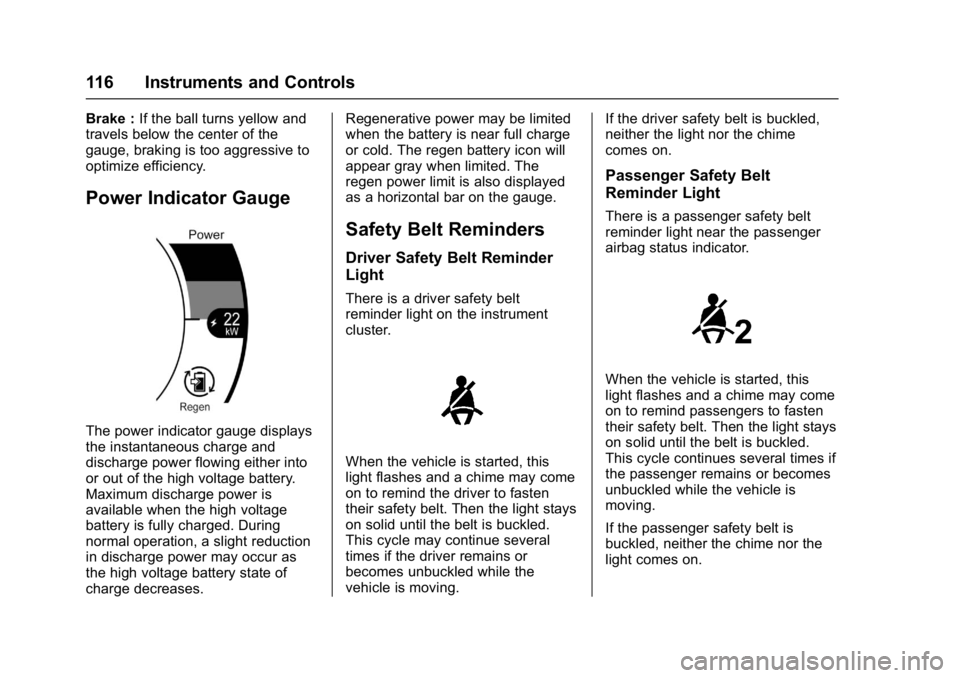
Power Indicator Gauge
The power indicator gauge displays
the instantaneous charge and
discharge power flowing either into
or out of the high voltage battery.
Maximum discharge power is
available when the high voltage
battery is fully charged. During
normal operation, a slight reduction
in discharge power may occur as
the high voltage battery state of
charge decreases. Regenerative power may be limited
when the battery is near full charge
or cold. The regen battery icon will
appear gray when limited. The
regen power limit is also displayed
as a horizontal bar on the gauge.
Safety Belt Reminders
Driver Safety Belt Reminder
Light
There is a driver safety belt
reminder light on the instrument
cluster.
When the vehicle is started, this
light flashes and a chime may come
on to remind the driver to fasten
their safety belt. Then the light stays
on solid until the belt is buckled.
This cycle may continue several
times if the driver remains or
becomes unbuckled while the
vehicle is moving.
If the driver safety belt is buckled,
neither the light nor the chime
comes on.
Passenger Safety Belt
Reminder Light
There is a passenger safety belt
reminder light near the passenger
airbag status indicator.
When the vehicle is started, this
light flashes and a chime may come
on to remind passengers to fasten
their safety belt. Then the light stays
on solid until the belt is buckled.
This cycle continues several times if
the passenger remains or becomes
unbuckled while the vehicle is
moving.
If the passenger safety belt is
buckled, neither the chime nor the
light comes on.
Page 119 of 361
Chevrolet Bolt EV Owner Manual (GMNA-Localizing-U.S./Canada/Mexico-
10122739) - 2017 - CRC - 10/3/16
118 Instruments and Controls
If the word ON or the on symbol is
lit on the passenger airbag status
indicator, it means that the front
outboard passenger frontal airbag
and knee airbag are allowed to
inflate.
If the word OFF or the off symbol is
lit on the passenger airbag status
indicator, it means that the
passenger sensing system has
turned off the front outboard
passenger frontal airbag and knee
airbag.
If, after several seconds, both status
indicator lights remain on, or if there
are no lights at all, there may be a
problem with the lights or the
passenger sensing system. See
your dealer for service.
{Warning
If the airbag readiness light ever
comes on and stays on, it means
that something may be wrong
with the airbag system. To help
avoid injury to yourself or others,
have the vehicle serviced right(Continued)
Warning (Continued)
away. SeeAirbag Readiness
Light 0117 for more information,
including important safety
information.
Charging System Light
(12-Volt Battery)
The charging system light comes on
briefly when the vehicle is started,
as a check to show the light is
working.
If the light stays on, or comes on
while driving, there could be a
problem with the electrical charging
system. Have it checked by your
dealer. Driving while this light is on
could drain the 12-volt battery. If a short distance must be driven
with the light on, be sure to turn off
all accessories, such as the radio.
Service Vehicle Soon
Light
This light comes on if a condition
exists that may require the vehicle
to be taken in for service.
If the light comes on, take the
vehicle to your dealer for service as
soon as possible.
Brake System Warning
Light
The vehicle brake system consists
of two hydraulic circuits. If one
circuit is not working, the remaining
circuit can still work to stop the
Page 120 of 361
Chevrolet Bolt EV Owner Manual (GMNA-Localizing-U.S./Canada/Mexico-
10122739) - 2017 - CRC - 10/3/16
Instruments and Controls 119
vehicle. For normal braking
performance, both circuits need to
be working
If the warning light comes on, there
is a brake problem. Have the brake
system inspected right away.
{Warning
The brake system might not be
working properly if the brake
system warning light is on.
Driving with the brake system
warning light on can lead to a
crash. If the light is still on after
the vehicle has been pulled off
the road and carefully stopped,
have the vehicle towed for
service.
MetricEnglishThis light should come on briefly
when the vehicle is started. If it
does not come on then, see your
dealer for service.
If the light comes on and stays on,
there is a brake problem.
Electric Parking Brake
Light
MetricEnglish
This light comes on when the
parking brake is applied. If the light
flashes and stays on after the
parking brake is released, or while
driving, there is a problem with the
Electric Parking Brake system.
If the light does not come on,
or remains flashing, see your dealer.
Service Electric Parking
Brake Light
The service electric parking brake
light should come on briefly when
starting the vehicle. If it does not
come on, have the vehicle serviced
by your dealer.
If this light stays on, there is a
problem with a system on the
vehicle that is causing the parking
brake system to work at a reduced
level. The vehicle can still be driven,
but should be taken to a dealer as
soon as possible. If a message
displays in the Driver Information
Center (DIC), see Brake System
Messages 0136.
Page 121 of 361

Chevrolet Bolt EV Owner Manual (GMNA-Localizing-U.S./Canada/Mexico-
10122739) - 2017 - CRC - 10/3/16
120 Instruments and Controls
Antilock Brake System
(ABS) Warning Light
The ABS warning light will come on
briefly when the vehicle is started.
This is normal. If the light does not
come on then, have it fixed so it will
be ready to warn if there is a
problem.
If the light stays on or comes on
while driving, stop as soon as
possible and turn the vehicle off.
Then start the vehicle again to reset
the system. If the light still stays on,
or comes on again while driving, the
vehicle needs service. See your
dealer. If the regular brake system
warning light is not on, the brakes
will still work, but the antilock brakes
will not work. If the regular brake
system warning light is also on, theantilock brakes will not work and
there is a problem with the regular
brakes.
Sport Mode Light
This light comes on when Sport
Mode is selected.
Lane Keep Assist (LKA)
Light
If available, this light comes on
briefly while starting the vehicle.
If it does not come on, have the
vehicle serviced.This light is green if LKA is available
to assist.
LKA may assist by gently turning
the steering wheel if the vehicle
approaches a detected lane marking
without using the turn signal in that
direction. The LKA light will turn
amber.
This light is amber and flashes as a
Lane Departure Warning (LDW)
alert, to indicate that the lane
marking has been crossed.
Vehicle Ahead Indicator
If equipped, this indicator will
display green when a vehicle is
detected ahead and amber when
you are following a vehicle ahead
much too closely
Page 137 of 361

Chevrolet Bolt EV Owner Manual (GMNA-Localizing-U.S./Canada/Mexico-
10122739) - 2017 - CRC - 10/3/16
136 Instruments and Controls
OUT OF ENERGY, CHARGE
VEHICLE NOW !
This message displays when the
high voltage battery is out of energy.
The vehicle must be charged.
PROBLEM DETECTED WITH
CHARGING STATION
This message displays when there
is a problem with the high voltage
charging station.
SERVICE BATTERY
CHARGING SYSTEM
This message displays when there
is a fault in the 12-volt battery
charging system. Take the vehicle to
your dealer for service.
SERVICE HIGH VOLTAGE
CHARGING SYSTEM
This message displays when there
is a problem with the high voltage
charging system. See your dealer
for service.
Brake System Messages
BRAKE FLUID LOW
This message displays when the
brake fluid level is low.
RELEASE PARKING BRAKE
This message displays if the Electric
Parking Brake is on while the
vehicle is in motion. Release it
before attempting to drive.
SERVICE BRAKE ASSIST
This message displays when there
is a problem with the brake boost
system. When this message
displays, the brake pedal may be
harder to push and the stopping
distance may be longer. See your
dealer for service.
SERVICE PARKING BRAKE
This message displays when there
is a problem with the Electric
Parking Brake. See your dealer for
service.
STEP ON BRAKE TO
RELEASE PARK BRAKE
This message displays when
attempting to release the Electric
Parking Brake without the brake
pedal applied.
Compass Messages
Dashes may be displayed if the
vehicle temporarily loses
communication with the Global
Positioning System (GPS).
Cruise Control Messages
CRUISE SET TO XXX
This message displays when the
cruise control is set and shows the
speed it was set to. SeeCruise
Control 0215.
Door Ajar Messages
DOOR(S) OPEN
A door open symbol will be
displayed on the DIC showing which
door is open.