2017 CADILLAC ESCALADE four wheel drive
[x] Cancel search: four wheel drivePage 186 of 354

Cadillac Escalade Owner Manual (GMNA-Localizing-MidEast-10293077) -
2017 - crc - 8/24/16
DRIVING AND OPERATING 185
.Slow down and adjust your driving
according to weather conditions.
Stopping distance can be longer
and vehicle control can be affected
when traction is reduced by water,
snow, ice, gravel, or other material
on the road. Learn to recognize
warning clues —such as enough
water, ice, or packed snow on the
road to make a mirrored surface
— and slow down when you have
any doubt.
. Try to avoid sudden steering,
acceleration, or braking, including
reducing vehicle speed by shifting
to a lower gear. Any sudden
changes could cause the tires to
slide.
Remember: Antilock brakes help avoid
only the braking skid.
Off-Road Driving
Four-wheel-drive vehicles can be used
for off-road driving. Vehicles without
four-wheel drive and vehicles not
equipped with All Terrain (AT) or
On-Off Road (OOR) tires must not be
driven off-road except on a level, solid
surface. For more contact information about the original equipment tires, see
the Limited Warranty and Owner
Assistance Information manual.
One of the best ways for successful
off-road driving is to control the
speed.
{Warning
When driving off-road, bouncing
and quick changes in direction can
easily throw you out of position.
This could cause you to lose control
and crash. You and your passengers
should always wear safety belts.
Before Driving Off-Road
.
Have all necessary maintenance
and service work completed.
. Fuel the vehicle, fill fluid levels,
and check inflation pressure in all
tires, including the spare,
if equipped.
. Read all the information about
four-wheel-drive vehicles in this
manual. .
Know the local laws that apply to
off-road driving.
To gain more ground clearance if
needed, it may be necessary to remove
the front fascia lower air dam.
Caution
Operating the vehicle for extended
periods without the front fascia
lower air dam installed can cause
improper airf low to the engine.
Reattach the front fascia air dam
after off-road driving.
Loading the Vehicle for Off-Road
Driving
{Warning
. Unsecured cargo on the load
floor can be tossed about
when driving over rough
terrain. You or your
passengers can be struck by
flying objects. Secure the
cargo properly.
(Continued)
Page 193 of 354

Cadillac Escalade Owner Manual (GMNA-Localizing-MidEast-10293077) -
2017 - crc - 8/24/16
192 DRIVING AND OPERATING
Warning (Continued)
compartment fire or other damage.
Spin the wheels as little as possible
and avoid going above 56 km/h
(35 mph).
For information about using tire
chains on the vehicle, see Tire
Chains 0301.
Rocking the Vehicle to Get It Out
Turn the steering wheel left and right
to clear the area around the front
wheels. For four-wheel-drive vehicles,
shift into Four-Wheel Drive High.
Turn the TCS off. Shift back and forth
between R (Reverse) and a forward
gear, spinning the wheels as little as
possible. To prevent transmission
wear, wait until the wheels stop
spinning before shifting gears. Slowly
spinning the wheels in the forward
and reverse directions causes a
rocking motion that could free the
vehicle. If that does not get the
vehicle out after a few tries, it might
need to be towed out. See Towing the
Vehicle 0315.
Vehicle Load Limits
It is very important to know how
much weight the vehicle can carry.
This weight is called the vehicle
capacity weight and includes the
weight of all occupants, cargo, and
all nonfactory-installed options.
Two labels on the vehicle may
show how much weight it was
designed to carry, the Tire and
Loading Information label and the
Certification/Tire label.
{Warning
Do not load the vehicle any
heavier than the Gross Vehicle
Weight Rating (GVWR),
or either the maximum front or
rear Gross Axle Weight Rating
(GAWR). This can cause
systems to break and change
the way the vehicle handles.
This could cause loss of control
and a crash. Overloading can
(Continued)
Warning (Continued)
also reduce stopping distance,
damage the tires, and shorten
the life of the vehicle.
Tire and Loading Information Label
Label Example
A vehicle specific Tire and
Loading Information label is
attached to the center pillar
(B-pillar). The tire and loading
information label shows the
number of occupant seating
Page 201 of 354
Cadillac Escalade Owner Manual (GMNA-Localizing-MidEast-10293077) -
2017 - crc - 8/24/16
200 DRIVING AND OPERATING
Caution
Cranking the engine for long
periods of time, by returning the
ignition to the START position
immediately after cranking has
ended, can overheat and damage
the cranking motor, and drain the
battery. Wait at least 15 seconds
between each try, to let the
cranking motor cool down.
2. If the engine does not start after five to 10 seconds, especially in
very cold weather (below −18 °C
or 0 °F), it could be flooded with
too much gasoline. Try pushing
the accelerator pedal all the way
to the floor and holding it there
as you press ENGINE START/
STOP, for up to a maximum of
15 seconds. Wait at least
15 seconds between each try, to
allow the cranking motor to cool
down. When the engine starts,
let go of the button, and the
accelerator. If the vehicle starts
briefly but then stops again, do
the same thing. This clears the extra gasoline from the engine.
Do not race the engine
immediately after starting it.
Operate the engine and
transmission gently until the oil
warms up and lubricates all
moving parts.
Retained Accessory
Power (RAP)
The following vehicle accessories can
be used for up to 10 minutes after the
engine is turned off:
.
Audio System
. Power Windows
. OnStar System (if equipped)
. Sunroof (if equipped)
. Accessory Power Outlets. The
console and center seat outlets are
Retained Accessory Power (RAP)
powered.
These features work when the ignition
is in ON/RUN or ACC/ACCESSORY.
Once the ignition is turned from ON/
RUN to LOCK/OFF, the windows and
sunroof continue to work up to
10 minutes until any door is opened. The radio continues to work for up to
10 minutes or until the driver door is
opened.
Shifting Into Park
{Warning
It can be dangerous to get out of
the vehicle if the shift lever is not
fully in P (Park) with the parking
brake firmly set. The vehicle can
roll. If you have left the engine
running, the vehicle can move
suddenly. You or others could be
injured. To be sure the vehicle will
not move, even when you are on
fairly level ground, use the steps
that follow. If the vehicle has a
four-wheel-drive transfer case with
a N (Neutral) position, and the
transfer case is in N (Neutral), the
vehicle will be free to roll, even if
the shift lever is in P (Park). Be sure
the transfer case is in a drive gear.
If towing a trailer, see
Driving
Characteristics and Towing
Tips 0245.
Page 205 of 354

Cadillac Escalade Owner Manual (GMNA-Localizing-MidEast-10293077) -
2017 - crc - 8/24/16
204 DRIVING AND OPERATING
Automatic Transmission
If equipped, there is an electronic shift
lever position indicator within the
instrument cluster. This display comes
on when the ignition is turned to the
ON/RUN position.
There are several different positions
for the shift lever.
See“Range Selection Mode ”under
Manual Mode 0206.
P : This position locks the rear wheels.
It is the best position to use when
starting the engine because the
vehicle cannot move easily. When
parked on a hill, especially when the
vehicle has a heavy load, you might
notice an increase in the effort to shift
out of P (Park). See “Torque Lock”
under Shifting Into Park 0200.
{Warning
It is dangerous to get out of the
vehicle if the shift lever is not fully
in P (Park) with the parking brake
firmly set. The vehicle can roll.
Do not leave the vehicle when the
engine is running. If you have left
the engine running, the vehicle can
move suddenly. You or others could
be injured. To be sure the vehicle
will not move, even when you are
on fairly level ground, always set
the parking brake and move the
shift lever to P (Park). See Shifting
Into Park 0200 and Driving
Characteristics and Towing
Tips 0245.
{Warning
If you have four-wheel drive, the
vehicle will be free to roll —even if
the shift lever is in P (Park) —if the
transfer case is in N (Neutral). So,
(Continued)
Warning (Continued)
be sure the transfer case is in a
drive gear, Two-Wheel Drive High
or Four-Wheel Drive High or
Four-Wheel Drive Low—not in
N (Neutral). See Shifting Into
Park 0200.
R : Use this gear to back up.
Caution
Shifting to R (Reverse) while the
vehicle is moving forward could
damage the transmission. The
repairs would not be covered by the
vehicle warranty. Shift to
R (Reverse) only after the vehicle is
stopped.
To rock the vehicle back and forth to
get out of snow, ice, or sand without
damaging the transmission, see If the
Vehicle Is Stuck 0191.
N : In this position, the engine does
not connect with the wheels. To
restart when you are already moving,
Page 210 of 354

Cadillac Escalade Owner Manual (GMNA-Localizing-MidEast-10293077) -
2017 - crc - 8/24/16
DRIVING AND OPERATING 209
Drive Systems
Four-Wheel Drive
If equipped, four-wheel drive engages
the front axle for extra traction.
Caution
Do not drive on clean, dry
pavement in 4
mand 4n(if
equipped) for an extended period of
time. These conditions may cause
premature wear on the vehicle’s
powertrain.
Driving on clean, dry pavement in 4HI
or 4LO may:
. Cause a vibration to be felt in the
steering system.
. Cause tires to wear faster.
. Make the transfer case harder to
shift, and cause it to run noisier.
{Warning
Shifting the transfer case to
N (Neutral) can cause the vehicle to
roll even if the transmission is in
P (Park). You or someone else could
be seriously injured. Be sure to set
the parking brake before placing the
transfer case in N (Neutral). See
Parking Brake 0213.
Caution
Extended high-speed operation in 4
nmay damage or shorten the life of
the drivetrain.
Engagement noise and bump when
shifting between 4
nand 4mor from
N (Neutral), with the engine running,
is normal.
Shifting into 4
nwill turn Traction
Control and StabiliTrak®off. See
Traction Control/Electronic Stability
Control 0216.
Automatic Transfer Case
If equipped, use the transfer case knob
next to the steering wheel to shift into
and out of four-wheel drive.
All of the lights will blink on then off
momentarily when the ignition is
moved to the ON/RUN position. The
light that remains on will indicate the
state of the Transfer Case.
If the indicator mark on the switch
does not match up with the light then
that likely means the switch was
moved when the ignition was off.
The indicator mark on the switch
must line up with the indicator light
before a shift can be commanded. To
Page 211 of 354

Cadillac Escalade Owner Manual (GMNA-Localizing-MidEast-10293077) -
2017 - crc - 8/24/16
210 DRIVING AND OPERATING
command a shift rotate the transfer
case switch to the new desired
position. The light will blink meaning
that the shift is in progress. When the
shift is completed the new position
will be illuminated. If the transfer case
can not complete a shift command, it
will go back to its last chosen setting.
The settings are:
N (Neutral) :Use only when the
vehicle needs to be towed. See
Recreational Vehicle Towing 0316 or
Towing the Vehicle 0315.
2
m(Two-Wheel Drive High) : Use for
driving on most streets and highways.
The front axle is not engaged. This
setting provides the best fuel
economy.
AUTO (Automatic Four-Wheel
Drive) : Use when road surface
traction conditions are variable. When
driving in AUTO, the front axle is
engaged, and the vehicle's power is
sent to the front and rear wheels
automatically based on driving
conditions. This setting provides
slightly lower fuel economy than 2
m. Do not use AUTO mode, if equipped,
to park on a steep grade with poor
traction such as ice, snow, mud,
or gravel. In AUTO mode only the rear
wheels will hold the vehicle from
sliding when parked. If parking on a
steep grade, use 4
mto keep all four
wheels engaged.
4
m(Four-Wheel Drive High) : Use
this position when extra traction is
needed, such as when driving on
snowy or icy roads, when off-roading,
or when plowing snow.
4
n(Four-Wheel Drive Low) : This
setting engages the front axle and
delivers extra torque. Choose 4
nwhen
driving off-road in deep sand, deep
mud, or deep snow, and while
climbing or descending steep hills.
Shifting into 4
nwill turn Traction
Control and StabiliTrak off. See
Traction Control/Electronic Stability
Control 0216. Shifting Into 4
mor AUTO
Turn the knob to the 4
mor AUTO
position at any speed, except from 4
n.
The indicator light will flash while
shifting and will remain on when the
shift is completed.
Shifting Into 2
m
Turn the knob to 2mat any speed,
except when shifting from 4
n. The
indicator light will flash while shifting
and will remain on when the shift is
completed.
Shifting Into 4
n
When 4nis engaged, keep vehicle
speed below 72 km/h (45 mph).
To shift:
1. The ignition must be in ON/RUN and the vehicle must be stopped
or moving less than
5 km/h (3 mph) with the
transmission in N (Neutral). It is
best for the vehicle to be moving
1.6 to 3.2 km/h (1 to 2 mph).
Page 217 of 354
Cadillac Escalade Owner Manual (GMNA-Localizing-MidEast-10293077) -
2017 - crc - 8/24/16
216 DRIVING AND OPERATING
Ride Control Systems
Traction Control/Electronic
Stability Control
System Operation
The vehicle has a Traction Control
System (TCS) and StabiliTrak®, an
electronic stability control system.
These systems help limit wheel spin
and assist the driver in maintaining
control, especially on slippery road
conditions.
TCS activates if it senses any of the
drive wheels are spinning or beginning
to lose traction. When this happens,
TCS applies the brakes to the spinning
wheels and reduces engine power to
limit wheel spin.
StabiliTrak activates when the vehicle
senses a difference between the
intended path and the direction the
vehicle is actually traveling.
StabiliTrak selectively applies braking
pressure to any one of the vehicle
wheel brakes to assist the driver in
keeping the vehicle on the intended
path. Trailer Sway Control (TSC) is also on automatically when the
vehicle is started. See
Trailer Sway
Control (TSC) 0252.
If cruise control is being used and
traction control or StabiliTrak begins
to limit wheel spin, cruise control will
disengage. Cruise control may be
turned back on when road conditions
allow.
Both systems come on automatically
when the vehicle is started and begins
to move. The systems may be heard or
felt while they are operating or while
performing diagnostic checks. This is
normal and does not mean there is a
problem with the vehicle.
It is recommended to leave both
systems on for normal driving
conditions, but it may be necessary to
turn TCS off if the vehicle gets stuck
in sand, mud, ice, or snow. See If the
Vehicle Is Stuck 0191 and “Turning
the Systems Off and On ”later in this
section.
When the transfer case (if equipped)
is in Four-Wheel Drive Low, the
stability system is automatically
disabled,
gcomes on, and the
appropriate message will appear on the DIC. Both traction control and
StabiliTrak are automatically disabled
in this condition.
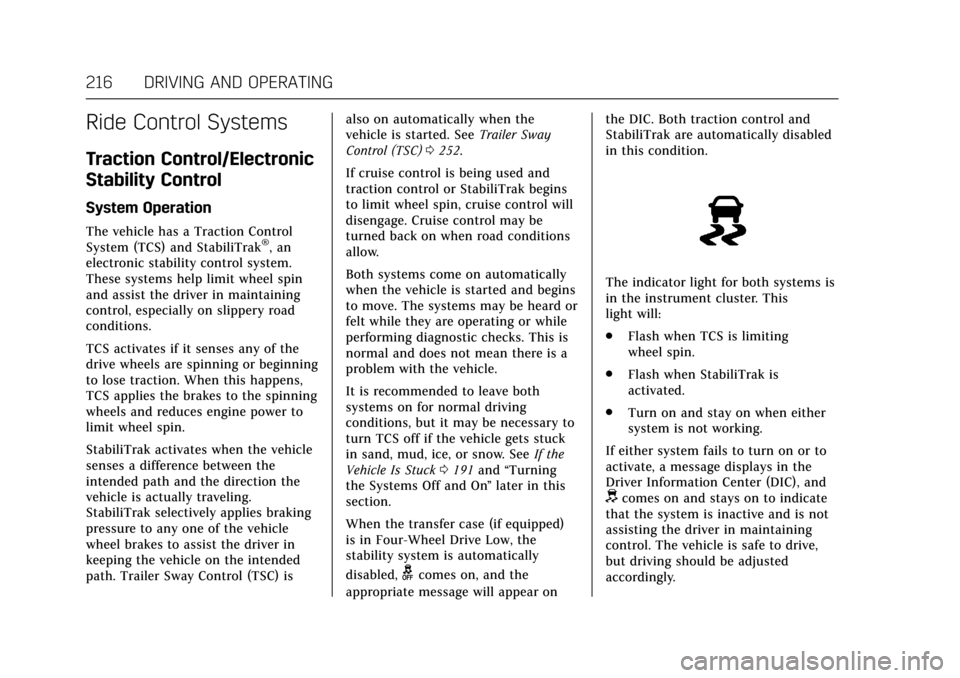
The indicator light for both systems is
in the instrument cluster. This
light will:
.
Flash when TCS is limiting
wheel spin.
. Flash when StabiliTrak is
activated.
. Turn on and stay on when either
system is not working.
If either system fails to turn on or to
activate, a message displays in the
Driver Information Center (DIC), and
dcomes on and stays on to indicate
that the system is inactive and is not
assisting the driver in maintaining
control. The vehicle is safe to drive,
but driving should be adjusted
accordingly.
Page 255 of 354

Cadillac Escalade Owner Manual (GMNA-Localizing-MidEast-10293077) -
2017 - crc - 8/24/16
254 VEHICLE CARE
Vehicle Care
General Information
General Information . . . . . . . . . . . . . 255
Accessories andModifications . . . . . . . . . . . . . . . . . . . 255
Vehicle Checks
Doing Your OwnService Work . . . . . . . . . . . . . . . . . . . . 256
Hood . . . . . . . . . . . . . . . . . . . . . . . . . . . . . . 256
Engine Compartment Overview . . . . . . . . . . . . . . . . . . . . . . . . . 257
Engine Oil . . . . . . . . . . . . . . . . . . . . . . . . . 258
Engine Oil Life System . . . . . . . . . . . 260
Automatic Transmission Fluid . . . . . . . . . . . . . . . . . . . . . . . . . . . . . 261
Engine Air Cleaner/Filter . . . . . . . . . 262
Cooling System . . . . . . . . . . . . . . . . . . . 263
Engine Coolant . . . . . . . . . . . . . . . . . . . 264
Engine Overheating . . . . . . . . . . . . . . 266
Engine Fan . . . . . . . . . . . . . . . . . . . . . . . . 267
Washer Fluid . . . . . . . . . . . . . . . . . . . . . 268
Brakes . . . . . . . . . . . . . . . . . . . . . . . . . . . . . 269
Brake Fluid . . . . . . . . . . . . . . . . . . . . . . . 269
Battery . . . . . . . . . . . . . . . . . . . . . . . . . . . . 271
Four-Wheel Drive . . . . . . . . . . . . . . . . 272
Front Axle . . . . . . . . . . . . . . . . . . . . . . . . 272
Rear Axle . . . . . . . . . . . . . . . . . . . . . . . . . 273
Starter Switch Check . . . . . . . . . . . . . 273 Automatic Transmission Shift
Lock Control Function
Check . . . . . . . . . . . . . . . . . . . . . . . . . . . . 274
Park Brake and P (Park) Mechanism Check . . . . . . . . . . . . . . 274
Wiper Blade Replacement . . . . . . . 274
Glass Replacement . . . . . . . . . . . . . . . 275
Windshield Replacement . . . . . . . . 275Headlamp Aiming
Headlamp Aiming . . . . . . . . . . . . . . . . 276
Bulb Replacement
Bulb Replacement . . . . . . . . . . . . . . . . 276
LED Lighting . . . . . . . . . . . . . . . . . . . . . 276
License Plate Lamp . . . . . . . . . . . . . . 277
Replacement Bulbs . . . . . . . . . . . . . . . 277
Electrical System
Electrical System Overload . . . . . . 278
Fuses . . . . . . . . . . . . . . . . . . . . . . . . . . . . . . 278
Engine Compartment Fuse Block . . . . . . . . . . . . . . . . . . . . . . . . . . . . 278
Instrument Panel Fuse Block (Left) . . . . . . . . . . . . . . . . . . . . . . 283
Instrument Panel Fuse Block (Right) . . . . . . . . . . . . . . . . . . . . . . . . . . . 286
Rear Compartment Fuse Block . . . . . . . . . . . . . . . . . . . . . . . . . . . . 288
Wheels and Tires
Tires . . . . . . . . . . . . . . . . . . . . . . . . . . . . . . . 289 All-Season Tires . . . . . . . . . . . . . . . . . . 290
Winter Tires . . . . . . . . . . . . . . . . . . . . . . 290
Low-Profile Tires . . . . . . . . . . . . . . . . . 291
All-Terrain Tires . . . . . . . . . . . . . . . . . . 291
Tire Pressure . . . . . . . . . . . . . . . . . . . . . . 291
Tire Pressure for High-Speed
Operation . . . . . . . . . . . . . . . . . . . . . . . . 292
Tire Pressure Monitor System . . . 293
Tire Pressure Monitor Operation . . . . . . . . . . . . . . . . . . . . . . . . 294
Tire Inspection . . . . . . . . . . . . . . . . . . . 296
Tire Rotation . . . . . . . . . . . . . . . . . . . . . 297
When It Is Time for New Tires . . . . . . . . . . . . . . . . . . . . . . . . . . . . . 298
Buying New Tires . . . . . . . . . . . . . . . . 298
Different Size Tires and Wheels . . . . . . . . . . . . . . . . . . . . . . . . . . 300
Wheel Alignment and Tire Balance . . . . . . . . . . . . . . . . . . . . . . . . . . 300
Wheel Replacement . . . . . . . . . . . . . . 301
Tire Chains . . . . . . . . . . . . . . . . . . . . . . . 301
If a Tire Goes Flat . . . . . . . . . . . . . . . . 302
Tire Changing . . . . . . . . . . . . . . . . . . . . . 303
Full-Size Spare Tire . . . . . . . . . . . . . . 311
Jump Starting
Jump Starting . . . . . . . . . . . . . . . . . . . . . 312
Towing the Vehicle
Towing the Vehicle . . . . . . . . . . . . . . . 315
Recreational Vehicle Towing . . . . 316