2017 CADILLAC ESCALADE light
[x] Cancel search: lightPage 214 of 354

Cadillac Escalade Owner Manual (GMNA-Localizing-MidEast-10293077) -
2017 - crc - 8/24/16
DRIVING AND OPERATING 213
Using ABS
Do not pump the brakes. Just hold the
brake pedal down firmly and let ABS
work. You may hear the ABS pump or
motor operating and feel the brake
pedal pulsate. This is normal.
Braking in Emergencies
ABS allows you to steer and brake at
the same time. In many emergencies,
steering can help more than even the
very best braking.
Parking Brake
Set the parking brake by holding the
regular brake pedal down, then
pushing down the parking brake
pedal.
If the ignition is on, the brake system
warning light will come on. SeeBrake
System Warning Light 0132.
Caution
Driving with the parking brake on
can overheat the brake system and
cause premature wear or damage to
brake system parts. Make sure that
the parking brake is fully released
and the brake warning light is off
before driving.
To release the parking brake, hold the
regular brake pedal down, then push
down momentarily on the parking
brake pedal until you feel the pedal
release. Slowly pull your foot up off
the parking brake pedal. If the parking
brake is not released when you begin
to drive, a DIC message will appear
and a chime will sound warning you
that the parking brake is still on. If you are towing a trailer and are
parking on a hill, see
Driving
Characteristics and Towing Tips 0245.
Electric Parking Brake
If equipped with an Electric Parking
Brake (EPB), the switch is to the left
of the steering wheel on the
instrument panel, below the exterior
lamp controls. The EPB can always be
activated, even if the ignition is off. To
prevent draining the battery, avoid
repeated cycles of the EPB when the
engine is not running.
Page 215 of 354

Cadillac Escalade Owner Manual (GMNA-Localizing-MidEast-10293077) -
2017 - crc - 8/24/16
214 DRIVING AND OPERATING
The system has a red parking brake
status light and an amber parking
brake warning light. SeeElectric
Parking Brake Light 0132 and Service
Electric Parking Brake Light 0133.
There are also parking brake-related
Driver Information Center (DIC)
messages. See Brake System Messages
0 144. In case of insufficient electrical
power, the EPB cannot be applied or
released.
Before leaving the vehicle, check the
red parking brake status light to
ensure that the parking brake is
applied.
EPB Apply
To apply the EPB:
1. Be sure the vehicle is at a complete stop.
2. Lift up the EPB switch momentarily.
The red parking brake status light will
flash and then stay on once the EPB is
fully applied. If the red parking brake
status light flashes continuously, then
the EPB is only partially applied or
there is a problem with the EPB.
A DIC message will display. Release the EPB and try to apply it again.
If the light does not come on, or keeps
flashing, have the vehicle serviced. Do
not drive the vehicle if the red parking
brake status light is flashing. See your
dealer. See
Electric Parking Brake
Light 0132.
If the amber parking brake warning
light is on, lift up on the EPB switch
and hold it up. Continue to hold the
switch until the red parking brake
status light remains on. If the amber
parking brake warning light is on, see
your dealer.
If the EPB is applied while the vehicle
is moving, the vehicle will decelerate
as long as the switch is held up. If the
switch is held up until the vehicle
comes to a stop, the EPB will remain
applied.
The vehicle may automatically apply
the EPB in some situations when the
vehicle is not moving. This is normal,
and is done to periodically check the
correct operation of the EPB system.
If the EPB fails to apply, the rear
wheels should be blocked to prevent
vehicle movement.
EPB Release
To release the EPB: 1. Place the ignition in the ACC/ ACCESSORY or ON/RUN/START
position.
2. Apply and hold the brake pedal.
3. Push down momentarily on the EPB switch.
The EPB is released when the red
parking brake status light is off.
If the amber parking brake warning
light is on, release the EPB by pushing
down on the EPB switch and holding
it down. Continue to hold the switch
until the red parking brake status light
is off. If either light stays on after
release is attempted, see your dealer.
Caution
Driving with the parking brake on
can overheat the brake system and
cause premature wear or damage to
brake system parts. Make sure that
the parking brake is fully released
and the brake warning light is off
before driving.
Page 217 of 354
Cadillac Escalade Owner Manual (GMNA-Localizing-MidEast-10293077) -
2017 - crc - 8/24/16
216 DRIVING AND OPERATING
Ride Control Systems
Traction Control/Electronic
Stability Control
System Operation
The vehicle has a Traction Control
System (TCS) and StabiliTrak®, an
electronic stability control system.
These systems help limit wheel spin
and assist the driver in maintaining
control, especially on slippery road
conditions.
TCS activates if it senses any of the
drive wheels are spinning or beginning
to lose traction. When this happens,
TCS applies the brakes to the spinning
wheels and reduces engine power to
limit wheel spin.
StabiliTrak activates when the vehicle
senses a difference between the
intended path and the direction the
vehicle is actually traveling.
StabiliTrak selectively applies braking
pressure to any one of the vehicle
wheel brakes to assist the driver in
keeping the vehicle on the intended
path. Trailer Sway Control (TSC) is also on automatically when the
vehicle is started. See
Trailer Sway
Control (TSC) 0252.
If cruise control is being used and
traction control or StabiliTrak begins
to limit wheel spin, cruise control will
disengage. Cruise control may be
turned back on when road conditions
allow.
Both systems come on automatically
when the vehicle is started and begins
to move. The systems may be heard or
felt while they are operating or while
performing diagnostic checks. This is
normal and does not mean there is a
problem with the vehicle.
It is recommended to leave both
systems on for normal driving
conditions, but it may be necessary to
turn TCS off if the vehicle gets stuck
in sand, mud, ice, or snow. See If the
Vehicle Is Stuck 0191 and “Turning
the Systems Off and On ”later in this
section.
When the transfer case (if equipped)
is in Four-Wheel Drive Low, the
stability system is automatically
disabled,
gcomes on, and the
appropriate message will appear on the DIC. Both traction control and
StabiliTrak are automatically disabled
in this condition.
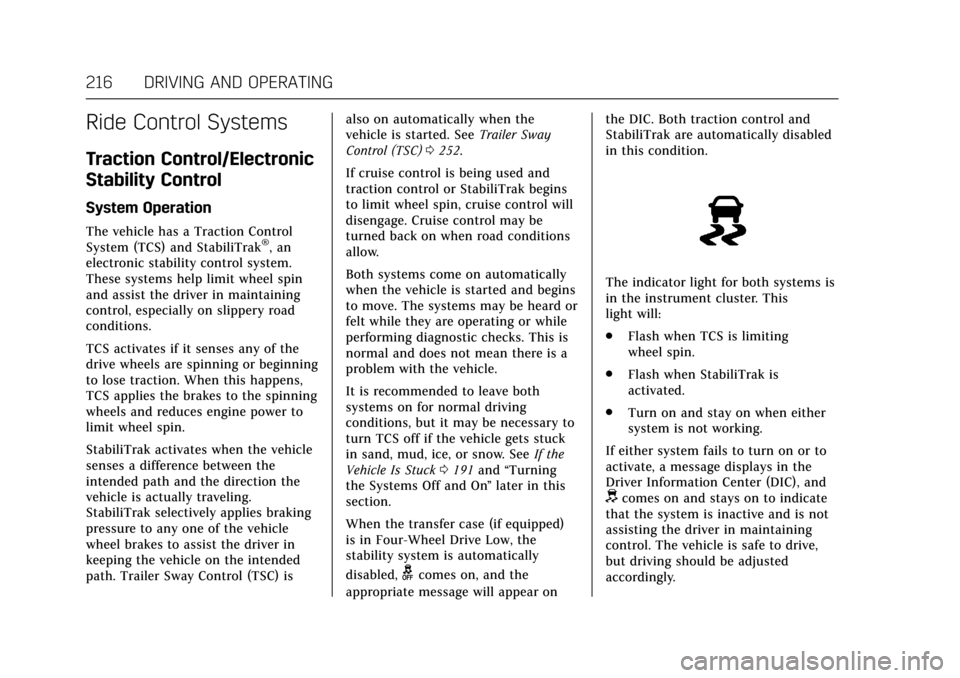
The indicator light for both systems is
in the instrument cluster. This
light will:
.
Flash when TCS is limiting
wheel spin.
. Flash when StabiliTrak is
activated.
. Turn on and stay on when either
system is not working.
If either system fails to turn on or to
activate, a message displays in the
Driver Information Center (DIC), and
dcomes on and stays on to indicate
that the system is inactive and is not
assisting the driver in maintaining
control. The vehicle is safe to drive,
but driving should be adjusted
accordingly.
Page 218 of 354

Cadillac Escalade Owner Manual (GMNA-Localizing-MidEast-10293077) -
2017 - crc - 8/24/16
DRIVING AND OPERATING 217
Ifdcomes on and stays on:
1. Stop the vehicle.
2. Turn the engine off and wait 15 seconds.
3. Start the engine.
Drive the vehicle. If
dcomes on and
stays on, the vehicle may need more
time to diagnose the problem. If the
condition persists, see your dealer.
Turning the Systems Off and On
The button for TCS and StabiliTrak is
on the center stack.
Caution
Do not repeatedly brake or
accelerate heavily when TCS is off.
The vehicle driveline could be
damaged. To turn off only TCS, press and
release
g. The traction off lighti
displays in the instrument cluster. The
appropriate message will display in
the DIC. See
Ride Control System
Messages 0150. To turn TCS on again,
press and release
g. The traction off
light
idisplayed in the instrument
cluster will turn off.
If TCS is limiting wheel spin when
g
is pressed, the system will not turn off
until the wheels stop spinning.
To turn off both TCS and StabiliTrak,
press and hold
guntil the traction off
light
iand the StabiliTrak OFF
light
gcome on and stay on in the
instrument cluster, then release. The
appropriate message will display in
the DIC. See Ride Control System
Messages 0150.
To turn TCS and StabiliTrak on again,
press and release
g. The traction off
light
iand the StabiliTrak OFF
light
gin the instrument cluster
turn off. StabiliTrak will automatically turn on
if the vehicle exceeds 56 km/h
(35 mph). Traction control will
remain off.
The vehicle has a Trailer Sway
Control (TSC) feature and a Hill Start
Assist (HSA) feature. See
Trailer Sway
Control (TSC) 0252 orHill Start Assist
(HSA) 0215.
Adding accessories can affect the
vehicle performance. See Accessories
and Modifications 0255.
Driver Mode Control
Driver Mode Control attempts to add
a sportier feel, provide a more
comfortable ride, or assist in different
weather conditions or terrain. This
system simultaneously changes the
software settings of various
sub-systems. Depending on the option
package, available features, and mode
selected, the suspension, steering, and
powertrain will change settings to
achieve the desired mode
characteristics. If the vehicle is
equipped with Magnetic Ride Control,
selecting the various Driver Modes
adjusts the ride of the vehicle to
Page 219 of 354

Cadillac Escalade Owner Manual (GMNA-Localizing-MidEast-10293077) -
2017 - crc - 8/24/16
218 DRIVING AND OPERATING
enhance the ride performance for the
road conditions and the
selected mode.
The Driver Mode Control has four
modes: Tour, Sport, Snow/Ice, and
Tow/Haul.
Press the TOW/HAUL switch to
activate and deactivate the Tow/
Haul Mode.
Press the MODE switch on the center
console to select Tour, Sport, or Snow/
Ice. Pressing the switch will display a
graphic of all available ride modes and
change to the next mode. The Tour
and Sport Modes will feel similar on a
smooth road. Select a new setting
whenever driving conditions change.
Tour Mode
Use for normal city and highway
driving to provide a smooth, soft ride.
When selected, there will be no
indication in the DIC.
Sport Mode
Use where road conditions or personal
preference demand a more controlled
response.The steering will change to provide
more precise control. The Magnetic
Ride Control will change to provide
better cornering performance.
When selected, the Sport Mode
indicator will display in the DIC.
Snow/Ice Mode
Use when more traction is needed
during slippery conditions.
The vehicle will upshift normally
when the vehicle is moving. The
acceleration will adjust to help provide
a smoother launch.
When selected, the Snow/Ice Mode
indicator will display in the DIC.
Tow/Haul Mode
Tow/Haul is a feature that assists
when pulling a heavy trailer or a large
or heavy load. See .Tow/Haul
Mode
0208
Tow/Haul is designed to be most
effective when the vehicle and trailer
combined weight is at least 75 percent
of the vehicle’s Gross Combined
Weight Rating (GCWR)l See “Weight
of the Trailer” underTrailer
Towing 0247. Tow/Haul is most useful under the
following conditions:
.
When pulling a heavy trailer or a
large or heavy load through rolling
terrain.
. When pulling a heavy trailer or a
large or heavy load in stop-and-go
traffic.
. When pulling a heavy trailer or a
large or heavy load in busy
parking lots where improved low
speed control of the vehicle is
desired.
Operating the vehicle in Tow/Haul
when lightly loaded or with no trailer
at all will not cause damage. However,
there is no benefit to the selection of
Tow/Haul when the vehicle is
unloaded. Such a selection when
unloaded may result in unpleasant
engine and transmission driving
characteristics and reduced fuel
economy. Tow/Haul is recommended
only when pulling a heavy trailer or a
large or heavy load.
When selected, the Tow/Haul
indicator will display in the
instrument cluster.
Page 223 of 354

Cadillac Escalade Owner Manual (GMNA-Localizing-MidEast-10293077) -
2017 - crc - 8/24/16
222 DRIVING AND OPERATING
when driving on downhill grades by
using the engine and transmission to
slow the vehicle.
To disable and enable Cruise Grade
Braking for the current ignition cycle,
press and hold the Tow/Haul button
for five seconds. A Driver Information
Center (DIC) message displays. See
Transmission Messages0152.
For other forms of Grade Braking, see
Automatic Transmission 0204, and
Tow/Haul Mode 0208.
Ending Cruise Control
There are four ways to end cruise
control:
. Step lightly on the brake pedal.
. Press
*.
. Shift the transmission to
N (Neutral).
. To turn off cruise control,
press
J.
Erasing Speed Memory
The cruise control set speed is erased
from memory if
Jis pressed or if
the ignition is turned off.
Adaptive Cruise Control
If equipped with Adaptive Cruise
Control (ACC), it allows for selecting
the cruise control set speed and
following gap. Read this entire section
before using this system. ACC uses a
camera and radar sensors to detect
other vehicles. The following gap is
the following time (or distance)
between your vehicle and a vehicle
detected directly ahead in your path,
moving in the same direction. If no
vehicle is detected in your path, ACC
works like regular cruise control.
If a vehicle is detected in your path,
ACC can speed up the vehicle or apply
limited, moderate braking to maintain
the selected following gap. To
disengage ACC, apply the brake. If the
Traction Control System (TCS) or
electronic stability control system
activates while ACC is engaged, ACC
may automatically disengage. See
Traction Control/Electronic Stability
Control 0216. When road conditions
allow ACC to be safely used, the ACC
can be turned back on. ACC will not engage if the TCS or
StabiliTrak electronic stability control
system is disabled.
{Warning
ACC has limited braking ability and
may not have time to slow the
vehicle down enough to avoid a
collision with another vehicle you
are following. This can occur when
vehicles suddenly slow or stop
ahead, or enter your lane. Also see
“Alerting the Driver”
in this section.
Complete attention is always
required while driving and you
should be ready to take action and
apply the brakes. See Defensive
Driving 0183.
Page 227 of 354

Cadillac Escalade Owner Manual (GMNA-Localizing-MidEast-10293077) -
2017 - crc - 8/24/16
226 DRIVING AND OPERATING
limited braking, if necessary. When
braking is active, the brake lights will
come on. The automatic braking may
feel or sound different than if the
brakes were applied manually. This is
normal.
Stationary or Very Slow-Moving
Objects
{Warning
ACC may not detect and react to
stopped or slow-moving vehicles
ahead of you. For example, the
system may not brake for a vehicle
it has never detected moving. This
can occur in stop-and-go traffic or
when a vehicle suddenly appears
due to a vehicle ahead changing
lanes. Your vehicle may not stop
and could cause a crash. Use
caution when using ACC. Your
complete attention is always
required while driving and you
should be ready to take action and
apply the brakes.ACC Automatically Disengages
ACC may automatically disengage and
the driver will need to manually apply
the brakes to slow the vehicle when:
.
The sensors are blocked.
. The Traction Control System (TCS)
or electronic stability control
system has activated or been
disabled.
. No traffic or other objects are
being detected.
. There is a fault in the system.
The ACC active symbol will not be
displayed when ACC is no longer
active.
Notification to Resume ACC
ACC will maintain a following gap
behind a detected vehicle and slow
your vehicle to a stop behind the
detected vehicle.
If the stopped vehicle ahead has
driven away and ACC has not
resumed, the vehicle ahead indicator
will flash as a reminder to check
traffic ahead before proceeding. In
addition, the left and right sides of the
Safety Alert Seat will pulse three times, or three beeps will sound. See
”Alert Type
”and “Go Notifier” in
“Collision/Detection Systems” under
Vehicle Personalization 0154.
When the vehicle ahead drives away,
press +RES or the accelerator pedal to
resume cruise control. If stopped for
more than two minutes or if the driver
door is opened and the driver safety
belt is unbuckled, the ACC
automatically applies the Electric
Parking Brake (EPB) to hold the
vehicle. The EPB status light will turn
on. See Parking Brake 0213. To
resume ACC and release the EPB,
press the accelerator pedal.
A DIC warning message may display
indicating to shift to P (Park) before
exiting the vehicle. See Vehicle
Messages 0144.
{Warning
If ACC has stopped the vehicle, and
if ACC is disengaged, turned off,
or canceled, the vehicle will no
longer be held at a stop. The vehicle
can move. When ACC is holding the
(Continued)
Page 229 of 354

Cadillac Escalade Owner Manual (GMNA-Localizing-MidEast-10293077) -
2017 - crc - 8/24/16
228 DRIVING AND OPERATING
When following a vehicle and entering
a curve, ACC may not detect the
vehicle ahead and accelerate to the set
speed. When this happens, the vehicle
ahead indicator will not appear.
ACC may detect a vehicle that is not
in your lane and apply the brakes.
ACC may occasionally provide an alert
and/or braking that is considered
unnecessary. It could respond to
vehicles in different lanes, signs,
guardrails, and other stationary
objects when entering or exiting a
curve. This is normal operation. The
vehicle does not need service.Other Vehicle Lane Changes
ACC will not detect a vehicle ahead
until it is completely in the lane. The
brakes may need to be manually
applied.
Do Not Use ACC on Hills and When
Towing a Trailer
Do not use ACC when driving on steep
hills or when towing a trailer. ACC will
not detect a vehicle in the lane whiledriving on steep hills. The driver will
often need to take over acceleration
and braking on steep hills, especially
when towing a trailer. If the brakes are
applied, the ACC disengages.
Disengaging ACC
There are three ways to
disengage ACC:
.
Step lightly on the brake pedal.
. Press
*.
. Press
J.
Erasing Speed Memory
The cruise control set speed is erased
from memory if
Jis pressed or if
the ignition is turned off.
Cleaning the Sensing System
The camera sensor on the windshield
ahead of the rearview mirror and the
radar sensors on the front of the
vehicle can become blocked by snow,
ice, dirt, or mud. These areas need to
be cleaned for ACC to operate
properly.