2017 CADILLAC CT6 front brake
[x] Cancel search: front brakePage 185 of 337

Cadillac CT6 Owner Manual (GMNA-Localizing-MidEast-10293390) - 2017 -
CRC - 6/21/16
184 DRIVING AND OPERATING
Driving and
Operating
Driving Information
Distracted Driving . . . . . . . . . . . . . . . . 185
Defensive Driving . . . . . . . . . . . . . . . . 185
Control of a Vehicle . . . . . . . . . . . . . . 185
Braking . . . . . . . . . . . . . . . . . . . . . . . . . . . . 186
Steering . . . . . . . . . . . . . . . . . . . . . . . . . . . 186
Off-Road Recovery . . . . . . . . . . . . . . . . 187
Loss of Control . . . . . . . . . . . . . . . . . . . 187
Driving on Wet Roads . . . . . . . . . . . 188
Hill and Mountain Roads . . . . . . . . 188
Winter Driving . . . . . . . . . . . . . . . . . . . . 189
If the Vehicle Is Stuck . . . . . . . . . . . 190
Vehicle Load Limits . . . . . . . . . . . . . . 191
Starting and Operating
New Vehicle Break-In . . . . . . . . . . . . 194
Ignition Positions . . . . . . . . . . . . . . . . 195
Starting the Engine . . . . . . . . . . . . . . 196
Retained AccessoryPower (RAP) . . . . . . . . . . . . . . . . . . . . 198
Shifting Into Park . . . . . . . . . . . . . . . . 198
Shifting out of Park . . . . . . . . . . . . . . 199
Parking over Things That Burn . . . . . . . . . . . . . . . . . . . . . . . 200
Extended Parking . . . . . . . . . . . . . . . . . 200
Engine Exhaust
Engine Exhaust . . . . . . . . . . . . . . . . . . . 200
Running the Vehicle While Parked . . . . . . . . . . . . . . . . . . . . . . . . . . . 201
Automatic Transmission
Automatic Transmission . . . . . . . . . 201
Manual Mode . . . . . . . . . . . . . . . . . . . . . 203
Drive Systems
All-Wheel Drive . . . . . . . . . . . . . . . . . . 204
Brakes
Antilock Brake System (ABS) . . . . 205
Electric Parking Brake . . . . . . . . . . . . 205
Brake Assist . . . . . . . . . . . . . . . . . . . . . . . 207
Hill Start Assist (HSA) . . . . . . . . . . . 207
Automatic VehicleHold (AVH) . . . . . . . . . . . . . . . . . . . . . 207
Ride Control Systems
Traction Control/ElectronicStability Control . . . . . . . . . . . . . . . . 208
Driver Mode Control . . . . . . . . . . . . . 209
Cruise Control
Cruise Control . . . . . . . . . . . . . . . . . . . . 211
Adaptive Cruise Control . . . . . . . . . 213
Driver Assistance Systems
Driver Assistance Systems . . . . . . . 221
Assistance Systems for Parking or Backing . . . . . . . . . . . . . . . . . . . . . . . 222 Assistance Systems for
Driving . . . . . . . . . . . . . . . . . . . . . . . . . . 228
Forward Collision Alert (FCA) System . . . . . . . . . . . . . . . . . . . . . . . . . . 228
Forward Automatic
Braking (FAB) . . . . . . . . . . . . . . . . . . . 230
Front Pedestrian Braking (FPB) System . . . . . . . . . . . . . . . . . . . . . . . . . . 232
Night Vision System . . . . . . . . . . . . . 234
Side Blind Zone Alert (SBZA) . . . . 236
Lane Change Alert (LCA) . . . . . . . . 236
Lane Departure Warning (LDW) . . . . . . . . . . . . . . . . . 238
Lane Keep Assist (LKA) . . . . . . . . . . 238
Fuel
Fuel . . . . . . . . . . . . . . . . . . . . . . . . . . . . . . . 240
Fuel Additives . . . . . . . . . . . . . . . . . . . . 240
Filling the Tank . . . . . . . . . . . . . . . . . . 240
Filling a Portable Fuel Container . . . . . . . . . . . . . . . . . . . . . . . . 242
Trailer Towing
General Towing Information . . . . 243
Conversions and Add-Ons
Add-On Electrical Equipment . . . 243
Page 187 of 337

Cadillac CT6 Owner Manual (GMNA-Localizing-MidEast-10293390) - 2017 -
CRC - 6/21/16
186 DRIVING AND OPERATING
Braking
Braking action involves perception
time and reaction time. Deciding to
push the brake pedal is perception
time. Actually doing it is
reaction time.
Average driver reaction time is about
three-quarters of a second. In that
time, a vehicle moving at 100 km/h
(60 mph) travels 20 m (66 ft), which
could be a lot of distance in an
emergency.
Helpful braking tips to keep in mind
include:
.Keep enough distance between
you and the vehicle in front
of you.
. Avoid needless heavy braking.
. Keep pace with traffic.
If the engine ever stops while the
vehicle is being driven, brake normally
but do not pump the brakes. Doing so
could make the pedal harder to push
down. If the engine stops, there will
be some power brake assist but it will
be used when the brake is applied. Once the power assist is used up, it
can take longer to stop and the brake
pedal will be harder to push.
Steering
Variable Effort Steering
The vehicle has a steering system that
varies the amount of effort required to
steer the vehicle in relation to the
speed of the vehicle.
The amount of steering effort required
is less at slower speeds to make the
vehicle more maneuverable and easier
to park. At faster speeds, the steering
effort increases to provide a sport-like
feel to the steering. This provides
maximum control and stability.
Electric Power Steering
The vehicle has electric power
steering. It does not have power
steering fluid. Regular maintenance is
not required.
If power steering assist is lost due to a
system malfunction, the vehicle can
be steered, but may require increased
effort. See your dealer if there is a
problem.If the steering wheel is turned until it
reaches the end of its travel and is
held against that position for an
extended period of time, power
steering assist may be reduced.
If steering assist is used for an
extended period of time, power assist
may be reduced.
Normal use of the power steering
assist should return when the system
cools down.
See specific vehicle steering messages
under
Vehicle Messages 0141.
See your dealer if there is a problem.
Curve Tips
. Take curves at a reasonable speed.
. Reduce speed before entering a
curve.
. Maintain a reasonable steady
speed through the curve.
. Wait until the vehicle is out of the
curve before accelerating gently
into the straightaway.
Page 188 of 337

Cadillac CT6 Owner Manual (GMNA-Localizing-MidEast-10293390) - 2017 -
CRC - 6/21/16
DRIVING AND OPERATING 187
Steering in Emergencies
.There are some situations when
steering around a problem may be
more effective than braking.
. Holding both sides of the steering
wheel allows you to turn
180 degrees without removing
a hand.
. Antilock Brake System (ABS)
allows steering while braking.
Off-Road Recovery
The vehicle's right wheels can drop off
the edge of a road onto the shoulder
while driving. Follow these tips: 1. Ease off the accelerator and then,
if there is nothing in the way,
steer the vehicle so that it
straddles the edge of the
pavement.
2. Turn the steering wheel about one-eighth of a turn, until the
right front tire contacts the
pavement edge.
3. Turn the steering wheel to go straight down the roadway.
Loss of Control
Skidding
There are three types of skids that
correspond to the vehicle's three
control systems:
.Braking Skid —wheels are not
rolling.
. Steering or Cornering Skid —too
much speed or steering in a curve
causes tires to slip and lose
cornering force.
. Acceleration Skid —too much
throttle causes the driving wheels
to spin. Defensive drivers avoid most skids by
taking reasonable care suited to
existing conditions, and by not
overdriving those conditions. But
skids are always possible.
If the vehicle starts to slide, follow
these suggestions:
.
Ease your foot off the accelerator
pedal and steer the way you want
the vehicle to go. The vehicle may
straighten out. Be ready for a
second skid if it occurs.
. Slow down and adjust your driving
according to weather conditions.
Stopping distance can be longer
and vehicle control can be affected
when traction is reduced by water,
snow, ice, gravel, or other material
on the road. Learn to recognize
warning clues —such as enough
water, ice, or packed snow on the
road to make a mirrored surface
— and slow down when you have
any doubt.
. Try to avoid sudden steering,
acceleration, or braking, including
reducing vehicle speed by shifting
Page 199 of 337

Cadillac CT6 Owner Manual (GMNA-Localizing-MidEast-10293390) - 2017 -
CRC - 6/21/16
198 DRIVING AND OPERATING
Auto Stop may be deactivated if:
.A minimum vehicle speed is not
reached.
. The engine or transmission is not
at the required operating
temperature.
. The outside temperature is not in
the required operating range,
typically between −10 °C (14 °F)
and 50 °C (122 °F).
. The shift lever is in any gear other
than D (Drive).
. The battery has been recently
disconnected.
. The battery charge is low.
. The interior comfort level has not
reached the required level for the
climate control system or defog
settings. See Automatic Climate
Control System (Quad Zone) 0171
or Automatic Climate Control
System (Dual Zone) 0178.
. The Auto Stop time is greater than
two minutes.
The automatic engine stop/start
function can be disabled by
touching
hon the infotainment
display. The indicator next to the
switch will come on when the system
is active.
Retained Accessory
Power (RAP)
These vehicle accessories can be used
for up to 10 minutes after the engine
is turned off:
. Audio System
. Power Windows
. Sunroof (if equipped) Power to the audio system will work
up to 10 minutes or until the driver
door is opened. Power to the windows
or sunroof will work up to 10 minutes
or until any door is opened.
Shifting Into Park
To shift into P (Park):
1. Hold the brake pedal down and set the parking brake.
See Electric Parking Brake 0205.
2. Move the shift lever into P (Park) by holding in the button on the
shift lever and pushing the lever
all the way toward the front of
the vehicle.
3. Turn the ignition off.
4. Take the Remote Keyless Entry (RKE) transmitter with you.
Page 206 of 337
Cadillac CT6 Owner Manual (GMNA-Localizing-MidEast-10293390) - 2017 -
CRC - 6/21/16
DRIVING AND OPERATING 205
Brakes
Antilock Brake
System (ABS)
This vehicle has an Antilock Brake
System (ABS), an advanced electronic
braking system that helps prevent a
braking skid.
When the vehicle begins to drive
away, ABS checks itself. A momentary
motor or clicking noise may be heard
while this test is going on, and it may
even be noticed that the brake pedal
moves a little. This is normal.
If there is a problem with ABS, this
warning light stays on. SeeAntilock
Brake System (ABS) Warning
Light 0130.
If driving safely on a wet road and it
becomes necessary to slam on the
brakes and continue braking to avoid a sudden obstacle, a computer senses
the wheels are slowing down. If one of
the wheels is about to stop rolling, the
computer will separately work the
brakes at each wheel.
ABS can change the brake pressure to
each wheel, as required, faster than
any driver could. This can help you
steer around the obstacle while
braking hard.
As the brakes are applied, the
computer keeps receiving updates on
wheel speed and controls braking
pressure accordingly.
Remember: ABS does not change the
time needed to get a foot up to the
brake pedal or always decrease
stopping distance. If you get too close
to the vehicle in front of you, there
will not be enough time to apply the
brakes if that vehicle suddenly slows
or stops. Always leave enough room
up ahead to stop, even with ABS.
Using ABS
Do not pump the brakes. Just hold the
brake pedal down firmly and let ABS
work. You may hear the ABS pump or
motor operating and feel the brake
pedal pulsate. This is normal.
Braking in Emergencies
ABS allows you to steer and brake at
the same time. In many emergencies,
steering can help more than even the
very best braking.
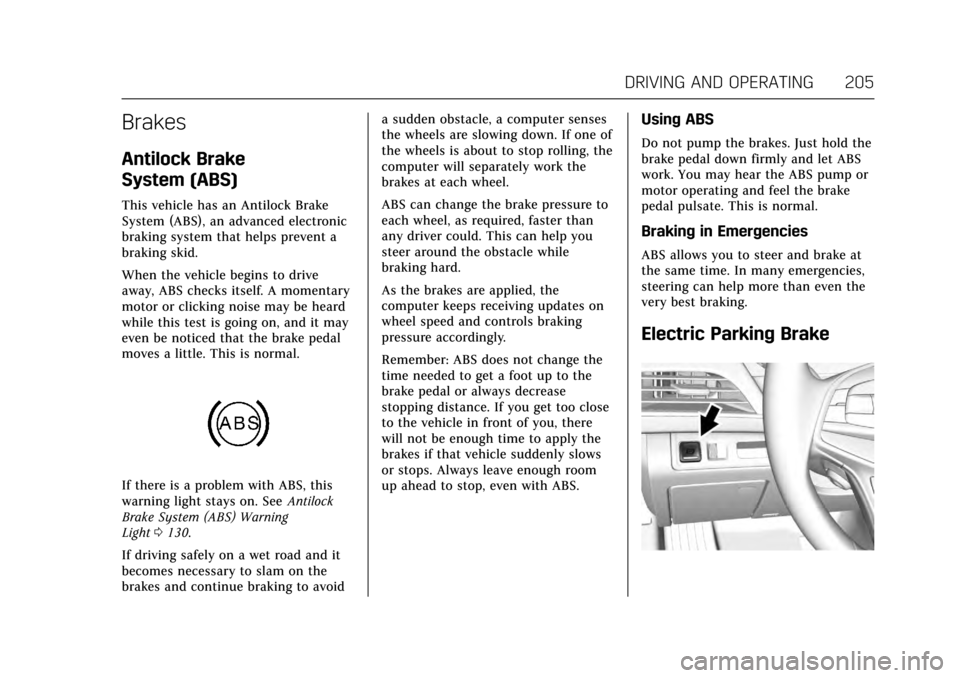
Electric Parking Brake
Page 215 of 337

Cadillac CT6 Owner Manual (GMNA-Localizing-MidEast-10293390) - 2017 -
CRC - 6/21/16
214 DRIVING AND OPERATING
{Warning
ACC will not detect or brake for
children, pedestrians, animals,
or other objects.
Do not use ACC when:. On winding and hilly roads or
when the sensors are blocked
by snow, ice, or dirt. The
system may not detect a
vehicle ahead. Keep the entire
front of the vehicle clean.
. Visibility is low, such as in
fog, rain, or snow conditions.
ACC performance is limited
under these conditions.
. On slippery roads where fast
changes in tire traction can
cause excessive wheel slip.
J:Press to turn the system on or
off. The indicator turns white on the
instrument cluster when ACC is
turned on.
RES+ : Press briefly to resume the
previous set speed or to increase
vehicle speed if ACC is already
engaged. To increase speed by 1 km/h
(1 mph), press RES+ to the first detent.
To increase speed to the next 5 km/h
(5 mph) mark on the speedometer,
press RES+ to the second detent.
SET– :Press briefly to set the speed
and activate ACC or to decrease
vehicle speed if ACC is already
engaged. To decrease speed by 1 km/h (1 mph), press SET−
to the first detent.
To decrease speed to the next 5 km/h
(5 mph) mark on the speedometer,
press SET− to the second detent.
*:Press to disengage ACC without
erasing the selected set speed.
[: Press to select a following gap
time (or distance) setting for ACC of
Far, Medium, or Near.
The speedometer reading can be
displayed in either English or metric
units. See Instrument Cluster (Base
Level) 0115 orInstrument Cluster
(Uplevel) 0118. The increment value
used depends on the units displayed.
Switching Between ACC and
Regular Cruise Control
To switch between ACC and regular
cruise control, press and hold
*.
A Driver Information Center Display
(DIC) message displays. See Vehicle
Messages 0141.
Page 218 of 337

Cadillac CT6 Owner Manual (GMNA-Localizing-MidEast-10293390) - 2017 -
CRC - 6/21/16
DRIVING AND OPERATING 217
.To decrease speed in larger
increments, press SET− to the
second detent. For each press, the
vehicle speed decreases to the
next 5 km/h (5 mph) mark on the
speedometer.
. To decrease speed while the
vehicle is stopped, press SET−
until the desired set speed is
displayed.
Selecting the Follow Distance Gap
When a slower moving vehicle is
detected ahead within the selected
following gap, ACC will adjust the
vehicle's speed and attempt to
maintain the follow distance gap
selected.
Press
[on the steering wheel to
adjust the following gap. Each press
cycles the gap button through three
settings: Far, Medium, or Near.
When pressed, the current gap setting
displays briefly on the instrument
cluster and HUD. The gap setting will
be maintained until it is changed.
Since each gap setting corresponds to
a following time (Far, Medium,
or Near), the following distance will vary based on vehicle speed. The
faster the vehicle speed, the further
back your vehicle will follow a vehicle
detected ahead. Consider traffic and
weather conditions when selecting the
following gap. The range of selectable
gaps may not be appropriate for all
drivers and driving conditions.
Changing the gap setting
automatically changes the alert timing
sensitivity (Far, Medium, or Near) for
the Forward Collision Alert (FCA)
feature. See
Forward Collision Alert
(FCA) System 0228.
Alerting the Driver
If ACC is engaged, driver action may
be required when ACC cannot apply
sufficient braking because of
approaching a vehicle too rapidly. When this condition occurs, the
collision alert symbol on the HUD will
flash on the windshield. Either eight
beeps will sound from the front,
or both sides of the Safety Alert Seat
will pulse five times. See
“Collision/
Detection Systems” underVehicle
Personalization 0152.
See Defensive Driving 0185.
Approaching and Following a
Vehicle
The vehicle ahead indicator is on the
instrument cluster, infotainment
display, and HUD display. This
indicator only displays when a vehicle
is detected in your vehicle’s path
moving in the same direction.
If this indicator is not displaying, ACC
will not respond to or brake for
vehicles ahead.
Page 219 of 337

Cadillac CT6 Owner Manual (GMNA-Localizing-MidEast-10293390) - 2017 -
CRC - 6/21/16
218 DRIVING AND OPERATING
ACC automatically slows the vehicle
down and adjusts vehicle speed to
follow the vehicle in front at the
selected follow gap. The vehicle speed
increases or decreases to follow the
vehicle in front of you, but will not
exceed the set speed. It may apply
limited braking, if necessary. When
braking is active, the brake lights will
come on. The automatic braking may
feel or sound different than if the
brakes were applied manually. This is
normal.
Stationary or Very Slow-Moving
Objects
{Warning
ACC may not detect and react to
stopped or slow-moving vehicles
ahead of you. For example, the
system may not brake for a vehicle
it has never detected moving. This
can occur in stop-and-go traffic or
when a vehicle suddenly appears
due to a vehicle ahead changing
lanes. Your vehicle may not stop
and could cause a crash. Use(Continued)
Warning (Continued)
caution when using ACC. Your
complete attention is always
required while driving and you
should be ready to take action and
apply the brakes.
ACC Automatically Disengages
ACC may automatically disengage and
you will need to manually apply the
brakes to slow the vehicle when:
. The sensors are blocked.
. The Traction Control System (TCS)
or electronic stability control
system has activated or been
disabled.
. No traffic or other objects are
being detected.
. There is a fault in the system.
The ACC indicator will not be
displayed when ACC is no longer
active. Notification to Resume ACC
ACC will maintain a follow gap behind
a detected vehicle and slow your
vehicle to a stop behind that vehicle.
If the stopped vehicle ahead has
driven away and ACC has not
resumed, the vehicle ahead indicator
will flash as a reminder to check
traffic ahead before proceeding. In
addition, the left and right sides of the
Safety Alert Seat will pulse three
times, or three beeps will sound. See
”Alert Type
”and “Go Notifier” in
“Collision/Detection Systems” under
Vehicle Personalization 0152.
When the vehicle ahead drives away,
ACC resumes automatically if the stop
was brief. If necessary, press RES+ or
the accelerator pedal to resume ACC.
If stopped for more than two minutes
or if the driver door is opened and the
driver safety belt is unbuckled, the
ACC automatically applies the Electric
Parking Brake (EPB) to hold the
vehicle. The Electric Parking Brake
status light will turn on. See Electric
Parking Brake 0205. To resume ACC
and release the EPB, press the
accelerator pedal.