2017 BUICK LACROSSE change time
[x] Cancel search: change timePage 188 of 346

Buick LaCrosse Owner Manual (GMNA-Localizing-U.S./Canada-9803782) -
2017 - crc - 9/7/16
Driving and Operating 187
If driving safely on a wet road and it
becomes necessary to slam on the
brakes and continue braking to
avoid a sudden obstacle, a
computer senses the wheels are
slowing down. If one of the wheels
is about to stop rolling, the computer
will separately work the brakes at
each wheel.
ABS can change the brake pressure
to each wheel, as required, faster
than any driver could. This can help
you steer around the obstacle while
braking hard.
As the brakes are applied, the
computer keeps receiving updates
on wheel speed and controls
braking pressure accordingly.
Remember: ABS does not change
the time needed to get a foot up to
the brake pedal or always decrease
stopping distance. If you get too
close to the vehicle in front of you,
there will not be enough time to
apply the brakes if that vehicle
suddenly slows or stops. Always
leave enough room up ahead to
stop, even with ABS.Using ABS
Do not pump the brakes. Just hold
the brake pedal down firmly and let
ABS work. You may hear the ABS
pump or motor operating and feel
the brake pedal pulsate. This is
normal.
Braking in Emergencies
ABS allows you to steer and brake
at the same time. In many
emergencies, steering can help
more than even the very best
braking.
Electric Parking Brake
The Electric Parking Brake (EPB)
can always be activated, even if the
ignition is off. To prevent draining
the battery, avoid repeated cycles of
the EPB when the engine is not
running.
The system has a red parking brake
status light and an amber parking
brake warning light. There are also
parking brake-related Driver
Information Center (DIC) messages.
In case of insufficient electrical
power, the EPB cannot be applied
or released.
Before leaving the vehicle, check
the red parking brake status light to
ensure that the parking brake is
applied.
EPB Apply
To apply the EPB:1. Be sure the vehicle is at a complete stop.
2. Press the EPB switch momentarily.
The red parking brake status light
will flash and then stay on once the
EPB is fully applied. If the red
Page 193 of 346

Buick LaCrosse Owner Manual (GMNA-Localizing-U.S./Canada-9803782) -
2017 - crc - 9/7/16
192 Driving and Operating
Selective Ride Control
The vehicle may have Selective
Ride Control. The SPORT button is
on the center stack.
Selective Ride Control adapts to the
preference of the driver within one
of two driving modes:
TOUR :Default mode used for
normal and long-distance highway
driving. This setting provides a
smooth, soft ride.
SPORT : Use where road conditions
or personal preference demand
more control. This setting provides
responsive, controlled steering and handling to road conditions through
increased steering effort and
suspension tuning. Press and
release SPORT and the light on the
button comes on. Press the button
again and the system returns to the
Tour Mode.
The setting can be changed at any
time. Based on road conditions,
steering wheel angle, and vehicle
speed, the system automatically
adjusts to provide the best handling
while providing a smooth ride. The
Tour and Sport Modes will feel
similar on a smooth road.
Selective Ride Control automatically
comes on in the Tour Mode when
the vehicle is started. When the
Sport Mode is turned off, the system
returns to the Tour Mode.
Cruise Control
With cruise control the vehicle can
maintain a speed of about 40 km/h
(25 mph) or more without keeping
your foot on the accelerator. Cruise
control does not work at speeds
below 40 km/h (25 mph).
{Warning
Cruise control can be dangerous
where you cannot drive safely at
a steady speed. Do not use
cruise control on winding roads or
in heavy traffic.
Cruise control can be dangerous
on slippery roads. On such roads,
fast changes in tire traction can
cause excessive wheel slip, and
you could lose control. Do not use
cruise control on slippery roads.
If equipped with the Traction Control
System (TCS), the system may
begin to limit wheel spin while you
are using cruise control. If this
happens, the cruise control will
Page 196 of 346

Buick LaCrosse Owner Manual (GMNA-Localizing-U.S./Canada-9803782) -
2017 - crc - 9/7/16
Driving and Operating 195
If a vehicle is detected in your path,
ACC can speed up the vehicle or
apply limited, moderate braking to
maintain the selected following gap.
To disengage ACC, apply the brake.
If the Traction Control System (TCS)
or StabiliTrak
®electronic stability
control system activates while ACC
is engaged, ACC may automatically
disengage. See Traction Control/
Electronic Stability Control 0190.
When road conditions allow ACC to
be safely used, ACC can be turned
back on. ACC will not engage if the
TCS or StabiliTrak electronic
stability control system is disabled.
{Warning
ACC has limited braking ability
and may not have time to slow
the vehicle down enough to avoid
a collision with another vehicle
you are following. This can occur
when vehicles suddenly slow or
stop ahead, or enter your lane.
Also see “Alerting the Driver” in
this section. Complete attention is
(Continued)
Warning (Continued)
always required while driving and
you should be ready to take
action and apply the brakes. See
Defensive Driving0164.
{Warning
ACC will not detect or brake for
children, pedestrians, animals,
or other objects.
Do not use ACC when:
. On winding and hilly roads
or when the sensors are
blocked by snow, ice, or dirt.
The system may not detect
a vehicle ahead. Keep the
entire front of the vehicle
clean.
. Visibility is low, such as in
fog, rain, or snow
conditions. ACC
performance is limited under
these conditions.
(Continued)
Warning (Continued)
.On slippery roads where
fast changes in tire traction
can cause excessive
wheel slip.
5:Press to turn the system on or
off. The indicator turns white on the
instrument cluster when ACC is
turned on.
RES+ : Press the control up briefly
to make the vehicle resume to a
previously set speed, or hold
Page 198 of 346
Buick LaCrosse Owner Manual (GMNA-Localizing-U.S./Canada-9803782) -
2017 - crc - 9/7/16
Driving and Operating 197
When the accelerator pedal is
pressed, ACC will not brake
because it is overridden.
A warning message will appear
on the Driver Information Center
(DIC) and Head-Up Display
(HUD). SeeCruise Control
Messages 0130.
. Press and hold RES+ up until
the desired set speed appears
on the display, then release it.
. To increase vehicle speed in
small increments, briefly press
RES+. For each press, the
vehicle speed increases to the
next 5 km/h (1 mph) mark on the
speedometer.
When it is determined that there is
no vehicle ahead or the vehicle
ahead is beyond the selected
following gap, then the vehicle
speed will increase to the set speed.
Reducing Speed While ACC is at a
Set Speed
Do one of the following:
. Use the brake to get to the
desired lower speed. Press
SET– down and release the accelerator pedal. The vehicle
will now cruise at the lower
speed.
. Press and hold SET– down until
the desired lower speed is
reached, then release it.
. To decrease the vehicle speed in
smaller increments, press SET−
down briefly. For each press, the
vehicle speed decreases to the
next 5 km/h (1 mph) mark on the
speedometer.
Selecting the Follow Distance Gap
When a slower moving vehicle is
detected ahead within the selected
following gap, ACC will adjust the
vehicle's speed and attempt to
maintain the follow distance gap
selected.
Press
[on the steering wheel to
adjust the following gap. Each press
cycles the gap button through three
settings: Far, Medium, or Near.
When pressed, the current gap
setting displays briefly on the
instrument cluster and HUD. The
gap setting will be maintained until it
is changed. Since each gap setting corresponds
to a following time (Far, Medium,
or Near), the following distance will
vary based on vehicle speed. The
faster the vehicle speed, the further
back your vehicle will follow a
vehicle detected ahead. Consider
traffic and weather conditions when
selecting the following gap. The
range of selectable gaps may not be
appropriate for all drivers and
driving conditions.
Changing the gap setting
automatically changes the alert
timing sensitivity (Far, Medium,
or Near) for the Forward Collision
Alert (FCA) feature. See
Forward
Collision Alert (FCA) System 0207.
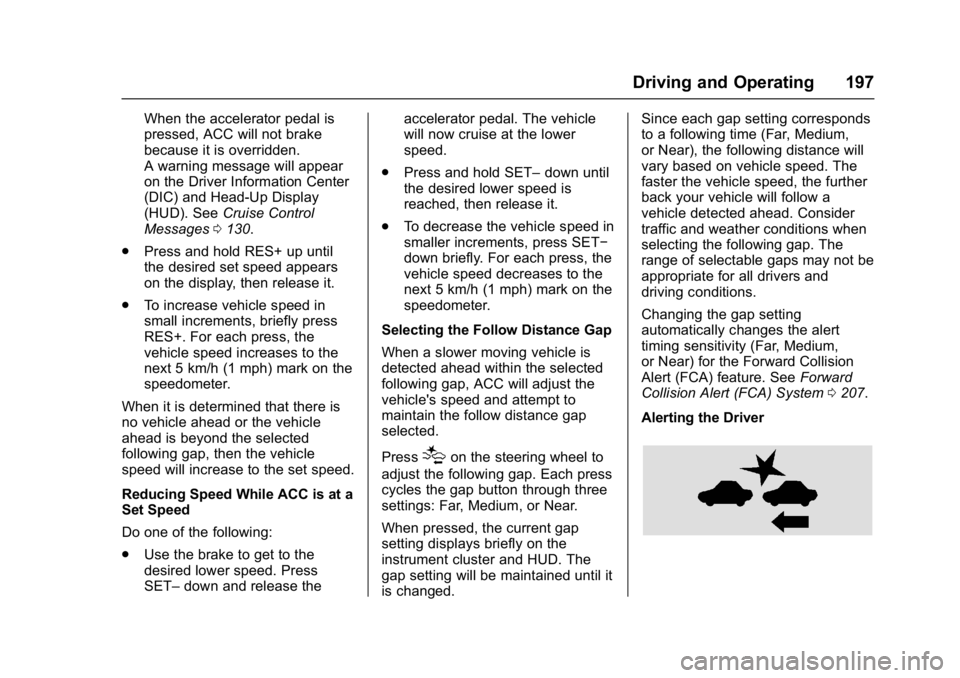
Alerting the Driver
Page 203 of 346

Buick LaCrosse Owner Manual (GMNA-Localizing-U.S./Canada-9803782) -
2017 - crc - 9/7/16
202 Driving and Operating
Driver Assistance
Systems
This vehicle may have features that
work together to help avoid crashes
or reduce crash damage while
driving, backing, and parking. Read
this entire section before using
these systems.
{Warning
Do not rely on the Driver
Assistance Systems. These
systems do not replace the need
for paying attention and driving
safely. You may not hear or feel
alerts or warnings provided by
these systems. Failure to use
proper care when driving may
result in injury, death, or vehicle
damage. SeeDefensive Driving
0 164.
(Continued)
Warning (Continued)
Under many conditions, these
systems will not:
. Detect children,
pedestrians, bicyclists,
or animals.
. Detect vehicles or objects
outside the area monitored
by the system.
. Work at all driving speeds.
. Warn you or provide you
with enough time to avoid a
crash.
. Work under poor visibility or
bad weather conditions.
. Work if the detection sensor
is not cleaned or is covered
by ice, snow, mud, or dirt.
. Work if the detection sensor
is covered up, such as with
a sticker, magnet, or metal
plate.
(Continued)
Warning (Continued)
.Work if the area surrounding
the detection sensor is
damaged or not properly
repaired.
Complete attention is always
required while driving, and you
should be ready to take action
and apply the brakes and/or steer
the vehicle to avoid crashes.
Audible or Safety Alert Seat
Some driver assistance features
alert the driver of obstacles by
beeping. To change the volume of
the warning chime, see “Comfort
and Convenience” underVehicle
Personalization 0138.
If equipped with the Safety Alert
Seat, the driver seat cushion may
provide a vibrating pulse alert
instead of beeping. To change this,
see “Collision/Detection Systems”
under Vehicle Personalization
0 138.
Page 209 of 346

Buick LaCrosse Owner Manual (GMNA-Localizing-U.S./Canada-9803782) -
2017 - crc - 9/7/16
208 Driving and Operating
Collision Alert
When your vehicle approaches
another vehicle too rapidly, the red
collision alert symbol on the HUD
will flash on the windshield. Either
eight beeps will sound from the
front, or both sides of the Safety
Alert Seat will pulse five times.
When this Collision Alert occurs, the
brake system may prepare for driver
braking to occur more rapidly which
can cause a brief, mild deceleration.
Continue to apply the brake pedal
as needed. Cruise control may be
disengaged when the Collision Alert
occurs.Tailgating AlertThe vehicle ahead indicator will
display amber when you are
following a vehicle ahead much too
closely.
Selecting the Alert Timing
The Collision Alert control is on the
steering wheel. Press
[to set the
alert timing. The first button press
shows the current setting on the
Driver Information Center (DIC).
Additional button presses will
change this setting. The chosen
setting will remain until it is changed
and will affect the timing of both the
Collision Alert and the Tailgating
Alert features. The timing of both
alerts will vary based on vehicle
speed. The faster the vehicle speed,
the farther away the alert will occur.
Consider traffic and weather
conditions when selecting the alert timing. The range of selectable alert
timing may not be appropriate for all
drivers and driving conditions.
Changing the FCA timing setting
automatically changes the following
gap setting (Far, Medium, or Near)
for the Adaptive Cruise Control
(ACC) feature.
Following Distance Indicator
The following distance to a moving
vehicle you are following is
indicated in following time in
seconds on the DIC. See
Driver
Information Center (DIC) 0122. The
minimum following time is
0.5 seconds away. If there is no
vehicle detected ahead, or the
vehicle ahead is out of sensor
range, dashes will be displayed.
Unnecessary Alerts
FCA may provide unnecessary
alerts for turning vehicles, vehicles
in other lanes, objects that are not
vehicles, or shadows. These alerts
are normal operation and the
vehicle does not need service.
Page 232 of 346

Buick LaCrosse Owner Manual (GMNA-Localizing-U.S./Canada-9803782) -
2017 - crc - 9/7/16
Vehicle Care 231
1. Windshield Washer FluidReservoir. See Washer Fluid
0 241.
2. Engine Oil Fill Cap. See Engine Oil 0231.
3. Engine Oil Dipstick. See Engine Oil 0231.
4. Engine Cooling Fans (Out of View). See Cooling System
0 236.
5. Brake Fluid Reservoir. See Brake Fluid 0242.
6. Engine Air Cleaner/Filter 0235.
7. Coolant Surge Tank and Pressure Cap. See Engine
Coolant 0236.
8. Remote Positive (+) Battery Terminal (Under Cover). See
Jump Starting - North America
0281.
9. Remote Negative (-) Battery Terminal. See Jump Starting -
North America 0281.
10. Engine Compartment Fuse
Block 0249.Engine Oil
To ensure proper engine
performance and long life, careful
attention must be paid to engine oil.
Following these simple, but
important steps will help protect
your investment:
.
Use engine oil approved to the
proper specification and of the
proper viscosity grade. See
“Selecting the Right Engine Oil”
in this section.
. Check the engine oil level
regularly and maintain the
proper oil level. See “Checking
Engine Oil” and“When to Add
Engine Oil” in this section.
. Change the engine oil at the
appropriate time. See Engine Oil
Life System 0233.
. Always dispose of engine oil
properly. See “What to Do with
Used Oil” in this section.
Checking Engine Oil
Check the engine oil level regularly,
every 650 km (400 mi), especially
prior to a long trip. The engine oil dipstick handle is a loop. See
Engine Compartment Overview
0
230 for the location.
{Warning
The engine oil dipstick handle
may be hot; it could burn you.
Use a towel or glove to touch the
dipstick handle.
If a low oil Driver Information Center
(DIC) message displays, check the
oil level.
Follow these guidelines:
. To get an accurate reading, park
the vehicle on level ground.
Check the engine oil level after
the engine has been off for at
least two hours. Checking the
engine oil level on steep grades
or too soon after engine shutoff
can result in incorrect readings.
Accuracy improves when
checking a cold engine prior to
starting. Remove the dipstick
and check the level.
Page 234 of 346
Buick LaCrosse Owner Manual (GMNA-Localizing-U.S./Canada-9803782) -
2017 - crc - 9/7/16
Vehicle Care 233
Caution
Failure to use the recommended
engine oil or equivalent can result
in engine damage not covered by
the vehicle warranty.
Viscosity Grade
Use SAE 5W-30 viscosity grade
engine oil. Cold Temperature
Operation: In an area of extreme
cold, where the temperature falls
below −29 °C (−20 °F), an SAE
0W-30 oil may be used. An oil of
this viscosity grade will provide
easier cold starting for the engine at
extremely low temperatures. When
selecting an oil of the appropriate
viscosity grade, it is recommended
to select an oil of the correct
specification. See “Specification”
earlier in this section.
Engine Oil Additives/Engine
Oil Flushes
Do not add anything to the oil. The
recommended oils meeting the
dexos1 specification are all that is
needed for good performance and
engine protection.
Engine oil system flushes are not
recommended and could cause
engine damage not covered by the
vehicle warranty.
What to Do with Used Oil
Used engine oil contains certain
elements that can be unhealthy for
your skin and could even cause
cancer. Do not let used oil stay on
your skin for very long. Clean your
skin and nails with soap and water,
or a good hand cleaner. Wash or
properly dispose of clothing or rags
containing used engine oil. See the
manufacturer's warnings about the
use and disposal of oil products.
Used oil can be a threat to the
environment. If you change your
own oil, be sure to drain all the oil
from the filter before disposal. Never
dispose of oil by putting it in the trash or pouring it on the ground,
into sewers, or into streams or
bodies of water. Recycle it by taking
it to a place that collects used oil.
Engine Oil Life System
When to Change Engine Oil
This vehicle has a computer system
that indicates when to change the
engine oil and filter. This is based
on a combination of factors which
include engine revolutions, engine
temperature, and miles driven.
Based on driving conditions, the
mileage at which an oil change is
indicated can vary considerably. For
the oil life system to work properly,
the system must be reset every time
the oil is changed.
When the system has calculated
that oil life has been diminished, it
indicates that an oil change is
necessary. A CHANGE ENGINE
OIL SOON message comes on. See
Engine Oil Messages
0131.
Change the oil as soon as possible
within the next 1 000 km (600 mi).
It is possible that, if driving under
the best conditions, the oil life