2017 AUDI S3 SEDAN steering
[x] Cancel search: steeringPage 141 of 400

a, a, ... N
" N ..... 0 N > 00
This message appears if you are not steering by
yourself . Active lane assist is activated, but is not
ready to give warning
Setting the vibration warning
Ap plies to: ve hicles with Audi active lane assist
You con adjust individual Audi active lone assist
settings in the Infotainment system .
.,. Select in the Infotainment system: !MENUI but
ton
> Vehicle > left control button > Driver a s
sistance > Audi active lane assist.
Vibration warning
You can switch the additional vibration warning
in the steering wheel on or off.
_& WARNING ,..__
With the vibration warning switched off,
there will also be no visual warning in the in
strument cluster display when crossing a lane
marker line.
(D Tips
Your settings are automatically sto red and as
signed to the remote contro l key being used.
Audi side assist
Description
Applies to: vehicles with Audi side assist
Fig. 144 Sensor detect ion ran ge
Assistance systems
Fig. 145 Disp lay on t he exterio r m irr or
ffl 0 0
> (X)
"'
Sid e assist (lane change ass ist) helps you mon itor
your blind spot and traffic behind yo ur vehicle .
Within the limits of the system, it warns you
about vehicles that are com ing closer or that are
traveling with you within sensor range
(D
¢ fig. 144. If a lane change is classified as criti
cal, the display @in the exterior mirror turns on
¢ fig . 145.
The display in the left exterior mirror provides as
s istance when making a lane change to the left,
while the display in the right exterio r mir ror pro
vides assistan ce when making a lane change to
the righ t.
Information stage
As long as you do not activate the tu rn signal,
side assist
informs yo u about vehicles that are
detected and classified as critical. The display in
the mirror turns on, but is dim .
The display remains dim in the information stage
so that your view toward the front is not distur
bed.
Warning stage
If the display in a mirror blinks brightly when you
activate a turn signal, side assist is
warning you
about detected vehicles that it has classified as
critical. If this happens, check traff ic by glancing
in the exterior m irrors and over your shoulder
¢ & in General information on page 141 .
Applies to: vehicles with Audi act ive lane ass ist
The display in the mirror can also blink if you
have not activated a turn signal: if you are ap
proaching a detected lane marker line and it ap
pears you will be leaving the lane, side assist w ill
liJl,,
139
Page 146 of 400
Assistance systems
Suspension control (Audi magnetic ride)*
Suspension cont rol uses senso rs to recor d info r
mat io n regarding steering moveme nts, br aking
an d accelerat ion operat ions by the drive r, road
surface, d riving speed, and load. With Audi drive
select you can adjust the s uspension contro l to
sporty (dynamic), comfortable (comfort) or bal
anced (auto) .
Steering
The stee ring adapts in te rms of stee ring assis
tance. The re are differe nt modes
c::> page 144.
Indirect steering that moves easily as in com fort
mode is especially su ited to long drives on a high
way . The dynamic mode p rovides sporty, d irect
s teer ing .
For ve hicles w ith progressive steering * the steer
ing performance is more agi le.
Audi adaptive light*
The illumination on curves in ada ptive lig ht is
a d apted to the selected mode.
Audi adaptive cruise control*
The behavior when a ccele ra ting can be adjus ted
fr om com fort able to sporty, depe nding on the
d rive select mode . Ad aptive cru ise cont rol a lso
res ponds to the driving behavior of the veh icle
ahead in a mo re conse rvative o r spo rty manner .
(D Tips
- In so me mode ls, t he maxim um vehicle
speed can on ly be reache d in the auto an d
d ynam ic modes .
- T he S selec to r l eve r posit ion autom atically
e n gages if t he dynam ic mode is selecte d.
Adjusting the Individual mode
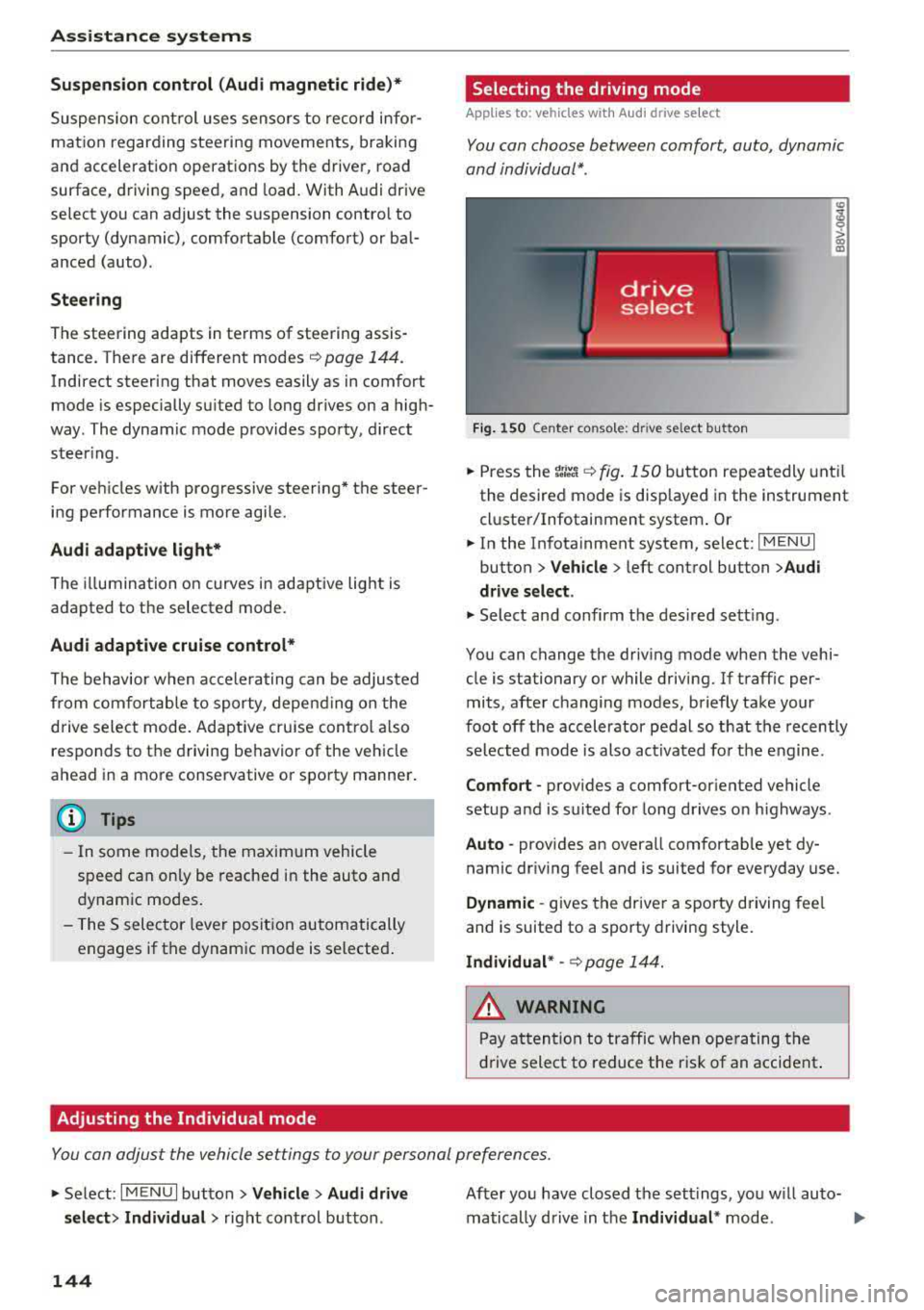
· Selecting the driving mode
Applies to: vehicles wit h Audi drive select
You con choose between comfort, auto , dynamic
and individual* .
> a) m
Fig. 150 Ce nte r co nsole: d rive se lect b utt on
.,. Press the tJi~a c::> fig . 150 button repea tedly unt il
the desired mode is disp layed in the instrument
cl uste r/Infotainment system . Or
.,. In the In fota inment system, se lect: I MEN U I
button > Vehicle > left cont rol button > Audi
drive select .
.,. Select and confirm t he des ired se tting.
You can c hange the driv ing mode whe n the vehi
cle is stationary or while driving. If traff ic per
mits, afte r changing modes, briefly take your
foot off t he acc elerator pedal so t hat the recently
se lected mo de is also act ivated fo r th e e ngine .
Comfort -prov ides a comfort-or iented vehicle
setup a nd is s uited fo r long drives o n highways .
Auto -provides an overa ll comfortab le yet dy
namic dr iv ing feel and is suited for everyday use.
Dynamic -gives the drive r a sporty driving fee l
and is suited to a spo rty driving style.
Individual * -c::> page 1 44.
_& WARNING ~
Pay att entio n to traffi c when ope rating t he
dr ive select to redu ce the r is k of an accident .
Yo u con adjust the vehicle settings to y our personal preferences .
.. Se lect: IM ENU I button> Vehicle > Audi drive
select > Individual >
right cont rol but ton .
144
After yo u have closed t he sett ings, yo u w ill auto
matically drive i n t he
Individual * mod e.
Page 147 of 400

CXl CXl .... N ,.__
N .... 0 N > 00
The systems you can adjust depend on the equip
ment and engine in yo ur vehicle. The following
table gives an overview of the character istics.
Systems Comfort
Engine /transmission
comforta ble
Steering comfortab le
Engine sound * subtle
Audi adaptive cruise control * comfortable
Suspension control * comfortable
Applies to: S models
quattro ba la nce d
a) Sub tle in th e se lector le ver pos it io n D an d s po rty in S.
(D Tips
You r Individual * mode setting s are automa ti
c a lly store d and as signed to the re mote con
t rol key be ing used .
Assistance systems
Auto Dynamic
balance d sporty
ba lanced sporty
subtle/sportyal sporty
ba lanced sporty
ba lanced sporty
ba lanced sporty
145
Page 150 of 400

Parking system s
-The ignition is switc h off and back on again.
-The park ing brake is set and then re leased.
-T he selector lever must be in the P position .
Segments in the vis u al display
The segments in front of and behind the vehicle
i::> fig . 153 help you to determine the distance be
tween your vehicle and an obstacle. The red
lines* mark the expected direction of travel ac
cord ing to the steering angle . A white segment
i n dicates an identified obstacle that is outside of
the vehicle's path. Red segments show identified
obstacles that are in your vehicle's path . As your
veh icle comes closer to the obstacle, the seg
ments move closer to the veh icle. The collision
area has been reached when the next to last seg ment is displayed. Obstacles in the collision area ,
including those outside of the vehicle's path, are
shown in red . Do not continue dr iv ing forward or
i n
reverse ¢.& in General information on
page 146,
¢ Cf) in General information on
page 146!
Rearview camera
Introduction
App lies to: veh icles with rearview camera
Fig. 1 54 Illustra tion: c ross park ing
a, N
~
> 00 (X)
The rearview camera helps you to park or maneu
ver using the orientation lines .
148
General information
Applies to: vehicles with rearview camera
Fig. 155 Area cove re d (D and area not cove re d @ by t he
r earv iew camera (examp le)
A UD ~
0
Fig . 156 Rea r lid: loca tion of the rearv iew ca mera (exa m
ple)
The rearview camera is located above the rear li
cense p late bracket . Make sure that the lens for
the parking system
¢ fig . 156 is not covered by
deposits or any other obstruct ions because this
can affect the function of the parking system. For
i nforma tion on cleaning,
see¢ page 347.
The rearview camera coverage area includes (D
¢ fig . 155 . Only this area is shown in the Info
ta inme nt display. Objects that are o uts ide of this
area
@ are not disp layed .
WARNING
-Always read and follow the applicab le warn
ings
¢ &. in General information on
page 146 .
-If the position and the installation angle of
the rearview camera was changed, for ex
ample after a collision, do not continue to
use the system for safety reasons. Have it
checked by an aut horized Aud i dealer or au-
thorized Audi Service Fac ility .
..,
Page 151 of 400

a, a, ..... N
" N ..... 0 N > 00
-Only use the rearview camera to assist you if
it shows a good, clear p icture. For examp le,
the image may be affected by the sun sh in
ing into the lens, dirt on the lens, or if there
is a malfunction.
- Use the rearview camera only if the luggage
compartment lid is completely closed . If the
luggage compartment l id is open the orien
tation lines and blue su rfaces are hidden .
Make su re any objects you may have mount
ed on the luggage compar tme nt lid do not
block the rearview camera.
- T he came ra lens enlarges and distorts the
field of v is ion. The object appea rs both al
tered and inaccurate on the screen.
- In cert ain situations, people or objec ts in
the display appear closer or farther away:
- For objects that do not touch the ground,
such as the bumper of a parked vehicle, a
tra iler hitch or the rear of a truck . Do not
use the orientation lines in this case.
- If driven from a level surface onto an in
cline , or a downward slope.
- If driven toward protrud ing objects .
- If the veh icle is carry ing too much load in
the rear.
(D Note
- Always read and follow the applicable warn
i ngs
<* 0 in General information on
page 146 .
-The orange-colored orientatio n lines in the
Infotainment display show the veh icle path
based on the steering wheel angle. The
front of the vehicle swings out more than
the rear of the veh icle. Ma inta in p lenty of
distance so that an exterio r mirror or a cor
ner of the veh icle does not co llide with any
obstacles.
Switching on /off
Appl ies to: ve hicles with rearv iew camera
Switching on
• S hift into reverse , or
• Press the P' 1! bu tton in the center console
~ page 147 , fig. 152 . A short confirmat ion
Parking systems
tone sounds and the LED in the button turns
on.
Switching off
• Dr ive faste r th an 6 mp h (10 km/h), o r
• Press the p, q! button, or
• Switch t he ignit ion off .
(0 Tips
- The visu al display in the righ t part of the
display sho uld help you de te ct the c riti cal
vehicle area .
- Yo u can ch ange the vol ume o f the signa ls
and the display ¢
page 150.
Perpendicular par king
Applies to: veh icles w ith rearv iew camera
This view may be used when parking in a garage
or in a parking space.
Fi g. 157 In fota inme nt sys tem: a im ing at a par king space
Fig . 1 58 In fotai nment syste m: alig ning t he vehicl e
.. Turn the Infotainment system on and shift into
reverse gear .
• The orange orientation lines (D show the direc
tion of travel of the vehicle . Turn the steering
wheel unti l the orange or ientation lines appea r
in the parking
space ~ fig. 157. Use the mar k
ings @to help you es timate the distance from
an obsta cle. Each marking represents approxi
mately 3 ft (1 m) . The b lue area represents an
.,..
149
Page 153 of 400

CXl CXl .... N ,.__
N .... 0 N > 00
Intelligent Technology Electronic Stabilization
Control (ESC)
Description
Electronic Stabilization Control ( ESC) supports
driver safety . It reduces the risk of slipping and
improves dr iving stability. ESC detects critica l sit
uations such as the vehicle oversteering and un
dersteer ing or the wheels are spinning. The vehi
cle is stabilized by apply ing the brakes or reduc
ing engine torque . When the ESC engages, the
G1 indicato r light b links in the instrume nt clus
ter.
The follow ing systems are integrated in the ESC:
Anti-loc k bra king system (ABS)
ABS prevents the whee ls from locking when brak
ing. The vehicle can still be steered even during
hard brak ing. Apply steady pressure to the brake
pedal. Do not pump the pedal. A pulsing in the
b rake pedal indicates that the system is act ing to
stabilize the vehicle .
Brake a ssist system
The brake assist system can decrease braking dis
tance. It increases brak ing power when the driver
presses the brake pedal quick ly in emergency sit
uations . You must press and hold the brake pedal
u nti l the dangerous sit uat io n is ove r. In veh icles
with adaptive cr uise contro l*, the bra ke assist
s ys tem is more sensitive if t he d istance detec ted
to the veh icle dr iv ing ahe ad is too small.
Anti -slip regulation (ASR)
ASR reduces eng ine power when the drive wheels
begin spinning and adapts the force to the road
conditions . This makes i t eas ie r to sta rt, acceler
ate and dr ive up hill s.
Electronic differential lock (EDL )
The EDL applies the brakes to a wheel that starts
spinning and transfers t he drive power to the
other driving wheel or wheels ( if the veh icle is
eq uipped w ith all whee l dr ive*) . T his function is
n o t available at higher speeds.
Intellig ent Technology
In extreme cases, ED L automat ica lly switches off
to keep the brake o n the braked whee l from over
heating. The veh icle is still working correct ly. EDL
will switch on again automatically when condi
t ions have returned to normal.
Ste ering recommendation
The ESC he lps to s tabilize the vehicle by changing
the steering torque.
Select ive wheel torque control
Se lective wheel to rque cont rol is used w hen driv
i ng on curves. The fron t whee l on the inside of
the curve or bo th wheels on the i nside of the
c u rve are braked se lective ly as needed . This al
l ows more precise driving in c urves.
Automatic post-collision braking system
T he "automat ic pos t-collision braking system"
c an help to reduce the risk of sliding an d of addi
tiona l co llisions a fter an acciden t. If the ai rbag
contro l modu le detects a co llision above a certain
vehicle speed, the veh icle is bra ked by the ESC.
T he vehicle does not bra ke autorn,;1tically if;
- t he dr ive r presses the acce le rator pedal, or
- the ESC, the brake system or the veh icle elect ri-
cal system are not functioning .
A WARNING
-The ESC and its integ rated systems cannot
overcome the lim its imposed by natura l
phys ic al laws. This is especially important
on sli ppery or wet roads . If the sy stems be
gin acting to stabilize your vehicle, you
should immediately alter your speed to
match the road and traffic conditions. Do
not let the inc reased safety provided tempt
you into taking risks. This could increase
your r isk of a coll is ion.
- Please n ote the r isk of a coll is ion increases
when dr iv ing fast, especially t hrough curves
a nd on slippery or wet roads, and when dr iv
ing too close to objects ahead. The ESC and
its integrated systems ca nnot always pre
vent collisions
-there is st ill a ris k of ac ci-
dents!
..,.
151
Page 156 of 400

Intelligent Technology
- Never let the vehicle roll while the engine is
stopped beca use this increases the risk of an
acc ident.
@ Note
- Never let the brakes "rub" by pressing the
pedal light ly when bra king is not actually
necessary. This causes the brakes to over
h eat and inc reases bra king d istance and
causes wear .
- Befo re dr iv ing on a long stretch w ith steep
s lopes, red uce your speed a nd shift to the
next lower gear This makes use of t he en
g ine bra king effect a nd relieves the b rakes.
If you need to bra ke a dd it iona lly, bra ke in
in te rv a ls and no t conti nuou sly.
@ Tips
- If the brake booste r is no t wo rking , you
must pr ess the brake pedal wi th much more
f orc e th an norma l.
- If you re trofit you r vehicle with a front spoil
e r, whee l cove rs o r similar ite ms, m ake sure
that the air flow to the front wheels is not
i n te rrupt ed. Ot he rw ise the bra ke sys tem
ca n become too hot.
Electromechanical
steering
The electromechanical steering supports the
driver's steering movements.
Powe r steering adapts electronically based on
the vehicle speed.
Indicator lights and messages
• Do not dr ive vehicle: steering defective
If thi s in dicator light t urns o n and stays o n and
this message appears, t he power s teer ing may
h a ve fa iled.
Stop the veh icle in a safe locat io n as soon as pos
sib le. Do
not continue driving. See an author ized
Aud i deale r or auth o riz ed Au di Serv ice F acility fo r
assis tance.
l~ij Steering: malfunction! You can continue
driving
154 I
f the indica to r li gh t turns on, the s teering w hee l
may be more difficult to move or more sens itive
t h an usua l. The steer ing whee l may a lso be at an
angle when driving straight.
Drive slowly to an a uth o rized Audi dea ler or au
thorized Audi Serv ice Facility to have the mal
funct ion corrected .
(D Tips
If t h e . or £-y.ij in dicator light on ly s tays on
fo r a short time, yo u may continue driving.
All wheel drive (quattro)
App lies to : vehicles wi th all w heel drive
In oil wheel drive, oil four wheels ore powered .
General information
In all wheel drive, the dr iv ing power is divided be
tween all fou r whee ls . This happens autom atic al
l y depending on yo ur driv ing beh avior as we ll as
the cur rent road conditions . Also see
c:> page 151, Electronic Stabilization Control
(ESC).
The all whee l drive concep t is designed for high
engine power. Yo ur vehicle is exce ptiona lly pow
erfu l and has excellent driving cha racteristics
both under normal driving conditions and on
snow and ice. A lways read and follow safety pre
cautions
c:> .&. .
Winter t ires
By using all whee l drive, your veh icle has goo d
forward motion with standard tires in winter con
dit ions. However, using w inter or all season t ires
o n
all four wheels in the winter is recommended,
because th is w ill imp rove the
braking effect .
Snow chains
If there are s now chain laws, snow cha ins m ust
also be used on veh icles with all wheel drive
c:> page 342, Snow chains.
Replacing tires
Fo r vehicles wi th a ll w hee l drive, o nly wheels wi th
the same rol ling circ umfe rence sho uld be used .
Avoid using tires with different tread depths
c:> page 335, New tires or wheels. IJI>
Page 160 of 400

Multi Media Interface
Multi Media Interface
Traffic safety information
Aud i recommends performing certa in Infotain
ment system functions, such as entering a desti
nation, only when the vehicle is stationary . Al
ways be p repared to stop opera ting the Info tain
ment system i n the interest of your safety and
t he safe ty of other road users.
_& WARNING
Only use the In fotain ment sys tem w hen tra f
fic con ditions permit and always in a way that
allows you to ma inta in complete control ove r
your vehicle.
@ Tips
Cer tain functi ons are no t avail ab le wh ile driv
ing .
Introduction
The Multi Media Interface , or MMI for short,
combines various
systems for communication ,
navigation* and entertainment in your Audi . You
can operate the MMI using the MMI control pan
el, the multifunction steering wheel or the voice
recognition system* .
Fig. 16 0 MMI co ntro l panel
M MI cont rol panel overview
CD Contro l knob with joystick function"
. . . . . . . . . . . . . . . . . . . . . . . . . . . . 159, 163
@ MMI to uch con trol pad * . . . . . . . . 161
@ Left contro l button . . . . . . . . . . . . 160
@ R ight cont rol b utton . . . . . . . . . . . 160
158
® Buttons fo r opening men us
directly .... . .. .. .. .... .. .... .
@ IMENU I button
(J) I BACK I button . .. .. .... .. ... . .
MMI On/Off knob with
joystick function
Operating
Fig . 161 MM I On/Off k nob w ith joys tick f unctio n
Switching the MMI on /off : the MMI can be
swi tched on/off man ually. 160
160
159
- Switching on manually : press the On/Off knob
CD ¢ fig. 161 briefly. Or : press the I M ENU I but
ton @ ¢ page 1 58, fig. 160 or one of t he bu t
t ons to ope n the me nus d irectl y® ·
-Switch ing off manually : press and hold the
O n/Off knob
CD ¢ fig. 161 until t he M MI
sw itches off .
If the MM I has been swi tch ed off
m an ually, i t does
not swi tch on ag ai n au tomati
cally the ne xt time the ignition is sw itched on.
Additional function s:
- Adjusting the volume :
turn the On/Off knob CD
¢fig. 161 .
-Muting : press the On/Off knob CD¢ fig. 1 61
briefly.
- Selecting the previous/ne xt function (for ex
ample , a r adio station/t rack) :
press the On/Off
knob
CD ¢ fig. 161 briefly toward the left l
l>!>i .
-Fast forwarding /rewinding (fo r example
songs) :
press and hold the On/Off knob CD
¢ fig. 161 toward the left l