2017 Alfa Romeo Giulia automatic transmission
[x] Cancel search: automatic transmissionPage 148 of 268
ALFA DNA PRO
SYSTEM
“Alfa DNA Pro” System
(Car Dynamic Control
System)
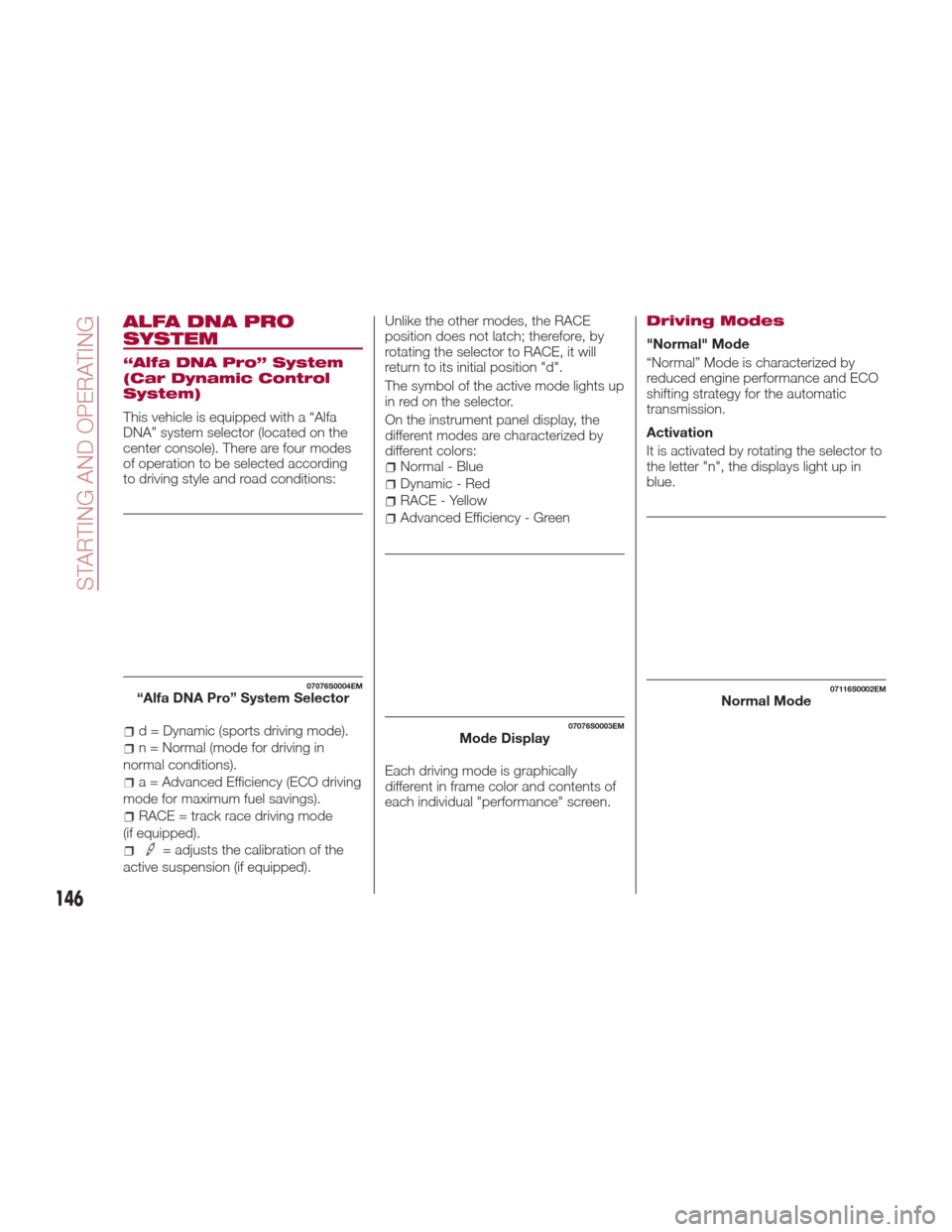
This vehicle is equipped with a “Alfa
DNA” system selector (located on the
center console). There are four modes
of operation to be selected according
to driving style and road conditions:
d = Dynamic (sports driving mode).
n = Normal (mode for driving in
normal conditions).
a = Advanced Efficiency (ECO driving
mode for maximum fuel savings).
RACE = track race driving mode
(if equipped).
= adjusts the calibration of the
active suspension (if equipped). Unlike the other modes, the RACE
position does not latch; therefore, by
rotating the selector to RACE, it will
return to its initial position "d".
The symbol of the active mode lights up
in red on the selector.
On the instrument panel display, the
different modes are characterized by
different colors:
Normal - Blue
Dynamic - Red
RACE - Yellow
Advanced Efficiency - Green
Each driving mode is graphically
different in frame color and contents of
each individual "performance" screen.
Driving Modes
"Normal" Mode
“Normal” Mode is characterized by
reduced engine performance and ECO
shifting strategy for the automatic
transmission.
Activation
It is activated by rotating the selector to
the letter "n", the displays light up in
blue.
07076S0004EM“Alfa DNA Pro” System Selector
07076S0003EMMode Display
07116S0002EMNormal Mode
146
STARTING AND OPERATING
Page 157 of 268
Increasing/Decreasing
Speed
Increasing Speed
Once the Electronic Speed Control has
been activated, the speed can be
increased by pushing the SET switch
upward.
By keeping the button pushed, the set
speed will increase until the button is
released. The new speed will then be
set.
At every movement of the SET switch,
the set speed can fine-adjusted.
Decreasing Speed
When the feature is active, to reduce
the speed, push the SET switch
downward.
By keeping the button pushed, the set
speed will decrease until the button is
released. The new speed will then be
set.
At every movement of the SET switch,
the set speed can fine-adjusted.
Note:Moving the SET switch allows to
adjust the speed according to the
selected unit of measurement set on
the Connect system (see dedicated
supplement). Accelerating When Overtaking
Press the accelerator as you would
normally. When the pedal is released,
the vehicle will return to the set speed.
Use Of The Feature On Hilly Routes
With an automatic transmission, the
feature can automatically downshift to
keep the set speed when driving on hilly
routes.
On steep grades, the loss or gain in
speed may be considerable and is
advisable to deactivate the Electronic
Speed Control.
Note:
The feature keeps the speed set
even uphill and downhill. A slight
variation in the speed on slight rises is
completely normal.
Recalling The Speed
Note: Before returning to the
previously set speed, you must
accelerate to a speed close to that
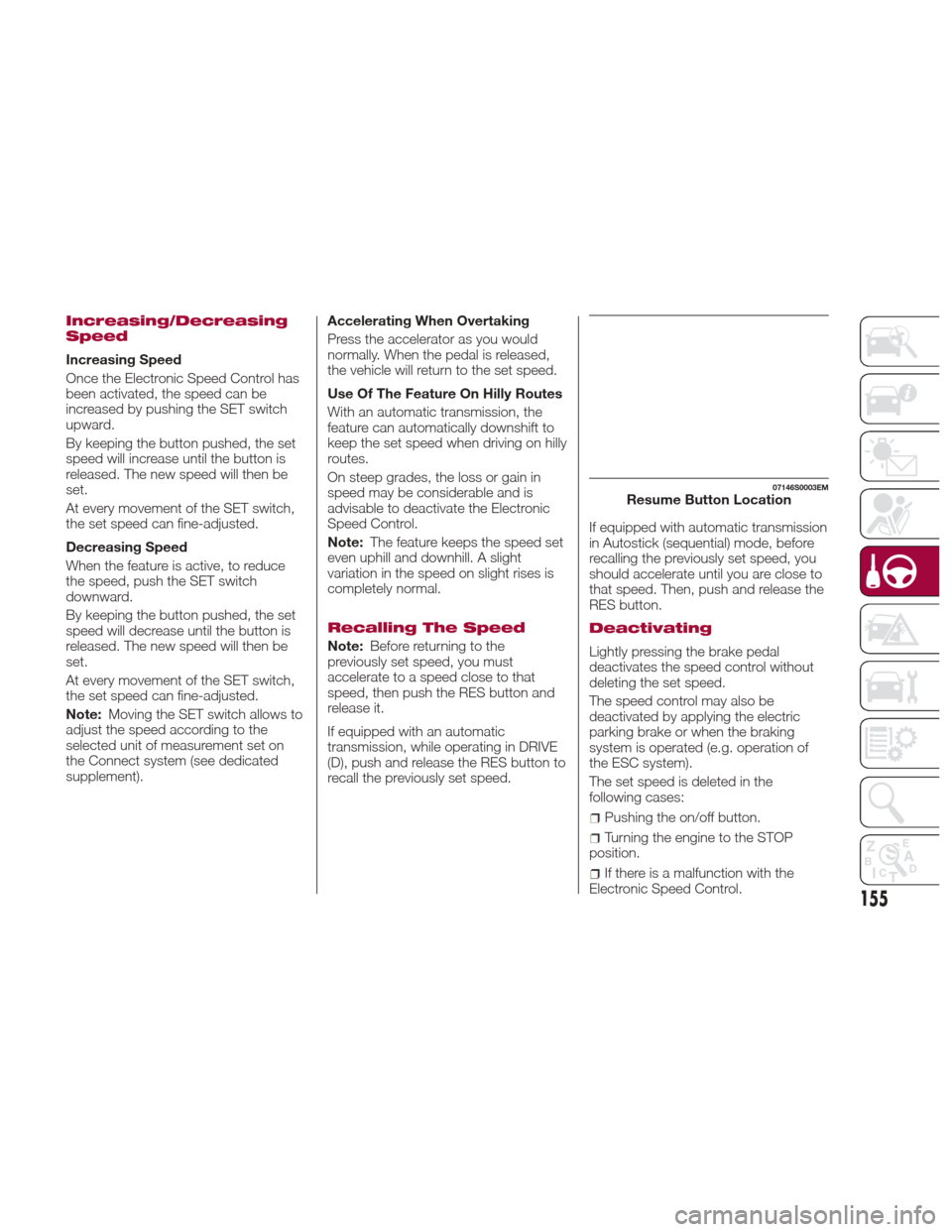
speed, then push the RES button and
release it.
If equipped with an automatic
transmission, while operating in DRIVE
(D), push and release the RES button to
recall the previously set speed. If equipped with automatic transmission
in Autostick (sequential) mode, before
recalling the previously set speed, you
should accelerate until you are close to
that speed. Then, push and release the
RES button.
Deactivating
Lightly pressing the brake pedal
deactivates the speed control without
deleting the set speed.
The speed control may also be
deactivated by applying the electric
parking brake or when the braking
system is operated (e.g. operation of
the ESC system).
The set speed is deleted in the
following cases:
Pushing the on/off button.
Turning the engine to the STOP
position.
If there is a malfunction with the
Electronic Speed Control.
07146S0003EMResume Button Location
155
Page 160 of 268

While the accelerator pedal is pressed,
the system will not be able to control
the distance between the vehicle and
the one ahead. In this case, the speed
will be determined only by the position
of the accelerator pedal.
The system will return to normal
operation as soon as the accelerator
pedal is released.
The systemcannotbe set:
When pressing the brake pedal.
When the brakes are overheated.
When the electric park brake has
been operated.
When either P (PARK), R (REVERSE)
or N (NEUTRAL) is engaged.
When the engine rpm is above a
maximum threshold.
When the vehicle speed is not within
the operational speed range.
When the ESC (or ABS or other
stability control systems) are operating
or have just operated.
When the ESC system is off.
When the Forward Collision Warning
Plus system (if equipped) is braking
automatically.
In the event of system failure.
When the engine is off.
In case of obstruction of the radar
sensor (in this case the bumper area
where it is located must be cleaned).
If the system is set, the conditions
described above also cause a
cancellation or deactivation of the
system. These situations may vary
according to the conditions.
Note:
The system will not be deactivated
when speeds higher than those set are
reached by pressing the accelerator
pedal above 110 mph (180 km/h). In
these situations, the system may not
work correctly and it is recommended
to deactivate it.
Changing Speed
Increasing speed
Once the system has been activated,
you can increase the speed by lifting
the SET switch. Each time it is
operated, the speed increases by
1 mph.
By holding the button up, the set speed
will increase in increments of five mph
until the button is released. Then, the
new speed will be set.
Decreasing speed
Once the system has been activated,
you can decrease the speed by
lowering the SET switch. Each time it is
operated, the speed decreases by
1 mph. By holding the button down, the set
speed will decrease in increments of
five mph until the button is released.
Then, the new speed will be set.
Note:
Moving the SET switch allows you
to adjust the speed according to the
selected unit of measurement ("US" or
"metric") set on the Connect system
(see dedicated supplement).
When the unit of measurement is
set to metric, holding the SET switch
the speed will change in 10 km/h
increments.
By keeping the accelerator pedal
depressed, the vehicle can continue to
accelerate beyond the set speed. In this
case, use the SET switch to set the
speed to the vehicle’s current speed.
When you push the SET button to
reduce the speed, the braking system
intervenes automatically if the engine
brake does not slow the vehicle down
sufficiently to reach the set speed. The
device holds the set speed uphill and
downhill; however a slight variation is
entirely normal, particularly on slight
inclines.
The transmission could change to a
lower gear when driving downhill, or
when accelerating. This is normal and
necessary to maintain the set speed.
The system will disable while driving
if the brakes overheat.
158
STARTING AND OPERATING
Page 200 of 268
4. Disconnect the positive (+) end of
the jumper cable from the positive (+)
post of the vehicle with the discharged
battery.
If frequent jump-starting is required to
start your vehicle, you should have the
battery and charging system inspected
at your authorized dealer.
Caution!
Accessories plugged into the vehicle power
outlets draw power from the vehicle’s
battery, even when not in use (i.e., cellular
phones, etc.). Eventually, if plugged in long
enough without engine operation, the
vehicle’s battery will discharge sufficiently
to degrade battery life and/or prevent the
engine from starting.
Bump Starting
Never jump start the engine by pushing,
towing or coasting downhill.
Note:
You cannot start a vehicle with an
automatic transmission by pushing it.
Caution!
Accessories plugged into the vehicle power
outlets draw power from the vehicle’s
battery, even when not in use (i.e., cellular
phones, etc.). Eventually, if plugged in long
enough without engine operation, the
vehicle’s battery will discharge sufficiently
to degrade battery life and/or prevent the
engine from starting.
REFUELING IN
EMERGENCY
Refueling in an emergency is described
in "Refueling The Vehicle" in "Starting
And Operating".
198
IN CASE OF EMERGENCY
Page 213 of 268

Engine Coolant Fluid
If the level is too low, unscrew the cap
of reservoir and add the fluid described
in the "Technical Specifications"
chapter.
Washer Fluid For
Windshield/Headlights
The windshield and headlights washer
fluid reservoir (if equipped) has a
telescopic filler.
If the level is too low, remove reservoir
cap and lift the filler. Then, add the fluid
described in the "Technical
Specifications" chapter.
Note:
The headlight washing system will not
work if the liquid level is low (situation
indicated by the symbol on the
instrument panel display). The
windshield washer will keep working.
On vehicles equipped with headlight
washers, if equipped, there is a
reference notch on the dipstick: ONLY
the windshield/rear window washer
operates with the level below this
reference.
Brake Fluid
Check that the fluid is at the maximum
level. If the fluid level in the tank is low,
contact your authorized dealer to have
the system checked.
Automatic Transmission
Activation System Oil
The transmission control oil level should
only be checked at your authorized
dealer.
Useful Advice For
Extending The Life Of
Your Battery
To avoid draining your battery and
make it last longer, observe the
following instructions:
When you park the car, ensure that
the doors and trunk are closed properly
to prevent any lights from remaining on
inside the passenger's compartment.
Do not keep accessories (e.g. radio,
hazard warning lights, etc.) switched on
for a long time when the engine is not
running.
Before performing any operation on
the electrical system, disconnect the
negative battery cable.
If, after purchasing the car, you wish to
install electrical accessories that require
permanent electrical supply (e.g. alarm,
etc.), or accessories which influence the
electrical supply requirements, contact
your authorized dealer, whose qualified
staff will evaluate the overall electrical
consumption.
Caution!
If the charge level remains under 50% for a
long time, the battery may be damaged by
sulphation, reducing its capacity and
efficiency at start the vehicle. The battery is
also more prone to the risk of freezing (at
temperatures as high as 14°F (-10°C).
Note:
After the battery is disconnected, the
steering must be initialized. The
warning light on the instrument
panel switches on to indicate this. To
carry out this procedure, simply turn the
steering wheel all the way from one end
to the other, and then turn it back to the
central position.
211
Page 221 of 268
With engine and system cold, do
not top up with coolant beyond the
maximum level indicated on the
reservoir in the engine compartment.
Braking System
In order to guarantee the efficiency of
the braking system, periodically check
its components; for this operation,
contact an authorized dealer.
See the "Maintenance Plan" for the
correct servicing intervals.
Note: Driving with your foot resting on
the brake pedal may compromise its
efficiency, increasing the risk of
accidents. When driving, never keep
your foot on the brake pedal and don’t
put unnecessary strain on it to prevent
the brakes from overheating: excess
pad wear may cause damage to the
braking system.
When an insufficient oil level is
detected, contact an authorized dealer
to have the system checked.
Always keep the cap of the brake
fluid reservoir (in the engine
compartment) completely closed.
Warning!
Use only manufacturer's recommended
brake fluid. Refer to “Fluids And Lubricants”
in “Technical Specifications” for further
information. Using the wrong type of brake
fluid can severely damage your brake
system and/or impair its performance. The
proper type of brake fluid for your vehicle is
also identified on the original factory
installed hydraulic master cylinder reservoir.
To avoid contamination from foreign
matter or moisture, use only new brake
fluid or fluid that has been in a tightly
closed container. Keep the master cylinder
reservoir cap secured at all times. Brake
fluid in a open container absorbs moisture
from the air resulting in a lower boiling
point. This may cause it to boil
unexpectedly during hard or prolonged
braking, resulting in sudden brake failure.
This could result in a collision.
Overfilling the brake fluid reservoir can
result in spilling brake fluid on hot engine
parts, causing the brake fluid to catch fire.
Brake fluid can also damage painted and
vinyl surfaces, care should be taken to
avoid its contact with these surfaces.
Do not allow petroleum based fluid to
contaminate the brake fluid. Brake seal
components could be damaged, causing
partial or complete brake failure. This could
result in a collision.
Automatic Transmission
Use only a transmission oil with the
same characteristics as those indicated
in the "Fluids and Lubricants" table (see
"Technical Specifications" chapter).
Special Additives
Do not use any type of additive with the
automatic transmission oil. The
automatic transmission oil is a product
designed specially for this vehicle and
its performance may be compromised
through the use of further additives.
Caution!
Do not use chemical flushes in your
transmission as the chemicals can damage
your transmission components. Such
damage is not covered by the New Vehicle
Limited Warranty.
219
Page 238 of 268
Wash the bodywork using a low
pressure jet of water if possible.
Wipe a sponge with a slightly soapy
solution over the bodywork, frequently
rinsing the sponge.
Rinse well with water and dry with a
leather chamois.
Dry the less visible parts (e.g. door
frames, hood, headlight frames, etc.)
with special care, as water may
stagnate more easily in these areas. Do
not wash the car after it has been left in
the sun or with the hood hot: this may
alter the shine of the paintwork.
Exterior plastic parts must be cleaned
in the same way as the rest of the
vehicle.
If washing the car in a service that
moves the car, for cars with automatic
transmissions, PARK (P) must be cut
out. You have to shut off the engine in
the following conditions: car stopped,
transmission in NEUTRAL (N), press the
starter button for at least three
seconds.
Note:
Avoid parking under trees; the resin
dropped by trees makes the paintwork
go opaque and increases the possibility
of corrosion. Windows
Use specific detergents and clean
cloths to prevent scratching or altering
the transparency.Caution!
Wipe the rear window inside gently with a
cloth following the direction of the filaments
to avoid damaging the heating device.
Front headlights
Use a soft cloth soaked in water and
detergent for washing cars.
Note:
Never use aromatic substances
(e.g. gasoline) or ketones (e.g.
acetone) for cleaning the plastic lenses
of the headlights.
When cleaning with a pressure
washer, keep the pressure washer at
least eight inches (20 cm) away from
the headlights. Engine compartment
At the end of every winter, wash the
engine compartment thoroughly, taking
care not to aim the jet of water directly
at the electronic control units or at the
windshield wiper motors. Have this
operation performed at specializeded
workshop.
Note:
The washing should take place with the
engine cold and the ignition device in
the STOP position. After the washing
operation, make sure that the various
protections (e.g. rubber caps and
guards) have not been removed or
damaged.
236
SERVICING AND MAINTENANCE
Page 253 of 268
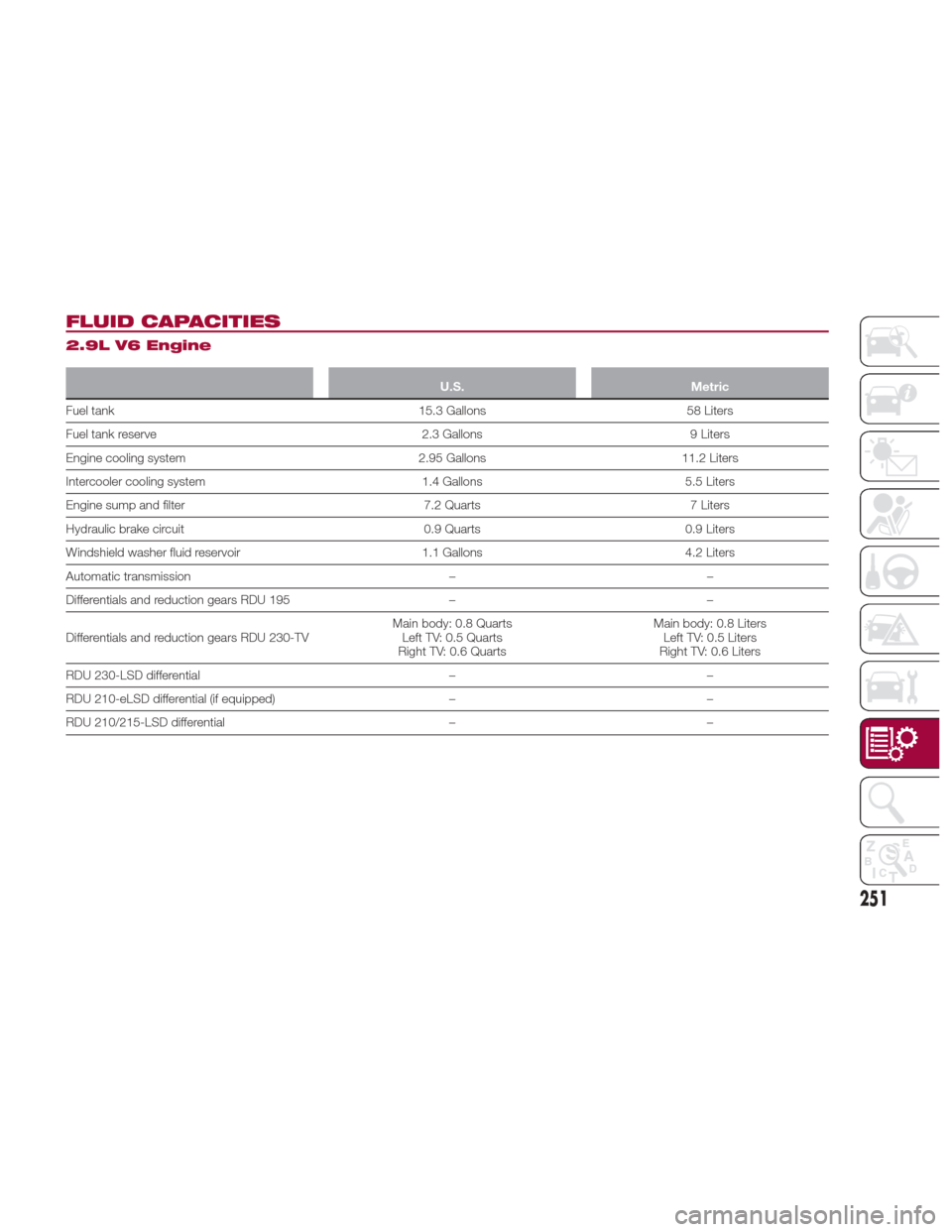
FLUID CAPACITIES
2.9L V6 Engine
U.S.Metric
Fuel tank 15.3 Gallons58 Liters
Fuel
tank reserve 2.3 Gallons9 Liters
Engine cooling system 2.95 Gallons11.2 Liters
Intercooler cooling system 1.4 Gallons5.5 Liters
Engine sump and filter 7.2 Quarts7 Liters
Hydraulic brake circuit 0.9 Quarts0.9 Liters
Windshield washer fluid reservoir 1.1 Gallons4.2 Liters
Automatic transmission ––
Differentials and reduction gears RDU 195 ––
Differentials and reduction gears RDU 230-TV Main body: 0.8 Quarts
Left TV: 0.5 Quarts
Right TV: 0.6 Quarts Main body: 0.8 Liters
Left TV: 0.5 Liters
Right TV: 0.6 Liters
RDU 230-LSD differential ––
RDU 210-eLSD differential (if equipped) ––
RDU 210/215-LSD differential ––
251