2017 Alfa Romeo Giulia light
[x] Cancel search: lightPage 146 of 268
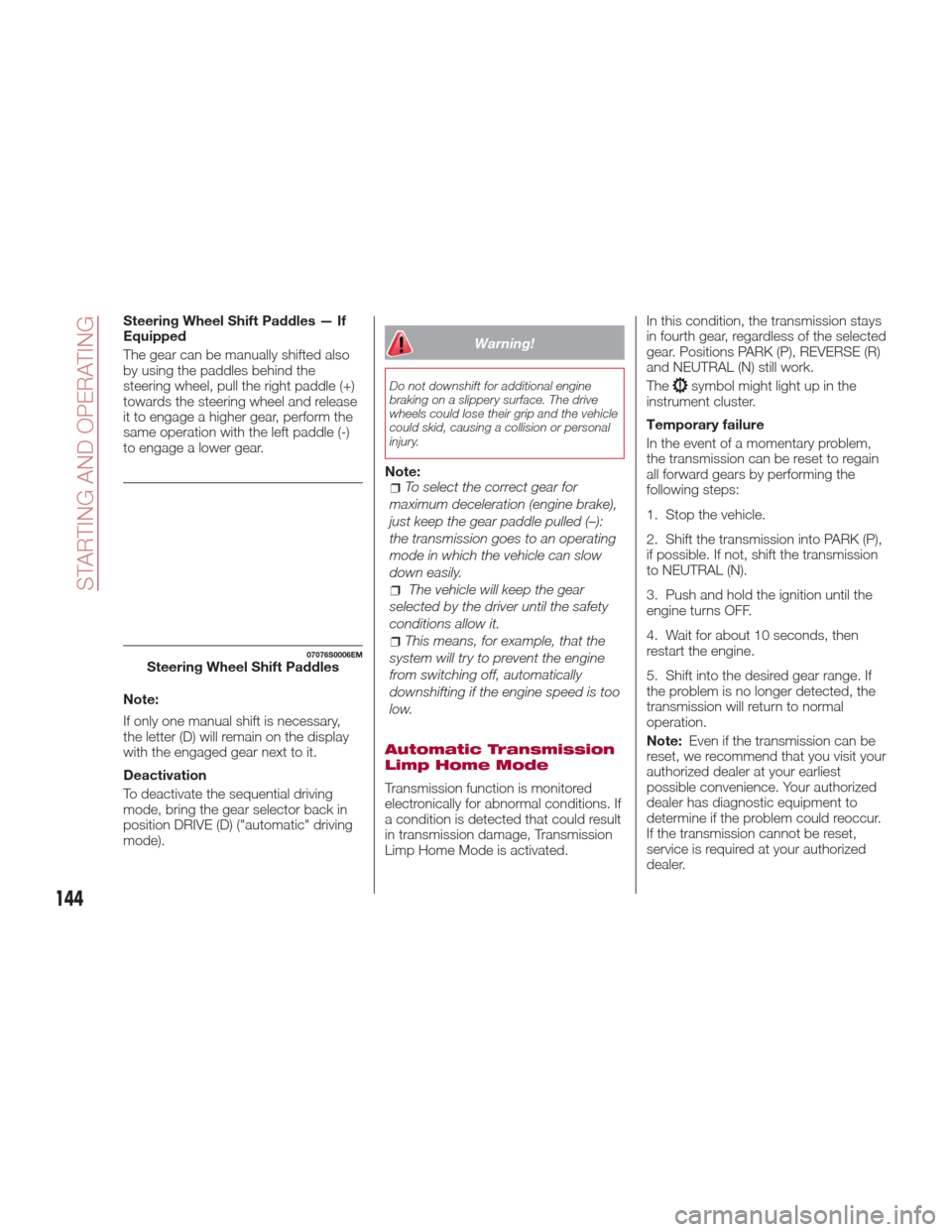
Steering Wheel Shift Paddles — If
Equipped
The gear can be manually shifted also
by using the paddles behind the
steering wheel, pull the right paddle (+)
towards the steering wheel and release
it to engage a higher gear, perform the
same operation with the left paddle (-)
to engage a lower gear.
Note:
If only one manual shift is necessary,
the letter (D) will remain on the display
with the engaged gear next to it.
Deactivation
To deactivate the sequential driving
mode, bring the gear selector back in
position DRIVE (D) ("automatic" driving
mode).
Warning!
Do not downshift for additional engine
braking on a slippery surface. The drive
wheels could lose their grip and the vehicle
could skid, causing a collision or personal
injury.
Note:To select the correct gear for
maximum deceleration (engine brake),
just keep the gear paddle pulled (–):
the transmission goes to an operating
mode in which the vehicle can slow
down easily.
The vehicle will keep the gear
selected by the driver until the safety
conditions allow it.
This means, for example, that the
system will try to prevent the engine
from switching off, automatically
downshifting if the engine speed is too
low.
Automatic Transmission
Limp Home Mode
Transmission function is monitored
electronically for abnormal conditions. If
a condition is detected that could result
in transmission damage, Transmission
Limp Home Mode is activated. In this condition, the transmission stays
in fourth gear, regardless of the selected
gear. Positions PARK (P), REVERSE (R)
and NEUTRAL (N) still work.
The
symbol might light up in the
instrument cluster.
Temporary failure
In the event of a momentary problem,
the transmission can be reset to regain
all forward gears by performing the
following steps:
1. Stop the vehicle.
2. Shift the transmission into PARK (P),
if possible. If not, shift the transmission
to NEUTRAL (N).
3. Push and hold the ignition until the
engine turns OFF.
4. Wait for about 10 seconds, then
restart the engine.
5. Shift into the desired gear range. If
the problem is no longer detected, the
transmission will return to normal
operation.
Note: Even if the transmission can be
reset, we recommend that you visit your
authorized dealer at your earliest
possible convenience. Your authorized
dealer has diagnostic equipment to
determine if the problem could reoccur.
If the transmission cannot be reset,
service is required at your authorized
dealer.
07076S0006EMSteering Wheel Shift Paddles
144
STARTING AND OPERATING
Page 148 of 268
ALFA DNA PRO
SYSTEM
“Alfa DNA Pro” System
(Car Dynamic Control
System)
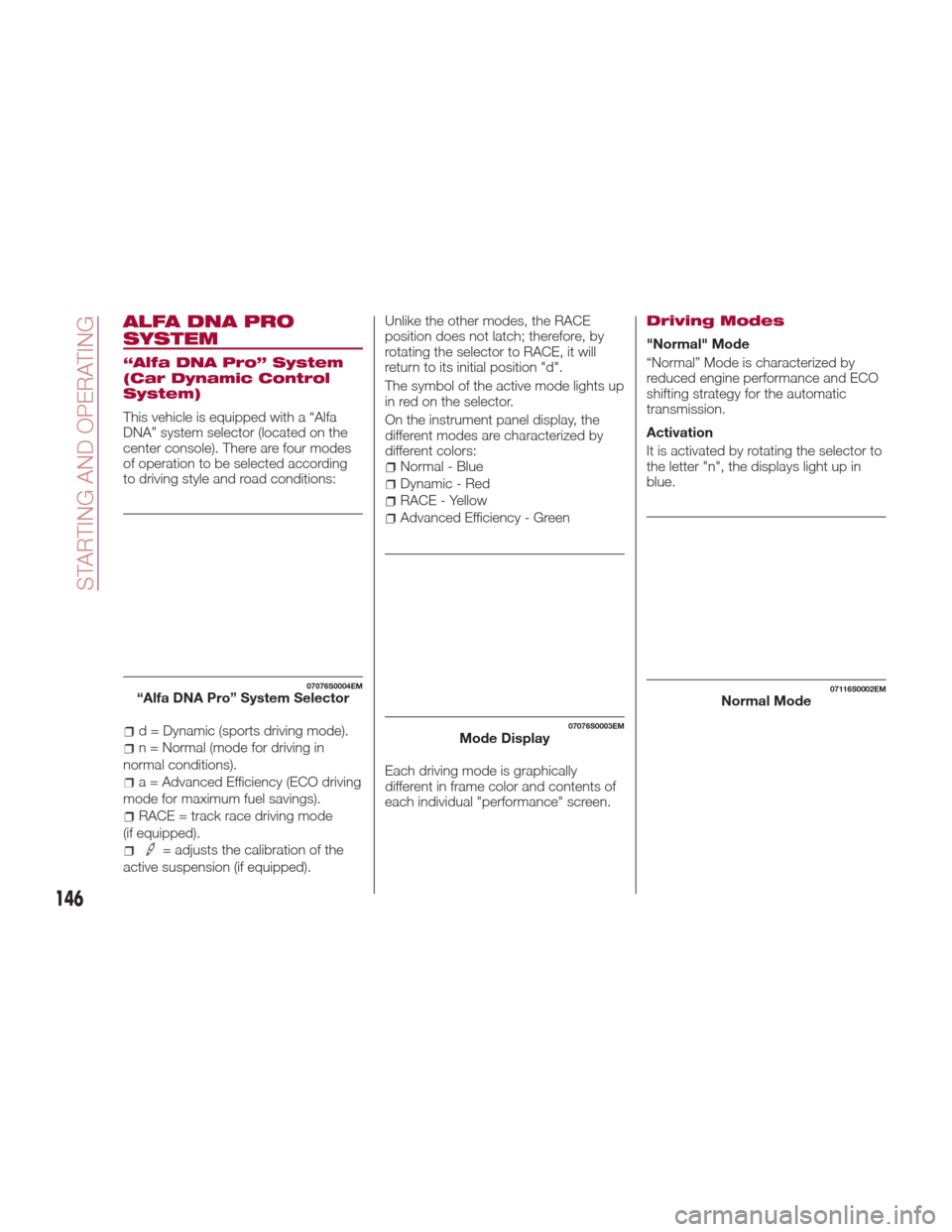
This vehicle is equipped with a “Alfa
DNA” system selector (located on the
center console). There are four modes
of operation to be selected according
to driving style and road conditions:
d = Dynamic (sports driving mode).
n = Normal (mode for driving in
normal conditions).
a = Advanced Efficiency (ECO driving
mode for maximum fuel savings).
RACE = track race driving mode
(if equipped).
= adjusts the calibration of the
active suspension (if equipped). Unlike the other modes, the RACE
position does not latch; therefore, by
rotating the selector to RACE, it will
return to its initial position "d".
The symbol of the active mode lights up
in red on the selector.
On the instrument panel display, the
different modes are characterized by
different colors:
Normal - Blue
Dynamic - Red
RACE - Yellow
Advanced Efficiency - Green
Each driving mode is graphically
different in frame color and contents of
each individual "performance" screen.
Driving Modes
"Normal" Mode
“Normal” Mode is characterized by
reduced engine performance and ECO
shifting strategy for the automatic
transmission.
Activation
It is activated by rotating the selector to
the letter "n", the displays light up in
blue.
07076S0004EM“Alfa DNA Pro” System Selector
07076S0003EMMode Display
07116S0002EMNormal Mode
146
STARTING AND OPERATING
Page 149 of 268
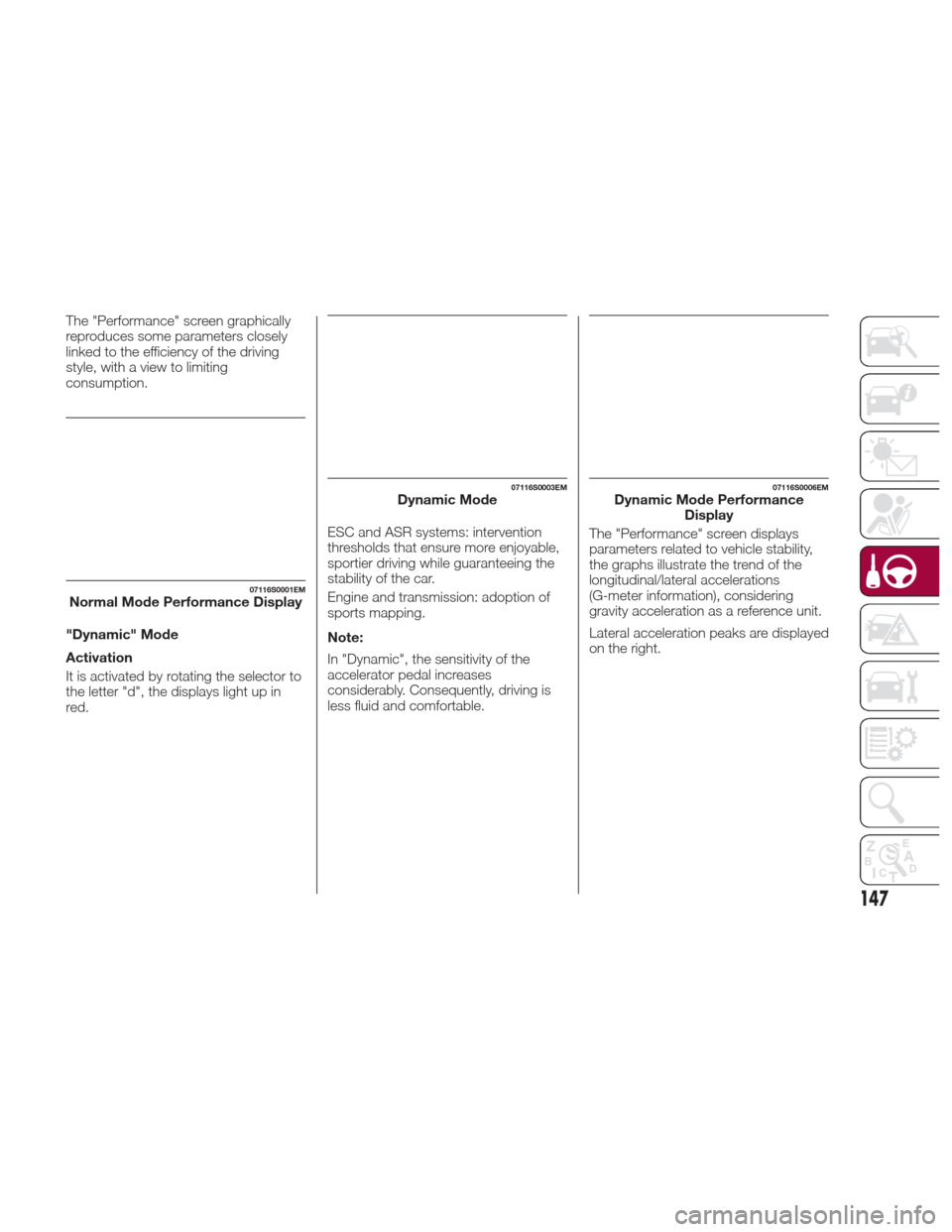
The "Performance" screen graphically
reproduces some parameters closely
linked to the efficiency of the driving
style, with a view to limiting
consumption.
"Dynamic" Mode
Activation
It is activated by rotating the selector to
the letter "d", the displays light up in
red.ESC and ASR systems: intervention
thresholds that ensure more enjoyable,
sportier driving while guaranteeing the
stability of the car.
Engine and transmission: adoption of
sports mapping.
Note:
In "Dynamic", the sensitivity of the
accelerator pedal increases
considerably. Consequently, driving is
less fluid and comfortable.
07116S0001EMNormal Mode Performance Display
07116S0003EMDynamic Mode07116S0006EMDynamic Mode Performance
Display
The "Performance" screen displays
parameters related to vehicle stability,
the graphs illustrate the trend of the
longitudinal/lateral accelerations
(G-meter information), considering
gravity acceleration as a reference unit.
Lateral acceleration peaks are displayed
on the right.
147
Page 150 of 268
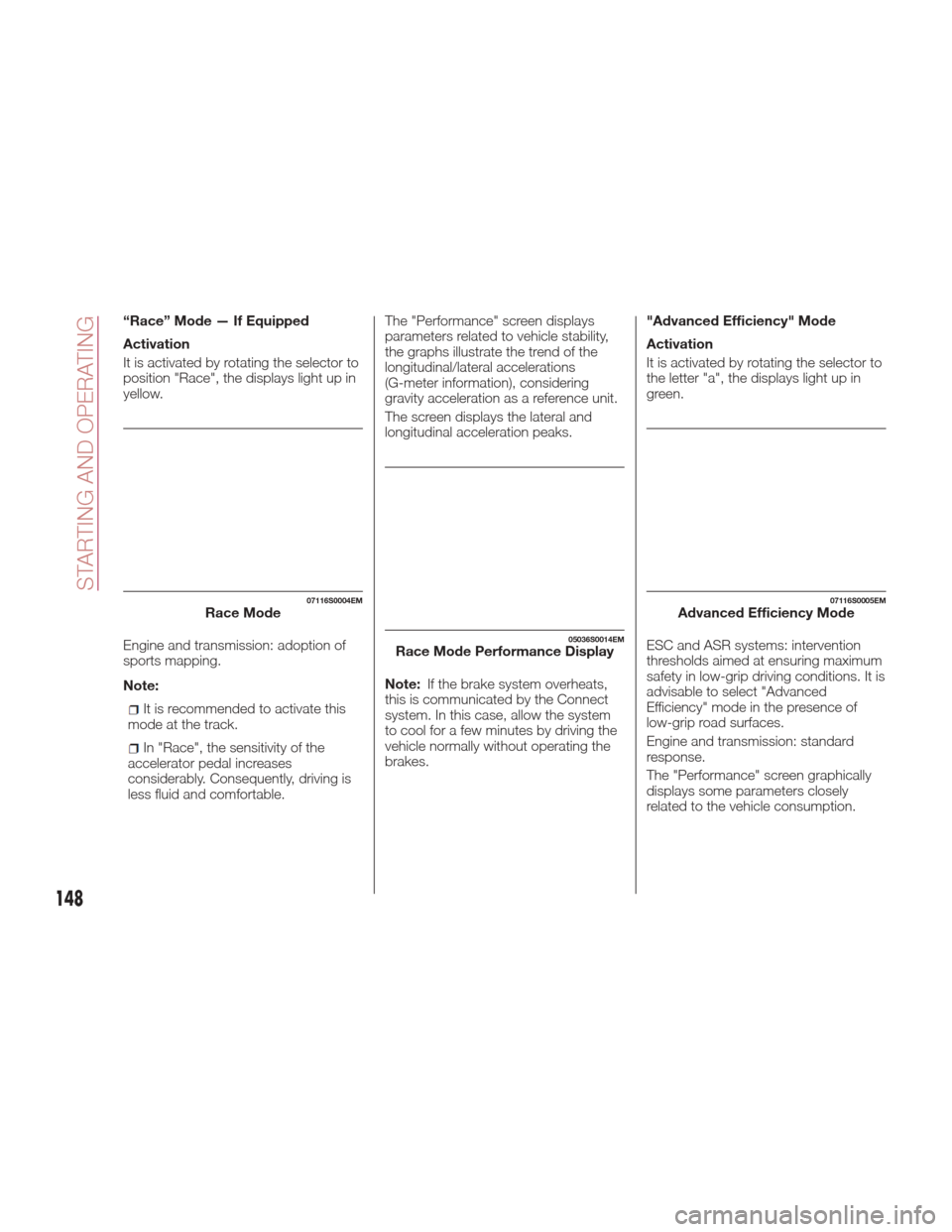
“Race” Mode — If Equipped
Activation
It is activated by rotating the selector to
position "Race", the displays light up in
yellow.
Engine and transmission: adoption of
sports mapping.
Note:
It is recommended to activate this
mode at the track.
In "Race", the sensitivity of the
accelerator pedal increases
considerably. Consequently, driving is
less fluid and comfortable. The "Performance" screen displays
parameters related to vehicle stability,
the graphs illustrate the trend of the
longitudinal/lateral accelerations
(G-meter information), considering
gravity acceleration as a reference unit.
The screen displays the lateral and
longitudinal acceleration peaks.
Note:
If the brake system overheats,
this is communicated by the Connect
system. In this case, allow the system
to cool for a few minutes by driving the
vehicle normally without operating the
brakes. "Advanced Efficiency" Mode
Activation
It is activated by rotating the selector to
the letter "a", the displays light up in
green.
ESC and ASR systems: intervention
thresholds aimed at ensuring maximum
safety in low-grip driving conditions. It is
advisable to select "Advanced
Efficiency" mode in the presence of
low-grip road surfaces.
Engine and transmission: standard
response.
The "Performance" screen graphically
displays some parameters closely
related to the vehicle consumption.
07116S0004EMRace Mode
05036S0014EMRace Mode Performance Display
07116S0005EMAdvanced Efficiency Mode
148
STARTING AND OPERATING
Page 152 of 268
If the system fails, the following symbol
will appear in the instrument cluster
display
.
STOP/START EVO
Stop/Start Evo
The Stop/Start Evo system
automatically shuts off the engine
during a vehicle stop if the required
conditions are met. Releasing the brake
pedal or accelerator pedal will
automatically restart the engine.
The function was developed to increase
vehicle efficiency by reducing fuel
consumption, gas emissions, and
sound pollution.
Operating Mode
Stopping the Engine
With vehicle at a standstill and brake
pedal pressed, the engine switches off
if the gear selector is in a position other
than REVERSE (R).
The system does not operate when the
gear selector is in REVERSE (R), in
order to making parking maneuvers
easier.
In the event of stops uphill, engine
switching off is disabled to make the
"Hill Start Assist" function available
(works only with running engine).NOTE: The engine can only be
automatically stopped after having run
at about 6 mph (10 km/h). After an
automatic restart, to stop the engine
you only need to move the vehicle
exceed a speed of 0.3 mph (0.5 km/h).
Engine stopping is signaled by the
symbol lighting up on the instrument
cluster display.
Restarting the Engine
To restart the engine, release the brake
pedal.
With brake pressed, if the gear selector
is in automatic mode - DRIVE (D) - the
engine can be restarted by moving the
gear selector to REVERSE (R) or
NEUTRAL (N) or "AutoStick".
With brake pressed, if the gear selector
is in "AutoStick" mode, the engine can
be restarted by moving the gear
selector to "+" or "–", or REVERSE (R)
or NEUTRAL (N).
When the engine has been stopped
automatically, keeping the brake pedal
pressed, the brake can be released
keeping the engine off by quickly
shifting the gear selector to PARK (P).
To restart the engine, just move the
gear selector out of a position other
than PARK (P).
04306S0001EMAlfa Active Suspension Button
150
STARTING AND OPERATING
Page 153 of 268
System Manual
Activation/Deactivation
To manually activate/deactivate the
system, push the button located in the
control panel on the left of the steering
wheel.
System Activation
The activation of the system is indicated
by the
symbol lighting up on the
display. In this condition, the light on the
buttonisoff.
System Deactivation
A message will appear on the display
when the system is deactivated. In this
condition, the light on the button is on.
Note: Each time the engine is started,
the system is activated regardless of
where was when it was previously
switched off.
Possible Reasons The
Engine Does Not
Autostop
For higher comfort and increased
safety, and to reduce emissions, there
are certain conditions where the engine
will not stop despite the system being
active, such as:
Engine still cold.
Especially cold outside temperature.
Battery not sufficiently charged.
Driver's door not shut.
Driver's seat belt not fastened.
Reverse gear engaged (e.g. for
parking maneuvers).
With the automatic climate control
active, an adequate cabin heating or
cooling comfort has not been reached
or with MAX-DEF function active.
During the first period of use, to
initialize the system.
Steering angle beyond threshold.
Engine Restarting
Conditions
Due to comfort, emission control and
safety reasons, the engine can restart
automatically without any action by the
driver, under special conditions, such
as:
Battery not sufficiently charged.
Reduced braking system vacuum
(e.g. if the brake pedal is pressed
repeatedly).
Vehicle moving (e.g. when driving on
roads with a grade).
Engine stopping by the Stop/Start
Evo system for more than approx. three
minutes.
With the automatic climate control
active, an adjustment in cabin heating
or cooling is made or with MAX-DEF
function active.
Safety Functions
When the engine is stopped through
the Stop/Start Evo system, if the driver
releases their seat belt, opens the
driver's or passenger's door, or opens
the hood from inside the vehicle, the
engine can be restarted only by using
the ignition.
This condition is indicated to the driver
both through a buzzer and a message
on the instrument cluster display.
Irregular Operation
In the event of malfunction, the
Stop/Start Evo system is deactivated.
For failure indications, see the "Warning
Lights and Messages" paragraph,
"Getting To Know Your Instrument
Panel" chapter.
Vehicle Inactivity
In the event of vehicle inactivity (or if the
battery is replaced), special attention
must be paid to the disconnection of
the battery power supply.
07126S0051EMStop/Start Evo Button
151
Page 155 of 268
EXCEEDING THE
PROGRAMMED SPEED
By fully depressing the accelerator
pedal, the programmed speed can be
exceeded even with the device active
(e.g. in the event of overtaking).
The device is disabled until the speed
drops below the set limit, after which it
reactivates automatically.
PROGRAMMED SPEED
ICON FLASHING
The programmed speed flashes in the
following cases:
when the accelerator pedal has been
fully depressed and the vehicle has
exceeded the programmed speed;
activating the system after setting a
limit below the effective speed of the
vehicle;
in the event of sharp acceleration.
DEACTIVATING THE
DEVICE
The function can be activated/
deactivated on the Connect system.
Deactivating the device
To access the function, on the main
menu select the following items in
sequence: "Settings", "Safety", “Speed
Limiter” and “off”.
Automatic deactivation of the
device
The device deactivates automatically in
the event of fault in the system. In this
case, contact an authorized dealer.
Temporary signal loss
When the devices loses the signal, the
white symbol without the speed
indication lights up on the display.
System failure
When the system is in failure, the amber
symbol
lights up on the display.
ELECTRONIC SPEED
CONTROL
Electronic Speed
Control Description
This is an electronically controlled
driving assistance feature that allows
the desired vehicle speed to be
maintained, without having to press the
accelerator pedal. This feature can be
used at a speed above 25 mph
(40 km/h) on long stretches of dry,
straight roads with few variations
(highways).
It is not recommended to use this
feature in city traffic.
The speed control buttons are located
on the left side of the steering wheel.
Note: To ensure correct operation, the
speed control is designed to deactivate
if more than one function is operated
simultaneously. In this case, the system
can be reactivated by pushing the
on/off button
and setting the
desired speed.
While driving downhill, the system could
brake the vehicle to keep the set speed
the same.
153
Page 156 of 268
Warning!
Speed Control can be dangerous where
the system cannot maintain a constant
speed. Your vehicle could go too fast for
the conditions, and you could lose control
and have an accident. Do not use Speed
Control in heavy traffic or on roads that are
winding, icy, snow-covered or slippery.
Activating
To activate the Electronic Speed
Control System, push the on/off button
location on the left side of the steering
wheel.
The activation of the system is signaled
by the white warning light
switching
on the instrument cluster. The Electronic Speed Control function
can remain active at the same time as
the Speed Limiter System. If a speed
limit below the one indicated in the set
speed control, the speed control speed
will be lowered to that of the Speed
Limiter.
This function remains available in RACE
mode.
Note:
The system cannot be engaged
in FIRST or REVERSE gear. It is
advisable to engage it in THIRD gear or
higher if using the Autostick feature.
Warning!
Leaving the Speed Control system on
when not in use is dangerous. You could
accidentally set the system or cause it to
go faster than you want. You could lose
control and have an accident. Always leave
the system OFF when you are not using it.
Setting The Desired
Speed
To set a desired speed, proceed as
follows:
1. Turn the Electronic Speed Control
on. 2. When the vehicle has reached the
desired speed, push the SET switch up
or down and release to activate. When
the accelerator is released, the vehicle
will keep the selected speed
automatically.
If needed (when overtaking for
instance), you can accelerate simply by
pressing the accelerator; when you
release the pedal, the vehicle goes
back to the previously set speed.
When traveling downhill with the system
active, the vehicle speed may slightly
exceed the set one.
Note:
Before pushing the SET switch,
the vehicle must be traveling at a
constant speed on a flat surface.
07146S0001EMElectronic Speed Control On/Off Switch
07146S0002EMSet Switch Location
154
STARTING AND OPERATING