Page 4 of 449

Contents
Child Safety P. 50Exhaust Gas Hazard P. 62Safety Labels P. 63
Opening and Closing the Tailgate P. 131 Security System P. 137 Opening and Closing the Windows P. 140
Operating the Switches Around the Steering Wheel P. 144 Adjusting the Mirrors P. 159
Interior Lights/Interior Convenience It ems P. 169 Climate Control System P. 180
Audio Error Messages* P. 215General Information on the Audio System* P. 218
Bluetooth® HandsFreeLink ® P. 224 Compass* P. 253
Off-Highway Driving Guidelines P. 266 When Driving P. 268 Braking P. 318
Refueling P. 339 Fuel Economy and CO
2 Emissions P. 341 Accessories and Modifications P. 342
Maintenance Under the Hood P. 351 Replacing Light Bulbs P. 363
Checking and Maintaining Tires P. 374 Battery P. 383 Remote Transmitter Care P. 384
Engine Does Not Start P. 412Jump Starting P. 415 Shift Lever Does Not Move P. 417
Fuses P. 424 Emergency Towing P. 427When You Cannot Open the Tailgate P. 428
Devices that Emit Radio Waves P. 433 Reporting Safety Defects P. 434
Authorized Manuals P. 439 Client Service Information P. 440
Quick Reference GuideP. 4
Safe DrivingP. 23
Instrument PanelP. 65
ControlsP. 117
FeaturesP. 185
DrivingP. 255
MaintenanceP. 343
Handling the UnexpectedP. 393
InformationP. 429
IndexP. 441
Page 11 of 449

10
Quick Reference Guide
Instrument Panel (P 65)
CanadaU.S.
Turn Signal and Hazard
Warning Indicators
All-Wheel Drive (
AWD)
with Intelligent Control
System Indicator
*
System Indicators
Malfunction
Indicator Lamp
Low Oil Pressure
Indicator
Charging System
Indicator
Anti-lock Brake System
( ABS ) Indicator
Vehicle Stability
Assist (VSA ®) System
Indicator
VSA ® OFF Indicator
Low Tire Pressure/
TPMS Indicator
Lights Indicators
Lights On Indicator
High Beam Indicator
Fog Light Indicator
*
Immobilizer System
Indicator Seat Belt Reminder
Indicator
System Indicators
CRUISE CONTROL
Indicator*
Parking Brake and
Brake System
Indicator (Red) Supplemental Restraint
System Indicator
Door and Tailgate
Open Indicator
*
CRUISE MAIN
Indicator*
Tachometer
Speedometer
Fuel Gauge
Security System Alarm
Indicator
Shift Lever
Position
Indicator Low Fuel Indicator
Gauges (P 93)/Multi-Informa
tion Display (P 94)/System Indicators (P 66)
System Message
IndicatorBrake System
Indicator (Amber)
Temperature
Gauge
Electric Power Steering
(EPS) System Indicator
Canada
U.S.
Keyless Access System
Indicator
Lane Departure
Warning (LDW)
Indicator
*
Blind spot information
(BSI) System Indicator*
Collision Mitigation
Braking SystemTM
(CMBSTM) Indicator*
Lane Keeping Assist System
( LKAS) Indicator*/CRUISE
CONTROL Indicator*
Multi-Information Display
(M (Sequential Shift mode)
Indicator/Gear Position
Indicator
Models without
full color display
Adaptive Cruise Control ( ACC)
Indicator*/ CRUISE MAIN
Indicator*
Page 74 of 449
73
uuIndicators u
Continued
Instrument Panel
*1:On the left: Models wi thout full color display
On the right: Models with full color display
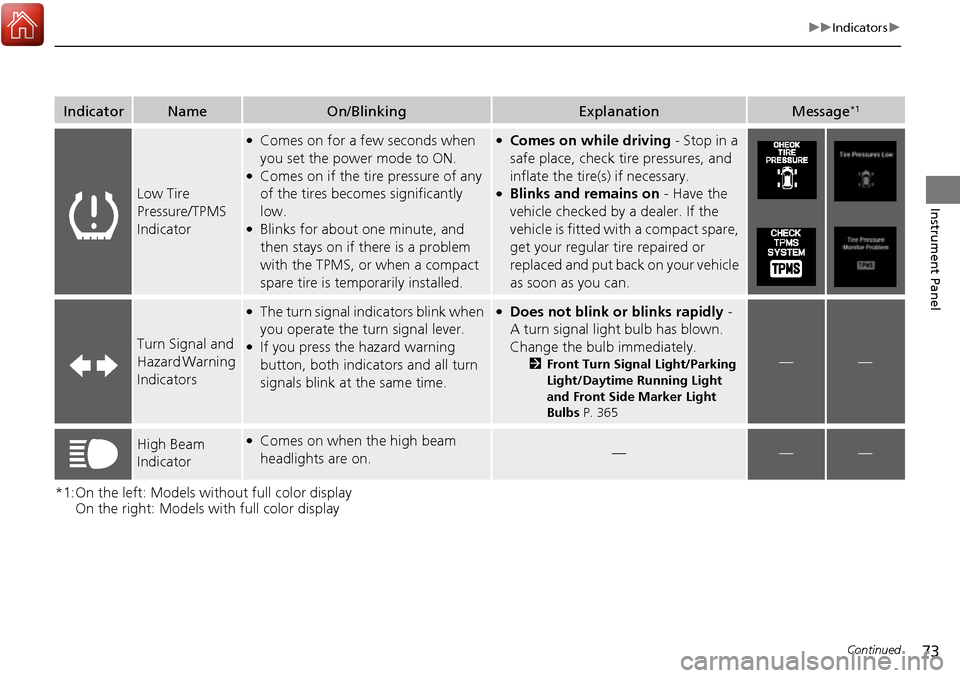
IndicatorNameOn/BlinkingExplanationMessage*1
Low Tire
Pressure/TPMS
Indicator
●Comes on for a few seconds when
you set the power mode to ON.
●Comes on if the tire pressure of any
of the tires becomes significantly
low.
●Blinks for about one minute, and
then stays on if there is a problem
with the TPMS, or when a compact
spare tire is temporarily installed.
●Comes on while driving - Stop in a
safe place, check tire pressures, and
inflate the tire(s) if necessary.
●Blinks and remains on - Have the
vehicle checked by a dealer. If the
vehicle is fitted with a compact spare,
get your regular tire repaired or
replaced and put back on your vehicle
as soon as you can.
Turn Signal and
Hazard Warning
Indicators
●The turn signal indicators blink when
you operate the turn signal lever.
●If you press the hazard warning
button, both indicators and all turn
signals blink at the same time.
●Does not blink or blinks rapidly -
A turn signal light bulb has blown.
Change the bulb immediately.
2 Front Turn Signal Light/Parking
Light/Daytime Running Light
and Front Side Marker Light
Bulbs P. 365——
High Beam
Indicator●Comes on when the high beam
headlights are on.———
Page 75 of 449
74
uuIndicators u
Instrument Panel
*1:On the left: Models without full color display
On the right: Models with full color display
IndicatorNameOn/BlinkingExplanationMessage*1
Lights On
Indicator
●Comes on whenever the light
switch is on, or in AUTO when the
exterior lights are on.●If you set the power mode to
ACCESSORY or VEHICLE OFF (LOCK)
while the lights are on, a chime sounds
when the driver’s door is opened.
——
Fog Light
Indicator*
●Comes on when the fog lights are
on.———
Immobilizer
System Indicator
●Comes on briefly when you set the
power mode to ON, then goes off.
●Comes on if the immobilizer system
cannot recognize the key
information.
●Blinks - You cannot start the engine.
Set the power mode to VEHICLE OFF
(LOCK), then select the ON mode
again.
●Repeatedly blinks - The system may
be malfunctioning. Have the vehicle
checked by a dealer.
●Do not attempt to alter this system or
add other devices to it. Electrical
problems can occur.
——
* Not available on all models
Page 88 of 449
87
uuIndicators uMulti-Information Display Warning and Information Messages
Continued
Instrument Panel
*1:On the left: Models wi thout full color display
On the right: Models with full color display
Message*1ConditionExplanation
—
●Appears if any door or the tailgate is not
completely closed.
●The beeper sounds and the message appears
if any door or the tailgate is opened while
driving.
●Goes off when all doors and the tailgate are
closed.
—
—
●Appears when there is a problem with the
headlights.●Appears while driving - The low beam
headlights may not be on. When conditions
allow you to drive safely, have your vehicle
checked by a dealer as soon as possible.
Page 105 of 449

104
uuGauges and Multi-Information Display uMulti-Information Display
Instrument Panel
*1: Default SettingSetup Group Customizable Features Description Selectable Settings
KEYLESS
ACCESS
SETUP DOOR UNLOCK MODE
Changes which doors unlock when you grab the
driver’s door handle and
tailgate handle. When you
press the tailgate release button, if you chose
DRIVER DOOR ONLY , only tailgate is unlatched.
If you chose ALL DOORS , tailgate is unlatched and
all doors are unlocked. DRIVER DOOR ONLY
*1/
ALL
DOORS
KEYLESS ACCESS LIGHT
FLASH Causes some exterior lights to blink when you
unlock/lock the doors.
ON
*1/
OFF
KEYLESS ACCESS BEEP Sets the beeper sound or not when you grab the
either front door handle. ON
*1/
OFF
LIGHTING
SETUP
INTERIOR LIGHT
DIMMING TIMEChanges the length of time the interior lights stay on
after you close the doors.60 sec/ 30 sec*1/15 sec
HEADLIGHT AUTO OFF
TIMERChanges the length of time the exterior lights stay
on after you close the driver’s door.60 sec/ 30 sec/15 sec*1/0 sec
AUTO LIGHT SENSITIVITYChanges the timing for the headlights to come on.MAX /HIGH /MID*1/ LOW /MIN
Page 106 of 449

105
uuGauges and Multi-Information Display uMulti-Information Display
Continued
Instrument Panel
*1: Default SettingSetup Group Customizable Features
Description Selectable Settings
DOOR
SETUP AUTO DOOR LOCK
Changes the setting for when the doors
automatically lock. WITH VEH SPD
*1/
SHIFT FROM
(P/OFF
AUTO DOOR UNLOCK Changes the setting for when the doors
automatically unlock. WHEN DRIVER’S DOOR
OPENS
*1/
WHEN SHIFTING
INTO PARK/ WHEN IGNITION
SWITCHED OFF /OFF
DOOR LOCK MODE Sets up either the driver’s door or all doors to unlock
on the first push of the remote. DRIVER DOOR
*1/
ALL DOORS
KEYLESS LOCK
ACKNOWLEDGMENT LOCK/UNLOCK- The exterior
lights flash. LOCK (2nd
push)- The beeper sounds. ON
*1/
OFF
SECURITY RELOCK TIMER Changes the time it takes for the doors to relock and
the security system to set after you unlock the
vehicle without op
ening any door. 90 sec
/60 sec/ 30 sec
*1
POWER
TAILGATE
SETUPPOWER OPEN BY OUTER
HANDLEChanges the setting to open power tailgate by
tailgate outer handle.ON (POWER/MANUAL)*1/OFF
(MANUAL ONLY)
POWER TAILGATE
KEYLESS OPEN MODEChanges the keyless setting for when the power
tailgate opens.ANYTIME*1/ WHEN
UNLOCKED
MAINTENANCE
INFO.Resets/Cancels the engine oil life display when you
have performed the maintenance service. RESET
/CANCEL
DEFAULT
ALLCancels/Resets all the customized settings as
default.CANCEL /SET
Page 112 of 449

111
uuGauges and Multi-Information Display uMulti-Information Display
Continued
Instrument Panel
*1: Default SettingSetup Group Customizable Features
Description Selectable Settings
Driving
Position
Setup
Memory Position LinkChanges the driver’s seat position to a stored
setting.On*1/ Off
Keyless
Access
Setup Door Unlock Mode
Changes which doors unlock when you grab the
driver’s door handle and tailgate handle. When you
press the tailgate release button, if you chose
Driver
Door Only , only tailgate is unlatched.
If you chose All Doors, tailgate is unlatched and all
doors are unlocked. Driver Door Only
*1/
All Doors
Keyless Access Light
Flash Causes some exterior li
ghts to flash when you
unlock/lock the doors. On
*1/
Off
Keyless Access Beep Causes the beeper to so
und when you unlock/lock
the doors. On
*1/
Off
Remote Start System On/
Off
*Turns the remote engine start feature on and off. On*1/Off
Lighting
Setup
Interior Light Dimming
TimeChanges the length of time the interior lights stay on
after you close the doors.60sec /30sec*1/15sec
Headlight Auto Off
TimerChanges the length of time the exterior lights stay
on after you close the driver’s door.60sec /30sec /15sec*1/ 0sec
Auto Light SensitivityChanges the timing for th e headlights to come on.Max/High /Mid*1/Low /Min
* Not available on all models

