2016 VOLVO S80 lock
[x] Cancel search: lockPage 121 of 380

04 Climate
04
* Option/accessory, for more information, see Introduction.119
Climate – sensors
The climate system utilizes a number of sen- sors to help regulate the temperature andhumidity level in the passenger compartment.
Sensor location
• The sunlight sensor is located on the top side of the dashboard.
NOTE
The sunlight sensor monitors which side of the car that is most exposed to sunlight.This can mean that the temperature maydiffer between the right and left-side airvents, even if the temperatures set for bothsides of the passenger compartment arethe same.
•The temperature sensor for the passen- ger compartment is located below the cli-mate control panel.
• The outside (ambient) temperature sensoris located on the door mirror.
• The humidity sensor* is located in theinterior rearview mirror.
NOTE
Do not cover or block the sensors with clothing or other objects.
Related information
•
Climate – general information (p. 118)
Air quality
The passenger compartment has been designed to be pleasant and comfortable,even for people with asthma and contactallergies.
Passenger compartment filterReplace the cabin air filter with a new one atthe recommended intervals. Please refer toyour Warranty and Service Records Informa-tion booklet, or consult a trained and qualifiedVolvo service technician for these intervals.The filter should be replaced more often whendriving under dirty and dusty conditions. Thefilter cannot be cleaned and therefore shouldalways be replaced with a new one.
NOTE
There are different types of cabin air filters. Ensure that the correct type is installed.
Interior Air Quality System (IAQS)A multifilter helps reduce gases and particles in the incoming air, thereby reducing the lev-els of odors and contaminants entering thevehicle. The air quality sensor detectsincreased levels of contaminants in the out-side air. When the air quality sensor detectscontaminated outside air, the air intake closesand the air inside the passenger compart-ment is recirculated, i.e., no outside air entersthe vehicle. The filter also cleans recirculatedpassenger compartment air.
NOTE
Contact your Volvo retailer for IAQS air fil- ter replacement intervals.
Materials used in the cabinThe materials used in the cabin have been developed to help minimize the amount ofdust and make the cabin easier to keepclean. All floor mats can be easily removedfor cleaning. Use car cleaning products rec-ommended by Volvo. See also the informa-tion in Cleaning the interior (p. 347).
Related information
•Climate – general information (p. 118)
• Interior Air Quality System (IAQS)* (p. 120)
• Climate – menu settings (p. 120)
Page 126 of 380
04 Climate
04
124* Option/accessory, for more information, see Introduction.
Ventilated seats
Seat ventilation can be used at the same time as seat heating (p. 123) to e.g., help remove
dampness from the seat occupant's clothing.
Ventilated front seats*The ventilation system consists of fans in theseats and backrests that draw air through theseat upholstery. The cooling effect increasesas the air in the passenger compartmentbecomes cooler. The ventilation is controlled by the ECC sys- tem (p. 122), which takes into account theseat temperature, sunlight in the passengercompartment, and the ambient temperature. The ventilation can be used at the same time as seat heating. The ventilation system can be activated when the engine is running. There are three comfortlevels that produce different cooling anddehumidifying effects:
• Level three: press the button once for maximum output – three indicator lightscome on.
• Level two: press the button twice for alower output – two indicator lights comeon.
• Level one: press the button three timesfor the lowest output – one indicator lightcomes on. •
Press the button a fourth time to switchoff the function – the indicator light will goout.
Related information
•Climate – general information (p. 118)
Temperature and blower control
When the vehicle is started, the most recent setting is resumed. The blower should always be activated to help avoid condensation and fogging on thewindows.
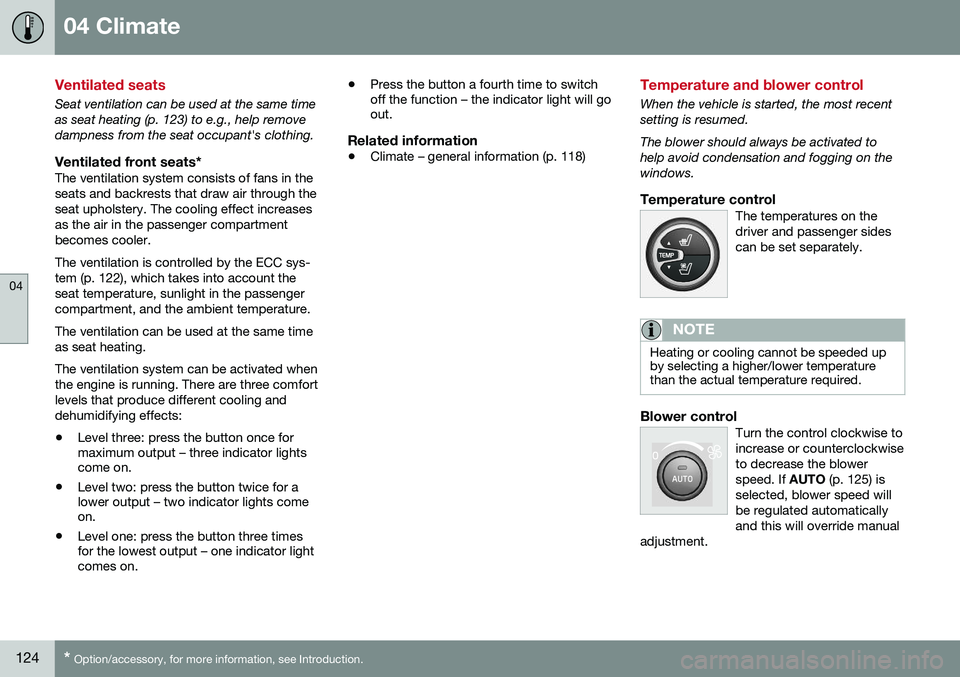
Temperature controlThe temperatures on thedriver and passenger sidescan be set separately.
NOTE
Heating or cooling cannot be speeded up by selecting a higher/lower temperaturethan the actual temperature required.
Blower controlTurn the control clockwise to increase or counterclockwiseto decrease the blowerspeed. If
AUTO (p. 125) is
selected, blower speed willbe regulated automaticallyand this will override manual
adjustment.
Page 137 of 380
05 Loading and storage
05
* Option/accessory, for more information, see Introduction.135
Glove compartment
The glove compartment provides a lockable storage compartment for small items.
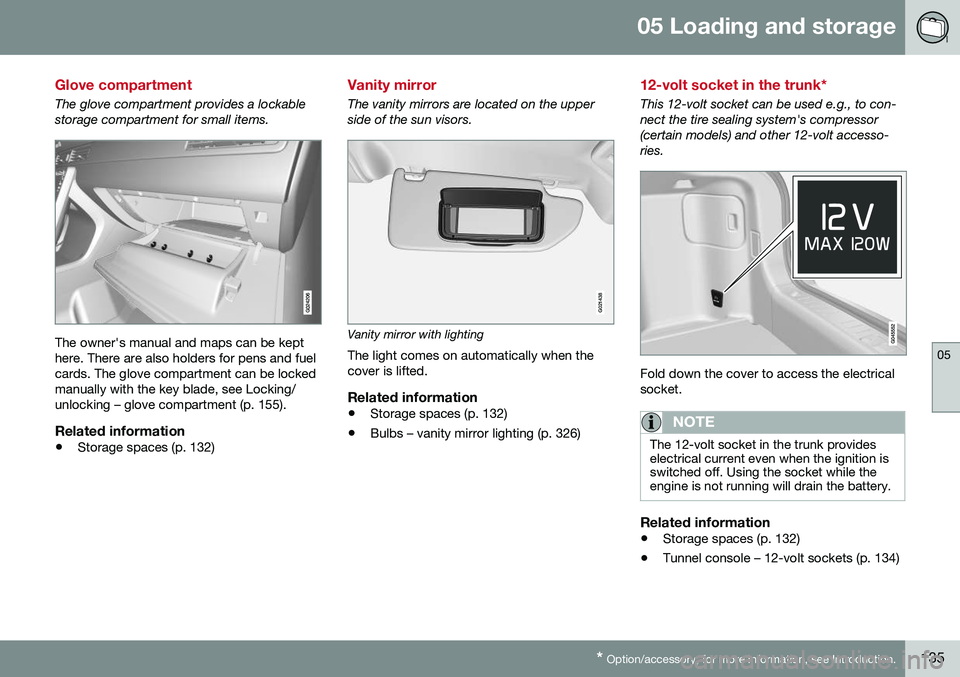
The owner's manual and maps can be kept here. There are also holders for pens and fuelcards. The glove compartment can be lockedmanually with the key blade, see Locking/unlocking – glove compartment (p. 155).
Related information
• Storage spaces (p. 132)
Vanity mirror
The vanity mirrors are located on the upper side of the sun visors.
G021438
Vanity mirror with lighting
The light comes on automatically when the cover is lifted.
Related information
• Storage spaces (p. 132)
• Bulbs – vanity mirror lighting (p. 326)
12-volt socket in the trunk*
This 12-volt socket can be used e.g., to con- nect the tire sealing system's compressor(certain models) and other 12-volt accesso-ries.
Fold down the cover to access the electrical socket.
NOTE
The 12-volt socket in the trunk provides electrical current even when the ignition isswitched off. Using the socket while theengine is not running will drain the battery.
Related information
• Storage spaces (p. 132)
• Tunnel console – 12-volt sockets (p. 134)
Page 138 of 380
05 Loading and storage
05
136
Loading – general
The load carrying capacity of your vehicle is determined by factors such as the number ofpassengers, the amount of cargo, the weightof any accessories that may be installed, etc. To increase loading space, the rear seat backrests can be folded down, see Rearseats – folding backrest (p. 80). When loading the trunk, keep the following in mind:The trunk lid can be unlocked anpopped open slightly via the buttonlocated on the lighting panel, see
Locking/unlocking – trunk (p. 156).
• Load objects in the trunk against the backrest whenever possible.
• Unstable loads can be secured to theload anchoring eyelets with straps or weblashings to help keep them from shifting.
• Stop the engine and apply the parkingbrake when loading or unloading longobjects. The gear selector can beknocked out of position by long loads,which could set the vehicle in motion.
WARNING
• Stop the engine, put the gear selector in
P, and apply the parking brake
when loading or unloading longobjects.
• The vehicle's driving characteristicsmay change depending on the weightand distribution of the load.
• A 44-pound (20 kg) object produces aforce of 2,200 pounds (1,000 kg) in ahead-on collision at 30 mph (50 km/h).
• The rear seat should not be loaded toa level higher than 2 in. (5 cm) belowthe upper edge of the rear side win-dows. Objects placed higher than thislevel could impede the function of theVolvo Inflatable Curtain.
Related information
•
Load anchoring eyelets (p. 138)
• Loading – roof load carriers (p. 137)
Ski hatch
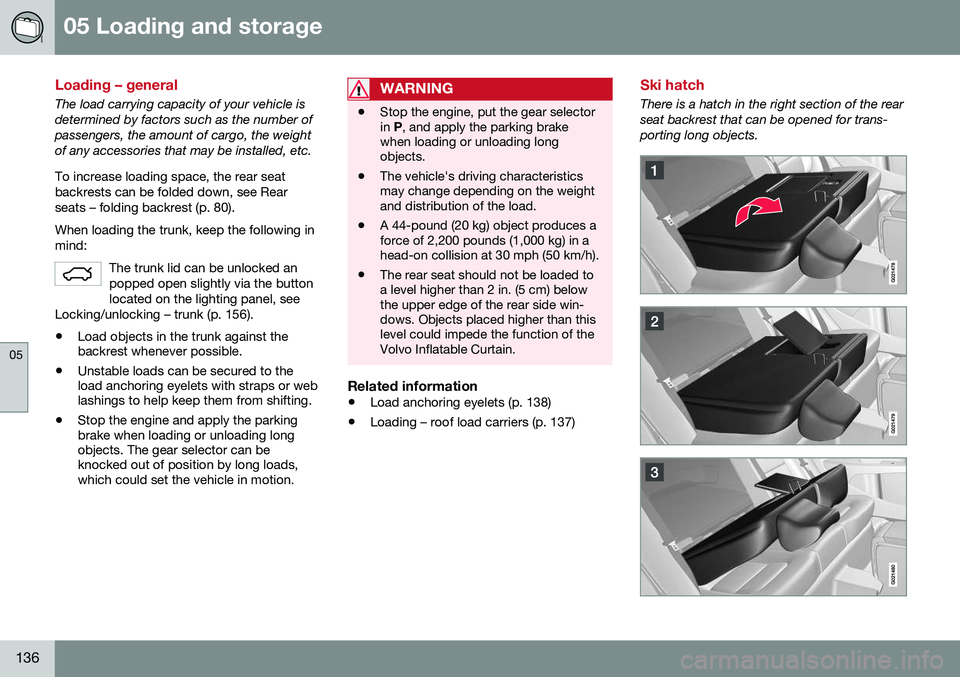
There is a hatch in the right section of the rear seat backrest that can be opened for trans-porting long objects.
Page 142 of 380
06 Locks and alarm
06
140
Remote key and key blade
Two remote keys are provided with your vehi- cle. They enable you to unlock the doors andtrunk, and also function as ignition keys tostart the vehicle or operate electrical compo-nents. The remote keys contain detachablemetal key blades for manually locking orunlocking the driver's door and the glovecompartment. The visible ends of these keyblades are unique to make it easier to identify"your" remote key. Up to six remotes can beprogrammed for use on the same vehicle.
WARNING
Never leave the remote key in the ignition slot if children are to remain in the vehicle.
For more information on the various ignition modes, see Ignition modes (p. 73).
Related information
•Remote key – functions (p. 143)
• Remote key – functions (p. 143)
• Remote key – range (p. 144)
Remote key – loss
If either of the remote keys (p. 140) is lost, the other should be taken with the vehicle to aVolvo retailer. As an anti-theft measure, thecode of the lost remote key must be erasedfrom the system.
NOTE
Additional or duplicate remote control keys can be obtained from any authorized Volvoretailer. You can also obtain additional or duplicate remote control keys from certain inde-pendent repair facilities and locksmithsthat are qualified to make remote controlkeys. Each key must be programmed towork with your vehicle. California Only: A list of independent repair facilities and/or locksmiths known to Volvo that can cutand code replacement keys can be found:
• on the Volvo website at http://www.volvocars.com/us/keys
• by calling Volvo Customer Care at1-800-458-1552
The number of registered keys for the vehicle can be found by pressing
MY CAR and going
into
SettingsInformationNumber of
keys. For a description of the menu system,
see My Car – introduction (p. 70). USA-5WK49264 FCC ID:KR55WK49264 + Siemens VDO 5WK49236 FCC ID:KR55WK49236, 5WK49266FCC ID:KR55WK49266 + Siemens VDO 5WK49233 FCC ID:KR55WK49233This device complies with part 15 of the FCC rules and RSS-210. Operation is subject tothe following conditions: (1) This device maynot cause harmful interference, and (2) thisdevice must accept any interferencereceived, including interference that maycause undesired operation. Canada-5WK49264IC:267T-5WK49264 + Siemens VDO 5WK49236 IC:267T-5WK49236, 5WK49266IC:267T-5WK49266 + Siemens VDO 5WK49233 IC:267T-5WK49233Operation is subject to the following condi- tions: (1) this device may not cause interfer-ence, and (2) this device must accept anyinterference, including interference that maycause undesired operation of the device.Related information
•
Remote key – functions (p. 143)
Page 143 of 380
06 Locks and alarm
06
}}
* Option/accessory, for more information, see Introduction.141
Key memory
The memory in the remote key makes it possi- ble to store certain personal settings. The position of the side door mirrors, power driver's seat* and the selected instrument panel theme 1
are stored in the remote keys
when the vehicle is locked. The next time the
driver's door is unlocked with the same
remote key and the door is opened within 2 minutes , the power driver's seat and side
door mirrors will automatically move to theposition that they were in when the doorswere most recently locked with the sameremote key. If the seat/mirrors have not beenreadjusted since the vehicle was locked, theywill already be in the position stored in thatparticular remote key and will not move. Formore information on this feature, see Frontseats – power seat (p. 75). This feature can be activated or deactivated in the vehicle's menu by pressing MY CAR
and going into
SettingsCar settingsCar key memory. For a description of the
menu system, see My Car – introduction (p. 70).
NOTE
If the vehicle is locked with the remote key or is left unlocked for more than 30minutes, the key memory function will bedeactivated. To reactivate the key's memory: • Press the unlock button on the remote key.
For information regarding vehicles with the optional keyless drive, see Keyless drive*–locking/unlocking (p. 149).
Related information
•
Locking/unlocking confirmation (p. 141)
Locking/unlocking confirmation
Settings can be made in the menu system for audible and visual confirmation when thevehicle has been locked or unlocked. Withthese functions activated, the following willoccur when the vehicle is locked/unlocked:
Locking confirmation
•
The turn signals flash once, an audible signal sounds and the door mirrors willfold* in.
Confirmation will only be given when all doors and the trunk are properly closed and locked.
NOTE
If you do not receive confirmation when locking the vehicle, check whether a dooror the trunk is ajar, or if this feature hasbeen turned off in the menu.
Unlocking confirmation
• The turn signals will flash twice and the door mirrors will fold* out.
1
Optional digital instrument panel only
Page 144 of 380
||
06 Locks and alarm
06
142
Making a settingDifferent alternatives for locking/unlocking confirmation can be selected in the menus bypressing MY CAR on the center console con-
trol panel. • To activate visual confirmation: go to
SettingsCar settingsLight
settings and select Door lock
confirmation light and/or Unlock
confirmation light by pressing OK/
MENU .
• To activate audible confirmation: go to
SettingsCar settingsLock
settings and select Audible
confirmation by pressing OK/MENU.
For a description of the menu system, see My Car – introduction (p. 70).
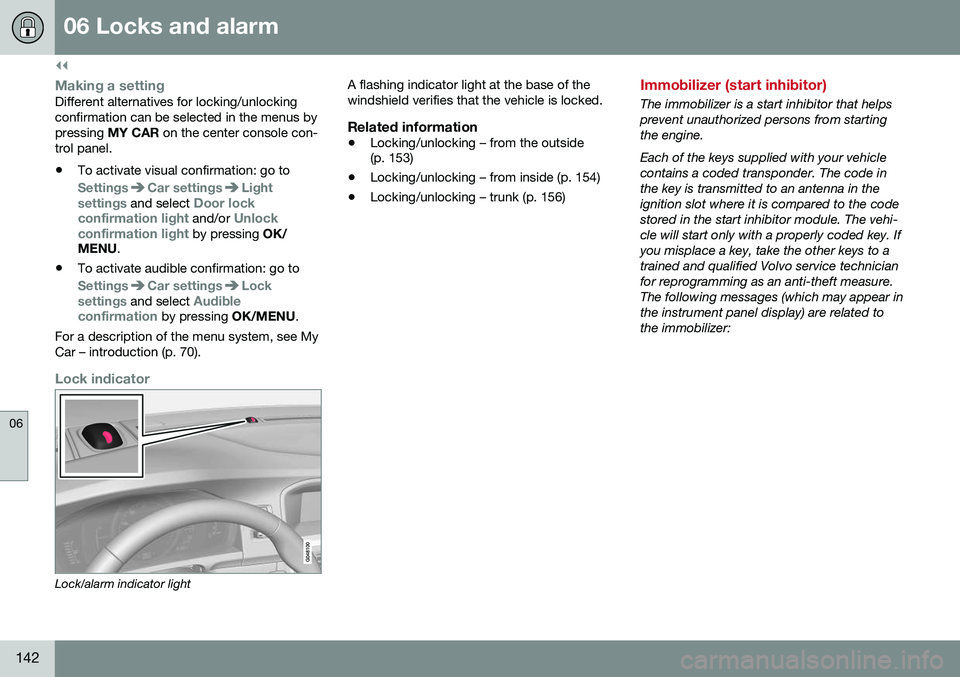
Lock indicator
Lock/alarm indicator light A flashing indicator light at the base of the windshield verifies that the vehicle is locked.
Related information
•
Locking/unlocking – from the outside (p. 153)
• Locking/unlocking – from inside (p. 154)
• Locking/unlocking – trunk (p. 156)
Immobilizer (start inhibitor)
The immobilizer is a start inhibitor that helps prevent unauthorized persons from startingthe engine. Each of the keys supplied with your vehicle contains a coded transponder. The code inthe key is transmitted to an antenna in theignition slot where it is compared to the codestored in the start inhibitor module. The vehi-cle will start only with a properly coded key. Ifyou misplace a key, take the other keys to atrained and qualified Volvo service technicianfor reprogramming as an anti-theft measure.The following messages (which may appear inthe instrument panel display) are related tothe immobilizer:
Page 145 of 380
06 Locks and alarm
06
}}
* Option/accessory, for more information, see Introduction.143
MessageMeaning
Insert car keyRemote key not recognized during start. Try to start thevehicle again.
Car key not foundVehicles with keyless drive* only. Remote key not recog-nized during start. Try tostart the vehicle again. If the problem continues, insert the remote key into theignition slot and try to startthe vehicle again.
Immobil- izer TrystartagainRemote key fault during start. Contact an authorizedVolvo workshop.
CAUTION
Never use force when inserting the remote key in the ignition slot. The vehicle cannotbe started if the transponder is damaged.
USA–FCC ID: LTQWFS 125VO This device complies with part 15 of the FCC rules. Operation is subject to the followingcondition: (1) This device may not causeharmful interference, and (2) this device mustaccept any interference received, including interference that may cause undesired opera-tion. Canada–IC: 3659A-WFS125VOOperation is subject to the following condi- tions: (1) this device may not cause interfer-ence, and (2) this device must accept anyinterference, including interference that maycause undesired operation of the device. For information on starting the vehicle, see Starting the engine (p. 233).
Remote key – functions
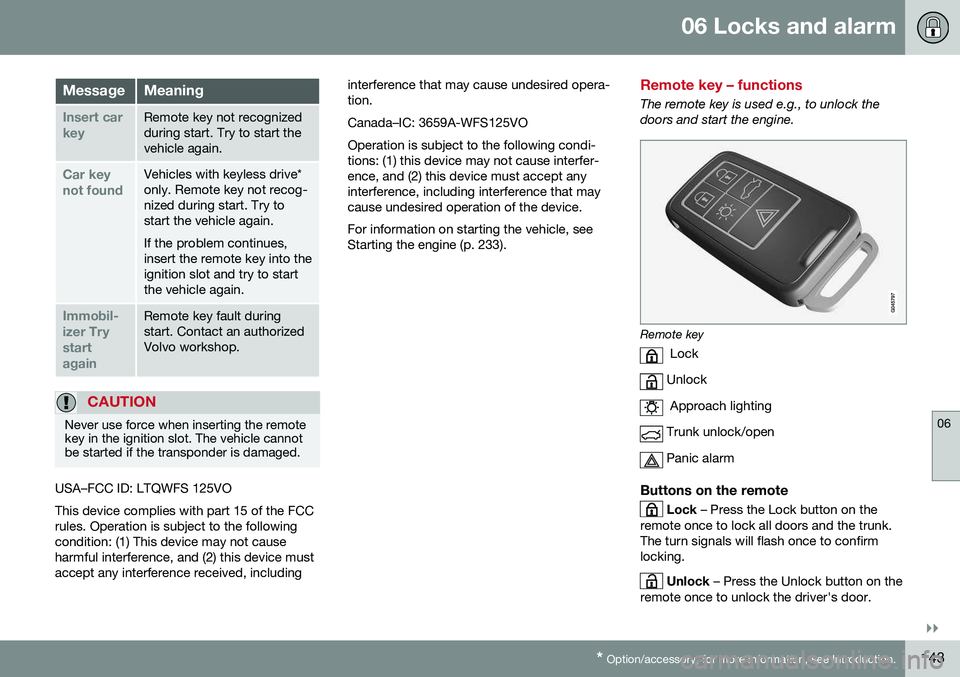
The remote key is used e.g., to unlock the doors and start the engine.
Remote key
Lock
Unlock
Approach lighting
Trunk unlock/open
Panic alarm
Buttons on the remote
Lock – Press the Lock button on the
remote once to lock all doors and the trunk. The turn signals will flash once to confirmlocking.
Unlock – Press the Unlock button on the
remote once to unlock the driver's door.