Page 18 of 412
Emergency starting and starting the engine with a very weak vehicle battery or after the vehicle battery has been replaced may change or delete system settings (including time, date, and program-ming). Check the settings and correct as necessary once the vehicle battery has built up a sufficient charge.
Menu structure – overview (Basic version)
Page 21 of 412
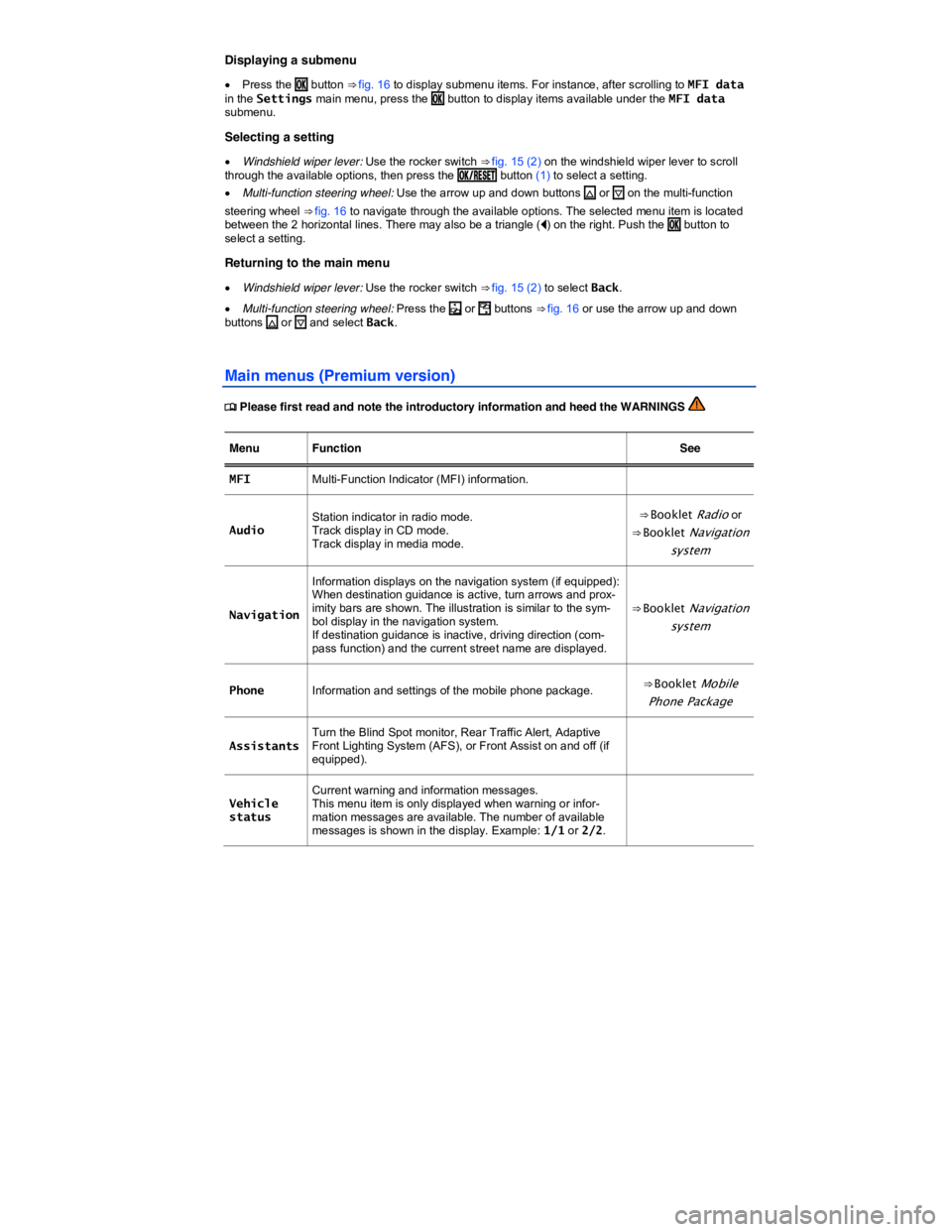
Displaying a submenu
x Press the /+ button ⇒ fig. 16 to display submenu items. For instance, after scrolling to MFI data in the Settings main menu, press the /+ button to display items available under the MFI data submenu.
Selecting a setting
x Windshield wiper lever: Use the rocker switch ⇒ fig. 15 (2) on the windshield wiper lever to scroll through the available options, then press the /+
Page 22 of 412
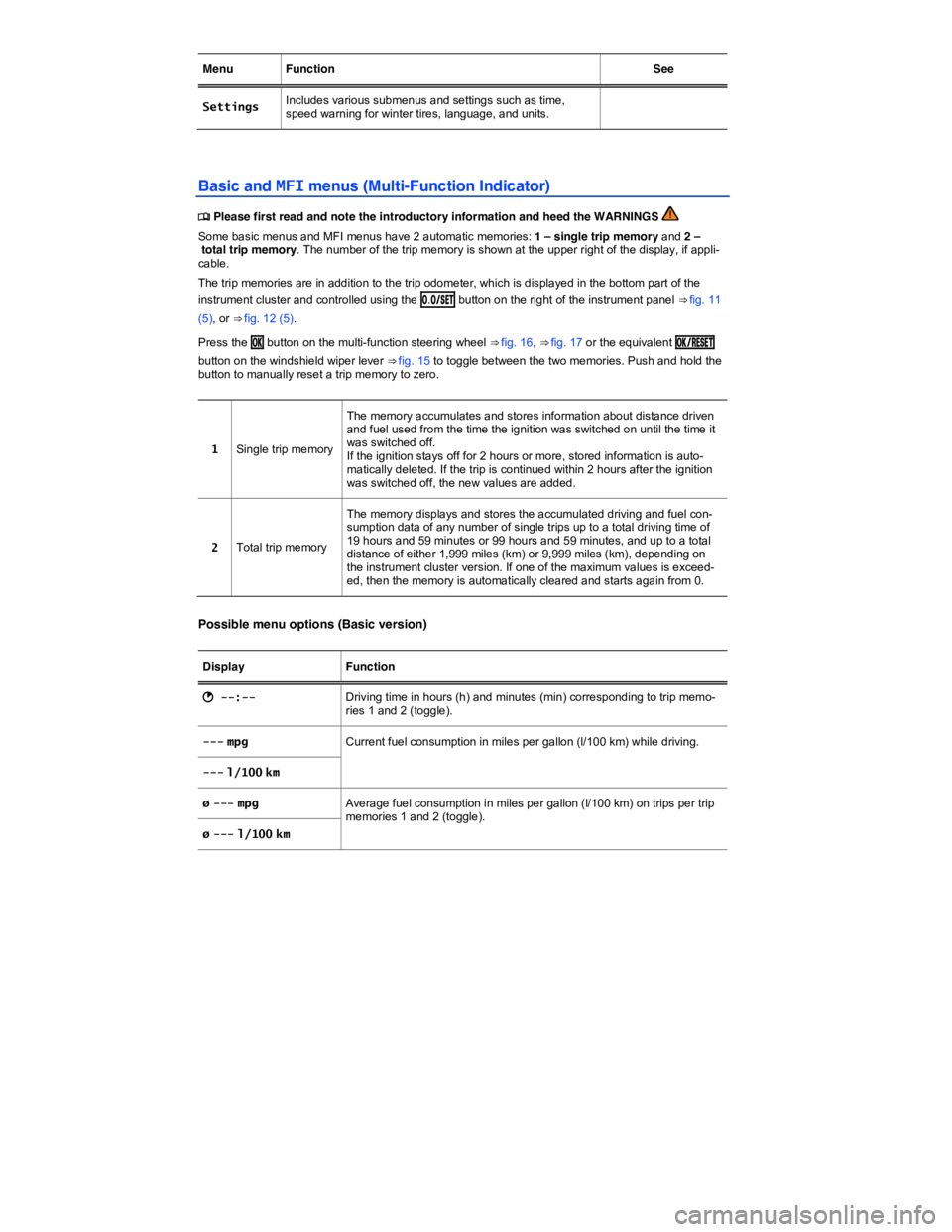
Menu Function See
Settings Includes various submenus and settings such as time, speed warning for winter tires, language, and units.
Basic and MFI menus (Multi-Function Indicator)
Page 23 of 412

Display Function
� --- mi Estimated distance in miles (km) that the vehicle can go with the fuel left in the tank.
� --- km
-- mi Distance driven in miles (km) per trip memories 1 and 2 (toggle).
-- km
ø -- mph Average speed on trips per trip memories 1 and 2 (toggle).
ø -- km/h
-- mph Digital display of the current vehicle speed.
-- km/h
c --- mph Speed warning feature. When the set speed (from 20–155 mph or 30–250 km/h) is exceeded, an acoustic warning sounds and a visual mes-sage may also appear in the instrument cluster display. � --- km/h
Possible MFI menu displays (Premium version)
The following displays can be accessed in the MFI menu if enabled under Settings > MFI data. Displays that are not enabled will not appear.
Display Function
Travel time Driving time in hours (h) and minutes (min) corresponding to trip memo-ries 1 and 2 (toggle).
Consumption --.- mpg Current fuel consumption in miles per gallon (l/100 km) while driving. When units are set to miles, dashes appear instead of a number when the engine is running and the vehicle is standing still. When units are set to kilometers, the display shows liters consumed per hour when the engine is running and the vehicle is standing still. Consumption --.- l/100 km
Av. consumption --.- mpg Average fuel consumption in miles per gallon (l/100 km) on trips per trip memories 1 and 2 (toggle) is displayed once the vehicle has been driven about 330 feet (100 m). Until then, dashes appear instead of a number. The value displayed is updated every 5 seconds. Av. consumption --.- l/100 km
Range � -- mi Estimated distance in miles (km) that the vehicle can go with the fuel left in the tank the way you are currently driving. Takes account of the cur-rent fuel consumption, among other things. Range � -- km
Range b Diesel engines only: Estimated distance in miles (km) that the vehicle can go with the AdBlue left in the tank. Visible only when the AdBlue range has fallen to less than 1500 mi or 2400 km.
Page 24 of 412

Display Function
Route -- mi Distance driven in miles (km) per trip memories 1 and 2 (toggle).
Route -- km
Average speed -- mph Average speed on trips per trip memories 1 and 2 (toggle). Displayed once the vehicle has been driven about 300 feet (100 m). Until then, dashes may appear instead of a number. The value displayed is updated every 5 seconds. Average speed -- km/h
-- mph Digital display of the current vehicle speed.
-- km/h
Oil temperature ---°F Current engine oil temperature.
Oil temperature ---°C
Speed warning --- mph When the set speed (from 20–155 mph or 30–250 km/h) is exceeded, an acoustic warning sounds and a visual message may also appear in the instrument cluster display. Speed warning --- km/h
Switching between the displays
x Use the arrow up and down buttons (* and +) on the multi-function steering wheel or use the 42)0
rocker switch on the windshield wiper lever ⇒ fig. 15 (2).
Storing speed for the speed warning
x Select the Speed warning or c display.
x Press the /+ button to save the current speed and to activate the warning.
x If the speed is not right, press buttons * or + on the multi-function steering wheel or use the 42)0
rocker switch ⇒ fig. 15 (2) to set a different speed within about 5 seconds. Then press the /+ button a second time or just wait a few seconds. The speed is saved and the warning is activated.
x To deactivate, toggle to Speed warning or c and press the /+ button. The set speed is deleted.
Manually erasing trip memory 1 or 2
x Select the trip memory to be erased.
x Press the /+ button for about 2 seconds.
Enabling and disabling displays (Premium version)
Use the Settings menu, submenu MFI data to enable displays you want to be available under the MFI menu in the instrument cluster display. The units in which data is displayed can also be changed
⇒ Settings menu.
Page 25 of 412
Page 26 of 412
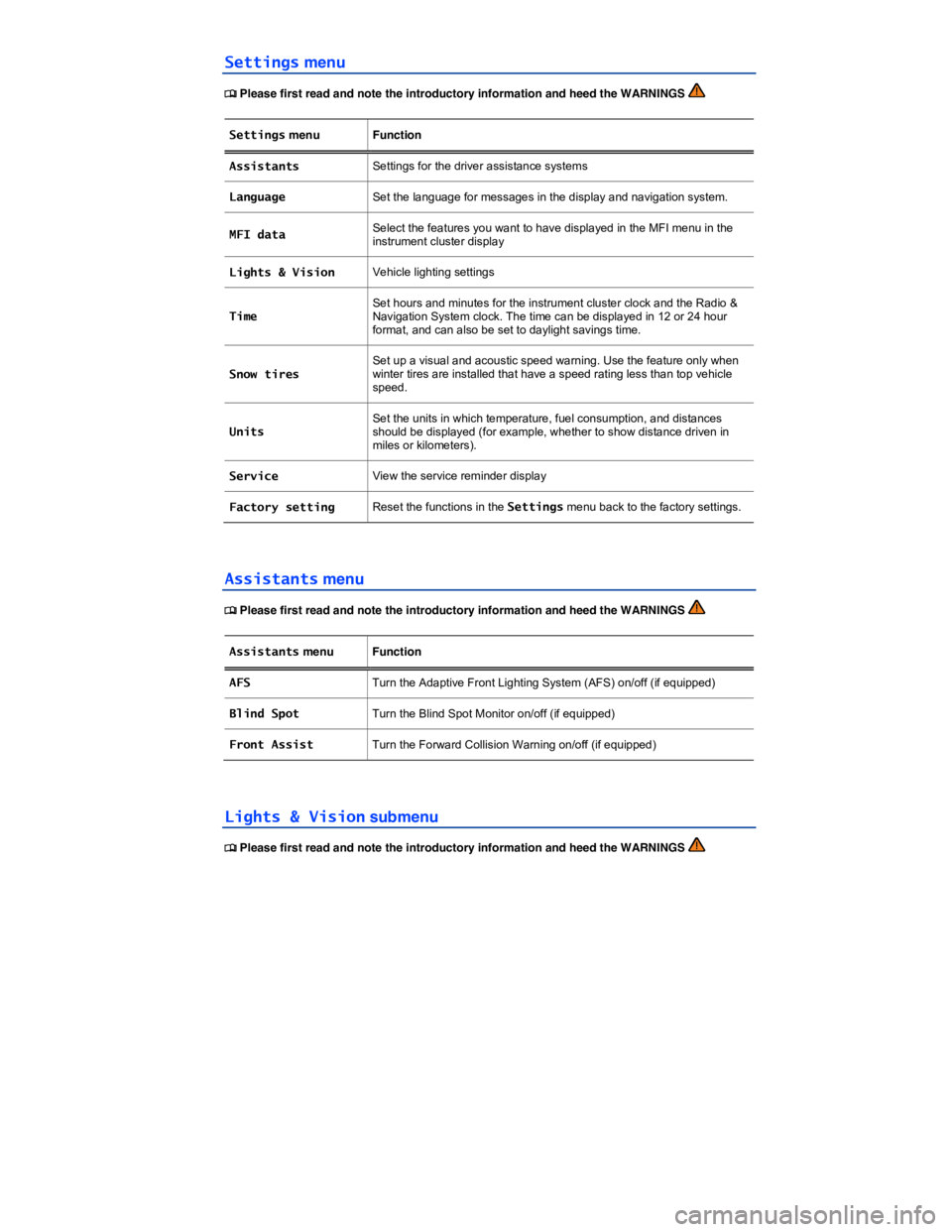
Lights & Vision menu Function
Coming Home Set how long the headlights and inside lights stay on after locking or unlocking the vehicle. Feature can also be switched on or off
Leaving Home
Back The display returns to the Settings menu.
Page 256 of 412
x Park the vehicle in a safe place on a firm, level surface.
x Apply the parking brake to help prevent the vehicle from moving ⇒ Parking brake.
x Switch on the ignition.
x Switch on the radio or the navigation system (if not already on) ⇒ Booklet Radio or
⇒ Booklet Navigation system.
x Shift into Reverse (R).
x Tap the function key.
x Adjust the desired settings in the menu.
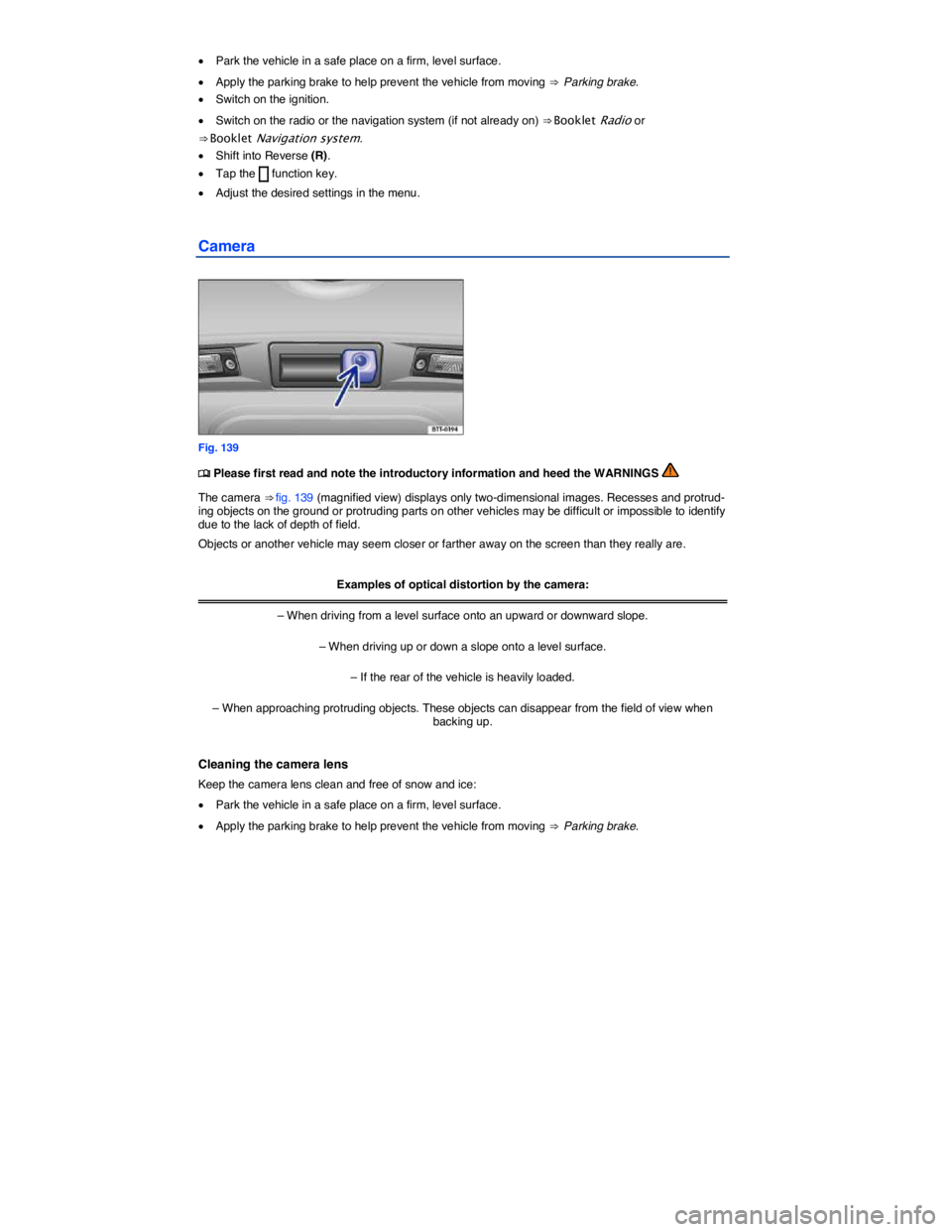
Camera
Fig. 139