2016 VAUXHALL MOVANO_B heating
[x] Cancel search: heatingPage 112 of 233

110Climate controlTimer1 X:switches the control unit
on/off and changes
displayed information2 q
back:selects functions in the
menu bar and adjusts
values3 menu
bar:displays the selectable
functions Y, x , P , Ö and
Y4 r next:selects functions in the
menu bar and adjusts
values5 OK:confirms selectionRemote control
The control buttons operate
identically to the timer unit described
previously.
To activate the remote control, press X and release it when the menu bar
appears in the display. The signal
indicator and SENd appear briefly in
the display, followed by the
temperature.
9 Warning
When refuelling, switch off the
remote control unit as well as the
heater!
To switch off, press and hold X to
prevent inadvertent operation.
The remote control has a maximum
range of 600 metres. The range may
be reduced due to environmental
conditions and as the battery
becomes weaker.
In addition to the remote control unit,
the heating can also be switched on
for 30 minutes, or off, using the button
on the instrument panel.
Battery replacement
Replace the battery when the range
of the remote control is reduced or when the battery charge symbol
flashes.
Page 113 of 233

Climate control111Open the cover using a coin and
replace the battery (CR 2430 or
equivalent), ensuring the new battery
is correctly installed with the positive
( < ) side facing the positive terminals.
Replace the cover securely.
Dispose of old batteries in
accordance with environmental
regulations.
Batteries do not belong in household
waste. They must be disposed of at
an appropriate recycling collection
point.
Remote control fault displays
cobA:poor signal –
adjust positionconP:no signal – move closerbALo:battery low –
change batteryErr:system error –
consult workshopAdd,
AddE:system in learning mode
Teach remote control
If the vehicle battery is reconnected,
the LED in the instrument panel
button illuminates and the system
configures the remote control menu
automatically. If the LED flashes,
press OK on remote control, select
Add or AddE and confirm.
Additional remote control units may
also be configured. Press the button
until LED flashes, switch on the
remote control, select Add and
confirm.
AddE teaches the current remote
control unit exclusively and blocks all
previously configured units. Add
teaches up to 4 remote control units,
but only one unit can operate the
system at any one time.
Operation
Heating Y
Select Y in the menu bar and confirm.
The predetermined heating duration,
e.g. L 30, flashes in the display. The
factory setting is 30 minutes.
To temporarily adjust the heating
duration, adjust with q or r and
confirm. The value can be set from 10 to 120 minutes. Due to the power
consumption, note the heating
duration.
To switch off, select Y in the menu bar
again and confirm.
Ventilation x
Select x in the menu bar and confirm.
The ventilation duration can be
accepted or adjusted. The duration
shown is accepted without
confirmation.
To switch off, select x in the menu bar
again and confirm.
Programming P
Up to 3 preset departure times can be programmed, either during one day or
over one week.
Page 114 of 233

112Climate control● Select P in the menu bar and
confirm.
● Select desired preset memory number 1, 2 or 3 and confirm.
● Select day and confirm.
● Select hour and confirm.
● Select minutes and confirm.
● Select Y or x and confirm.
● If necessary, adjust the runtime duration prior to departure and
confirm.
The next preset memory number to
be activated is underlined and the
weekday is displayed. Repeat the
procedure to programme the other
preset memory numbers.
Pressing X during the procedure will
exit without storing programme
adjustments.
To delete a preset departure time,
follow the steps for programming until
heating symbol Y flashes. Press q
or r until oFF appears in the display
and confirm.
Heating stops automatically
5 minutes after the programmed departure time.Notice
The remote control system features
a temperature sensor which
calculates the runtime according to
the ambient temperature and the desired heating level (ECO or
HIGH). The system starts
automatically between 5 and
60 minutes prior to the programmed
departure time.
Set weekday, time and heating
duration Ö
If the vehicle battery is disconnected or its voltage is too low, the unit will
need to be reset.
● Select Ö and confirm.
● Select weekday and confirm.
● Change hours and confirm.
● Change minutes and confirm. ● Change the default heating duration and confirm.
Heating level Y
The preferred heating level for
programmed departure times can be set to either ECO or HIGH.Select Y and confirm. ECO or HIGH
flashes in the display. Adjust using
q or r and confirm.
Page 116 of 233

114Climate controlBus
Adjustable air vents may be located inthe roof frame above the seats. Turn
adjuster to increase/decrease airflow
to the appropriate seat.
Fixed air vents Additional air vents are located
beneath the windscreen and door
windows and in the foot wells.
Glovebox cooler
The air conditioning system can also
keep the contents of the glovebox
cool.
Maintenance
Air intake
The air intake in front of the
windscreen in the engine
compartment must be kept clear to
allow air intake. Remove any leaves,
dirt or snow.
Pollen filter The pollen filter cleans dust, soot,
pollen and spores from the air
entering the vehicle through the air
intake.
Air conditioning regular
operation
In order to ensure continuously
efficient performance, cooling must
be operated for a few minutes once a
month, irrespective of the weather
and time of year. Operation with
cooling is not possible when outside
temperature is too low.
ServiceFor optimal cooling performance, it is
recommended that the climate control system be checked annually, starting
three years after initial vehicle
registration, including:
● functionality and pressure test
● heating functionality
● leakage check
● check of drive belts
● cleaning of condenser and evaporator drainage
● performance check
Page 118 of 233
116Driving and operatingDriving hints
Driving economically
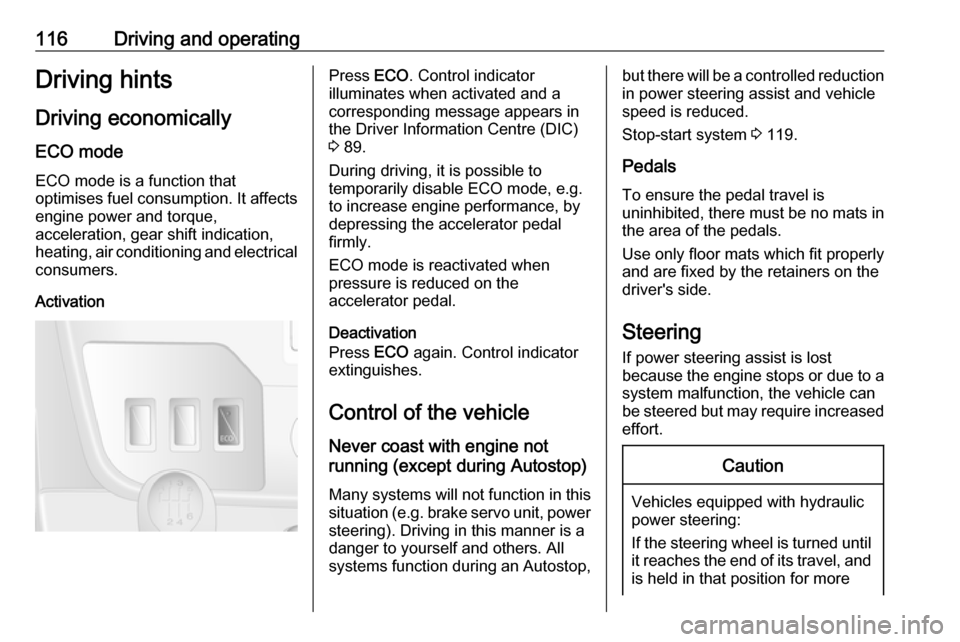
ECO mode
ECO mode is a function that
optimises fuel consumption. It affects engine power and torque,
acceleration, gear shift indication,
heating, air conditioning and electrical consumers.
ActivationPress ECO. Control indicator
illuminates when activated and a corresponding message appears in
the Driver Information Centre (DIC)
3 89.
During driving, it is possible to
temporarily disable ECO mode, e.g.
to increase engine performance, by
depressing the accelerator pedal
firmly.
ECO mode is reactivated when
pressure is reduced on the
accelerator pedal.
Deactivation
Press ECO again. Control indicator
extinguishes.
Control of the vehicle
Never coast with engine not
running (except during Autostop)
Many systems will not function in this
situation (e.g. brake servo unit, power
steering). Driving in this manner is a
danger to yourself and others. All
systems function during an Autostop,but there will be a controlled reduction
in power steering assist and vehicle
speed is reduced.
Stop-start system 3 119.
Pedals To ensure the pedal travel is
uninhibited, there must be no mats in
the area of the pedals.
Use only floor mats which fit properly
and are fixed by the retainers on the
driver's side.
Steering
If power steering assist is lost
because the engine stops or due to a system malfunction, the vehicle can
be steered but may require increased
effort.Caution
Vehicles equipped with hydraulic
power steering:
If the steering wheel is turned until it reaches the end of its travel, and
is held in that position for more
Page 119 of 233

Driving and operating117than 15 seconds, damage mayoccur to the power steering
system and there may be loss of
power steering assist.Starting and operating
New vehicle running-in
Do not brake unnecessarily hard for
the first few journeys and after new
disc brake pads have been fitted.
During the first drive, smoke may
occur because of wax and oil
evaporating off the exhaust system.
Park the vehicle in the open for a
while after the first drive and avoid
inhaling the fumes.
During the running-in period fuel and
engine oil consumption may be
higher and the cleaning process of
the diesel particle filter may take
place more often. Autostop may be
inhibited to allow for charging the
vehicle battery.
Stop-start system 3 119.
Diesel particle filter 3 124.Ignition switch positions0:ignition off1:steering wheel lock released,
ignition off2:ignition on
diesel engines: preheating3:starting
Page 120 of 233

118Driving and operatingStarting the engine
Manual transmission: operate clutch.
Manual transmission automated:
operate brake; transmission
automatically shifts to N.
Do not accelerate.
Turn the key to position 2 for
preheating, and hold until control
indicator N extinguishes from the
Driver Information Centre (DIC).
Turn key to position 3 and release.
The increased engine speed
automatically returns to normal idling
speed as the engine temperature
rises.
Start attempts should not last longer
than 15 seconds. If engine does not
start, wait 15 seconds before
repeating starting procedure. If
necessary, depress accelerator
before repeating starting procedure.
Before restarting or to switch off the
engine, turn key back to 0.
During an Autostop, the engine can
be started by depressing the clutch
pedal. Stop-start system 3 119.
Turbo engine warm-up Upon start-up, engine available
torque may be limited for a short time,
especially when the engine
temperature is cold. The limitation is
to allow the lubrication system to fully protect the engine.Idle speed control
To increase the idle speed press the
switch. After a few seconds the
function will be activated.
The function will be deactivated
when:
● The clutch pedal is depressed.
● The accelerator pedal is depressed.
● MTA is not in N (neutral).
● Vehicle speed is above 0 mph. ● Control indicator A, W or C
illuminate in the instrument
cluster.
Page 122 of 233

120Driving and operating
An Autostop is indicated when Ï
illuminates green in the instrument
cluster.
During an Autostop, the heating
performance, power steering and brake performance will be
maintained. Brake assist, however, is
not available 3 136.
Conditions for an Autostop
The stop-start system checks if each
of the following conditions is fulfilled,
otherwise an Autostop will be
inhibited and control indicator \ will
illuminate in the instrument cluster.
● the stop-start system is not manually deactivated
● the bonnet is fully closed
● the driver's door is closed or the driver's seat belt is fastened
● the vehicle battery is sufficiently charged and in good condition
● the engine is warmed up
● the engine coolant temperature is
not too high
● the ambient temperature is not too low
● the defrosting function is not activated
● the climate control system does not inhibit an Autostop
● the brake vacuum is sufficient ● the self-cleaning function of the diesel particle filter is not active
● the vehicle has moved since the last Autostop
Otherwise an Autostop will be
inhibited.An Autostop may become
unavailable as the ambient
temperature approaches freezing
point.
Certain settings of the climate control
system may also inhibit an Autostop.
See Climate control chapter for
further information 3 103.
Immediately after motorway driving
an Autostop may be inhibited.
Autostop may also be inhibited
temporarily if the vehicle battery has
been recharged by an external
source.
New vehicle running-in 3 117.
Vehicle battery discharge protection
To ensure reliable engine restarts,
several vehicle battery discharge
protection features are implemented
as part of the stop-start system.
Restart of the engine by the driver
Depress the clutch pedal to restart the
engine.