2016 VAUXHALL ASTRA J service
[x] Cancel search: servicePage 3 of 341

Introduction.................................... 2
In brief ............................................ 6
Keys, doors and windows ............20
Seats, restraints ........................... 37
Storage ........................................ 59
Instruments and controls .............98
Lighting ...................................... 140
Climate control ........................... 153
Driving and operating .................163
Vehicle care ............................... 225
Service and maintenance ..........285
Technical data ........................... 288
Customer information ................328
Index .......................................... 334Contents
Page 5 of 341

Introduction3Vehicle specific dataPlease enter your vehicle's data on
the previous page to keep it easily
accessible. This information is
available in the sections "Service and
maintenance" and "Technical data"
as well as on the identification plate.
Introduction
Your vehicle is a designed
combination of advanced technology, safety, environmental friendliness
and economy.
This Owner's Manual provides you
with all the necessary information to
enable you to drive your vehicle
safely and efficiently.
Make sure your passengers are
aware of the possible risk of accident
and injury which may result from
improper use of the vehicle.
You must always comply with the
specific laws and regulations of the
country that you are in. These laws
may differ from the information in this Owner's Manual.When this Owner's Manual refers to aworkshop visit, we recommend your
Vauxhall Authorised Repairer. For
gas vehicles, we recommend a
Vauxhall Authorised Repairer
licensed to service gas vehicles.
All Vauxhall Authorised Repairers
provide first-class service at
reasonable prices. Experienced
mechanics trained by Vauxhall work
according to specific Vauxhall
instructions.
The customer literature pack should
always be kept ready to hand in the
vehicle.
Using this manual ● This manual describes all options
and features available for this
model. Certain descriptions,
including those for display and
menu functions, may not apply to your vehicle due to model
variant, country specifications,
special equipment or
accessories.
● The "In brief" section will give you
an initial overview.● The table of contents at the beginning of this manual and
within each section shows where the information is located.
● The index will enable you to search for specific information.
● This Owner's Manual depicts left-
hand drive vehicles. Operation is
similar for right-hand drive
vehicles.
● The Owner's Manual uses the factory engine designations. The
corresponding sales
designations can be found in the
section "Technical data".
● Directional data, e.g. left or right, or front or back, always relate to
the direction of travel.
● The vehicle display screens may not support your specific
language.
● Display messages and interior labelling are written in bold
letters.
Page 91 of 341

Storage89Lashing eyes
The lashing eyes are designed to
secure items against slippage, e.g.
using lashing straps or luggage net.
The lashing eyes are only accessible
if the rear floor storage cover is in the lower position 3 86.
Cargo management system
The FlexOrganizer is a flexible
system for dividing up the load
compartment.
The system consists of: ● adapters
● mesh pockets
● hooks
● service box
● strap set
The components are fitted in rails on
both side panels using adapters and hooks.
Installation of adapters in the rails
Fold open the handle plate, insert theadapter into the upper and lower
groove of the rail and move to the
required position. Turn the handle
plate upwards to lock the adapter. To
remove, turn the handle plate down
and move out of the rail.
Variable partition net
Insert adapters into the required
position in the rails. Stick together the
halves of the net rods.
To install, push rods together a little
and insert into the relevant openings
in the adapters.
To remove, press the net rods
together and remove from the
adapters.
Page 92 of 341

90StorageNet pocket
Insert adapters into the required
position in the rails. The net pocket
can be suspended from the adapters.
Installation of hooks in the rails
Insert the hook in the desired position first in the upper groove of the rail and
then press in the lower groove. To
remove, first pull out of the upper
groove.
Service box
Install two hooks in the upper rail.
Insert the upper brackets of the box
from above into the hooks.
Page 100 of 341

98Instruments and controlsInstruments and
controlsControls ....................................... 99
Steering wheel adjustment ........99
Steering wheel controls .............99
Heated steering wheel ...............99
Horn ......................................... 100
Windscreen wiper/washer .......100
Rear window wiper/washer .....102
Outside temperature ................102
Clock ....................................... 103
Power outlets ........................... 104
Cigarette lighter .......................105
Ashtrays .................................. 105
Warning lights, gauges and indi‐ cators ......................................... 106
Instrument cluster ....................106
Speedometer ........................... 106
Odometer ................................ 106
Trip odometer .......................... 106
Tachometer ............................. 106
Fuel gauge .............................. 107
Fuel selector ............................ 107
Engine coolant temperature gauge ..................................... 107
Service display ........................ 108Control indicators ....................109
Turn signal ............................... 112
Seat belt reminder ...................112
Airbag and belt tensioners .......112
Airbag deactivation ..................112
Charging system .....................113
Malfunction indicator light ........113
Service vehicle soon ...............113
Brake and clutch system .........113
Operate pedal .......................... 113
Electric parking brake ..............113
Electric parking brake fault ......114
Antilock brake system (ABS) ...114
Upshift ..................................... 114
Power steering ........................ 114
Lane departure warning ..........114
Ultrasonic parking assist .........115
Electronic Stability Control off . 115
Electronic Stability Control and Traction Control system .........115
Traction Control system off .....115
Preheating ............................... 115
Diesel particle filter ..................115
Tyre pressure monitoring system .................................... 116
Engine oil pressure ..................116
Low fuel ................................... 116
Immobiliser .............................. 117
Reduced engine power ...........117
Exterior light ............................ 117High beam............................... 117
High beam assist .....................117
Adaptive forward lighting .........117
Fog light ................................... 117
Rear fog light ........................... 117
Low washer fluid ......................117
Cruise control .......................... 117
Adaptive cruise control ............117
Vehicle detected ahead ...........118
Door open ................................ 118
Information displays ...................118
Driver Information Centre ........118
Graphic-Info-Display, Colour- Info-Display ............................ 122
Smartphone controller .............124
Vehicle messages ......................124
Warning chimes .......................127
Battery voltage ........................ 127
Trip computer ............................. 128
Vehicle personalisation ..............130
OnStar® system ........................135
Page 110 of 341

108Instruments and controlsDisplays the coolant temperature.left area:engine operating
temperature not yet
reachedcentral
area:normal operating
temperatureright area:temperature too highCaution
If engine coolant temperature is
too high, stop vehicle, switch off
engine. Danger to engine. Check
coolant level.
Service display
The engine oil life system lets you
know when to change the engine oil
and filter. Based on driving
conditions, the interval at which an
engine oil and filter change will be
indicated can vary considerably.
To display the remaining engine oil
life duration use turn signal lever
buttons:
Press MENU to select the Vehicle
Information Menu X .
Turn the adjuster wheel to select
Remaining Oil Life .
The remaining engine oil life duration
is displayed in percent in the Driver
Information Centre.
Reset Press SET/CLR on turn signal lever
for several seconds to reset. The
remaining engine oil life duration
page must be active. Switch on
ignition, but not the engine.
The system must be reset every time
the engine oil is changed, to ensure
proper functionality. Seek the
assistance of a workshop.
Next service When the system has calculated that
engine oil life has diminished, a
warning message appears in the
Driver Information Centre. Have
engine oil and filter changed by a
workshop within one week or
300 miles (whichever occurs first).
Driver Information Centre 3 118.
Service information 3 285.
Page 113 of 341
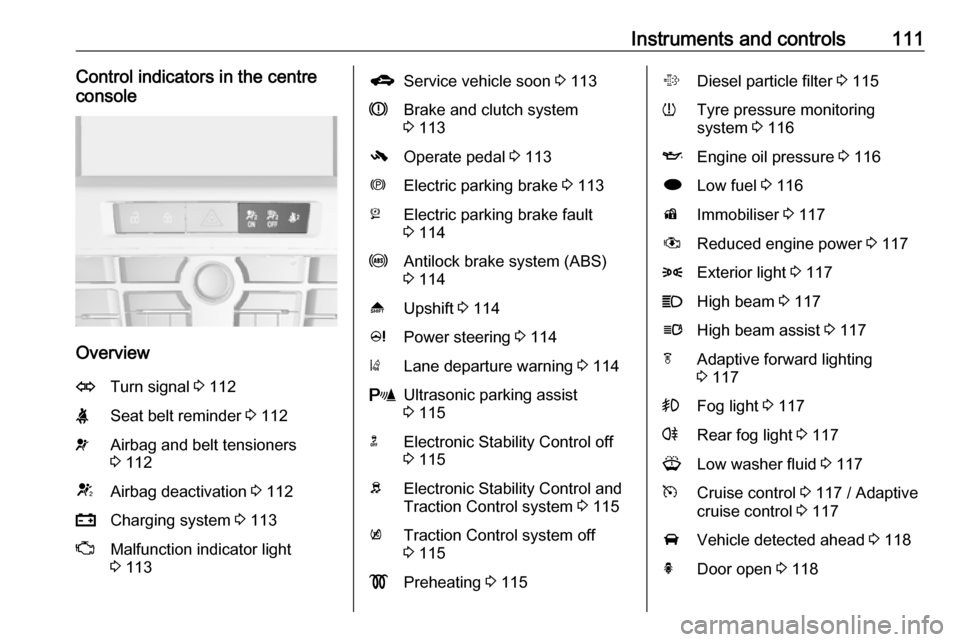
Instruments and controls111Control indicators in the centre
console
Overview
OTurn signal 3 112XSeat belt reminder 3 112vAirbag and belt tensioners
3 112VAirbag deactivation 3 112pCharging system 3 113ZMalfunction indicator light
3 113gService vehicle soon 3 113RBrake and clutch system
3 113-Operate pedal 3 113mElectric parking brake 3 113jElectric parking brake fault
3 114uAntilock brake system (ABS)
3 114[Upshift 3 114cPower steering 3 114)Lane departure warning 3 114rUltrasonic parking assist
3 115nElectronic Stability Control off
3 115bElectronic Stability Control and
Traction Control system 3 115kTraction Control system off
3 115!Preheating 3 115%Diesel particle filter 3 115wTyre pressure monitoring
system 3 116IEngine oil pressure 3 116iLow fuel 3 116dImmobiliser 3 117#Reduced engine power 3 1178Exterior light 3 117CHigh beam 3 117lHigh beam assist 3 117fAdaptive forward lighting
3 117>Fog light 3 117rRear fog light 3 117GLow washer fluid 3 117mCruise control 3 117 / Adaptive
cruise control 3 117AVehicle detected ahead 3 118hDoor open 3 118
Page 115 of 341

Instruments and controls113Charging system
p illuminates red.
Illuminates when the ignition is
switched on and extinguishes shortly
after the engine starts.
Illuminates when the engine is
running
Stop, switch off engine. Vehicle
battery is not charging. Engine
cooling may be interrupted. The
brake servo unit may cease to be effective. Seek the assistance of a
workshop.
Malfunction indicator light
Z illuminates or flashes yellow.
Illuminates when the ignition is
switched on and extinguishes shortly
after the engine starts.
Illuminates when the engine is
running
Fault in the emission control system.The permitted emission limits may be
exceeded. Seek the assistance of a
workshop immediately.Flashes when the engine is
running
Fault that could lead to catalytic
converter damage. Ease up on the
accelerator until the flashing stops.
Seek the assistance of a workshop
immediately.
Service vehicle soon
g illuminates yellow.
Additionally a warning message or a
warning code is displayed.
The vehicle needs a service.
Seek the assistance of a workshop.
Vehicle messages 3 124.
Brake and clutch system R illuminates red.
The brake and clutch fluid level is too
low 3 231.9 Warning
Stop. Do not continue your
journey. Consult a workshop.
Illuminates after the ignition is
switched on if the manual parking
brake is applied 3 176.
Operate pedal - illuminates or flashes yellow.
Illuminates
Brake pedal needs to be depressed
to release the electric parking brake
3 176.
Clutch pedal needs to be depressed
to start the engine in Autostop mode.
Stop-start system 3 166.
Flashes
Clutch pedal needs to be depressed
for a main start of the engine 3 18,
3 165.
On some versions the operate pedal
message is indicated in the Driver
Information Centre (DIC) 3 124.
Electric parking brake
m illuminates or flashes red.