Page 325 of 688
3253-2. Using the audio system (Entune Audio)
VENZA_OM_OM73030U_(U) 3
Interior features
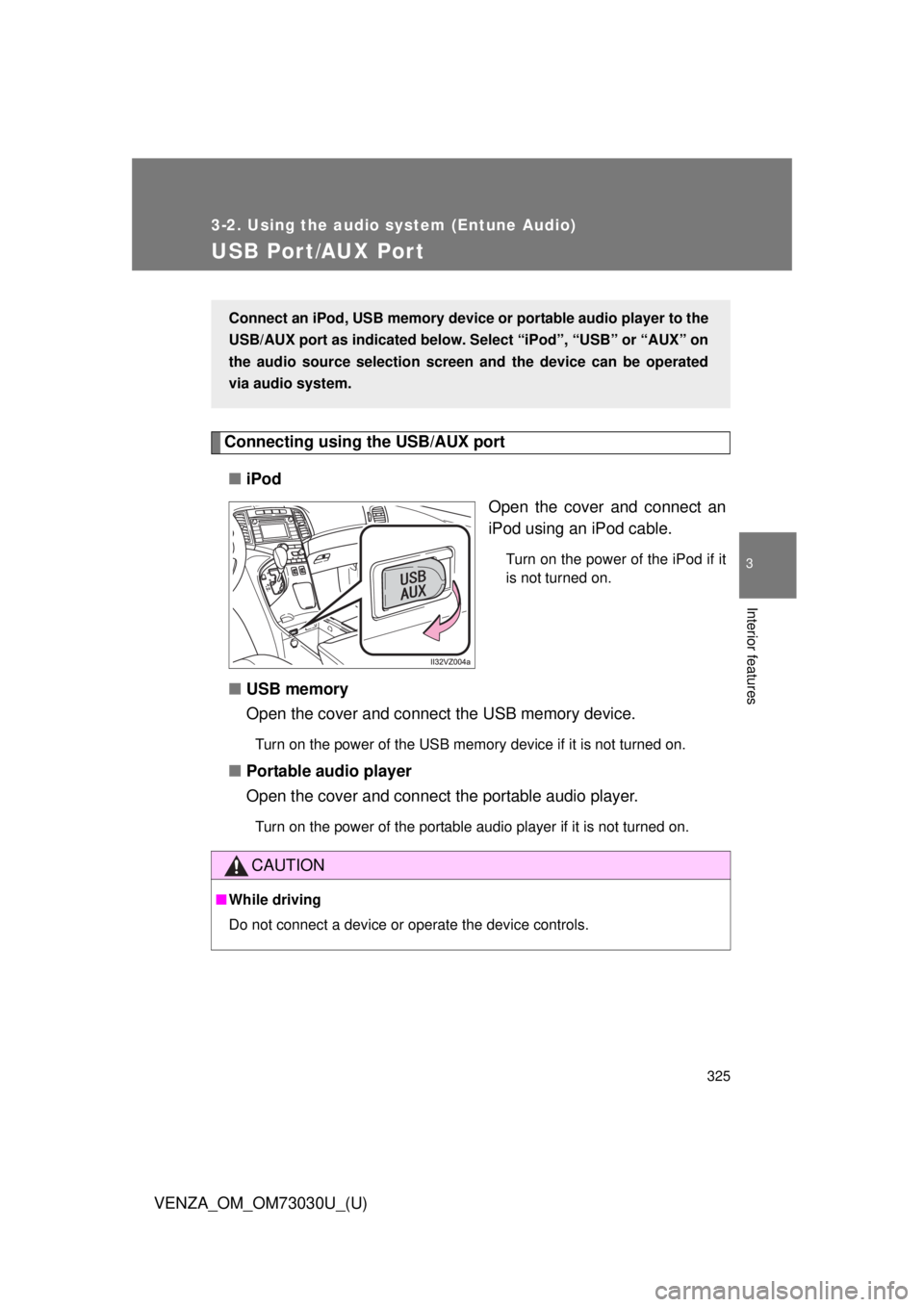
USB Por t/AUX Por t Connecting using the USB/AUX port
■ iPod
Open the cover and connect an
iPod using an iPod cable. Turn on the power of the iPod if it
is not turned on.
■ USB memory
Open the cover and connect the USB memory device. Turn on the power of the USB memory device if it is not turned on.
■ Portable audio player
Open the cover and connect the portable audio player. Turn on the power of the portable audio player if it is not turned on.Connect an iPod, USB memory device or portable audio player to the
USB/AUX port as indicated below. Se lect “iPod”, “USB” or “AUX” on
the audio source selection screen and the device can be operated
via audio system.
CAUTION■ While driving
Do not connect a device or operate the device controls.
Page 362 of 688
3623-2. Using the audio system (Entune Audio)
VENZA_OM_OM73030U_(U)Using the AUX port Connecting a portable audio player
P. 3 2 5■ Operating portable audio players connected to the audio system
The volume can be adjusted using the vehicle’s audio controls. All other
adjustments must be made on the portable audio player itself.
■ When using a portable audio player connected to the power outlet
Noise may occur during playback. Use the power source of the portable
audio player.
CAUTION■ While driving
Do not connect a portable audio player or operate the device controls.To use the AUX port, connect a portable player, press the “AUDIO”
button, then select “AUX” to display the audio control screen.
Page 434 of 688
434
VENZA_OM_OM73030U_(U) 3-4. Using the storage features
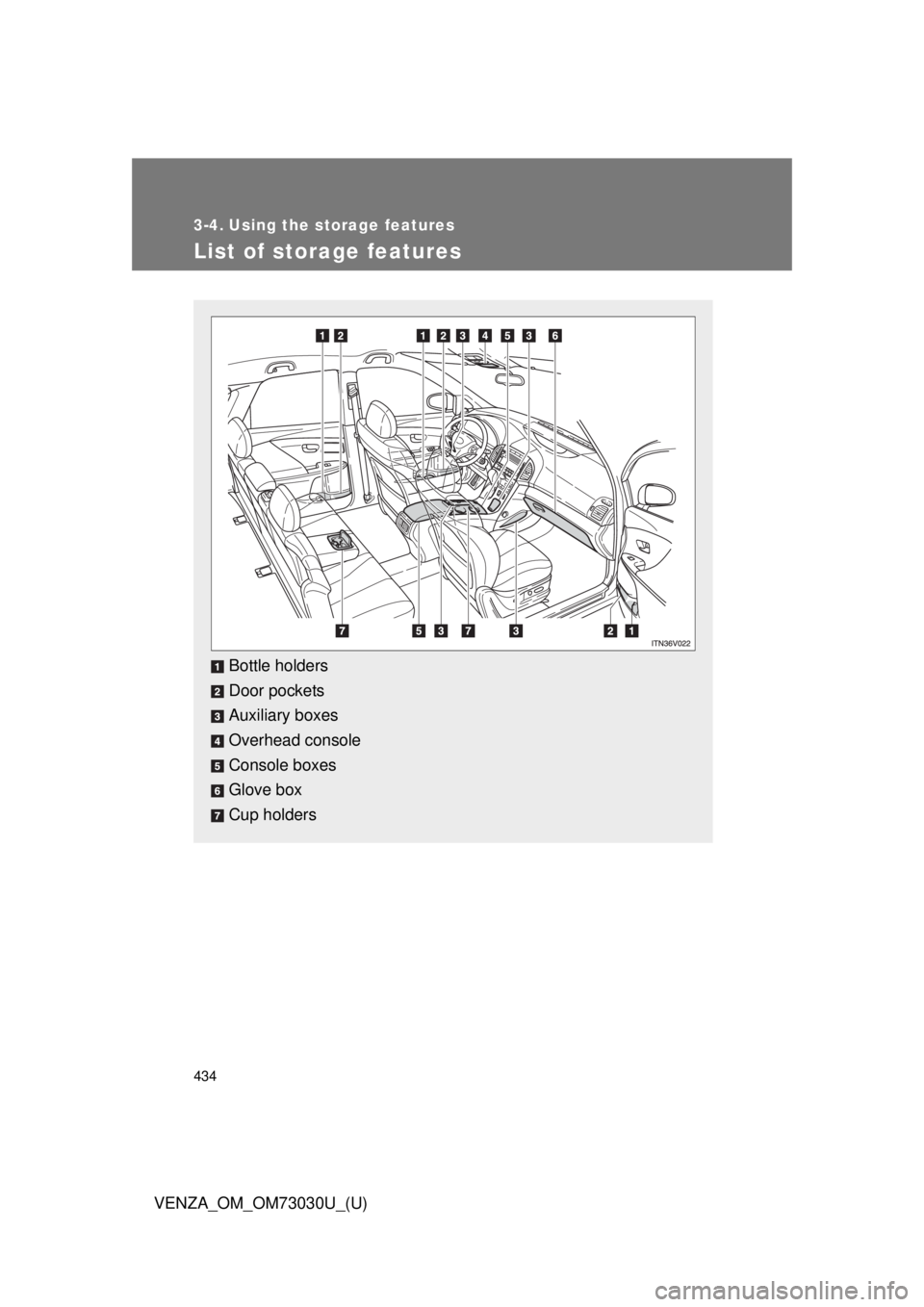
List of storage features
Bottle holders
Door pockets
Auxiliary boxes
Overhead console
Console boxes
Glove box
Cup holders
Page 442 of 688
4423-4. Using the storage features
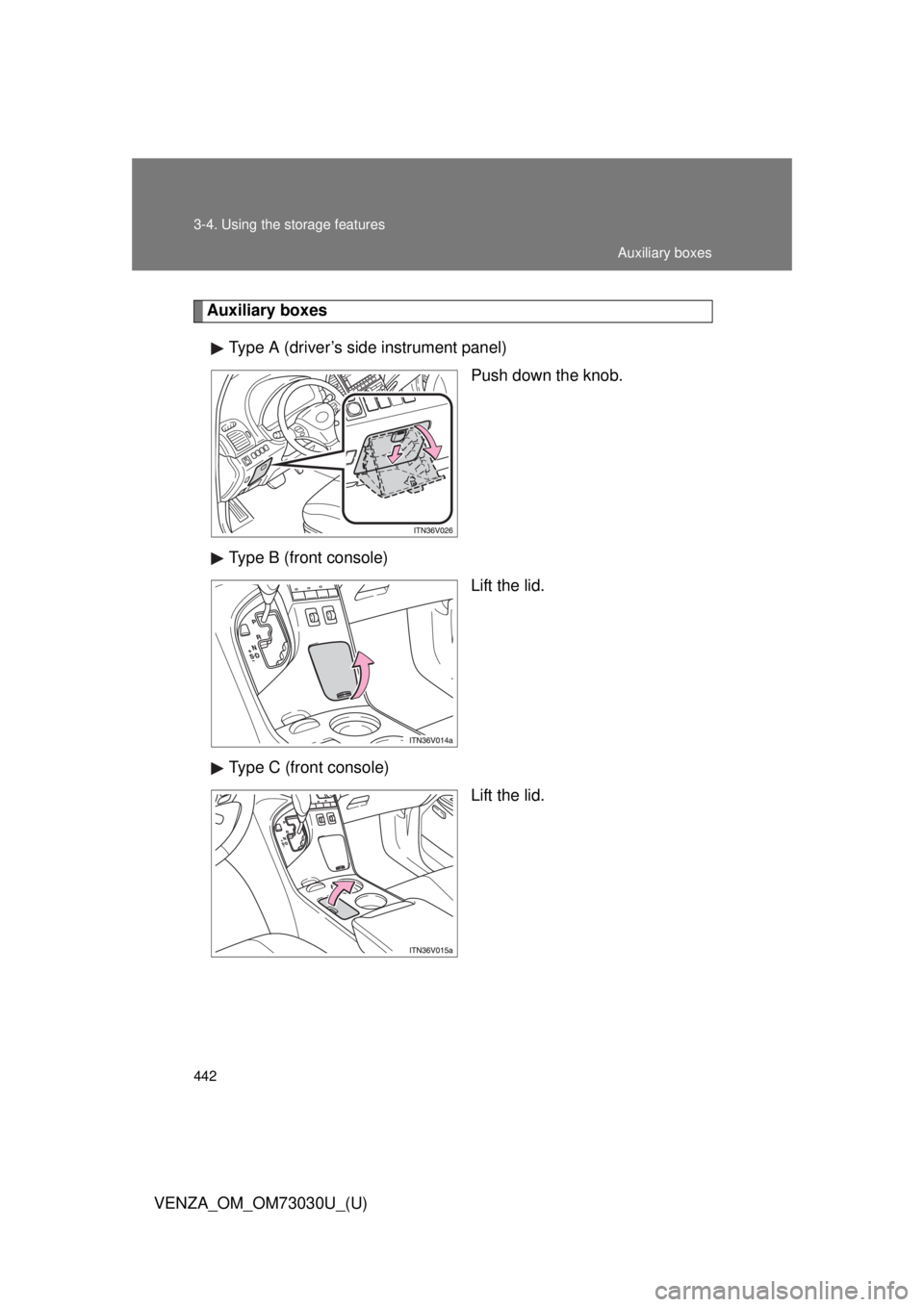
VENZA_OM_OM73030U_(U) Auxiliary boxes
Type A (driver’s side instrument panel)
Push down the knob.
Type B (front console)
Lift the lid.
Type C (front console)
Lift the lid. Auxiliary boxes
Page 443 of 688
4433-4. Using the storage features
3
Interior features
VENZA_OM_OM73030U_(U) Type D (front passenger’s side instrument panel)
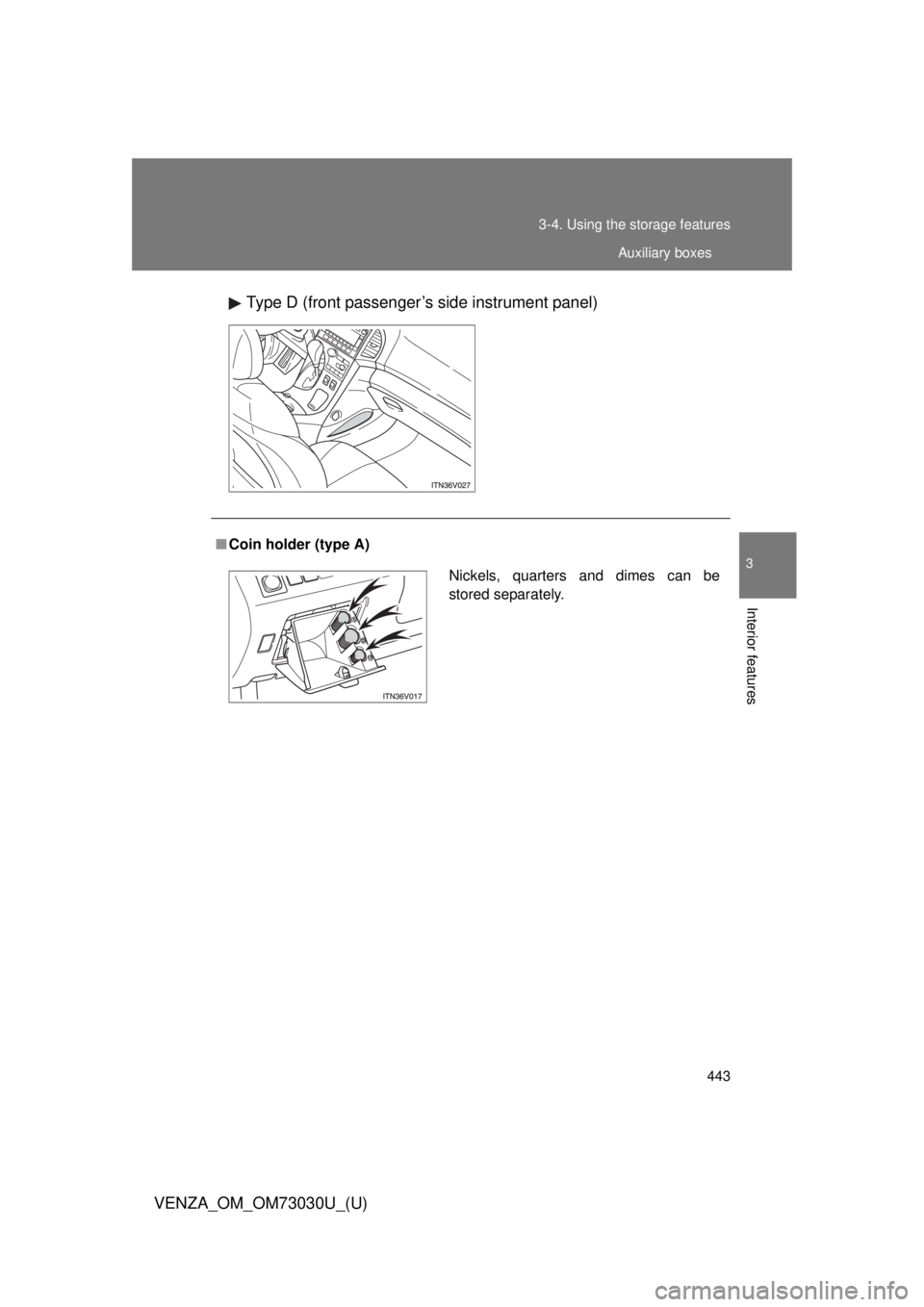
■ Coin holder (type A)
Nickels, quarters and dimes can be
stored separately. Auxiliary boxes
Page 444 of 688
4443-4. Using the storage features
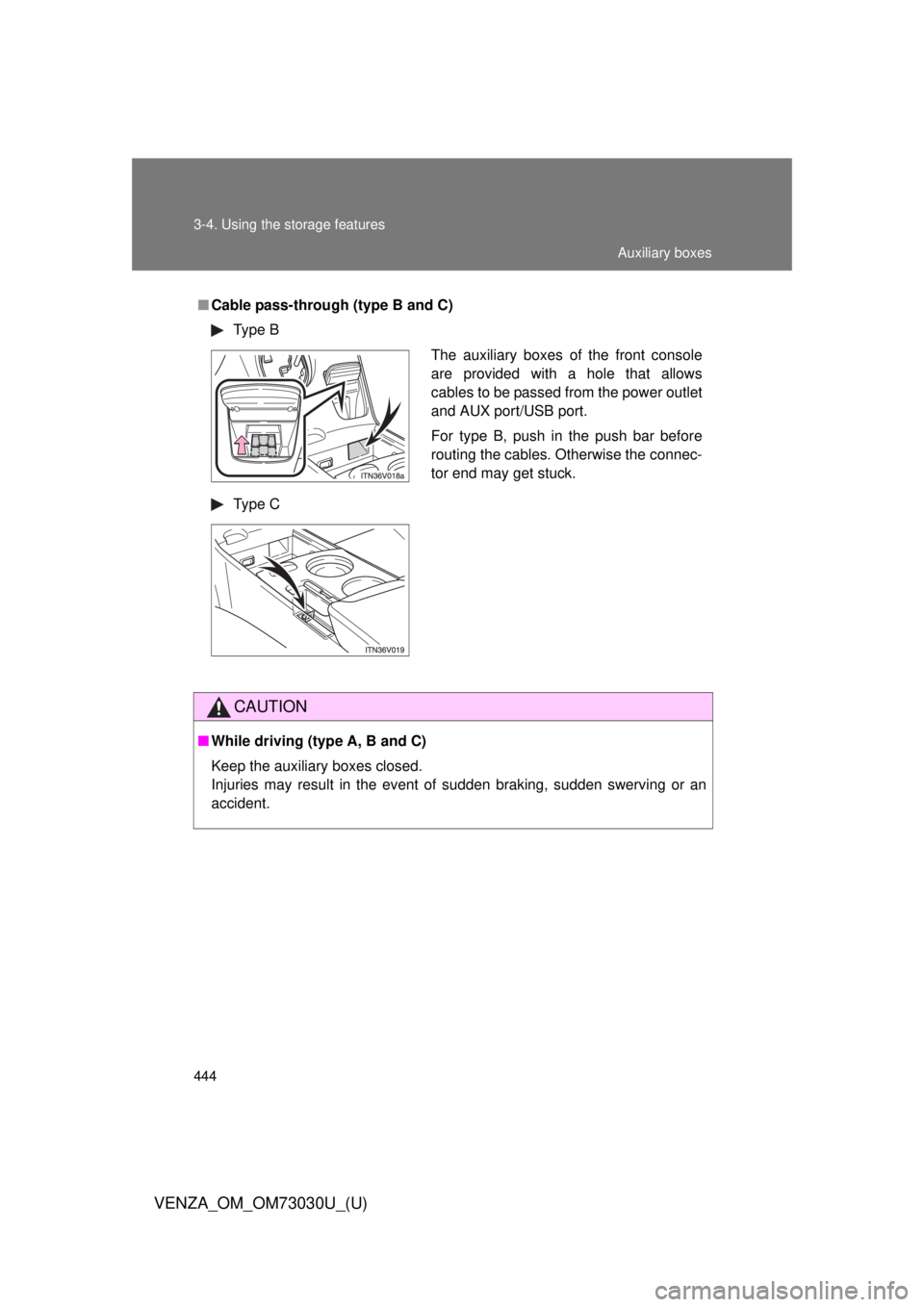
VENZA_OM_OM73030U_(U) ■ Cable pass-through (type B and C)
Type B
Type C
CAUTION■ While driving (type A, B and C)
Keep the auxiliary boxes closed.
Injuries may result in the event of sudden braking, sudden swerving or an
accident. The auxiliary boxes of the front console
are provided with a hole that allows
cables to be passed from the power outlet
and AUX port/USB port.
For type B, push in the push bar before
routing the cables. Otherwise the connec-
tor end may get stuck. Auxiliary boxes
Page 455 of 688
4553-5. Other interior features
3
Interior features
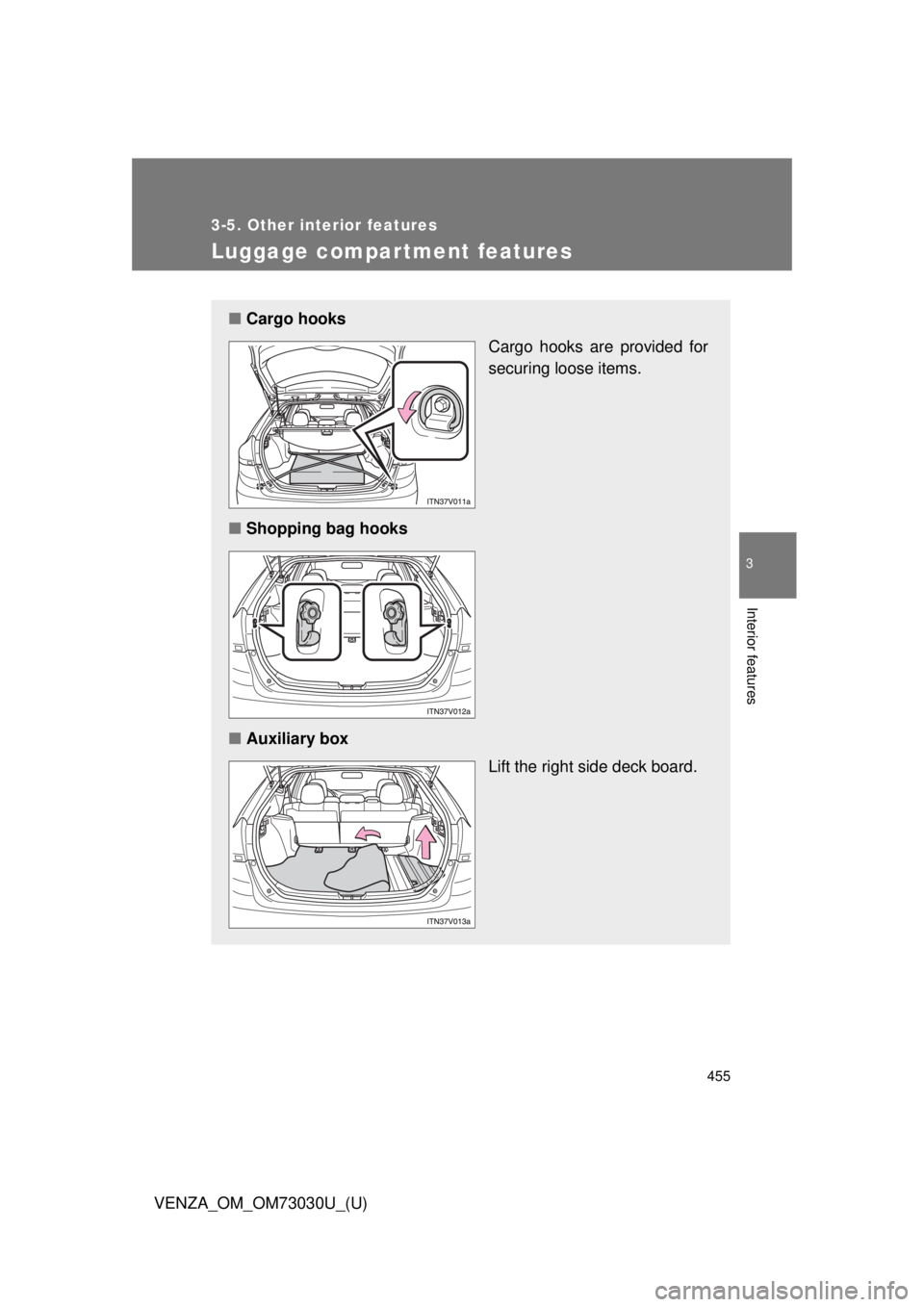
VENZA_OM_OM73030U_(U) Luggage compar tment features ■ Cargo hooks
Cargo hooks are provided for
securing loose items.
■ Shopping bag hooks
■ Auxiliary box
Lift the right side deck board.
Page 674 of 688
674
VENZA_OM_OM73030U_(U) Abbreviation list
Abbreviation/Acronym list ABBREVIATIONS MEANING
2WD 2-Wheel Drive
4WD 4-Wheel Drive
ABS Anti-lock Brake System
ACC Accessory
ALR Automatic Locking Retractor
AUX Auxiliary
AWD All-Wheel Drive
A/C Air Conditioning
CRS Child Restraint System
ECON Economy
ECU Electronic Control Unit
EDR Event Data Recorder
ELR Emergency Locking Retractor
EPS Electric Power Steering
GAWR Gross Axle Weight Rating
GCWR Gross Combination Weight Rating
GVWR Gross Vehicle Weight Rating
INFO Information
I/M Emission inspection and maintenance
LATCH Lower Anchors and Tether for Children
LCD Liquid Crystal Display
LED Light Emitting Diode
MMT Methylcy clopentadienyl Manganese Tricarbonyl
M+S Mud and Snow
MTBE Methyl Tertiary Butyl Ether