Page 325 of 741

324
RAV4_OM_OM42A41U_(U)
5-1. Basic OperationsAudio system types ........... 326
Using the steering wheel audio switches ................ 329
AUX port/USB port ............ 332
5-2. Using the audio system Optimal use of the audio system ................... 334
5-3. Using the radio Radio operation ................. 336
5-4. Playing an audio CD and MP3/WMA discs
CD player operation .......... 338
5-5. Using an external device Listening to an iPod .......... 348
Listening to USB memory device................ 354
Using the AUX port ........... 360
5-6. Using Bluetooth
® devices
Bluetooth® audio/
phone .............................. 361
Using the steering wheel switches ................ 366
Register a Bluetooth
®
device.............................. 367
5-7. “SETUP” menu Using the “SETUP” menu (“Bluetooth
*” menu) ........ 368
Using the “SETUP” menu (“PHONE” menu) ............ 373 5-8. Bluetooth
® Audio
Operating a Bluetooth®
enabled portable
player .............................. 378
5-9. Bluetooth
® Phone
Making a phone call .......... 381
When receiving a phone call ....................... 383
Speaking on the phone ..... 384
5-10. Bluetooth
®
Bluetooth®......................... 386
5-11. Using the audio system (Entune Audio)
Audio system (Entune Audio) ................ 389
5-12. Basic Operations Audio system operations (Entune Audio) ................ 391
Steering wheel audio switches .......................... 393
AUX port/USB port ............ 394
Basic audio operations...... 395
5-13. Setup Setup menu....................... 397
General settings ................ 398
Audio settings ................... 400
Display settings ................. 401
Voice settings.................... 403
5-14. Using the audio system Selecting the audio source ............................. 404
List screen operation......... 405
Optimal use of the audio system ............................ 407
*: Bluetooth is a registered trademark of Bluetooth SIG, Inc.
5Audio system
Page 326 of 741

325
RAV4_OM_OM42A41U_(U)
5Audio system
5-15. Using the radioRadio operation ................. 408
5-16. Playing an audio CD and MP3/WMA/AAC discs
CD player operation .......... 410
CD player and disc information ...................... 411
5-17. Using an external device iPod player operation ........ 417
USB memory device player operation .............. 422
Using the AUX port ........... 427
5-18. Connecting Bluetooth
®
Preparations to use wireless
communication ................ 428
Registering a Bluetooth
®
audio player for the
first time .......................... 431
Registering a Bluetooth
®
phone for the
first time .......................... 432
Registering a Bluetooth
®
device.............................. 433
Connecting a Bluetooth
®
device.............................. 435
Displaying a Bluetooth
®
device details .................. 437
Detailed Bluetooth
®
settings............................ 438 5-19. Bluetooth
® Audio
Listening to Bluetooth®
Audio............................... 440
5-20. Bluetooth
® Phone
Using a Bluetooth®
Phone ............................. 442
Making a call ..................... 444
Receiving a call ................. 447
Speaking on the phone ..... 448
Bluetooth
® phone
message function ............ 451
Using the steering wheel switches ................ 456
Bluetooth
® phone
settings ........................... 457
5-21. Phonebook Contact/Call History Settings ........................... 459
5-22. Bluetooth
®
What to do if... (Troubleshooting) ............ 469
Bluetooth
®......................... 473
5-23. Other function Voice command system ............................ 478
Page 327 of 741
326
RAV4_OM_OM42A41U_(U)
5-1. Basic Operations
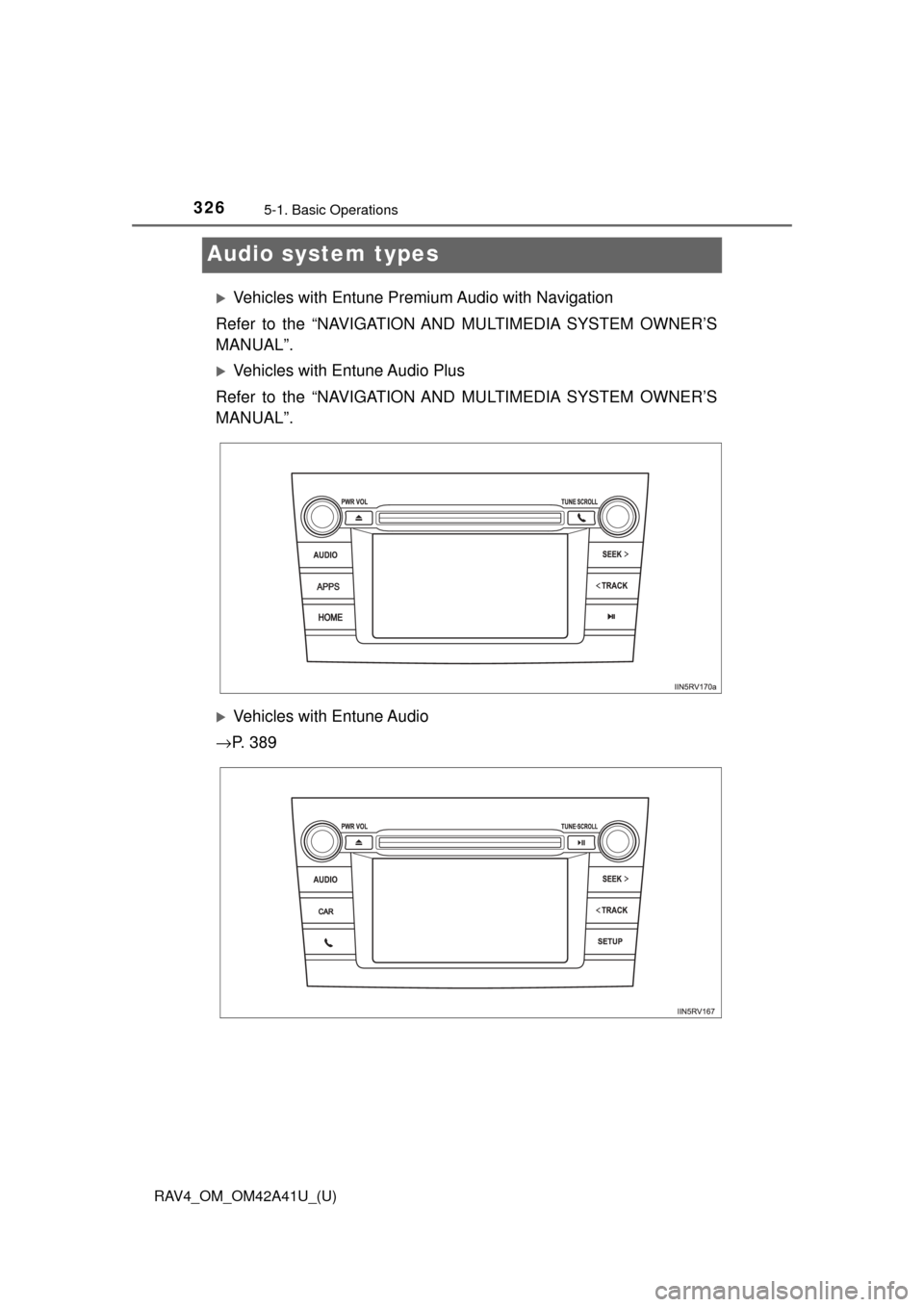
Audio system types
Vehicles with Entune Premium Audio with Navigation
Refer to the “NAVIGATION AND MULTIMEDIA SYSTEM OWNER’S
MANUAL”.
Vehicles with Entune Audio Plus
Refer to the “NAVIGATION AND MULTIMEDIA SYSTEM OWNER’S
MANUAL”.
Vehicles with Entune Audio
→ P. 3 8 9
Page 328 of 741
RAV4_OM_OM42A41U_(U)
3275-1. Basic Operations
5
Audio system
Vehicles without Entune Premium Audio with Navigation or Entune
Audio Plus or Entune Audio
CD player with AM/FM radio
Press the “SETUP” button.
Turn the “TUNE•SCROLL” knob to select “Language”.
Press the knob.
Turn the knob as corresponds to the desired language.
“English”, “Español”, or “Français” can be selected.
Press the knob or (SAVE) to return to the setup menu.
■Using cellular phones
Interference may be heard through the audio system’s speakers if a cellular
phone is being used inside or close to the vehicle while the audio system is
operating.
Changing language setting
1
2
3
4
Page 329 of 741

328
RAV4_OM_OM42A41U_(U)
5-1. Basic Operations
WARNING
■Certification for the disc player
● Part 15 of the FCC Rules
FCC Warning:
Changes or modifications not expressly approved by the party responsi-
ble for compliance could void the user’s authority to operate the equip-
ment.
● Laser products
• Do not take this unit apart or attempt to make any changes yourself.
This is an intricate unit that uses a laser pickup to retrieve information
from the surface of compact discs. The laser is carefully shielded so
that its rays remain inside the cabinet. Therefore, never try to disassem-
ble the player or alter any of its parts since you may be exposed to laser
rays and dangerous voltages.
• This product utilizes a laser. Use of controls or adjustments or performance of procedures other than
those specified herein may result in hazardous radiation exposure.
NOTICE
■To prevent battery discharge
Do not leave the audio system on longer than necessary with the engine is
stopped.
■ To avoid damaging the audio system
Take care not to spill drinks or other fluids over the audio system.
Page 330 of 741
329
RAV4_OM_OM42A41U_(U)
5-1. Basic Operations
5
Audio system
Using the steering wheel audio switches
Vo l u m e
Radio mode:
Selects a radio station
CD mode:
Selects a track and file (MP3
and WMA)
Bluetooth
® audio mode:
Selects a track and album
iPod mode:
Selects a song
USB memory mode:
Selects a file and folder
Power on, select audio source
Some audio features can be c ontrolled using the switches on
the steering wheel.
Operation may differ depending on the type of audio system or
navigation system. For details, refer to the manual provided with
the audio system or navigation system.
1
2
3
Page 331 of 741
330
RAV4_OM_OM42A41U_(U)
5-1. Basic Operations
Press the “MODE” switch when the audio system is turned off.
Press the “MODE” switch when the audio system is turned on. The
audio source changes as follows each time the button is pressed. If a
mode cannot be used, it will be skipped.
AM→FM1→FM2 →CD mode →iPod or USB memory →
Bluetooth
® audio →AUX
Press the “+” switch to increase the volume and the “-” switch to
decrease the volume.
Hold down the switch to continue increasing or decreasing the volume.
Press and hold the “MODE” switch.
To cancel, press and hold the switch again.
Press the “MODE” switch to select the radio mode.
Press the “ ∧” or “ ∨” switch to select a preset station.
To scan for receivable stations, press and hold the switch until you hear a
beep.
Turning on the power
Changing the audio source
Adjusting the volume
Silencing a sound
Selecting a radio station
1
2
Page 332 of 741
RAV4_OM_OM42A41U_(U)
3315-1. Basic Operations
5
Audio system
Press the “MODE” switch to select the CD, Bluetooth® audio, iPod
or USB memory mode.
Press the “ ∧” or “ ∨” switch to select the desired track/file or song.
Press the “MODE” switch to select Bluetooth
® audio mode.
Press and hold the “ ∧” or “ ∨” switch until you hear a beep.
Press the “MODE” switch to se lect CD or USB memory mode.
Press and hold the “ ∧” or “ ∨” switch until you hear a beep.
Selecting a track/file or song
Selecting an album
Selecting a folder (MP3 and WMA or USB memory)
WARNING
■ To reduce the risk of an accident
Exercise care when operating the audio switches on the steering wheel.
1
2
1
2
1
2