Page 6 of 620

TABLE OF CONTENTS6
PRIUS v_OM_OM47B12U_(U)6-4. Using the other interior
features
Other interior features ....... 385
• Sun visors ..................... 385
• Vanity mirrors................ 385
• Clock ............................. 386
• Power outlet .................. 386
• Armrest ......................... 387
• Assist grips ................... 388
• Panoramic roof
shades .......................... 389
Garage door opener .......... 391
Safety Connect.................. 3987-1. Maintenance and care
Cleaning and protecting
the vehicle exterior .......... 406
Cleaning and protecting
the vehicle interior ........... 410
7-2. Maintenance
Maintenance
requirements ................... 413
General maintenance ........ 415
Emission inspection and
maintenance (I/M)
programs ......................... 418
7-3. Do-it-yourself maintenance
Do-it-yourself service
precautions ...................... 419
Hood .................................. 421
Positioning a floor jack....... 423
Engine compartment ......... 425
12-volt battery .................... 439
Tires................................... 443
Tire inflation pressure ........ 452
Wheels............................... 455
Air conditioning filter .......... 457
Wiper rubber
replacement..................... 459
Electronic key battery ........ 461
Checking and replacing
fuses ................................ 463
Light bulbs ......................... 466
7Maintenance and care
Page 308 of 620
308
PRIUS v_OM_OM47B12U_(U)
5-6. Using an external device
Using the AUX
P. 2 7 3
■Operating portable audio players connected to the audio system
The volume can be adjusted using the vehicle’s audio controls. All other
adjustments must be made on the portable audio player itself.
■When using a portable audio player connected to the power outlet
Noise may occur during playback. Use the power source of the portable
audio player.
To use the AUX port, connect a portable player, press the
“AUDIO” button, then select “AUX” or “A/V” to display the audio
control screen.
Connecting a portable audio player
WARNING
■While driving
Do not connect a portable audio player or operate the device controls.
Page 363 of 620
363
PRIUS v_OM_OM47B12U_(U)
6Interior features
6-1. Using the air conditioning
system and defogger
Automatic air conditioning
system............................. 364
Using the steering wheel
climate remote control
switches .......................... 371
Seat heaters ...................... 372
6-2. Using the interior lights
Interior lights list ................ 373
• Front interior light .......... 374
• Front personal lights ..... 374
• Rear interior light .......... 3756-3. Using the storage features
List of storage features ..... 376
• Glove boxes .................. 377
• Console box .................. 377
• Cup holders/
bottle holders/
door pockets ................. 378
• Auxiliary boxes.............. 380
• Card holder ................... 380
Luggage compartment
features ........................... 381
6-4. Using the other interior
features
Other interior features ....... 385
• Sun visors ..................... 385
• Vanity mirrors................ 385
• Clock ............................. 386
• Power outlet .................. 386
• Armrest ......................... 387
• Assist grips ................... 388
• Panoramic roof
shades .......................... 389
Garage door opener.......... 391
Safety Connect ................. 398
Page 364 of 620
364
PRIUS v_OM_OM47B12U_(U)
6-1. Using the air conditioning system and defogger
Automatic air conditioning system
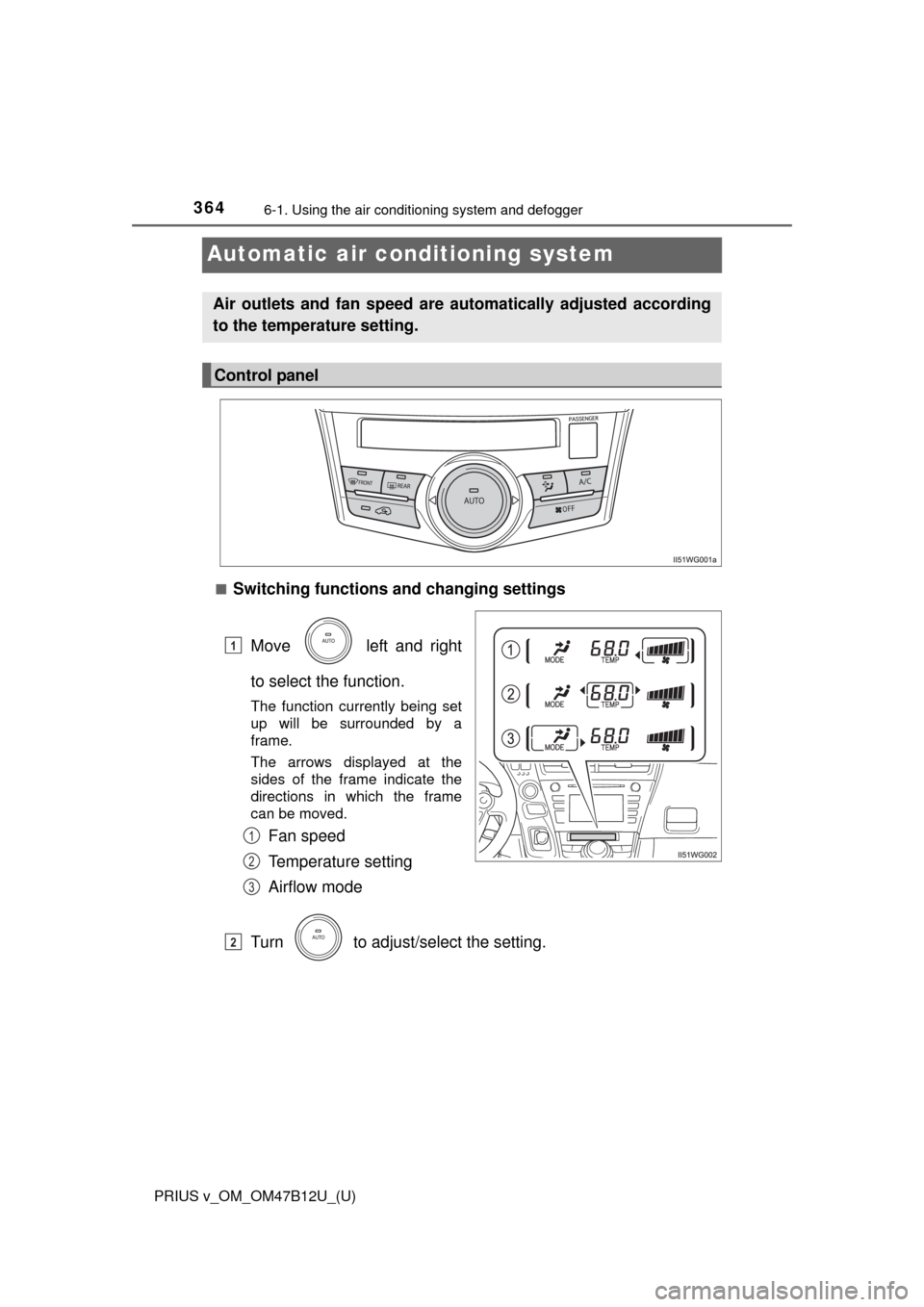
■Switching functions and changing settings
Move left and right
to select the function.
The function currently being set
up will be surrounded by a
frame.
The arrows displayed at the
sides of the frame indicate the
directions in which the frame
can be moved.
Fan speed
Temperature setting
Airflow mode
Turn to adjust/select the setting.
Air outlets and fan speed are automatically adjusted according
to the temperature setting.
Control panel
1
1
2
3
2
Page 365 of 620
PRIUS v_OM_OM47B12U_(U)
3656-1. Using the air conditioning system and defogger
6
Interior features
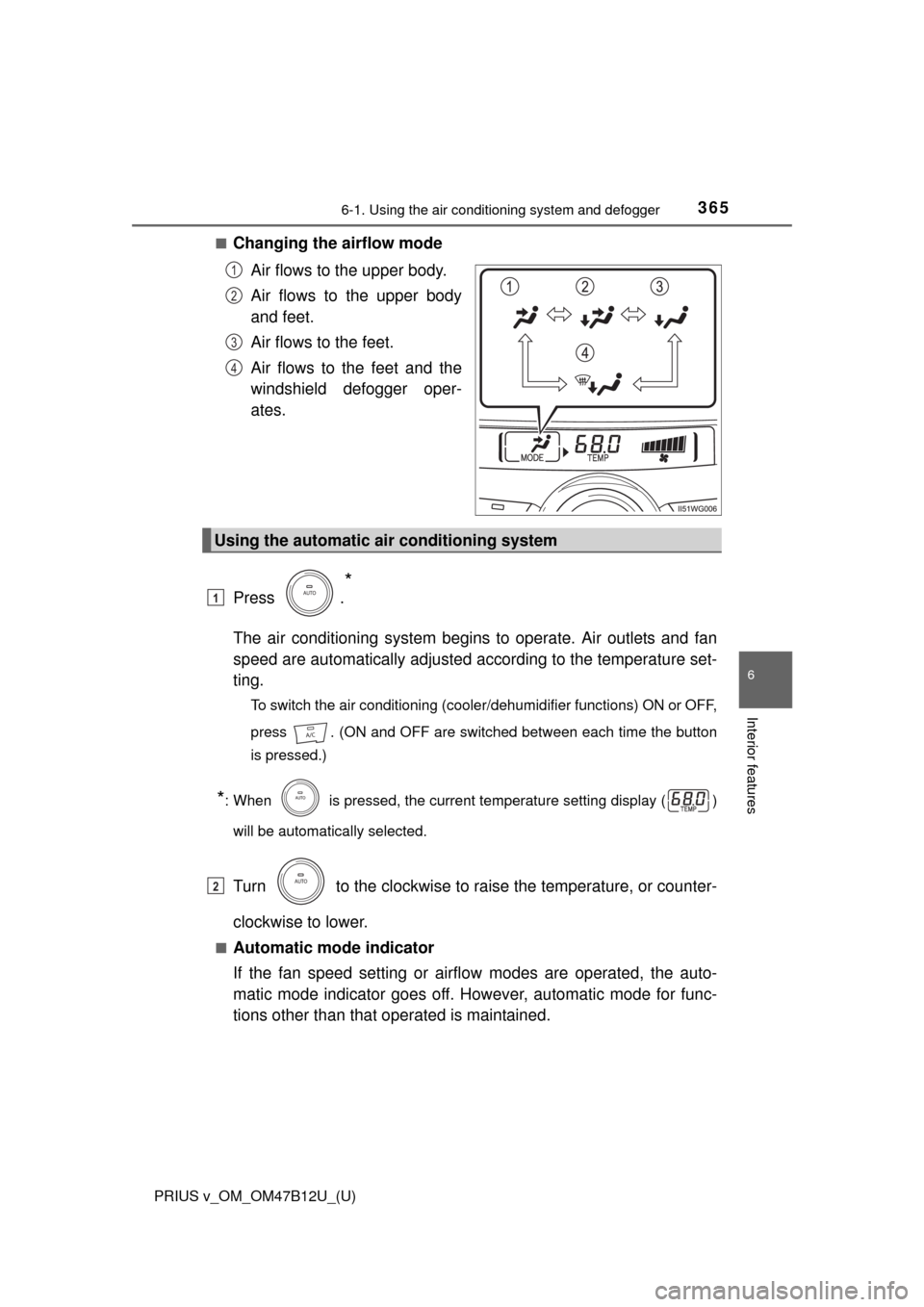
■Changing the airflow mode
Air flows to the upper body.
Air flows to the upper body
and feet.
Air flows to the feet.
Air flows to the feet and the
windshield defogger oper-
ates.
Press .
*
The air conditioning system begins to operate. Air outlets and fan
speed are automatically adjusted according to the temperature set-
ting.
To switch the air conditioning (cooler/dehumidifier functions) ON or OFF,
press . (ON and OFF are switched between each time the button
is pressed.)
*: When is pressed, the current temperature setting display ( )
will be automatically selected.
Turn to the clockwise to raise the temperature, or counter-
clockwise to lower.
■Automatic mode indicator
If the fan speed setting or airflow modes are operated, the auto-
matic mode indicator goes off. However, automatic mode for func-
tions other than that operated is maintained.
1
2
3
4
Using the automatic air conditioning system
1
2
Page 367 of 620
PRIUS v_OM_OM47B12U_(U)
3676-1. Using the air conditioning system and defogger
6
Interior features
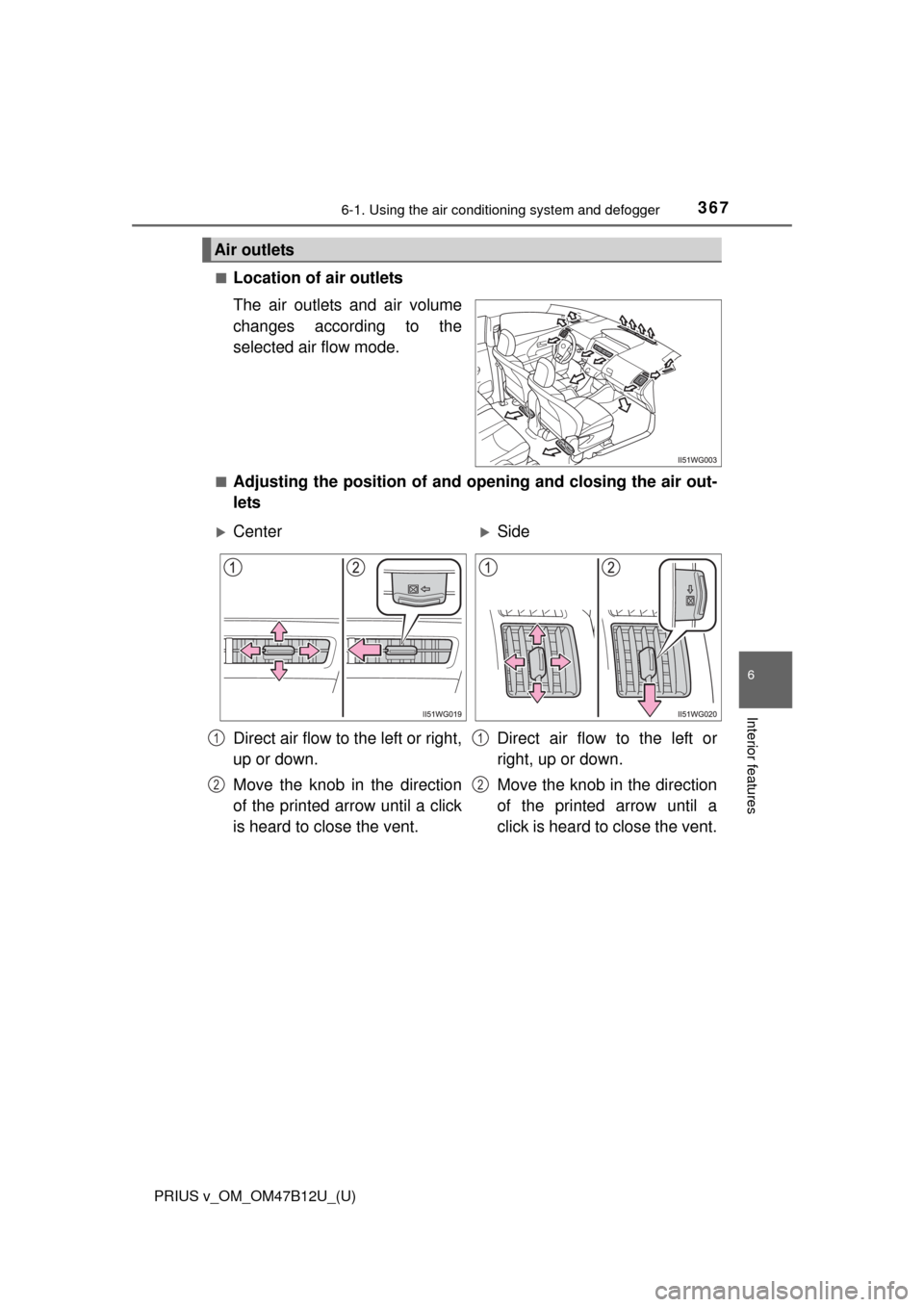
■Location of air outlets
The air outlets and air volume
changes according to the
selected air flow mode.
■Adjusting the position of and opening and closing the air out-
lets
Air outlets
CenterSide
Direct air flow to the left or right,
up or down.
Move the knob in the direction
of the printed arrow until a click
is heard to close the vent.Direct air flow to the left or
right, up or down.
Move the knob in the direction
of the printed arrow until a
click is heard to close the vent.
1
2
1
2
Page 368 of 620
3686-1. Using the air conditioning system and defogger
PRIUS v_OM_OM47B12U_(U)
■Using automatic mode
Fan speed is adjusted automatically according to the temperature setting and
the ambient conditions.
Therefore, the fan may stop for a while until warm or cool air is ready to flow
immediately after the “AUTO” button is pressed.
■When the outside temperature exceeds 75F (24C) and the air condition-
ing system is on
●In order to reduce the air conditioning power consumption, the air condition-
ing system may switch to recirculated air mode automatically.
This may also reduce fuel consumption.
●Recirculated air mode is selected as a default mode when the power switch
is turned to ON mode.
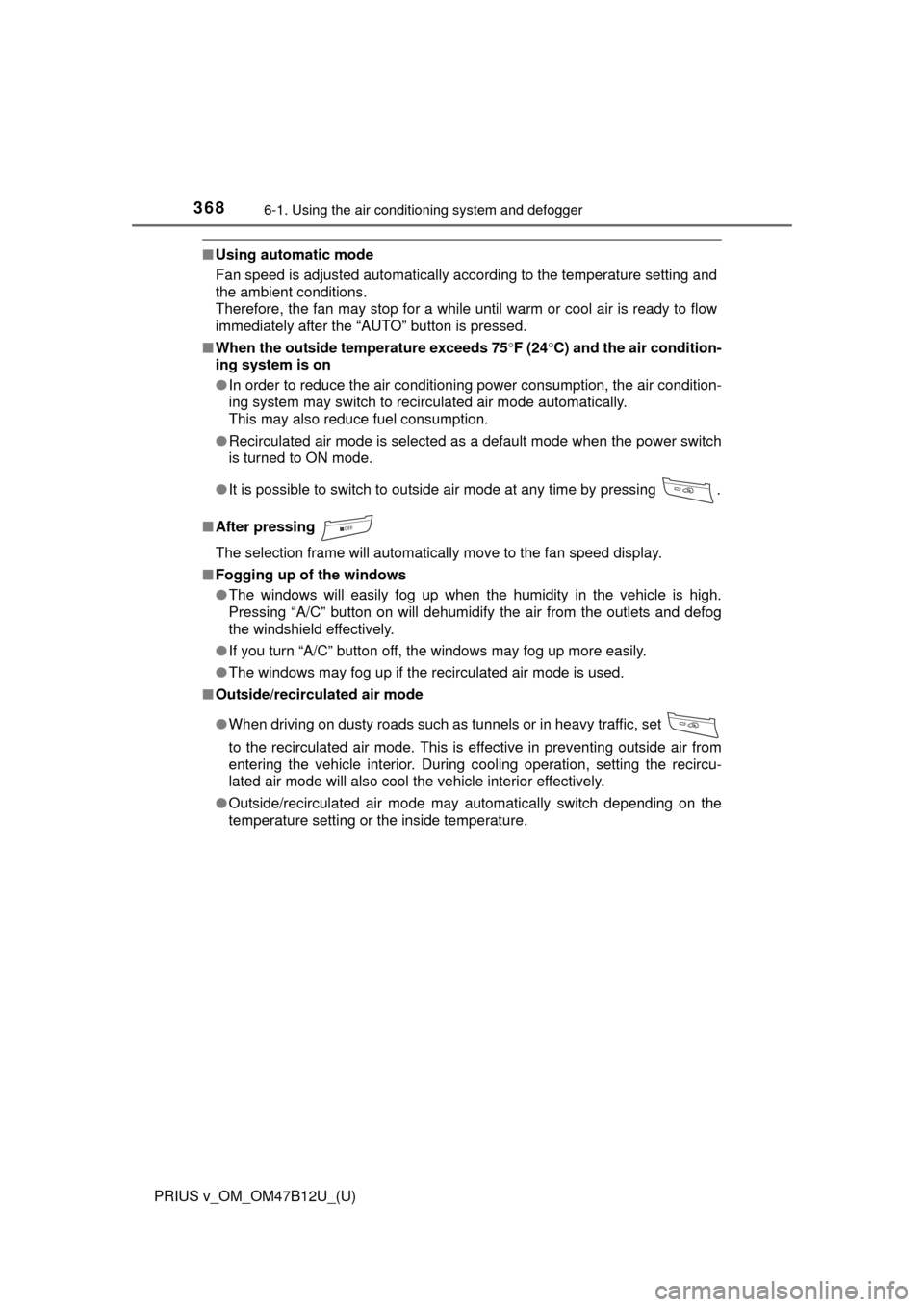
●It is possible to switch to outside air mode at any time by pressing .
■After pressing
The selection frame will automatically move to the fan speed display.
■Fogging up of the windows
●The windows will easily fog up when the humidity in the vehicle is high.
Pressing “A/C” button on will dehumidify the air from the outlets and defog
the windshield effectively.
●If you turn “A/C” button off, the windows may fog up more easily.
●The windows may fog up if the recirculated air mode is used.
■Outside/recirculated air mode
●When driving on dusty roads such as tunnels or in heavy traffic, set
to the recirculated air mode. This is effective in preventing outside air from
entering the vehicle interior. During cooling operation, setting the recircu-
lated air mode will also cool the vehicle interior effectively.
●Outside/recirculated air mode may automatically switch depending on the
temperature setting or the inside temperature.
Page 370 of 620
3706-1. Using the air conditioning system and defogger
PRIUS v_OM_OM47B12U_(U)
WARNING
■To prevent the windshield from fogging up
●Do not use during cool air operation in extremely humid weather.
The difference between the temperature of the outside air and that of the
windshield can cause the outer surface of the windshield to fog up, block-
ing your vision.
■To prevent burns
Do not touch the rear view mirror surfaces when the outside rear view mirror
defoggers are on.
NOTICE
■To prevent 12-volt battery discharge
Do not leave the air conditioning system on longer than necessary when the
hybrid system is off.
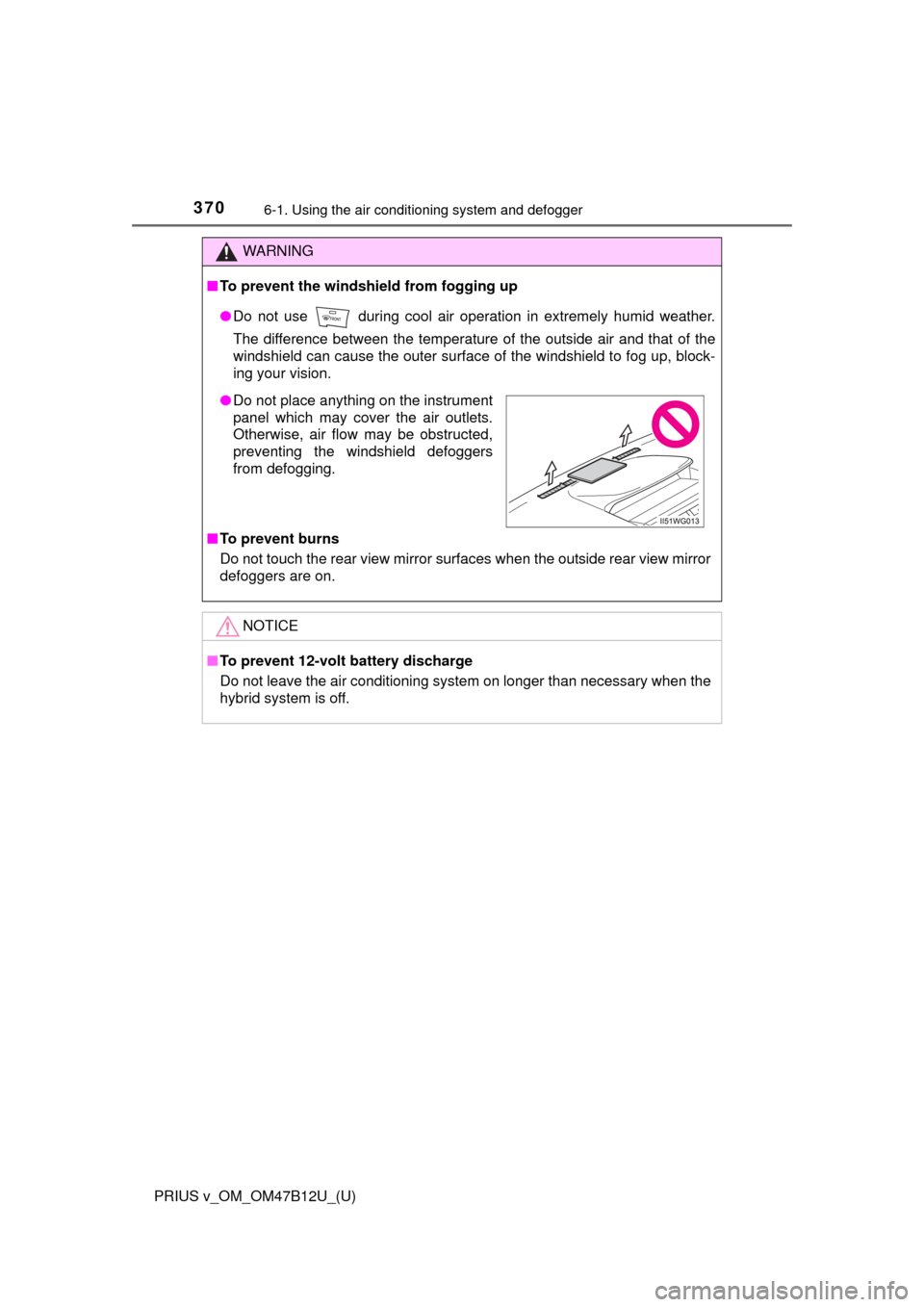
●Do not place anything on the instrument
panel which may cover the air outlets.
Otherwise, air flow may be obstructed,
preventing the windshield defoggers
from defogging.