Page 261 of 800
PRIUS_OM_OM47A29U_(U)
2614-3. Operating the lights and wipers
4
Driving
NOTICE
■When the rear window is dry
Do not use the wiper, as it may damage the rear window.
■ When the washer fluid tank is empty
Do not operate the switch continually as the washer fluid pump may over-
heat.
■ When a nozzle becomes blocked
In this case, contact your Toyota dealer.
Do not try to clear it with a pin or other object. The nozzle will be damaged\
.
■ To prevent 12-volt battery discharge
Do not leave the wiper on longer than necessary when the hybrid system is
off.
Page 286 of 800

286
PRIUS_OM_OM47A29U_(U)
4-5. Using the driving support systems
• When driving in inclement weather such as heavy rain, fog, snow or a
sandstorm
• When the vehicle is hit by water, snow, dust, etc. from a vehicle ahead
• When driving through steam or smoke
• When driving in a place where the surrounding brightness changes sud- denly, such as at the entrance or exit of a tunnel
• When a very bright light, such as the sun or the headlights of oncoming
traffic, shines directly into the camera sensor
• When the surrounding area is dim, such as at dawn or dusk, or while at night or in a tunnel
• After the hybrid system has started the vehicle has not been driven for a certain amount of time
• While making a left/right turn and for a few seconds after making a left/
right turn
• While driving on a curve and for a few seconds after driving on a curve
• If your vehicle is skidding
• If the wheels are misaligned
• If a wiper blade is blocking the camera sensor
• The vehicle is wobbling.
• The vehicle is being driven at extremely high speeds.
• When driving on a hill
• If the radar sensor or camera sensor is misaligned
● In some situations such as the following, sufficient braking force may not be
obtained, preventing the system from performing properly:
• If the braking functions cannot operate to their full extent, such as when
the brake parts are extremely cold, extremely hot, or wet
• If the vehicle is not properly maintained (brakes or tires are excessively worn, improper tire inflation pressure, etc.)
• When the vehicle is being driven on a gravel road or other slippery sur- face
• If the front of the vehicle is raised or
lowered
Page 393 of 800
PRIUS_OM_OM47A29U_(U)
3934-5. Using the driving support systems
4
Driving
WARNING
●Observe the following precautions, as the sensors may stop functioning
properly which may lead to an accident.
• Do not subject the sensor to strong shocks by hitting it, etc. The sen-
sors may not function properly.
• When using a high-pressure washer to wash the vehicle, do not spray
water directly on the sensors. Equipment may not function properly if
subjected to an impact from strong water pressure. If the vehicle
bumper strikes something, equipment may not operate properly due to
a sensor malfunction. Have the vehicle inspected at your Toyota dealer.
● In the following situations, the sensors may not operate normally and may
lead to an accident. Drive carefully.
• Obstacles cannot be detected in the side areas until a scan of the side
areas is completed ( P. 341).
• Even after the scan of the side areas is completed, obstacles such as other vehicles, people or animals that approach from the sides cannot
be detected.
• The sensor is frozen (if it thaws, the system returns to normal). A warn- ing message may display at particularly low temperatures due to the
sensor freezing and it may not detect parked vehicles.
• The sensor is blocked by someone’s hand.
• The vehicle is tilted a large amount.
• The temperature is extremely hot or cold.
• The vehicle is driven on undulating r oads, slopes, gravel roads, in areas
with tall grass, etc.
• An ultrasonic wave source is nearby, such as the horn or sensors of another vehicle, a motorcycle engine or the air brake of a large vehicle.
• Heavy rain or a water strikes the vehicle.
• The angle of the sensor may be deviated when assist control starts even if there is a parked vehicle next to the target parking spot. Have
the vehicle inspected at your Toyota dealer.
• Do not install any accessories within the sensor detection range.
Page 404 of 800
404
PRIUS_OM_OM47A29U_(U)
4-5. Using the driving support systems
Driving assist systems
◆ECB (Electronically Controlled Brake System)
The electronically controlled system generates braking force corre-
sponding to the brake operation
◆ABS (Anti-lock Brake System)
Helps to prevent wheel lock when the brakes are applied suddenly,
or if the brakes are applied while driving on a slippery road surface
◆Brake assist
Generates an increased level of braking force after the brake pedal
is depressed when the system detects a panic stop situation
◆VSC (Vehicle Stability Control)
Helps the driver to control skidding when swerving suddenly or
turning on slippery road surfaces
◆TRAC (Traction Control)
Helps to maintain drive power and prevent the drive wheels from
spinning when starting the vehicle or accelerating on slippery roads
◆EPS (Electric Power Steering)
Employs an electric motor to redu ce the amount of effort needed to
turn the steering wheel
To help enhance driving safety and performance, the following
systems operate automatically in response to various driving
situations. Be aware, however, that these systems are supple-
mentary and should not be relied upon too heavily when operat-
ing the vehicle.
Page 415 of 800
PRIUS_OM_OM47A29U_(U)
4154-6. Driving tips
4
Driving
Accelerate the vehicle slowly, keep a safe distance between you and
the vehicle ahead, and drive at a reduced speed suitable to road con-
ditions.
Park the vehicle and shift the shift position to P and block the wheel
under the vehicle without setting the parking brake. The parking brake
may freeze up, preventing it from being released.
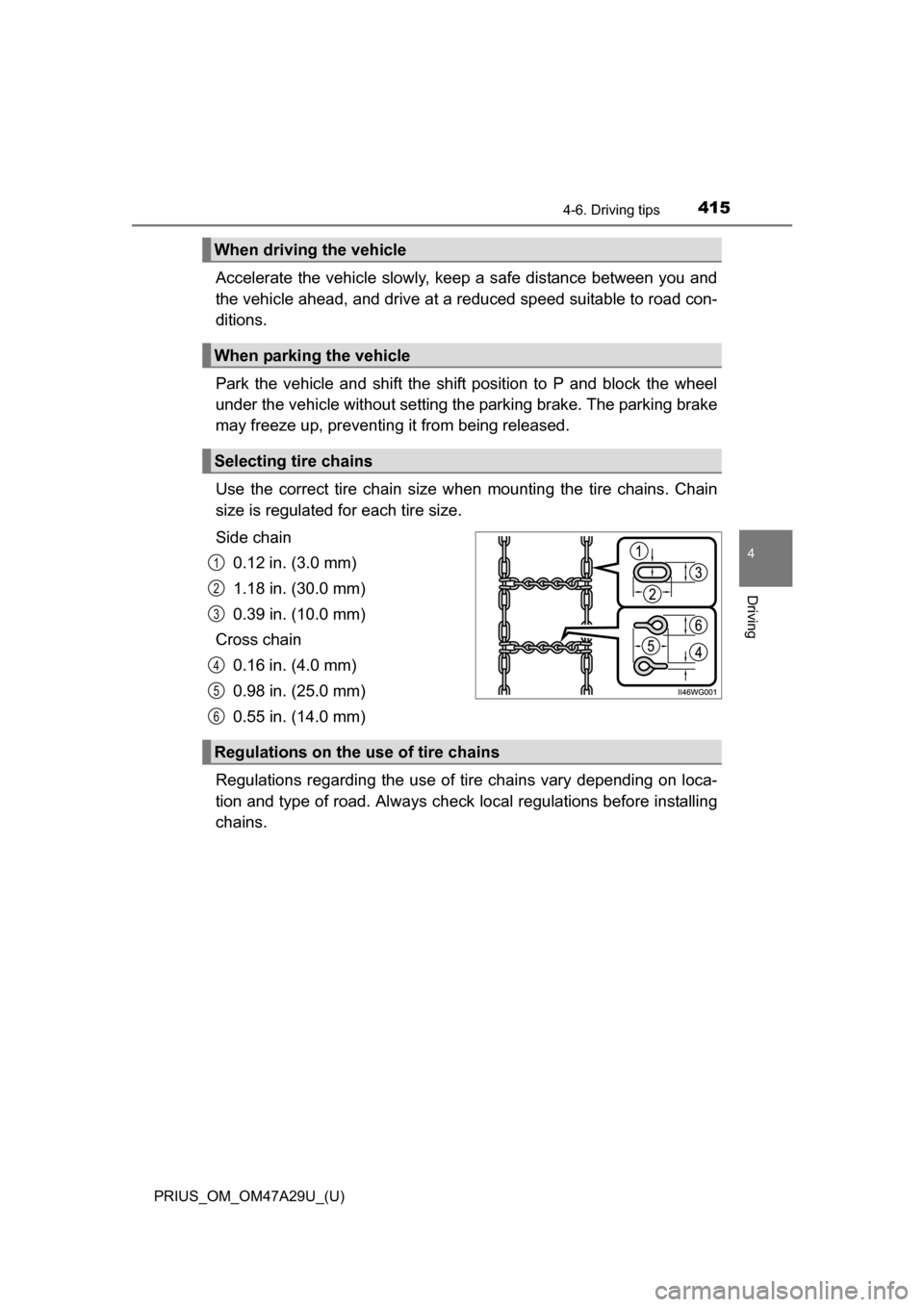
Use the correct tire chain size when mounting the tire chains. Chain
size is regulated for each tire size.
Side chain
0.12 in. (3.0 mm)
1.18 in. (30.0 mm)
0.39 in. (10.0 mm)
Cross chain 0.16 in. (4.0 mm)
0.98 in. (25.0 mm)
0.55 in. (14.0 mm)
Regulations regarding the use of tire chains vary depending on loca-
tion and type of road. Al ways check local regulations before installing
chains.
When driving the vehicle
When parking the vehicle
Selecting tire chains
1
2
3
4
5
6
Regulations on the use of tire chains
Page 521 of 800
PRIUS_OM_OM47A29U_(U)
5216-1. Using the air conditioning system and defogger
6
Interior features
WARNING
■To prevent the windshield from fogging up
●Do not use
during cool air operation in extremely humid weather.
The difference between the temperature of the outside air and that of the
windshield can cause the outer surface of the windshield to fog up, block-
ing your vision.
■ To prevent burns
Do not touch the rear view mirror surfaces when the outside rear view mirror
defoggers are on.
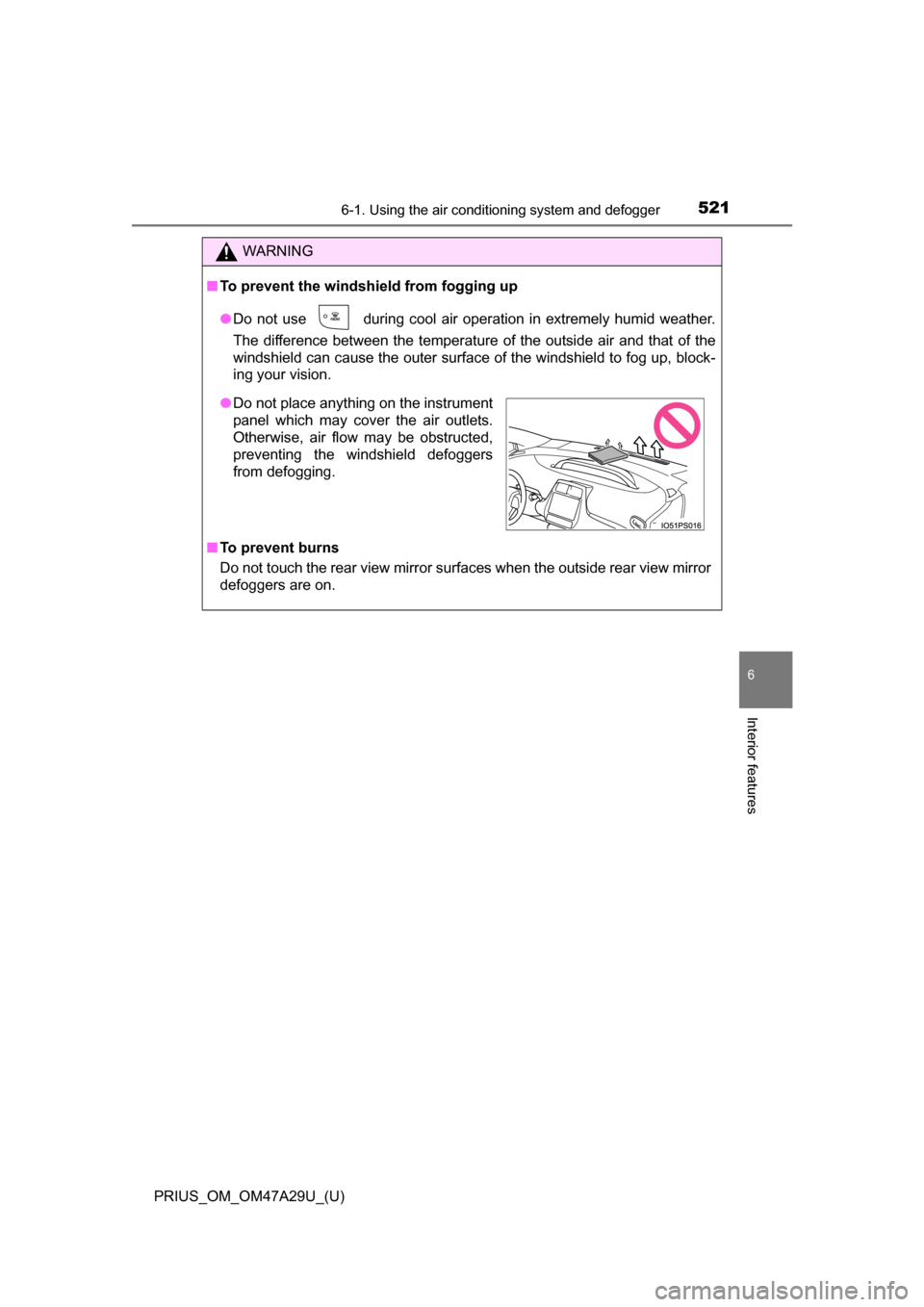
●Do not place anything on the instrument
panel which may cover the air outlets.
Otherwise, air flow may be obstructed,
preventing the windshield defoggers
from defogging.
Page 527 of 800
PRIUS_OM_OM47A29U_(U)
5276-2. Using the interior lights
6
Interior features
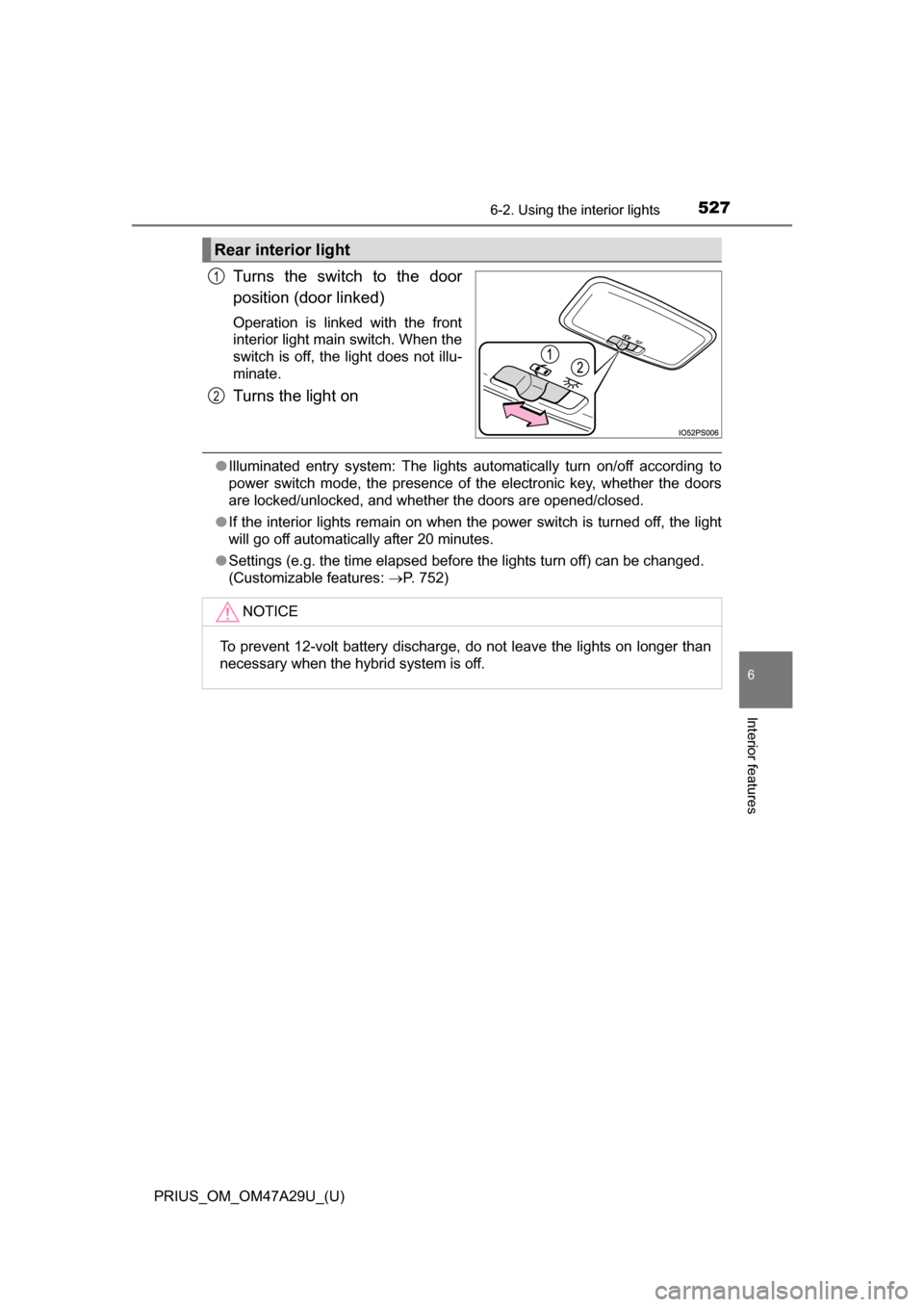
Turns the switch to the door
position (door linked)
Operation is linked with the front
interior light main switch. When the
switch is off, the light does not illu-
minate.
Turns the light on
●Illuminated entry system: The lights automatically turn on/off according to
power switch mode, the presence of the electronic key, whether the doors
are locked/unlocked, and whether the doors are opened/closed.
● If the interior lights remain on when the power switch is turned off, the light
will go off automatically after 20 minutes.
● Settings (e.g. the time elapsed before the lights turn off) can be changed.
(Customizable features: P. 752)
Rear interior light
1
2
NOTICE
To prevent 12-volt battery discharge, do not leave the lights on longer than
necessary when the hybrid system is off.
Page 554 of 800
554
PRIUS_OM_OM47A29U_(U)
6-4. Using the other interior features
Garage door opener
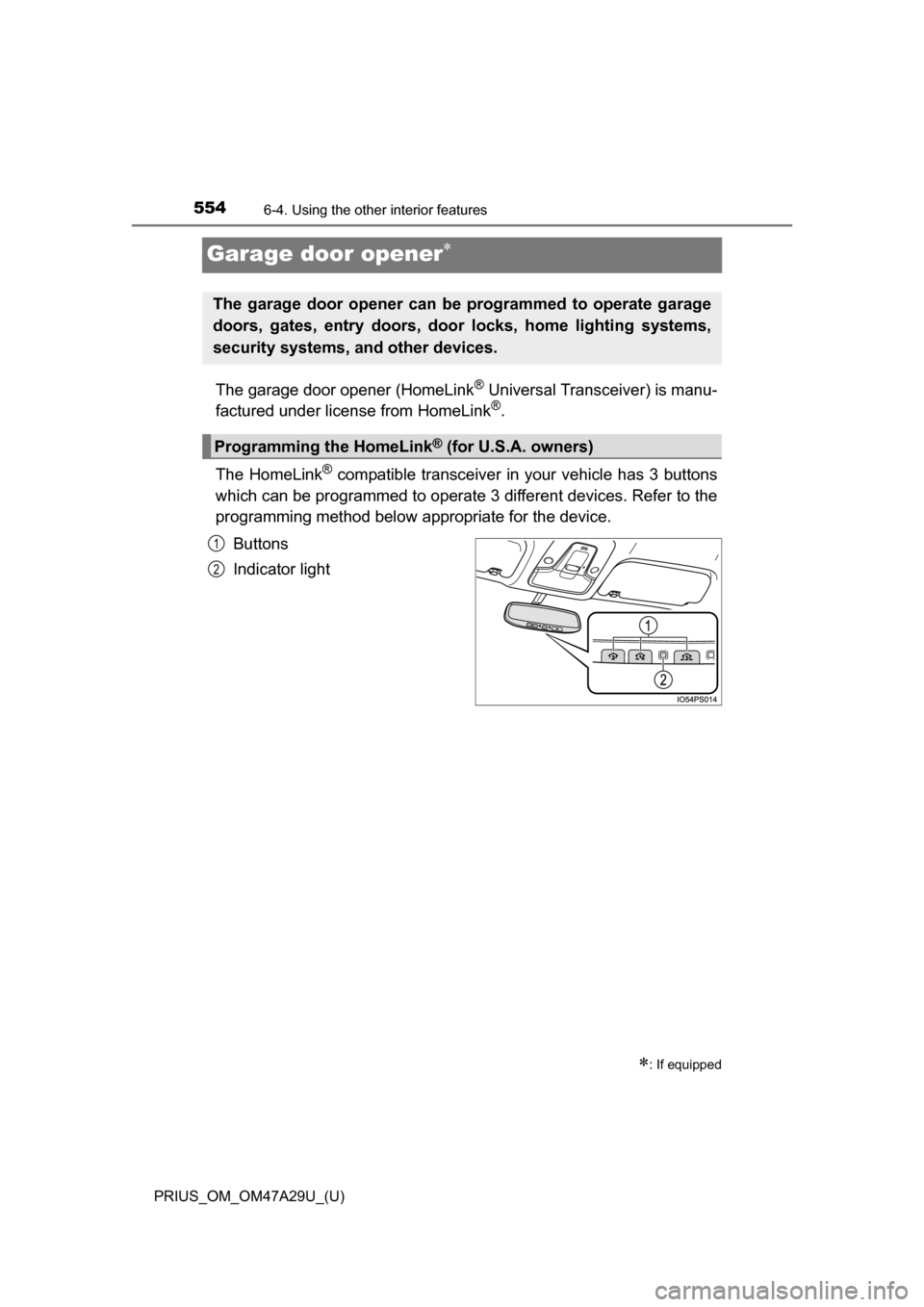
The garage door opener (HomeLink® Universal Transceiver) is manu-
factured under license from HomeLink®.
The HomeLink
® compatible transceiver in your vehicle has 3 buttons
which can be programmed to operate 3 different devices. Refer to the
programming method below appropriate for the device.
Buttons
Indicator light
: If equipped
The garage door opener can be programmed to operate garage
doors, gates, entry doors, door locks, home lighting systems,
security systems, and other devices.
Programming the HomeLink® (for U.S.A. owners)
1
2