Page 195 of 800
1953-4. Adjusting the steering wheel and mirrors
3
Operation of each component
PRIUS_OM_OM47A29U_(U)
Auto anti-glare inside rear view mirror
Responding to the level of brightness of the headlights of vehicles
behind, the reflected light is automatically reduced.
Changing automatic anti-glare
function mode On
Off
When the automatic anti-glare
function is in ON mode, the indica-
tor illuminates.
The function will set to ON mode
each time the power switch is
turned to ON mode.
Pressing the button turns the func-
tion to OFF mode. (The indicator
also turns off.)
■To prevent sensor error (vehicles with auto anti-glare inside rear view
mirror)
Indicator
1
2
To ensure that the sensors operate prop-
erly, do not touch or cover them.
WARNING
Do not adjust the position of the mirror while driving.
Doing so may lead to mishandling of the vehicle and cause an accident,
resulting in death or serious injury.
Page 207 of 800
207
PRIUS_OM_OM47A29U_(U)
4Driving
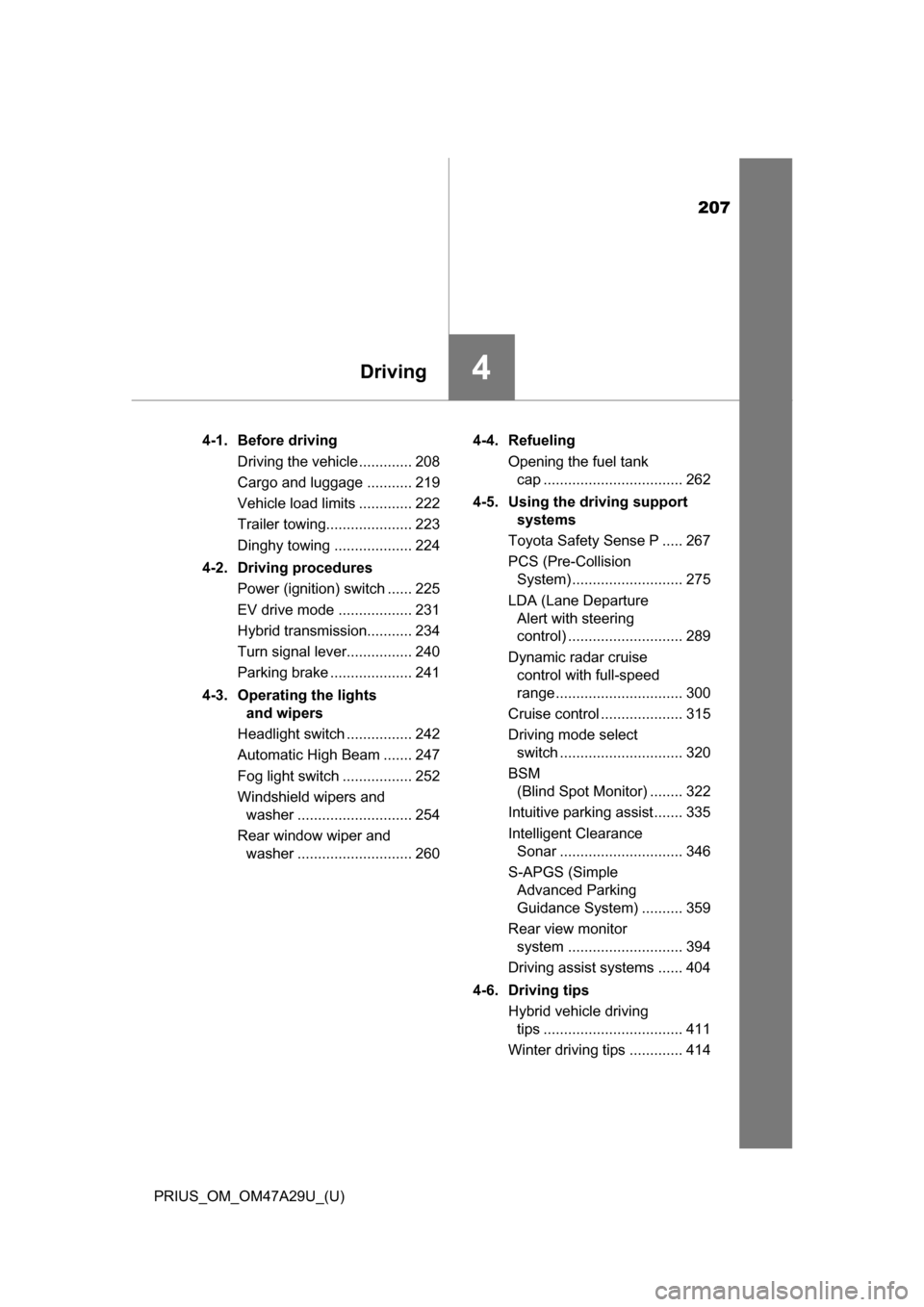
4-1. Before drivingDriving the vehicle ............. 208
Cargo and luggage ........... 219
Vehicle load limits ............. 222
Trailer towing..................... 223
Dinghy towing ................... 224
4-2. Driving procedures Power (ignition) switch ...... 225
EV drive mode .................. 231
Hybrid transmission........... 234
Turn signal lever................ 240
Parking brake .................... 241
4-3. Operating the lights and wipers
Headlight switch ................ 242
Automatic High Beam ....... 247
Fog light switch ................. 252
Windshield wipers and washer ............................ 254
Rear window wiper and washer ............................ 260 4-4. Refueling
Opening the fuel tank cap .................................. 262
4-5. Using the driving support systems
Toyota Safety Sense P ..... 267
PCS (Pre-Collision System) ........................... 275
LDA (Lane Departure Alert with steering
control) ............................ 289
Dynamic radar cruise control with full-speed
range ............................... 300
Cruise control .................... 315
Driving mode select switch .............................. 320
BSM (Blind Spot Monitor) ........ 322
Intuitive parking assist....... 335
Intelligent Clearance Sonar .............................. 346
S-APGS (Simple Advanced Parking
Guidance System) .......... 359
Rear view monitor system ............................ 394
Driving assist systems ...... 404
4-6. Driving tips Hybrid vehicle driving tips .................................. 411
Winter driving tips ............. 414
Page 240 of 800
240
PRIUS_OM_OM47A29U_(U)
4-2. Driving procedures
Turn signal lever
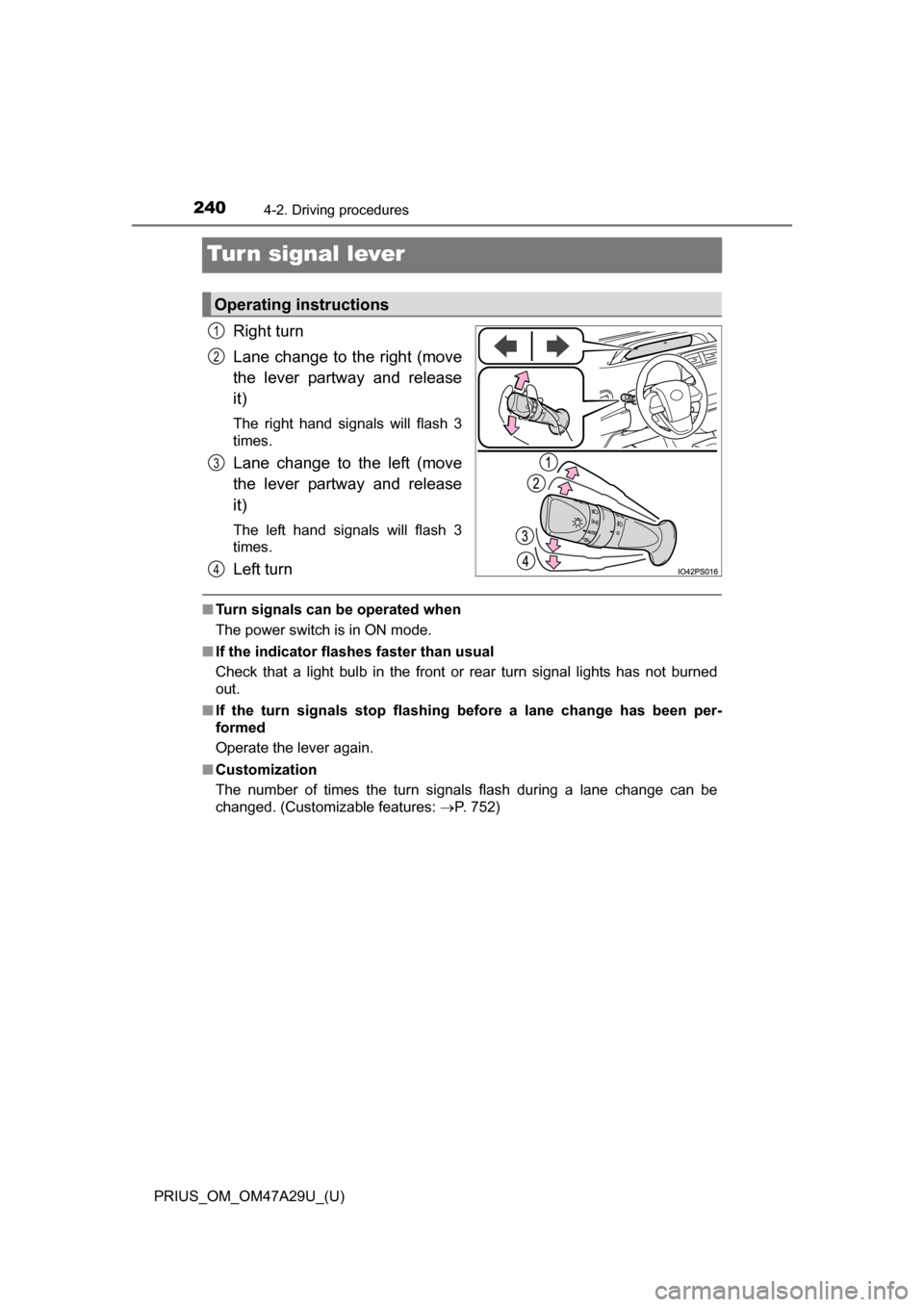
Right turn
Lane change to the right (move
the lever partway and release
it)
The right hand signals will flash 3
times.
Lane change to the left (move
the lever partway and release
it)
The left hand signals will flash 3
times.
Left turn
■Turn signals can be operated when
The power switch is in ON mode.
■ If the indicator flashes faster than usual
Check that a light bulb in the front or rear turn signal lights has not burned
out.
■ If the turn signals stop flashing before a lane change has been per-
formed
Operate the lever again.
■ Customization
The number of times the turn signals flash during a lane change can be
changed. (Customizable features: P. 752)
Operating instructions
1
2
3
4
Page 242 of 800
242
PRIUS_OM_OM47A29U_(U)
4-3. Operating the lights and wipers
Headlight switch
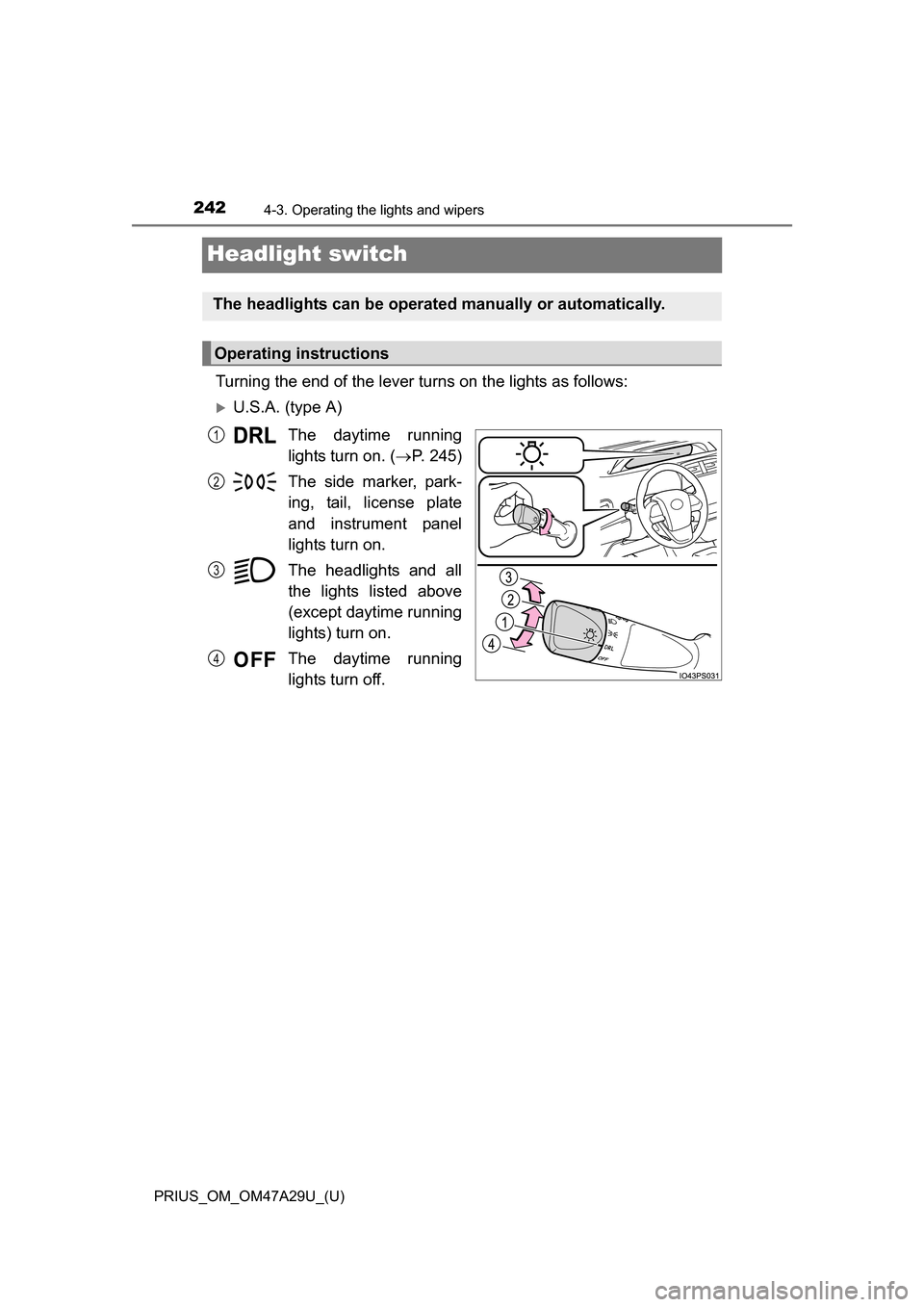
Turning the end of the lever turns on the lights as follows:
U.S.A. (type A)The daytime running
lights turn on. ( P. 245)
The side marker, park-
ing, tail, license plate
and instrument panel
lights turn on.
The headlights and all
the lights listed above
(except daytime running
lights) turn on.
The daytime running
lights turn off.
The headlights can be operated manually or automatically.
Operating instructions
1
2
3
4
Page 243 of 800
PRIUS_OM_OM47A29U_(U)
2434-3. Operating the lights and wipers
4
Driving
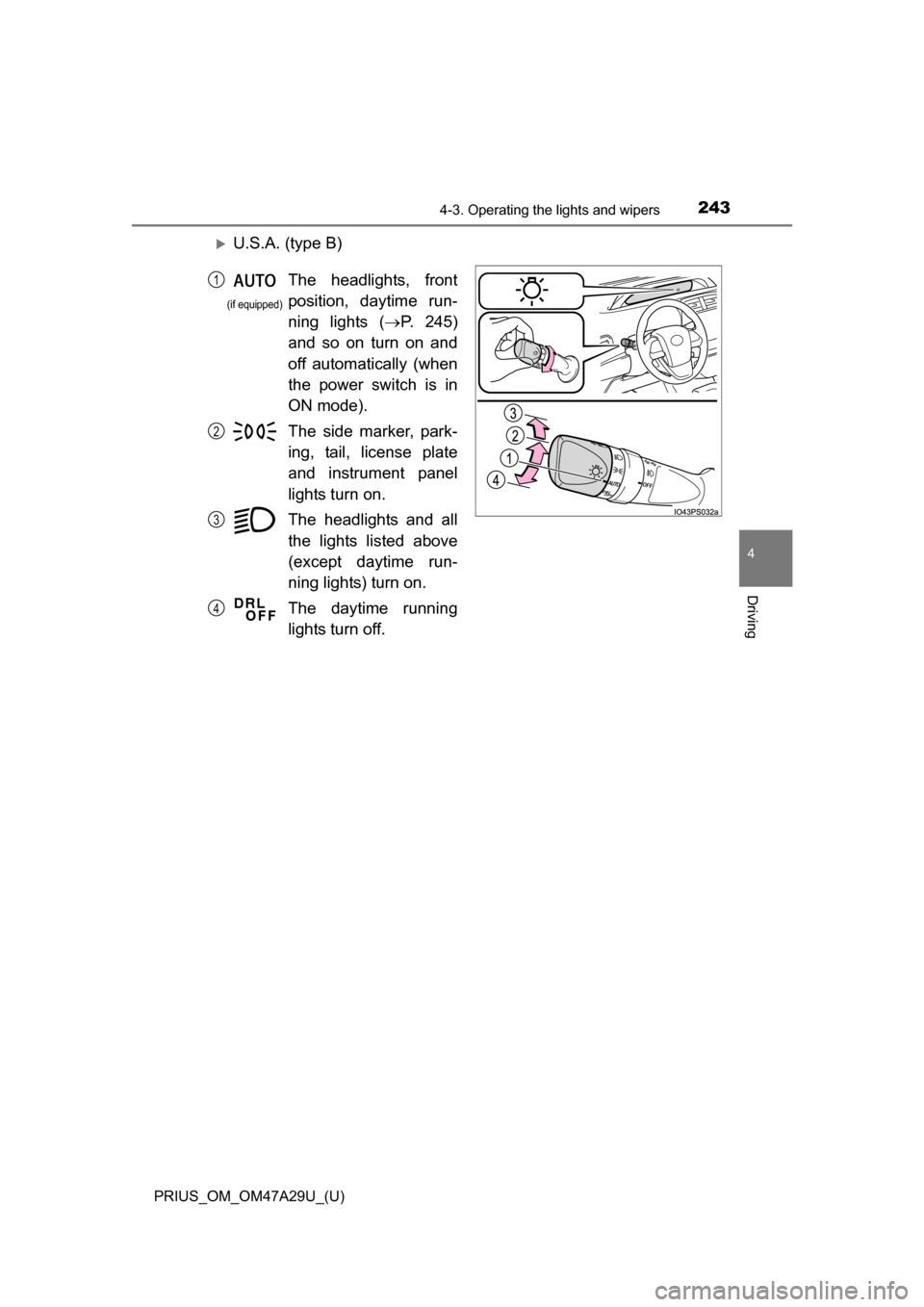
U.S.A. (type B)
The headlights, front
position, daytime run-
ning lights (P. 245)
and so on turn on and
off automatically (when
the power switch is in
ON mode).
The side marker, park-
ing, tail, license plate
and instrument panel
lights turn on.
The headlights and all
the lights listed above
(except daytime run-
ning lights) turn on.
The daytime running
lights turn off.1
2
3
4
(if equipped)
Page 244 of 800
244
PRIUS_OM_OM47A29U_(U)
4-3. Operating the lights and wipers
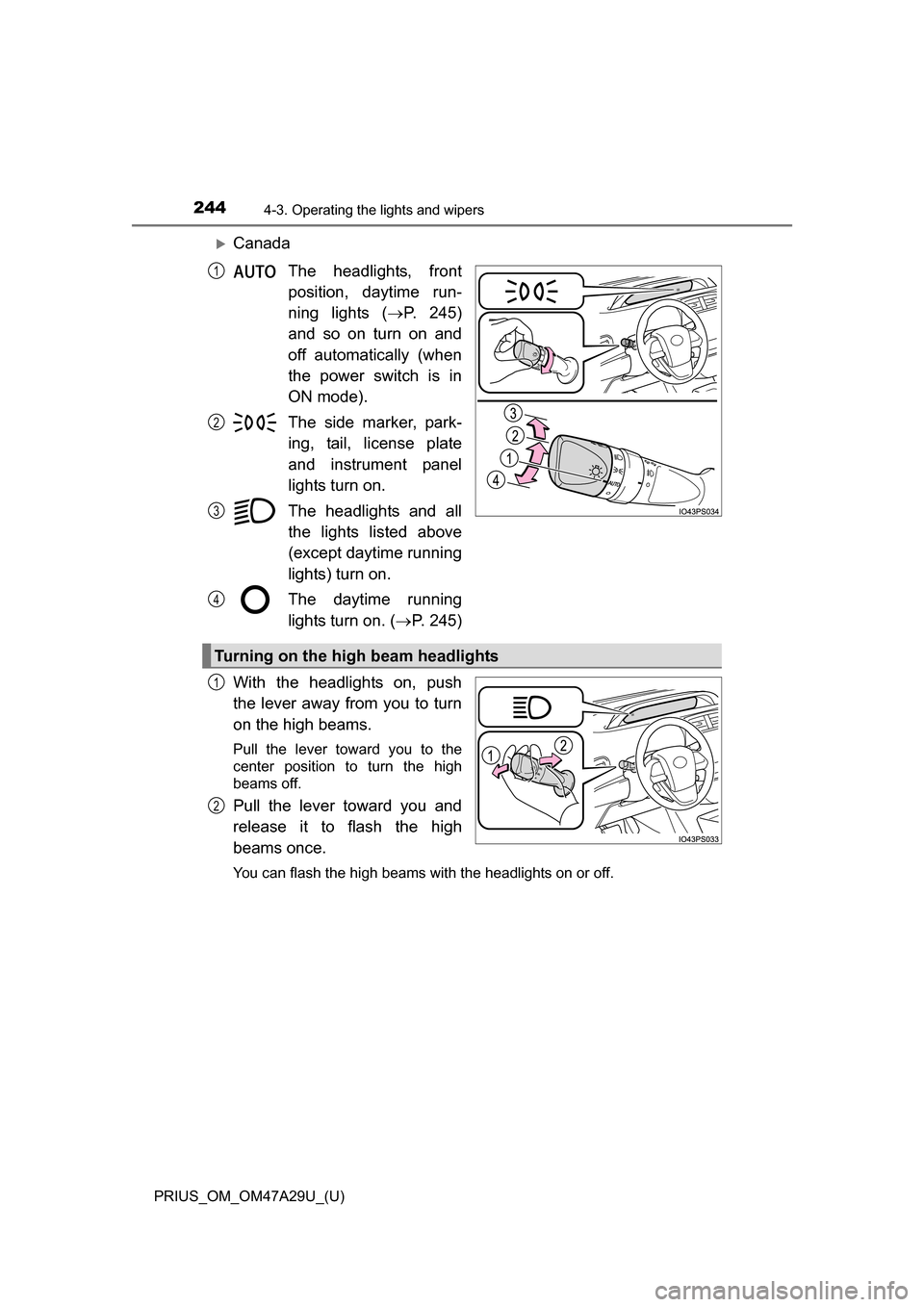
CanadaThe headlights, front
position, daytime run-
ning lights ( P. 245)
and so on turn on and
off automatically (when
the power switch is in
ON mode).
The side marker, park-
ing, tail, license plate
and instrument panel
lights turn on.
The headlights and all
the lights listed above
(except daytime running
lights) turn on.
The daytime running
lights turn on. ( P. 245)
With the headlights on, push
the lever away from you to turn
on the high beams.
Pull the lever toward you to the
center position to turn the high
beams off.
Pull the lever toward you and
release it to flash the high
beams once.
You can flash the high beams with the headlights on or off.
1
2
3
4
Turning on the high beam headlights
1
2
Page 245 of 800

PRIUS_OM_OM47A29U_(U)
2454-3. Operating the lights and wipers
4
Driving
■Daytime running light system
●To make your vehicle more visible to other drivers during daytime driving,
the daytime running lights turn on automatically whenever the hybrid system
is started and the parking brake is released with the headlight switch in the
/ / position. (Illuminate dimmer than the headlight lights.)
Daytime running lights are not designed for use at night.
For the U.S.A.: Daytime running lights can be turned off by operating the
headlight switch.
● Compared to turning on the headlights, the daytime running light system
offers greater durability and consumes less electricity, so it can help improve
fuel economy.
■ Headlight control sensor (if equipped)
■ Automatic light off system
●When the headlights come on: The headlights and tail lights turn off 30 sec-
onds after a door is opened and closed if the power switch is turned to
ACCESSORY mode or turned off. (The li ghts turn off immediately if on
the key is pressed after all the doors are locked.)
● When only the tail lights come on: The tail lights turn off automatically if the
power switch is turned to ACCESSORY mode or turned off and the driver’s
door is opened.
To turn the lights on again, turn the power switch to ON mode, or turn the light
switch off once and then back to or . The sensor may not function properly if an
object is placed on the sensor, or anything
that blocks the sensor is affixed to the
windshield.
Doing so interferes with the sensor
detecting the level of ambient light and
may cause the automatic headlight sys-
tem to malfunction.
Air conditioning operation may also be
interrupted.
Page 246 of 800

246
PRIUS_OM_OM47A29U_(U)
4-3. Operating the lights and wipers
■12-volt battery-saving function
In order to prevent the 12-volt battery of the vehicle from discharging, if the
headlights and/or tail lights are on when the power switch is turned off, the
12-volt battery saving function will operate and automatically turn off all the
lights after approximately 20 minutes.
When any of the following are performed, the 12-volt battery-saving function
is canceled once and then reactivated. All the lights will turn off automatically
20 minutes after the 12-volt battery-saving function has been reactivated:
●When the headlight switch is operated
● When a door is opened or closed
■ If “Headlight System Malfunction Visi t Your Dealer” is displayed on the
multi-information display
The system may be malfunctioning. Have the vehicle inspected by your Toy-
ota dealer.
■ Customization
Settings (e.g. light sensor sensitivity) can be changed.
(Customizable features: P. 752)
NOTICE
■To prevent 12-volt battery discharge
Do not leave the lights on longer than necessary when the hybrid system is
off.