Page 380 of 800
380
PRIUS_OM_OM47A29U_(U)
4-5. Using the driving support systems
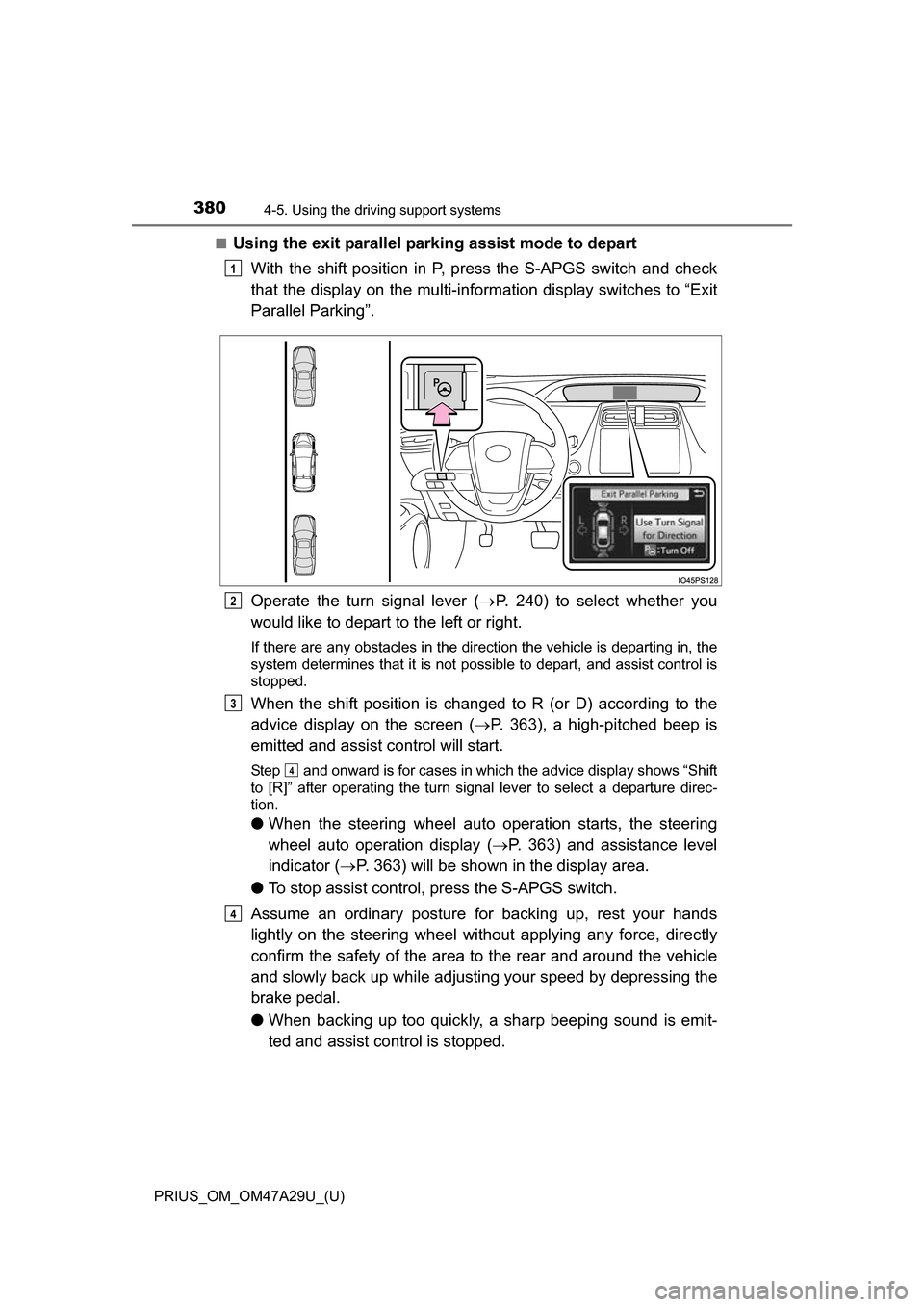
■Using the exit parallel parking assist mode to depart
With the shift position in P, press the S-APGS switch and check
that the display on the multi-information display switches to “Exit
Parallel Parking”.
Operate the turn signal lever ( P. 240) to select whether you
would like to depart to the left or right.
If there are any obstacles in the direction the vehicle is departing in, the
system determines that it is not possible to depart, and assist control is
stopped.
When the shift position is changed to R (or D) according to the
advice display on the screen ( P. 363), a high-pitched beep is
emitted and assist control will start.
Step and onward is for cases in which the advice display shows “Shift
to [R]” after operating the turn signal lever to select a departure direc-
tion.
● When the steering wheel auto operation starts, the steering
wheel auto operation display ( P. 363) and assistance level
indicator ( P. 363) will be shown in the display area.
● To stop assist control, press the S-APGS switch.
Assume an ordinary posture for backing up, rest your hands
lightly on the steering wheel wi thout applying any force, directly
confirm the safety of the area to the rear and around the vehicle
and slowly back up while adjusti ng your speed by depressing the
brake pedal.
● When backing up too quickly, a sharp beeping sound is emit-
ted and assist control is stopped.
1
2
3
4
4
Page 381 of 800
PRIUS_OM_OM47A29U_(U)
3814-5. Using the driving support systems
4
Driving
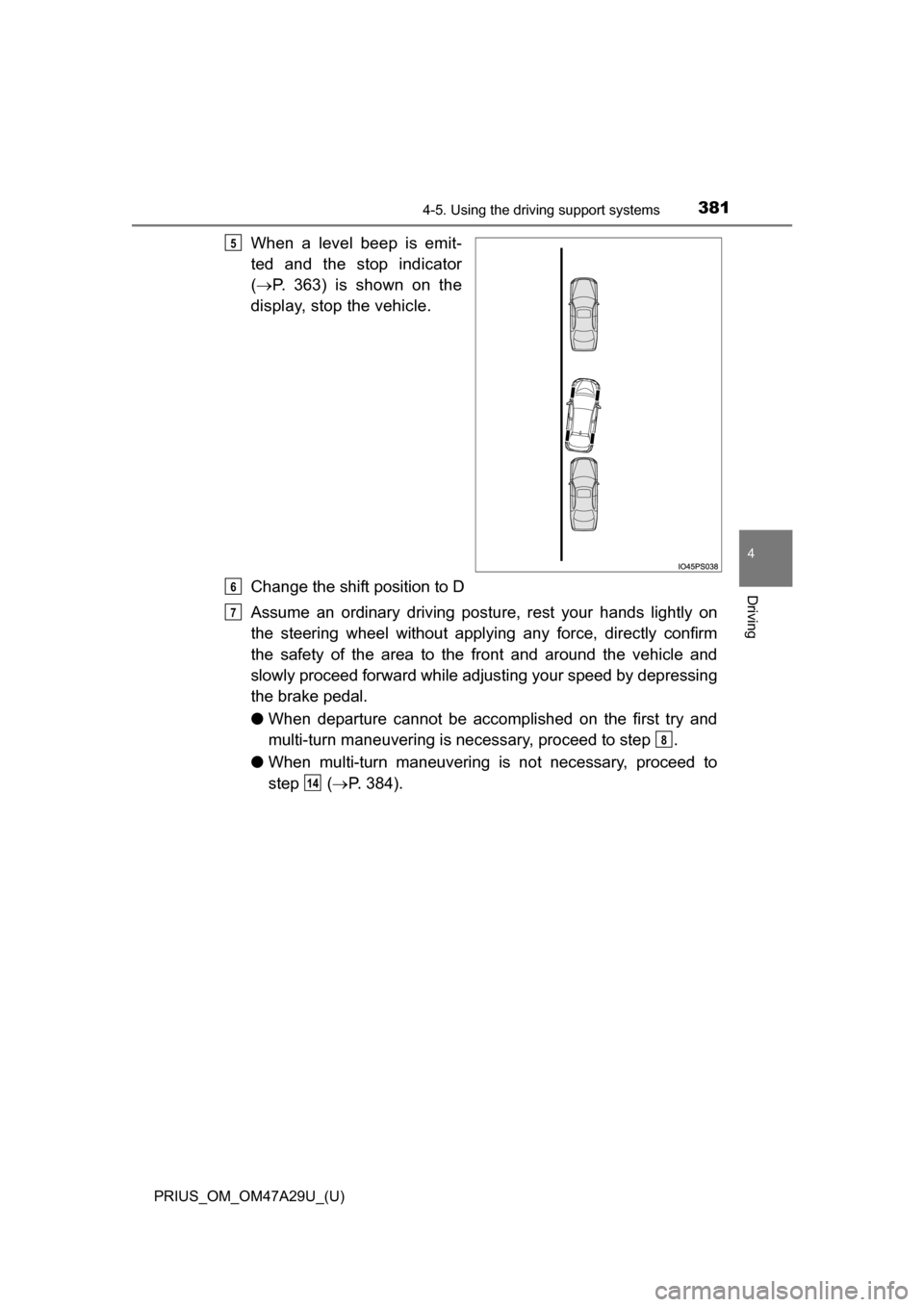
When a level beep is emit-
ted and the stop indicator
( P. 363) is shown on the
display, stop the vehicle.
Change the shift position to D
Assume an ordinary driving postu re, rest your hands lightly on
the steering wheel without applying any force, directly confirm
the safety of the area to the front and around the vehicle and
slowly proceed forward while adjus ting your speed by depressing
the brake pedal.
● When departure cannot be accomp lished on the first try and
multi-turn maneuvering is necessary, proceed to step .
● When multi-turn maneuvering is not necessary, proceed to
step ( P. 384).5
6
7
8
14
Page 382 of 800
382
PRIUS_OM_OM47A29U_(U)
4-5. Using the driving support systems
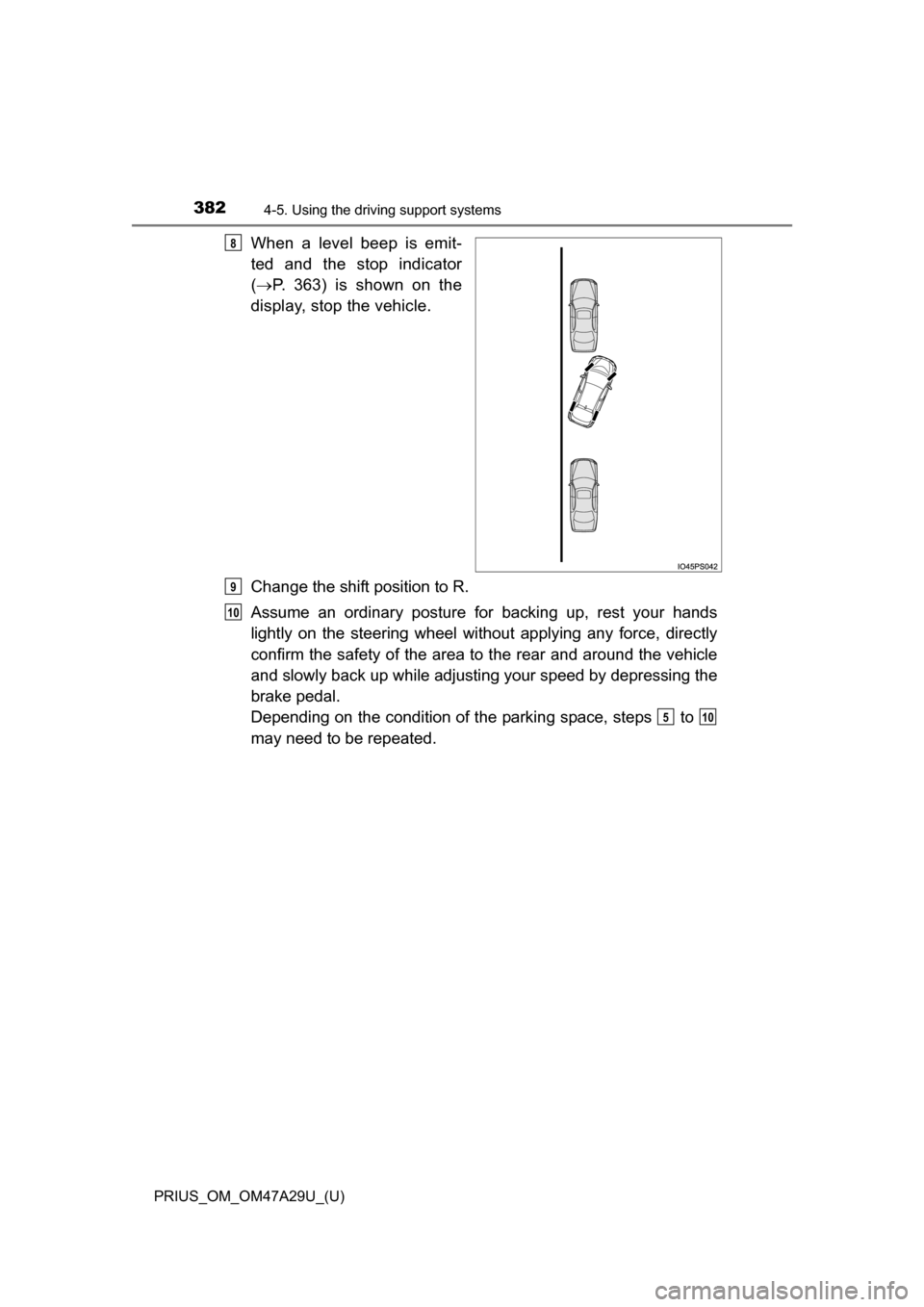
When a level beep is emit-
ted and the stop indicator
( P. 363) is shown on the
display, stop the vehicle.
Change the shift position to R.
Assume an ordinary posture for backing up, rest your hands
lightly on the steering wheel wi thout applying any force, directly
confirm the safety of the area to the rear and around the vehicle
and slowly back up while adjusti ng your speed by depressing the
brake pedal.
Depending on the condition of the parking space, steps to
may need to be repeated.8
9
10
510
Page 383 of 800
PRIUS_OM_OM47A29U_(U)
3834-5. Using the driving support systems
4
Driving
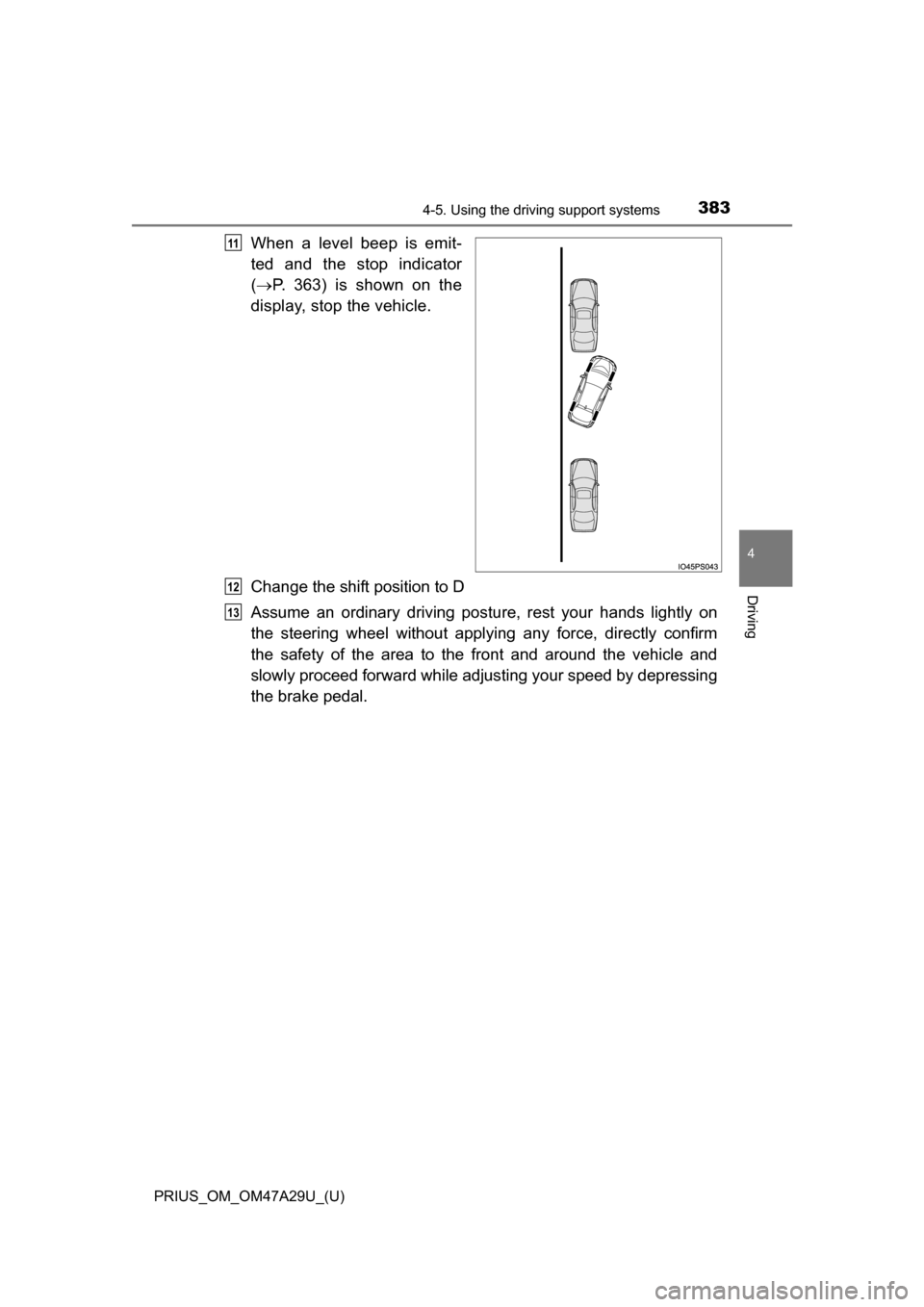
When a level beep is emit-
ted and the stop indicator
( P. 363) is shown on the
display, stop the vehicle.
Change the shift position to D
Assume an ordinary driving postu re, rest your hands lightly on
the steering wheel without applying any force, directly confirm
the safety of the area to the front and around the vehicle and
slowly proceed forward while adjus ting your speed by depressing
the brake pedal.11
12
13
Page 387 of 800
PRIUS_OM_OM47A29U_(U)
3874-5. Using the driving support systems
4
Driving
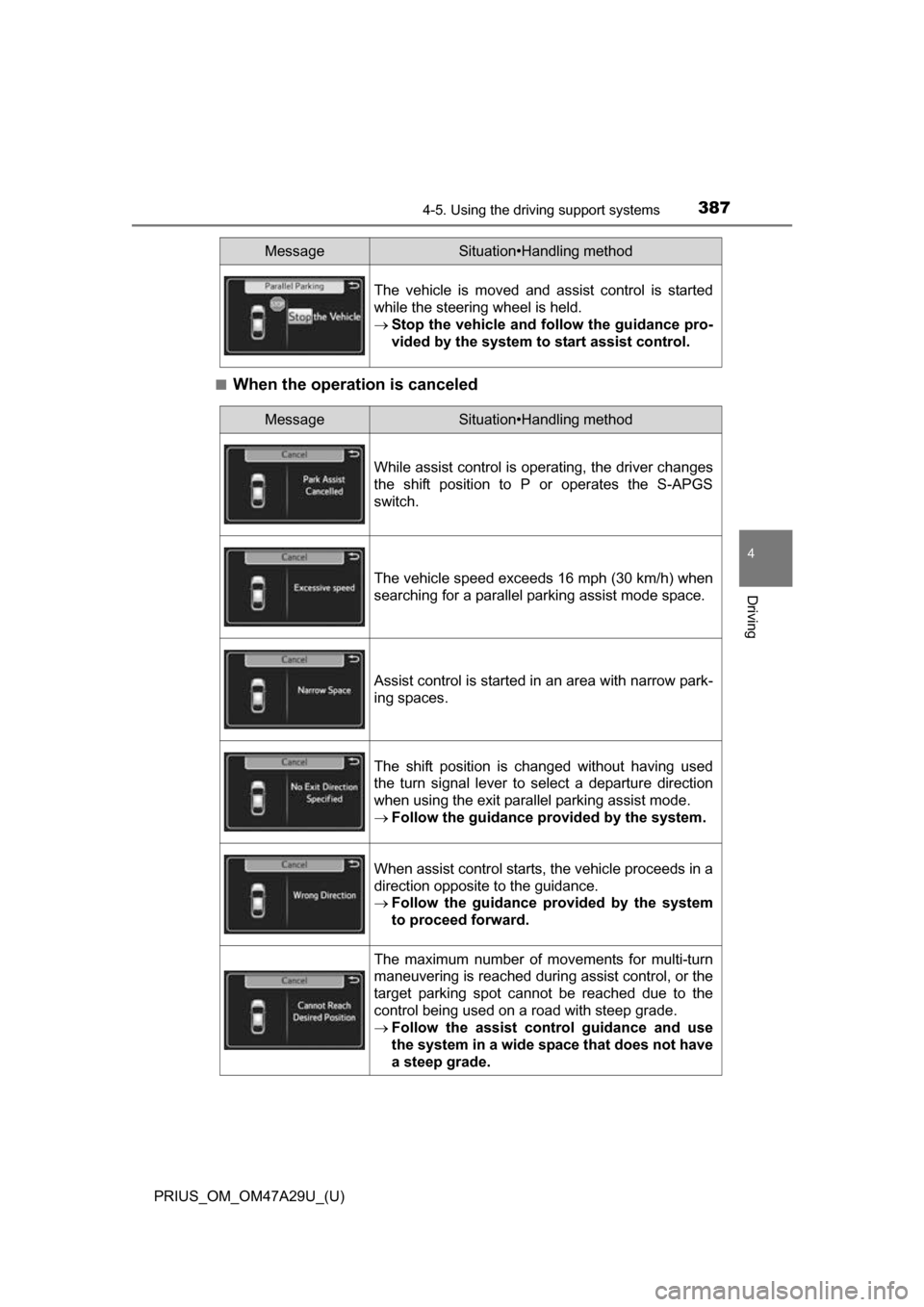
■When the operation is canceled
The vehicle is moved and assist control is started
while the steering wheel is held.
Stop the vehicle and follow the guidance pro-
vided by the system to start assist control.
MessageSituation•Handling method
MessageSituation•Handling method
While assist control is operating, the driver changes
the shift position to P or operates the S-APGS
switch.
The vehicle speed exceeds 16 mph (30 km/h) when
searching for a parallel parking assist mode space.
Assist control is started in an area with narrow park-
ing spaces.
The shift position is changed without having used
the turn signal lever to select a departure direction
when using the exit parallel parking assist mode.
Follow the guidance provided by the system.
When assist control starts, the vehicle proceeds in a
direction opposite to the guidance.
Follow the guidance provided by the system
to proceed forward.
The maximum number of movements for multi-turn
maneuvering is reached during assist control, or the
target parking spot cannot be reached due to the
control being used on a road with steep grade.
Follow the assist control guidance and use
the system in a wide space that does not have
a steep grade.
Page 402 of 800

402
PRIUS_OM_OM47A29U_(U)
4-5. Using the driving support systems
WARNING
■When using the rear view monitor system
The rear view monitor system is a supplemental device intended to assist
the driver when backing up. When backing up, be sure to visually check all
around the vehicle both directly and using the mirrors before proceeding.
Observe the following precautions to avoid an accident that could result in
death or serious injuries.
● Never depend on the rear view monitor system entirely when backing up.
The image and the position of the guide lines displayed on the screen may
differ from the actual state.
Use caution, just as you would when backing up any vehicle.
● Be sure to back up slowly, depressing the brake pedal to control vehicle
speed.
● The instructions given are only guide lines.
When and how much to turn the steering wheel will vary according to traf-
fic conditions, road surface conditions, vehicle condition, etc. when park-
ing. It is necessary to be fully aware of this before using the rear view
monitor system.
● When parking, be sure to check that the parking space will accommodate
your vehicle before maneuvering into it.
● Do not use the rear view monitor system in the following cases:
• On icy or slick road surfaces, or in snow
• When using tire chains or emergency tires
• When the back door is not closed completely
• On roads that are not flat or straight, such as curves or slopes
● In low temperatures, the screen may darken or the image may become
faint. The image could distort when the vehicle is moving, or you may
become unable to see the image on the screen. Be sure to visually check
all around the vehicle both directly and using the mirrors before proceed-
ing.
● If the tire sizes are changed, the position of the fixed guide lines displayed
on the screen may change.
● The camera uses a special lens. The distances between objects and
pedestrians that appear in the image displayed on the screen will differ
from the actual distances. ( P. 397)
Page 434 of 800
434
PRIUS_OM_OM47A29U_(U)
5-3. Using the Multimedia system
Selecting the audio source
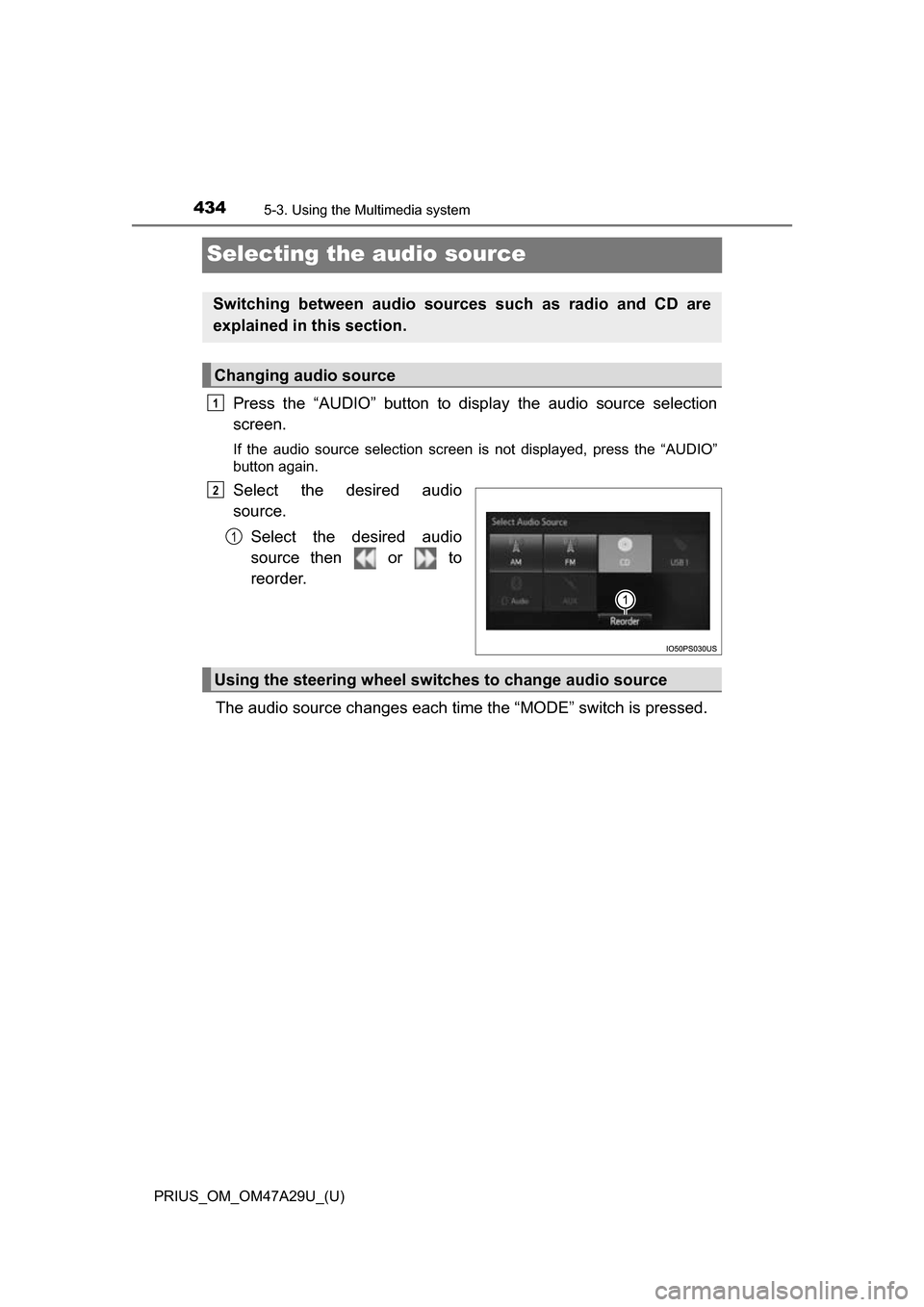
Press the “AUDIO” button to display the audio source selection
screen.
If the audio source selection screen is not displayed, press the “AUDIO”
button again.
Select the desired audio
source.
Select the desired audio
source then or to
reorder.
The audio source changes each time the “MODE” switch is pressed.
Switching between audio sources such as radio and CD are
explained in this section.
Changing audio source
1
2
1
Using the steering wheel switches to change audio source
Page 662 of 800
6628-2. Steps to take in an emergency
PRIUS_OM_OM47A29U_(U)
WARNING
■When the electric power steerin g system warning light comes on
When the light comes on yellow, the assist to the power steering is
restricted. When the light comes on red, the assist to the power steering is
lost and handling operations of the steering wheel become extremely
heavy. When steering wheel operations are heavier than usual, grip the
steering wheel firmly and operate it using more force than usual.
■
If the tire pressure warning light comes on
Be sure to observe the following precautions. Failure to do so could
cause a loss of vehicle control and result in death or serious injury.
●Stop your vehicle in a safe place as soon as possible. Adjust the tire
inflation pressure immediately.
●Vehicles with spare tire: If the tire pressure warning light comes on
even after tire inflation pressure ad justment, it is probable that you
have a flat tire. Check the tires. If a tire is flat, change it with the spare
tire and have the flat tire repaired by the nearest Toyota dealer.
●Vehicles with emergency tire punctu re repair kit: If the tire pressure
warning light comes on even after tire inflation pressure adjustment, it
is probable that you have a flat tire . Check the tires. If a tire is flat,
repair the flat tire by using emergency tire puncture repair kit.
●Avoid abrupt maneuvering and braking. If the vehicle tires deteriorate,
you could lose control of the steering wheel or the brakes.
■If a blowout or sudden air leakage should occur
The tire pressure warning system may not activate immediately.