Page 283 of 608
LC200_OM_OM60M88U_(U)
2834-5. Using the driving support systems
4
Driving
●If the engine coolant temperature is too low, the four-wheel drive control
system may not be able to shift. When the engine is warmer press the
switch again.
If the low speed four-wheel drive indicator light or the center differential lock
indicator light continues to blink even after attempting the above, there may
be a malfunction in the engine, the brake system or the four-wheel drive sys-
tem. In this case, you may not be able to shift between H4 and L4, and the
center differential lock may not be operable. Have the vehicle inspected by
your Toyota dealer immediately.
WARNING
■ While driving
Never move the four-wheel drive control switch if the wheels have lost t\
rac-
tion. Doing so may cause an accident resulting in death or serious injury.
■ When the vehicle is parked
If the shift lever is moved before the low speed four-wheel drive indicator
turns on/off, the transfer mode may not be shifted completely. The transfer
mode disengages both the front and rear driveshafts from the powertrain
and allows the vehicle to move regardless of the shift position. (At this time,
the indicator blinks and the buzzer sounds.)
Therefore, the vehicle is free to roll even if the automatic transmission is in
P. You or someone else could be seriously injured. You must complete the
shifting of the transfer mode.
NOTICE
■ To prevent damage to the center differential
●For normal driving on dry and hard surface roads, unlock the center differ-
ential.
● Unlock the center differential after the wheels are out of the ditch or off the
slippery or bumpy surface.
● Do not push the center differential lock/unlock switch when the vehicle is
turning or when its wheels are spinning freely off the ground.
Page 286 of 608
286
LC200_OM_OM60M88U_(U)
4-5. Using the driving support systems
Crawl Control
Press the ON/OFF switch while Crawl Control is operating. If the
switch is turned off, the slip indicator and the Turn Assist indicator will
go off (if the Turn Assist function is in use), the Crawl Control indicator
will flash until the system has turned off completely, and a message
stating that Crawl Cont rol has been turned off will be displayed on the
multi-information display for several seconds.
When turning off Crawl Control while driving, stop the vehicle before
the Crawl Control indicator turns off, or drive extremely carefully.
Turn Assist function
Press the Turn Assist switch while the Turn Assist function is operat-
ing. When the switch is pressed, the Turn Assist indicator will go off,
and a message stating that the Turn Assist function has been turned
off will be displayed on the multi-in formation display for several sec-
onds.
■ The Crawl Control and Turn Assist function can be operated when
Crawl Control
● The engine is running.
● The shift lever is in any gear other than P or N.
● The four-wheel drive control switch is in L4.
● The driver’s door is closed.
Turn Assist function
● Crawl Control is operating.
● The center differential is not locked.
● The accelerator and brake are not being operated.
● The shift lever is in any gear other than P, R or N.
● The steering wheel is turned very far.
When the system is turned off
Page 287 of 608
LC200_OM_OM60M88U_(U)
2874-5. Using the driving support systems
4
Driving
■Automatic system cancelation
Crawl Control
In the following situations, the buzzer will sound intermittently and Crawl Con-
trol will be canceled automatically. In this event, the Crawl Control indicator
will flash and then go off, the Turn Assist indicator will go off (if the Turn Assist
function is in use), and a message stating that Crawl Control has been turned
off will be displayed on the multi-information display for several seconds.
● When the shift lever is moved to P or N.
● When the four-wheel drive control switch is in H4.
● When the driver’s door is opened.
Turn Assist function
When the center differential is locked, the buzzer will sound intermittently and
the Turn Assist function will be canceled automatically. In this event, the Turn
Assist indicator will go off, and a message stating that the Turn Assist function
has been turned off will be displayed on the multi-information display for sev-
eral seconds.
■ Function limitations
Crawl Control
● In the following situations, brake control can be used to drive downhill at a
constant speed. However, engine control is not available when driving uphill
at a constant speed.
• When switched to second start mode.
● In the following situation, engine control and brake control will stop t\
empo-
rarily. In this event, the Crawl Control indicator will flash.
• When the vehicle speed exceeds approximately 15 mph (25 km/h).
Turn Assist function
In the following situations, the Turn Assist function will stop temporarily. In this
event, the Turn Assist indicator will flash.
● When the vehicle speed exceeds approximately 6 mph (10km/h).
● When the shift lever is moved to R.
■ When the Crawl Control system is operated continuously
● If Crawl Control is used continuously for a long time, the buzzer will sound, a
malfunction notification will be displayed on the multi-information display,
the Crawl Control indicator will go off, and Crawl Control will be temporarily
inoperable as a result of the brake system overheating. In this event, stop
the vehicle immediately in a safe place, and allow the brake system to cool
down sufficiently until the TRAC OFF indicator goes off. (In the meantime,
normal driving is possible.)
● If Crawl Control is used continuously for a long time, the buzzer will sound,
the system will be temporarily canceled, and a malfunction notification \
will
be displayed on the multi-information display as a result of the automatic
transmission system overheating. Stop the vehicle in a safe place until the
display goes off.
Page 290 of 608
290
LC200_OM_OM60M88U_(U)
4-5. Using the driving support systems
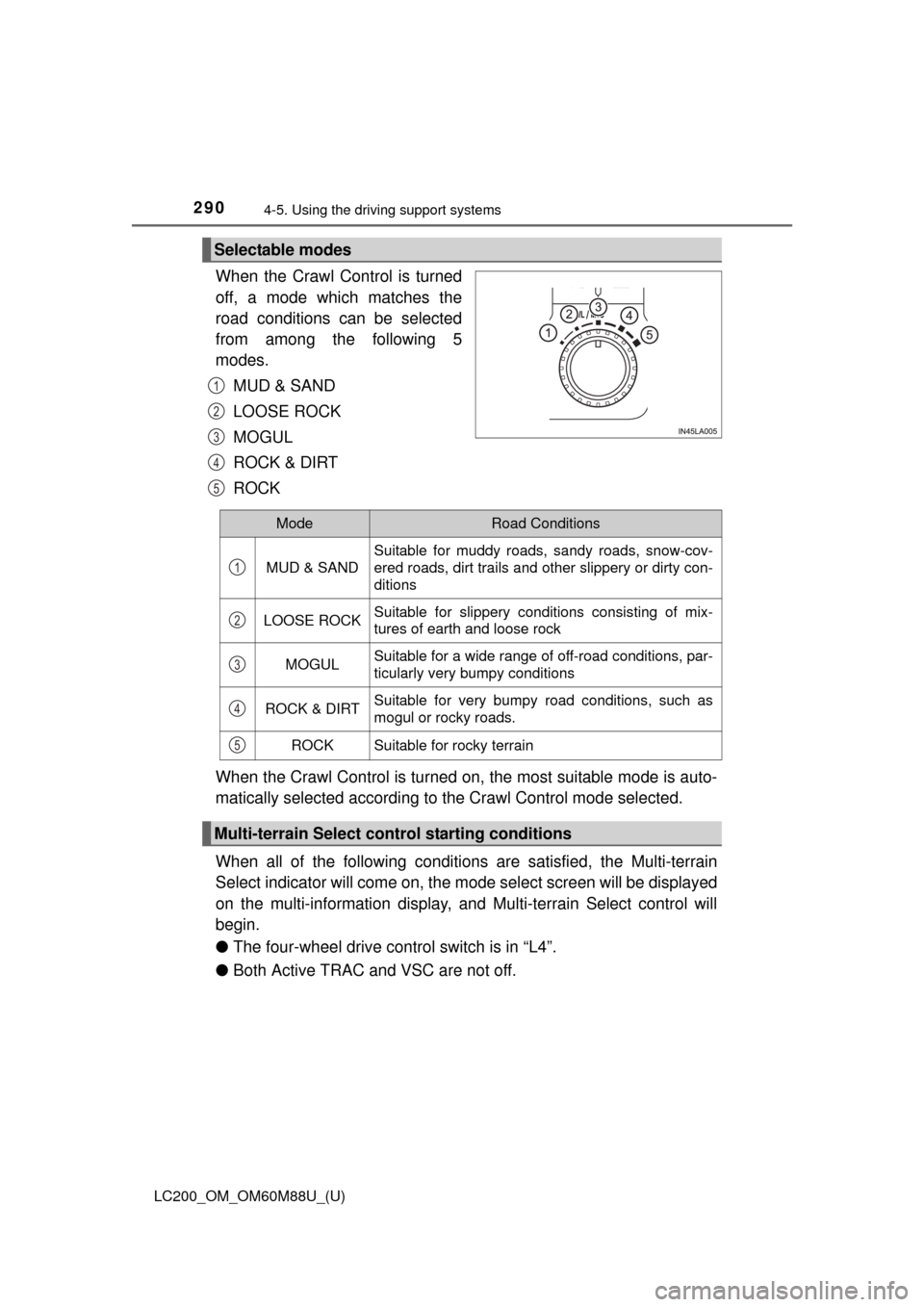
When the Crawl Control is turned
off, a mode which matches the
road conditions can be selected
from among the following 5
modes.
MUD & SAND
LOOSE ROCK
MOGUL
ROCK & DIRT
ROCK
When the Crawl Control is turned on, the most suitable mode is auto-
matically selected according to the Crawl Control mode selected.
When all of the following conditions are satisfied, the Multi-terrain
Select indicator will come on, the mode select screen will be displayed
on the multi-information display, and Multi-terrain Select control will
begin.
● The four-wheel drive cont rol switch is in “L4”.
● Both Active TRAC and VSC are not off.
Selectable modes
1
2
3
4
5
ModeRoad Conditions
MUD & SAND
Suitable for muddy roads, sandy roads, snow-cov-
ered roads, dirt trails and other slippery or dirty con-
ditions
LOOSE ROCKSuitable for slippery conditions consisting of mix-
tures of earth and loose rock
MOGULSuitable for a wide range of off-road conditions, par-
ticularly very bumpy conditions
ROCK & DIRTSuitable for very bumpy road conditions, such as
mogul or rocky roads.
ROCKSuitable for rocky terrain
Multi-terrain Select control starting conditions
1
2
3
4
5
Page 291 of 608
LC200_OM_OM60M88U_(U)
2914-5. Using the driving support systems
4
Driving
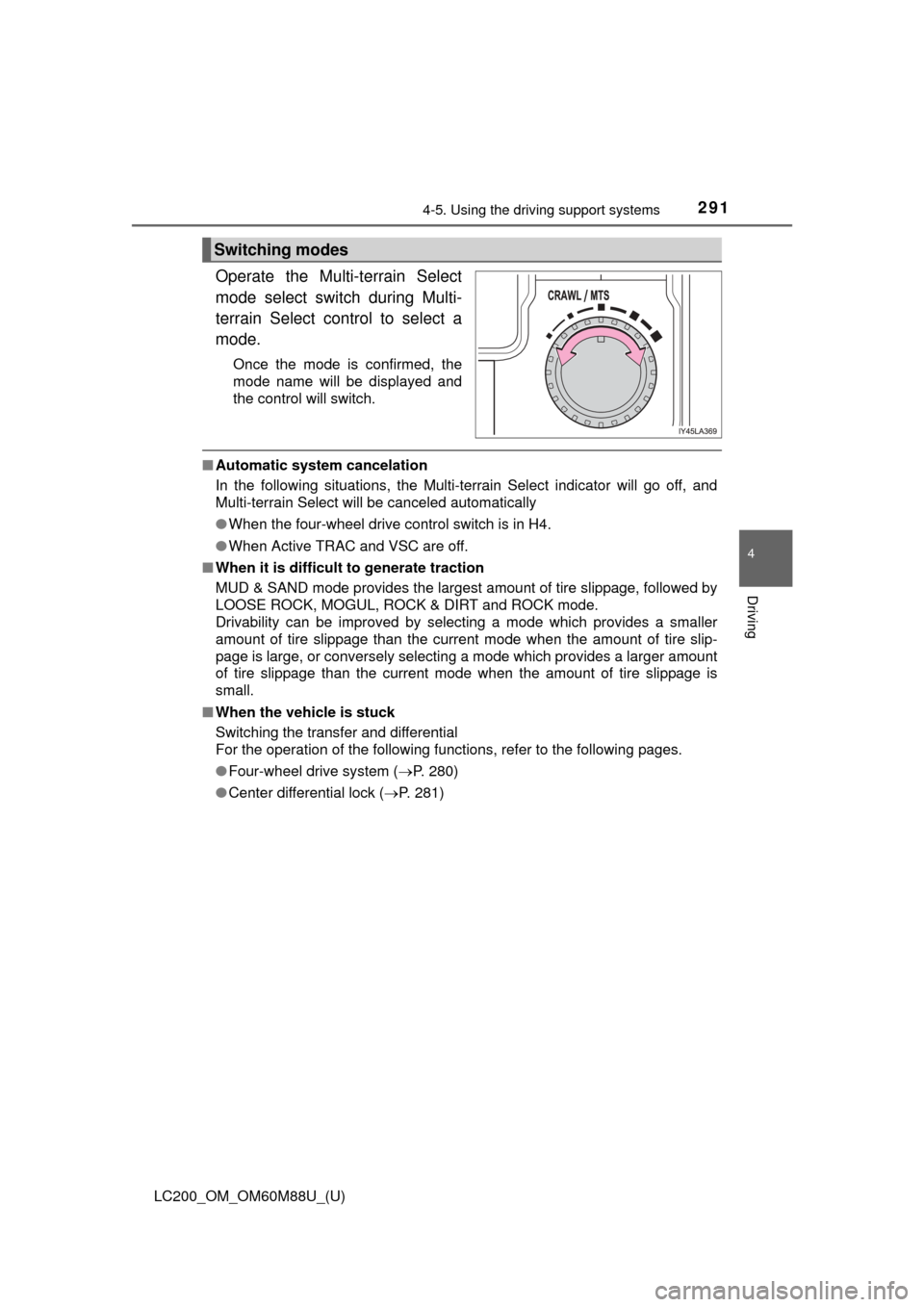
Operate the Multi-terrain Select
mode select switch during Multi-
terrain Select control to select a
mode.
Once the mode is confirmed, the
mode name will be displayed and
the control will switch.
■Automatic system cancelation
In the following situations, the Multi-terrain Select indicator will go off, and
Multi-terrain Select will be canceled automatically
●When the four-wheel drive control switch is in H4.
● When Active TRAC and VSC are off.
■ When it is difficult to generate traction
MUD & SAND mode provides the largest amount of tire slippage, followed by
LOOSE ROCK, MOGUL, ROCK & DIRT and ROCK mode.
Drivability can be improved by selecting a mode which provides a smaller
amount of tire slippage than the current mode when the amount of tire slip-
page is large, or conversely selecting a mode which provides a larger amount
of tire slippage than the current mode when the amount of tire slippage is
small.
■ When the vehicle is stuck
Switching the transfer and differential
For the operation of the following functions, refer to the following pages.
●Four-wheel drive system ( P. 280)
● Center differential lock ( P. 281)
Switching modes
Page 294 of 608
294
LC200_OM_OM60M88U_(U)
4-5. Using the driving support systems
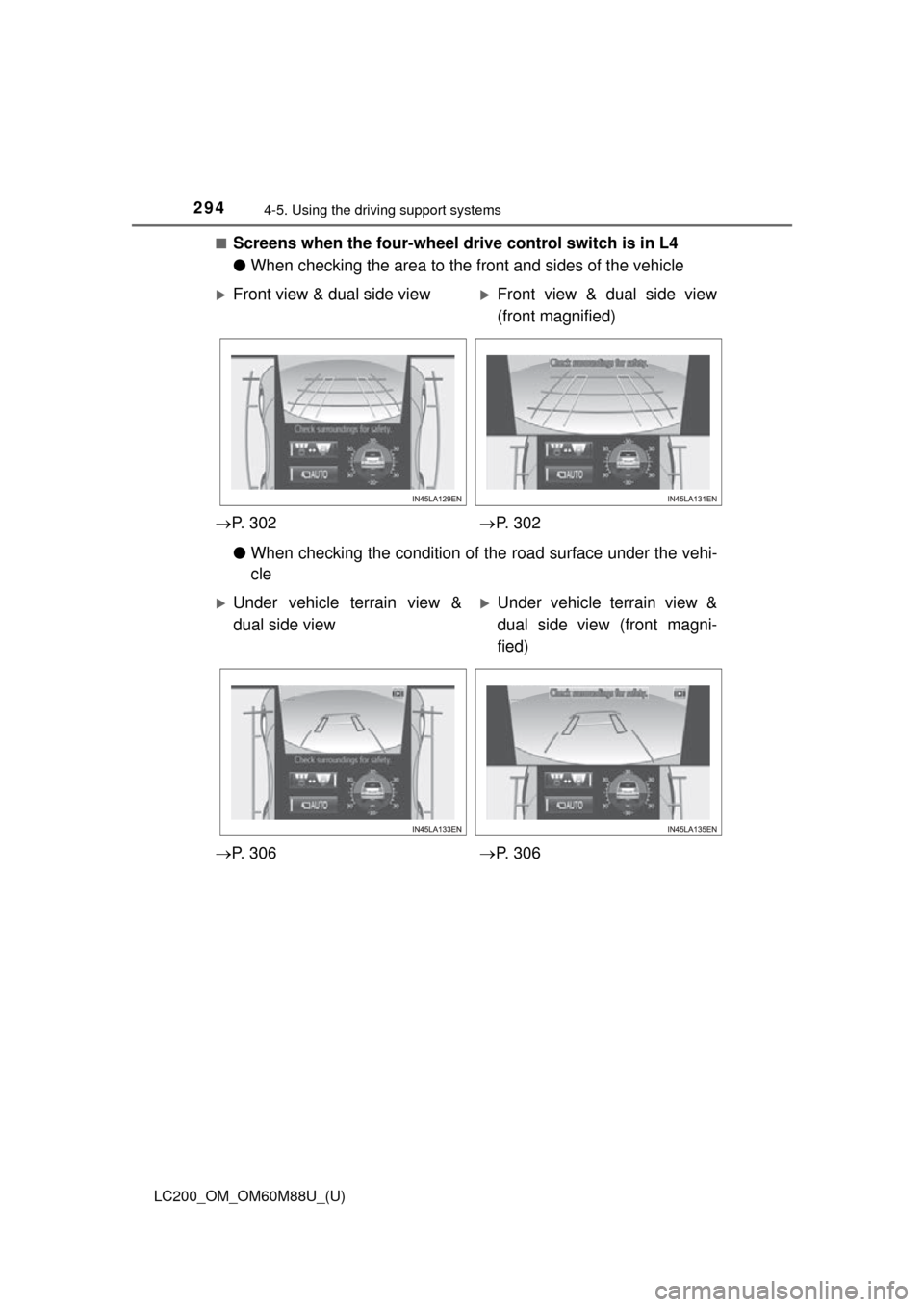
■Screens when the four-wheel drive control switch is in L4
●When checking the area to the front and sides of the vehicle
● When checking the condition of t he road surface under the vehi-
cle
Front view & dual side viewFront view & dual side view
(front magnified)
P. 3 0 2 P. 3 0 2
Under vehicle terrain view &
dual side viewUnder vehicle terrain view &
dual side view (front magni-
fied)
P. 3 0 6 P. 3 0 6
Page 295 of 608
LC200_OM_OM60M88U_(U)
2954-5. Using the driving support systems
4
Driving
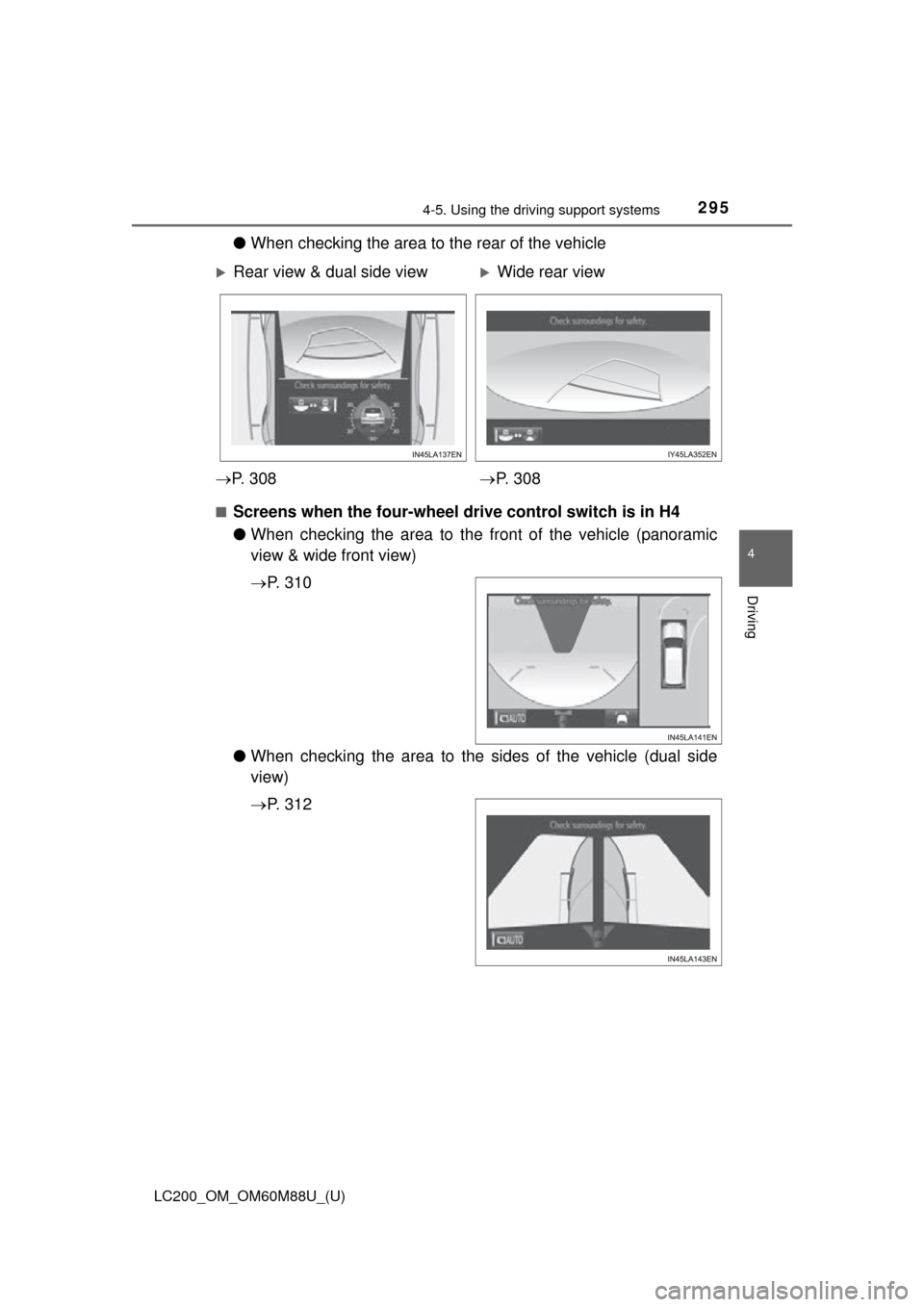
●When checking the area to the rear of the vehicle
■Screens when the four-wheel drive control switch is in H4
●When checking the area to the fr ont of the vehicle (panoramic
view & wide front view)
P. 3 1 0
● When checking the area to the sides of the vehicle (dual side
view)
P. 3 1 2
Rear view & dual side viewWide rear view
P. 3 0 8 P. 3 0 8
Page 299 of 608
LC200_OM_OM60M88U_(U)
2994-5. Using the driving support systems
4
Driving
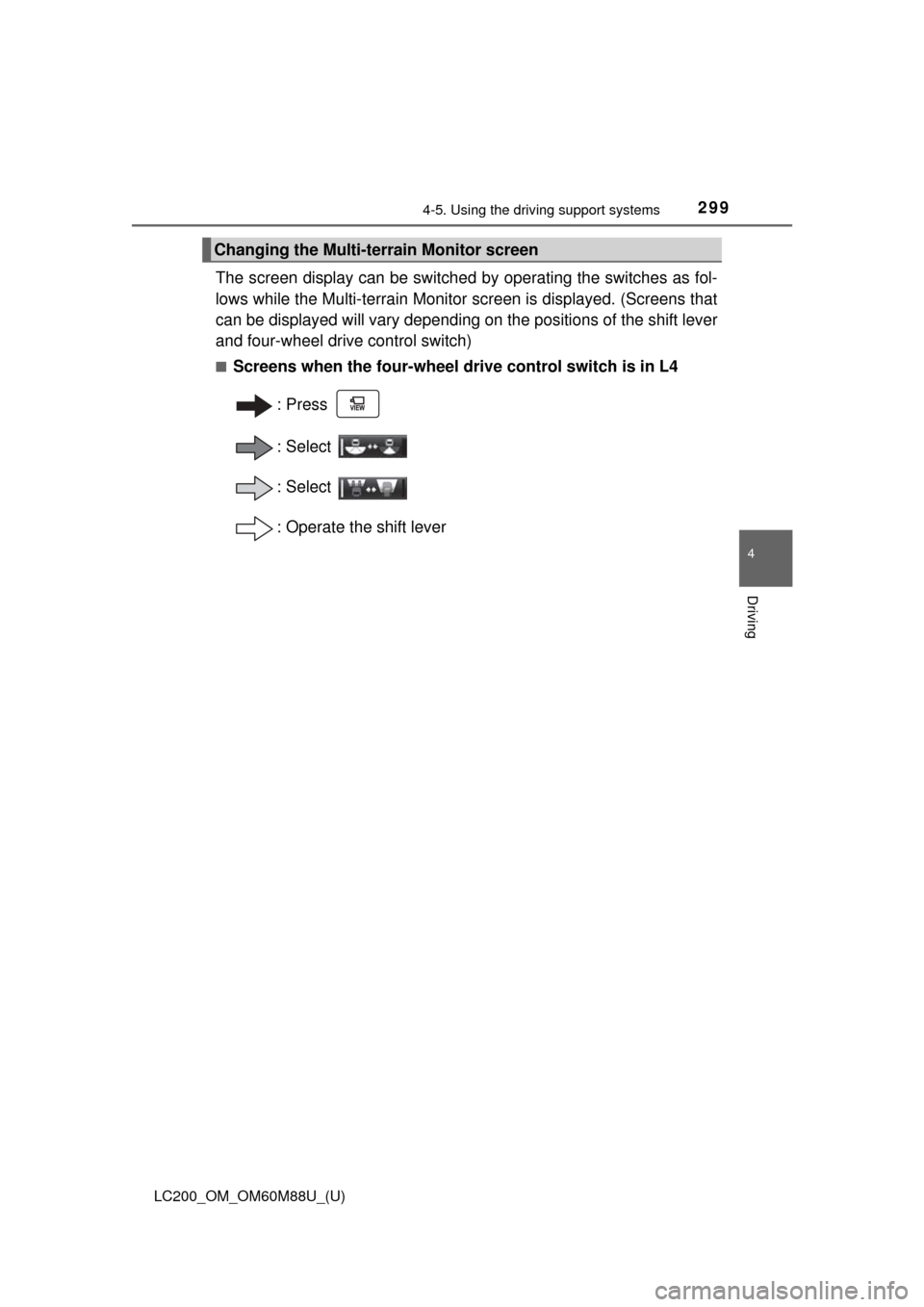
The screen display can be switched by operating the switches as fol-
lows while the Multi-terrain Monitor screen is displayed. (Screens that
can be displayed will vary depending on the positions of the shift lever
and four-wheel drive control switch)
■Screens when the four-wheel drive control switch is in L4
:Press
: Select
: Select
: Operate the shift lever
Changing the Multi-terrain Monitor screen