2016 TOYOTA HIGHLANDER emergency towing
[x] Cancel search: emergency towingPage 16 of 716

16Pictorial index
HIGHLANDER_U (OM48F09U)
■Instrument panel
Engine switch. . . . . . . . . . . . . . . . . . . . . . . . . . . . . . . . . P. 225, 228
Starting the engine/changing the modes . . . . . . . . . . . . . P. 225, 228
Emergency stop of the engine . . . . . . . . . . . . . . . . . . . . . . . . . P. 561
When the engine will not start . . . . . . . . . . . . . . . . . . . . . . . . . P. 621
Warning messages
*1. . . . . . . . . . . . . . . . . . . . . . . . . . . . . . . . P. 592
Shift lever . . . . . . . . . . . . . . . . . . . . . . . . . . . . . . . . . . . . . . . . P. 234
Changing the shift position. . . . . . . . . . . . . . . . . . . . . . . . . . . . P. 234
Precautions against towing . . . . . . . . . . . . . . . . . . . . . . . . . . . P. 563
When the shift lever does not move. . . . . . . . . . . . . . . . . . . . . P. 623
Meters . . . . . . . . . . . . . . . . . . . . . . . . . . . . . . . . . . . . . . . . . . . . P. 92
Reading the meters/adjusting the meter light . . . . . . . . . . . . . . P. 92
Warning lights/indicator lights . . . . . . . . . . . . . . . . . . . . . . . . . . P. 86
When the warning lights come on . . . . . . . . . . . . . . . . . . . . . . P. 569
Multi-information display . . . . . . . . . . . . . . . . . . . . . . . . . P. 95, 99
Display . . . . . . . . . . . . . . . . . . . . . . . . . . . . . . . . . . . . . . . . . P. 9 5, 99
When a warning message or indicator is displayed . . . . . . . . . P. 578
1
2
3
Page 267 of 716
2674-5. Using the driving support systems
4
Driving
HIGHLANDER_U (OM48F09U)
WARNING
■To avoid operating the cruise control by mistake
Switch the cruise control off using the “ON-OFF” button when not in use.
■ Situations unsuitable for cruise control
Do not use cruise control in any of the following situations.
Doing so may result in loss of control and could cause an accident resulting
in death or serious injury.
●In heavy traffic
● On roads with sharp bends
● On winding roads
● On slippery roads, such as those covered with rain, ice or snow
● On steep hills
Vehicle speed may exceed the set speed when driving down a steep hill.
● When your vehicle is towing a trailer or during emergency towing
Page 280 of 716
2804-5. Using the driving support systems
HIGHLANDER_U (OM48F09U)
WARNING
■Situations unsuitable for dynamic radar cruise control
Do not use dynamic radar cruise control in any of the following situations.
Doing so may result in inappropriate speed control and could cause an acci-
dent resulting in death or serious injury.
●Roads where there are pedestrians, cyclers, etc.
● In heavy traffic
● On roads with sharp bends
● On winding roads
● On slippery roads, such as those covered with rain, ice or snow
● On steep downhills, or where there are sudden changes between sharp up
and down gradients
Vehicle speed may exceed the set speed when driving down a steep hill.
● At entrances to expressways
● When weather conditions are bad enough that they may prevent the sen-
sors from detecting correctly (fog, snow, sandstorm, heavy rain, etc.)
● When an approach warning buzzer is heard often
● When your vehicle is towing a trailer or during emergency towing
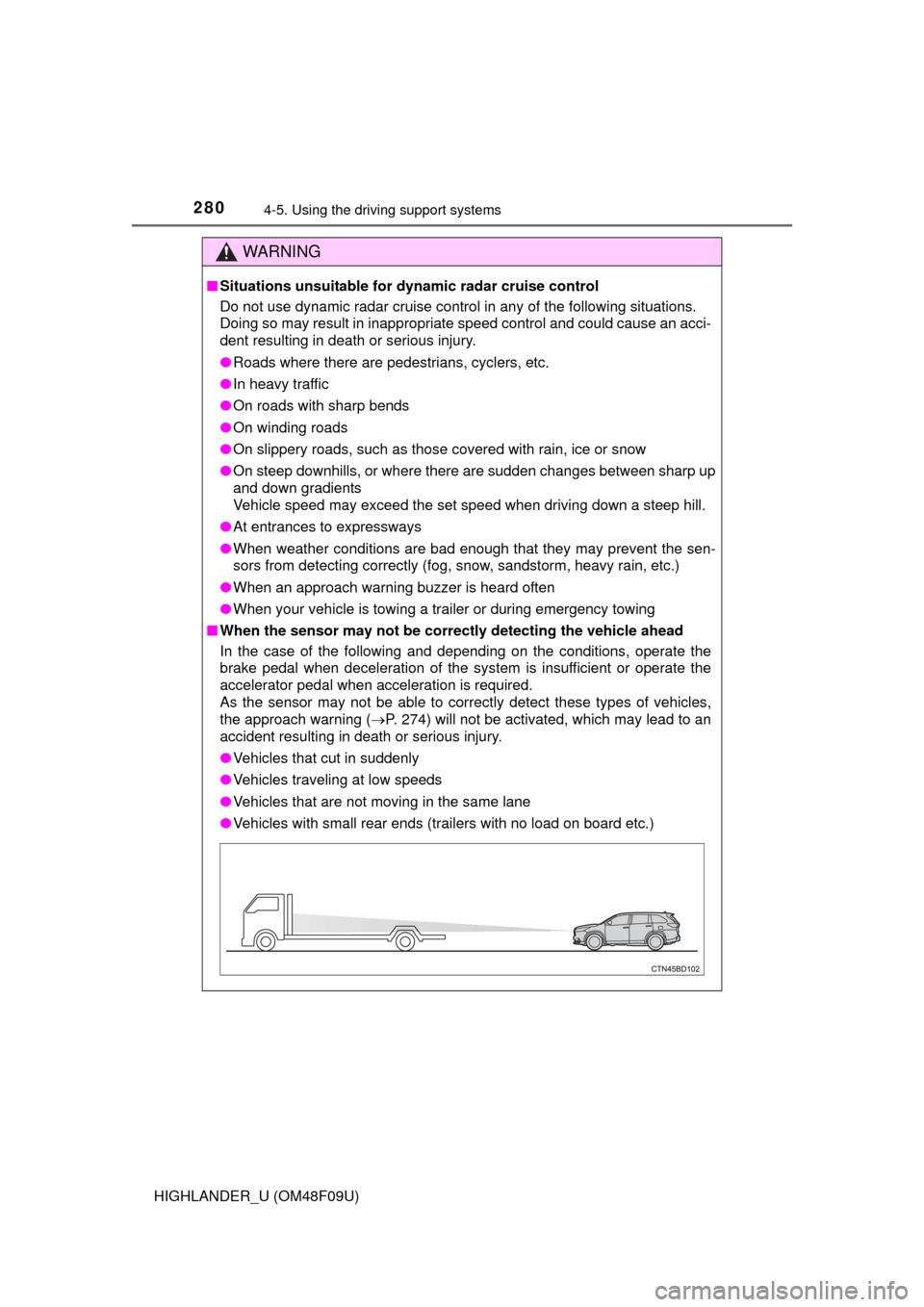
■ When the sensor may not be correct ly detecting the vehicle ahead
In the case of the following and depending on the conditions, operate the
brake pedal when deceleration of the system is insufficient or operate the
accelerator pedal when acceleration is required.
As the sensor may not be able to correctly detect these types of vehicles,
the approach warning ( P. 274) will not be activated, which may lead to an
accident resulting in death or serious injury.
● Vehicles that cut in suddenly
● Vehicles traveling at low speeds
● Vehicles that are not moving in the same lane
● Vehicles with small rear ends (trailers with no load on board etc.)
Page 311 of 716
3114-5. Using the driving support systems
4
Driving
HIGHLANDER_U (OM48F09U)
■The pre-collision system is operational when
The PCS OFF switch is not pressed and the following conditions are met:
● Pre-collision warning:
• Vehicle speed is greater than about 10 mph (15 km/h).
• The speed at which your vehicle is approaching the obstacle or the vehi-
cle running ahead of you is greater than about 10 mph (15 km/h).
● Pre-collision brake assist:
• The VSC OFF switch is not pressed.
• Vehicle speed is greater than about 19 mph (30 km/h).
• The speed at which your vehicle is approaching the obstacle or the vehi-
cle running ahead of you is greater than about 19 mph (30 km/h).
• The brake pedal is depressed.
● Pre-collision braking:
• The VSC OFF switch is not pressed.
• Vehicle speed is greater than about 10 mph (15 km/h).
• The speed at which your vehicle is approaching the obstacle or the vehi-
cle running ahead of you is greater than about 10 mph (15 km/h).
■ Conditions that may trigger the system even if there is no danger of a
collision
In any of the following situations where the frontal area of the radar sensor is
interrupted, the radar sensor may detect possibility of a frontal collision and
the system may be activated.
● When passing by an oncoming vehicle in a curve or a turn to the right or the
left
● When rapidly approaching an obstacle ahead (e.g. preceding vehicle, toll
gate barrier, etc.)
● When there is a structural object (billboard, low ceiling, fluorescent light,
etc.) above the uphill road ahead
● When driving on a narrow road or through under a low overhead structure
(bridge, tunnel, fly-under, etc.)
● When driving on an uneven road surface
● When there is a metal object, bump, or protrusion on the road surface
● When vehicle’s front part is raised or lowered depending on loading condi-
tions
● When the direction of radar sensor is misaligned by strong impact applied
on an area around the radar sensor, etc.
● When there is an obstacle (guard rail, etc.) by the roadside at the entrance
to a curve
● When the front of your vehicle is pointing upwards (caused by towing a
trailer, during emergency towing or putting a heavy load in the luggage com-
partment etc.)
When the system is activated in the situations described above, there is also
a possibility that the brakes may be applied with a force greater than normal.
Page 481 of 716

4816-4. Using the other interior features
6
Interior features
HIGHLANDER_U (OM48F09U)■
Stolen Vehicle Location
If your vehicle is stolen, Safety
Connect can work with local author-
ities to assist them in locating a nd recovering the vehicle. After filing
a police report, call the Safety Connect response center at 1-800-
331-4331 and follow the prompts for Safety Connect to initiate this
service.
In addition to assisting law enforcement with recovery of a stolen
vehicle, Safety-Connect-equippe d vehicle location data may, under
certain circumstances, be shared with third parties to locate your
vehicle. Further information is available at Toyota.com.
■Emergency Assistance Button (“SOS”)
In the event of an emergency on the road, push the “SOS” button to
reach the Safety Connect respon se center. The answering agent
will determine your vehicle’s location, assess the emergency, and
dispatch the necessary assistance required.
If you accidentally press the “SOS” button, tell the response-center
agent that you are not experiencing an emergency.
■
Enhanced Roadside Assistance
Enhanced Roadside Assi stance adds GPS data to the already
included warranty-based Toyota roadside service.
Subscribers can press the “SOS” bu tton to reach a Safety Connect
response-center agent, who can help with a wide range of needs,
such as: towing, flat tire, fuel deli very, etc. For a description of the
Enhanced Roadside Assistance se rvices and their limitations,
please see the Safety Connect Terms and Conditions, which are
available at Toyota.com.
Page 563 of 716
563
8
When trouble arises
HIGHLANDER_U (OM48F09U)
8-2. Steps to take in an emergency
The following may indicate a problem with your transmission. Contact
your Toyota dealer or commercial towing service before towing.
●The engine is running but the vehicle does not move.
● The vehicle makes an abnormal sound.
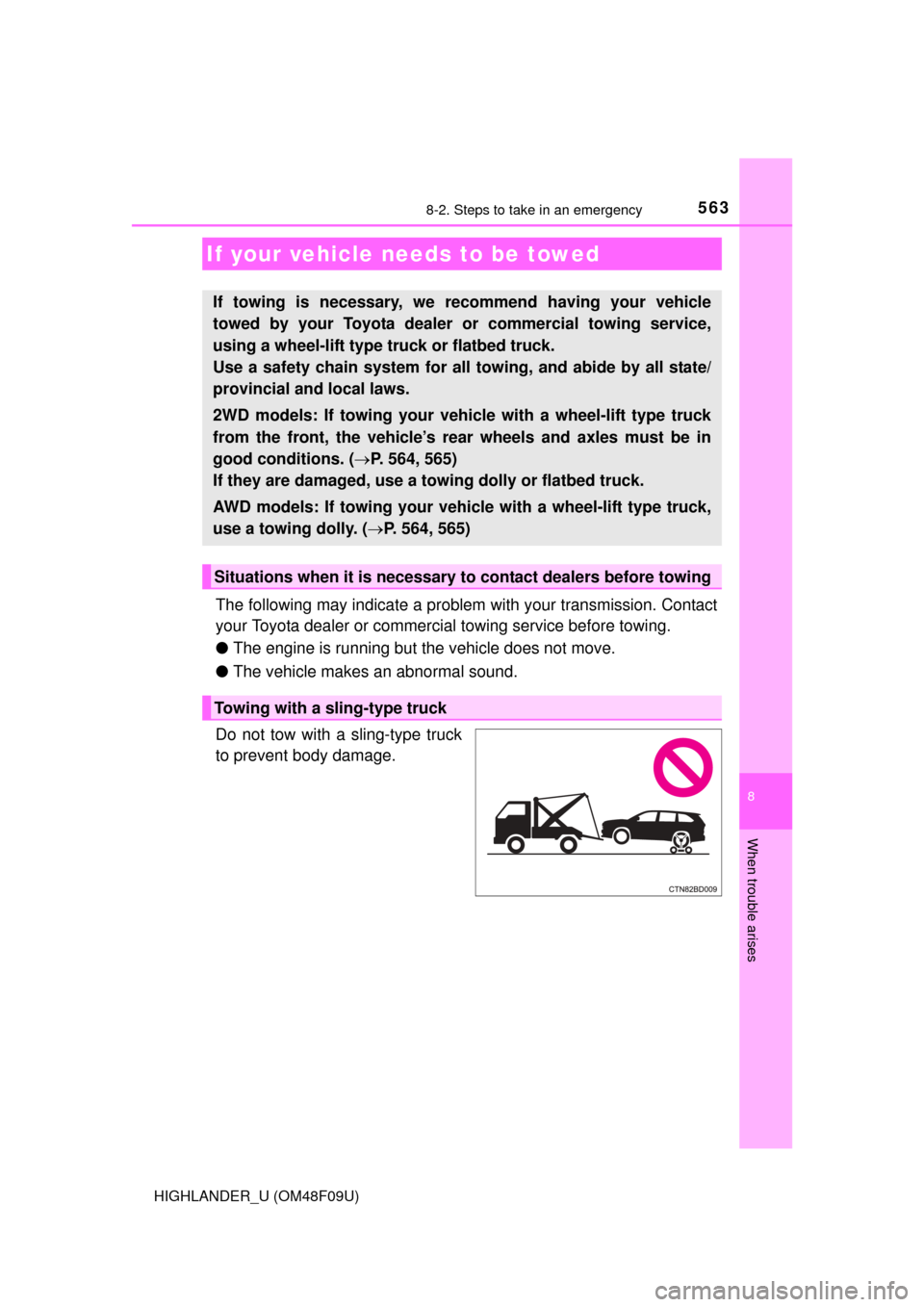
Do not tow with a sling-type truck
to prevent body damage.
If your vehicle needs to be towed
If towing is necessary, we re commend having your vehicle
towed by your Toyota dealer or commercial towing service,
using a wheel-lift type truck or flatbed truck.
Use a safety chain system for all towing, and abide by all state/
provincial and local laws.
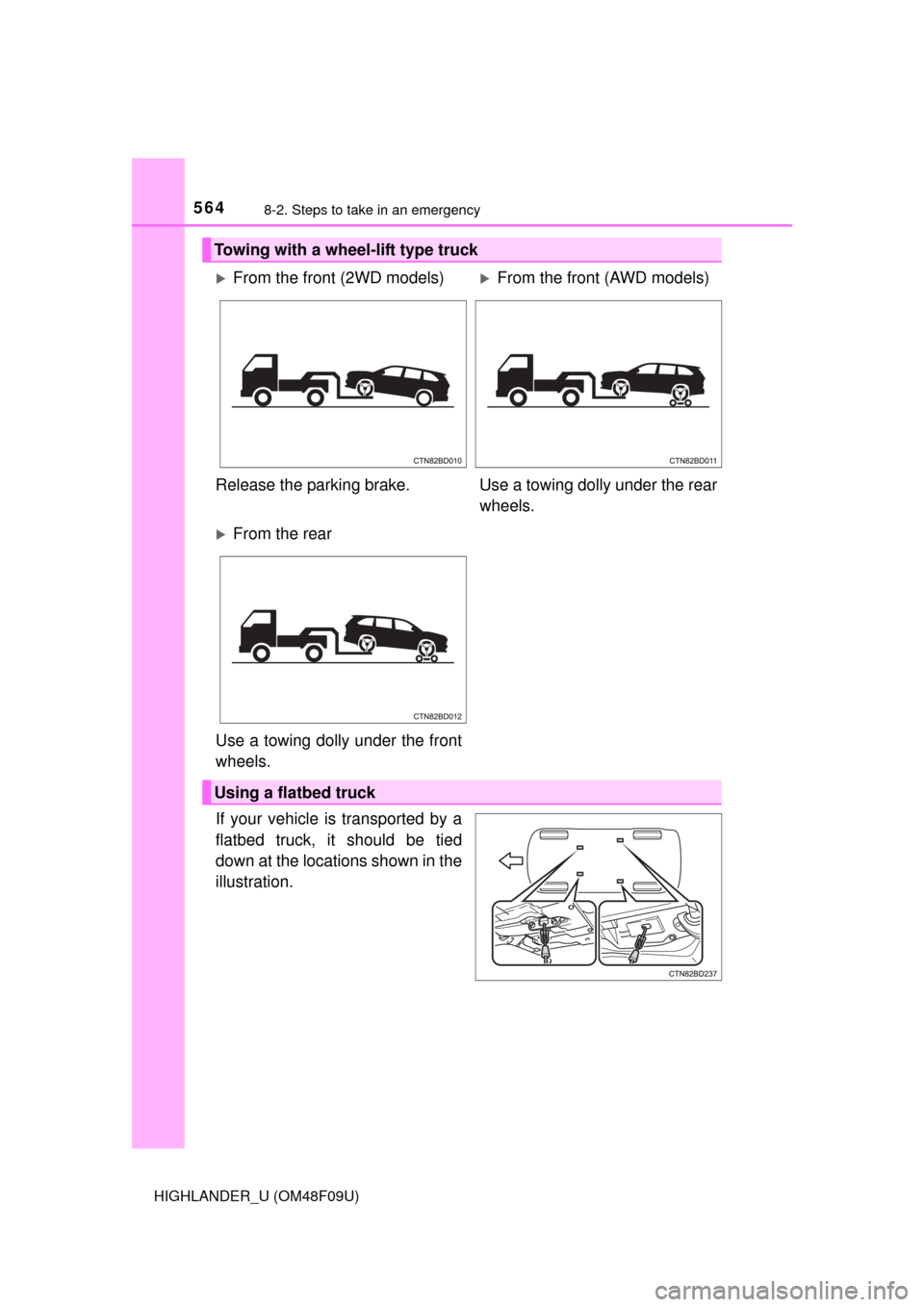
2WD models: If towing your vehicle with a wheel-lift type truck
from the front, the vehicle’s rear wheels and axles must be in
good conditions. ( P. 564, 565)
If they are damaged, use a towing dolly or flatbed truck.
AWD models: If towing your vehicl e with a wheel-lift type truck,
use a towing dolly. ( P. 564, 565)
Situations when it is necessary to contact dealers before towing
Towing with a sling-type truck
Page 564 of 716
5648-2. Steps to take in an emergency
HIGHLANDER_U (OM48F09U)
If your vehicle is transported by a
flatbed truck, it should be tied
down at the locations shown in the
illustration.
Towing with a wheel-lift type truck
From the front (2WD models)From the front (AWD models)
Release the parking brake. Use a towing dolly under the rear
wheels.
From the rear
Use a towing dolly under the front
wheels.
Using a flatbed truck
Page 565 of 716
5658-2. Steps to take in an emergency
8
When trouble arises
HIGHLANDER_U (OM48F09U)
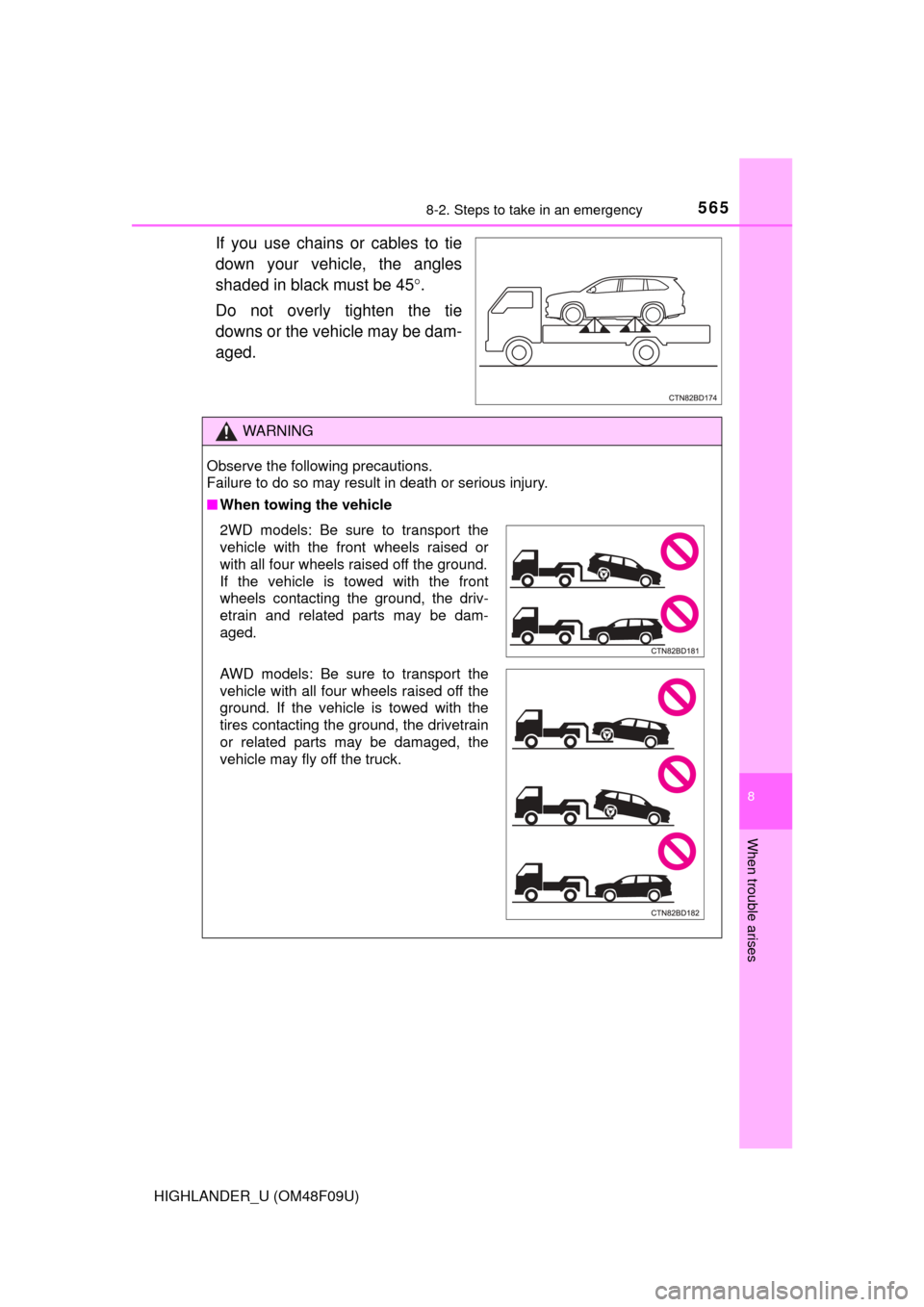
If you use chains or cables to tie
down your vehicle, the angles
shaded in black must be 45.
Do not overly tighten the tie
downs or the vehicle may be dam-
aged.
WARNING
Observe the following precautions.
Failure to do so may result in death or serious injury.
■ When towing the vehicle
2WD models: Be sure to transport the
vehicle with the front wheels raised or
with all four wheels raised off the ground.
If the vehicle is towed with the front
wheels contacting the ground, the driv-
etrain and related parts may be dam-
aged.
AWD models: Be sure to transport the
vehicle with all four wheels raised off the
ground. If the vehicle is towed with the
tires contacting the ground, the drivetrain
or related parts may be damaged, the
vehicle may fly off the truck.