2016 SKODA RAPID light
[x] Cancel search: lightPage 57 of 184

Turn signal/main beamFig. 41
Operating lever: Turn signal and
main beam operation
Read and observe on page 53 first.
Control stalk positions » Fig. 41
Switch on right turn signal
Switch on left turn signal
Switch on main beam Switching off main beam / switching on headlamp flasher (spring-loaded
position)
The main beam can only be switched on when the low beam lights are on.
The headlight flasher can be operated even if the ignition is switched off.
The turn signal switches off automatically, depending on the steering angle
after completing the turn.
Comfort signalling
When the operating lever is pressed lightly up or down, the indicator in ques-
tion flashes three times.
If, during the comfort signalling, the control stalk is pressed in the opposite di-
rection, the indicating will stop.
The comfort signalling can be activated/deactivated » Owner´s Manual - Info-
tainment .
WARNINGOnly turn on the main beam or the headlight flasher if other road users will
not be dazzled. Automatic driving light controlFig. 42
Light switch: AUTO position
Read and observe on page 53 first.
The light switch is in position
» Fig. 42
then depending on the equipment
the automatic switch on / off the lights corresponding to the light or weather
conditions (rain) takes place.
If the light switch is in position , the lettering
illuminates next to the
light switch. If the light is switched on automatically, the symbol also illumi-
nates next to the light switch.
Automatic driving light control in the rain (referred to as function in the
following)
The low beam lights are switched on automatically if the following conditions
are met.
The function is activated.
The light switch is in the position .
The windscreen wipers are on for more than 15 s.
The light turns off automatically about 4 minutes after turning off the wipers.
Setting, activation/deactivation
The following functions can be set or activated/deactivated in Infotainment
» Owner´s Manual - Infotainment .
▶ Sensitivity adjustment of the sensor for determining the lighting conditions
for automatic driving light control
▶ Automatic driving light control during rain
CAUTION
Poorer visibility is detected by a sensor mounted below the windscreen in the
holder of the inside mirror or in the control panel. Do not cover the sensor -
this can disrupt the function of the system.55Lights and visibility
Page 58 of 184

Fog lights/rear fog lightFig. 43
Light switch – switch on front
and rear fog light
Read and observe on page 53 first.
Switching on the fog lights / rear fog lights is possible if the following condi-
tions apply.
The light switch is in position ,
or
» Fig. 43 .
›
To switch on the fog lights , turn the light switch to position
1
; the warning
light illuminates in the instrument cluster.
›
To
switch on the rear fog light , pull the light switch to position
2
, the indi-
cator light will light up in the instrument cluster.
If the vehicle is not fitted with fog lights, the rear fog light is switched on by
pulling out the light switch to the only possible setting.
The fog lights/rear fog light are switched off in the reverse order.
Note
While driving with an accessory connected to the trailer socket (e.g. trailer,
bike carrier) only the equipment is illuminated by the fog light. The towing de-
vice must be installed at the factory or from the ŠKODA original accessories.Fog lights with the CORNER function
Read and observe
on page 53 first.
The CORNER function automatically switches on the fog lights on the respec-tive side of the vehicle (e.g. when cornering), if the following conditions are ful-
filled.
The turn signal is switched on or the front wheels are turned sharply 1)
.
The vehicle speed is below 40 km/h.
The low beam is switched on.
The fog lights are not switched on.
The two fog lights are switched on when you shift into the reverse gear.
COMING HOME / LEAVING HOME
Read and observe
on page 53 first.
The function COMING HOME ensures that the vehicle's environment is illumi-
nated after switching off the ignition and opening the driver's door.
The function LEAVING HOME ensures that the vehicle's environment is illumi-
nated after unlocking the vehicle with the radio remote control unit.
The function switches the light on only if there is poorer visibility and the light
switch is in the position .
The two functions can be activated/deactivated and set in Infotainment
» Owner´s Manual - Infotainment .
CAUTION
■
Poorer visibility is detected by a sensor mounted below the windscreen in
the holder of the inside mirror or in the control panel. Do not cover the sensor -
this can disrupt the function of the system.■
If this option is always enabled, then the battery is heavily loaded.
1)
If the two switch-on variants are conflicting (e.g. if the front wheels are turned to the left and the right
turn signal light is switched on), the turn signal light has the higher priority.
56Using the system
Page 59 of 184
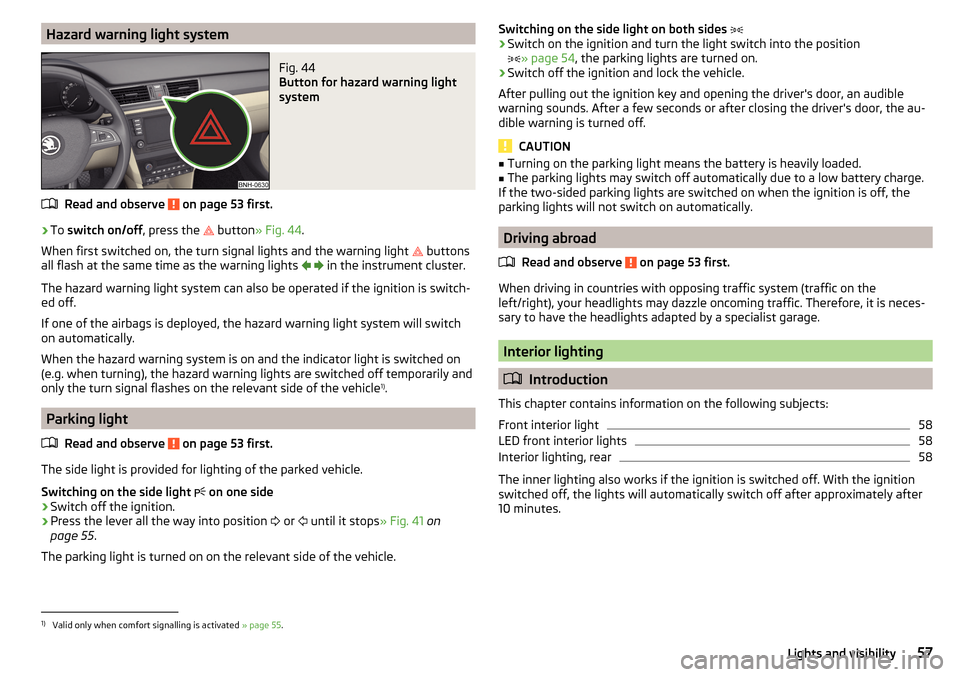
Hazard warning light systemFig. 44
Button for hazard warning light
system
Read and observe on page 53 first.
›
To switch on/off , press the
button
» Fig. 44 .
When first switched on, the turn signal lights and the warning light buttons
all flash at the same time as the warning lights
in the instrument cluster.
The hazard warning light system can also be operated if the ignition is switch-
ed off.
If one of the airbags is deployed, the hazard warning light system will switch
on automatically.
When the hazard warning system is on and the indicator light is switched on
(e.g. when turning), the hazard warning lights are switched off temporarily and
only the turn signal flashes on the relevant side of the vehicle 1)
.
Parking light
Read and observe
on page 53 first.
The side light is provided for lighting of the parked vehicle.
Switching on the side light on one side
›
Switch off the ignition.
›
Press the lever all the way into position
or
until it stops
» Fig. 41 on
page 55 .
The parking light is turned on on the relevant side of the vehicle.
Switching on the side light on both sides ›Switch on the ignition and turn the light switch into the position
» page 54 , the parking lights are turned on.›
Switch off the ignition and lock the vehicle.
After pulling out the ignition key and opening the driver's door, an audible
warning sounds. After a few seconds or after closing the driver's door, the au-
dible warning is turned off.
CAUTION
■ Turning on the parking light means the battery is heavily loaded.■The parking lights may switch off automatically due to a low battery charge.
If the two-sided parking lights are switched on when the ignition is off, the
parking lights will not switch on automatically.
Driving abroad
Read and observe
on page 53 first.
When driving in countries with opposing traffic system (traffic on the
left/right), your headlights may dazzle oncoming traffic. Therefore, it is neces-
sary to have the headlights adapted by a specialist garage.
Interior lighting
Introduction
This chapter contains information on the following subjects:
Front interior light
58
LED front interior lights
58
Interior lighting, rear
58
The inner lighting also works if the ignition is switched off. With the ignition
switched off, the lights will automatically switch off after approximately after
10 minutes.
1)
Valid only when comfort signalling is activated » page 55.
57Lights and visibility
Page 60 of 184

Front interior lightFig. 45
Operation of the front light: Version 1/version 2
Positions of the sliding light switch
A
» Fig. 45
Switching on
Switching off
Automatic operation
Switch on / off (by pressing the relevant switch
B
) » Fig. 45
Reading lamp left
Reading lamp right
Automatic operation - position
The system is turned on when any of the following is present.
▶ The vehicle is unlocked.
▶ One of the doors is opened.
▶ The ignition key is removed.
The system is turned off when any of the following is present.
▶ The vehicle is locked.
▶ The ignition is switched on.
▶ About 30 seconds after all the doors have been closed.
LED front interior lights
The ambient lighting illuminates the storage compartments in the centre con-
sole, in the doors and the footwell.
The lighting is switched on automatically after opening the door; switching off
occurs automatically after the locking of the vehicle or 30 seconds after clos-
ing the door.
The brightness level of lighting with the dipped beam or parking lights switch-
ed on can be adjusted in Infotainment » Owner´s Manual - Infotainment .
Interior lighting, rear
Fig. 46
Interior lights at the rear
Operation (by pressing the switch) » Fig. 46
Power on / off
The rear light is operated automatically together with the front light 1)
.
▶ When the front interior lighting is switched on, the rear interior lighting also
turns on automatically.
▶ When the front interior lighting is switched off, the rear interior lighting can
be turned on/off as required.
Visibility
Introduction
This chapter contains information on the following subjects:
Windscreen and rear window
59
Sun visors front
59
A1)
This function only applies to certain countries. In some countries, the light at the rear is controlled inde-
pendently from the light at the front.
58Using the system
Page 61 of 184

WARNINGNo objects should be attached to the sun visor that could restrict the view
or endanger the vehicle occupants during sudden braking or in a collision.
Windscreen and rear window
Fig. 47
Buttons for the windscreen and
rear window heating
Read and observe on page 59 first.
The heating for quick defrosting and ventilation of the windscreen / rear win-
dow.
The heating only works when the engine is running.
Buttons for the heating (depending on vehicle equipment) » Fig. 47
Switching the windscreen heater on/off
Switch on/off the rear window heating
When the heater is switched on, a lamp illuminates inside the button.
The heating automatically switches off after ten minutes.
Note
■ If the on-board voltage decreases, the heating switches off automatically
» page 131 , Automatic shutdown of consumers - vehicle battery discharge
protection .■
If the light is flashing inside the button, there is no heating because the bat-
tery charge is too low.
Sun visors frontFig. 48
Fold down the cover / swivel cover to the door and slide the mir-
ror cover
Read and observe
on page 59 first.
Operation and description of the sun visor » Fig. 48
Swivel cover towards the windscreen
Swivel cover towards the door
Make-up mirror with cover
Slide mirror cover
Windscreen wipers and washers
Introduction
This chapter contains information on the following subjects:
Front windscreen wipers and washers
60
Rear windscreen wipers and washers/ reversing camera cleaning system
60
Headlight cleaning system
61
The windshield wipers and the windshield washer system only operate if the
ignition is switched on.
WARNINGDo not use the windscreen washer system at low temperatures, without
heating the windscreen beforehand. The window washer fluid could other-
wise freeze on the windscreen and restrict the view to the front. 12AB59Lights and visibility
Page 63 of 184

Headlight cleaning systemRead and observe
and on page 59 first.
The headlights are cleaned with every first and after every tenth spraying of
the windscreen under the following conditions.
The ignition is switched on.
The low beam is switched on.
The outside temperature is between -11° C to +36° C.
To ensure the correct functioning of the system, even in winter, this needs to be regularly cleared of snow and ice (e.g. using the de-icing spray).
Rear view mirror
Introduction
This chapter contains information on the following subjects:
Interior mirror dimming
61
Exterior mirrors
62WARNINGExterior mirrors increase the field of view, however, they make objects ap-
pear smaller and further away. Therefore, use the interior mirror whenever
possible, for assessing the distances to the vehicles following behind.
Interior mirror dimming
Fig. 51
Interior mirror: manual dimming/auto-darkening
Read and observe on page 61 first.
Mirrors with manual dimming » Fig. 51 -
Basic mirror position (not darkened)
Mirror blackout
Mirror with automatic dimming
The mirror dimming » Fig. 51 -
is automatically controlled after the engine
start.
When the interior lights are switched on or the reverse gear is engaged, the
mirror moves back into the basic position (not dimmed).
WARNING■ Attach external devices (e.g. navigation system) not in the vicinity of the
mirror with automatic dimming . The illuminated display of an external de-
vice can affect the function of the rear-view mirror - it could cause an acci-
dent.■
The automatic dimming mirror only functions smoothly if the light falling
on the sensors is not compromised (e.g. by the sunshade at the back). The
sensors are located on the front and back of the mirror.
WARNING■ The mirrors with automatic dimming contain electrolyte fluid which may
leak if the mirror glass is broken - this can irritate skin, eyes and the respi-
ratory system.■
If your eyes or skin come into contact with the electrolytic fluid, immedi-
ately wash the affected area for a few minutes long with a lot of water. If
necessary get medical assistance.
1261Lights and visibility
Page 67 of 184

›To
remove , hold the locking button A in the direction of arrow 1, at the
same time, using a flat screwdriver with a max. width of 5 mm, press the
locking button in the opening B
in the direction of arrow
2
and pull out the
rest in the direction of arrow
3
» Fig. 59 .
›
To insert , push the headrest into the seat backrest in the direction of arrow
4
until the locking button clicks into place.
Seat heaters
Fig. 60
Buttons for heating the front seats/rear seats
The seat backrests and surfaces of the front seats and the outer rear seats
can be heated electrically.
Seat heating buttons » Fig. 60
Left seat heating
Right seat heating
›
To turn on the heater at maximum heat (level 2), press button
or
.
By repeatedly pressing the button, the heat is turned down until it is com-
pletely switched off . The level of the seat heating is indicated by the number
of illuminated warning lights in the switch.
The seat heating only operates when the engine is running.
WARNINGIf you are sensitive to pain and/or temperature, e.g. through medication,
paralysis or because of chronic illness (e.g. diabetes), we recommend not to
use the seat heating. If the seat heating is used, we recommend to make
regular breaks in your journey when driving long distances, so that the
body can recuperate from the stress of the journey. Please consult your
doctor, who can evaluate your specific condition.CAUTIONThe following instructions must be observed to avoid damage to the seats.■Do not kneel on the seats or otherwise apply concentrated pressure to them.■
Do not switch on the heating for unoccupied seats.
■
Do not switch on the heating for seats which have objects on them (e.g. a
child seat, bag or similar).
■
Do not switch on the heating for seats which have seat covers or protective
covers on them.
Note
■ If the heaters for the rear seats are set to their highest intensity (level 2),
they are automatically switched down to level 1 after 10 minutes.■
If the on-board voltage decreases, the seat heating switches off automati-
cally » page 131 , Automatic shutdown of consumers - vehicle battery dis-
charge protection .
65Seats and head restraints
Page 68 of 184

Useful features
Interior fittings
Introduction
This chapter contains information on the following subjects:
Ticket holder
66
stowage compartments in the doors
67
Storage compartment in the centre console
67
USB and AUX input
67
Storage compartment on the dashboard
67
Cup holders
68
Waste container
68
Cigarette lighter
69
Ashtray
69
12-volt socket
70
Multimedia holder
70
Storage compartment in the front arm rest
71
Glasses compartment
71
Storage compartment on the front passenger side
71
Storage compartment for umbrella
72
Clothes hook
72
Storage pockets on the backs of the front seats
72
Storage pockets on the inner sides of the front seats
72WARNING■ Do not place anything on the dashboard. These objects might slide or fall
down when driving and may distract you from concentrating on the traffic –
risk of accident!■
Make sure that while driving no objects can enter the driver's footwell -
they could cause an accident!
■
Do not carry any objects on the front passenger seat, except objects de-
signed for this purpose (e.g. child seats) – risk of accident!
■
No objects should be placed in the storage compartments nor in the
drinks holders; the vehicle occupants could be endangered if there is sud-
den braking or the vehicle collides with something.
WARNING (Continued)■ For safety reasons, lockable storage compartments should be closed
while driving - there is a risk of injury from the opened lid or through the
loose objects in the compartment.■
Make sure no objects protrude from the storage compartments - danger
of injury!
■
Do not exceed the permissible loads for the storage compartments and
pockets - risk of injury and risk of damage to the compartments and pock-
ets!
■
Ash, cigarettes, cigars and the like should only be stored in the ashtray -
danger of fire/burns!
■
The storage compartments, multimedia holder and waste container are
not a substitute for the ashtray and must not be used for such purposes –
risk of fire!
CAUTION
Do not place any large or sharp objects in the storage compartments and pock-
ets - there is a risk of damage to the compartments and pockets.
Ticket holder
Fig. 61
Ticket holder
Read and observe and on page 66 first.
The ticket holder » Fig. 61 is provided for the holding and displaying e.g. car
park tickets.
66Using the system