2016 SKODA KODIAQ fuel
[x] Cancel search: fuelPage 5 of 344
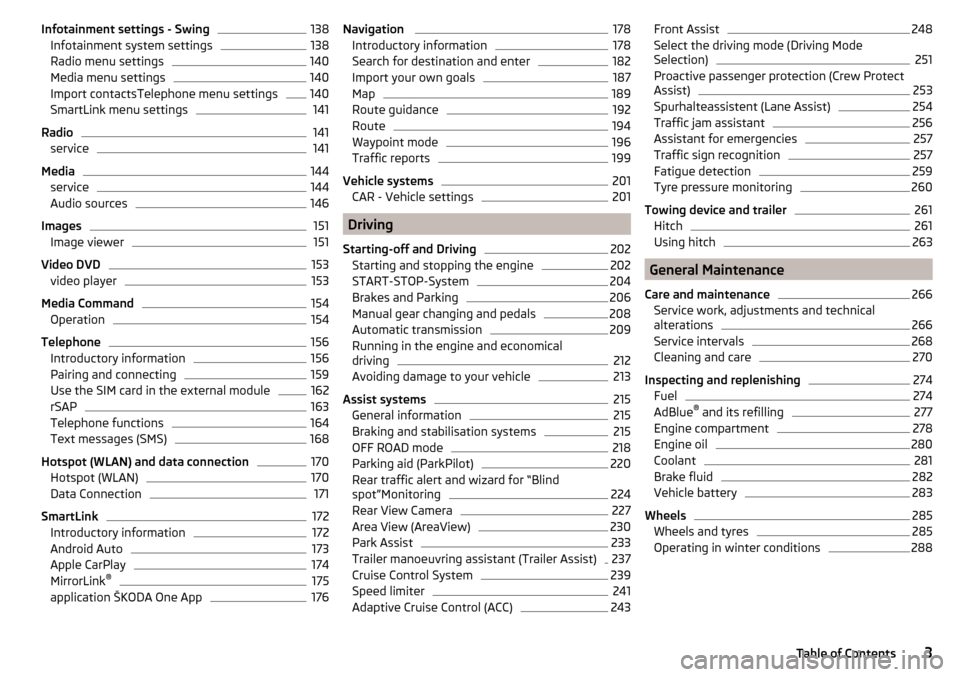
Infotainment settings - Swing138Infotainment system settings138
Radio menu settings
140
Media menu settings
140
Import contactsTelephone menu settings
140
SmartLink menu settings
141
Radio
141
service
141
Media
144
service
144
Audio sources
146
Images
151
Image viewer
151
Video DVD
153
video player
153
Media Command
154
Operation
154
Telephone
156
Introductory information
156
Pairing and connecting
159
Use the SIM card in the external module
162
rSAP
163
Telephone functions
164
Text messages (SMS)
168
Hotspot (WLAN) and data connection
170
Hotspot (WLAN)
170
Data Connection
171
SmartLink
172
Introductory information
172
Android Auto
173
Apple CarPlay
174
MirrorLink®
175
application ŠKODA One App
176Navigation 178Introductory information178
Search for destination and enter
182
Import your own goals
187
Map
189
Route guidance
192
Route
194
Waypoint mode
196
Traffic reports
199
Vehicle systems
201
CAR - Vehicle settings
201
Driving
Starting-off and Driving
202
Starting and stopping the engine
202
START-STOP-System
204
Brakes and Parking
206
Manual gear changing and pedals
208
Automatic transmission
209
Running in the engine and economical
driving
212
Avoiding damage to your vehicle
213
Assist systems
215
General information
215
Braking and stabilisation systems
215
OFF ROAD mode
218
Parking aid (ParkPilot)
220
Rear traffic alert and wizard for “Blind
spot”Monitoring
224
Rear View Camera
227
Area View (AreaView)
230
Park Assist
233
Trailer manoeuvring assistant (Trailer Assist)
237
Cruise Control System
239
Speed limiter
241
Adaptive Cruise Control (ACC)
243Front Assist248Select the driving mode (Driving Mode
Selection)251
Proactive passenger protection (Crew Protect
Assist)
253
Spurhalteassistent (Lane Assist)
254
Traffic jam assistant
256
Assistant for emergencies
257
Traffic sign recognition
257
Fatigue detection
259
Tyre pressure monitoring
260
Towing device and trailer
261
Hitch
261
Using hitch
263
General Maintenance
Care and maintenance
266
Service work, adjustments and technical
alterations
266
Service intervals
268
Cleaning and care
270
Inspecting and replenishing
274
Fuel
274
AdBlue ®
and its refilling
277
Engine compartment
278
Engine oil
280
Coolant
281
Brake fluid
282
Vehicle battery
283
Wheels
285
Wheels and tyres
285
Operating in winter conditions
2883Table of Contents
Page 22 of 344

Airbag deploymentFig. 10
Inflated airbags
The airbag system is only functional when the ignition is switched on.
When triggered, the airbag is filled with gas and unfolds. The inflation of the
airbag is carried out in a fraction of a second.
Upon inflation of the airbag, smoke is released. This is not an indication of a fire in the vehicle.
Triggering conditions
It is not possible to generally determine which deployment conditions apply to
the airbag system in every situation. Important here is the hardness of the ob-
ject on which the vehicle impacts, the impact angle, the vehicle speed, etc.
The deceleration plays an important role in the deployment of the airbags. If
the vehicle deceleration which occurs and is measured during the collision re-
mains below the prescribed reference values specified in the control unit, the
airbags are not deployed although the vehicle may well suffer severe damage
to the bodywork as a consequence of the accident.
The following airbags will be deployed in the event of a severe frontal
collision.
▶ Driver’s front airbag.
▶ Front passenger airbag.
▶ Driver’s knee airbag.
The following airbags will be deployed in the event of a severe side collision.
▶ Front side airbag.
▶ Rear side airbag.
▶ Head airbag.
When an airbag is deployed, the following events occur. ▶ The hazard warning lights are switched on.
▶ All doors are unlocked.
▶ The fuel supply to the engine is interrupted.
▶ The interior light comes on (if the automatic operation of the interior light is
switched on - switch
).
When there is no air bag deployment?
With minor frontal and side collisions, rear collision, overturning of the vehicle
or vehicle roll-over there is no airbag deployment.
Safety instructions
Fig. 11
Safe distance from the steering
wheel and the dashboard
WARNINGGeneral information■The best possible protective effect of the seat belts and the airbag sys-
tem can only be achieved in the correct seated position » page 12 .■
The airbag develops considerable forces when triggered, which can lead
to serious injuries or even death if the correct seating position or seated
position is not observed. This applies in particular to children who are
transported without using a suitable child safety seat » page 25.
■
If there is a fault, have the airbag system checked immediately by a spe-
cialist garage. Otherwise, there is a risk of the airbag not being activated in
the event of an accident.
20Safety
Page 34 of 344

Instruments and warning lights
Instrument cluster
Introduction
Fig. 20
Instrument cluster
This chapter contains information on the following subjects:
Engine revolutions counter
32
Coolant temperature gauge
32
Fuel gauge
33
Display in the rear centre console
33
Rev counter » page 32
▶ with warning lights » page 33
Display » page 43
Speedometer
▶ with warning lights » page 33
Coolant temperature gauge » page 32
Bar with warning lights » page 33
Operation key:
▶ Set the time » page 44
▶ Reset counter for distance travelled (trip) » page 43
▶ Displaying the distance and days until the next service interval
» page 49
Fuel gauge » page 33
1234567The brightness of the instrument illumination is set automatically depending
on the ambient lighting throughout. If the visibility is poor and the lights are
not on, the brightness of the instrument lighting reduces to alert the driver to
switch on the lights in due time.
The brightness of the instrument lighting can be adjusted in the Infotainment
menu
→
→
Light
.
Engine revolutions counter
The tachometer
1
» Fig. 20 on page 32 shows the actual engine speed per
minute.
The beginning of the tachometer red scale range indicates the maximum per-
mitted speed for an engine that has been driven-in and has reached operating
temperature.
You should shift into the next highest gear before the red scale of the revolu-
tion counter is reached, or select mode D / S on the automatic gearbox.
The gear recommendation is important to note in order to maintain the opti-
mum engine speed » page 44.
CAUTION
The pointer of the engine revolutions counter must reach the red area for only
a short time - there is a risk of engine damage!
Coolant temperature gauge
Fig. 21
Coolant temperature gauge
The display » Fig. 21 only works if the ignition is switched on.
Cold range - The pointer is in the range
A
, the engine has not yet reached its
operating temperature. Avoid high speeds and high engine loads.
Operating range - The pointer is in the range
B
.
32Operation
Page 35 of 344

High temperature range - The pointer is in the range C. The coolant tempera-
ture is too high. The warning light illuminates in the instrument clus-
ter » page 39 .
Fuel gauge
Fig. 22
Fuel gauge
The display » Fig. 22 only works if the ignition is switched on.
The fuel tank has a capacity of about 58 litres.
If the fuel level reaches the reserve level
A
» Fig. 22 , the warning light
illu-
minates in the instrument cluster » page 38.
WARNINGFor the vehicle systems to function correctly, and thus for safe driving,
there must be sufficient fuel in the tank. Never drain the fuel tank com-
pletely – risk of accident!
CAUTION
Never drive until the fuel tank is completely empty! The irregular supply of fuel
can cause misfiring, which can result in damage to parts of the engine and the
exhaust system.
Note
■ After filling up, it can occur that during dynamic driving (e.g. numerous
curves, braking, driving downhill and climbing a steep hill) the fuel gauge indi-
cates a fraction less.■
The arrow
next to the symbol
within the fuel gauge displays the installa-
tion location of the fuel filler on the right side of the vehicle.
Display in the rear centre consoleFig. 23
Display in rear centre console
The following information is shown in the display depending on the equipment
installed on the vehicle.
▶ Time
▶ Exterior temperature information
▶ Information on the Climatronic set temperature for occupants in the rear
seats
Warning lights
Introduction
This chapter contains information on the following subjects:
Parking brake
34
Brake system
35
Front seat belt warning light
35
Adaptive cruise control (ACC)
35
Power steering / steering lock (KESSY system)
35
Stability Control (ESC) / traction control (ASR)
36
Traction control (ASR) deactivated
36
Anti-lock braking system (ABS)
36
Rear fog light
36
Emission control system
36
Preheating unit (diesel)
36
EPC warning light (petrol)
37
Safety systems
37
Tyre pressure
37
Brake linings
38
33Instruments and warning lights
Page 36 of 344

Fuel reserve38 Lane Departure Warning (Lane Assist)38
Turn signal system
38
Trailer turn signal lights
38
Fog lights
38
Speed regulating system / speed limiter
38
Brake pedal (automatic gearbox)
38
Auto Hold function
39
Main beam
39
Automatic gearbox
39
Rear seat belt warning light
39
Generator
39
Coolant
39
Engine oil pressure
40
Engine oil level
40
AdBlue ®
(diesel engine)
40
Lamp failure
41
Diesel particle filter (diesel)
41
Windscreen washer fluid level
41
High-beam assistant
41
START-STOPsystem
41
Display of a low temperature
42
Water in the fuel filter (diesel engine)
42
Adaptive Cruise Control (ACC)
42
Front Assist
42
Front assist
42
Economy mode
42
OFF ROAD mode
42
Adaptive Chassis Control (DCC)
42
Service
43
The warning lights in the instrument cluster indicate certain functions or
faults.
Some warning lights can be accompanied by acoustic signals and messages in
the display of the instrument cluster.
After switching on the ignition, some warning lights light up briefly as a func-
tion test. If the tested systems are OK, the corresponding warning lights go
out a few seconds after switching on the ignition or after starting the engine.
The warning lights are located at the following positions in the instrument
cluster » Fig. 20 on page 32 .
▶ Engine revolutions counter 1
▶Display
2
▶Speedometer
3
▶Bar with warning lights
5
Warning lights in the display
Depending on the importance the warning light
(danger) or
(warning) illu-
minate along with some of the warning lights in the list with the warning
lights.
Depending on vehicle equipment some warning lights can be displayed in col-
our on the display. For example. the coolant warning lamp may be represented
as follows.
▶ - Segment display / monochromatic (“black and white”) MAXI DOT display
▶ - Coloured MAXI DOT display
WARNING■
Ignoring illuminated warning lights and related messages or instructions
in the display of the instrument cluster may lead to serious personal injury
or damage to the vehicle.■
If you have to stop for technical reasons, then park the vehicle at a safe
distance from the traffic, switch off the engine and switch on the hazard
warning lights » page 70. Place the warning triangle at the prescribed dis-
tance.
■
The engine compartment of your car is a hazardous area. While working in
the engine compartment, be sure to observe the following warnings
» page 278 .
Parking brake
Read and observe
on page 34 first.
illuminates - the parking brake is switched on.
Parking brake error
Illumi-
nates
Error: electronic parking brakePARKING BRAKE FAILURE
▶ Seek help from a specialist garage.
34Operation
Page 40 of 344

Other incidents
The illumination of the warning light can have the following reasons.
▶ The vehicle is loaded on one side. Distribute the load evenly.
▶ The wheels of one axle are loaded more heavily (e.g. when towing a trailer or
when driving uphill or downhill).
▶ Snow chains are mounted.
▶ A wheel has been changed.
CAUTION
Under certain circumstances (e.g. sporty style of driving, wintry or unpaved
roads) the warning light can be delayed or does not light up at all.
Brake linings
Read and observe
on page 34 first.
illuminates - the brake pads are worn.
▶ You can drive on, exercising appropriate caution. Seek assistance from a spe-
cialist garage immediately.
Fuel reserve
Read and observe
on page 34 first.
illuminates – the fuel level in the fuel tank is at the reserve level (approxi-
mately 6 litres).
An audible signal sounds as a warning. ▶ Please refuel » page 275.
Note
The text in the display goes out after refuelling and driving a short distance.
Lane Departure Warning (Lane Assist)
Read and observe
on page 34 first.
The warning lights
indicates the state of the Lane Assist system.
More information about the Lane Assist System » page 254.
Turn signal system
Read and observe
on page 34 first.
flashes – the left turn signal is turned on.
flashes – the right turn signal is turned on.
If there is a fault in the turn signal system, the warning light flashes at twice
its normal rate (does not apply when towing).
When the hazard warning light system is switched on, this will cause all of the turn signal lights as well as both warning lights to flash.
Trailer turn signal lights
Read and observe
on page 34 first.
flashes – the trailer turn signal lights are switched on.
If a trailer is hitched and the warning light is not flashing, one of the trailer
turn signal lights has failed.
▶ Check the trailer bulbs.
Fog lights
Read and observe
on page 34 first.
illuminates – the fog lights are switched on.
Speed regulating system / speed limiter
Read and observe
on page 34 first.
illuminates - the vehicle speed is limited by the speed regulating system or
the adaptive cruise control or by the speed limiter.
flashes – the speed set with the speed limiter has been exceeded.
Brake pedal (automatic gearbox)
Read and observe
on page 34 first.
lights up – apply the brake.
38Operation
Page 43 of 344

There is a fault in the AdBlue®
system.
The value in the display indicates the distance to travel, after which no engine
restart is possible.
▶ Seek help from a specialist garage. Illumi-
nates
Error: AdBlue (DEF). Engine start no longer possible.ADD ADBLUE (DEF) RESTART DISABLED
There is an error in the AdBlue ®
system, engine start is not possible.
▶ Seek help from a specialist garage.
Lamp failure
Read and observe
on page 34 first.
illuminates – one of the lamps is faulty.
A message will appear in the display about the affected lamp.
Diesel particle filter (diesel)
Read and observe
on page 34 first.
The diesel particulate filter separates the soot particles from the exhaust. The
soot particles collect in the diesel particulate filter where they are burnt on a
regular basis.
illuminates – the filter is clogged with soot.
To clean the filter, and where traffic conditions permit »
, drive as follows for
at least 15 minutes or until the indicator light goes out.
4th or 5th gear engaged (automatic gearbox: position D / S).
Vehicle speed at least 70 km/h.
Engine speed between 1800 - 2500 rpm.
If the filter is properly cleaned, the warning light extinguishes.
If the filter is not properly cleaned, the warning light does not go out and
the warning light begins to flash.
▶ You can drive on, exercising appropriate caution. Seek assistance from a spe-
cialist garage immediately.
WARNING■ Always adjust the speed and driving style to the actual weather, road, ter-
rain and traffic conditions.■
The diesel particulate filter reaches very high temperatures - there is a
fire hazard and serious injury could be caused. Therefore, never stop the
vehicle at places where the underside of your vehicle can come into contact
with flammable materials, such as dry grass, undergrowth, leaves, spilled
fuel or the like.
CAUTION
■ As long as the warning light illuminates, one must take into account an
increased fuel consumption and a power reduction of the engine.■
Using diesel fuel with an increased sulphur content can considerably reduce
the life of the diesel particle filter. A ŠKODA partner will be able to tell you
which countries use diesel fuel with a high sulphur content.
Note
We encourage you to avoid constant short journeys. This will improve the com-
bustion process of the soot particles in the diesel particulate filter.
Windscreen washer fluid level
Read and observe
on page 34 first.
illuminates – the windscreen washer fluid level is too low.
▶ Top up the windscreen washer fluid » page 280.
High-beam assistant
Read and observe
on page 34 first.
illuminates – the high beam assistant is activated
» page 68, Light Assist .
START-STOPsystem
Read and observe
on page 34 first.
The warning lights
indicate the status of the START STOP system
» page 204 .
41Instruments and warning lights
Page 44 of 344

Display of a low temperatureRead and observe
on page 34 first.
illuminates – the outside temperature is below +4 °C.
WARNINGEven at temperatures around +4 °C, black ice may still be on the road sur-
face! Do not only rely upon the information given on the outside tempera-
ture display that there is no ice on the road.
Water in the fuel filter (diesel engine)
Read and observe
on page 34 first.
The fuel filter with water separator, filters out dirt and water from the fuel.
If too much water is present in the separator, the following information ap-
pears on the instrument cluster display.
The warning light is only shown in the MAXI DOTdisplay.
Illumi-
nates
Water in fuel filter. Log book!WATER IN FUEL FILTER
▶ You can drive on, exercising appropriate caution. Seek assistance from a spe-
cialist garage immediately.
Adaptive Cruise Control (ACC)
Read and observe
on page 34 first.
The warning lights
indicate the condition of the ACC system
» page 243 .
Front Assist
Read and observe
on page 34 first.
The warning light is only shown in the MAXI DOTdisplay.
illuminates – the safe distance to the vehicle in front is below the mini-
mum.
Information on the Front Assist system » page 248.
Front assist
Read and observe
on page 34 first.
Illuminates
▶ Front Assist has recognised the risk of a collision or automatically triggered
an emergency braking manoeuvre » page 248.
▶ An automatic deactivation of Front Assist took place with ESC Sport activa-
ted » page 216 and with ASR activated » page 217.
▶ Front Assist is currently not available » page 251.
with the lettering
illuminates- Front Assist is deactivated. » page 250
Economy mode
Read and observe
on page 34 first.
illuminates - the vehicle is in economy mode due to the intervention of the
active cylinder management or due to the neutral position of the automatic
gearbox.
OFF ROAD mode
Read and observe
on page 34 first.
illuminates - the OFF ROAD mode is enabled.
illuminates - the hill descent assistant is activated.
flashes (stronger) – the hill descent assistant is engaged at the moment.
Adaptive Chassis Control (DCC)
Read and observe
on page 34 first.
The warning light is only shown in the MAXI DOTdisplay.
illuminates – there is a DCC fault.
▶ You can drive on, exercising appropriate caution. Seek assistance from a spe-
cialist garage immediately.
42Operation