Page 359 of 916
•LEFT Arrow Button
Push and release theLEFTarrow button to
return to the main menu from an info screen or
submenu item.
Driver Information Display (DID) Displays
The DID displays are located in the center portion of the
cluster and consists of eight sections:
1. Main Screen — The inner ring of the display will
illuminate in grey under normal conditions, yellow for
non critical warnings, red for critical warnings, and
white for on demand information.
2. Audio / Phone Information and Sub-menu Informa-
tion — Whenever there are sub-menus available, the
position within the sub-menus is shown here.
3. Selectable Information (Compass, Temp, Range to
Empty, Trip A, Trip B, Average MPG, Trailer Trip
(distance only), Trailer Brake Gain, Time)
4. Telltales/Indicators
5. Shift Lever Status (PRNDL)
6. Selectable Menu Icons
7. Air Suspension Status – If Equipped
4
UNDERSTANDING YOUR INSTRUMENT PANEL 357
Page 364 of 916
•Remote Start Aborted Fuel Low
•Remote Start Aborted Too Cold
•Remote Start Aborted Door Open
•Remote Start Aborted Hood Open
•Remote Start Aborted Trunk Open
•Remote Start Aborted Time Expired
•Remote Start Disabled Start to Reset
•Service Airbag System
•Service Airbag Warning Light
•Driver Seatbelt Unbuckled
•Passenger Seatbelt Unbuckled
•Front Seatbelts Unbuckled
•Door Open•Doors Open
•Gear Not Available
•Shift Not Allowed
•Shift to Neutral then Drive or Reverse
•Autostick Unavailable Service Required
•Automatic Unavailable Use Autostick Service Req.
•Transmission Getting Hot Push Brake
•Trans. Hot Stop Safely Shift to Park Wait to Cool
•Transmission Cool Ready to Drive
•Trailer Brake Disconnected
•Service Transmission
•Service Shifter
•Engage Park Brake to Prevent Rolling
362 UNDERSTANDING YOUR INSTRUMENT PANEL
Page 370 of 916
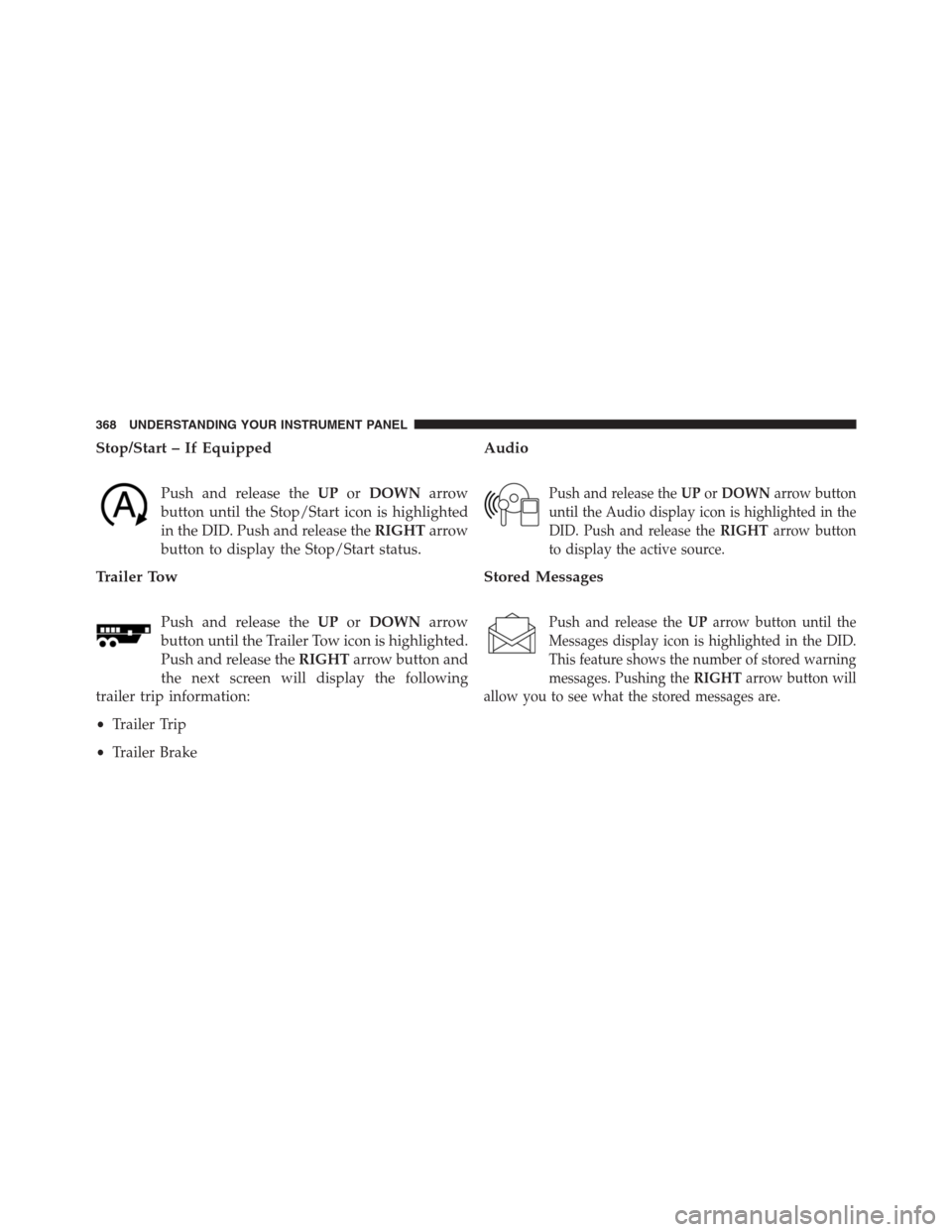
Stop/Start – If Equipped
Push and release theUPorDOWNarrow
button until the Stop/Start icon is highlighted
in the DID. Push and release theRIGHTarrow
button to display the Stop/Start status.
Trailer Tow
Push and release theUPorDOWNarrow
button until the Trailer Tow icon is highlighted.
Push and release theRIGHTarrow button and
the next screen will display the following
trailer trip information:
•Trailer Trip
•Trailer Brake
Audio
Push and release theUPorDOWNarrow button
until the Audio display icon is highlighted in the
DID. Push and release theRIGHTarrow button
to display the active source.
Stored Messages
Push and release theUParrow button until the
Messages display icon is highlighted in the DID.
This feature shows the number of stored warning
messages. Pushing theRIGHTarrow button will
allow you to see what the stored messages are.
368 UNDERSTANDING YOUR INSTRUMENT PANEL
Page 378 of 916
Setting NamesSetting Names Abbreviated
(Left Submenu Layer)Sub-Menus (Right Submenu
Layer)
19 Remote Start Comfort System Rmt Start Comfort On; Off
20 Easy Exit Seat Easy Exit Seat On; Off
21 Key-off Power Delay Power Off Delay Off; 45 seconds; 5 minutes; 10
minutes
22 Commercial Settings Commercial
•Aux Switches
•Power Take-Off
•PIN Setup
23 Air Suspension Display Alerts Air Susp. Alerts All; Warnings Only
24 Aero Ride Height Mode Aero Mode On; Off
25 Tire/Jack Mode Tire/Jack Mode On; Off
26 Transport Mode Transport Mode On; Off
27 Wheel Alignment Mode Wheel Alignment On; Off
376 UNDERSTANDING YOUR INSTRUMENT PANEL
Page 394 of 916

either front door will cancel this feature. Press the “En-
gine Off Power Delay” button on the touchscreen and
choose from “0 sec,” “45 sec,” “5 min” or “10 min” to
select your desired time interval.
•Auto Entry/Exit — If Equipped
When this feature is selected, it automatically lowers the
vehicle ride height position when shifted into park. Press
the “Auto Entry/Exit” button on the touchscreen and
choose from “On” or “Off.”
Suspension — If Equipped
After pressing the “Suspension” button on the touch-
screen the following settings will be available:
•Sound Horn With Lower
When this feature is selected, a short horn sound will occur
when the RKE transmitter REMOTE LOWER button is
pressed. To make your selection, press the “Horn w/lower”
button on the touchscreen, select “On” or “Off.”
•Flash Lights With Lower
When this feature is selected, the front and rear turn
signals will flash when the RKE transmitter REMOTE
LOWER button is pressed twice. To make your selection,
press the “Light w/Lower” button on the touchscreen,
select “On” or “Off.”
•Auto Entry/Exit Suspension
When this feature is selected, the vehicle automatically
lowers from ride height position when vehicle shifted to
park for easy entry/exit. To make your selection, press
the “Auto Entry/Exit” button on the touchscreen, select
“On” or “Off.”
•Display Suspension Messages
When “All” is selected, all the Air Suspension Alerts will
be displayed. When “Warning Only” is selected only the
Air Suspension Warnings will be displayed.
392 UNDERSTANDING YOUR INSTRUMENT PANEL
Page 414 of 916

Air Suspension — If Equipped
After pressing the “Suspension” button on the touch-
screen the following settings will be available.
•Sound Horn With Lower
When this feature is selected, a short horn sound will
occur when the RKE transmitter REMOTE LOWER but-
ton is pressed. Press the box next to your selection and a
check-mark appears next to the feature showing the
system has been activated or the check-mark is removed
showing the system has been deactivated.
•Flash Lights With Lower
When this feature is selected, the front and rear turn
signals will flash when the RKE transmitter REMOTE
LOWER button is pressed twice. This feature may be
selected with or without the Sound Horn on Lower
feature selected. Press the box next to your selection and
a check-mark appears next to the feature showing thesystem has been activated or the check-mark is removed
showing the system has been deactivated.
•Suspension Display Messages
When “All” is selected, all the Air Suspension Alerts will
be displayed. When “Warning” is selected only the Air
Suspension Warnings will be displayed.
•Automatic Aero Mode (1500 Model Only)
When this feature is selected the Ride Height will auto-
matically be adjusted depending on the vehicle speed.
Press the box next to your selection and a check-mark
appears next to the feature showing the system has been
activated or the check-mark is removed showing the
system has been deactivated.
•Tire Jack Mode
When this feature is selected the air suspension system is
disabled to assist with changing a spare tire. Press the box
next to your selection and a check-mark appears next to
412 UNDERSTANDING YOUR INSTRUMENT PANEL
Page 461 of 916

Uconnect Access (8.4A/8.4AN)
WARNING!
ALWAYS obey traffic laws and pay attention to the
road. Some Uconnect Access services, including 9-1-1
and Assist, will NOT work without an operable 1X
(voice/data) or 3G (data) network connection.
NOTE:Your vehicle may be transmitting data as autho-
rized by the subscriber.
An included trial and/or subscription is required to take
advantage of the Uconnect Access services in the next
section of this guide. To register with Uconnect Access,
press the Apps button on the 8.4-inch touchscreen to get
started. Detailed registration instructions can be found
on the next page.
NOTE:Uconnect Access is available only on equipped
vehicles purchased within the continental United States,Alaska and Hawaii. Services can only be used where
coverage is available; see coverage map for details.
9-1-1 Call
Security Alarm Notification
Remote Door Lock/Unlock
Stolen Vehicle Assistance
Remote Vehicle Start**
Remote Horn and Lights
Yelp Search
Voice Texting
Roadside Assistance Call
WiFi Hotspot***
**If vehicle is equipped.
***Extra charges apply.
4
UNDERSTANDING YOUR INSTRUMENT PANEL 459
Page 475 of 916

▫Electronic Brake Force Distribution (EBD). . . .619
▫Brake System Warning Light..............619
▫Anti-Lock Brake System (ABS)............620
▫Anti-Lock Brake Warning Light............621
▫Brake Assist System (BAS)...............622
▫Hill Start Assist (HSA).................622
▫Traction Control System (TCS)............625
▫Electronic Stability Control (ESC)..........626
▫Electronic Roll Mitigation (ERM)..........631
▫Trailer Sway Control (TSC)..............632
▫Hill Descent Control (HDC) — If Equipped . . .632
�TIRE SAFETY INFORMATION.............636
▫Tire Markings........................636▫Tire Identification Number (TIN)...........639
▫Tire Terminology And Definitions..........641
▫Tire Loading And Tire Pressure...........642
�TIRES — GENERAL INFORMATION........647
▫Tire Pressure........................647
▫Tire Inflation Pressures.................648
▫Tire Pressures For High Speed Operation. . . .650
▫Radial Ply Tires......................650
▫Tire Types...........................651
▫Run Flat Tires — If Equipped.............653
▫Spare Tires — If Equipped...............653
▫Tire Spinning........................656
▫Tread Wear Indicators..................656
5
STARTING AND OPERATING 473