Page 10 of 386
1. Engine hood (P. 3-24)
2. Windshield (P. 8-19)
3. Wiper and washer switch (P. 2-22)
4. Power windows (if so equipped)(P. 2-31)
5. Door locks, NISSAN Intelligent Key®
(if so equipped) , key fob (if so
equipped) , keys (P. 3-5, 3-11, 3-7, 3-2)
6. Mirrors (P. 3-31)
7. Tire pressure (P. 8-33)
8. Flat tire (P. 6-3)
9. Tire chains (P. 8-33)
10. Headlight and turn signal switch
(P. 2-24)
11. Replacing bulbs (P. 8-27)
12. Fog light switch (if so equipped)
(P. 2-24)
Refer to the page number indicated in pa-
rentheses for operating details.
LII2304
EXTERIOR FRONT
Illustrated table of contents0-3
Page 13 of 386
1. Headlight/turn signal switch/fog lightswitch (if so equipped) (P. 2-24)
2. Driver’s supplemental air bag/horn
(P. 1-39, 2-27)
3. Meters and gauges (P. 2-3)
4. Wiper and washer switch (P. 2-22) 5. Vents (P. 4-15)
6. Rear window defroster switch (P. 2-23)
7. Front passenger air bag status light
(P. 2-18)
8. Hazard warning flasher switch (P. 6-2)
9. Climate controls (P. 4-16) 10. Audio system (P. 4-24)
11. Passenger’s supplemental air bag
(P. 1-39)
12. Vents (P. 4-15)
13. Electronic outside rearview mirror
control switch (P. 3-32)
14. Fuel-filler lid release lever
(P. 3-27)/Hood release lever (P. 3-24)
15. Vehicle Dynamic Control (VDC) OFF
switch (P. 2-28)
16. Audio control switches (P. 4-65) Bluetooth® Hands-Free Phone System
(P. 4-68)
17. Cruise control (if so equipped)
(P. 5-28)
18. Ignition switch (P. 5-8)/Push button
ignition switch (if so equipped)
(P. 5-11)
19. Cup holders (P. 2-30)
20. Shift lever (P. 5-17)
21. Glove box (P. 2-29)Refer to the page number indicated in pa-
rentheses for operating details.LIC2753
INSTRUMENT PANEL
0-6Illustrated table of contents
Page 77 of 386
1. Headlight/turn signal switch/fog lightswitch (if so equipped) (P. 2-24)
2. Driver’s supplemental air bag/horn
(P. 1-39, 2-27)
3. Meters and gauges (P. 2-3)
4. Wiper and washer switch (P. 2-22) 5. Vents (P. 4-15)
6. Rear window defroster switch (P. 2-23)
7. Front passenger air bag status light
(P. 2-18)
8. Hazard warning flasher switch (P. 6-2)
9. Climate controls (P. 4-16) 10. Audio system (P. 4-24)
11. Passenger’s supplemental air bag
(P. 1-39)
12. Vents (P. 4-15)
13. Electronic outside rearview mirror
control switch (P. 3-32)
14. Fuel-filler lid release lever
(P. 3-27)/Hood release lever (P. 3-24)
15. Vehicle Dynamic Control (VDC) OFF
switch (P. 2-28)
16. Audio control switches (P. 4-65) Bluetooth® Hands-Free Phone System
(P. 4-68)
17. Cruise control (if so equipped)
(P. 5-28)
18. Ignition switch (P. 5-8)/Push button
ignition switch (if so equipped)
(P. 5-11)
19. Cup holders (P. 2-30)
20. Shift lever (P. 5-17)
21. Glove box (P. 2-29)Refer to the page number indicated in pa-
rentheses for operating details.LIC2753
INSTRUMENT PANEL
2-2Instruments and controls
Page 100 of 386
CAUTION
Even though the battery saver feature au-
tomatically turns off the headlights after a
period of time, you should turn the head-
light switch to the OFF position when the
engine is not running to avoid discharging
the vehicle battery.
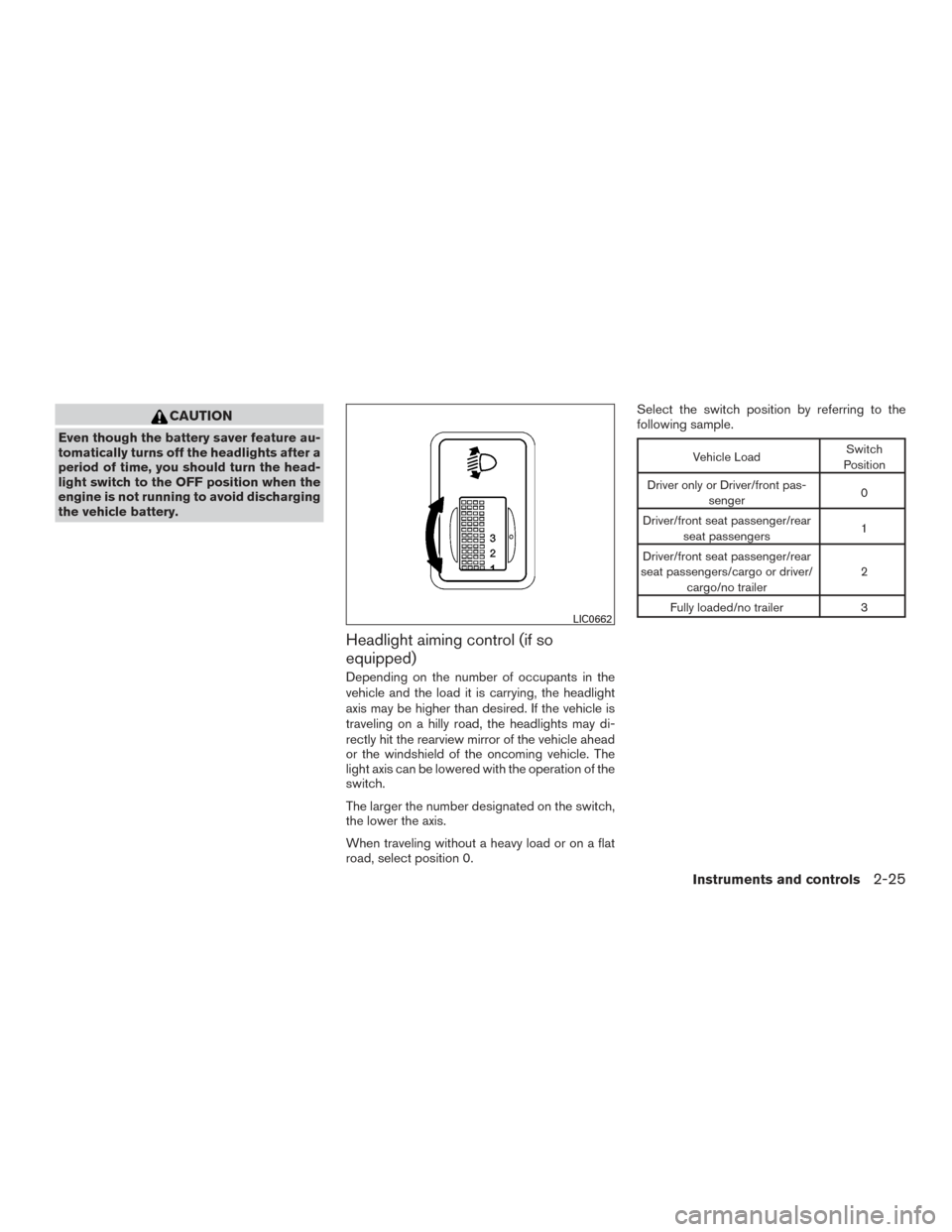
Headlight aiming control (if so
equipped)
Depending on the number of occupants in the
vehicle and the load it is carrying, the headlight
axis may be higher than desired. If the vehicle is
traveling on a hilly road, the headlights may di-
rectly hit the rearview mirror of the vehicle ahead
or the windshield of the oncoming vehicle. The
light axis can be lowered with the operation of the
switch.
The larger the number designated on the switch,
the lower the axis.
When traveling without a heavy load or on a flat
road, select position 0.Select the switch position by referring to the
following sample.
Vehicle Load
Switch
Position
Driver only or Driver/front pas- senger 0
Driver/front seat passenger/rear seat passengers 1
Driver/front seat passenger/rear
seat passengers/cargo or driver/ cargo/no trailer 2
Fully loaded/no trailer 3
LIC0662
Instruments and controls2-25
Page 112 of 386
3 Pre-driving checks and adjustments
Keys .............................................3-2NISSAN Intelligent Key® (if so equipped) .........3-3
NISSAN Vehicle Immobilizer System keys
(if so equipped) ................................3-4
Doors ............................................3-5
Locking with key ................................3-5
Locking with inside lock knob ....................3-6
Locking with power door lock switch
(if so equipped) ................................3-6
Automatic door locks (if so equipped). . . ..........3-7
Child safety rear door lock .......................3-7
Remote keyless entry system (if so equipped) .........3-7
How to use remote keyless entry system ..........3-8
NISSAN Intelligent Key® (if so equipped) ...........3-11
Operating range ............................... 3-13
Door locks/unlocks precaution ..................3-14
NISSAN Intelligent Key® Operation .............3-14
How to use the remote keyless entry
function ...................................... 3-18Warning lights and audible reminders
............3-21
Warning signals ............................... 3-21
Troubleshooting guide ......................... 3-23
Hood ........................................... 3-24
Trunk lid ......................................... 3-25
Key operation ................................. 3-25
Opening the trunk lid ........................... 3-25
Opener operation (if so equipped) ...............3-26
Interior trunk lid release ........................ 3-26
Fuel-filler door ................................... 3-27
Opener operation .............................. 3-27
Fuel-filler cap ................................. 3-27
Steering wheel ................................... 3-30
Tilt operation .................................. 3-30
Sun visors ....................................... 3-30
Vanity mirror .................................. 3-31
Mirrors .......................................... 3-31
Manual anti-glare rearview mirror ................3-31
Outside mirrors ............................... 3-31
Page 142 of 386
VANITY MIRROR
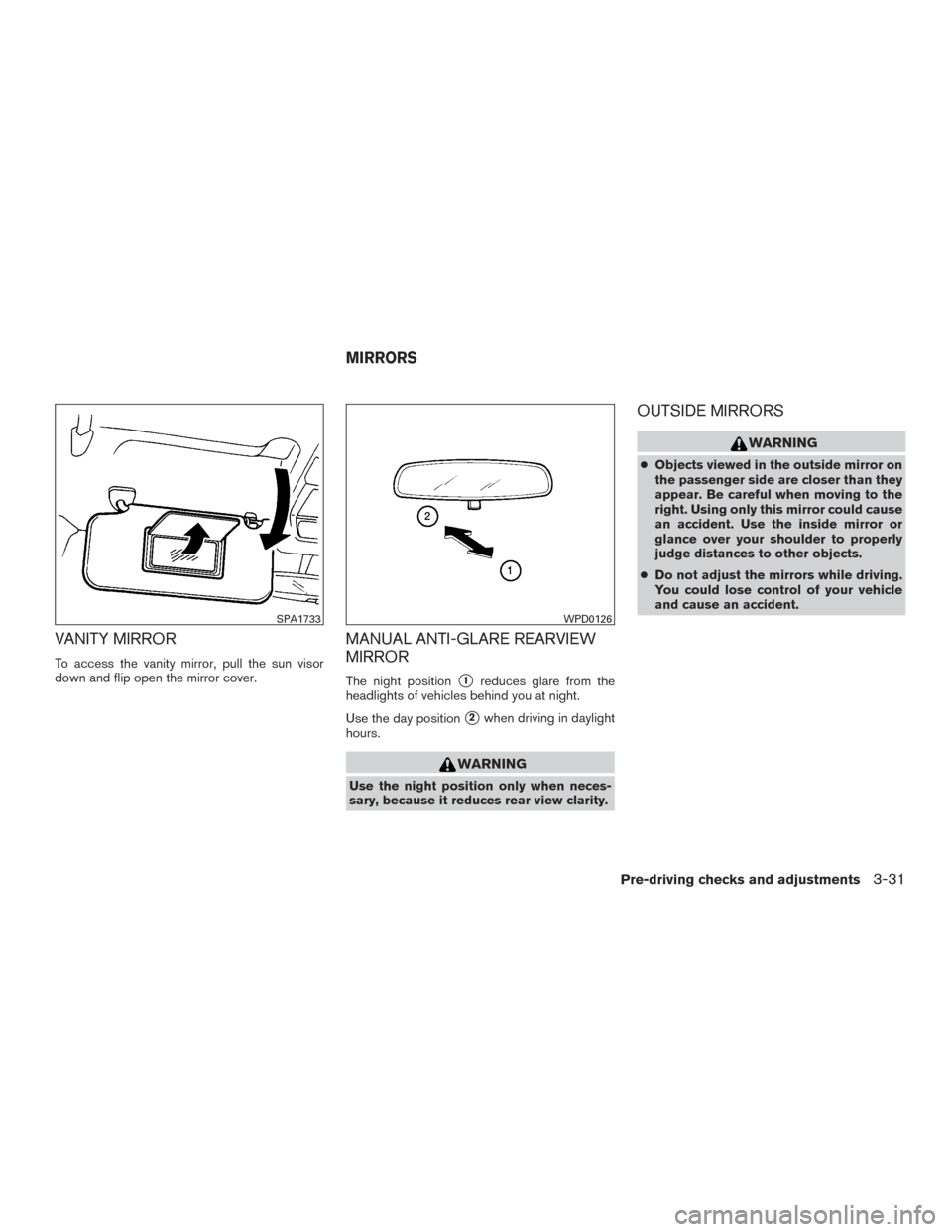
To access the vanity mirror, pull the sun visor
down and flip open the mirror cover.
MANUAL ANTI-GLARE REARVIEW
MIRROR
The night position�1reduces glare from the
headlights of vehicles behind you at night.
Use the day position
�2when driving in daylight
hours.
WARNING
Use the night position only when neces-
sary, because it reduces rear view clarity.
OUTSIDE MIRRORS
WARNING
● Objects viewed in the outside mirror on
the passenger side are closer than they
appear. Be careful when moving to the
right. Using only this mirror could cause
an accident. Use the inside mirror or
glance over your shoulder to properly
judge distances to other objects.
● Do not adjust the mirrors while driving.
You could lose control of your vehicle
and cause an accident.
SPA1733WPD0126
MIRRORS
Pre-driving checks and adjustments3-31
Page 143 of 386
Electric control type
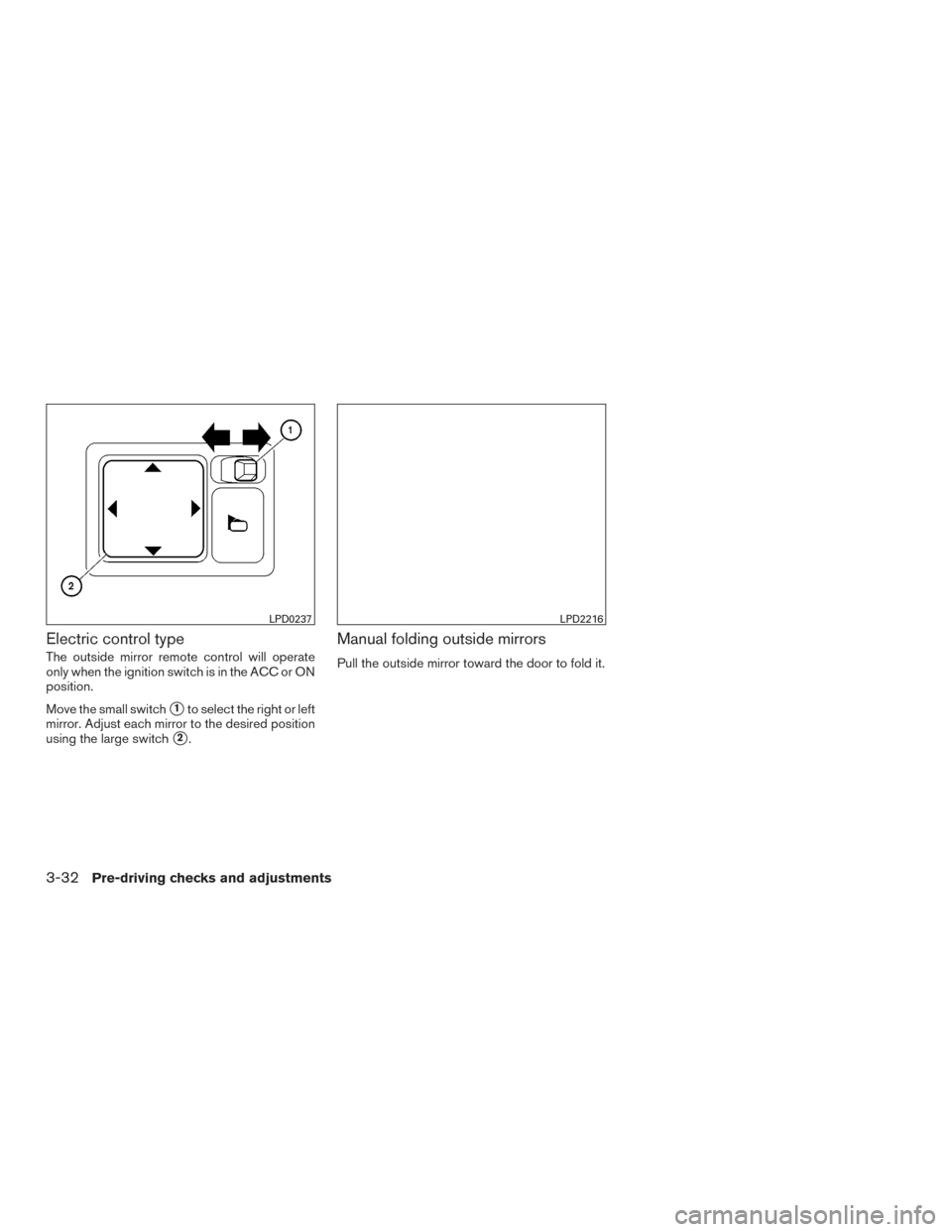
The outside mirror remote control will operate
only when the ignition switch is in the ACC or ON
position.
Move the small switch
�1to select the right or left
mirror. Adjust each mirror to the desired position
using the large switch
�2.
Manual folding outside mirrors
Pull the outside mirror toward the door to fold it.
LPD0237LPD2216
3-32Pre-driving checks and adjustments
Page 153 of 386
1. ENTER/SETTING button (models withoutnavigation)
2. CAMERA button (models with navigation)WARNING
● Failure to follow the warnings and in-
structions for proper use of the Rear-
View Monitor system could result in se-
rious injury or death. ●
RearView Monitor is a convenience fea-
ture and is not a substitute for proper
backing. Always turn and look out the
windows and check mirrors to be sure
that it is safe to move before operating
the vehicle. Always back up slowly.
LHA3767
REARVIEW MONITOR (if so
equipped)
4-10Monitor, climate, audio, phone and voice recognition systems