2016 NISSAN VERSA SEDAN USB
[x] Cancel search: USBPage 203 of 386
While connected to the vehicle, the iPod® can
only be operated by the vehicle audio controls.
To disconnect the iPod® from the vehicle, re-
move the USB end of the cable from the USB
port on the vehicle, then remove the cable from
the iPod®.
* iPod® is a trademark of Apple Inc., registered in
the U.S. and other countries.
Compatibility
The following models are compatible:● iPod® Classic 5th generation (firmware ver-
sion 1.3.0 or later)
● iPod® Classic 6th generation (firmware ver-
sion 2.0.1 or later)
● iPod® Classic 7th generation (firmware ver-
sion 2.0.4 or later)
● iPod® Touch 2nd generation (firmware ver-
sion 4.2.1 or later)*
● iPod® Touch 3rd generation (firmware ver-
sion 5.1 or later)
● iPod® Touch 4th generation (firmware ver-
sion 5.1 or later)
● iPod® nano - 1st generation (firmware ver-
sion 1.3.1 or later) ●
iPod® nano - 2nd generation (firmware ver-
sion 1.1.3 or later)
● iPod® nano - 3rd generation (firmware ver-
sion 1.1.3 or later)
● iPod® nano - 4th generation (firmware ver-
sion 1.0.4 or later)
● iPod® nano - 5th generation (firmware ver-
sion 1.0.2 or later)
● iPod® nano - 6th generation (firmware ver-
sion 1.1 or later)
● iPhone® 3G (firmware version 4.2.1 or later)
● iPhone® 3GS (firmware version 5.1 or later)
● iPhone® 4 (firmware version 5.1 or later)
● iPhone® 4S (firmware version 5.1 or later)
* Some features of this iPod® may not be fully
functional.
Make sure that your iPod® firmware is updated to
the version indicated above.
iPod® main operation
Place the ignition switch in the ACC or ON
position. Press the AUX button repeatedly to
switch to the iPod® mode.
If the system has been turned off while the iPod®
was playing, pressing the ON•OFF button will
start the iPod®.
AUX button
When the AUX button is pressed with the system
off and the iPod® connected, the system will turn
on. If another audio source is playing and the iPod®
is connected, press the AUX button repeatedly until
the center display changes to the iPod® mode.
LHA2911
4-60Monitor, climate, audio, phone and voice recognition systems
Page 208 of 386
●A new disc may be rough on the inner and
outer edges. Remove the rough edges by
rubbing the inner and outer edges with the
side of a pen or pencil as illustrated.
STEERING WHEEL SWITCH FOR
AUDIO CONTROL
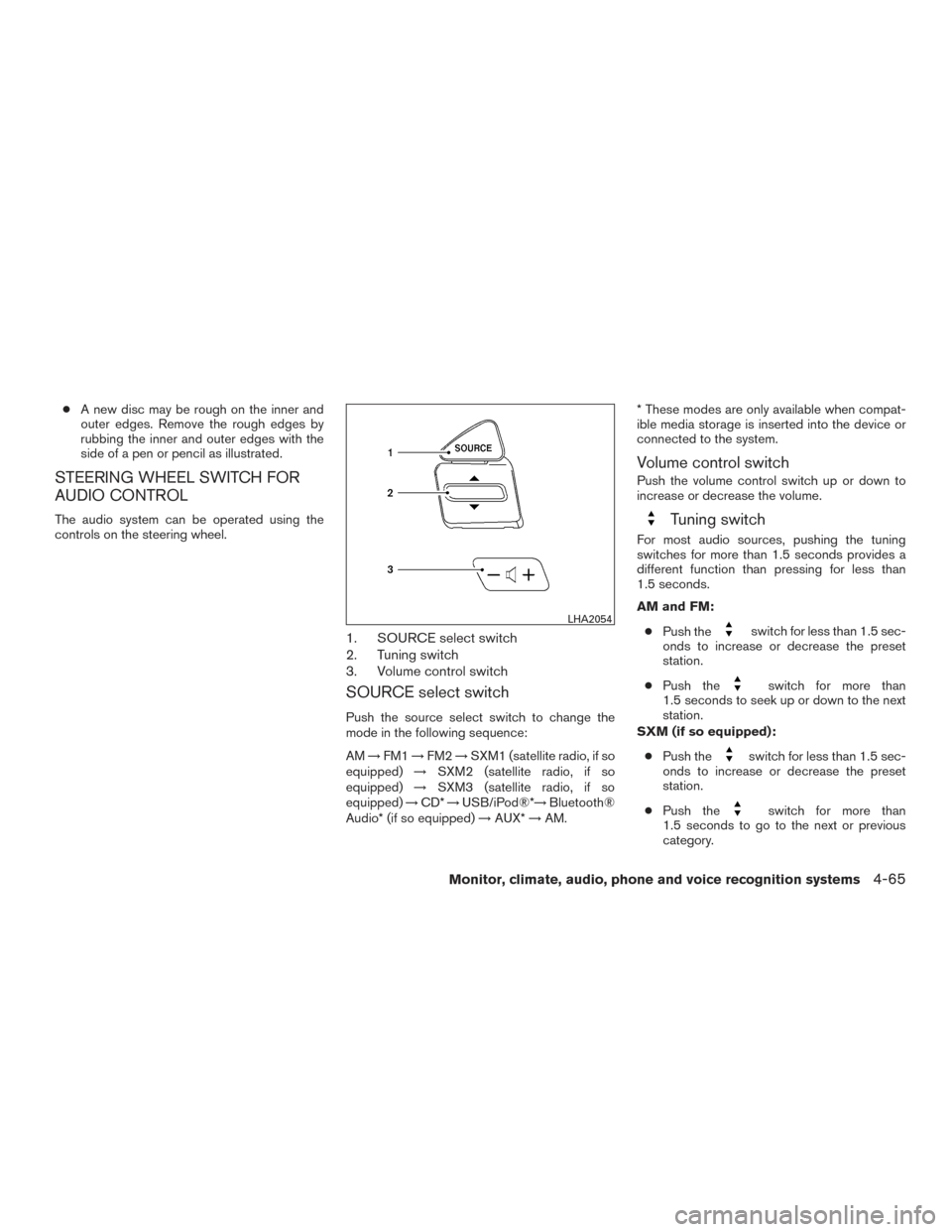
The audio system can be operated using the
controls on the steering wheel.
1. SOURCE select switch
2. Tuning switch
3. Volume control switch
SOURCE select switch
Push the source select switch to change the
mode in the following sequence:
AM →FM1 →FM2 →SXM1 (satellite radio, if so
equipped) →SXM2 (satellite radio, if so
equipped) →SXM3 (satellite radio, if so
equipped) →CD* →USB/iPod®*→ Bluetooth®
Audio* (if so equipped) →AUX* →AM. * These modes are only available when compat-
ible media storage is inserted into the device or
connected to the system.
Volume control switch
Push the volume control switch up or down to
increase or decrease the volume.
Tuning switch
For most audio sources, pushing the tuning
switches for more than 1.5 seconds provides a
different function than pressing for less than
1.5 seconds.
AM and FM:
● Push the
switch for less than 1.5 sec-
onds to increase or decrease the preset
station.
● Push the
switch for more than
1.5 seconds to seek up or down to the next
station.
SXM (if so equipped):
● Push the
switch for less than 1.5 sec-
onds to increase or decrease the preset
station.
● Push the
switch for more than
1.5 seconds to go to the next or previous
category.
LHA2054
Monitor, climate, audio, phone and voice recognition systems4-65
Page 209 of 386
iPod® (if so equipped):● Push the
switch for less than 1.5 sec-
onds to increase or decrease the track num-
ber.
CD:
● Push the
switch for less than 1.5 sec-
onds to increase or decrease the track num-
ber.
● Push the
switch for more than
1.5 seconds to increase or decrease the
folder number (if playing compressed audio
files) .
USB (if so equipped):
● Push the
switch for less than 1.5 sec-
onds to increase or decrease the track num-
ber.
● Push the
switch for more than
1.5 seconds to increase or decrease the
folder number.
Bluetooth®Audio (if so equipped):
● Push the
switch for less than 1.5 sec-
onds to skip ahead or back to the next song.
● Push the
switch for more than
1.5 seconds to reverse or fast forward the
current song.
ANTENNA
The antenna cannot be shortened, but can be
removed. When you need to remove the antenna,
turn the antenna rod counterclockwise.
To install the antenna rod, turn the antenna rod
clockwise and hand tighten.
CAUTION
● Always properly tighten the antenna
rod during installation or the antenna
rod may break during vehicle operation.
● Be sure that the antenna is removed
before the vehicle enters an automatic
car wash.
● Be sure to fold down the antenna be-
fore the vehicle enters a garage with a
low ceiling. This vehicle is equipped with Smartphone Inte-
gration technology. This allows many compatible
Smartphone applications to be displayed and
easily controlled through the vehicle’s touch-
screen.
NOTE:
A compatible smartphone and registration
is required to use mobile applications or to
access connected features of certain ve-
hicle applications.
REGISTERING WITH
NISSANCONNECTSMMOBILE APPS
To use the Smartphone Integration feature, it is
necessary for the user to register. In order to
register, visit the NissanConnect
SMMobile Apps
website, www.nissanusa.com/connect/ or
https://canada.nissanconnect.com and sign up
or create an account through the prompts on the
NissanConnect Mobile Apps. Once registered,
download the NissanConnect Mobile Apps from
your compatible phone’s application download
source and then log into the application. If you
already have an account created through the
App, please log in.
NISSANCONNECTSMMOBILE APPS
(if so equipped)
4-66Monitor, climate, audio, phone and voice recognition systems
Page 210 of 386
CONNECT PHONE
To use this feature, a compatible smartphone
must be connected via Bluetooth® or USB to the
vehicle. For additional information, refer to
“Bluetooth® Hands-Free Phone System without
Navigation System” or “Bluetooth® Hands-Free
Phone System with Navigation System” in this
section.
NOTE:
For vehicles with navigation, Apple iP-
hones® REQUIRE the phone to be plugged
in via USB for NissanConnect Mobile Apps
to function.
For vehicles without Navigation, Apple iP-
hones® must be paired via Bluetooth® for
NissanConnect Mobile Apps to function.
NOTE:
For Android phones, NissanConnect Mo-
bile Apps REQUIRES the phone to be
paired via Bluetooth®.
APPLICATION DOWNLOAD
Once connected, the NissanConnect Mobile
App will search your phone to determine which
compatible applications are currently installed.
The user will then choose which apps they want
to bring into their vehicle from the list of apps
within the “Manage My Apps” section of the
NissanConnect Mobile App on their smartphone.
The vehicle will then download the in-vehicle
interface for each of these compatible applica-
tions. Once downloaded, the user can access
their selected smartphone applications through
the vehicle display. For additional information on
application availability visit
www.nissanusa.com/connect/ or www.cana-
da.nissanconnect.comWhen installing a CB, ham radio or car phone in
your vehicle, be sure to observe the following
precautions; otherwise, the new equipment may
adversely affect the engine control system and
other electronic parts.
WARNING
●
A cellular phone should not be used for
any purpose while driving so full atten-
tion may be given to vehicle operation.
Some jurisdictions prohibit the use of
cellular phones while driving.
● If you must make a call while your ve-
hicle is in motion, the hands free cellu-
lar phone operational mode (if so
equipped) is highly recommended. Ex-
ercise extreme caution at all times so
full attention may be given to vehicle
operation.
● If you are unable to devote full attention
to vehicle operation while talking on
the phone, pull off the road to a safe
location and stop your vehicle.
CAR PHONE OR CB RADIO
Monitor, climate, audio, phone and voice recognition systems4-67
Page 378 of 386
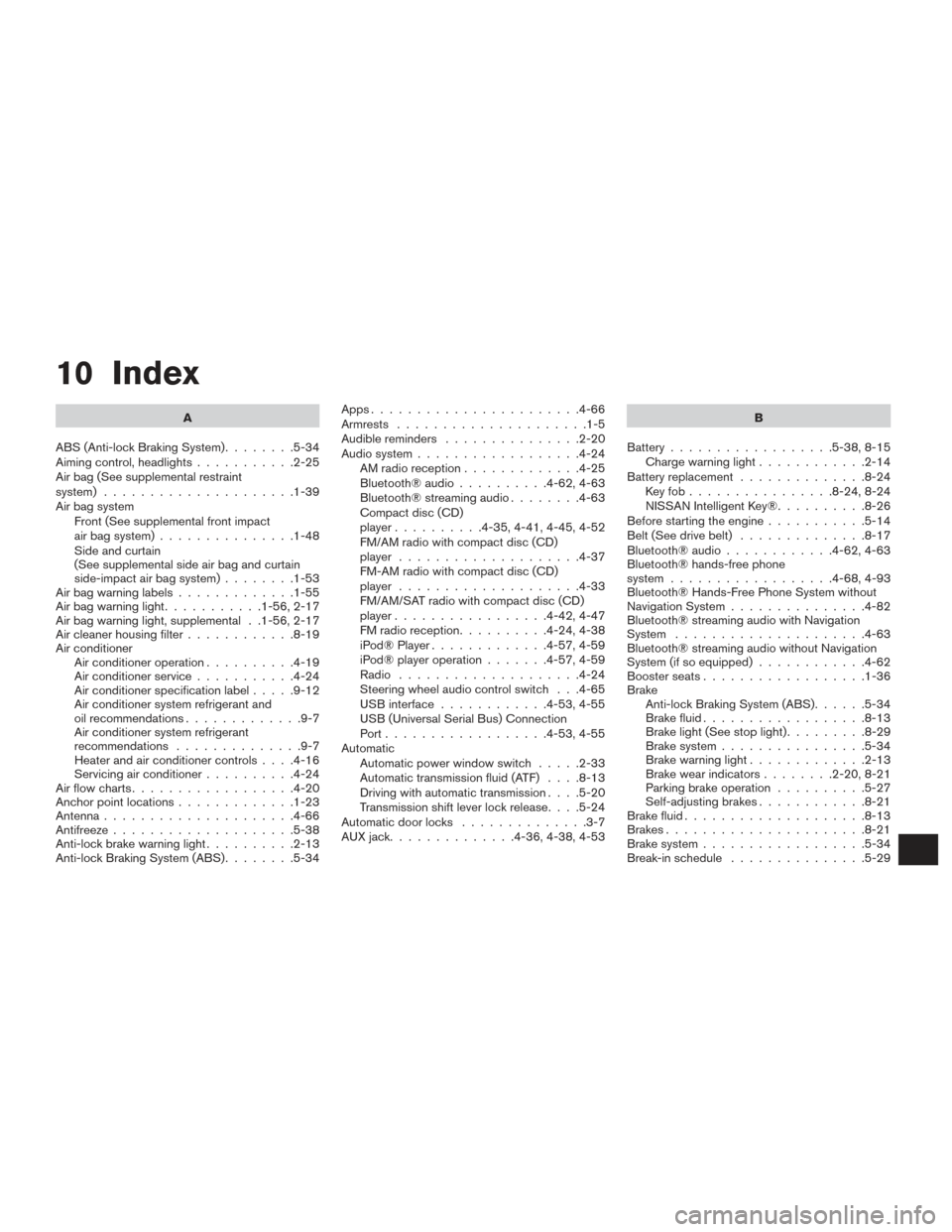
10 Index
A
ABS (Anti-lock Braking System) ........5-34
Aiming control, headlights ...........2-25
Air bag (See supplemental restraint
system) .....................1-39
Air bag system Front (See supplemental front impact
air bag system) ...............1-48
Side and curtain
(See supplemental side air bag and curtain
side-impact air bag system) ........1-53
Airbagwarninglabels.............1-55
Airbagwarninglight...........1-56,2-17
Air bag warning light, supplemental . .1-56, 2-17
Air cleaner housing filter ............8-19
Air conditioner Air conditioner operation ..........4-19
Air conditioner service ...........4-24
Air conditioner specification label .....9-12
Air conditioner system refrigerant and
oil recommendations .............9-7
Air conditioner system refrigerant
recommendations ..............9-7
Heater and air conditioner controls ....4-16
Servicing air conditioner ..........4-24
Airflowcharts..................4-20
Anchor point locations .............1-23
Antenna .....................4-66
Antifreeze ....................5-38
Anti-lock brake warning light ..........2-13
Anti-lock Braking System (ABS) ........5-34Apps
.......................4-66
Armrests .....................1-5
Audible reminders ...............2-20
Audio system ..................4-24
AMradioreception.............4-25
Bluetooth®audio..........4-62,4-63
Bluetooth® streaming audio ........4-63
Compact disc (CD)
player..........4-35,4-41,4-45,4-52
FM/AM radio with compact disc (CD)
player ....................4-37
FM-AM radio with compact disc (CD)
player ....................4-33
FM/AM/SAT radio with compact disc (CD)
player.................4-42,4-47
FMradioreception..........4-24,4-38
iPod® Player .............4-57,4-59
iPod® player operation .......4-57,4-59
Radio ....................4-24
Steering wheel audio control switch . . .4-65
USB interface ............4-53,4-55
USB (Universal Serial Bus) Connection
Port..................4-53,4-55
Automatic Automatic power window switch .....2-33
Automatic transmission fluid (ATF) ....8-13
Driving with automatic transmission ....5-20
Transmission shift lever lock release ....5-24
Automatic door locks ..............3-7
AUXjack..............4-36,4-38,4-53 B
Battery ..................5-38, 8-15
Charge warning light ............2-14
Battery replacement ..............8-24
Keyfob................8-24,8-24
NISSAN Intelligent Key® ..........8-26
Before starting the engine ...........5-14
Belt (See drive belt) ..............8-17
Bluetooth® audio ............4-62,4-63
Bluetooth® hands-free phone
system..................4-68,4-93
Bluetooth® Hands-Free Phone System without
Navigation System ...............4-82
Bluetooth® streaming audio with Navigation
System .....................4-63
Bluetooth® streaming audio without Navigation
System (if so equipped) ............4-62
Boosterseats..................1-36
Brake Anti-lock Braking System (ABS) ......5-34
Brake fluid ..................8-13
Brakelight(Seestoplight).........8-29
Brake system ................5-34
Brakewarninglight.............2-13
Brakewearindicators........2-20,8-21
Parking brake operation ..........5-27
Self-adjusting brakes ............8-21
Brake fluid ....................8-13
Brakes ......................8-21
Brake system .................. 5
-34
Break-inschedule ...............5-29
Page 384 of 386
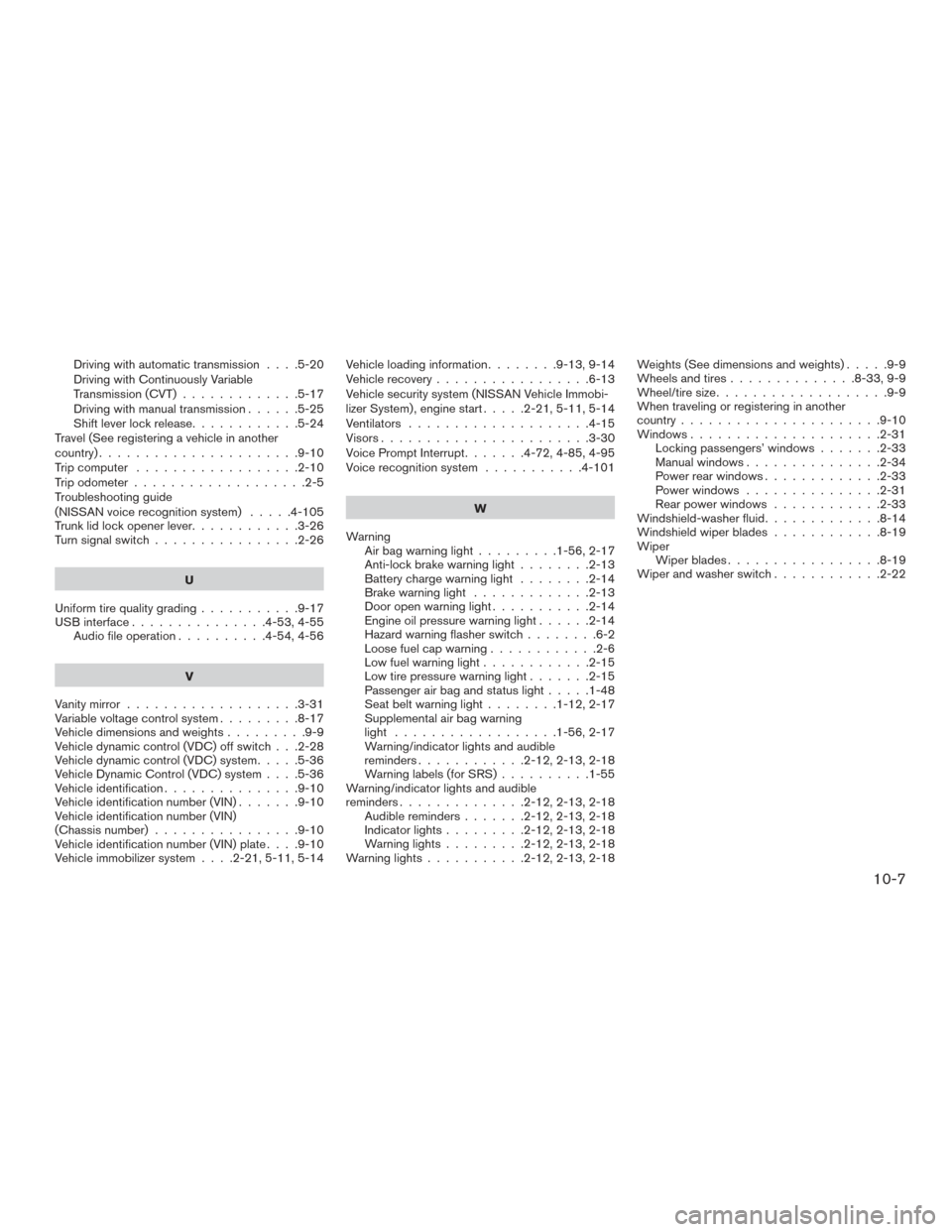
Driving with automatic transmission....5-20
Driving with Continuously Variable
Transmission (CVT) .............5-17
Driving with manual transmission ......5-25
Shiftleverlockrelease............5-24
Travel (See registering a vehicle in another
country) ......................9-10
Trip computer ..................2-10
Trip odometer ...................2-5
Troubleshooting guide
(NISSAN voice recognition system) .....4-105
Trunk lid lock opener lever ............3-26
Turn signal switch ................2-26
U
Uniform tire quality grading ...........9-17
USB interface ...............4-53,4-55
Audio file operation ..........4-54,4-56
V
Vanity mirror ...................3-31
Variable voltage control system .........8-17
Vehicledimensionsandweights.........9-9
Vehicle dynamic control (VDC) off switch . . .2-28
Vehicle dynamic control (VDC) system .....5-36
Vehicle Dynamic Control (VDC) system ....5-36
Vehicle identification ...............9-10
Vehicle identification number (VIN) .......9-10
Vehicle identification number (VIN)
(Chassis number) ................9-10
Vehicle identification number (VIN) plate ....9-10
Vehicle immobilizer system ....2-21,5-11,5-14Vehicle loading information
........9-13,9-14
Vehicle recovery .................6-13
Vehicle security system (NISSAN Vehicle Immobi-
lizer System) , engine start .....2-21,5-11,5-14
Ventilators ....................4-15
Visors.......................3-30
Voice Prompt Interrupt .......4-72,4-85,4-95
Voice recognition system ...........4-101
W
Warning Airbagwarninglight.........1-56,2-17
Anti-lock brake warning light ........2-13
Battery charge warning light ........2-14
Brake warning light .............2-13
Door open warning light ...........2-14
Engine oil pressure warning light ......2-14
Hazard warning flasher switch ........6-2
Loose fuel cap warning ............2-6
Lowfuelwarninglight............2-15
Low tire pressure warning light .......2-15
Passenger air bag and status light .....1-48
Seatbeltwarninglight........1-12,2-17
Supplemental air bag warning
light ..................1-56,2-17
Warning/indicator lights and audible
reminders............2-12,2-13,2-18
Warning labels (for SRS) ..........1-55
Warning/indicator lights and audible
reminders..............2-12,2-13,2-18 Audible reminders .......2-12,2-13,2-18
Indicatorlights.........2-12,2-13,2-18
Warninglights.........2-12,2-13,2-18
Warninglights...........2-12,2-13,2-18 Weights (See dimensions and weights)
.....9-9
Wheels and tires ..............8-33,9-9
Wheel/tire size ...................9-9
When traveling or registering in another
country ......................9-10
Windows .....................2-31
Locking passengers’ windows .......2-33
Manual windows ...............2-34
Power rear windows .............2-33
Power windows ...............
2-
31
Rear power windows ............2-33
Windshield-washerfluid.............8-14
Windshieldwiperblades............8-19
Wiper Wiperblades.................8-19
Wiper and washer switch ............2-22
10-7