Page 165 of 478
When the Intelligent Key battery is discharged or
strong radio waves are present near the operat-
ing location, the Intelligent Key operating range
becomes narrower, and the Intelligent Key may
not function properly.
The operating range is within 31.5 in (80 cm)
from each request switch
�1.
If the Intelligent Key is too close to the door glass,
handle or rear bumper, the request switches may
not function.
When the Intelligent Key is within the operating
range, it is possible for anyone, even someone
who does not carry the Intelligent Key, to push the
request switch to lock/unlock the doors.
DOOR LOCKS/UNLOCKS
PRECAUTION
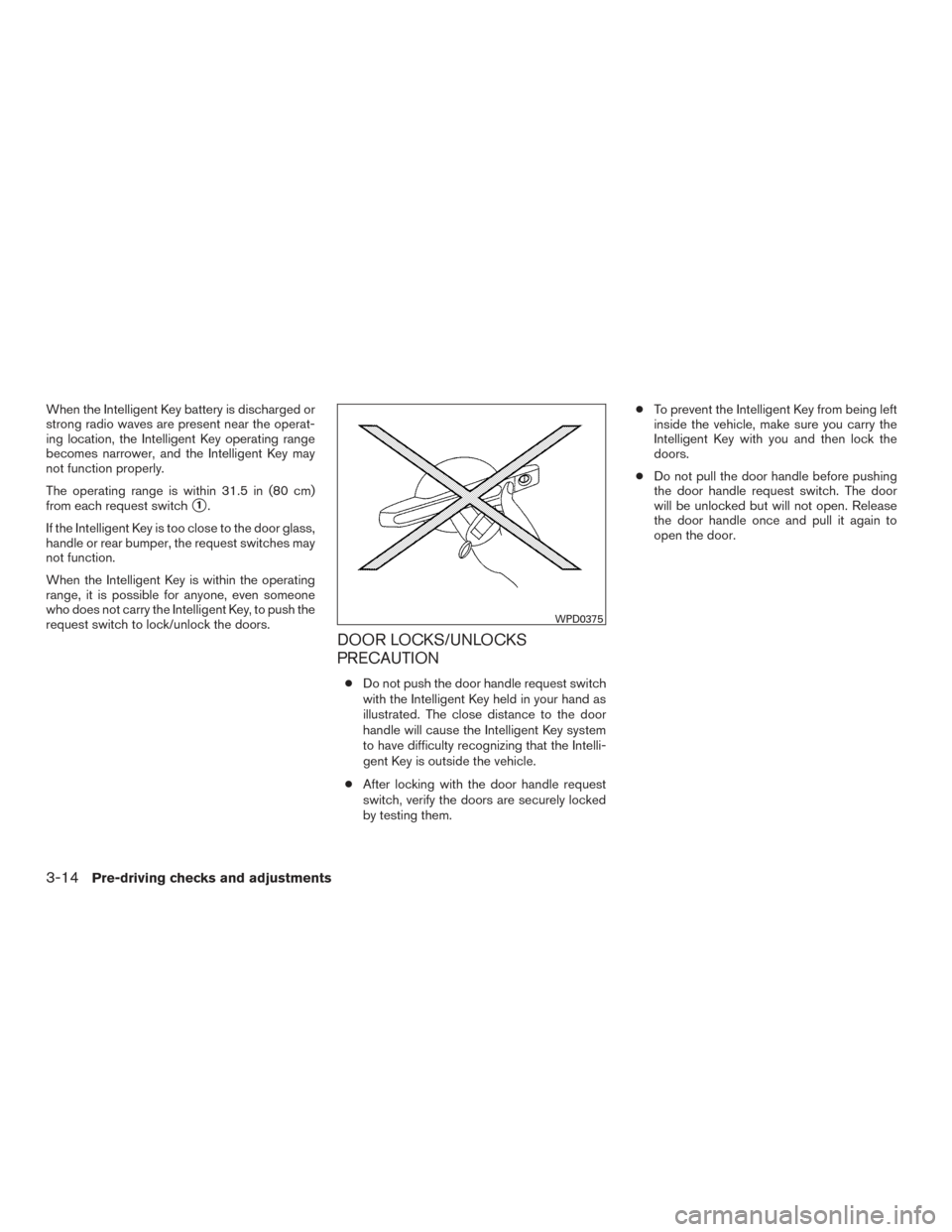
● Do not push the door handle request switch
with the Intelligent Key held in your hand as
illustrated. The close distance to the door
handle will cause the Intelligent Key system
to have difficulty recognizing that the Intelli-
gent Key is outside the vehicle.
● After locking with the door handle request
switch, verify the doors are securely locked
by testing them. ●
To prevent the Intelligent Key from being left
inside the vehicle, make sure you carry the
Intelligent Key with you and then lock the
doors.
● Do not pull the door handle before pushing
the door handle request switch. The door
will be unlocked but will not open. Release
the door handle once and pull it again to
open the door.
WPD0375
3-14Pre-driving checks and adjustments
Page 180 of 478
●Do not activate the power liftgate if one
or both of the liftgate struts are re-
moved. Damage to the liftgate or power
liftgate mechanisms may occur.
● Keep the power liftgate main switch in
the OFF position when washing or
working around the back of the vehicle
(with Intelligent Key) to prevent inad-
vertent opening/closing.
Liftgate release (manual and power)
The liftgate release mechanism allows the liftgate
to be opened in the event of a discharged battery.
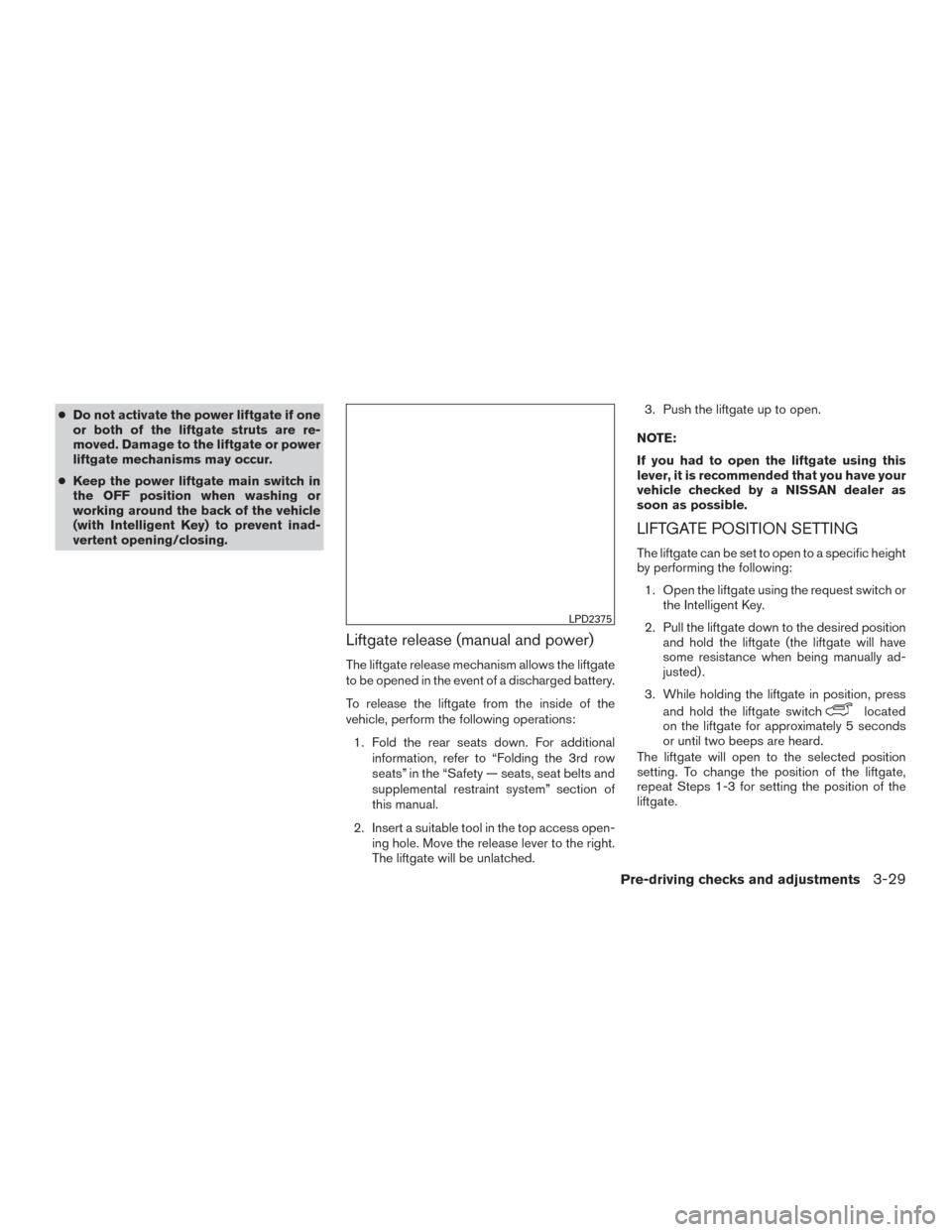
To release the liftgate from the inside of the
vehicle, perform the following operations:
1. Fold the rear seats down. For additional information, refer to “Folding the 3rd row
seats” in the “Safety — seats, seat belts and
supplemental restraint system” section of
this manual.
2. Insert a suitable tool in the top access open- ing hole. Move the release lever to the right.
The liftgate will be unlatched. 3. Push the liftgate up to open.
NOTE:
If you had to open the liftgate using this
lever, it is recommended that you have your
vehicle checked by a NISSAN dealer as
soon as possible.
LIFTGATE POSITION SETTING
The liftgate can be set to open to a specific height
by performing the following: 1. Open the liftgate using the request switch or the Intelligent Key.
2. Pull the liftgate down to the desired position and hold the liftgate (the liftgate will have
some resistance when being manually ad-
justed) .
3. While holding the liftgate in position, press and hold the liftgate switch
located
on the liftgate for approximately 5 seconds
or until two beeps are heard.
The liftgate will open to the selected position
setting. To change the position of the liftgate,
repeat Steps 1-3 for setting the position of the
liftgate.
LPD2375
Pre-driving checks and adjustments3-29
Page 308 of 478
When the ignition switch cannot be pushed to-
ward the OFF position, proceed as follows:1. Move the shift lever into the P (Park) posi- tion.
2. Push the ignition switch. The ignition switch position will change to the ON position.
3. Push the ignition switch again to the OFF position.
The shift lever can be moved from the P
(Park) position if the ignition switch is in
the ON position and the brake pedal is
depressed.
If the battery of the vehicle is discharged,
the push-button ignition switch cannot be
moved from the LOCK position.
Some indicators and warnings for operation are
displayed on the vehicle information display. For
additional information, refer to “Vehicle informa-
tion display” in the “Instruments and controls”
section of this manual.
OPERATING RANGE
The Intelligent Key functions can only be used
when the Intelligent Key is within the specified
operating range.
When the Intelligent Key battery is almost dis-
charged or strong radio waves are present near
the operating location, the Intelligent Key sys-
tem’s operating range becomes narrower and
may not function properly.
If the Intelligent Key is within the operating range,
it is possible for anyone, even someone who does
not carry the Intelligent Key, to push the ignition
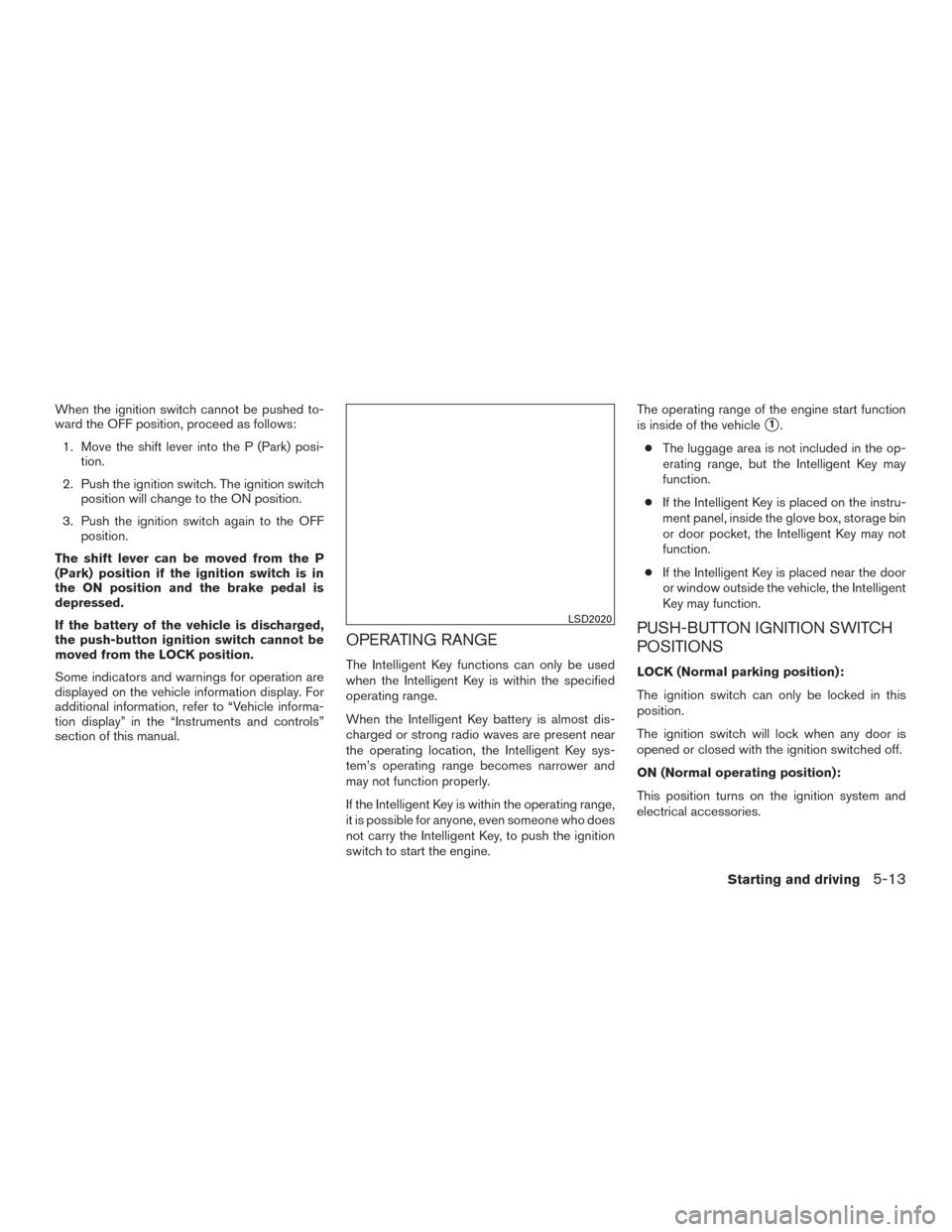
switch to start the engine. The operating range of the engine start function
is inside of the vehicle
�1.
● The luggage area is not included in the op-
erating range, but the Intelligent Key may
function.
● If the Intelligent Key is placed on the instru-
ment panel, inside the glove box, storage bin
or door pocket, the Intelligent Key may not
function.
● If the Intelligent Key is placed near the door
or window outside the vehicle, the Intelligent
Key may function.
PUSH-BUTTON IGNITION SWITCH
POSITIONS
LOCK (Normal parking position):
The ignition switch can only be locked in this
position.
The ignition switch will lock when any door is
opened or closed with the ignition switched off.
ON (Normal operating position):
This position turns on the ignition system and
electrical accessories.
LSD2020
Starting and driving5-13
Page 309 of 478
ON has a battery saver feature that will turn the
ignition switch to the OFF position, if the vehicle
is not running, after some time under the follow-
ing conditions:● All doors are closed.
● Shift lever is in P (Park) .
The battery saver feature will be cancelled if any
of the following occur: ● Any door is opened.
● Shift lever is moved out of the P (Park)
position.
● Ignition switch changes position.
CAUTION
Do not leave the vehicle with the ignition
switch in the ON position when the engine
is not running for an extended period. This
can discharge the battery.
OFF:
The ignition switch is in the OFF position when
the engine is turned off using the ignition switch.
No lights will illuminate on the ignition switch. AUTO ACC:
With the vehicle in the P (Park) position, the
Intelligent key with you and the ignition placed
from ON to OFF, the radio can still be used for a
period of time, or until the driver’s door is opened.
After a period of time, functions such as radio,
navigation, and Bluetooth® Hands-Free Phone
System may be restarted by pressing the
“POWER button/ VOLUME control knob”. For
additional information, refer to “Monitor, climate,
audio, phone and voice recognition systems” in
this manual or the key fob unlock button up to a
total of 30 minutes.
EMERGENCY ENGINE SHUT OFF
To shut off the engine in an emergency situation
while driving, perform the following procedure:
– Rapidly push the push-button ignition switch
three consecutive times in less than 1.5 sec-
onds, or
– Push and hold the push-button ignition switch for more than 2 seconds.NISSAN INTELLIGENT KEY®
BATTERY DISCHARGE (if so
equipped)
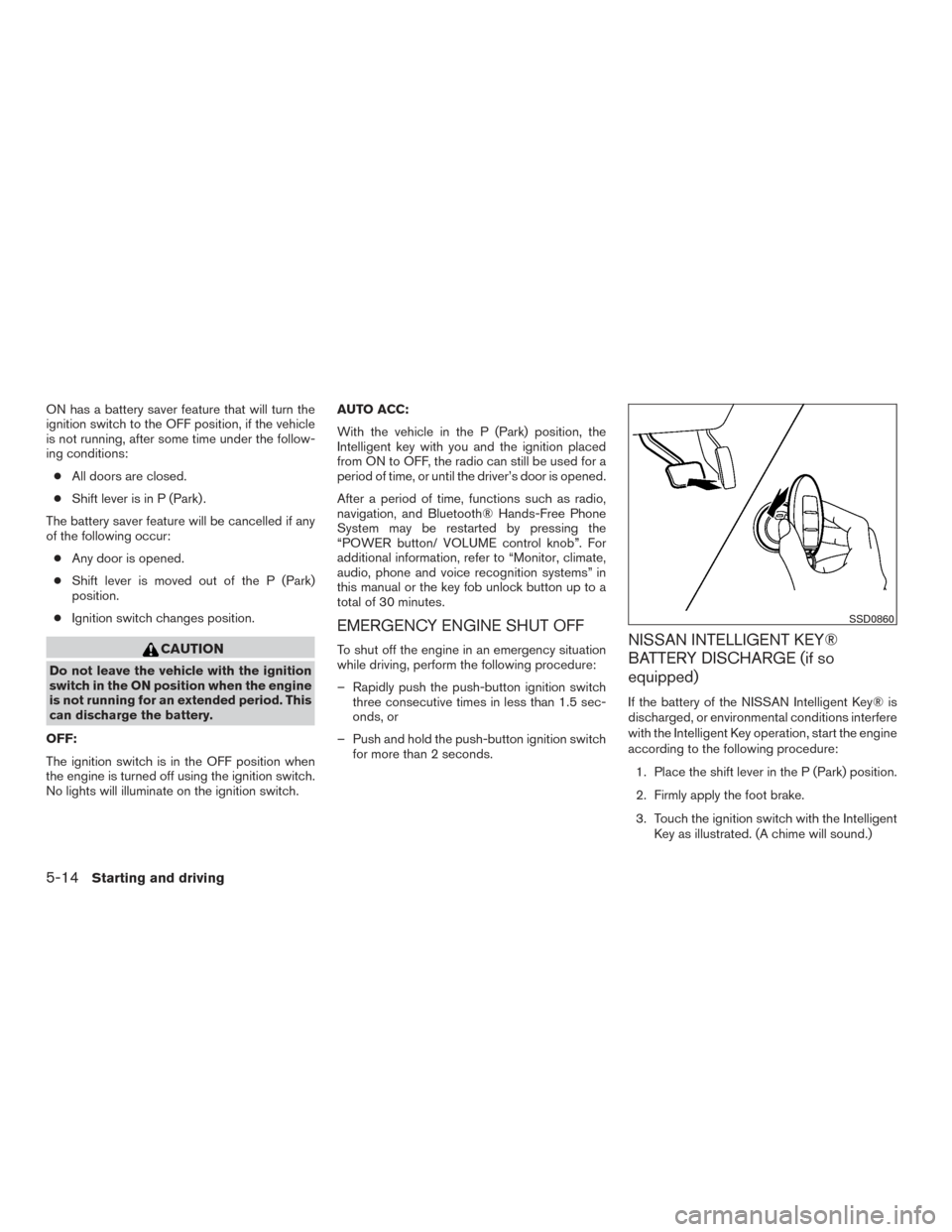
If the battery of the NISSAN Intelligent Key® is
discharged, or environmental conditions interfere
with the Intelligent Key operation, start the engine
according to the following procedure:
1. Place the shift lever in the P (Park) position.
2. Firmly apply the foot brake.
3. Touch the ignition switch with the Intelligent Key as illustrated. (A chime will sound.)
SSD0860
5-14Starting and driving