Page 317 of 478
WARNING
When the high fluid temperature protec-
tion mode or fail-safe operation occurs,
vehicle speed may be gradually reduced.
The reduced speed may be lower than
other traffic, which could increase the
chance of a collision. Be especially careful
when driving. If necessary, pull to the side
of the road at a safe place and allow the
transmission to return to normal opera-
tion, or have it repaired if necessary.
WARNING
●Be sure the parking brake is fully re-
leased before driving. Failure to do so
can cause brake failure and lead to an
accident.
● Do not release the parking brake from
outside the vehicle.
● Do not use the shift lever in place of the
parking brake. When parking, be sure
the parking brake is fully engaged.
● To help avoid risk of injury or death
through unintended operation of the
vehicle and /or its systems, do not leave
children, people who require the assis-
tance of others or pets unattended in
your vehicle. Additionally, the tempera-
ture inside a closed vehicle on a warm
day can quickly become high enough to
cause a significant risk of injury or
death to people and pets. To engage:
Firmly depress the parking brake.
To release: 1. Firmly apply the foot brake.
2. Move the shift lever to the P (Park) position.
3. Firmly depress the parking brake pedal and it will release.
4. Before driving, be sure the brake warning light goes out.
LSD0158
PARKING BRAKE
5-22Starting and driving
Page 319 of 478
WARNING
●Failure to follow the warnings and in-
structions for proper use of the BSW
system could result in serious injury or
death.
● The BSW system is not a replacement
for proper driving procedures and is not
designed to prevent contact with ve-
hicles or objects. When changing lanes,
always use the side and rear mirrors
and turn and look in the direction your
vehicle will move to ensure it is safe to
change lanes. Never rely solely on the
BSW system.
The BSW system helps alert the driver of other
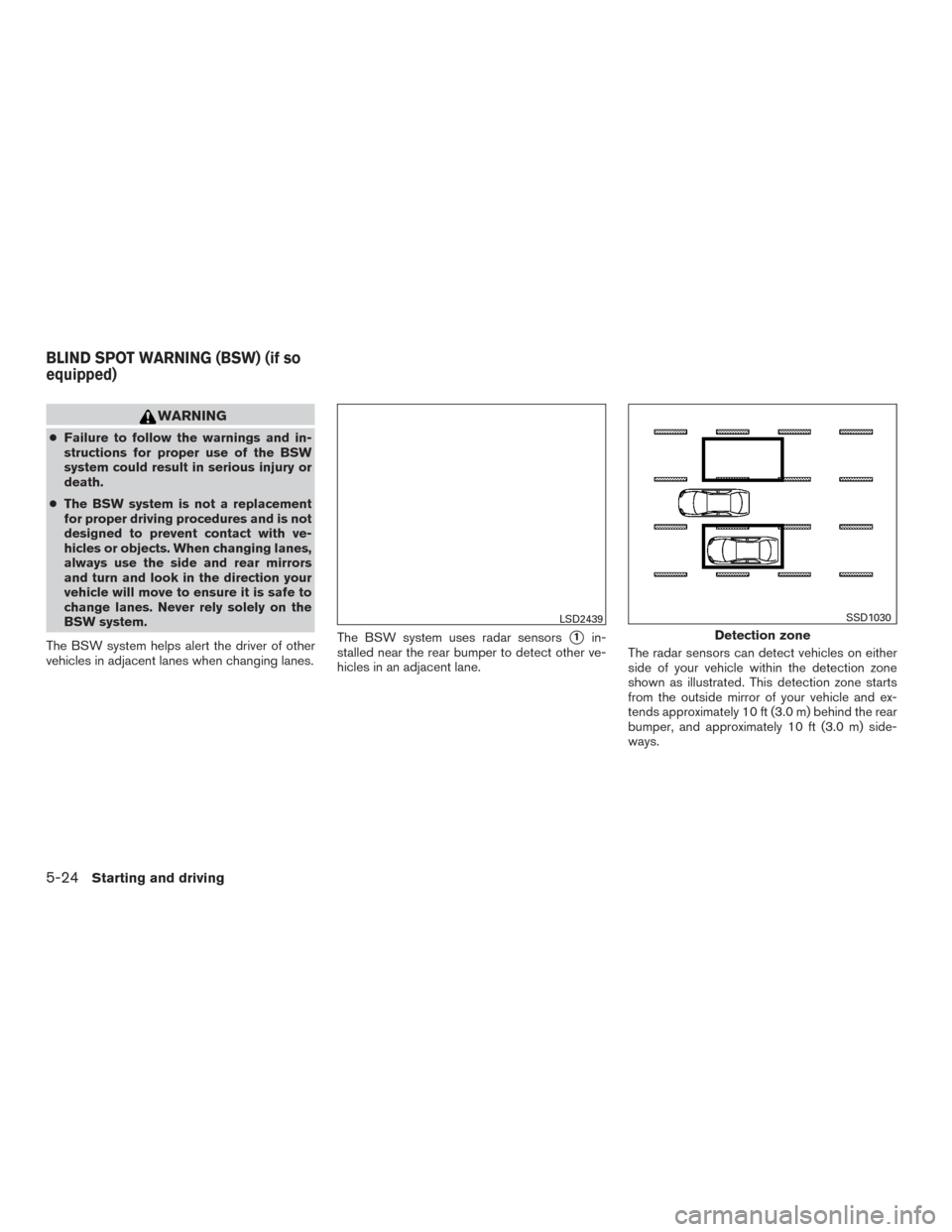
vehicles in adjacent lanes when changing lanes. The BSW system uses radar sensors
�1in-
stalled near the rear bumper to detect other ve-
hicles in an adjacent lane. The radar sensors can detect vehicles on either
side of your vehicle within the detection zone
shown as illustrated. This detection zone starts
from the outside mirror of your vehicle and ex-
tends approximately 10 ft (3.0 m) behind the rear
bumper, and approximately 10 ft (3.0 m) side-
ways.
LSD2439
Detection zone
SSD1030
BLIND SPOT WARNING (BSW) (if so
equipped)
5-24Starting and driving
Page 322 of 478
BSW SYSTEM LIMITATIONS
WARNING
Listed below are the system limitations for
the BSW system. Failure to operate the
vehicle in accordance with these system
limitations could result in serious injury or
death.
●The BSW system cannot detect all ve-
hicles under all conditions.
● The radar sensors may not be able to
detect and activate BSW when certain
objects are present such as:
– Pedestrian, bicycles, animals.
– Vehicles such as motorcycles, low height vehicles, or high ground clear-
ance vehicles.
– Oncoming vehicles.
– Vehicles remaining in the detection zone when you accelerate from a
stop.
– A vehicle merging into an adjacent lane at a speed approximately the
same as your vehicle.
– A vehicle approaching rapidly from behind. – A vehicle which your vehicle over-
takes rapidly.
– A vehicle that passes through the de- tection zone quickly.
– When overtaking several vehicles in a row, the vehicles after the first ve-
hicle may not be detected if they are
traveling close together.
● The radar sensors’ detection zone is
designed based on a standard lane
width. When driving in a wider lane,
the radar sensors may not detect ve-
hicles in an adjacent lane. When driv-
ing in a narrow lane, the radar sen-
sors may detect vehicles driving two
lanes away.
● The radar sensors are designed to
ignore most stationary objects, how-
ever objects such as guardrails,
walls, foliage and parked vehicles
may occasionally be detected. This is
a normal operation condition.
● The following conditions may reduce
the ability of the radar to detect other
vehicles:
– Severe weather
– Road spray – Ice/frost/snow build-up on the
vehicle
– Dirt build-up on the vehicle
● Do not attach stickers (including trans-
parent material) , install accessories or
apply additional paint near the radar
sensors. These conditions may reduce
the ability of the radar to detect other
vehicles.
● Excessive noise (for example, audio
system volume, open vehicle window)
will interfere with the chime sound, and
it may not be heard.
Starting and driving5-27
Page 326 of 478
SYSTEM TEMPORARILY
UNAVAILABLE
When radar blockage is detected, the system will
be deactivated automatically. The “Side Radar
Obstruction” warning message will appear and
the BSW indicator (white) will blink
�Ain the
vehicle information display.
The system is not available until the conditions no
longer exist.
The radar sensors may be blocked by temporary
ambient conditions such as splashing water, mist
or fog. The blocked condition may also be caused
by objects such as ice, frost or dirt obstructing
the radar sensors.
Action to take:
When the above conditions no longer exist, the
system will resume automatically.
Malfunction
If the BSW system malfunctions, it will turn off
automatically. The system malfunction warning
message with the BSW indicator (orange) will
appear in the vehicle information display.
LSD2445
Starting and driving5-31
Page 327 of 478
Action to take:
Stop the vehicle in a safe location, place the
vehicle in the P (Park) position, turn the engine off
and restart the engine. If the message continues
to appear, have the system checked by a
NISSAN dealer.
SYSTEM MAINTENANCE
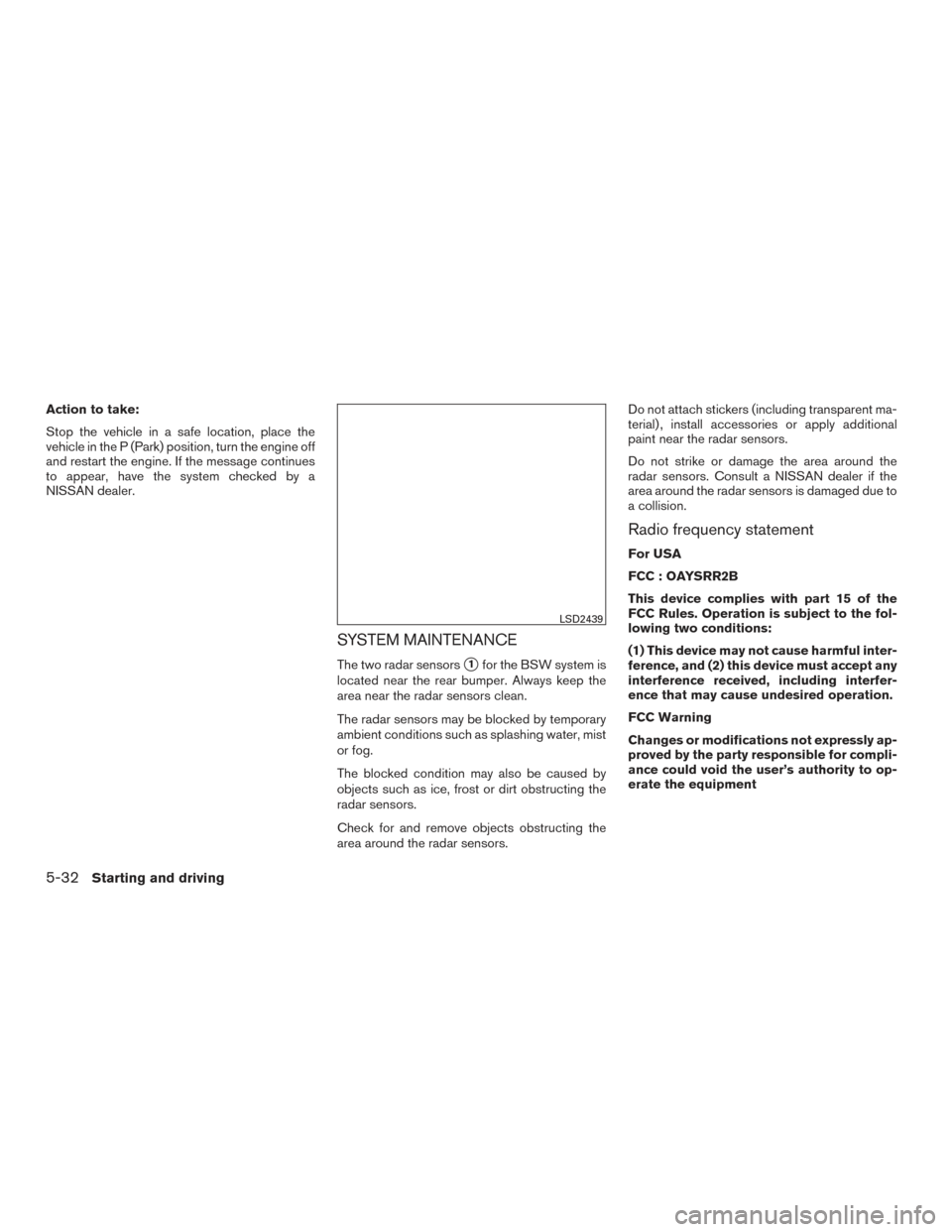
The two radar sensors�1for the BSW system is
located near the rear bumper. Always keep the
area near the radar sensors clean.
The radar sensors may be blocked by temporary
ambient conditions such as splashing water, mist
or fog.
The blocked condition may also be caused by
objects such as ice, frost or dirt obstructing the
radar sensors.
Check for and remove objects obstructing the
area around the radar sensors. Do not attach stickers (including transparent ma-
terial) , install accessories or apply additional
paint near the radar sensors.
Do not strike or damage the area around the
radar sensors. Consult a NISSAN dealer if the
area around the radar sensors is damaged due to
a collision.
Radio frequency statement
For USA
FCC : OAYSRR2B
This device complies with part 15 of the
FCC Rules. Operation is subject to the fol-
lowing two conditions:
(1) This device may not cause harmful inter-
ference, and (2) this device must accept any
interference received, including interfer-
ence that may cause undesired operation.
FCC Warning
Changes or modifications not expressly ap-
proved by the party responsible for compli-
ance could void the user’s authority to op-
erate the equipment
LSD2439
5-32Starting and driving
Page 328 of 478
For Canada
Applicable law: Canada 310
This device complies with Industry Canada
licence-exempt RSS standard(s) . Opera-
tion is subject to the following two condi-
tions: (1) this device may not cause inter-
ference, and (2) this device must accept any
interference, including interference that
may cause undesired operation of the de-
vice.
Frequency bands: 24.05GHz – 24.25GHz
Output power: less than 20 milliwatts
PRECAUTIONS ON CRUISE
CONTROL
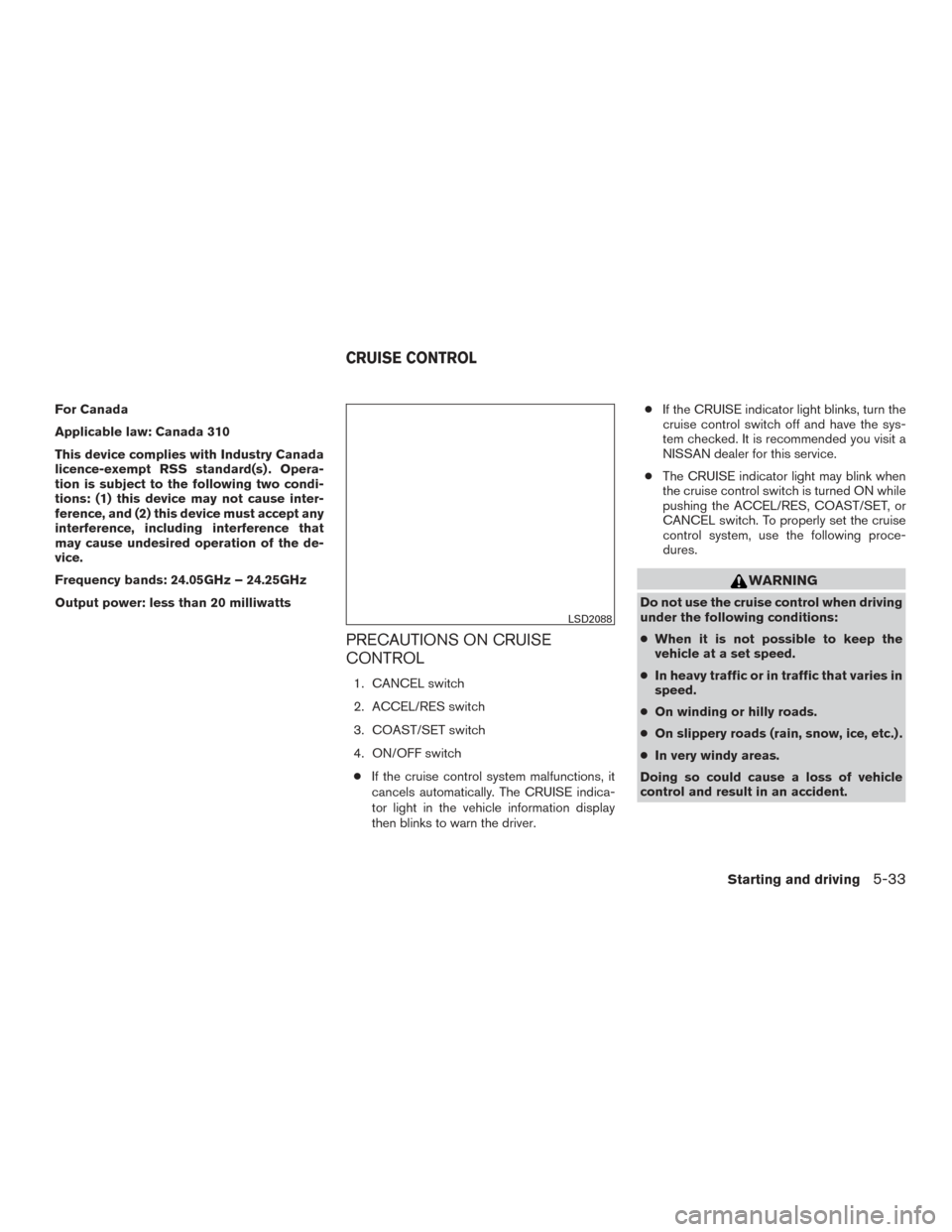
1. CANCEL switch
2. ACCEL/RES switch
3. COAST/SET switch
4. ON/OFF switch● If the cruise control system malfunctions, it
cancels automatically. The CRUISE indica-
tor light in the vehicle information display
then blinks to warn the driver. ●
If the CRUISE indicator light blinks, turn the
cruise control switch off and have the sys-
tem checked. It is recommended you visit a
NISSAN dealer for this service.
● The CRUISE indicator light may blink when
the cruise control switch is turned ON while
pushing the ACCEL/RES, COAST/SET, or
CANCEL switch. To properly set the cruise
control system, use the following proce-
dures.
WARNING
Do not use the cruise control when driving
under the following conditions:
● When it is not possible to keep the
vehicle at a set speed.
● In heavy traffic or in traffic that varies in
speed.
● On winding or hilly roads.
● On slippery roads (rain, snow, ice, etc.) .
● In very windy areas.
Doing so could cause a loss of vehicle
control and result in an accident.
LSD2088
CRUISE CONTROL
Starting and driving5-33
Page 330 of 478
WARNING
●Failure to follow the warnings and in-
structions for proper use of the FEB
system could result in serious injury or
death.
● The FEB system is a supplemental aid
to the driver. It is not a replacement for
the driver’s attention to traffic condi-
tions or responsibility to drive safely. It
cannot prevent accidents due to care-
lessness or dangerous driving
techniques.
● The FEB system does not function in all
driving, traffic, weather and road
conditions.
The FEB system can assist the driver when there
is a risk of a forward collision with the vehicle
ahead in the traveling lane. The FEB system uses a radar sensor
�Alocated
behind the front bumper to measure the distance
to the vehicle ahead in the same lane.
LSD2192
FORWARD EMERGENCY BRAKING
(FEB) (if so equipped)
Starting and driving5-35
Page 331 of 478
1. Vehicle ahead detection indicator
2. FEB warning light
FEB SYSTEM OPERATION
The FEB system will function when your vehicle is
driven at speeds above approximately 3 mph
(5 km/h).
If a risk of a forward collision is detected, the FEB
system will provide an initial warning to the driver
by both a visual and audible alert.
If the driver applies the brakes quickly and force-
fully after the warning, and the FEB system de-
tects that there is still the possibility of a forward
collision, the system will automatically increase
the braking force. If the driver does not take
action, the FEB system issues the second visual
warning (red) and audible warning and also ap-
plies partial braking.
If the risk of a collision becomes imminent, the
FEB system applies harder braking automatically.
NOTE:
The vehicle’s brake lights come on when
braking is performed by the forward emer-
gency braking system.
LSD2447
5-36Starting and driving