Page 96 of 312
NISSAN VEHICLE IMMOBILIZER
SYSTEM
The NISSAN Vehicle Immobilizer System will not
allow the engine to start without the use of a
registered key.
If the engine fails to start using a registered key
(for example, when interference is caused by
another registered key, an automated toll road
device or automatic payment device on the key
ring) , restart the engine using the following pro-
cedures:1. Leave the ignition switch placed in the ON position for approximately 5 seconds.
2. Place the ignition switch in the OFF or LOCK position, and wait approximately
10 seconds.
3. Repeat Steps 1 and 2.
4. Restart the engine while holding the device (which may have caused the interference)
separate from the registered key.
If the no start condition re-occurs, NISSAN rec-
ommends placing the registered key on a sepa-
rate key ring to avoid interference from other
devices. FCC Notice:
For USA:
This device complies with part 15 of the
FCC Rules. Operation is subject to the fol-
lowing two conditions: (1) This device may
not cause harmful interference, and (2) this
device must accept any interference re-
ceived, including interference that may
cause undesired operation.
NOTE:
Changes or modifications not expressly ap-
proved by the party responsible for compli-
ance could void the user’s authority to op-
erate the equipment.
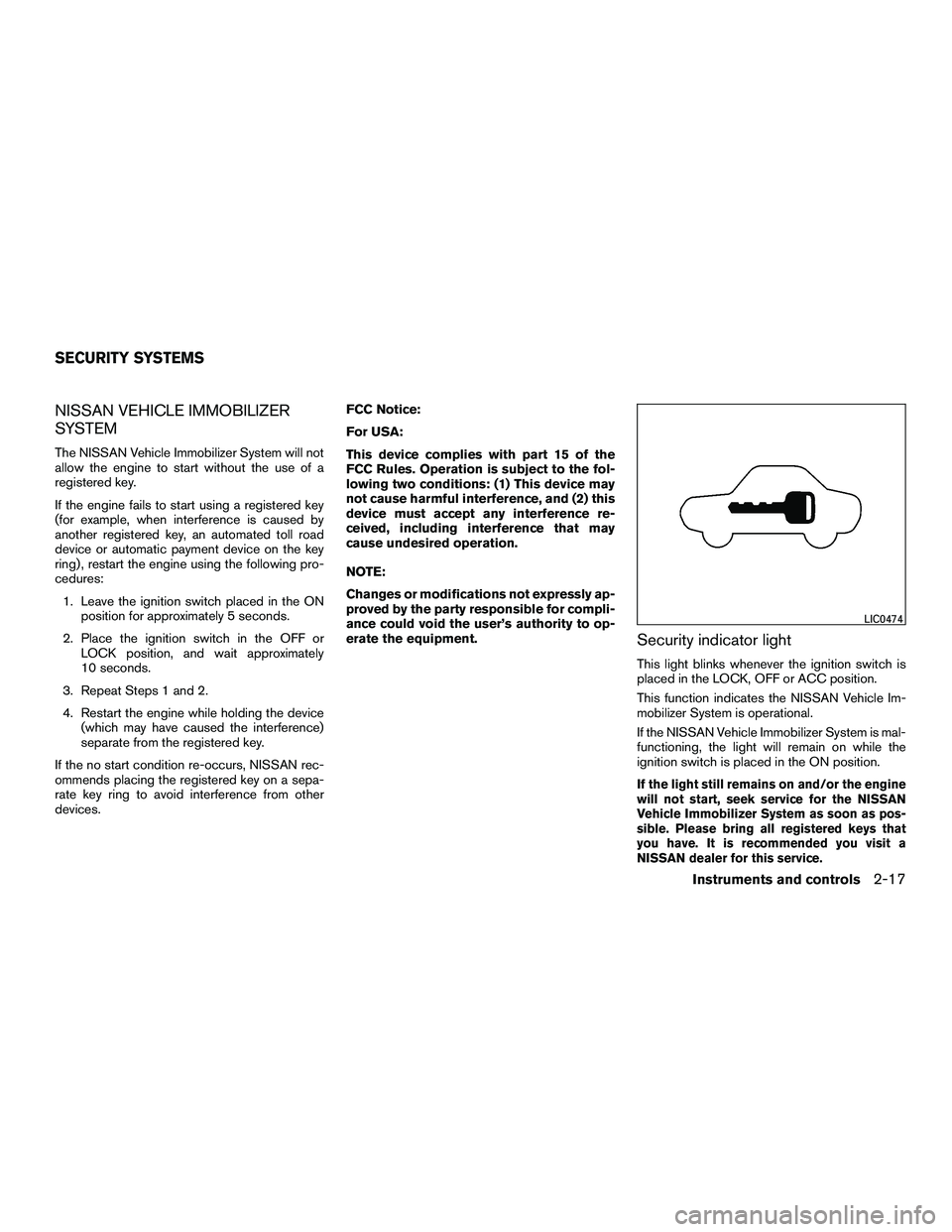
Security indicator light
This light blinks whenever the ignition switch is
placed in the LOCK, OFF or ACC position.
This function indicates the NISSAN Vehicle Im-
mobilizer System is operational.
If the NISSAN Vehicle Immobilizer System is mal-
functioning, the light will remain on while the
ignition switch is placed in the ON position.
If the light still remains on and/or the engine
will not start, seek service for the NISSAN
Vehicle Immobilizer System as soon as pos-
sible. Please bring all registered keys that
you have. It is recommended you visit a
NISSAN dealer for this service.
LIC0474
SECURITY SYSTEMS
Instruments and controls2-17
Page 104 of 312
GLOVE BOX
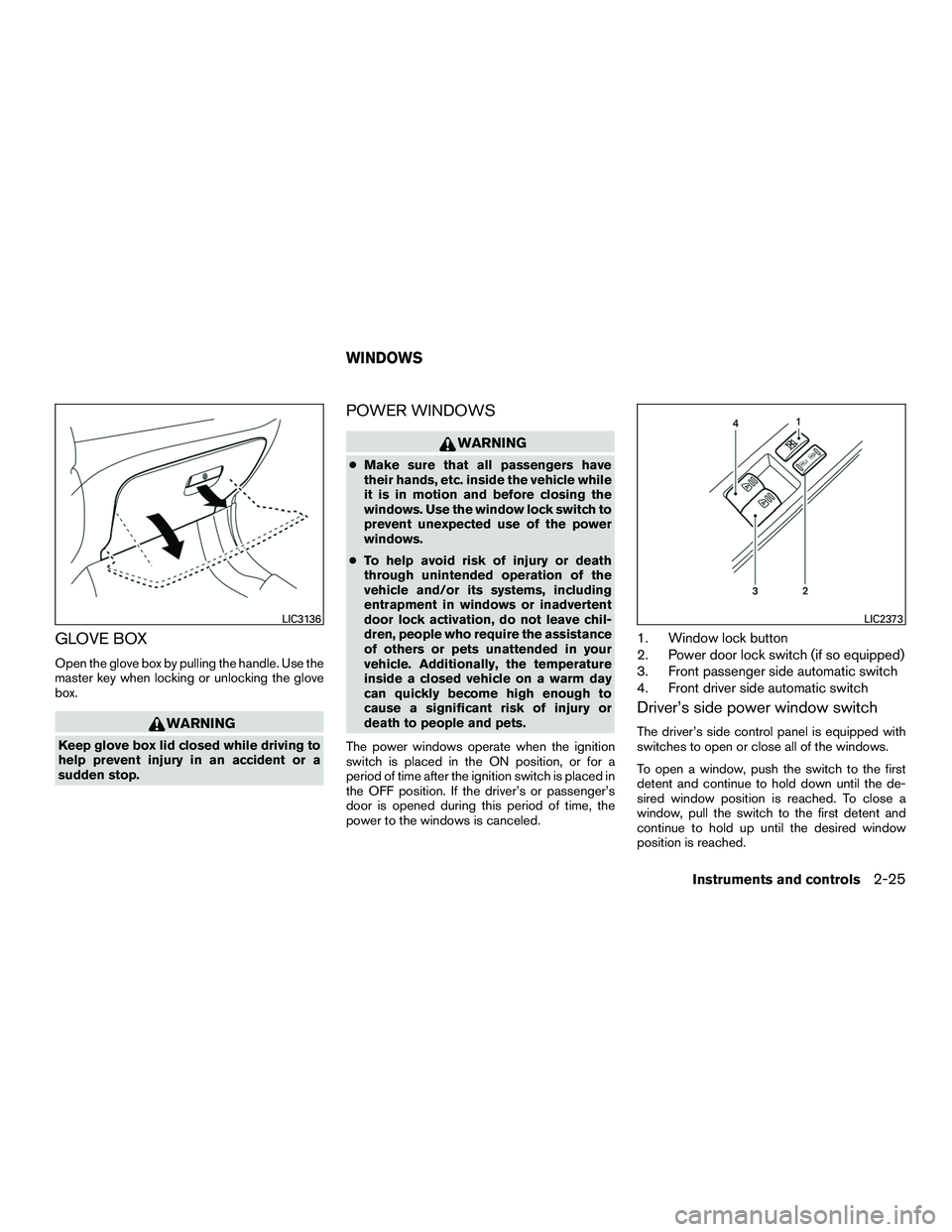
Open the glove box by pulling the handle. Use the
master key when locking or unlocking the glove
box.
WARNING
Keep glove box lid closed while driving to
help prevent injury in an accident or a
sudden stop.
POWER WINDOWS
WARNING
●Make sure that all passengers have
their hands, etc. inside the vehicle while
it is in motion and before closing the
windows. Use the window lock switch to
prevent unexpected use of the power
windows.
● To help avoid risk of injury or death
through unintended operation of the
vehicle and/or its systems, including
entrapment in windows or inadvertent
door lock activation, do not leave chil-
dren, people who require the assistance
of others or pets unattended in your
vehicle. Additionally, the temperature
inside a closed vehicle on a warm day
can quickly become high enough to
cause a significant risk of injury or
death to people and pets.
The power windows operate when the ignition
switch is placed in the ON position, or for a
period of time after the ignition switch is placed in
the OFF position. If the driver’s or passenger’s
door is opened during this period of time, the
power to the windows is canceled.
1. Window lock button
2. Power door lock switch (if so equipped)
3. Front passenger side automatic switch
4. Front driver side automatic switch
Driver’s side power window switch
The driver’s side control panel is equipped with
switches to open or close all of the windows.
To open a window, push the switch to the first
detent and continue to hold down until the de-
sired window position is reached. To close a
window, pull the switch to the first detent and
continue to hold up until the desired window
position is reached.
LIC3136LIC2373
WINDOWS
Instruments and controls2-25
Page 105 of 312
Front passenger’s power window
switch
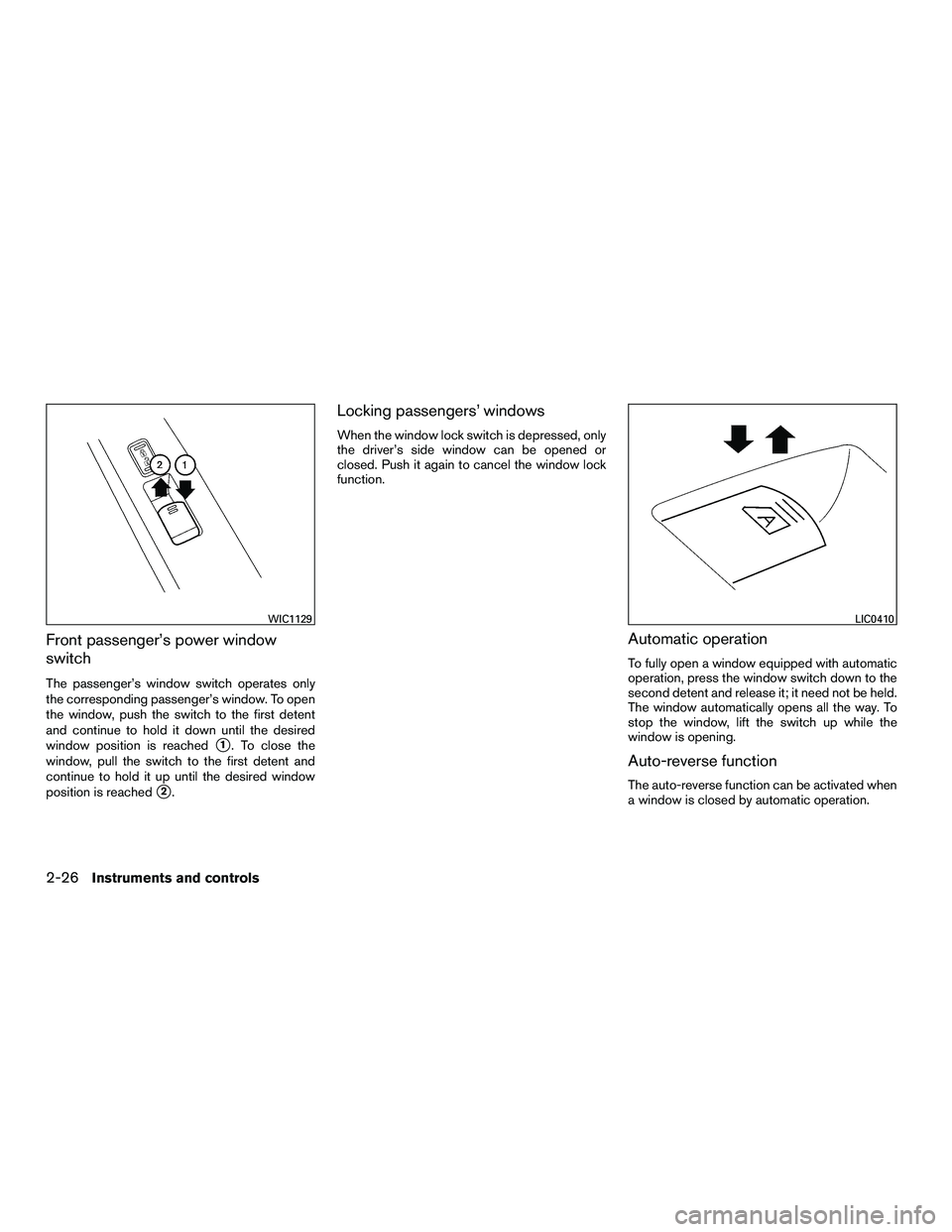
The passenger’s window switch operates only
the corresponding passenger’s window. To open
the window, push the switch to the first detent
and continue to hold it down until the desired
window position is reached
�1. To close the
window, pull the switch to the first detent and
continue to hold it up until the desired window
position is reached
�2.
Locking passengers’ windows
When the window lock switch is depressed, only
the driver’s side window can be opened or
closed. Push it again to cancel the window lock
function.
Automatic operation
To fully open a window equipped with automatic
operation, press the window switch down to the
second detent and release it; it need not be held.
The window automatically opens all the way. To
stop the window, lift the switch up while the
window is opening.
Auto-reverse function
The auto-reverse function can be activated when
a window is closed by automatic operation.
WIC1129LIC0410
2-26Instruments and controls
Page 106 of 312
Depending on the environment or driving
conditions, the auto-reverse function may
be activated if an impact or load similar to
something being caught in the window oc-
curs.
WARNING
There are some small distances immedi-
ately before the closed position which
cannot be detected. Make sure that all
passengers have their hands, etc., inside
the vehicle before closing the window.
If the vehicle’s battery is disconnected, replaced,
or jump started, the power window auto-reverse
function may not operate properly. If this occurs,
please contact a NISSAN dealer to re-initialize
the power window auto-reverse system.
If the control unit detects something caught in a
window equipped with automatic operation as it
is closing, the window will be immediately low-
ered.
When power window switch does not
operate
If the power window automatic function (closing
only) does not operate properly, perform the fol-
lowing procedure to initialize the power window
system. 1. Place the ignition switch in the ON position.
2. Open the window more than halfway by
operating the power window switch.
3. Pull up and hold the window switch and hold it to close the window, and then hold the
switch for more than 3 seconds after the
window is closed completely.
4. Release the power window switch. Operate the window by automatic function to confirm
the initialization is complete.
5. Perform steps 2 through 4 above for other windows.
If the power window automatic function does not
operate properly after performing the above pro-
cedure, see a NISSAN dealer for assistance.
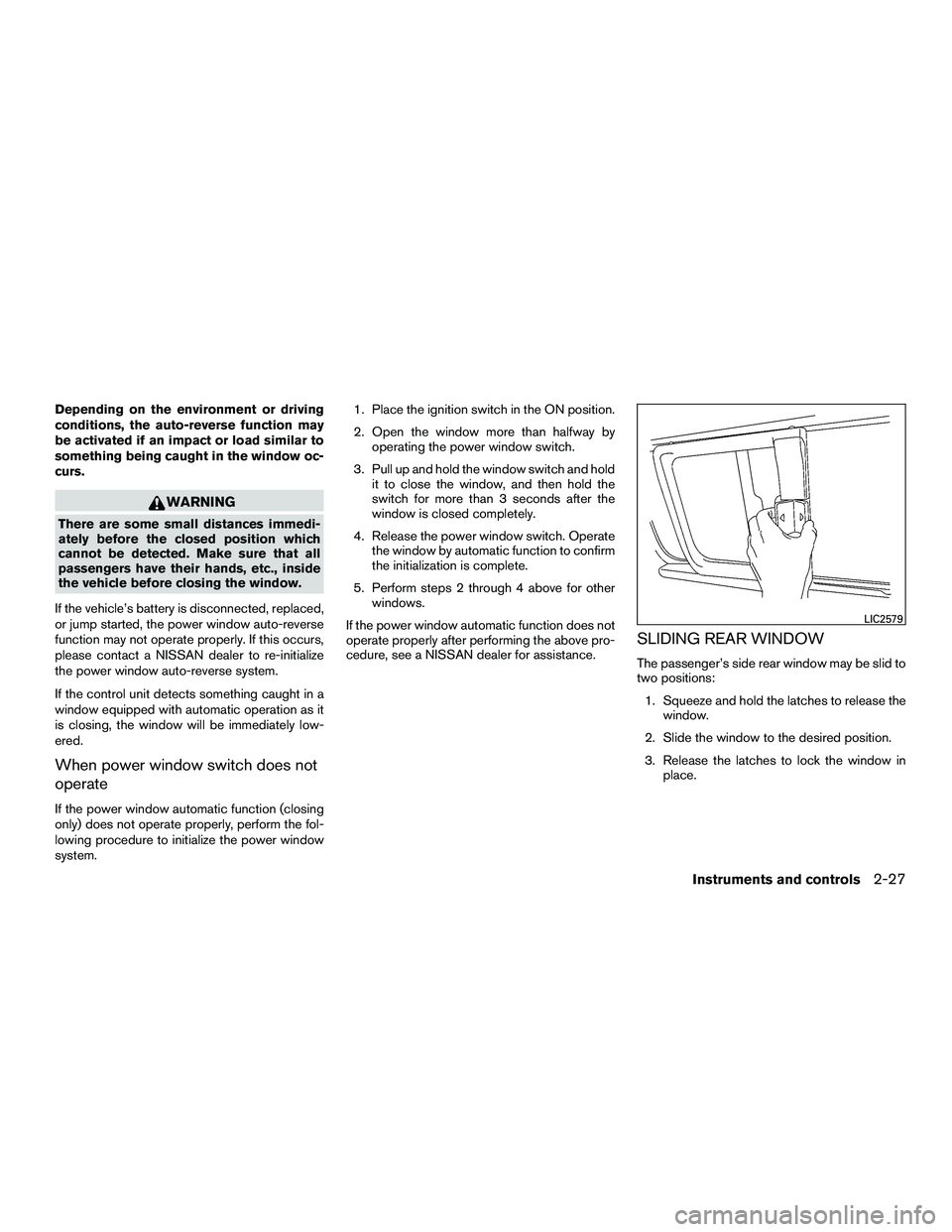
SLIDING REAR WINDOW
The passenger’s side rear window may be slid to
two positions: 1. Squeeze and hold the latches to release the window.
2. Slide the window to the desired position.
3. Release the latches to lock the window in place.
LIC2579
Instruments and controls2-27
Page 108 of 312
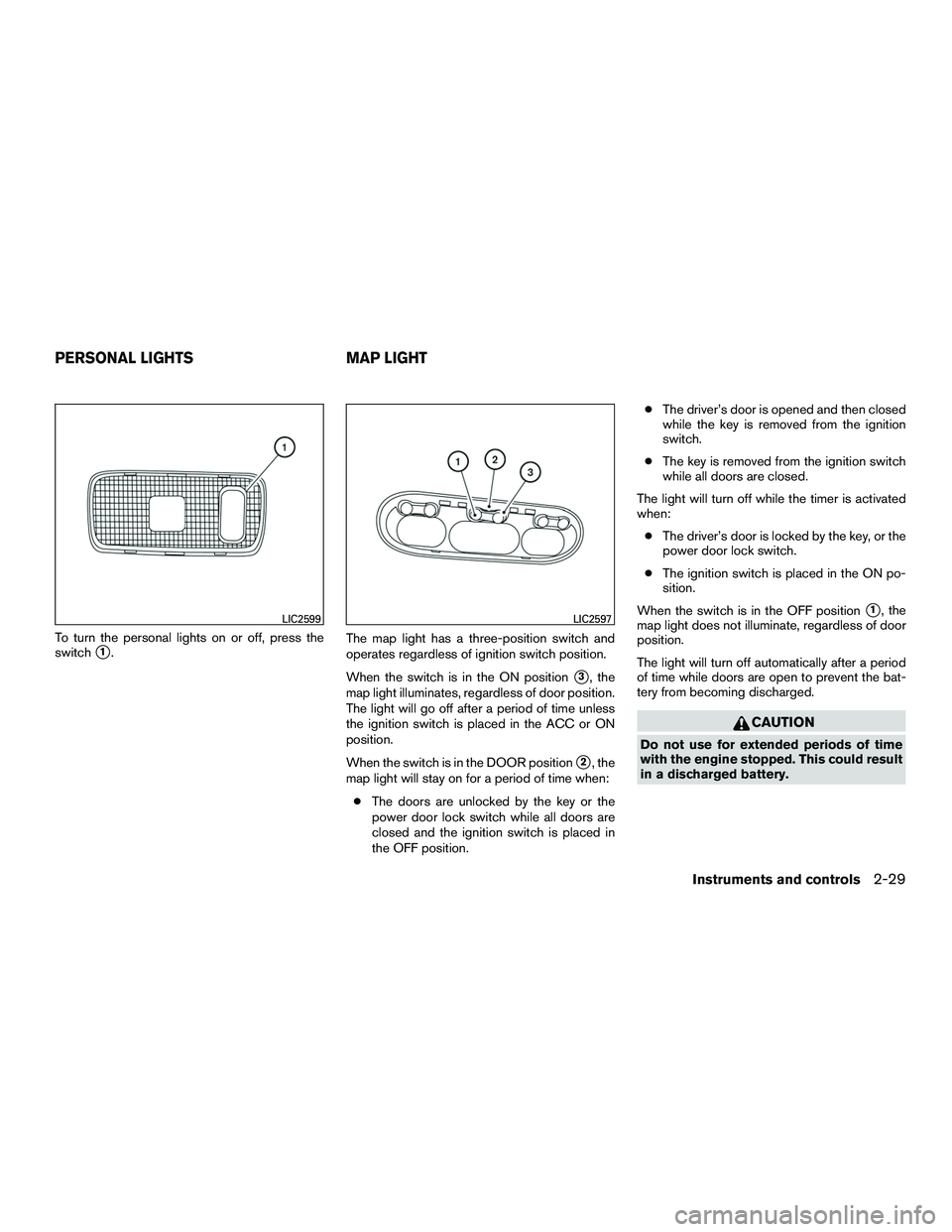
To turn the personal lights on or off, press the
switch
�1.The map light has a three-position switch and
operates regardless of ignition switch position.
When the switch is in the ON position
�3, the
map light illuminates, regardless of door position.
The light will go off after a period of time unless
the ignition switch is placed in the ACC or ON
position.
When the switch is in the DOOR position
�2, the
map light will stay on for a period of time when:
● The doors are unlocked by the key or the
power door lock switch while all doors are
closed and the ignition switch is placed in
the OFF position. ●
The driver’s door is opened and then closed
while the key is removed from the ignition
switch.
● The key is removed from the ignition switch
while all doors are closed.
The light will turn off while the timer is activated
when: ● The driver’s door is locked by the key, or the
power door lock switch.
● The ignition switch is placed in the ON po-
sition.
When the switch is in the OFF position
�1, the
map light does not illuminate, regardless of door
position.
The light will turn off automatically after a period
of time while doors are open to prevent the bat-
tery from becoming discharged.
CAUTION
Do not use for extended periods of time
with the engine stopped. This could result
in a discharged battery.
LIC2599LIC2597
PERSONAL LIGHTS MAP LIGHT
Instruments and controls2-29
Page 109 of 312
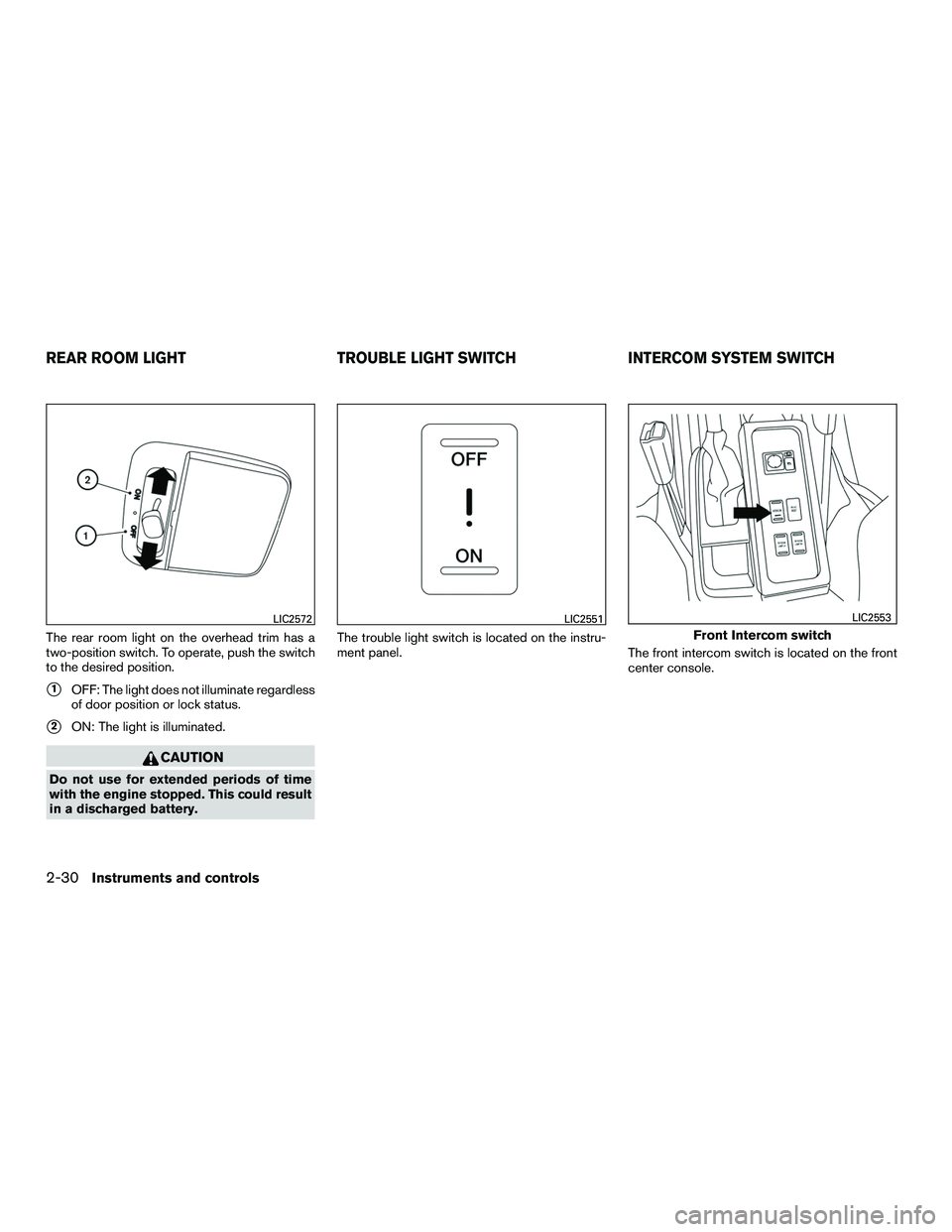
The rear room light on the overhead trim has a
two-position switch. To operate, push the switch
to the desired position.
�1OFF: The light does not illuminate regardless
of door position or lock status.
�2ON: The light is illuminated.
CAUTION
Do not use for extended periods of time
with the engine stopped. This could result
in a discharged battery. The trouble light switch is located on the instru-
ment panel.
The front intercom switch is located on the front
center console.
LIC2572LIC2551
Front Intercom switch
LIC2553
REAR ROOM LIGHTTROUBLE LIGHT SWITCHINTERCOM SYSTEM SWITCH
2-30Instruments and controls
Page 112 of 312
3 Pre-driving checks and adjustments
Keys .............................................3-2NISSAN Vehicle Immobilizer System keys .........3-2
Doors ............................................3-3
Locking with key ................................3-3
Locking with inside lock knob ....................3-5
Locking with power door lock switch . . . ..........3-6
Operating the sliding doors ......................3-6
Back doors ....................................3-7
Automatic door locks ...........................3-9
Child safety sliding door lock ....................3-9
Remote keyless entry system (if so equipped) .........3-9
How to use remote keyless entry system .........3-10 Hood
........................................... 3-13
Fuel-filler door ................................... 3-14
Opener operation .............................. 3-14
Fuel-filler cap ................................. 3-14
Steering wheel ................................... 3-16
Tilt operation .................................. 3-16
Sun visors ....................................... 3-17
Card holder ................................... 3-17
Mirrors .......................................... 3-17
Manual anti-glare rearview mirror ................3-17
Outside mirrors ............................... 3-18
Page 113 of 312
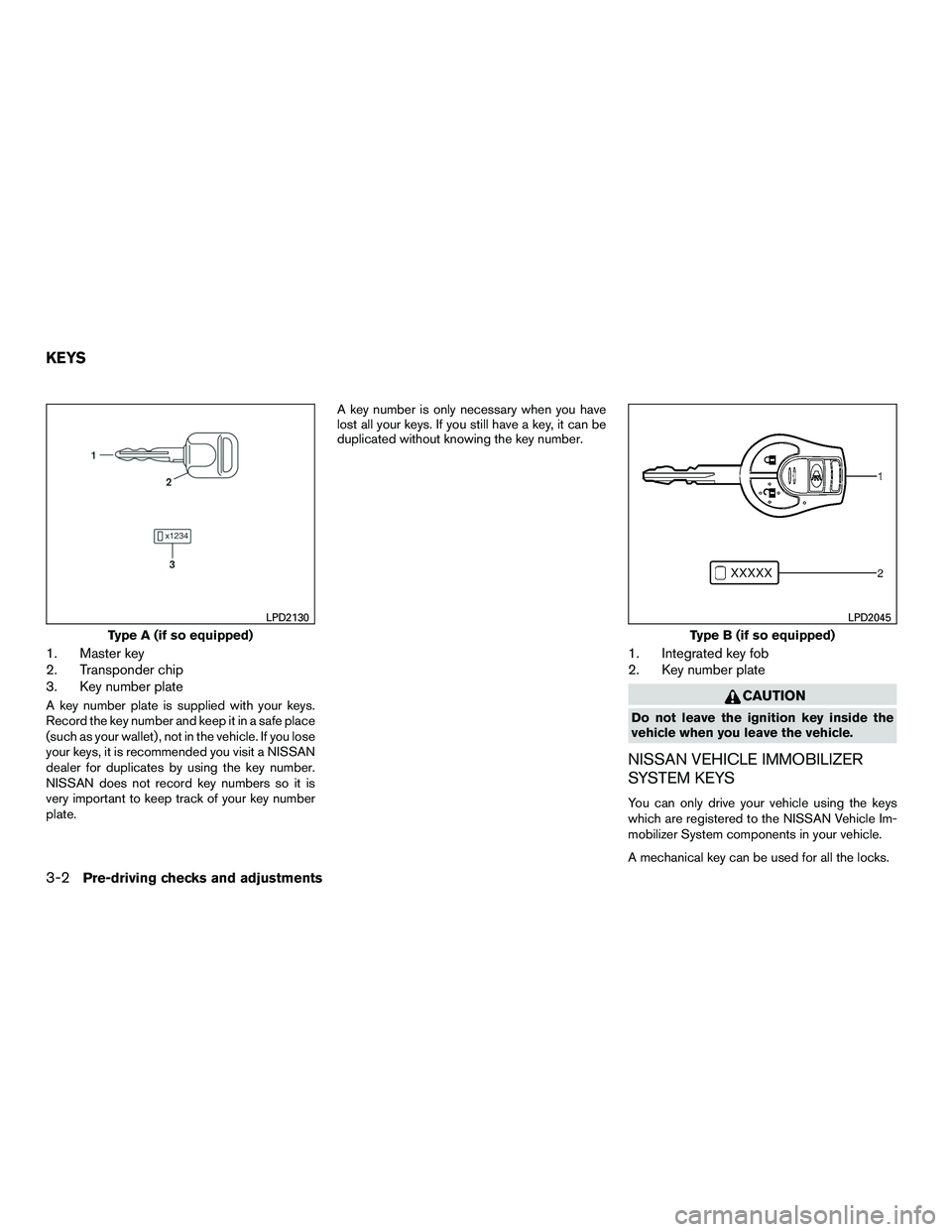
1. Master key
2. Transponder chip
3. Key number plate
A key number plate is supplied with your keys.
Record the key number and keep it in a safe place
(such as your wallet) , not in the vehicle. If you lose
your keys, it is recommended you visit a NISSAN
dealer for duplicates by using the key number.
NISSAN does not record key numbers so it is
very important to keep track of your key number
plate.A key number is only necessary when you have
lost all your keys. If you still have a key, it can be
duplicated without knowing the key number.
1. Integrated key fob
2. Key number plate
CAUTION
Do not leave the ignition key inside the
vehicle when you leave the vehicle.
NISSAN VEHICLE IMMOBILIZER
SYSTEM KEYS
You can only drive your vehicle using the keys
which are registered to the NISSAN Vehicle Im-
mobilizer System components in your vehicle.
A mechanical key can be used for all the locks.
Type A (if so equipped)
LPD2130
Type B (if so equipped)
LPD2045
KEYS
3-2Pre-driving checks and adjustments