Page 99 of 312
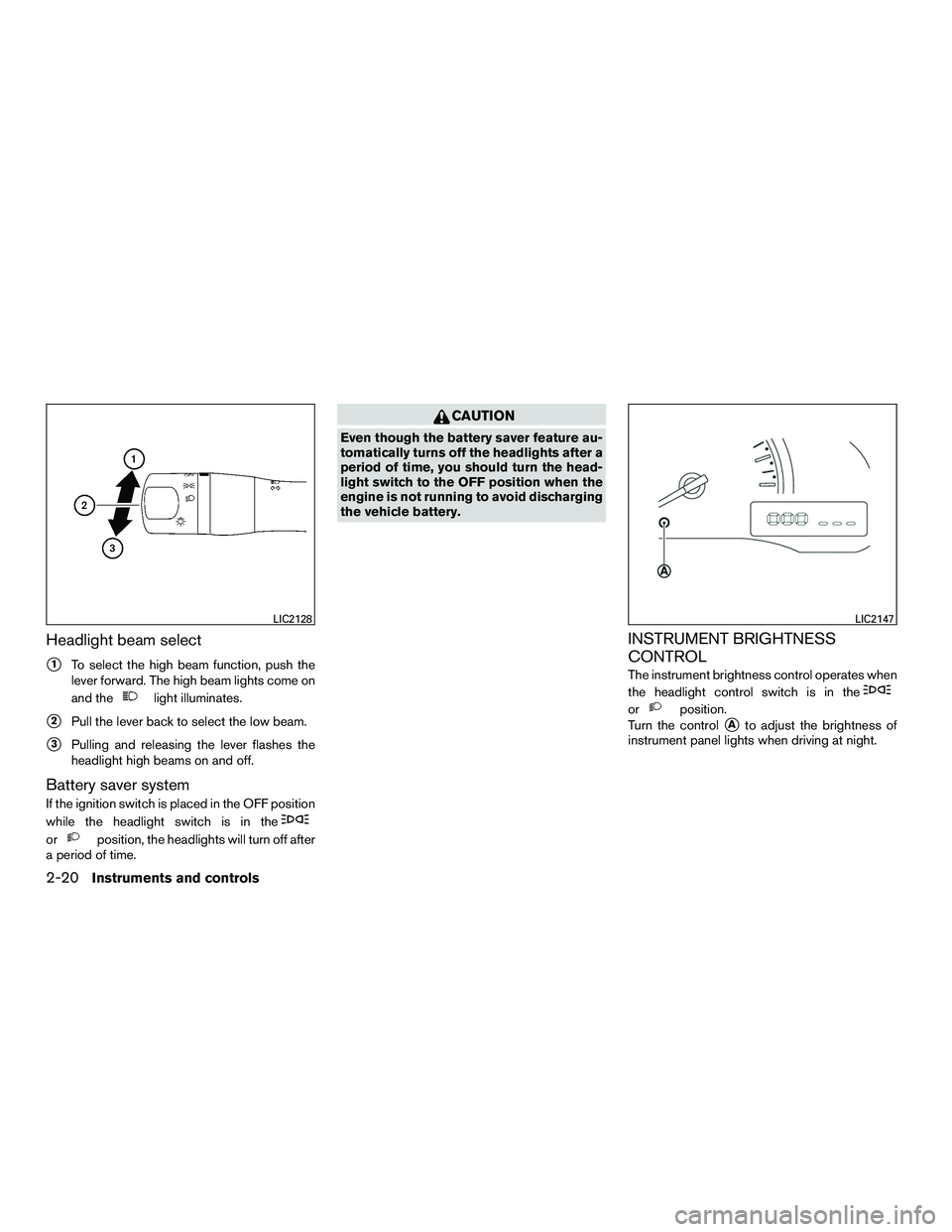
Headlight beam select
�1To select the high beam function, push the
lever forward. The high beam lights come on
and the
light illuminates.
�2Pull the lever back to select the low beam.
�3Pulling and releasing the lever flashes the
headlight high beams on and off.
Battery saver system
If the ignition switch is placed in the OFF position
while the headlight switch is in the
orposition, the headlights will turn off after
a period of time.
CAUTION
Even though the battery saver feature au-
tomatically turns off the headlights after a
period of time, you should turn the head-
light switch to the OFF position when the
engine is not running to avoid discharging
the vehicle battery.
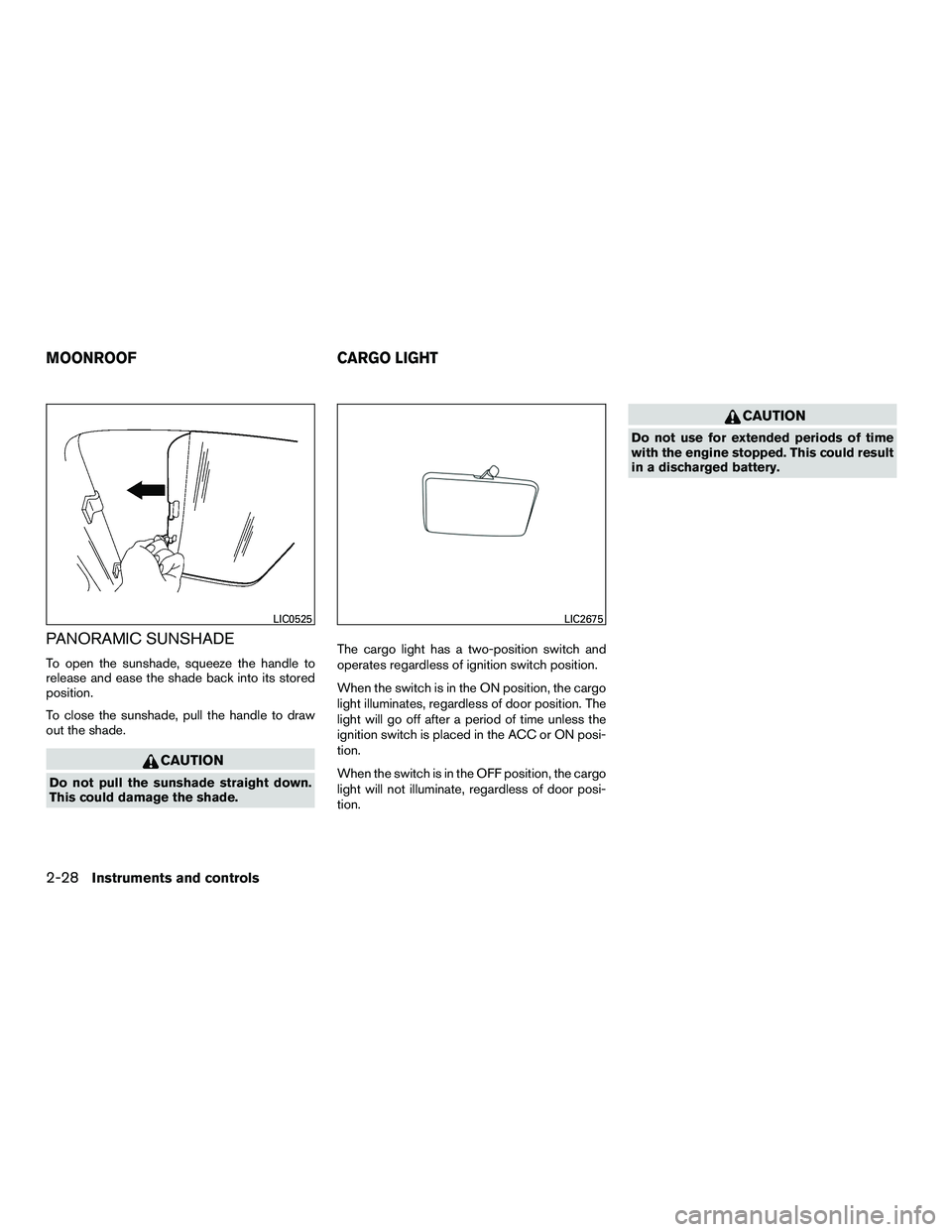
INSTRUMENT BRIGHTNESS
CONTROL
The instrument brightness control operates when
the headlight control switch is in the
orposition.
Turn the control
�Ato adjust the brightness of
instrument panel lights when driving at night.
LIC2128LIC2147
2-20Instruments and controls
Page 104 of 312
GLOVE BOX
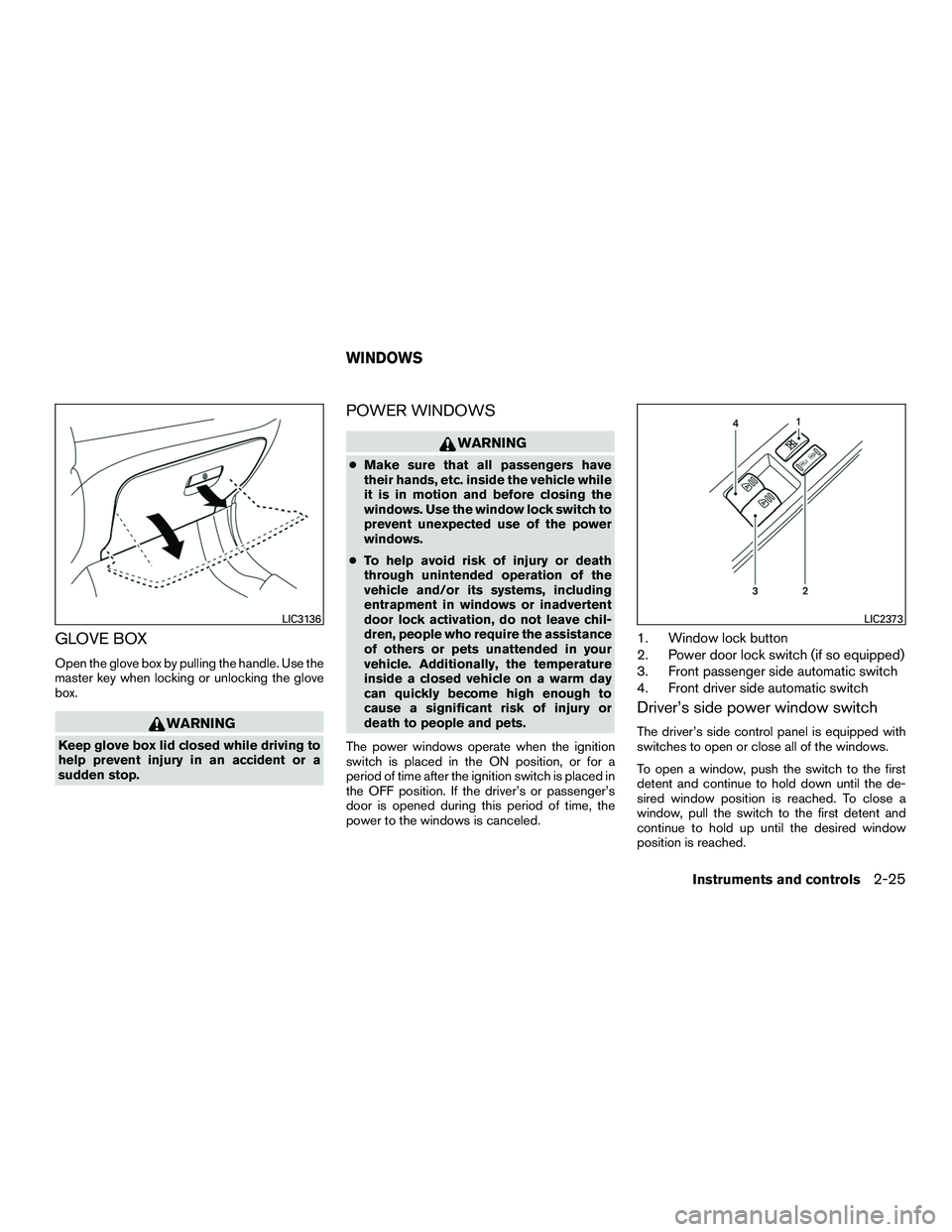
Open the glove box by pulling the handle. Use the
master key when locking or unlocking the glove
box.
WARNING
Keep glove box lid closed while driving to
help prevent injury in an accident or a
sudden stop.
POWER WINDOWS
WARNING
●Make sure that all passengers have
their hands, etc. inside the vehicle while
it is in motion and before closing the
windows. Use the window lock switch to
prevent unexpected use of the power
windows.
● To help avoid risk of injury or death
through unintended operation of the
vehicle and/or its systems, including
entrapment in windows or inadvertent
door lock activation, do not leave chil-
dren, people who require the assistance
of others or pets unattended in your
vehicle. Additionally, the temperature
inside a closed vehicle on a warm day
can quickly become high enough to
cause a significant risk of injury or
death to people and pets.
The power windows operate when the ignition
switch is placed in the ON position, or for a
period of time after the ignition switch is placed in
the OFF position. If the driver’s or passenger’s
door is opened during this period of time, the
power to the windows is canceled.
1. Window lock button
2. Power door lock switch (if so equipped)
3. Front passenger side automatic switch
4. Front driver side automatic switch
Driver’s side power window switch
The driver’s side control panel is equipped with
switches to open or close all of the windows.
To open a window, push the switch to the first
detent and continue to hold down until the de-
sired window position is reached. To close a
window, pull the switch to the first detent and
continue to hold up until the desired window
position is reached.
LIC3136LIC2373
WINDOWS
Instruments and controls2-25
Page 106 of 312
Depending on the environment or driving
conditions, the auto-reverse function may
be activated if an impact or load similar to
something being caught in the window oc-
curs.
WARNING
There are some small distances immedi-
ately before the closed position which
cannot be detected. Make sure that all
passengers have their hands, etc., inside
the vehicle before closing the window.
If the vehicle’s battery is disconnected, replaced,
or jump started, the power window auto-reverse
function may not operate properly. If this occurs,
please contact a NISSAN dealer to re-initialize
the power window auto-reverse system.
If the control unit detects something caught in a
window equipped with automatic operation as it
is closing, the window will be immediately low-
ered.
When power window switch does not
operate
If the power window automatic function (closing
only) does not operate properly, perform the fol-
lowing procedure to initialize the power window
system. 1. Place the ignition switch in the ON position.
2. Open the window more than halfway by
operating the power window switch.
3. Pull up and hold the window switch and hold it to close the window, and then hold the
switch for more than 3 seconds after the
window is closed completely.
4. Release the power window switch. Operate the window by automatic function to confirm
the initialization is complete.
5. Perform steps 2 through 4 above for other windows.
If the power window automatic function does not
operate properly after performing the above pro-
cedure, see a NISSAN dealer for assistance.
SLIDING REAR WINDOW
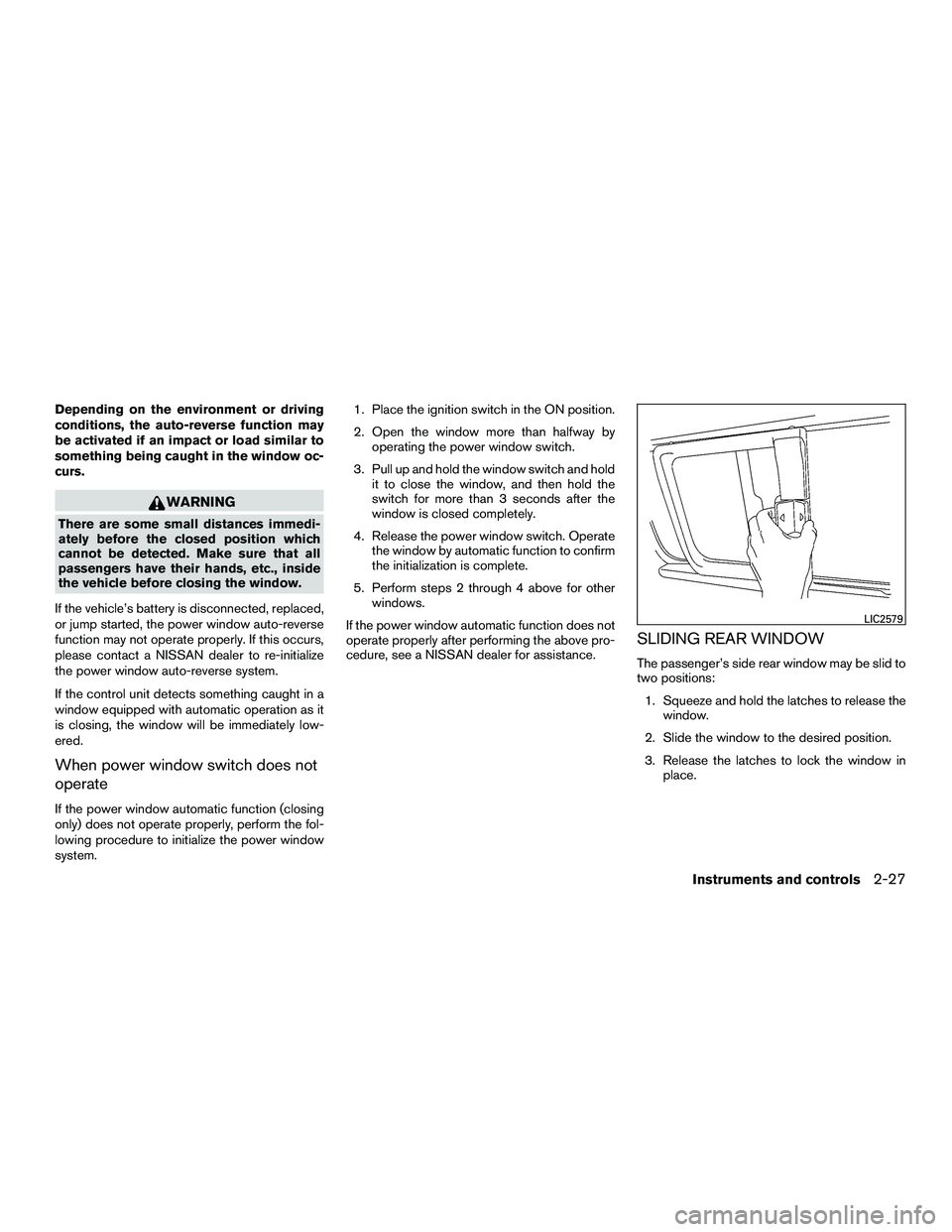
The passenger’s side rear window may be slid to
two positions: 1. Squeeze and hold the latches to release the window.
2. Slide the window to the desired position.
3. Release the latches to lock the window in place.
LIC2579
Instruments and controls2-27
Page 107 of 312
PANORAMIC SUNSHADE
To open the sunshade, squeeze the handle to
release and ease the shade back into its stored
position.
To close the sunshade, pull the handle to draw
out the shade.
CAUTION
Do not pull the sunshade straight down.
This could damage the shade.The cargo light has a two-position switch and
operates regardless of ignition switch position.
When the switch is in the ON position, the cargo
light illuminates, regardless of door position. The
light will go off after a period of time unless the
ignition switch is placed in the ACC or ON posi-
tion.
When the switch is in the OFF position, the cargo
light will not illuminate, regardless of door posi-
tion.
CAUTION
Do not use for extended periods of time
with the engine stopped. This could result
in a discharged battery.
LIC0525LIC2675
MOONROOF
CARGO LIGHT
2-28Instruments and controls
Page 108 of 312
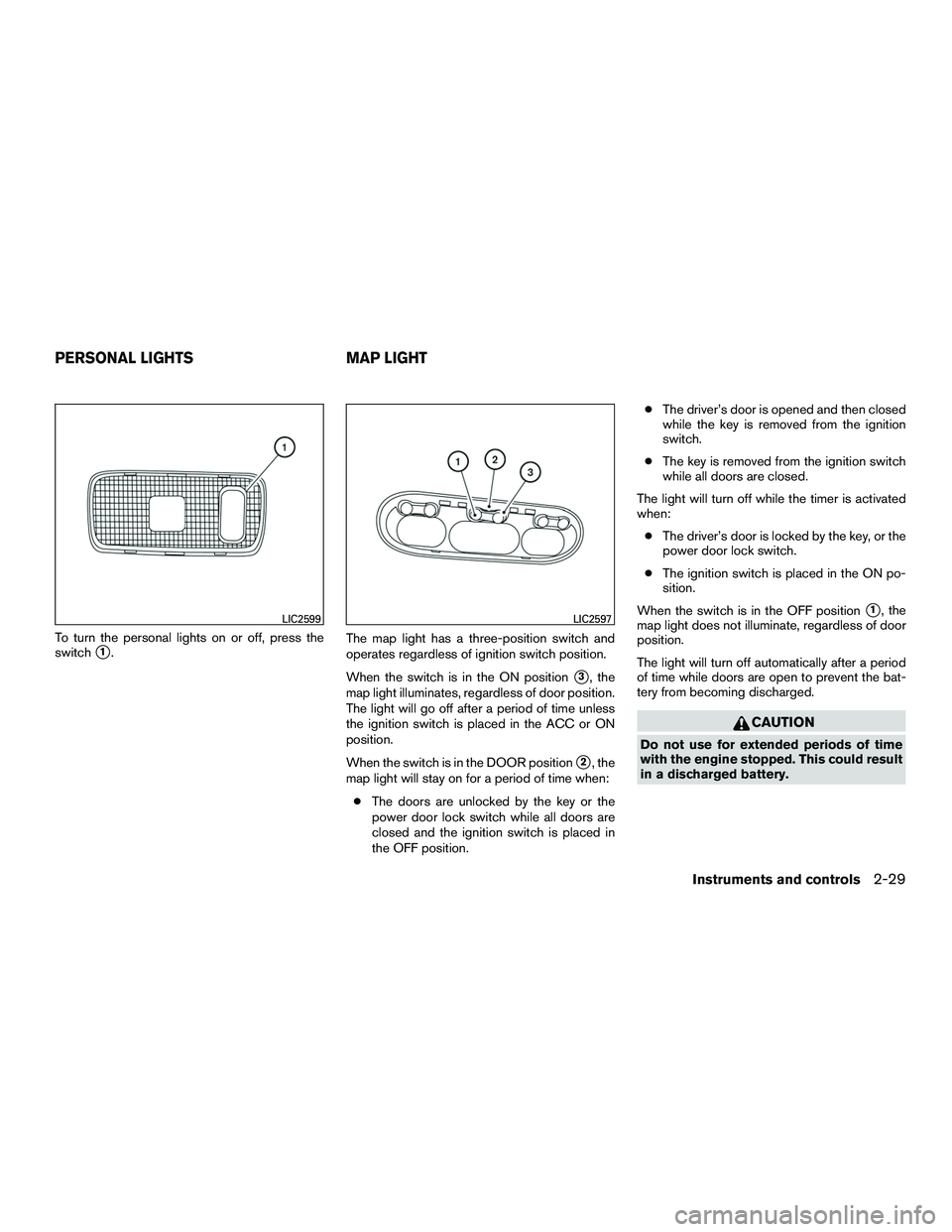
To turn the personal lights on or off, press the
switch
�1.The map light has a three-position switch and
operates regardless of ignition switch position.
When the switch is in the ON position
�3, the
map light illuminates, regardless of door position.
The light will go off after a period of time unless
the ignition switch is placed in the ACC or ON
position.
When the switch is in the DOOR position
�2, the
map light will stay on for a period of time when:
● The doors are unlocked by the key or the
power door lock switch while all doors are
closed and the ignition switch is placed in
the OFF position. ●
The driver’s door is opened and then closed
while the key is removed from the ignition
switch.
● The key is removed from the ignition switch
while all doors are closed.
The light will turn off while the timer is activated
when: ● The driver’s door is locked by the key, or the
power door lock switch.
● The ignition switch is placed in the ON po-
sition.
When the switch is in the OFF position
�1, the
map light does not illuminate, regardless of door
position.
The light will turn off automatically after a period
of time while doors are open to prevent the bat-
tery from becoming discharged.
CAUTION
Do not use for extended periods of time
with the engine stopped. This could result
in a discharged battery.
LIC2599LIC2597
PERSONAL LIGHTS MAP LIGHT
Instruments and controls2-29
Page 113 of 312
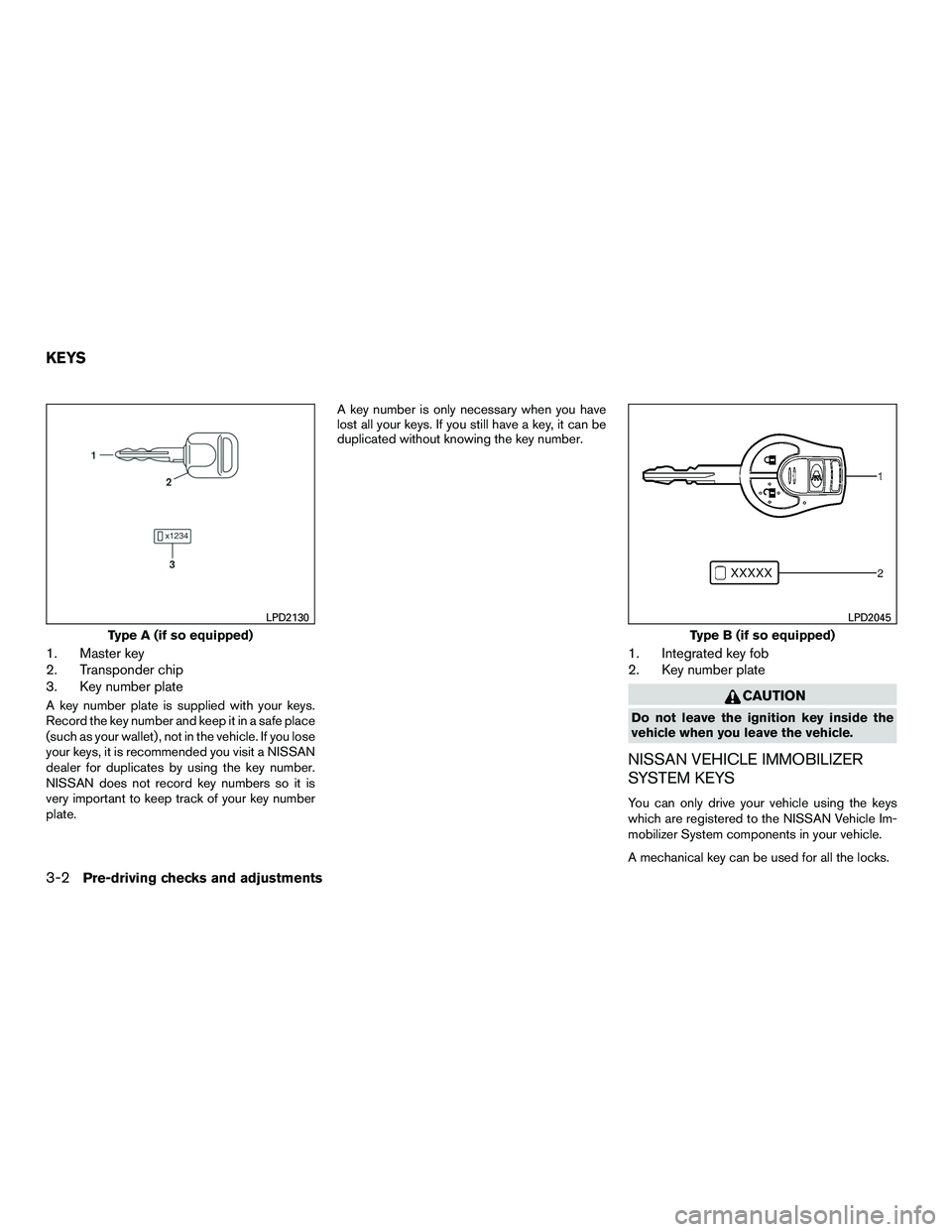
1. Master key
2. Transponder chip
3. Key number plate
A key number plate is supplied with your keys.
Record the key number and keep it in a safe place
(such as your wallet) , not in the vehicle. If you lose
your keys, it is recommended you visit a NISSAN
dealer for duplicates by using the key number.
NISSAN does not record key numbers so it is
very important to keep track of your key number
plate.A key number is only necessary when you have
lost all your keys. If you still have a key, it can be
duplicated without knowing the key number.
1. Integrated key fob
2. Key number plate
CAUTION
Do not leave the ignition key inside the
vehicle when you leave the vehicle.
NISSAN VEHICLE IMMOBILIZER
SYSTEM KEYS
You can only drive your vehicle using the keys
which are registered to the NISSAN Vehicle Im-
mobilizer System components in your vehicle.
A mechanical key can be used for all the locks.
Type A (if so equipped)
LPD2130
Type B (if so equipped)
LPD2045
KEYS
3-2Pre-driving checks and adjustments
Page 117 of 312
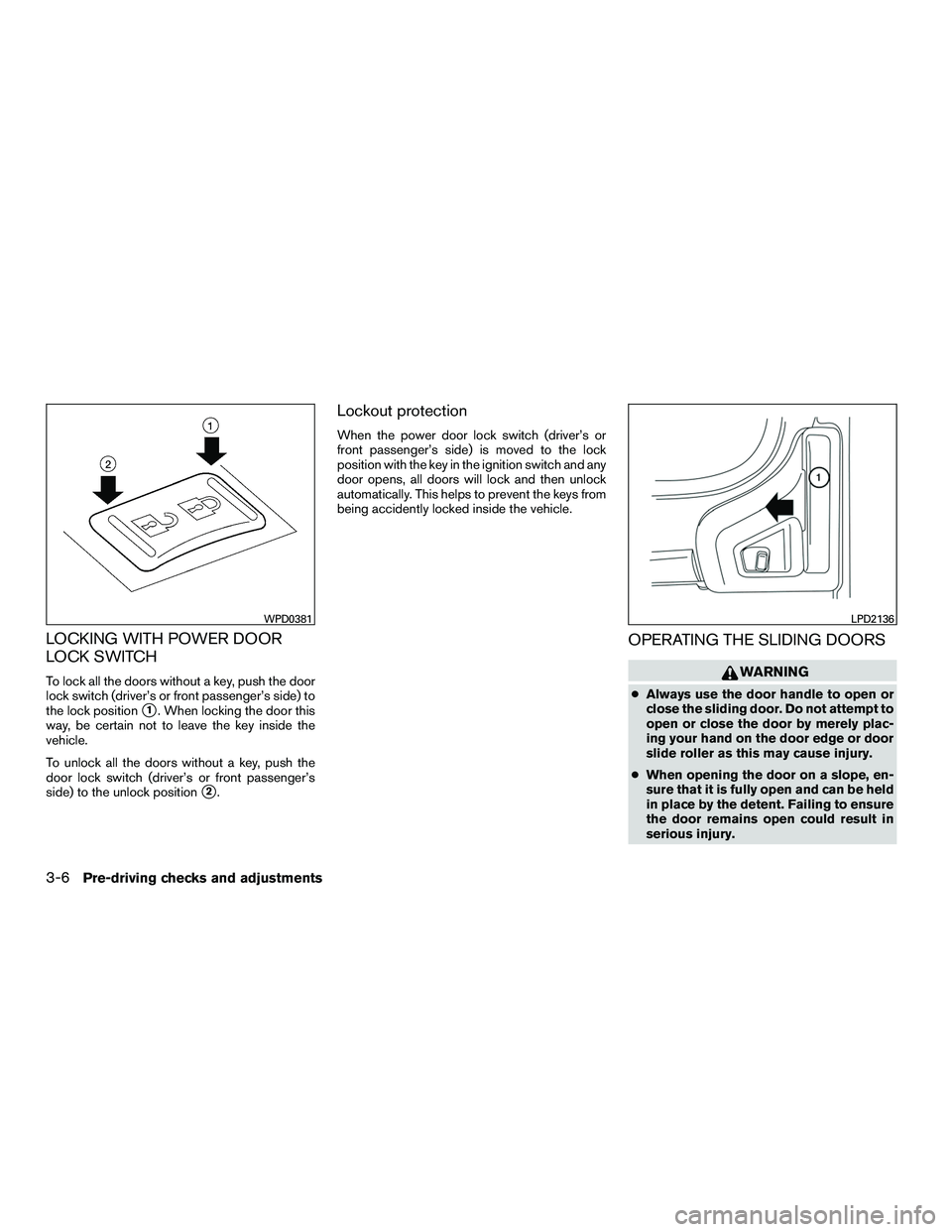
LOCKING WITH POWER DOOR
LOCK SWITCH
To lock all the doors without a key, push the door
lock switch (driver’s or front passenger’s side) to
the lock position
�1. When locking the door this
way, be certain not to leave the key inside the
vehicle.
To unlock all the doors without a key, push the
door lock switch (driver’s or front passenger’s
side) to the unlock position
�2.
Lockout protection
When the power door lock switch (driver’s or
front passenger’s side) is moved to the lock
position with the key in the ignition switch and any
door opens, all doors will lock and then unlock
automatically. This helps to prevent the keys from
being accidently locked inside the vehicle.
OPERATING THE SLIDING DOORS
WARNING
● Always use the door handle to open or
close the sliding door. Do not attempt to
open or close the door by merely plac-
ing your hand on the door edge or door
slide roller as this may cause injury.
● When opening the door on a slope, en-
sure that it is fully open and can be held
in place by the detent. Failing to ensure
the door remains open could result in
serious injury.
WPD0381LPD2136
3-6Pre-driving checks and adjustments
Page 120 of 312
AUTOMATIC DOOR LOCKS
●All doors lock automatically when the vehicle
speed reaches 15 MPH (24 km/h).
● All doors unlock automatically when the ig-
nition switch is placed in the OFF position or
when the key is removed from the ignition
switch.
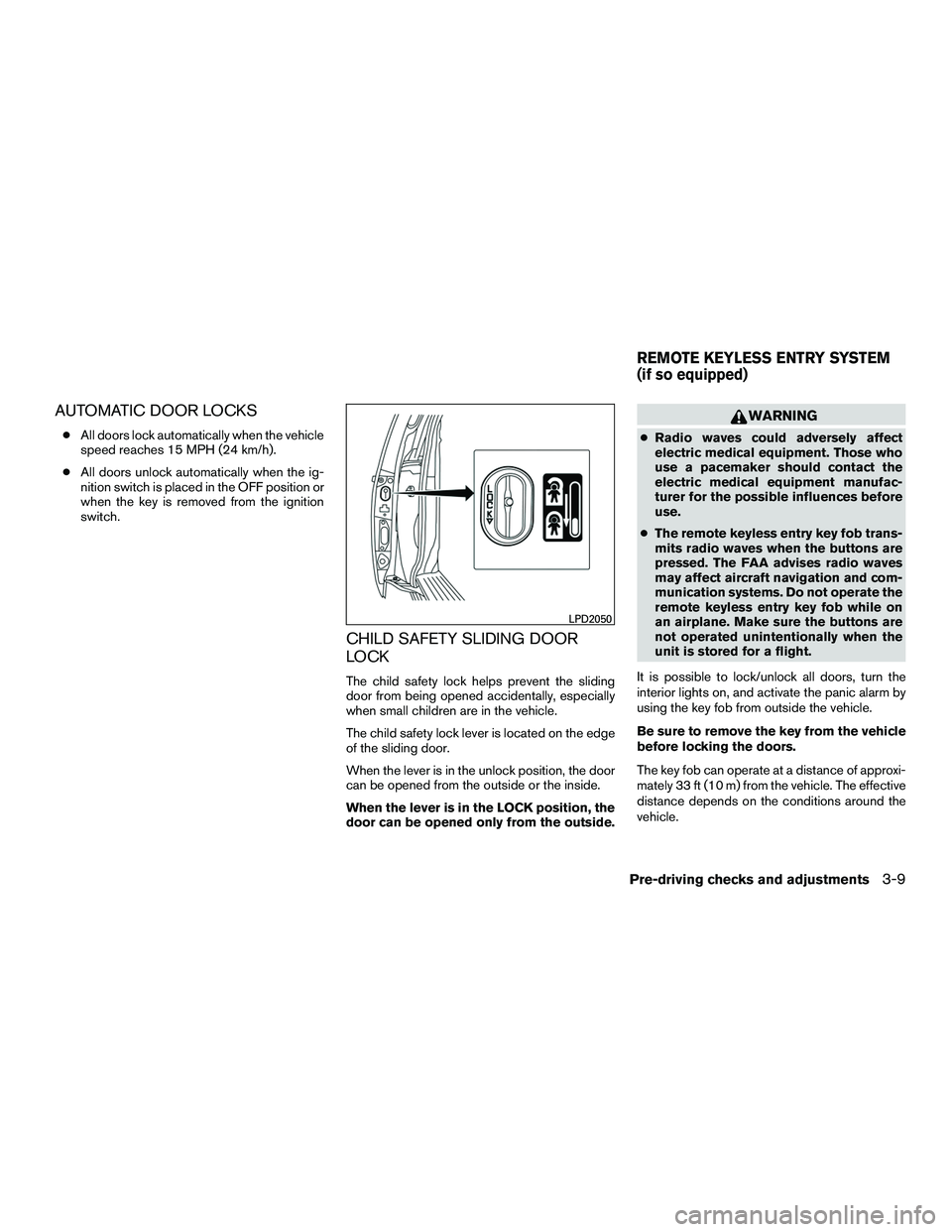
CHILD SAFETY SLIDING DOOR
LOCK
The child safety lock helps prevent the sliding
door from being opened accidentally, especially
when small children are in the vehicle.
The child safety lock lever is located on the edge
of the sliding door.
When the lever is in the unlock position, the door
can be opened from the outside or the inside.
When the lever is in the LOCK position, the
door can be opened only from the outside.
WARNING
● Radio waves could adversely affect
electric medical equipment. Those who
use a pacemaker should contact the
electric medical equipment manufac-
turer for the possible influences before
use.
● The remote keyless entry key fob trans-
mits radio waves when the buttons are
pressed. The FAA advises radio waves
may affect aircraft navigation and com-
munication systems. Do not operate the
remote keyless entry key fob while on
an airplane. Make sure the buttons are
not operated unintentionally when the
unit is stored for a flight.
It is possible to lock/unlock all doors, turn the
interior lights on, and activate the panic alarm by
using the key fob from outside the vehicle.
Be sure to remove the key from the vehicle
before locking the doors.
The key fob can operate at a distance of approxi-
mately 33 ft (10 m) from the vehicle. The effective
distance depends on the conditions around the
vehicle.
LPD2050
REMOTE KEYLESS ENTRY SYSTEM
(if so equipped)
Pre-driving checks and adjustments3-9