2016 NISSAN MURANO headrest
[x] Cancel search: headrestPage 66 of 465
If the seating position does not have an
adjustable head restraint/headrest and it is
interfering with the proper booster seat fit,
try another seating position or a different
booster seat.
4. Position the lap portion of the seat belt low and snug on the child’s hips. Be sure to
follow the booster seat manufacturer’s in-
structions for adjusting the seat belt routing.
5. Pull the shoulder belt portion of the seat belt toward the retractor to take up extra slack.
Be sure the shoulder belt is positioned
across the top, middle portion of the child’s
shoulder. Be sure to follow the booster seat
manufacturer’s instructions for adjusting the
seat belt routing.
6. Follow the warnings, cautions and instruc- tions for properly fastening a seat belt
shown in “Three-point type seat belt with
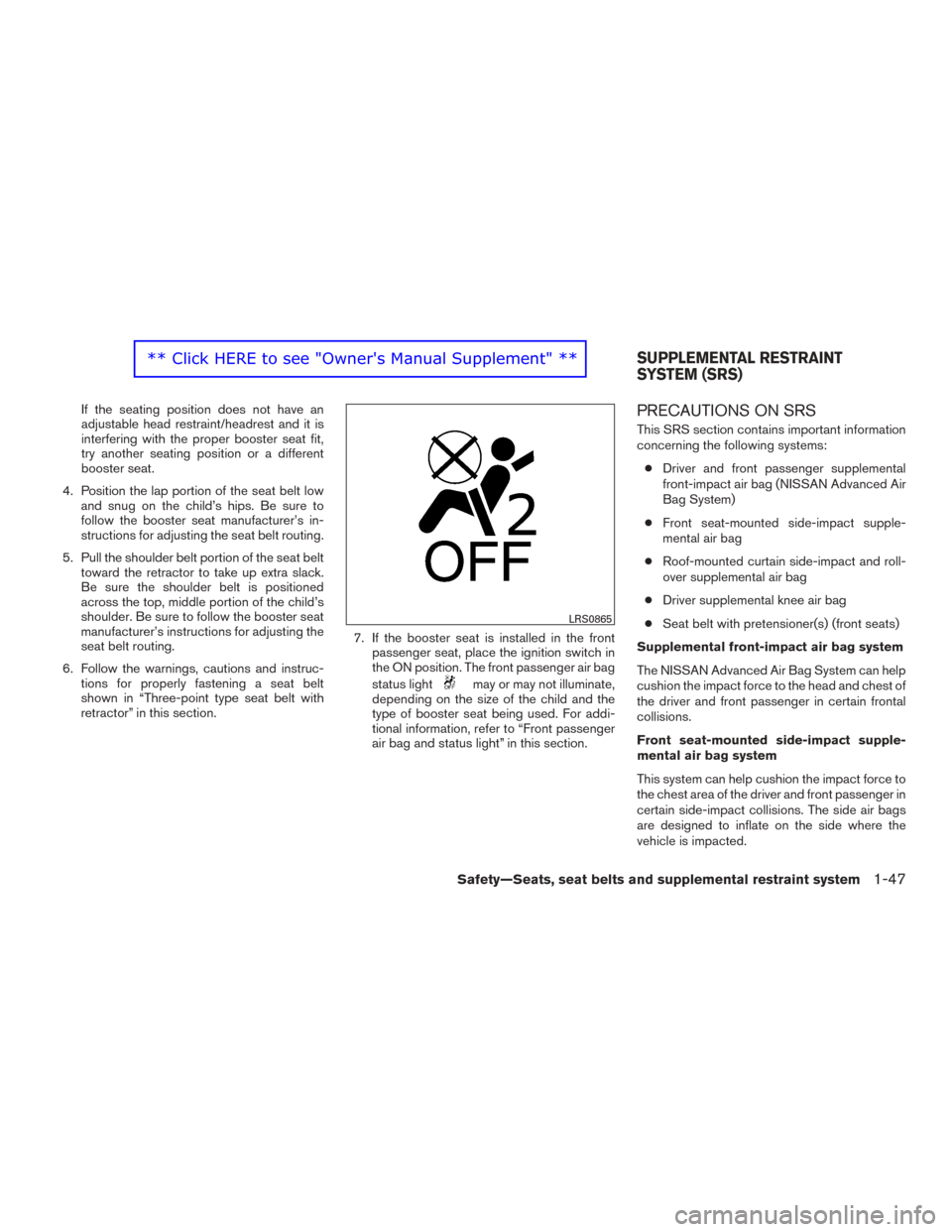
retractor” in this section. 7. If the booster seat is installed in the front
passenger seat, place the ignition switch in
the ON position. The front passenger air bag
status light
may or may not illuminate,
depending on the size of the child and the
type of booster seat being used. For addi-
tional information, refer to “Front passenger
air bag and status light” in this section.
PRECAUTIONS ON SRS
This SRS section contains important information
concerning the following systems:
● Driver and front passenger supplemental
front-impact air bag (NISSAN Advanced Air
Bag System)
● Front seat-mounted side-impact supple-
mental air bag
● Roof-mounted curtain side-impact and roll-
over supplemental air bag
● Driver supplemental knee air bag
● Seat belt with pretensioner(s) (front seats)
Supplemental front-impact air bag system
The NISSAN Advanced Air Bag System can help
cushion the impact force to the head and chest of
the driver and front passenger in certain frontal
collisions.
Front seat-mounted side-impact supple-
mental air bag system
This system can help cushion the impact force to
the chest area of the driver and front passenger in
certain side-impact collisions. The side air bags
are designed to inflate on the side where the
vehicle is impacted.
LRS0865
SUPPLEMENTAL RESTRAINT
SYSTEM (SRS)
Safety—Seats, seat belts and supplemental restraint system1-47 ** Click HERE to see "Owner's Manual Supplement" **
Page 74 of 465
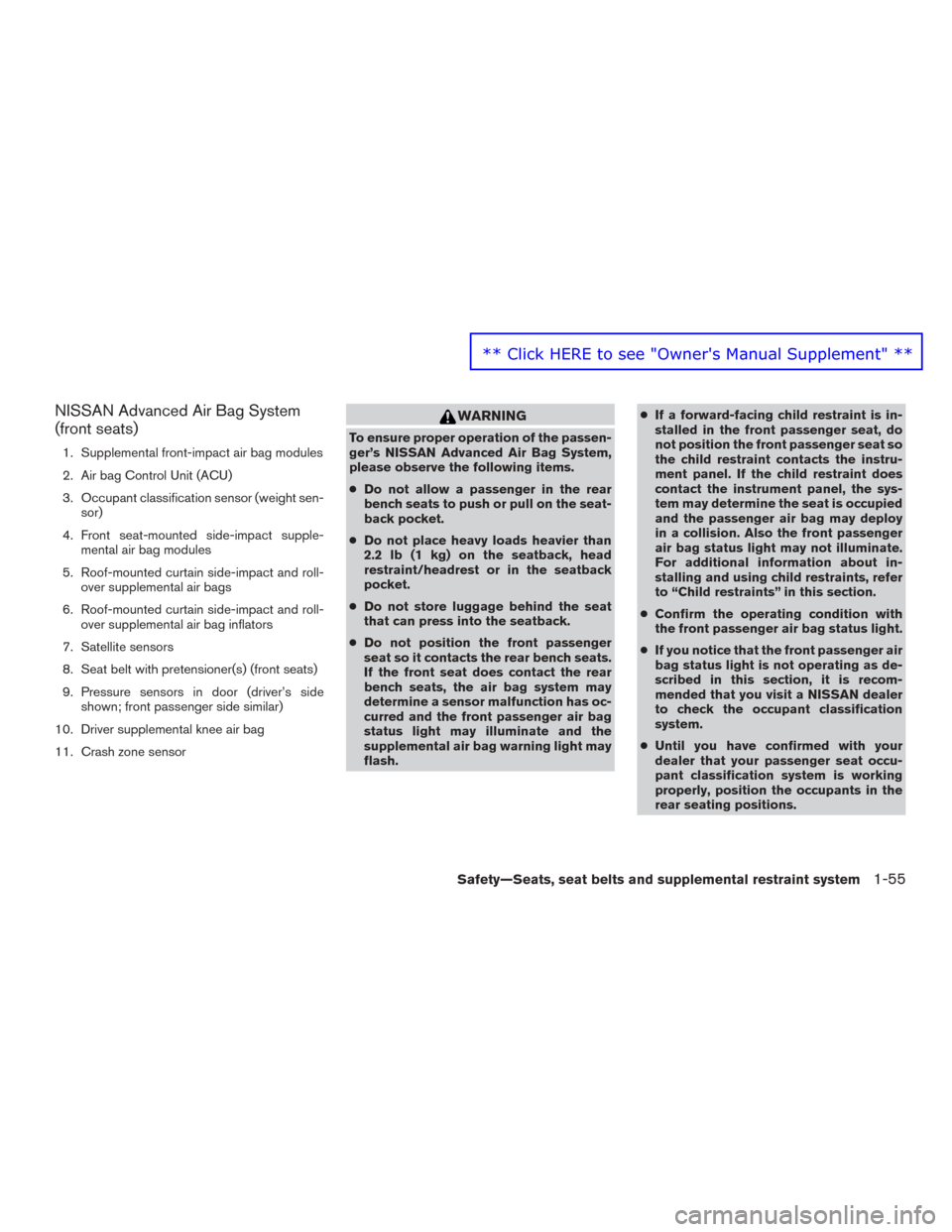
NISSAN Advanced Air Bag System
(front seats)
1. Supplemental front-impact air bag modules
2. Air bag Control Unit (ACU)
3. Occupant classification sensor (weight sen-sor)
4. Front seat-mounted side-impact supple- mental air bag modules
5. Roof-mounted curtain side-impact and roll- over supplemental air bags
6. Roof-mounted curtain side-impact and roll- over supplemental air bag inflators
7. Satellite sensors
8. Seat belt with pretensioner(s) (front seats)
9. Pressure sensors in door (driver’s side shown; front passenger side similar)
10. Driver supplemental knee air bag
11. Crash zone sensor
WARNING
To ensure proper operation of the passen-
ger’s NISSAN Advanced Air Bag System,
please observe the following items.
● Do not allow a passenger in the rear
bench seats to push or pull on the seat-
back pocket.
● Do not place heavy loads heavier than
2.2 lb (1 kg) on the seatback, head
restraint/headrest or in the seatback
pocket.
● Do not store luggage behind the seat
that can press into the seatback.
● Do not position the front passenger
seat so it contacts the rear bench seats.
If the front seat does contact the rear
bench seats, the air bag system may
determine a sensor malfunction has oc-
curred and the front passenger air bag
status light may illuminate and the
supplemental air bag warning light may
flash. ●
If a forward-facing child restraint is in-
stalled in the front passenger seat, do
not position the front passenger seat so
the child restraint contacts the instru-
ment panel. If the child restraint does
contact the instrument panel, the sys-
tem may determine the seat is occupied
and the passenger air bag may deploy
in a collision. Also the front passenger
air bag status light may not illuminate.
For additional information about in-
stalling and using child restraints, refer
to “Child restraints” in this section.
● Confirm the operating condition with
the front passenger air bag status light.
● If you notice that the front passenger air
bag status light is not operating as de-
scribed in this section, it is recom-
mended that you visit a NISSAN dealer
to check the occupant classification
system.
● Until you have confirmed with your
dealer that your passenger seat occu-
pant classification system is working
properly, position the occupants in the
rear seating positions.
Safety—Seats, seat belts and supplemental restraint system1-55
** Click HERE to see "Owner's Manual Supplement" **
Page 132 of 465
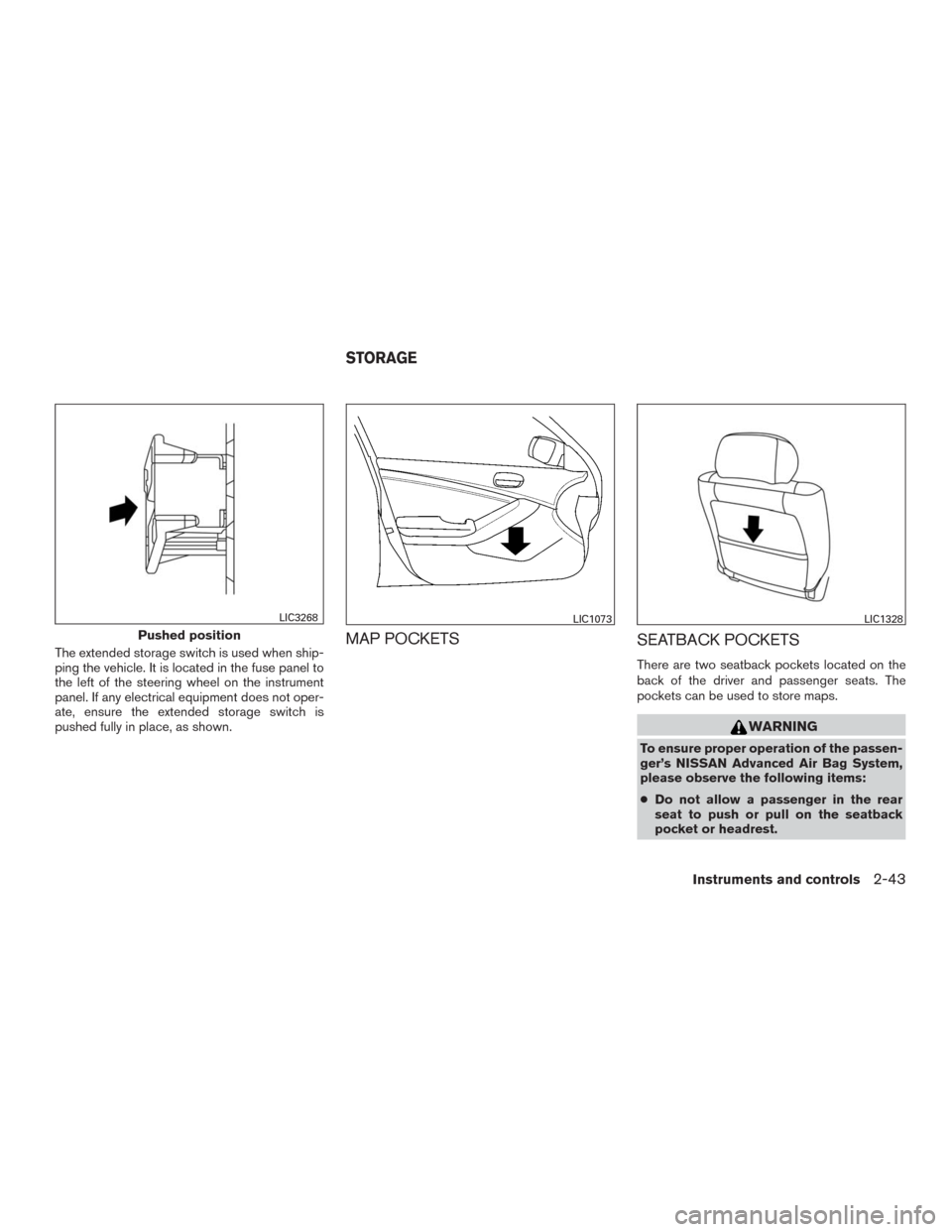
The extended storage switch is used when ship-
ping the vehicle. It is located in the fuse panel to
the left of the steering wheel on the instrument
panel. If any electrical equipment does not oper-
ate, ensure the extended storage switch is
pushed fully in place, as shown.MAP POCKETS
SEATBACK POCKETS
There are two seatback pockets located on the
back of the driver and passenger seats. The
pockets can be used to store maps.
WARNING
To ensure proper operation of the passen-
ger’s NISSAN Advanced Air Bag System,
please observe the following items:
●Do not allow a passenger in the rear
seat to push or pull on the seatback
pocket or headrest.
Pushed position
LIC3268LIC1073LIC1328
STORAGE
Instruments and controls2-43
Page 133 of 465
●Do not place heavy loads heavier than
2.2 lbs. (1 kg) on the seatback, head
restraint/headrest or in the seatback
pocket.
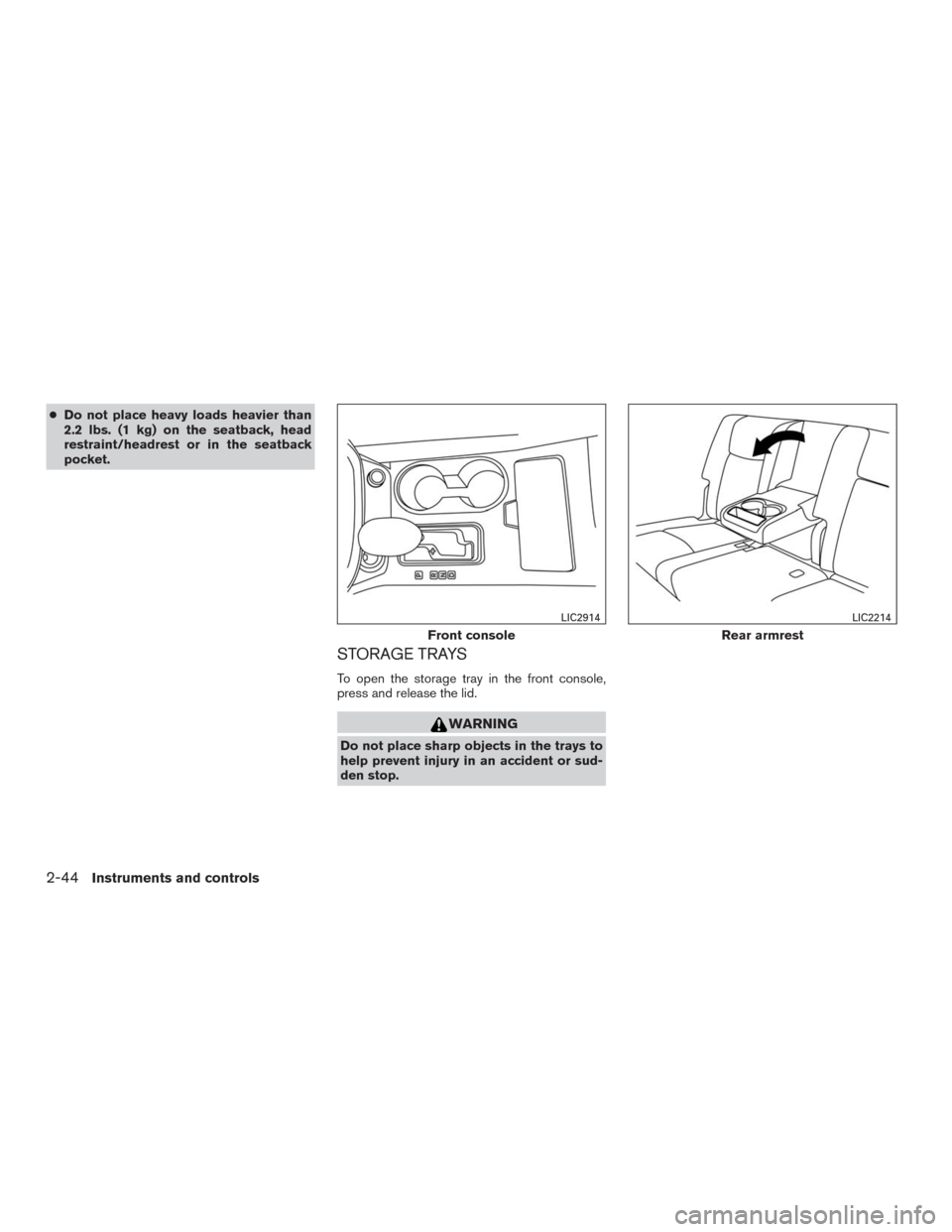
STORAGE TRAYS
To open the storage tray in the front console,
press and release the lid.
WARNING
Do not place sharp objects in the trays to
help prevent injury in an accident or sud-
den stop.
Front console
LIC2914
Rear armrest
LIC2214
2-44Instruments and controls
Page 269 of 465
(After step 3 is performed, when the ignition
switch is pushed without depressing the
brake pedal, the ignition switch position will
change to ON.)
4. Push the ignition switch while depressing
the brake pedal within ten seconds after the
chime sounds. The engine will start.
NOTE:
●When the ignition switch is pushed to the
ON position or the engine is started by the
above procedure, the Intelligent Key battery
discharge indicator appears in the vehicle
information display even when the Intelligent
Key is inside the vehicle. This is not a mal-
function. To turn off the Intelligent Key bat-
tery discharge indicator, touch the ignition
switch with the Intelligent Key again.
●If the Intelligent Key battery discharge indi-
cator appears, replace the battery as soon
as possible. For additional information, refer
to “Battery Replacement” in the “Mainte-
nance and do-it-yourself” section of this
manual.NISSAN VEHICLE IMMOBILIZER
SYSTEM
The NISSAN Vehicle Immobilizer System will not
allow the engine to start without the use of the
registered key.
If the engine fails to start using a registered key
(for example, when interference is caused by
another registered key, an automated toll road
device or automatic payment device on the key
ring) , restart the engine using the following pro-
cedure:
1. Leave the ignition switch in the ON position
for approximately 5 seconds.
2. Place the ignition switch in the OFF or
LOCK position, and wait approximately
10 seconds.
3. Repeat steps 1 and 2.
4. Restart the engine while holding the device
(which may have caused the interference)
separate from the registered key.
If the no start condition re-occurs, NISSAN rec-
ommends placing the registered key on a sepa-
rate key ring to avoid interference from other
devices.●Make sure the area around the vehicle is
clear.
●Check fluid levels such as engine oil, cool-
ant, brake fluid, and windshield-washer fluid
as frequently as possible, or at least when-
ever you refuel.
●Check that all windows and lights are clean.
●Visually inspect tires for their appearance
and condition. Also check tires for proper
inflation.
●Check that all doors are closed.
●Position seat and adjust head
restraints/headrests.
●Adjust inside and outside mirrors.
●Fasten seat belts and ask all passengers to
do likewise.
●Check the operation of warning lights when
the ignition switch is placed in the ON posi-
tion. For additional information, refer to
“Warning lights, indicator lights and audible
reminders” in the “Instruments and controls”
section of this manual.
BEFORE STARTING THE ENGINE
5-14Starting and driving
Page 372 of 465
When driving in areas using road salt or other
corrosive materials, check lubrication frequently.
Lights*Clean the headlights on a regular basis.
Make sure that the headlights, stop lights, tail
lights, turn signal lights, and other lights are all
operating properly and installed securely. Also
check headlight aim.
Road wheel nuts (lug nuts)*When checking
the tires, make sure no wheel nuts are missing,
and check for any loose wheel nuts. Tighten if
necessary.
Tire rotation*Tires should be rotated every
5,000 miles (8,000 km).
Tires*Check the pressure with a gauge often
and always prior to long distance trips. If neces-
sary, adjust the pressure in all tires, including the
spare, to the pressure specified. Check carefully
for damage, cuts or excessive wear.
Tire Pressure Monitoring System (TPMS)
transmitter componentsReplace the TPMS
transmitter grommet seal, valve core and cap
when the tires are replaced due to wear or age.
Wheel alignment and balanceIf the vehicle
should pull to either side while driving on a
straight and level road, or if you detect uneven or
abnormal tire wear, there may be a need for wheelalignment. If the steering wheel or seat vibrates at
normal highway speeds, wheel balancing may be
needed.
●For additional information regarding tires,
refer to “Important Tire Safety Information”
(US) or “Tire Safety Information” (Canada) in
the Warranty Information Booklet.
WindshieldClean the windshield on a regular
basis. Check the windshield at least every six
months for cracks or other damage. Have a dam-
aged windshield repaired by a qualified repair
facility.
Windshield wiper blades*Check for cracks or
wear if they do not wipe properly.
Inside the vehicle
The maintenance items listed here should be
checked on a regular basis, such as when per-
forming periodic maintenance, cleaning the ve-
hicle, etc.
Additional information on the following
items with an “*” is found in this section.
Accelerator pedalCheck the pedal for smooth
operation and make sure the pedal does not bind
or require uneven effort. Keep the floor mat away
from the pedal.Brake pedalCheck the pedal for smooth opera-
tion. If the brake pedal suddenly goes down fur-
ther than normal, the pedal feels spongy or the
vehicle seems to take longer to stop, have your
vehicle checked immediately. It is recommended
you visit a NISSAN dealer for this service. Keep
the floor mat away from the pedal.
BrakesCheck that the brakes do not pull the
vehicle to one side when applied.
Continuously Variable Transmission (CVT)
P (Park) position mechanismOn a fairly
steep hill, check that your vehicle is held securely
with the shift lever in the P (Park) position without
applying any brakes.
Parking brakeCheck the parking brake opera-
tion regularly. The vehicle should be securely held
on a fairly steep hill with only the parking brake
applied. If the parking brake needs adjustment, it
is recommended you visit a NISSAN dealer for
this service.
SeatsCheck seat position controls such as seat
adjusters, seatback recliner, etc. to ensure they
operate smoothly and all latches lock securely in
every position. Check that the head
restraints/headrests move up and down
smoothly and the locks (if so equipped) hold
securely in all latched positions.
Maintenance and do-it-yourself8-3
Page 458 of 465
NISSAN Advanced Air Bag System
(front seats)
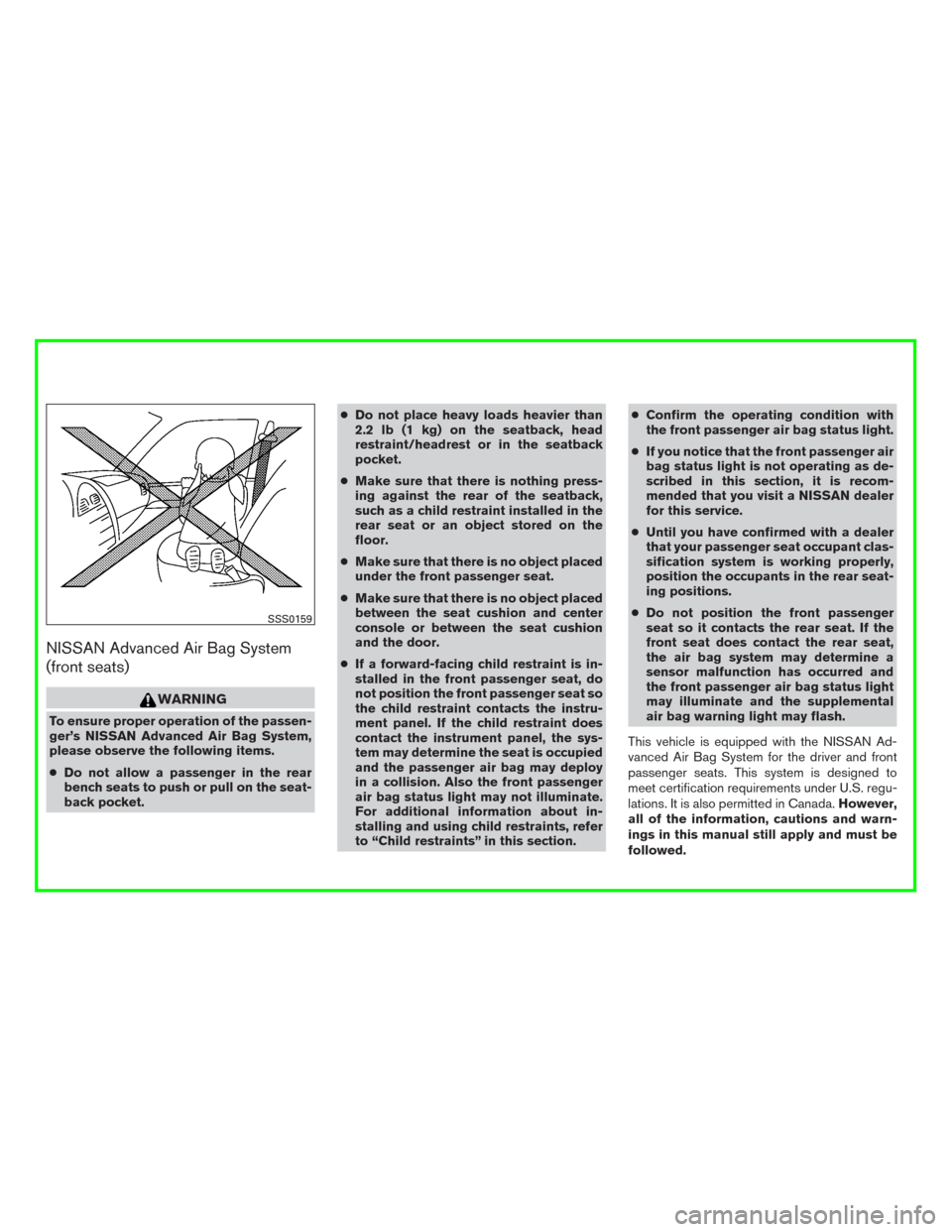
WARNING
To ensure proper operation of the passen-
ger’s NISSAN Advanced Air Bag System,
please observe the following items.
●Do not allow a passenger in the rear
bench seats to push or pull on the seat-
back pocket.●Do not place heavy loads heavier than
2.2 lb (1 kg) on the seatback, head
restraint/headrest or in the seatback
pocket.
●Make sure that there is nothing press-
ing against the rear of the seatback,
such as a child restraint installed in the
rear seat or an object stored on the
floor.
●Make sure that there is no object placed
under the front passenger seat.
●Make sure that there is no object placed
between the seat cushion and center
console or between the seat cushion
and the door.
●If a forward-facing child restraint is in-
stalled in the front passenger seat, do
not position the front passenger seat so
the child restraint contacts the instru-
ment panel. If the child restraint does
contact the instrument panel, the sys-
tem may determine the seat is occupied
and the passenger air bag may deploy
in a collision. Also the front passenger
air bag status light may not illuminate.
For additional information about in-
stalling and using child restraints, refer
to “Child restraints” in this section.●Confirm the operating condition with
the front passenger air bag status light.
●If you notice that the front passenger air
bag status light is not operating as de-
scribed in this section, it is recom-
mended that you visit a NISSAN dealer
for this service.
●Until you have confirmed with a dealer
that your passenger seat occupant clas-
sification system is working properly,
position the occupants in the rear seat-
ing positions.
●Do not position the front passenger
seat so it contacts the rear seat. If the
front seat does contact the rear seat,
the air bag system may determine a
sensor malfunction has occurred and
the front passenger air bag status light
may illuminate and the supplemental
air bag warning light may flash.
This vehicle is equipped with the NISSAN Ad-
vanced Air Bag System for the driver and front
passenger seats. This system is designed to
meet certification requirements under U.S. regu-
lations. It is also permitted in Canada.However,
all of the information, cautions and warn-
ings in this manual still apply and must be
followed.
SSS0159