Page 168 of 437
State of charge (%)
Displays the vehicles current state of charge.
Average speed
The average speed mode shows the average
vehicle speed (mph or km/h) since the last reset.
The average speed (mph or km/h) can be reset by
pushing the
switch�Bfor longer than 1
second.
The display is updated every 30 seconds. For the
first 30 seconds after a reset, the display shows
“----”.
Driving distance and elapsed time
Driving distance:
The driving distance mode shows the total distance
(miles or km) the vehicle has been driven since the
last reset. The distance can be reset by pushing the
switch�Bfor longer than 1 second. (The
elapsed time is also reset at the same time.)
Elapsed time:
The elapsed time mode shows the time since the
last reset. The displayed time can be reset by
pushing the
switch�Bfor longer than 1
second. (The driving distance is also reset at the
same time.)
Instruments and controls2-29
Page 169 of 437
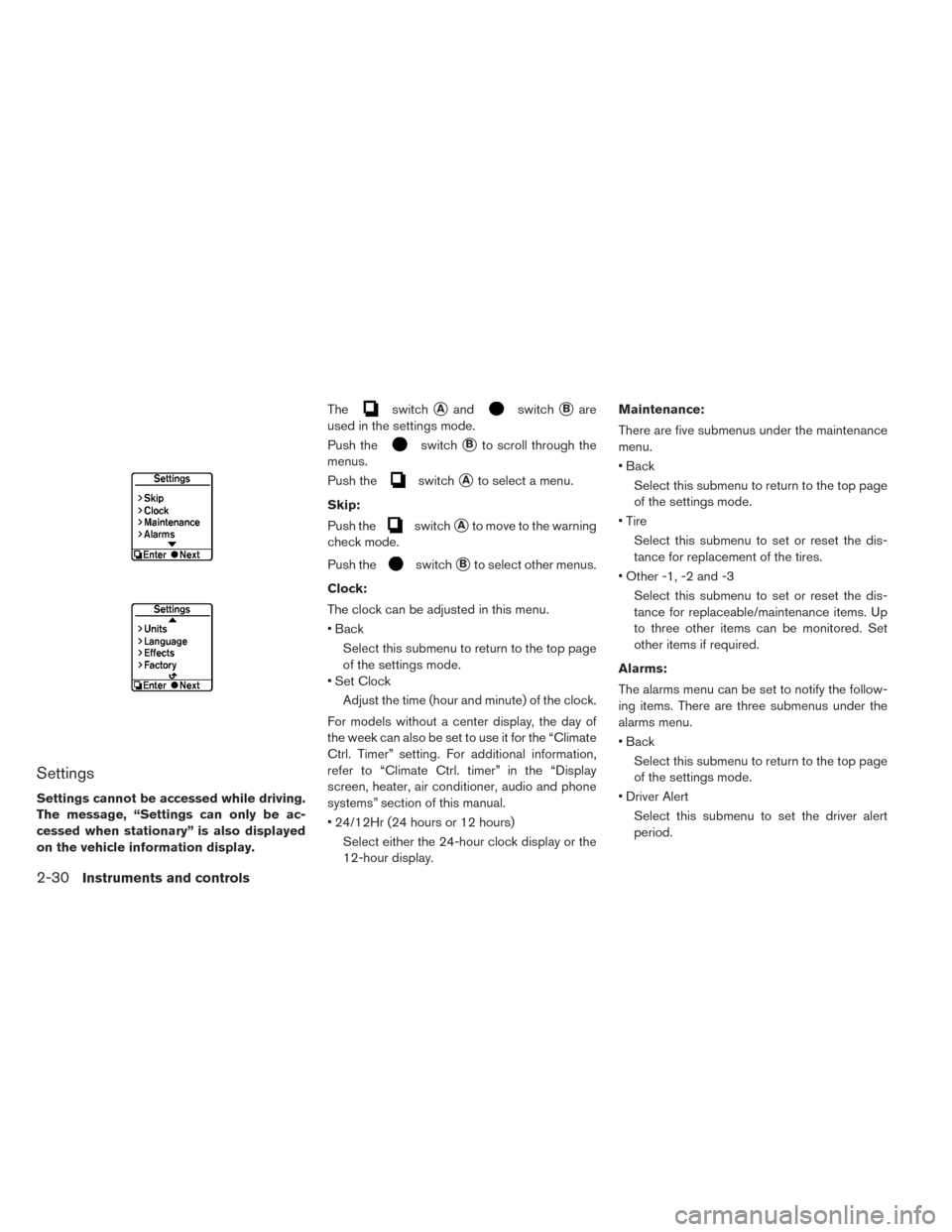
Settings
Settings cannot be accessed while driving.
The message, “Settings can only be ac-
cessed when stationary” is also displayed
on the vehicle information display.The
switch�Aandswitch�Bare
used in the settings mode.
Push the
switch�Bto scroll through the
menus.
Push the
switch�Ato select a menu.
Skip:
Push the
switch�Ato move to the warning
check mode.
Push the
switch�Bto select other menus.
Clock:
The clock can be adjusted in this menu.
• Back Select this submenu to return to the top page
of the settings mode.
• Set Clock
Adjust the time (hour and minute) of the clock.
For models without a center display, the day of
the week can also be set to use it for the “Climate
Ctrl. Timer” setting. For additional information,
refer to “Climate Ctrl. timer” in the “Display
screen, heater, air conditioner, audio and phone
systems” section of this manual.
• 24/12Hr (24 hours or 12 hours) Select either the 24-hour clock display or the
12-hour display. Maintenance:
There are five submenus under the maintenance
menu.
• Back
Select this submenu to return to the top page
of the settings mode.
• Tire Select this submenu to set or reset the dis-
tance for replacement of the tires.
• Other -1, -2 and -3 Select this submenu to set or reset the dis-
tance for replaceable/maintenance items. Up
to three other items can be monitored. Set
other items if required.
Alarms:
The alarms menu can be set to notify the follow-
ing items. There are three submenus under the
alarms menu.
• Back Select this submenu to return to the top page
of the settings mode.
• Driver Alert Select this submenu to set the driver alert
period.
2-30Instruments and controls
Page 170 of 437
• Outside tempSelect this submenu to display the low outside
temperature (On or Off) .
Units:
Units displayed can be set for the following items
on this menu.
• Back Select this submenu to return to the top page
of the settings mode.
• Temperature
• Speed
Language:
Select this submenu to choose the language
displayed.
To return to the top page of the settings mode,
select “BACK”.
Effects:
The start up sound can be selected or turned off
from this menu.
Five submenus under the effects menu.
When a menu item is selected, the selected
sound plays. • Back
Select this submenu to return to the top page
of the settings mode.
• Sound 1
• Sound 2
• Sound 3
• Off
Factory settings:
Select this menu to reset all values to the factory
default settings except for the odometer settings.
NOTE:
When resetting to the factory settings, all
previous settings made are restored to the
default settings.
To return to the top page of the settings mode,
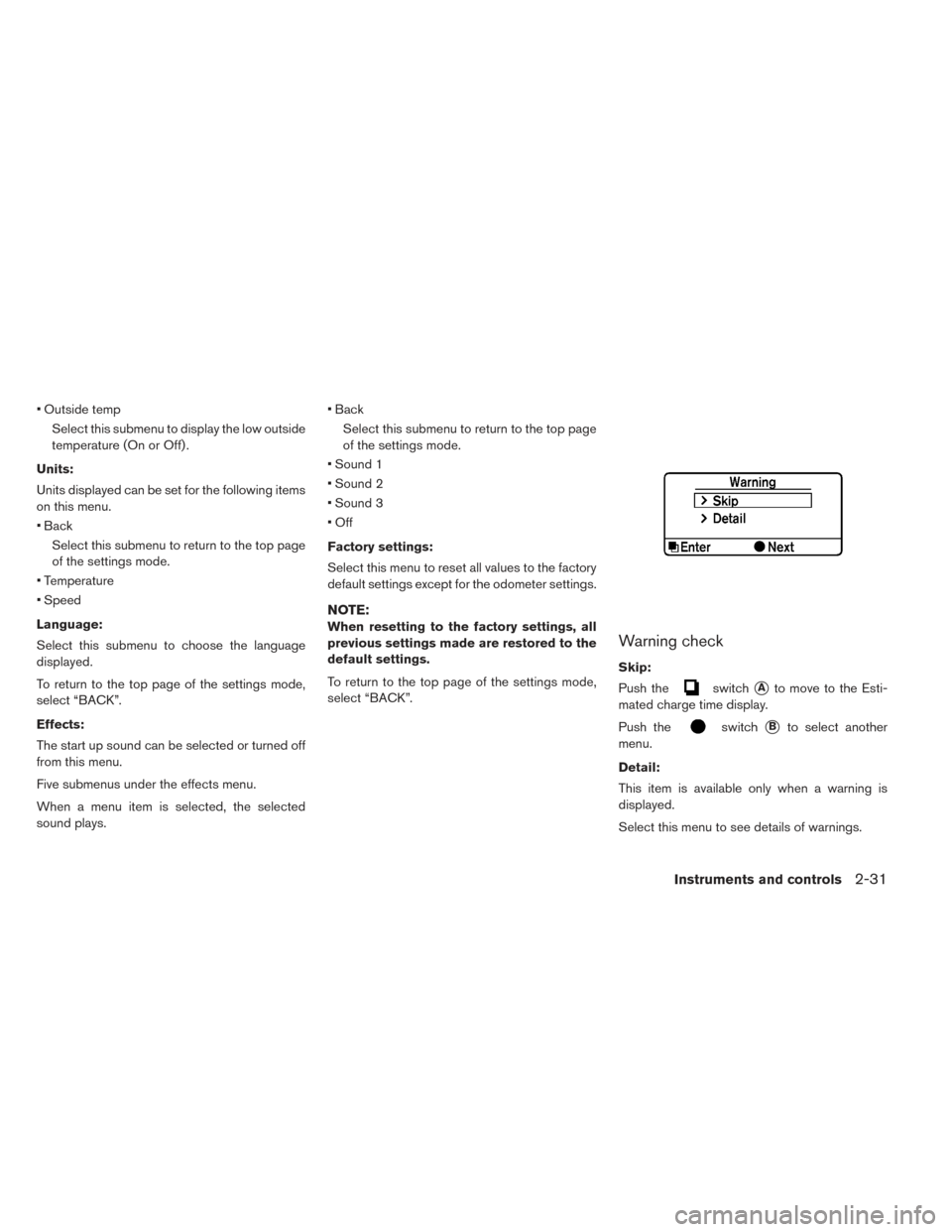
select “BACK”.Warning check
Skip:
Push the
switch�Ato move to the Esti-
mated charge time display.
Push the
switch�Bto select another
menu.
Detail:
This item is available only when a warning is
displayed.
Select this menu to see details of warnings.
Instruments and controls2-31
Page 171 of 437
WARNING INFORMATION DISPLAYS
Low battery warning
When the low battery charge warning light
and the master warning light (yellow)illu-
minate, the system displays a message on the
navigation screen that warns the driver that the
Li-ion battery power level is low.
1. The notification is displayed on the upper leftside of the STATUS screen. Touch [Show] to
display the screen showing detailed
information. 2. The system displays a message screen and
announces the contents of the message to
warn that the Li-ion battery power level is low.
Check the message displayed on the screen.
Touch [Nearby Stations] to search all charg-
ing stations that are located around the cur-
rent vehicle position.
3. Touch [BACK] or push the MAPbutton to
return to the vehicle location screen.
2-32Instruments and controls
Page 172 of 437
NOTE:
•The low battery warning can be set to off.
Refer to LEAF Electric Vehicle Information
System Owner’s Manual.
• When the battery power level is low, the
system automatically obtains charging
station information.
Limited power warning
When the Li-ion battery power level is extremely
low or the Li-ion battery malfunctions, the power
limitation indicator
and the master warning
light (yellow)
illuminate in the meter and the
system displays a message on the navigation
screen in order to inform the driver that power
output is restricted. 1. The notification is displayed on the upper left
side of the screen. Touch [Show] to display
the screen showing detailed information. 2. The system displays a message screen and
announces the contents of the message to
warn that power output is restricted and in-
form the driver of the reason for this occur-
rence and what action is to be taken.
Instruments and controls2-33
Page 174 of 437
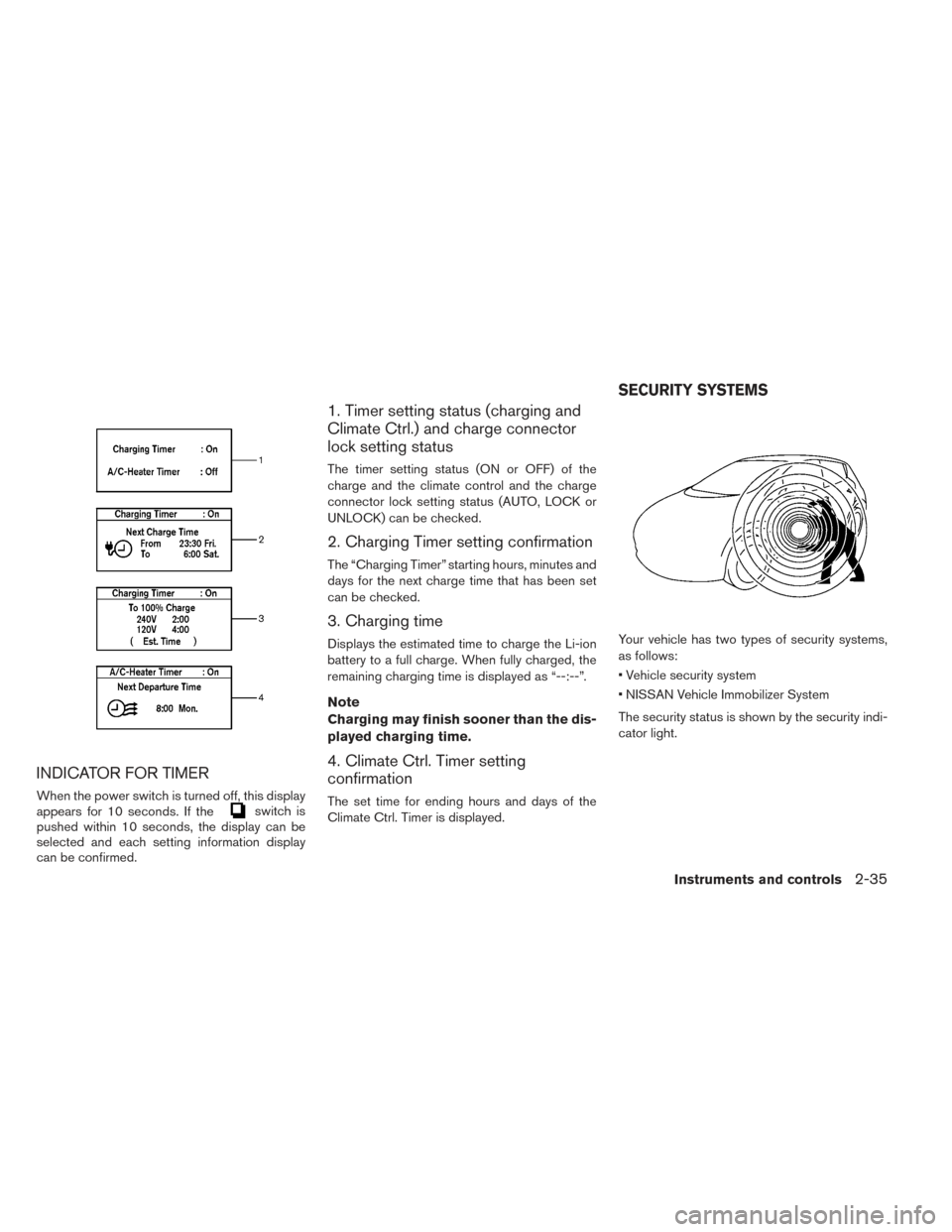
INDICATOR FOR TIMER
When the power switch is turned off, this display
appears for 10 seconds. If theswitch is
pushed within 10 seconds, the display can be
selected and each setting information display
can be confirmed.
1. Timer setting status (charging and
Climate Ctrl.) and charge connector
lock setting status
The timer setting status (ON or OFF) of the
charge and the climate control and the charge
connector lock setting status (AUTO, LOCK or
UNLOCK) can be checked.
2. Charging Timer setting confirmation
The “Charging Timer” starting hours, minutes and
days for the next charge time that has been set
can be checked.
3. Charging time
Displays the estimated time to charge the Li-ion
battery to a full charge. When fully charged, the
remaining charging time is displayed as “--:--”.
Note
Charging may finish sooner than the dis-
played charging time.
4. Climate Ctrl. Timer setting
confirmation
The set time for ending hours and days of the
Climate Ctrl. Timer is displayed. Your vehicle has two types of security systems,
as follows:
• Vehicle security system
• NISSAN Vehicle Immobilizer System
The security status is shown by the security indi-
cator light.
SECURITY SYSTEMS
Instruments and controls2-35
Page 180 of 437
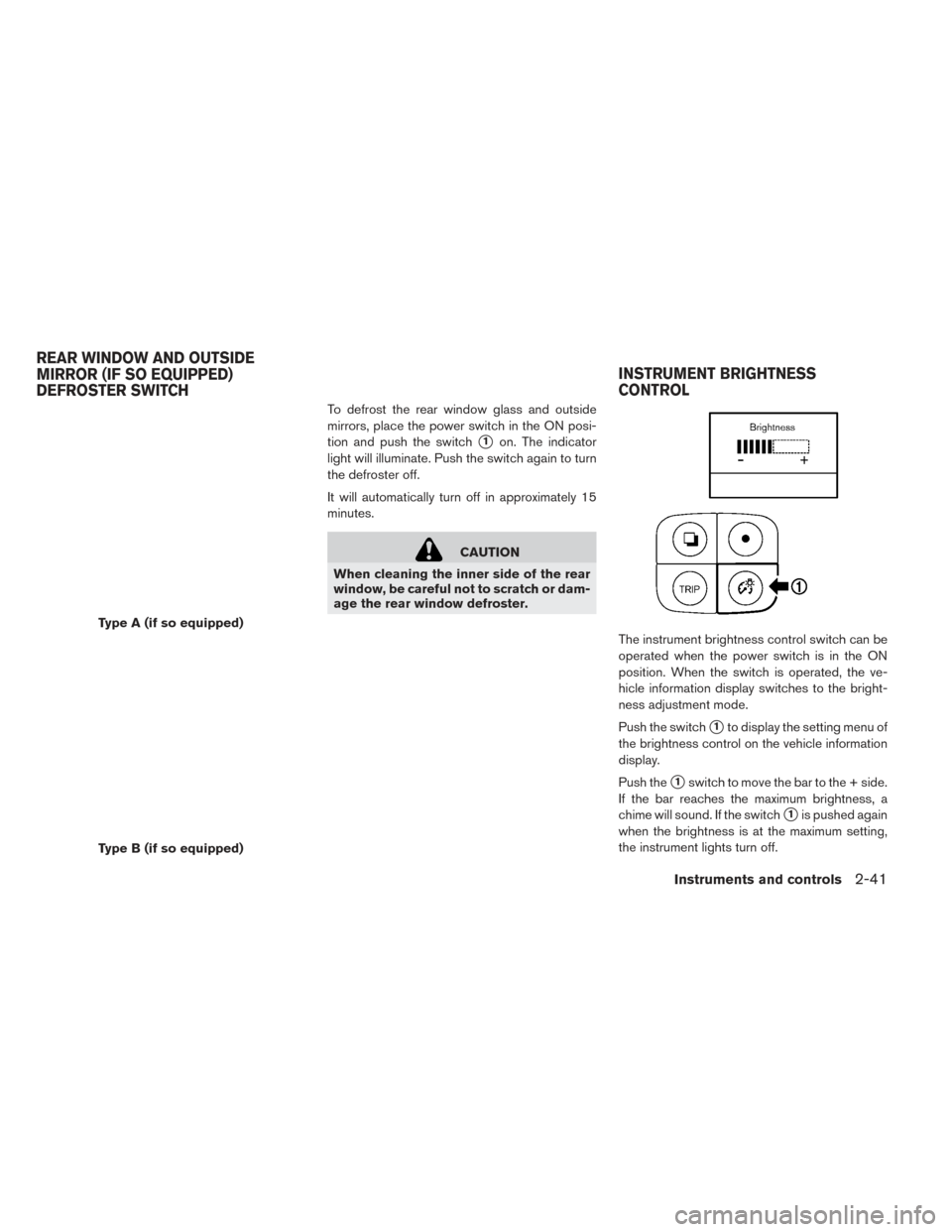
To defrost the rear window glass and outside
mirrors, place the power switch in the ON posi-
tion and push the switch
�1on. The indicator
light will illuminate. Push the switch again to turn
the defroster off.
It will automatically turn off in approximately 15
minutes.
CAUTION
When cleaning the inner side of the rear
window, be careful not to scratch or dam-
age the rear window defroster.
The instrument brightness control switch can be
operated when the power switch is in the ON
position. When the switch is operated, the ve-
hicle information display switches to the bright-
ness adjustment mode.
Push the switch
�1to display the setting menu of
the brightness control on the vehicle information
display.
Push the
�1switch to move the bar to the + side.
If the bar reaches the maximum brightness, a
chime will sound. If the switch
�1is pushed again
when the brightness is at the maximum setting,
the instrument lights turn off.
Type A (if so equipped)
Type B (if so equipped)
REAR WINDOW AND OUTSIDE
MIRROR (IF SO EQUIPPED)
DEFROSTER SWITCH INSTRUMENT BRIGHTNESS
CONTROL
Instruments and controls2-41
Page 214 of 437
All doors will be locked automatically unless one
of the following operations is performed within
one minute after pushing the request switch
while the doors are locked.
• Opening any door.
• Pushing the power switch.
During this one minute time period, if the UN-
LOCK
button on the Intelligent Key is
pressed, all doors will be locked automatically
after another one minute.
Opening rear hatch
1. Carry the Intelligent Key.
2. Push the rear hatch opener switch
�C.
3. The rear hatch will unlock and open.
12-VOLT BATTERY SAVER SYSTEM
When all the following conditions are met for a
period of time, the battery saver system will cut
off the power supply to prevent 12-volt battery
discharge.
• The power switch is in the ACC or ON position,
• All doors are closed, and
• The vehicle is in the P (Park) position.
WARNING SIGNALS
To help prevent the vehicle from moving unex-
pectedly by erroneous operation of the Intelligent
Key listed on the following chart or to help pre-
vent the vehicle from being stolen, chime or beep
sounds inside and outside the vehicle and a
warning displays in the vehicle information dis-
play.
When a chime or beep sounds or the warning
displays, be sure to check the vehicle and Intelli-
gent Key.
For additional information, refer to the ”Trouble-
shooting guide” in this section and “Vehicle infor-
mation display” in the “Instruments and controls”
section of this manual.
Pre-driving checks and adjustments3-11