CD CARE AND CLEANING
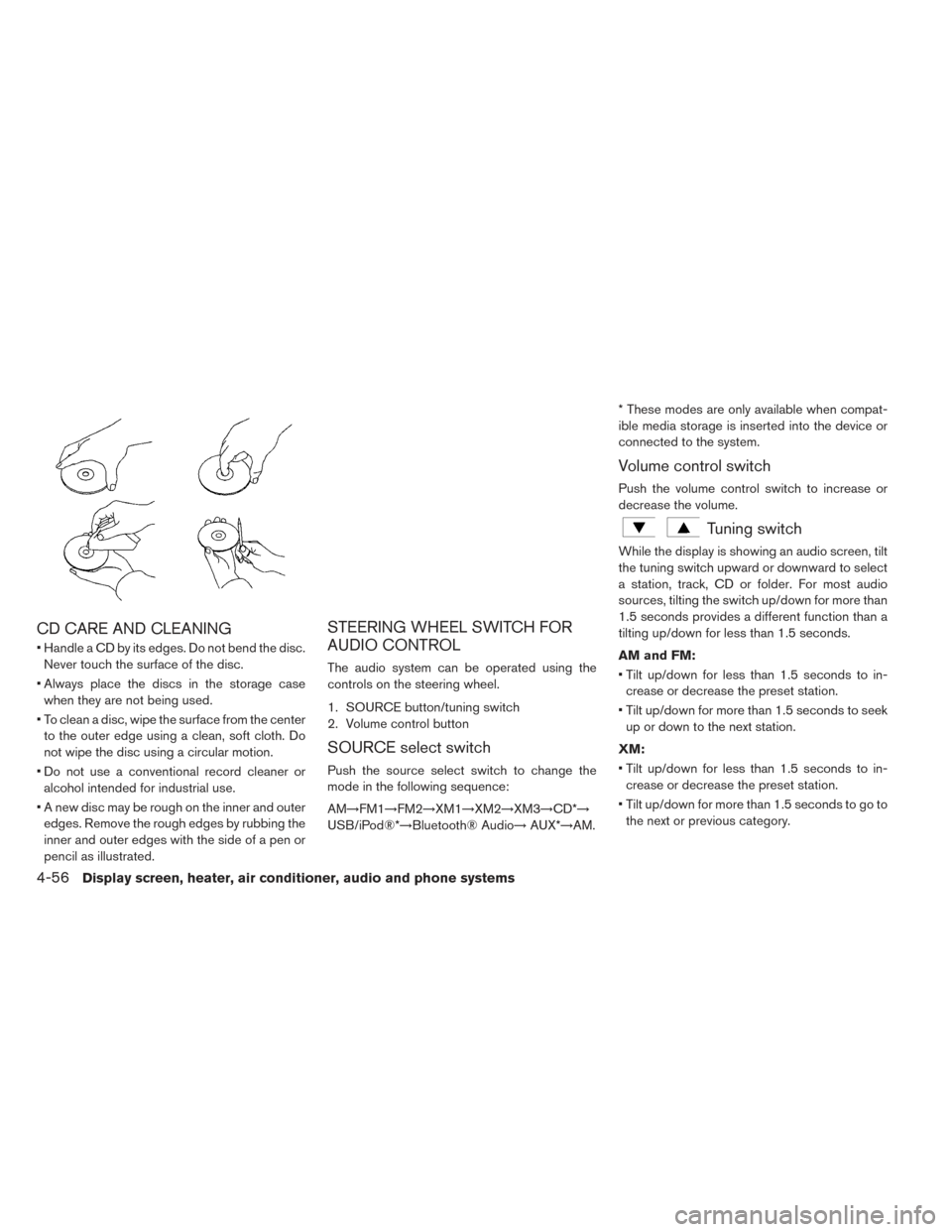
• Handle a CD by its edges. Do not bend the disc.Never touch the surface of the disc.
• Always place the discs in the storage case when they are not being used.
• To clean a disc, wipe the surface from the center to the outer edge using a clean, soft cloth. Do
not wipe the disc using a circular motion.
• Do not use a conventional record cleaner or alcohol intended for industrial use.
• A new disc may be rough on the inner and outer edges. Remove the rough edges by rubbing the
inner and outer edges with the side of a pen or
pencil as illustrated.
STEERING WHEEL SWITCH FOR
AUDIO CONTROL
The audio system can be operated using the
controls on the steering wheel.
1. SOURCE button/tuning switch
2. Volume control button
SOURCE select switch
Push the source select switch to change the
mode in the following sequence:
AM→FM1→FM2→XM1→XM2→XM3→CD*→
USB/iPod®*→Bluetooth® Audio→ AUX*→AM.* These modes are only available when compat-
ible media storage is inserted into the device or
connected to the system.
Volume control switch
Push the volume control switch to increase or
decrease the volume.
Tuning switch
While the display is showing an audio screen, tilt
the tuning switch upward or downward to select
a station, track, CD or folder. For most audio
sources, tilting the switch up/down for more than
1.5 seconds provides a different function than a
tilting up/down for less than 1.5 seconds.
AM and FM:
• Tilt up/down for less than 1.5 seconds to in-
crease or decrease the preset station.
• Tilt up/down for more than 1.5 seconds to seek up or down to the next station.
XM:
• Tilt up/down for less than 1.5 seconds to in- crease or decrease the preset station.
• Tilt up/down for more than 1.5 seconds to go to the next or previous category.
4-56Display screen, heater, air conditioner, audio and phone systems
iPod®:
• Tilt up/down for less than 1.5 seconds to in-crease or decrease the track number.
CD:
• Tilt up/down for less than 1.5 seconds to in- crease or decrease the track number.
• Tilt up/down for more than 1.5 seconds to in- crease or decrease the folder number (if playing
compressed audio files) .
USB:
• Tilt up/down for less than 1.5 seconds to in- crease or decrease the track number.
• Tilt up/down for more than 1.5 seconds to in- crease or decrease the folder number.
ANTENNA
Removing antenna
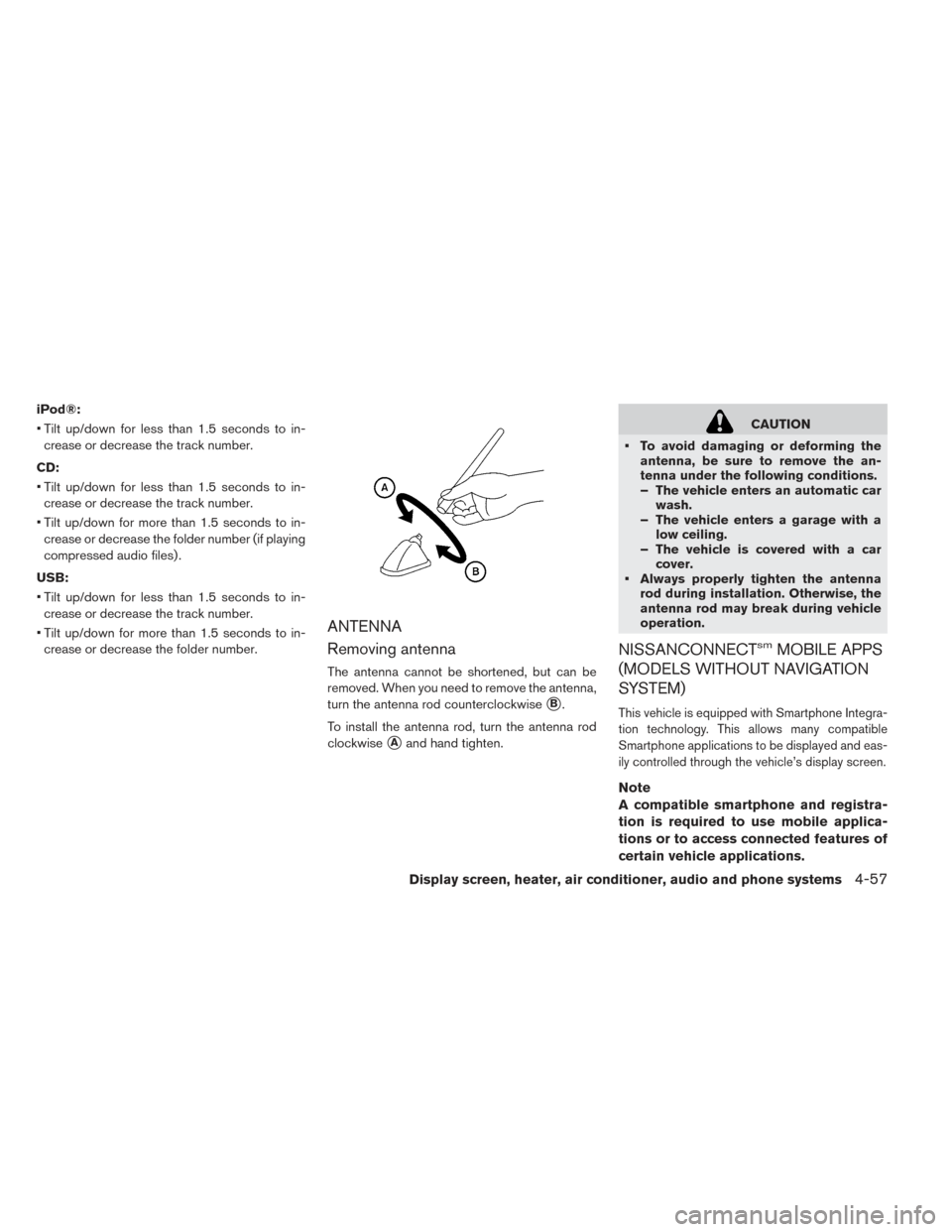
The antenna cannot be shortened, but can be
removed. When you need to remove the antenna,
turn the antenna rod counterclockwise
�B.
To install the antenna rod, turn the antenna rod
clockwise
�Aand hand tighten.
CAUTION
• To avoid damaging or deforming the antenna, be sure to remove the an-
tenna under the following conditions.
– The vehicle enters an automatic carwash.
– The vehicle enters a garage with a low ceiling.
– The vehicle is covered with a car cover.
• Always properly tighten the antenna rod during installation. Otherwise, the
antenna rod may break during vehicle
operation.
NISSANCONNECTsmMOBILE APPS
(MODELS WITHOUT NAVIGATION
SYSTEM)
This vehicle is equipped with Smartphone Integra-
tion technology. This allows many compatible
Smartphone applications to be displayed and eas-
ily controlled through the vehicle’s display screen.
Note
A compatible smartphone and registra-
tion is required to use mobile applica-
tions or to access connected features of
certain vehicle applications.
Display screen, heater, air conditioner, audio and phone systems4-57