Page 209 of 399
�������
> (GLW� ����� �� � 0RGHO� )���' @
.Language Select
The language settings can be changed.
Select ªLanguage Selectº using the TU-
NE´SCROLL control knob and then push the
ENTER/SETTING button. Use the TU-
NE´SCROLL control knob to select the
preferred language. Push the ENTER/
SETTING button to apply the setting.
DISP button:GUID-F83C168B-173D-4313-B631-F712588C0463Display of the screen can be canceled by
pushing the
button. You can still listen to
music that is being played back even while the
screen display is turned off. If you want to
display the screen again, push the
button
once more. Pushing some of the audio source
buttons will also turn the screen back on and
display the screens of the corresponding
sources.
MEDIA button:GUID-F83C168B-173D-4313-B631-F712588C0463Pushing thebutton will switch the audio
source as follows:
CD ?USB/iPod ?Bluetooth Audio ?AUX ?
CD
Apps button:GUID-F83C168B-173D-4313-B631-F712588C0463Thebutton launches the Smartphone
Integration mode. See ªNissanConnectSMApp smartphone integrationº (P.4-75) .
FM-AM-SAT Radio operationGUID-30B56C20-92D8-4B10-A97C-E70DB83836B6
radio (FM´AM) band select:GUID-F83C168B-173D-4313-B631-F712588C0463Pushing the FM´AM button will change the band
as follows:
AM
?FM1 ?FM2 ?AM
radio (SAT) band select:GUID-F83C168B-173D-4313-B631-F712588C0463Pushing the XM band select button will change
the band as follows:
XM1 ?XM2 ?XM3 ?XM1
When the XM band select button is pushed
while the ignition switch is in the ACC or ON
position, the radio will come on at the channel
last played.
The last channel played will also come on when
the Power button is pushed to ON.
The satellite radio is not available in Alaska,
Hawaii and Guam.
If another audio source is playing when the radio
band select button is turned to ON, the audio
source will automatically be turned off and the
last radio channel played will come on.
When the stereo broadcast signal is weak, the
radio will automatically change from stereo to
monaural reception. TUNE (Tuning):
GUID-F83C168B-173D-4313-B631-F712588C0463.
For AM and FM radio
Turn the radio TUNE´SCROLL control knob
for manual tuning.
. For SiriusXM Satellite Radio
Turn the radio TUNE´SCROLL control knob
to seek channels from all of the categories
when any category is not selected.
SEEK tuning/CAT (category):GUID-F83C168B-173D-4313-B631-F712588C0463.For AM and FM radio
Push the SEEK button
orto tune
from low to high or high to low frequencies
and to stop at the next broadcasting station.
. For SiriusXM Satellite Radio
Push the SEEK button
orto tune to
the first channel of the next or previous
category.
SCAN tuning:GUID-F83C168B-173D-4313-B631-F712588C0463Push the SCAN tuning button to tune from low
to high frequencies and stop at each broad-
casting station for several seconds. Pushing the
button again during this several seconds period
will stop SCAN tuning and the radio will remain
tuned to that station.
If the SCAN tuning button is not pushed within 5
seconds, SCAN tuning moves to the next
Heater, air conditioner, audio and phone systems4-55
&RQGLWLRQ�
Page 214 of 399
�������
> (GLW� ����� �� � 0RGHO� )���' @
4-60Heater, air conditioner, audio and phone systems
RPT (repeat) button:GUID-F83C168B-173D-4313-B631-F712588C0463When thebutton is pushed while a track is
being played, the play pattern can be changed
as follows:
(Repeat Off) ?1 Track Repeat? All Repeat?
(Repeat Off)
RDM (random) button:GUID-F83C168B-173D-4313-B631-F712588C0463When thebutton is pushed while a track is
being played, the play pattern can be changed
as follows:
(Shuffle Off) ?Track Shuffle ?(Shuffle Off)
BACK button:GUID-F83C168B-173D-4313-B631-F712588C0463The display will return to the previous screen.
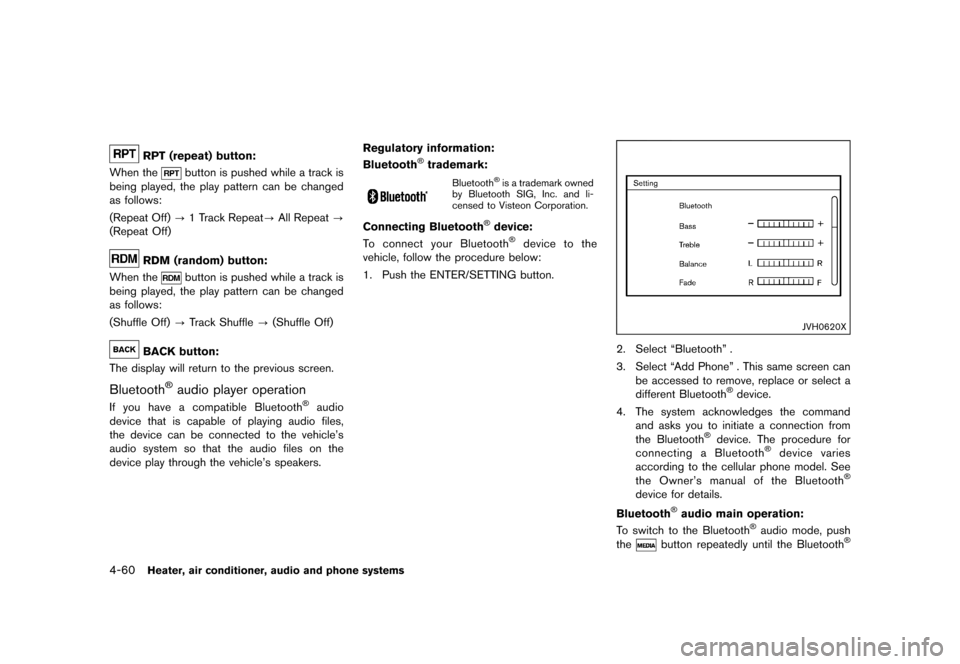
Bluetooth
Page 215 of 399
�������
> (GLW� ����� �� � 0RGHO� )���' @
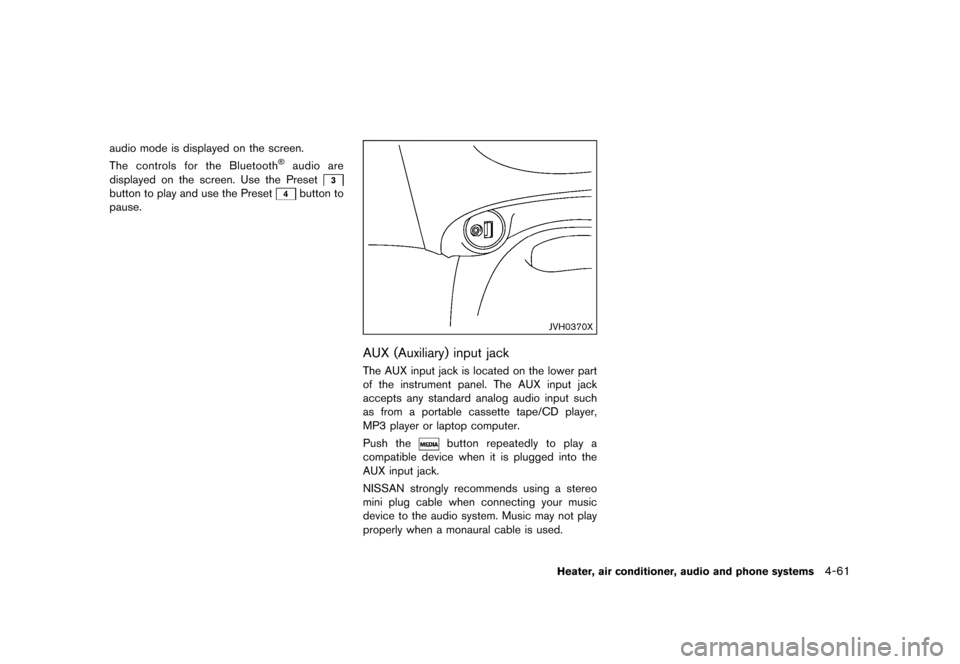
audio mode is displayed on the screen.
The controls for the Bluetooth
Page 225 of 399
�������
> (GLW� ����� �� � 0RGHO� )���' @
Seek button:
Push the seek button
orto skip
backward or forward one track.
Push and hold the seek button
orfor
1.5 seconds while a track is playing to reverse or
fast forward the track being played. The track
plays at an increased speed while reversing or
fast forwarding. When the button is released,
the track returns to normal play speed.
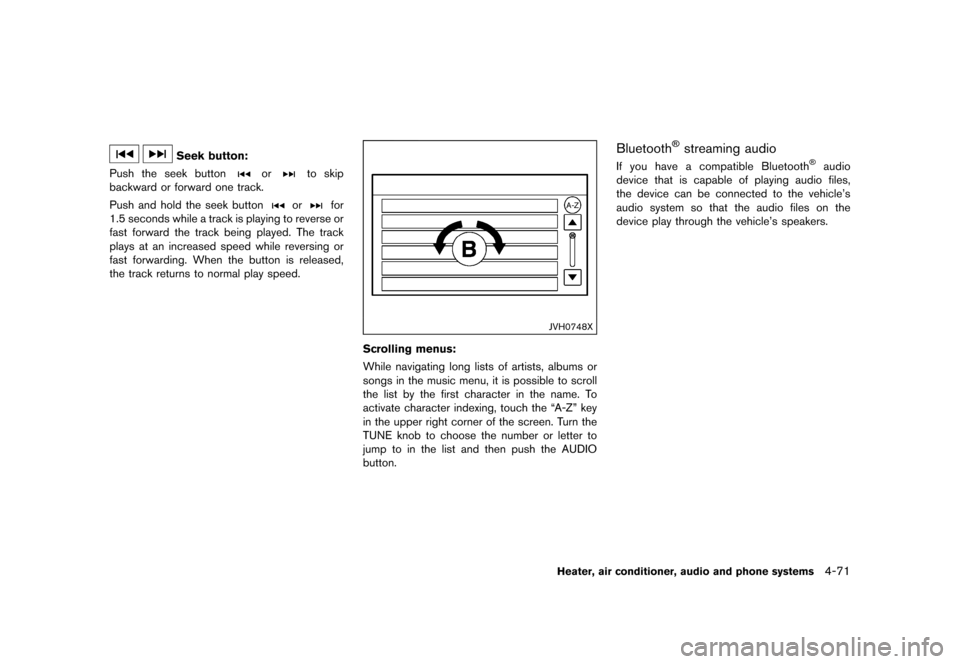
JVH0748X
Scrolling menus:
While navigating long lists of artists, albums or
songs in the music menu, it is possible to scroll
the list by the first character in the name. To
activate character indexing, touch the ªA-Zº key
in the upper right corner of the screen. Turn the
TUNE knob to choose the number or letter to
jump to in the list and then push the AUDIO
button.
Bluetooth
Page 226 of 399
�������
> (GLW� ����� �� � 0RGHO� )���' @
4-72Heater, air conditioner, audio and phone systems
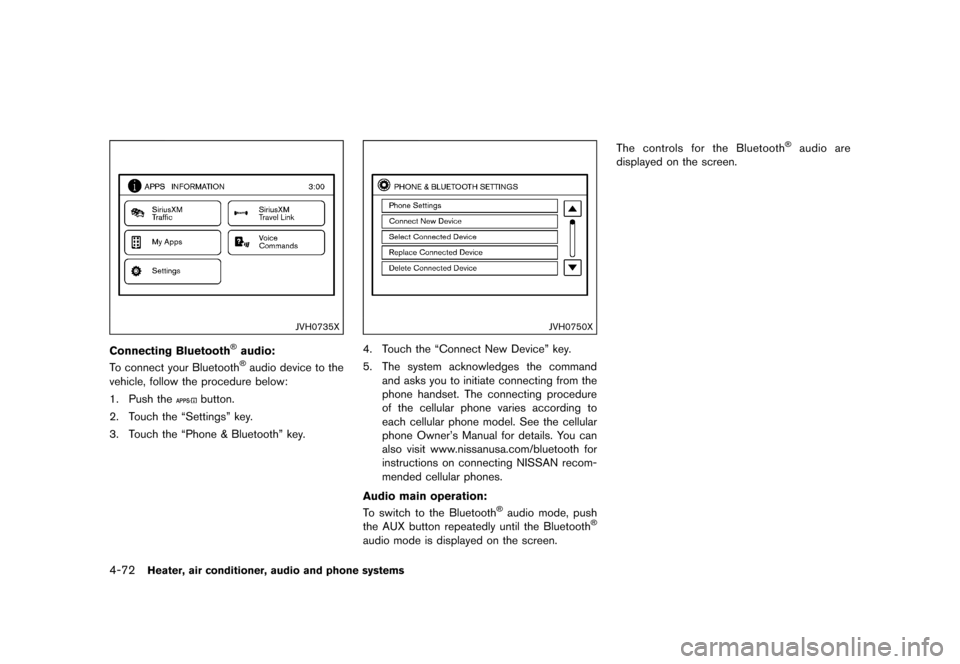
JVH0735X
Connecting Bluetooth
Page 230 of 399
�������
> (GLW� ����� �� � 0RGHO� )���' @
4-76Heater, air conditioner, audio and phone systems
CONNECT PHONEGUID-F9527F2D-48B7-41BE-B654-8CF52A911A5ATo use this feature, a compatible smartphone
must be connected via Bluetooth
Page 234 of 399
�������
> (GLW� ����� �� � 0RGHO� )���' @
4-80Heater, air conditioner, audio and phone systems
GUID-433608FE-D4D9-4693-ADC1-026C2CCCF895When installing a car phone or a CB radio in
your vehicle, be sure to observe the following
precautions, otherwise the new equipment may
adversely affect the electronic control modules
and electronic control system harness.
WARNING
.A cellular phone should not be used
for any purpose while driving so full
attention may be given to vehicle
operation. Some jurisdictions prohi-
bit the use of cellular phones while
driving.
. If you must make a call while your
vehicle is in motion, the hands-free
cellular phone operational mode (if
so equipped) is highly recom-
mended. Exercise extreme caution
at all times so full attention may be
given to vehicle operation.
. If a conversation in a moving vehicle
requires you to take notes, pull off
the road to a safe location and stop
your vehicle before doing so.
CAUTION
.Keep the antenna as far away as
possible from the electronic control
modules.
. Keep the antenna wire more than 8
in (20 cm) away from the electronic
control system harness. Do not
route the antenna wire next to any
harness.
. Adjust the antenna standing-wave
ratio as recommended by the man-
ufacturer.
. Connect the ground wire from the
CB radio chassis to the body.
. For details, consult a NISSAN deal-
er.
GUID-5BB4ADBF-288B-4991-9A88-69D70D6685E8
WARNING
.Use a phone after stopping your
vehicle in a safe location. If you
have to use a phone while driving,
exercise extreme caution at all
times so full attention may be given
to vehicle operation.
. If you are unable to devote full
attention to vehicle operation while
talking on the phone, pull off the
road to a safe location and stop
your vehicle.
CAUTION
To avoid draining the vehicle battery,
use a phone after starting the engine.
Your vehicle is equipped with the Bluetooth
Page 235 of 399
�������
> (GLW� ����� �� � 0RGHO� )���' @
Once your cellular phone is connected to the in-
vehicle phone module, no other phone connect-
ing procedure is required. Your phone is
automatically connected with the in-vehicle
phone module when the ignition switch is
placed in the ACC or ON position with the
previously connected cellular phone turned on
and carried in the vehicle.
NOTE:
Some devices require the user to accept
connections to other Bluetooth