Page 158 of 469
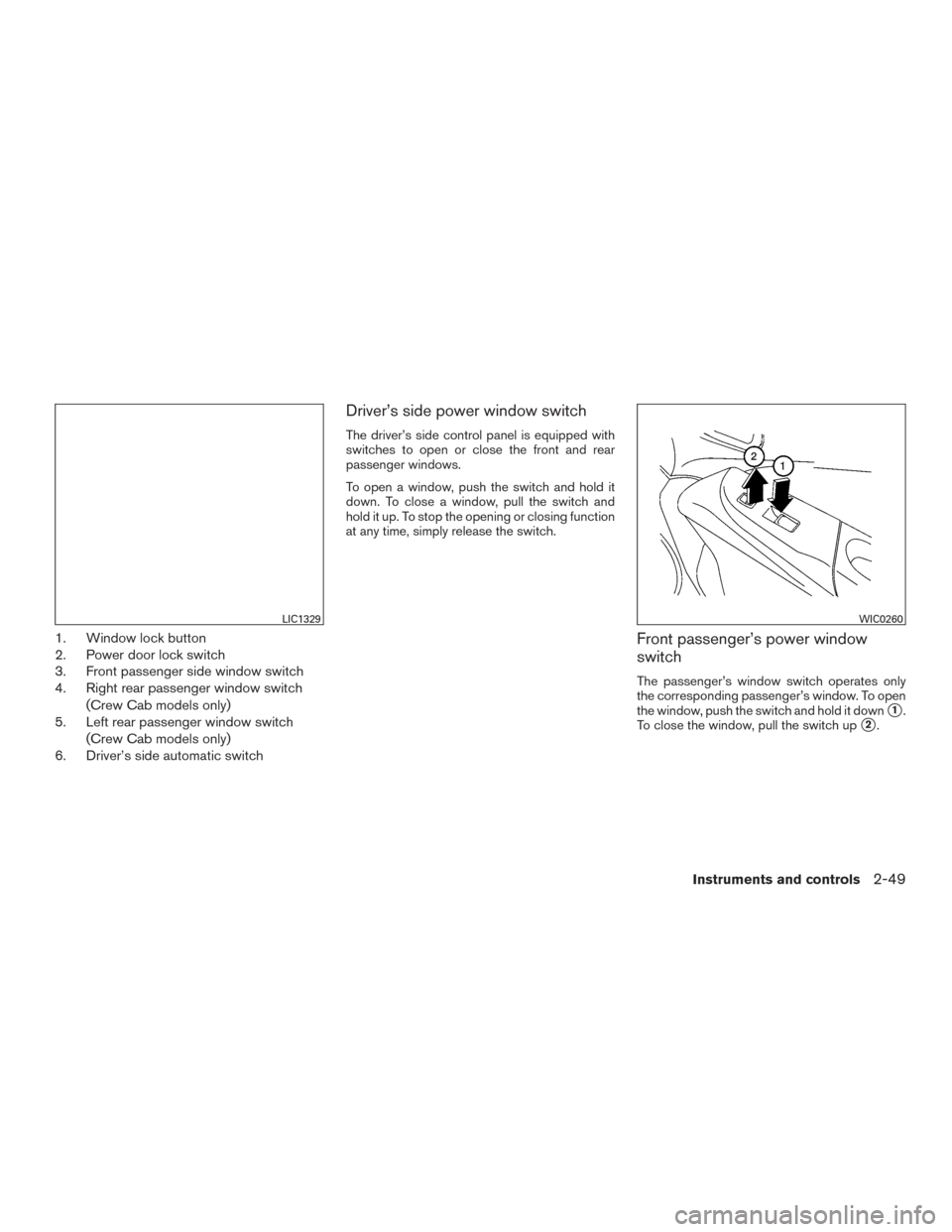
1. Window lock button
2. Power door lock switch
3. Front passenger side window switch
4. Right rear passenger window switch(Crew Cab models only)
5. Left rear passenger window switch
(Crew Cab models only)
6. Driver’s side automatic switch
Driver’s side power window switch
The driver’s side control panel is equipped with
switches to open or close the front and rear
passenger windows.
To open a window, push the switch and hold it
down. To close a window, pull the switch and
hold it up. To stop the opening or closing function
at any time, simply release the switch.
Front passenger’s power window
switch
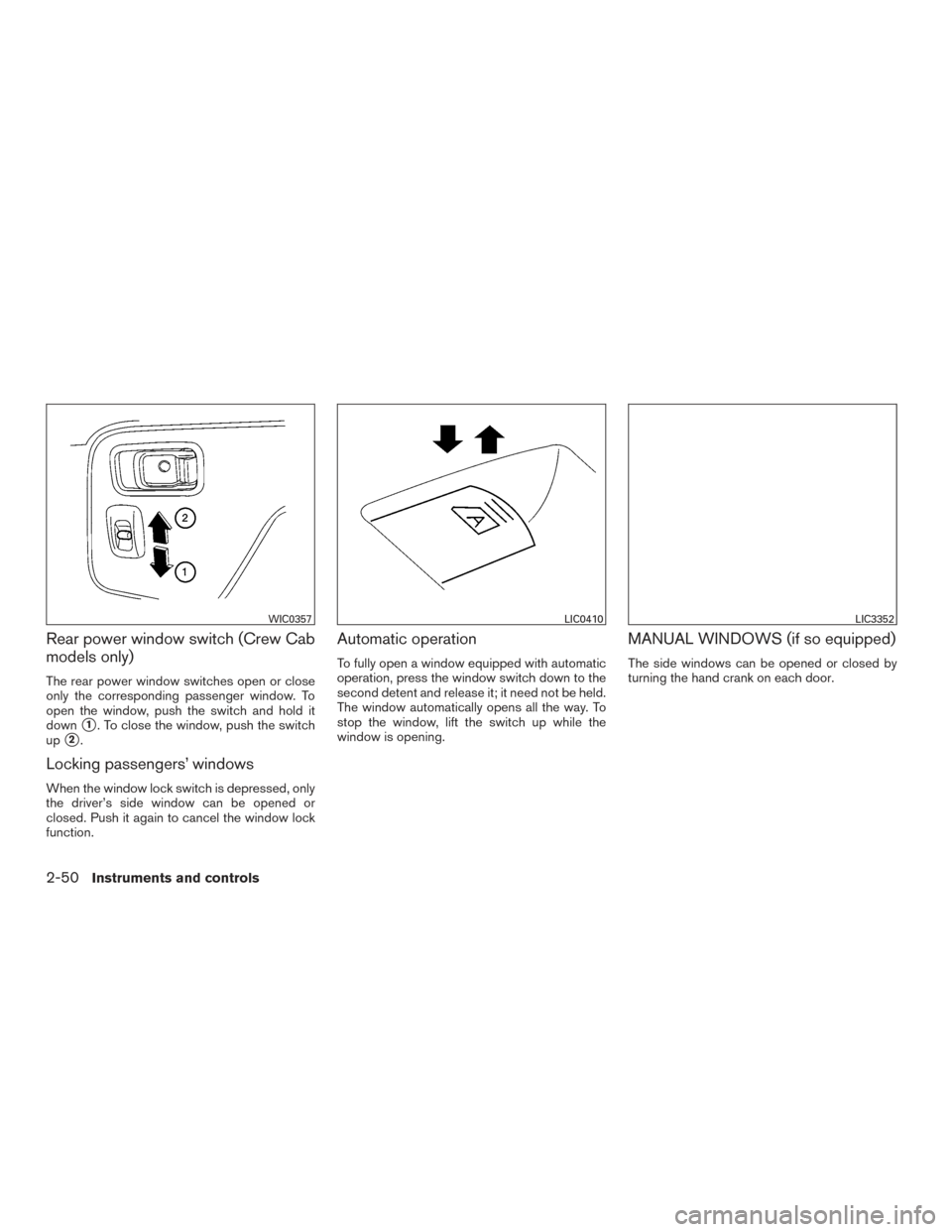
The passenger’s window switch operates only
the corresponding passenger’s window. To open
the window, push the switch and hold it down
�1.
To close the window, pull the switch up
�2.
LIC1329WIC0260
Instruments and controls2-49
Page 159 of 469
Rear power window switch (Crew Cab
models only)
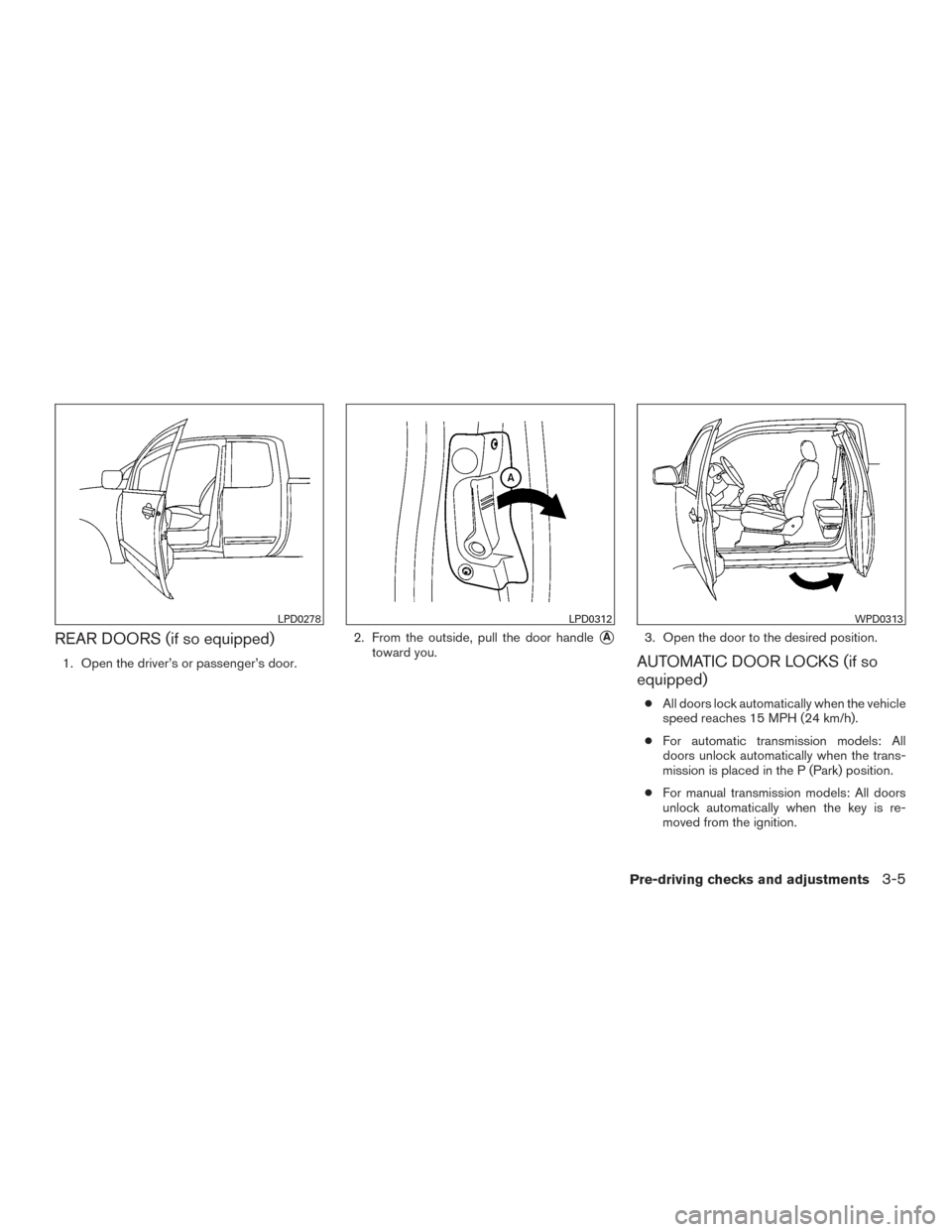
The rear power window switches open or close
only the corresponding passenger window. To
open the window, push the switch and hold it
down
�1. To close the window, push the switch
up
�2.
Locking passengers’ windows
When the window lock switch is depressed, only
the driver’s side window can be opened or
closed. Push it again to cancel the window lock
function.
Automatic operation
To fully open a window equipped with automatic
operation, press the window switch down to the
second detent and release it; it need not be held.
The window automatically opens all the way. To
stop the window, lift the switch up while the
window is opening.
MANUAL WINDOWS (if so equipped)
The side windows can be opened or closed by
turning the hand crank on each door.
WIC0357LIC0410LIC3352
2-50Instruments and controls
Page 162 of 469
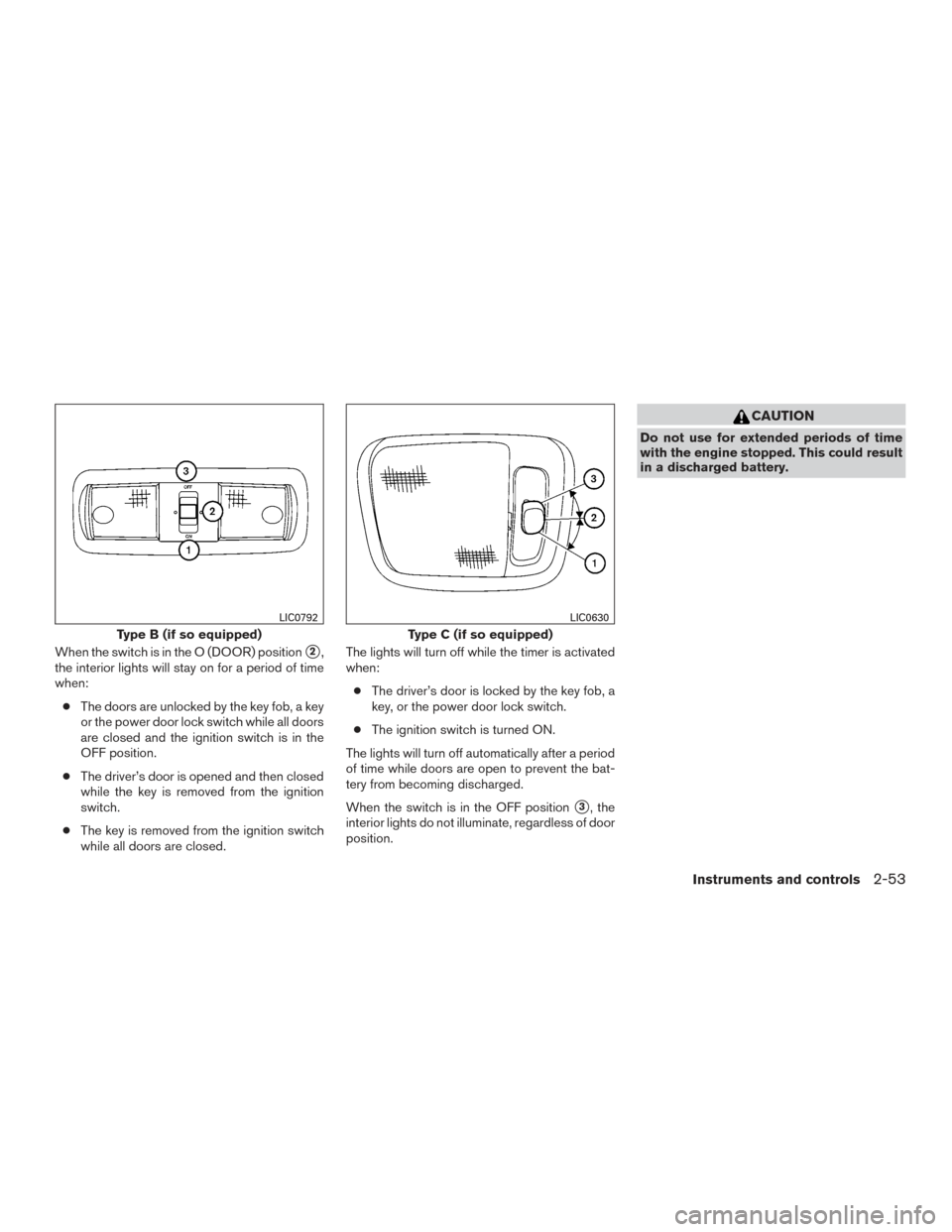
When the switch is in the O (DOOR) position�2,
the interior lights will stay on for a period of time
when:
● The doors are unlocked by the key fob, a key
or the power door lock switch while all doors
are closed and the ignition switch is in the
OFF position.
● The driver’s door is opened and then closed
while the key is removed from the ignition
switch.
● The key is removed from the ignition switch
while all doors are closed. The lights will turn off while the timer is activated
when:
● The driver’s door is locked by the key fob, a
key, or the power door lock switch.
● The ignition switch is turned ON.
The lights will turn off automatically after a period
of time while doors are open to prevent the bat-
tery from becoming discharged.
When the switch is in the OFF position
�3, the
interior lights do not illuminate, regardless of door
position.
CAUTION
Do not use for extended periods of time
with the engine stopped. This could result
in a discharged battery.
Type B (if so equipped)
LIC0792
Type C (if so equipped)
LIC0630
Instruments and controls2-53
Page 163 of 469
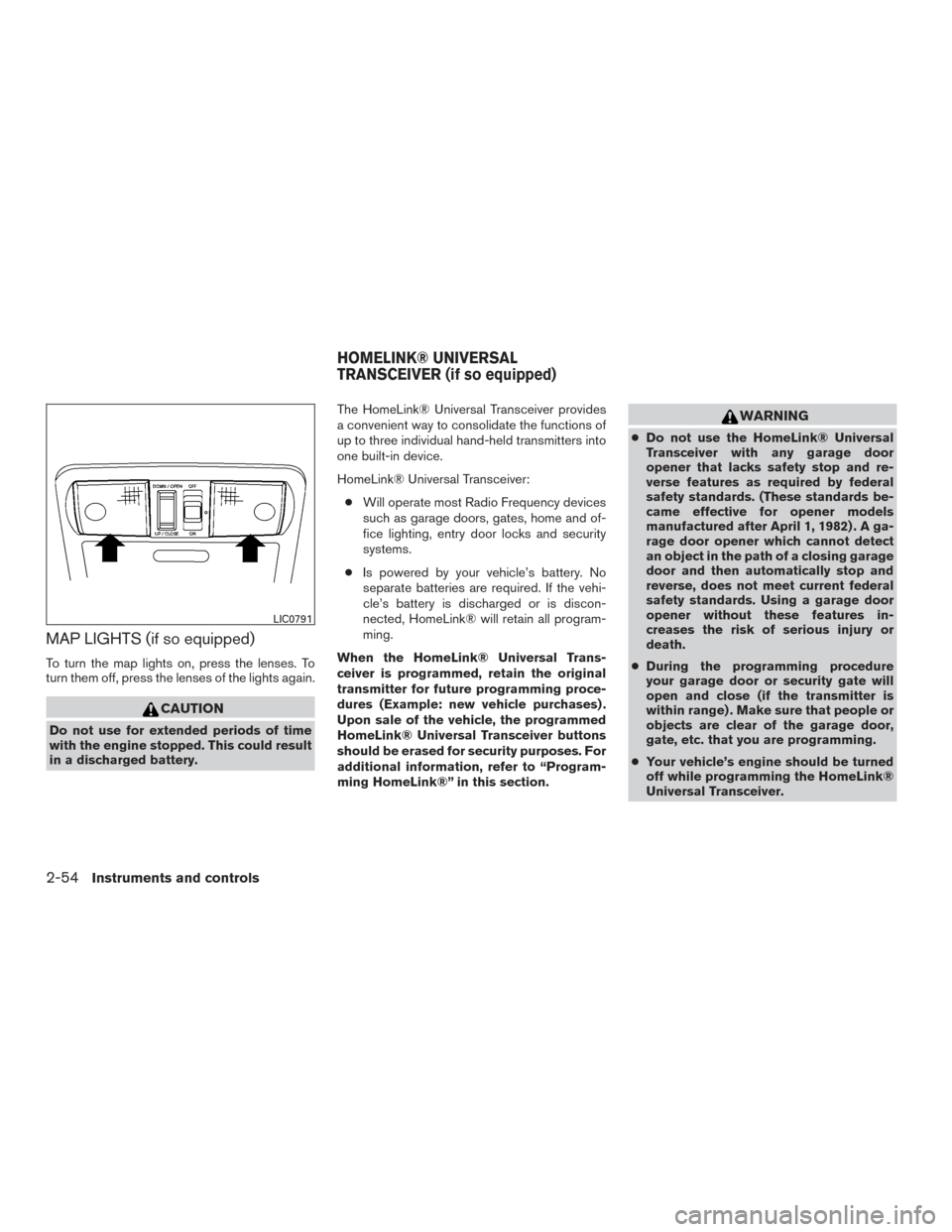
MAP LIGHTS (if so equipped)
To turn the map lights on, press the lenses. To
turn them off, press the lenses of the lights again.
CAUTION
Do not use for extended periods of time
with the engine stopped. This could result
in a discharged battery.The HomeLink® Universal Transceiver provides
a convenient way to consolidate the functions of
up to three individual hand-held transmitters into
one built-in device.
HomeLink® Universal Transceiver:
● Will operate most Radio Frequency devices
such as garage doors, gates, home and of-
fice lighting, entry door locks and security
systems.
● Is powered by your vehicle’s battery. No
separate batteries are required. If the vehi-
cle’s battery is discharged or is discon-
nected, HomeLink® will retain all program-
ming.
When the HomeLink® Universal Trans-
ceiver is programmed, retain the original
transmitter for future programming proce-
dures (Example: new vehicle purchases) .
Upon sale of the vehicle, the programmed
HomeLink® Universal Transceiver buttons
should be erased for security purposes. For
additional information, refer to “Program-
ming HomeLink®” in this section.
WARNING
● Do not use the HomeLink® Universal
Transceiver with any garage door
opener that lacks safety stop and re-
verse features as required by federal
safety standards. (These standards be-
came effective for opener models
manufactured after April 1, 1982) . A ga-
rage door opener which cannot detect
an object in the path of a closing garage
door and then automatically stop and
reverse, does not meet current federal
safety standards. Using a garage door
opener without these features in-
creases the risk of serious injury or
death.
● During the programming procedure
your garage door or security gate will
open and close (if the transmitter is
within range) . Make sure that people or
objects are clear of the garage door,
gate, etc. that you are programming.
● Your vehicle’s engine should be turned
off while programming the HomeLink®
Universal Transceiver.
LIC0791
HOMELINK® UNIVERSAL
TRANSCEIVER (if so equipped)
2-54Instruments and controls
Page 168 of 469
3 Pre-driving checks and adjustments
Keys .............................................3-2NISSAN Vehicle Immobilizer System keys
(if so equipped) ................................3-2
Doors ............................................3-3
Locking with key ................................3-3
Locking with inside lock knob ....................3-4
Locking with power door lock switch
(if so equipped) ................................3-4
Rear doors (if so equipped) ......................3-5
Automatic door locks (if so equipped). . . ..........3-5
Child safety rear door lock (if so equipped) ........3-6
Remote keyless entry system (if so equipped) .........3-6
How to use remote keyless entry system ..........3-7
Hood ........................................... 3-10
Fuel-filler door ................................... 3-11Fuel-filler cap
................................. 3-11
Steering wheel ................................... 3-13
Tilt operation .................................. 3-13
Sun visors ....................................... 3-14
Vanity mirrors (if so equipped) ...................3-14
Mirrors .......................................... 3-15
Manual anti-glare rearview mirror
(if so equipped) ............................... 3-15
Automatic anti-glare rearview mirror
(if so equipped) ............................... 3-15
Outside mirrors ............................... 3-16
Truck box ........................................ 3-17
Tailgate ....................................... 3-17
Bed Extender (if so equipped) ..................3-21
Tie down hooks (if so equipped) ................3-22
Page 170 of 469
When the doors are locked using one of the
following methods, the doors cannot be opened
using the inside or outside door handles. The
doors must be unlocked to open the doors.
WARNING
●Before opening any door, always look
for and avoid oncoming traffic.
● To help avoid risk of injury or death
through unintended operation of the
vehicle and or its systems, including
entrapment in windows or inadvertent
door lock activation, do not leave chil-
dren, people who require the assistance
of others or pets unattended in your
vehicle. Additionally, the temperature
inside a closed vehicle on a warm day
can quickly become high enough to
cause a significant risk of injury or
death to people and pets.
LOCKING WITH KEY
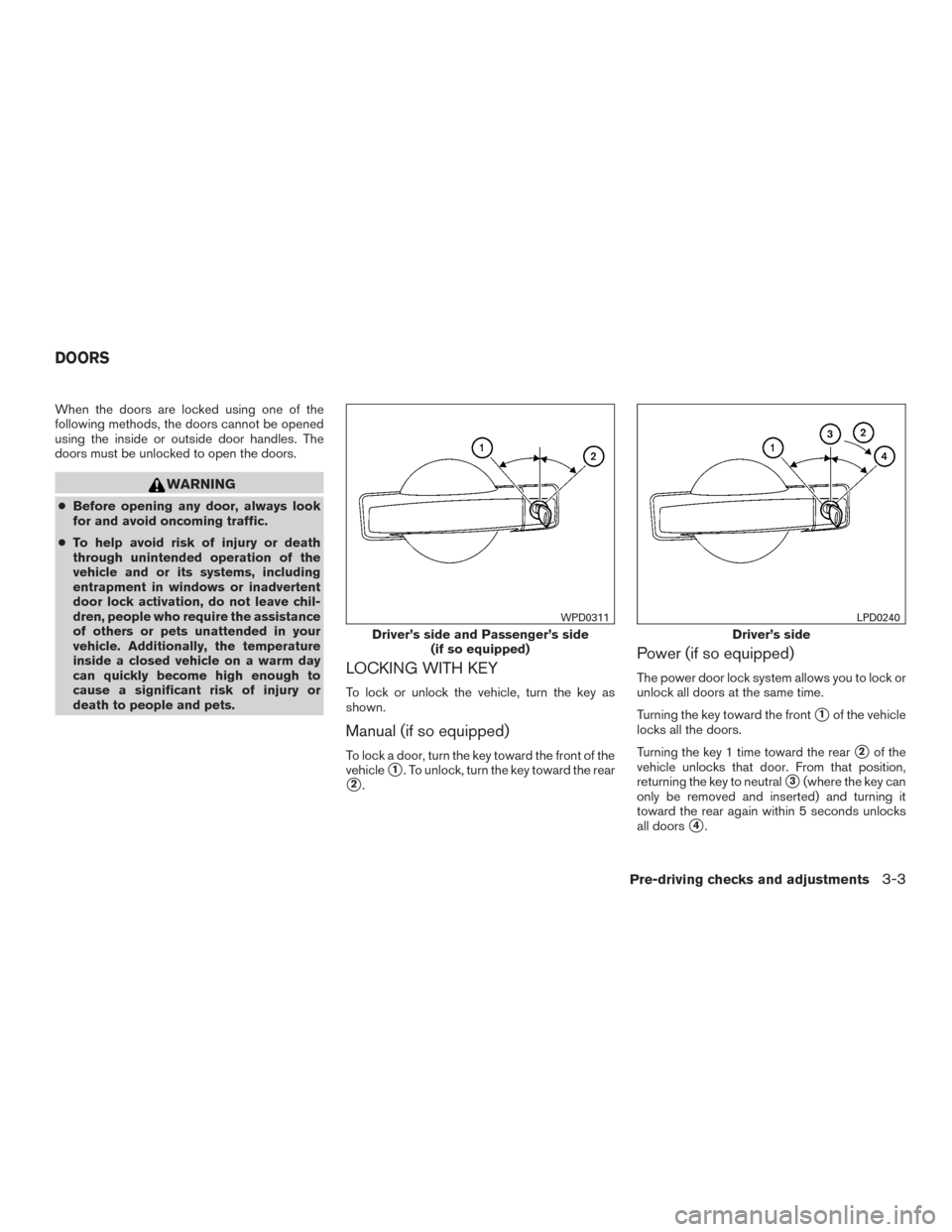
To lock or unlock the vehicle, turn the key as
shown.
Manual (if so equipped)
To lock a door, turn the key toward the front of the
vehicle
�1. To unlock, turn the key toward the rear
�2.
Power (if so equipped)
The power door lock system allows you to lock or
unlock all doors at the same time.
Turning the key toward the front
�1of the vehicle
locks all the doors.
Turning the key 1 time toward the rear
�2of the
vehicle unlocks that door. From that position,
returning the key to neutral
�3(where the key can
only be removed and inserted) and turning it
toward the rear again within 5 seconds unlocks
all doors
�4.
Driver’s side and Passenger’s side (if so equipped)
WPD0311
Driver’s side
LPD0240
DOORS
Pre-driving checks and adjustments3-3
Page 171 of 469
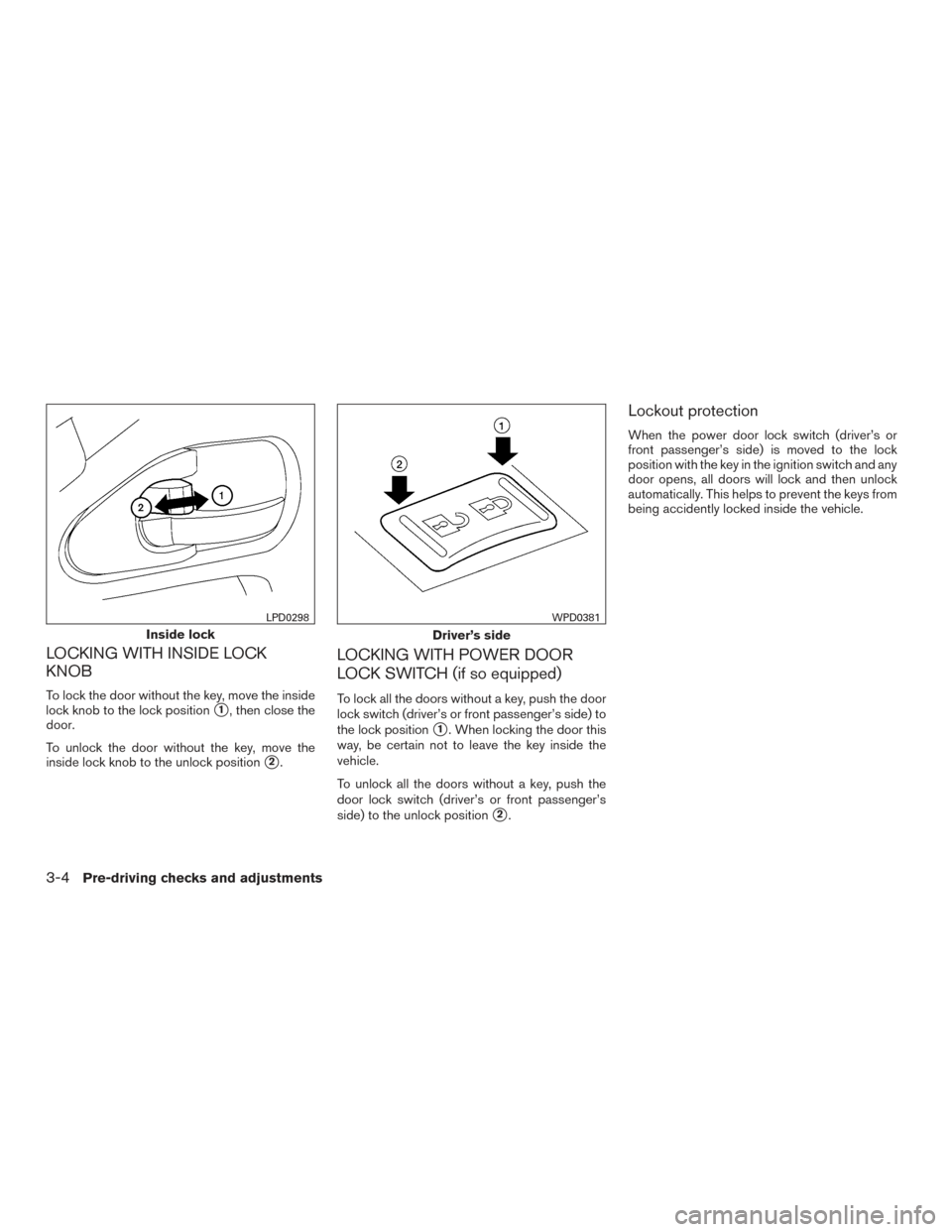
LOCKING WITH INSIDE LOCK
KNOB
To lock the door without the key, move the inside
lock knob to the lock position
�1, then close the
door.
To unlock the door without the key, move the
inside lock knob to the unlock position
�2.
LOCKING WITH POWER DOOR
LOCK SWITCH (if so equipped)
To lock all the doors without a key, push the door
lock switch (driver’s or front passenger’s side) to
the lock position
�1. When locking the door this
way, be certain not to leave the key inside the
vehicle.
To unlock all the doors without a key, push the
door lock switch (driver’s or front passenger’s
side) to the unlock position
�2.
Lockout protection
When the power door lock switch (driver’s or
front passenger’s side) is moved to the lock
position with the key in the ignition switch and any
door opens, all doors will lock and then unlock
automatically. This helps to prevent the keys from
being accidently locked inside the vehicle.
Inside lock
LPD0298
Driver’s side
WPD0381
3-4Pre-driving checks and adjustments
Page 172 of 469
REAR DOORS (if so equipped)
1. Open the driver’s or passenger’s door.2. From the outside, pull the door handle
�A
toward you.
3. Open the door to the desired position.AUTOMATIC DOOR LOCKS (if so
equipped)
●
All doors lock automatically when the vehicle
speed reaches 15 MPH (24 km/h).
● For automatic transmission models: All
doors unlock automatically when the trans-
mission is placed in the P (Park) position.
● For manual transmission models: All doors
unlock automatically when the key is re-
moved from the ignition.
LPD0278LPD0312WPD0313
Pre-driving checks and adjustments3-5