2016 NISSAN ALTIMA SEDAN Auto start
[x] Cancel search: Auto startPage 328 of 491
Do not attach stickers (including transparent ma-
terial) , install accessories or apply additional
paint near the radar sensors.
Do not strike or damage the area around the
radar sensors. It is recommended that you visit a
NISSAN dealer if the area around the radar sen-
sors is damaged due to a collision.
Radio frequency statement
For USA
FCC : OAYSRR2B
This device complies with part 15 of the
FCC Rules. Operation is subject to the fol-
lowing two conditions:
(1) This device may not cause harmful inter-
ference, and (2) this device must accept any
interference received, including interfer-
ence that may cause undesired operation.
FCC Warning
Changes or modifications not expressly ap-
proved by the party responsible for compli-
ance could void the user’s authority to op-
erate the equipmentFor Canada
Applicable law: Canada 310
This device complies with Industry Canada
licence-exempt RSS standard(s) . Opera-
tion is subject to the following two condi-
tions: (1) this device may not cause inter-
ference, and (2) this device must accept any
interference, including interference that
may cause undesired operation of the de-
vice.
Frequency bands: 24.05GHz – 24.25GHz
Output power: less than 20 milliwatts
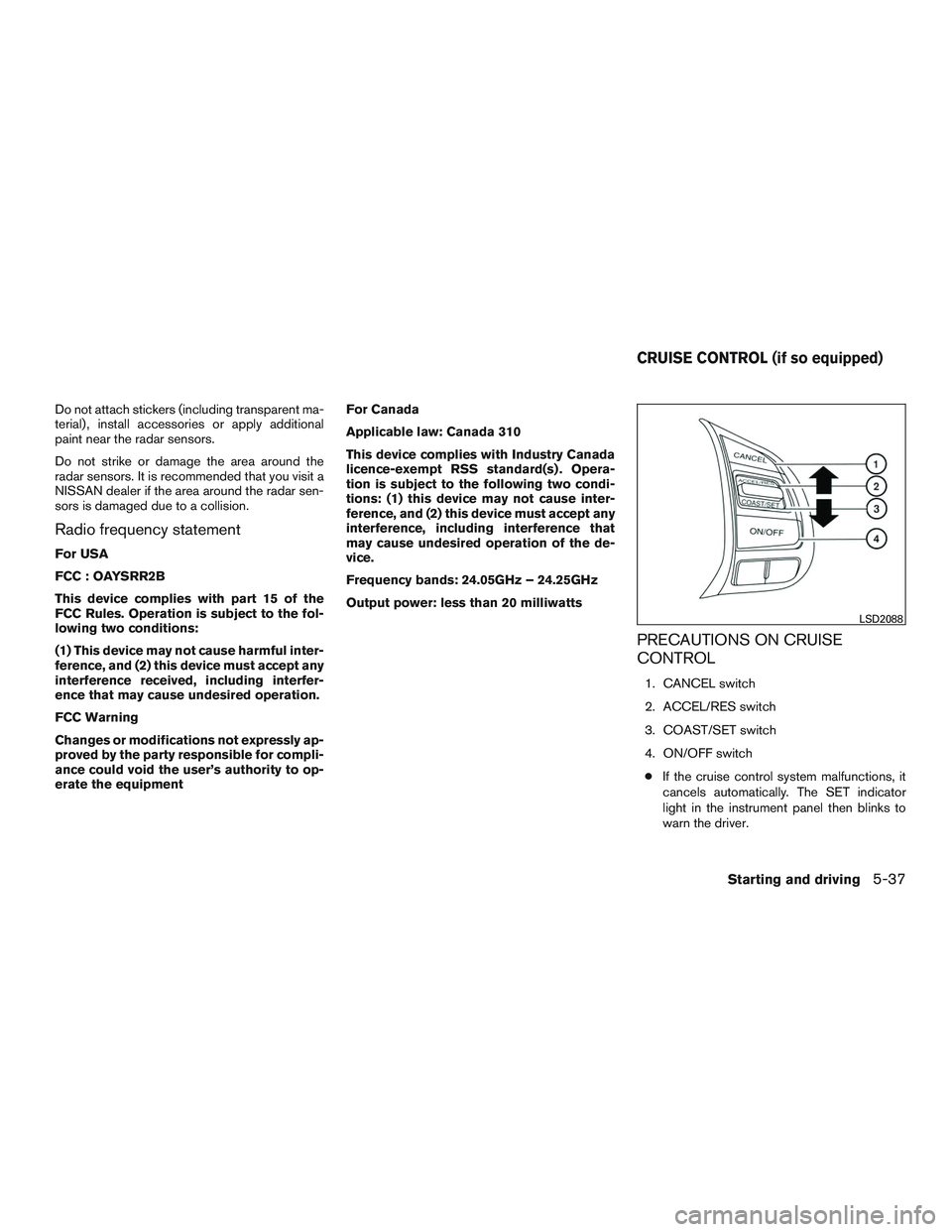
PRECAUTIONS ON CRUISE
CONTROL
1. CANCEL switch
2. ACCEL/RES switch
3. COAST/SET switch
4. ON/OFF switch
● If the cruise control system malfunctions, it
cancels automatically. The SET indicator
light in the instrument panel then blinks to
warn the driver.
LSD2088
CRUISE CONTROL (if so equipped)
Starting and driving5-37
Page 329 of 491
●If the SET indicator light blinks, turn the
cruise control switch off and have the sys-
tem checked by a NISSAN dealer.
● The SET indicator light may blink when the
cruise control switch is turned ON while
pushing the ACCEL/RES, COAST/SET, or
CANCEL switch. To properly set the cruise
control system, use the following proce-
dures.
WARNING
Do not use the cruise control when driving
under the following conditions:
● When it is not possible to keep the
vehicle at a set speed.
● In heavy traffic or in traffic that varies in
speed.
● On winding or hilly roads.
● On slippery roads (rain, snow, ice, etc.) .
● In very windy areas.
Doing so could cause a loss of vehicle
control and result in an accident.
CRUISE CONTROL OPERATIONS
The cruise control allows driving at a speed be-
tween 25 - 89 mph (40 - 144 km/h) without
keeping your foot on the accelerator pedal.
To turn on the cruise control, push the
ON/OFF switch on. The CRUISE indicator light
in the instrument panel will illuminate.
To set cruising speed, accelerate the vehicle to
the desired speed, push the COAST/SET switch
and release it. Take your foot off the accelerator
pedal. Your vehicle maintains the set speed.
● To pass another vehicle, depress the ac-
celerator pedal. When you release the
pedal, the vehicle returns to the previously
set speed.
● The vehicle may not maintain the set speed
when going up or down steep hills. If this
happens, drive without the cruise control.
To cancel the preset speed, use one of the
following three methods.
● Push the CANCEL button.
● Tap the brake pedal.
● Push the ON/OFF switch off. The CRUISE
indicator light in the instrument panel goes
out. The cruise control is automatically canceled if:
● you depress the brake pedal while pushing
the ACCEL/RES or SET/COAST switch.
The preset speed is deleted from memory.
● the vehicle slows down more than 8 mph
(13 km/h) below the set speed.
● you move the shift lever to N (Neutral) .
To reset at a faster cruising speed, use one of
the following three methods.
● Depress the accelerator pedal. When the
vehicle attains the desired speed, push and
release the COAST/SET switch.
● Push and hold the ACCEL/RES switch.
When the vehicle attains the speed you de-
sire, release the switch.
● Push and release the ACCEL/RES switch.
Each time you do this, the set speed in-
creases by about 1 mph (1.6 km/h).
5-38Starting and driving
Page 332 of 491
For additional information, refer to “Approach
warning” in this section.
The following items are controlled in the ICC
system:● When there are no vehicles traveling ahead,
the ICC system maintains the speed set by
the driver. The set speed range is between
approximately 20 and 90 mph (32 and
144 km/h).
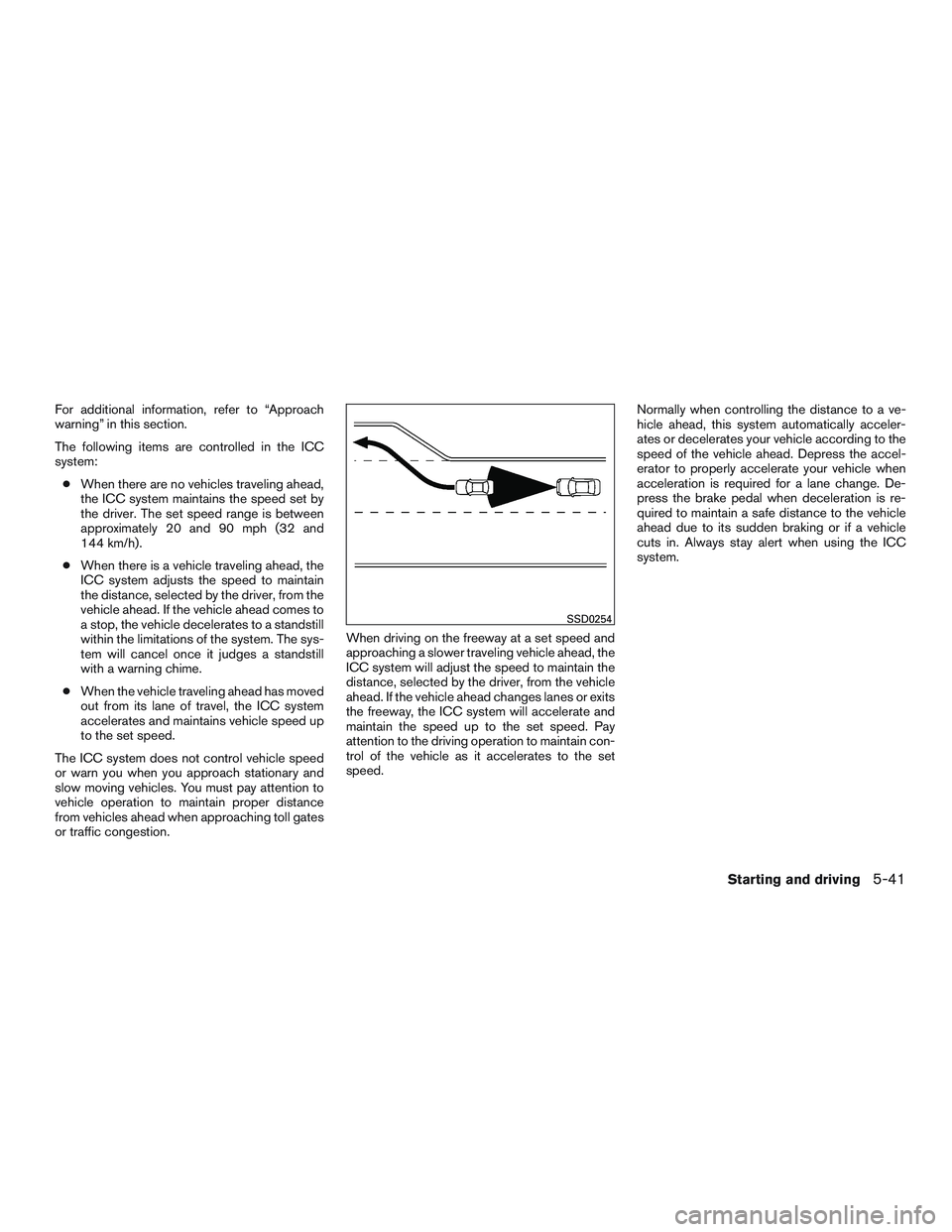
● When there is a vehicle traveling ahead, the
ICC system adjusts the speed to maintain
the distance, selected by the driver, from the
vehicle ahead. If the vehicle ahead comes to
a stop, the vehicle decelerates to a standstill
within the limitations of the system. The sys-
tem will cancel once it judges a standstill
with a warning chime.
● When the vehicle traveling ahead has moved
out from its lane of travel, the ICC system
accelerates and maintains vehicle speed up
to the set speed.
The ICC system does not control vehicle speed
or warn you when you approach stationary and
slow moving vehicles. You must pay attention to
vehicle operation to maintain proper distance
from vehicles ahead when approaching toll gates
or traffic congestion. When driving on the freeway at a set speed and
approaching a slower traveling vehicle ahead, the
ICC system will adjust the speed to maintain the
distance, selected by the driver, from the vehicle
ahead. If the vehicle ahead changes lanes or exits
the freeway, the ICC system will accelerate and
maintain the speed up to the set speed. Pay
attention to the driving operation to maintain con-
trol of the vehicle as it accelerates to the set
speed.Normally when controlling the distance to a ve-
hicle ahead, this system automatically acceler-
ates or decelerates your vehicle according to the
speed of the vehicle ahead. Depress the accel-
erator to properly accelerate your vehicle when
acceleration is required for a lane change. De-
press the brake pedal when deceleration is re-
quired to maintain a safe distance to the vehicle
ahead due to its sudden braking or if a vehicle
cuts in. Always stay alert when using the ICC
system.
SSD0254
Starting and driving5-41
Page 338 of 491
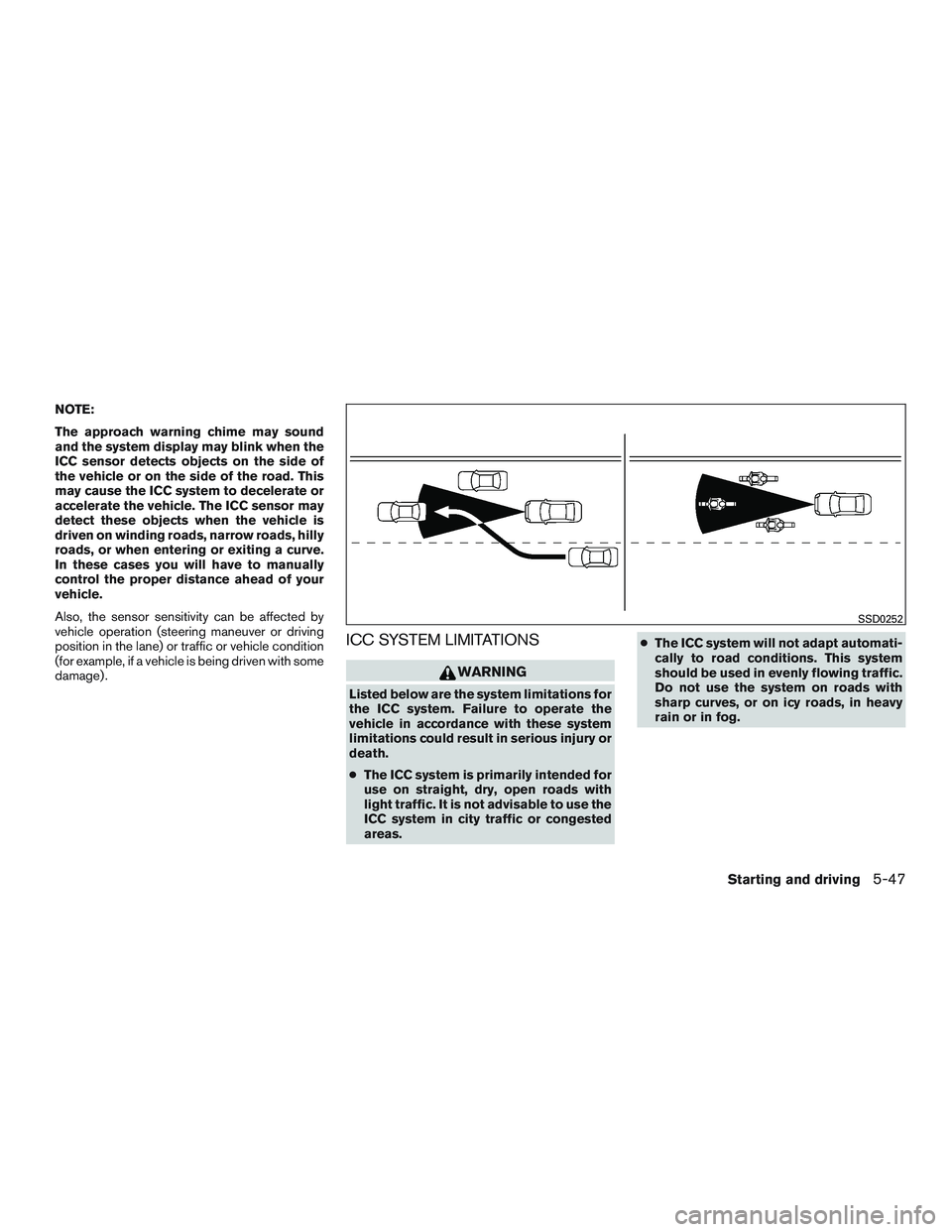
NOTE:
The approach warning chime may sound
and the system display may blink when the
ICC sensor detects objects on the side of
the vehicle or on the side of the road. This
may cause the ICC system to decelerate or
accelerate the vehicle. The ICC sensor may
detect these objects when the vehicle is
driven on winding roads, narrow roads, hilly
roads, or when entering or exiting a curve.
In these cases you will have to manually
control the proper distance ahead of your
vehicle.
Also, the sensor sensitivity can be affected by
vehicle operation (steering maneuver or driving
position in the lane) or traffic or vehicle condition
(for example, if a vehicle is being driven with some
damage) .
ICC SYSTEM LIMITATIONS
WARNING
Listed below are the system limitations for
the ICC system. Failure to operate the
vehicle in accordance with these system
limitations could result in serious injury or
death.
●The ICC system is primarily intended for
use on straight, dry, open roads with
light traffic. It is not advisable to use the
ICC system in city traffic or congested
areas. ●
The ICC system will not adapt automati-
cally to road conditions. This system
should be used in evenly flowing traffic.
Do not use the system on roads with
sharp curves, or on icy roads, in heavy
rain or in fog.
SSD0252
Starting and driving5-47
Page 339 of 491
●As there is a performance limit to the
distance control function, never rely
solely on the ICC system. This system
does not correct careless, inattentive or
absentminded driving, or overcome
poor visibility in rain, fog, or other bad
weather. Decelerate the vehicle speed
by depressing the brake pedal, depend-
ing on the distance to the vehicle ahead
and the surrounding circumstances in
order to maintain a safe distance be-
tween vehicles.
● If the vehicle ahead comes to a stop, the
vehicle decelerates to a standstill
within the limitations of the system. The
system will cancel once it judges that
the vehicle has come to a standstill and
sound a warning chime. To prevent the
vehicle from moving, the driver must
depress the brake pedal.
● Always pay attention to the operation of
the vehicle and be ready to manually
control the proper following distance.
The ICC system may not be able to
maintain the selected distance between
vehicles (following distance) or se-
lected vehicle speed under some
circumstances. ●
The system may not detect the vehicle
in front of you in certain road or weather
conditions. To avoid accidents, never
use the ICC system under the following
conditions:
– On roads where the traffic is heavy or there are sharp curves
– On slippery road surfaces such as on ice or snow, etc.
– During bad weather (rain, fog, snow, etc.)
– When rain, snow or dirt adhere to the bumper around the distance sensor
– On steep downhill roads (the vehicle may go beyond the set vehicle speed
and frequent braking may result in
overheating the brakes)
– On repeated uphill and downhill roads
– When traffic conditions make it diffi- cult to keep a proper distance be-
tween vehicles because of frequent
acceleration or deceleration
– Interference by other radar sources. ●
Do not use the ICC system if you are
towing a trailer. The system may not
detect a vehicle ahead.
● In some road or traffic conditions, a
vehicle or object can unexpectedly
come into the sensor detection zone
and cause automatic braking. Always
stay alert and avoid using the ICC sys-
tem where not recommended in this
warning section.
The radar sensor will not detect the following
objects: ● Stationary and slow moving vehicles
● Pedestrians or objects in the roadway
● Oncoming vehicles in the same lane
● Motorcycles traveling offset in the travel lane
The following are some conditions in which the
sensor cannot properly detect a vehicle ahead
and the system may not operate properly: ● When snow or road spray from traveling
vehicles reduces the sensor’s detection.
● When excessively heavy baggage in loaded
in the rear seat or the trunk of your vehicle.
5-48Starting and driving
Page 340 of 491
The ICC system is designed to automatically
check the sensor’s operation within the limita-
tions of the system.
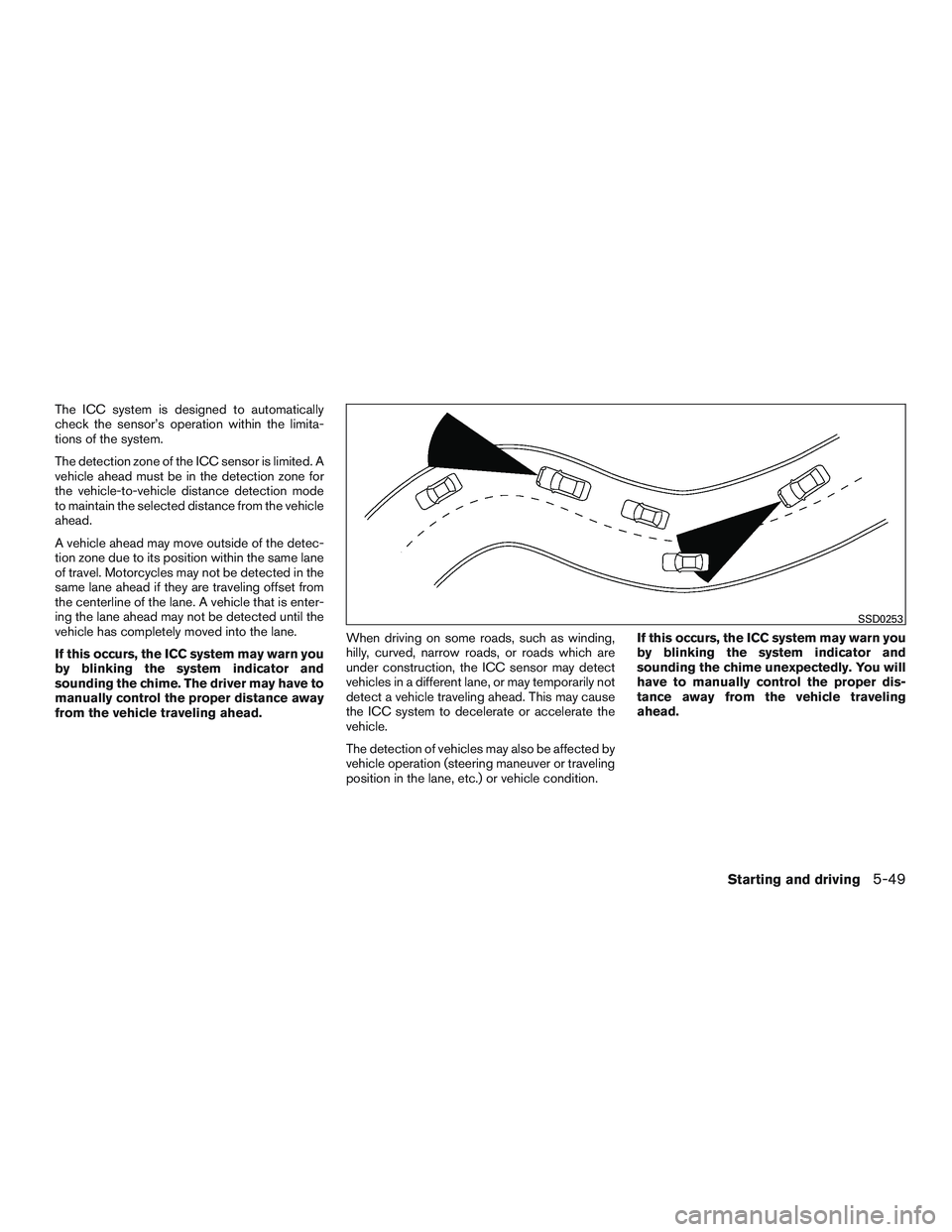
The detection zone of the ICC sensor is limited. A
vehicle ahead must be in the detection zone for
the vehicle-to-vehicle distance detection mode
to maintain the selected distance from the vehicle
ahead.
A vehicle ahead may move outside of the detec-
tion zone due to its position within the same lane
of travel. Motorcycles may not be detected in the
same lane ahead if they are traveling offset from
the centerline of the lane. A vehicle that is enter-
ing the lane ahead may not be detected until the
vehicle has completely moved into the lane.
If this occurs, the ICC system may warn you
by blinking the system indicator and
sounding the chime. The driver may have to
manually control the proper distance away
from the vehicle traveling ahead.When driving on some roads, such as winding,
hilly, curved, narrow roads, or roads which are
under construction, the ICC sensor may detect
vehicles in a different lane, or may temporarily not
detect a vehicle traveling ahead. This may cause
the ICC system to decelerate or accelerate the
vehicle.
The detection of vehicles may also be affected by
vehicle operation (steering maneuver or traveling
position in the lane, etc.) or vehicle condition.If this occurs, the ICC system may warn you
by blinking the system indicator and
sounding the chime unexpectedly. You will
have to manually control the proper dis-
tance away from the vehicle traveling
ahead.
SSD0253
Starting and driving5-49
Page 341 of 491
SYSTEM TEMPORARILY
UNAVAILABLE
The following are conditions in which the ICC
system may be temporarily unavailable. In these
instances, the ICC system may not cancel and
may not be able to maintain the selected follow-
ing distance from the vehicle ahead.
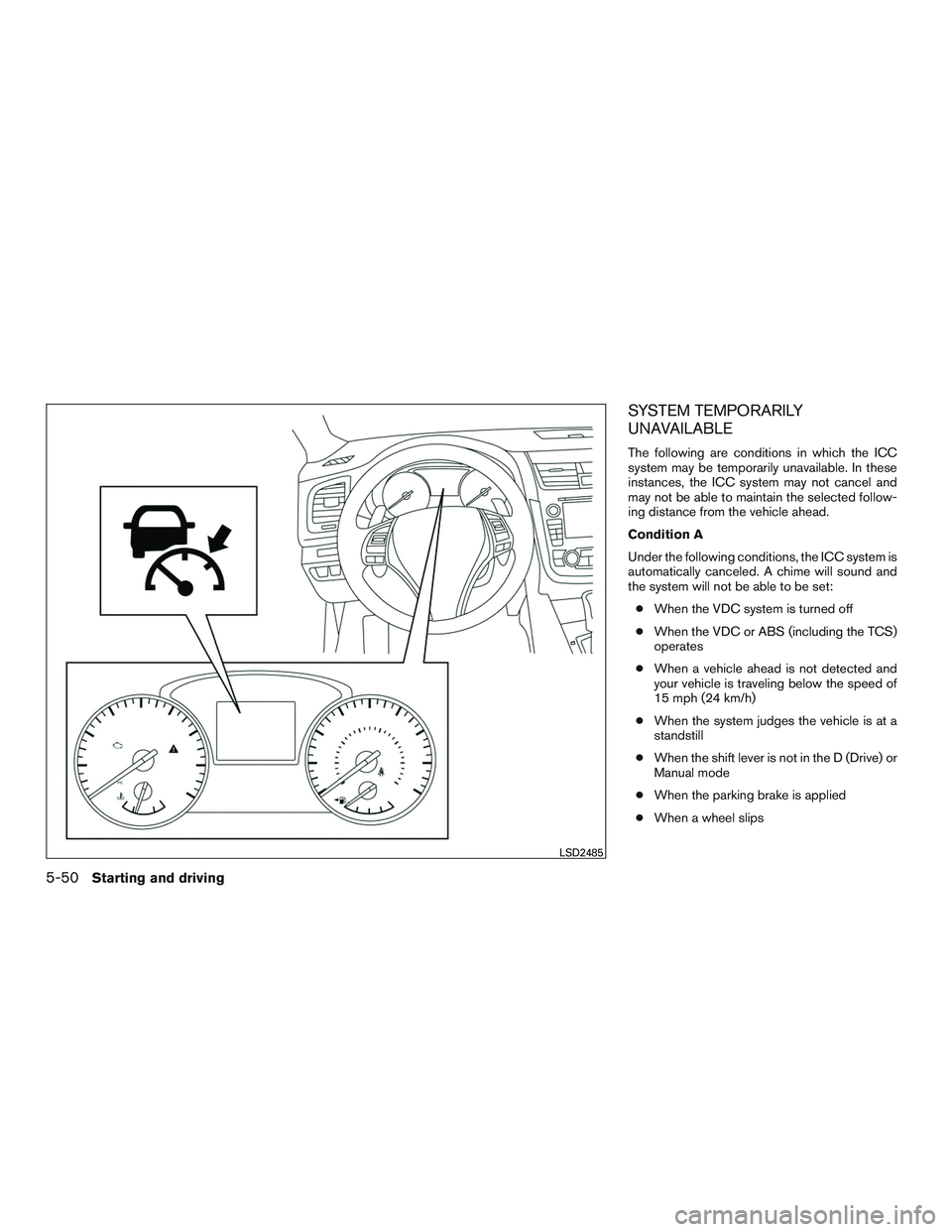
Condition A
Under the following conditions, the ICC system is
automatically canceled. A chime will sound and
the system will not be able to be set:● When the VDC system is turned off
● When the VDC or ABS (including the TCS)
operates
● When a vehicle ahead is not detected and
your vehicle is traveling below the speed of
15 mph (24 km/h)
● When the system judges the vehicle is at a
standstill
● When the shift lever is not in the D (Drive) or
Manual mode
● When the parking brake is applied
● When a wheel slips
LSD2485
5-50Starting and driving
Page 342 of 491
Action to take
When the conditions listed above are no longer
present, turn the system off using the ICC
CRUISE
switch. Turn the ICC system back
on to use the system.
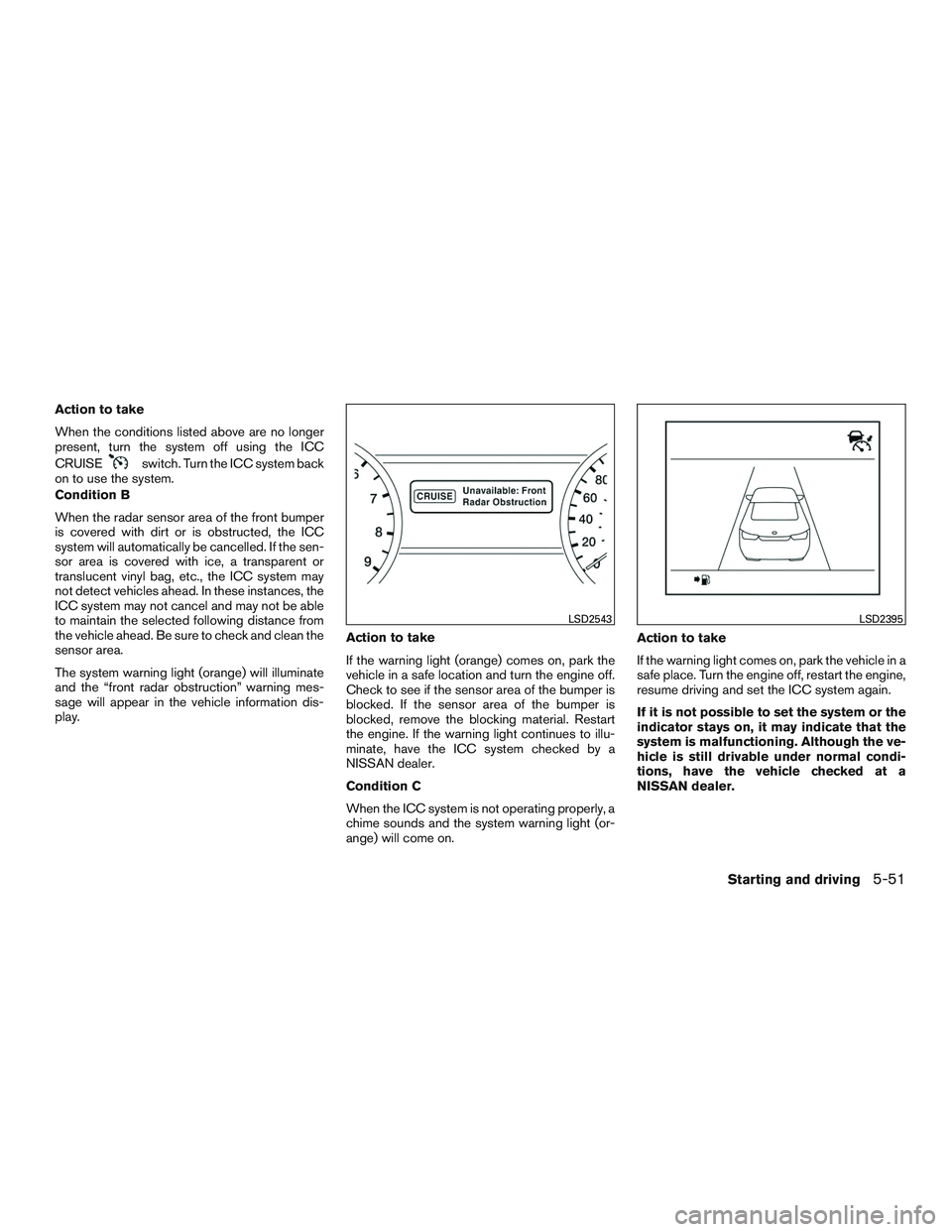
Condition B
When the radar sensor area of the front bumper
is covered with dirt or is obstructed, the ICC
system will automatically be cancelled. If the sen-
sor area is covered with ice, a transparent or
translucent vinyl bag, etc., the ICC system may
not detect vehicles ahead. In these instances, the
ICC system may not cancel and may not be able
to maintain the selected following distance from
the vehicle ahead. Be sure to check and clean the
sensor area.
The system warning light (orange) will illuminate
and the “front radar obstruction” warning mes-
sage will appear in the vehicle information dis-
play. Action to take
If the warning light (orange) comes on, park the
vehicle in a safe location and turn the engine off.
Check to see if the sensor area of the bumper is
blocked. If the sensor area of the bumper is
blocked, remove the blocking material. Restart
the engine. If the warning light continues to illu-
minate, have the ICC system checked by a
NISSAN dealer.
Condition C
When the ICC system is not operating properly, a
chime sounds and the system warning light (or-
ange) will come on.Action to take
If the warning light comes on, park the vehicle in a
safe place. Turn the engine off, restart the engine,
resume driving and set the ICC system again.
If it is not possible to set the system or the
indicator stays on, it may indicate that the
system is malfunctioning. Although the ve-
hicle is still drivable under normal condi-
tions, have the vehicle checked at a
NISSAN dealer.
LSD2543LSD2395
Starting and driving5-51