Page 154 of 491
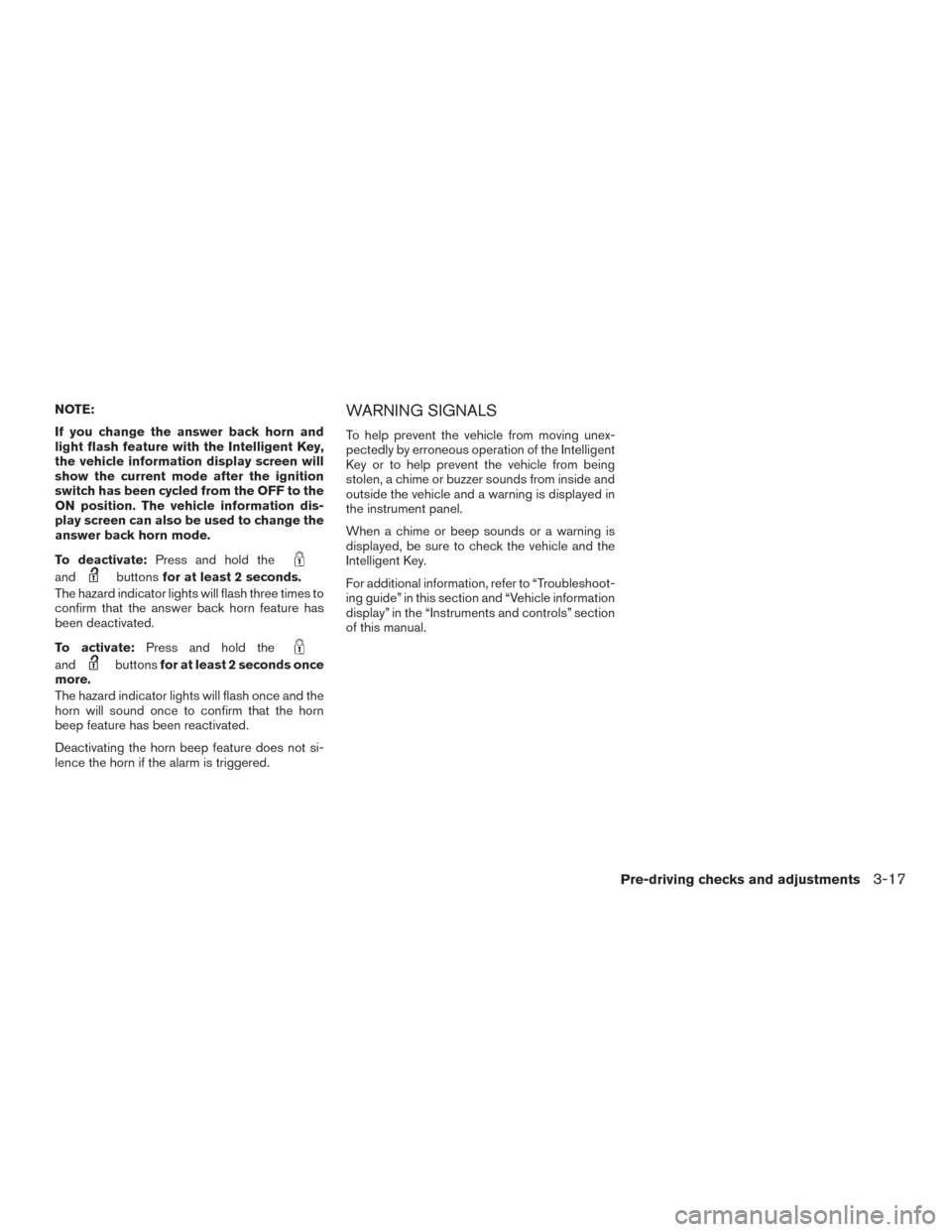
NOTE:
If you change the answer back horn and
light flash feature with the Intelligent Key,
the vehicle information display screen will
show the current mode after the ignition
switch has been cycled from the OFF to the
ON position. The vehicle information dis-
play screen can also be used to change the
answer back horn mode.
To deactivate:Press and hold the
andbuttonsfor at least 2 seconds.
The hazard indicator lights will flash three times to
confirm that the answer back horn feature has
been deactivated.
To activate: Press and hold the
andbuttonsfor at least 2 seconds once
more.
The hazard indicator lights will flash once and the
horn will sound once to confirm that the horn
beep feature has been reactivated.
Deactivating the horn beep feature does not si-
lence the horn if the alarm is triggered.
WARNING SIGNALS
To help prevent the vehicle from moving unex-
pectedly by erroneous operation of the Intelligent
Key or to help prevent the vehicle from being
stolen, a chime or buzzer sounds from inside and
outside the vehicle and a warning is displayed in
the instrument panel.
When a chime or beep sounds or a warning is
displayed, be sure to check the vehicle and the
Intelligent Key.
For additional information, refer to “Troubleshoot-
ing guide” in this section and “Vehicle information
display” in the “Instruments and controls” section
of this manual.
Pre-driving checks and adjustments3-17
Page 155 of 491
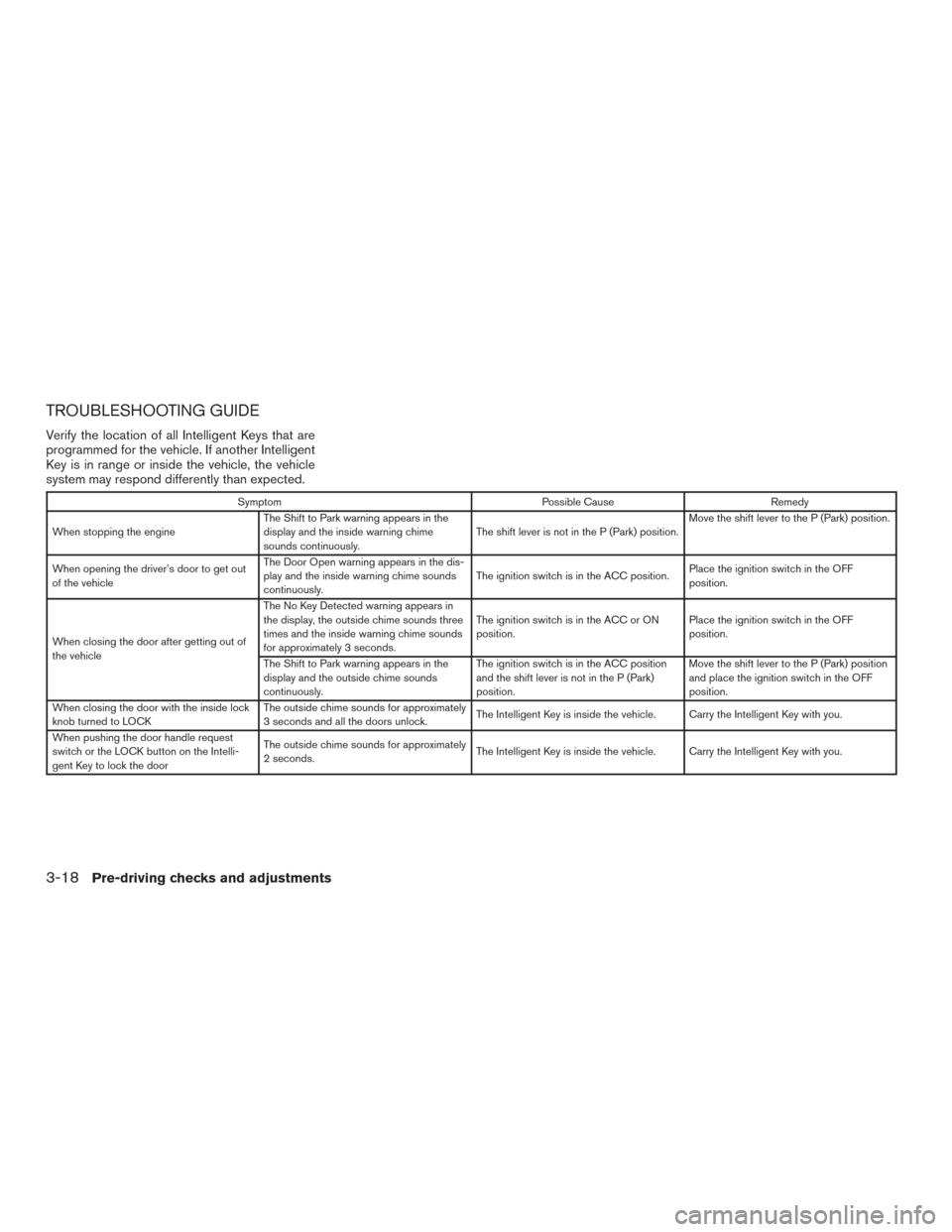
TROUBLESHOOTING GUIDE
Verify the location of all Intelligent Keys that are
programmed for the vehicle. If another Intelligent
Key is in range or inside the vehicle, the vehicle
system may respond differently than expected.
SymptomPossible CauseRemedy
When stopping the engine The Shift to Park warning appears in the
display and the inside warning chime
sounds continuously. The shift lever is not in the P (Park) position.Move the shift lever to the P (Park) position.
When opening the driver’s door to get out
of the vehicle The Door Open warning appears in the dis-
play and the inside warning chime sounds
continuously.
The ignition switch is in the ACC position.
Place the ignition switch in the OFF
position.
When closing the door after getting out of
the vehicle The No Key Detected warning appears in
the display, the outside chime sounds three
times and the inside warning chime sounds
for approximately 3 seconds.
The ignition switch is in the ACC or ON
position.
Place the ignition switch in the OFF
position.
The Shift to Park warning appears in the
display and the outside chime sounds
continuously. The ignition switch is in the ACC position
and the shift lever is not in the P (Park)
position.Move the shift lever to the P (Park) position
and place the ignition switch in the OFF
position.
When closing the door with the inside lock
knob turned to LOCK The outside chime sounds for approximately
3 seconds and all the doors unlock.
The Intelligent Key is inside the vehicle. Carry the Intelligent Key with you.
When pushing the door handle request
switch or the LOCK button on the Intelli-
gent Key to lock the door The outside chime sounds for approximately
2 seconds.
The Intelligent Key is inside the vehicle. Carry the Intelligent Key with you.
3-18Pre-driving checks and adjustments
Page 156 of 491
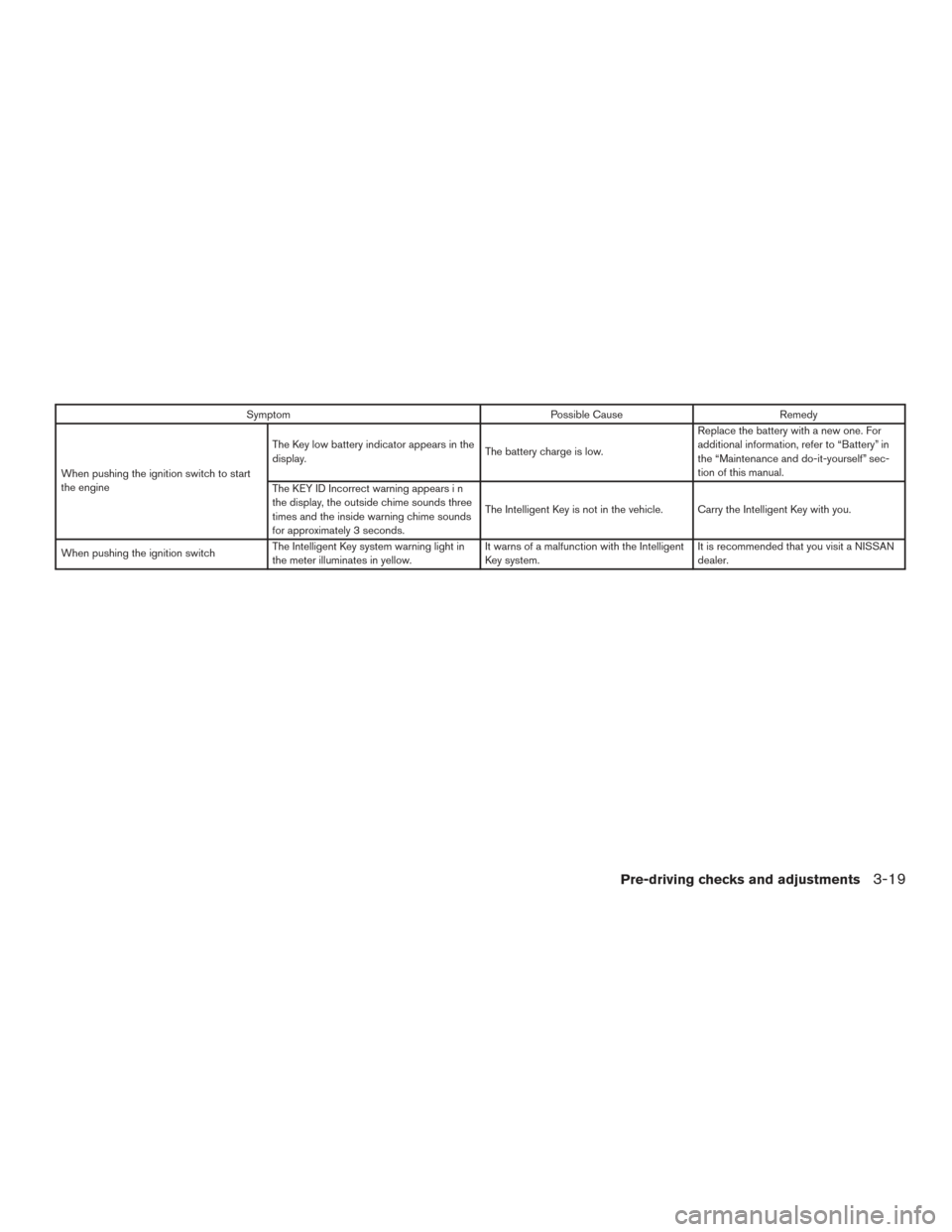
SymptomPossible CauseRemedy
When pushing the ignition switch to start
the engine The Key low battery indicator appears in the
display.
The battery charge is low.Replace the battery with a new one. For
additional information, refer to “Battery” in
the “Maintenance and do-it-yourself” sec-
tion of this manual.
The KEY ID Incorrect warning appears i n
the display, the outside chime sounds three
times and the inside warning chime sounds
for approximately 3 seconds. The Intelligent Key is not in the vehicle. Carry the Intelligent Key with you.
When pushing the ignition switch The Intelligent Key system warning light in
the meter illuminates in yellow. It warns of a malfunction with the Intelligent
Key system.It is recommended that you visit a NISSAN
dealer.
Pre-driving checks and adjustments3-19
Page 159 of 491
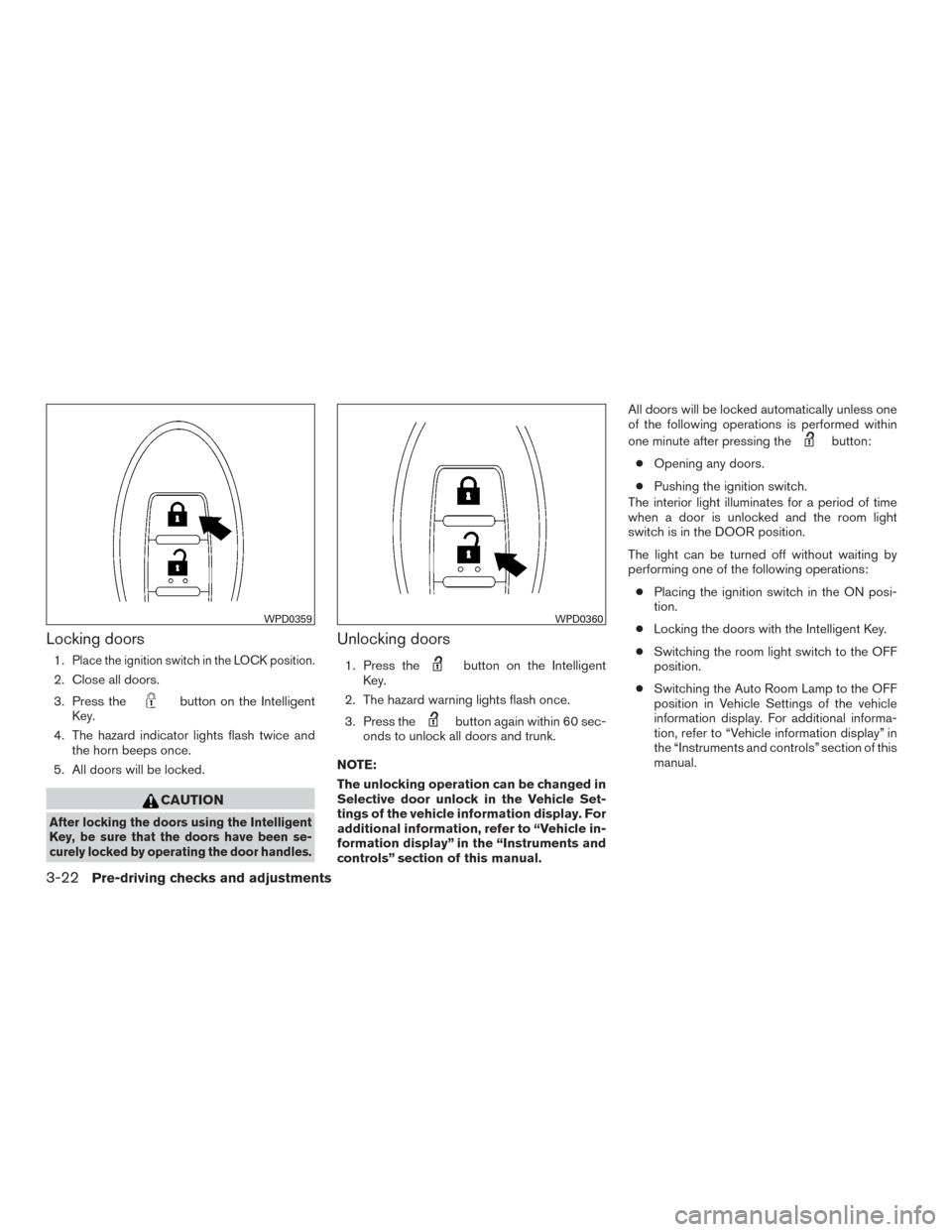
Locking doors
1.Place the ignition switch in the LOCK position.
2. Close all doors.
3. Press the
button on the Intelligent
Key.
4. The hazard indicator lights flash twice and the horn beeps once.
5. All doors will be locked.
CAUTION
After locking the doors using the Intelligent
Key, be sure that the doors have been se-
curely locked by operating the door handles.
Unlocking doors
1. Press thebutton on the Intelligent
Key.
2. The hazard warning lights flash once.
3. Press the
button again within 60 sec-
onds to unlock all doors and trunk.
NOTE:
The unlocking operation can be changed in
Selective door unlock in the Vehicle Set-
tings of the vehicle information display. For
additional information, refer to “Vehicle in-
formation display” in the “Instruments and
controls” section of this manual. All doors will be locked automatically unless one
of the following operations is performed within
one minute after pressing the
button:
● Opening any doors.
● Pushing the ignition switch.
The interior light illuminates for a period of time
when a door is unlocked and the room light
switch is in the DOOR position.
The light can be turned off without waiting by
performing one of the following operations:
● Placing the ignition switch in the ON posi-
tion.
● Locking the doors with the Intelligent Key.
● Switching the room light switch to the OFF
position.
● Switching the Auto Room Lamp to the OFF
position in Vehicle Settings of the vehicle
information display. For additional informa-
tion, refer to “Vehicle information display” in
the “Instruments and controls” section of this
manual.
WPD0359WPD0360
3-22Pre-driving checks and adjustments
Page 160 of 491
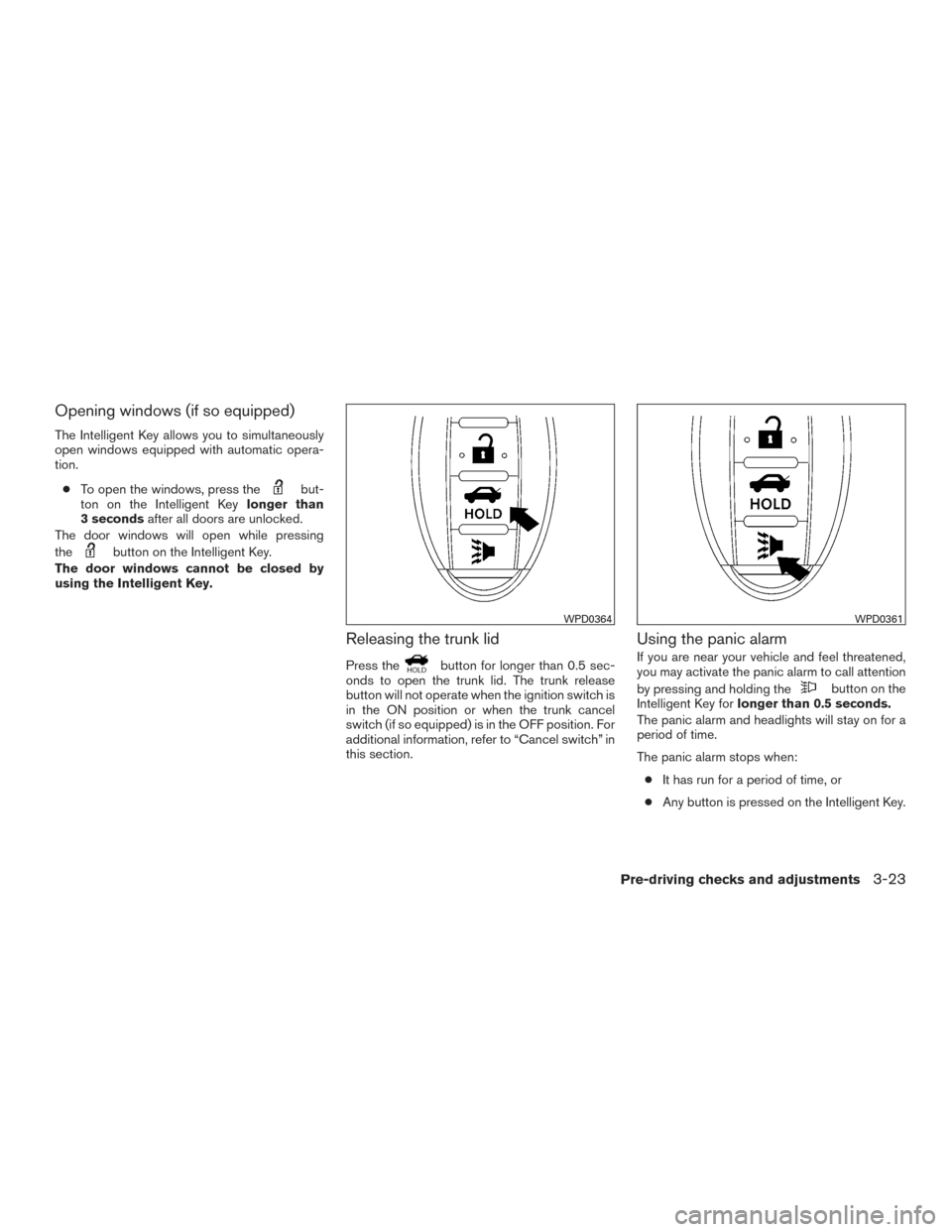
Opening windows (if so equipped)
The Intelligent Key allows you to simultaneously
open windows equipped with automatic opera-
tion.● To open the windows, press the
but-
ton on the Intelligent Key longer than
3 seconds after all doors are unlocked.
The door windows will open while pressing
the
button on the Intelligent Key.
The door windows cannot be closed by
using the Intelligent Key.
Releasing the trunk lid
Press thebutton for longer than 0.5 sec-
onds to open the trunk lid. The trunk release
button will not operate when the ignition switch is
in the ON position or when the trunk cancel
switch (if so equipped) is in the OFF position. For
additional information, refer to “Cancel switch” in
this section.
Using the panic alarm
If you are near your vehicle and feel threatened,
you may activate the panic alarm to call attention
by pressing and holding the
button on the
Intelligent Key for longer than 0.5 seconds.
The panic alarm and headlights will stay on for a
period of time.
The panic alarm stops when:
● It has run for a period of time, or
● Any button is pressed on the Intelligent Key.
WPD0364WPD0361
Pre-driving checks and adjustments3-23
Page 161 of 491
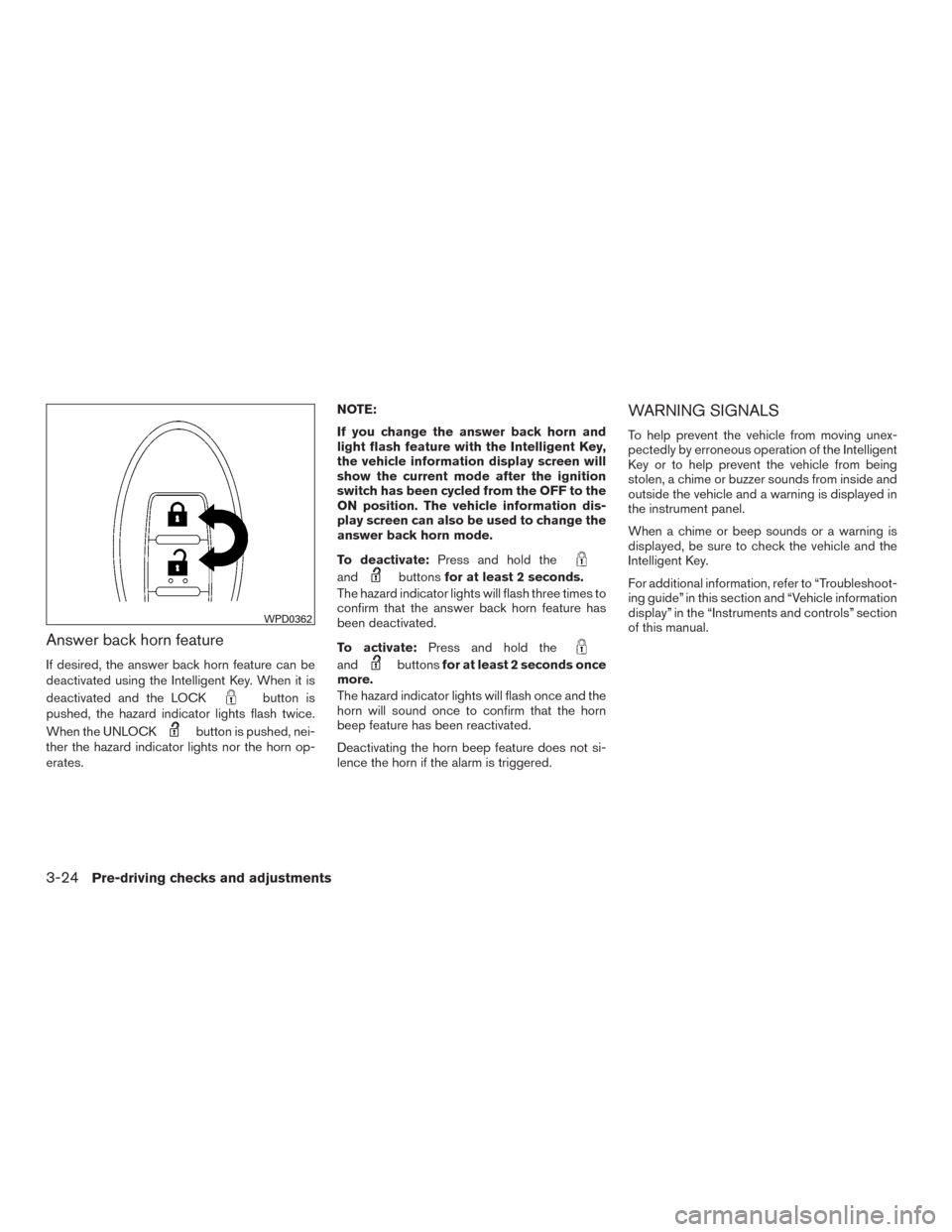
Answer back horn feature
If desired, the answer back horn feature can be
deactivated using the Intelligent Key. When it is
deactivated and the LOCK
button is
pushed, the hazard indicator lights flash twice.
When the UNLOCK
button is pushed, nei-
ther the hazard indicator lights nor the horn op-
erates. NOTE:
If you change the answer back horn and
light flash feature with the Intelligent Key,
the vehicle information display screen will
show the current mode after the ignition
switch has been cycled from the OFF to the
ON position. The vehicle information dis-
play screen can also be used to change the
answer back horn mode.
To deactivate:
Press and hold the
andbuttonsfor at least 2 seconds.
The hazard indicator lights will flash three times to
confirm that the answer back horn feature has
been deactivated.
To activate: Press and hold the
andbuttonsfor at least 2 seconds once
more.
The hazard indicator lights will flash once and the
horn will sound once to confirm that the horn
beep feature has been reactivated.
Deactivating the horn beep feature does not si-
lence the horn if the alarm is triggered.
WARNING SIGNALS
To help prevent the vehicle from moving unex-
pectedly by erroneous operation of the Intelligent
Key or to help prevent the vehicle from being
stolen, a chime or buzzer sounds from inside and
outside the vehicle and a warning is displayed in
the instrument panel.
When a chime or beep sounds or a warning is
displayed, be sure to check the vehicle and the
Intelligent Key.
For additional information, refer to “Troubleshoot-
ing guide” in this section and “Vehicle information
display” in the “Instruments and controls” section
of this manual.
WPD0362
3-24Pre-driving checks and adjustments
Page 162 of 491
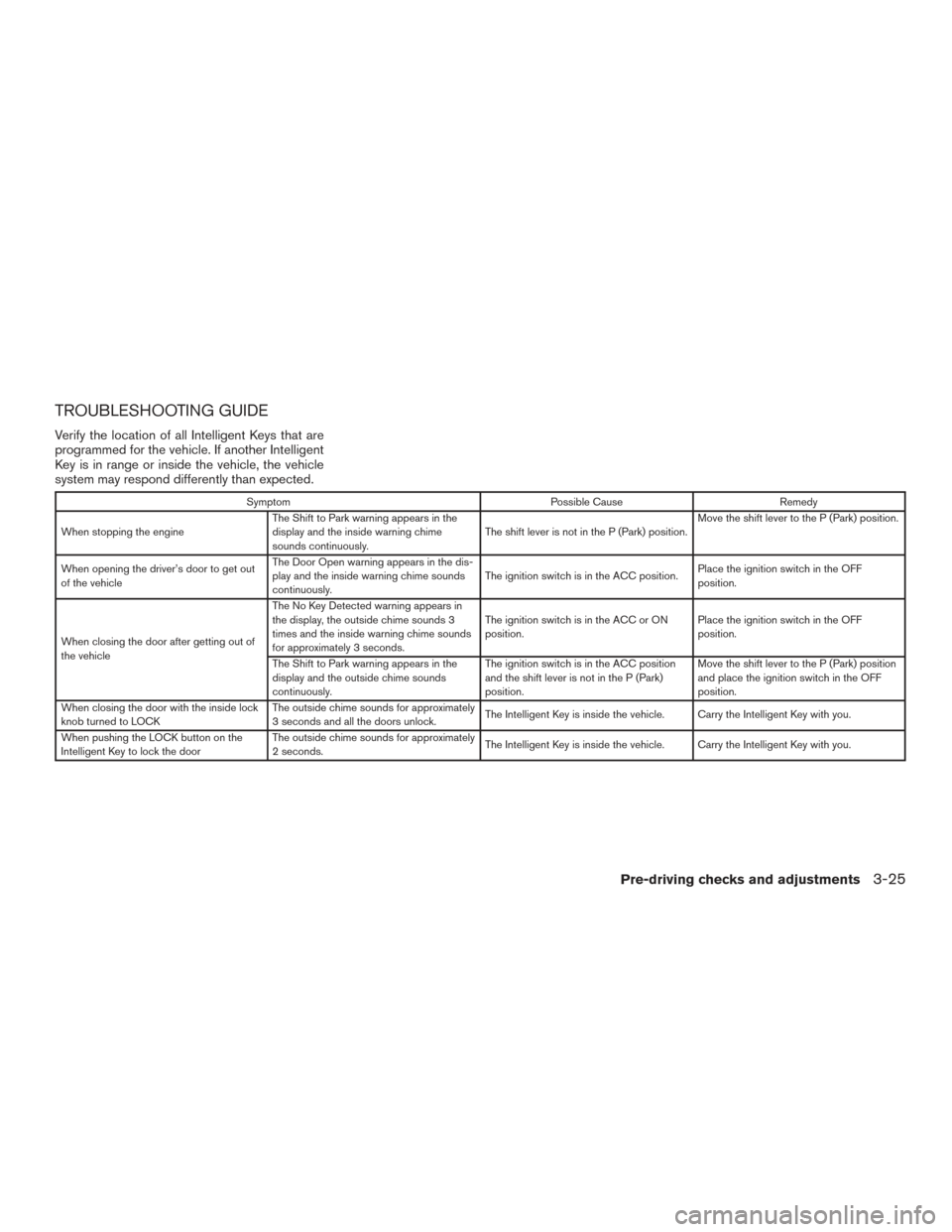
TROUBLESHOOTING GUIDE
Verify the location of all Intelligent Keys that are
programmed for the vehicle. If another Intelligent
Key is in range or inside the vehicle, the vehicle
system may respond differently than expected.
SymptomPossible CauseRemedy
When stopping the engine The Shift to Park warning appears in the
display and the inside warning chime
sounds continuously. The shift lever is not in the P (Park) position.Move the shift lever to the P (Park) position.
When opening the driver’s door to get out
of the vehicle The Door Open warning appears in the dis-
play and the inside warning chime sounds
continuously.
The ignition switch is in the ACC position.
Place the ignition switch in the OFF
position.
When closing the door after getting out of
the vehicle The No Key Detected warning appears in
the display, the outside chime sounds 3
times and the inside warning chime sounds
for approximately 3 seconds.
The ignition switch is in the ACC or ON
position.
Place the ignition switch in the OFF
position.
The Shift to Park warning appears in the
display and the outside chime sounds
continuously. The ignition switch is in the ACC position
and the shift lever is not in the P (Park)
position.Move the shift lever to the P (Park) position
and place the ignition switch in the OFF
position.
When closing the door with the inside lock
knob turned to LOCK The outside chime sounds for approximately
3 seconds and all the doors unlock.
The Intelligent Key is inside the vehicle. Carry the Intelligent Key with you.
When pushing the LOCK button on the
Intelligent Key to lock the door The outside chime sounds for approximately
2 seconds.
The Intelligent Key is inside the vehicle. Carry the Intelligent Key with you.
Pre-driving checks and adjustments3-25
Page 163 of 491
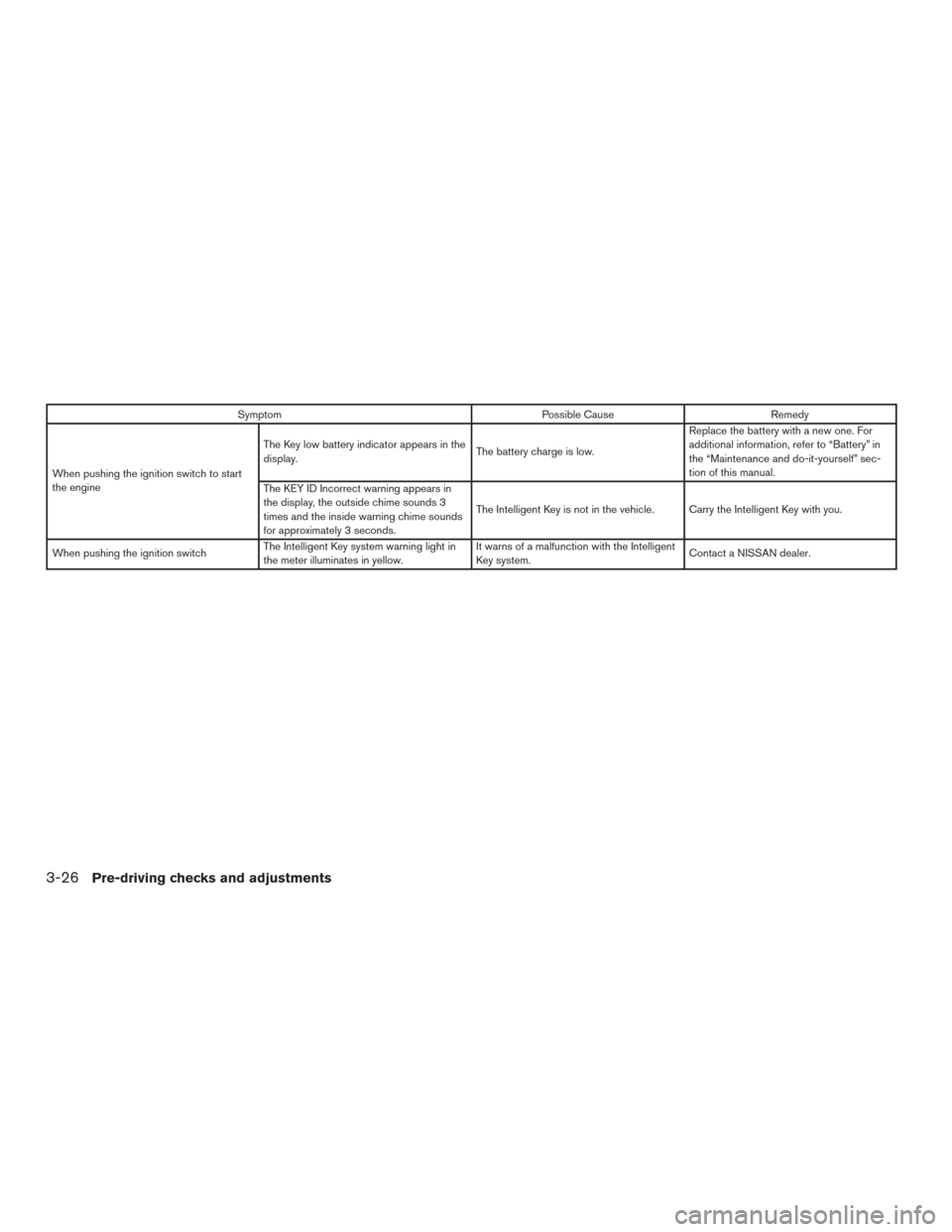
SymptomPossible CauseRemedy
When pushing the ignition switch to start
the engine The Key low battery indicator appears in the
display.
The battery charge is low.Replace the battery with a new one. For
additional information, refer to “Battery” in
the “Maintenance and do-it-yourself” sec-
tion of this manual.
The KEY ID Incorrect warning appears in
the display, the outside chime sounds 3
times and the inside warning chime sounds
for approximately 3 seconds. The Intelligent Key is not in the vehicle. Carry the Intelligent Key with you.
When pushing the ignition switch The Intelligent Key system warning light in
the meter illuminates in yellow. It warns of a malfunction with the Intelligent
Key system.
Contact a NISSAN dealer.
3-26Pre-driving checks and adjustments