2016 NISSAN ALTIMA tire pressure
[x] Cancel search: tire pressurePage 101 of 491
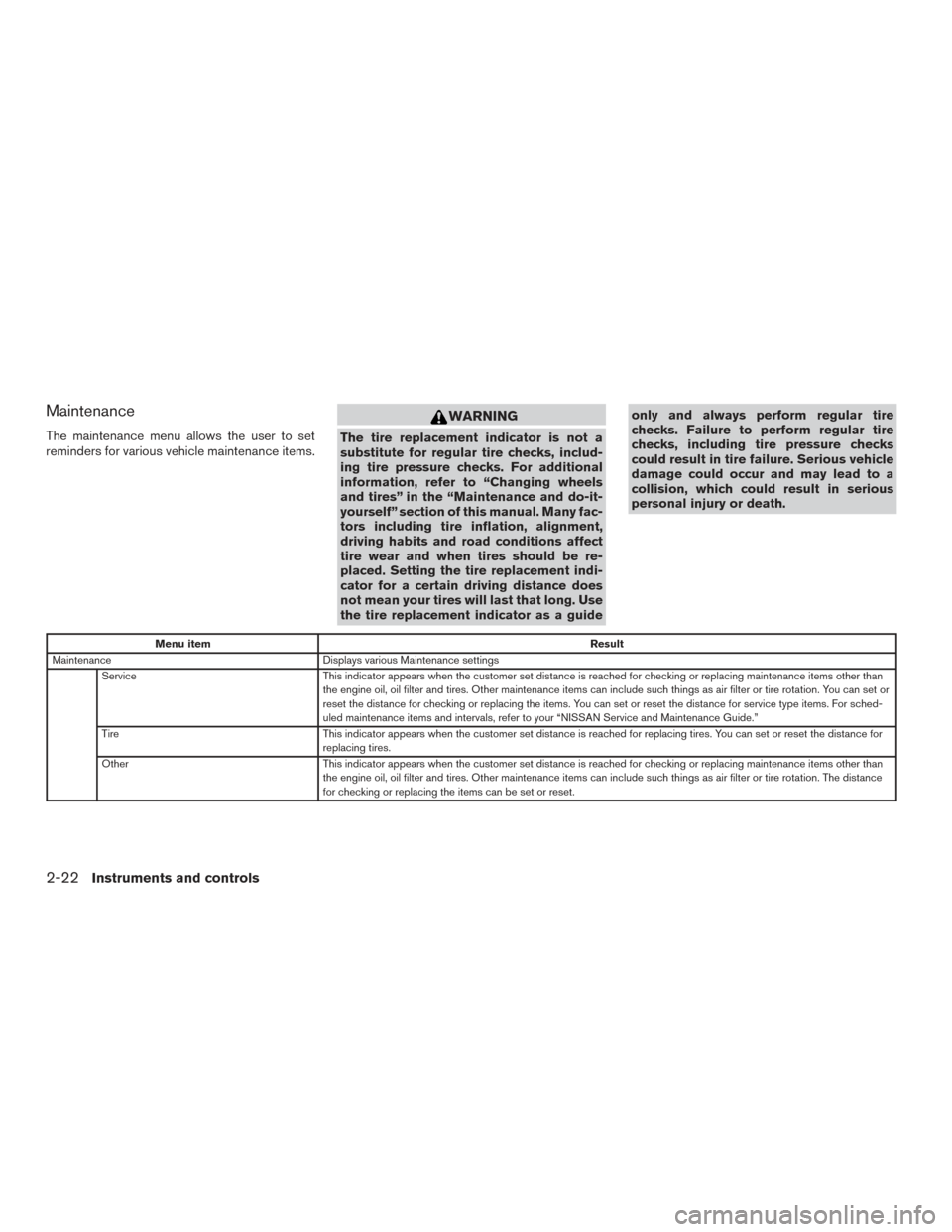
Maintenance
The maintenance menu allows the user to set
reminders for various vehicle maintenance items.
WARNING
The tire replacement indicator is not a
substitute for regular tire checks, includ-
ing tire pressure checks. For additional
information, refer to “Changing wheels
and tires” in the “Maintenance and do-it-
yourself” section of this manual. Many fac-
tors including tire inflation, alignment,
driving habits and road conditions affect
tire wear and when tires should be re-
placed. Setting the tire replacement indi-
cator for a certain driving distance does
not mean your tires will last that long. Use
the tire replacement indicator as a guideonly and always perform regular tire
checks. Failure to perform regular tire
checks, including tire pressure checks
could result in tire failure. Serious vehicle
damage could occur and may lead to a
collision, which could result in serious
personal injury or death.
Menu item
Result
Maintenance Displays various Maintenance settings
Service This indicator appears when the customer set distance is reached for checking or replacing maintenance items other than
the engine oil, oil filter and tires. Other maintenance items can include such things as air filter or tire rotation. You can set or
reset the distance for checking or replacing the items. You can set or reset the distance for service type items. For sched-
uled maintenance items and intervals, refer to your “NISSAN Service and Maintenance Guide.”
Tire This indicator appears when the customer set distance is reached for replacing tires. You can set or reset the distance for
replacing tires.
Other This indicator appears when the customer set distance is reached for checking or replacing maintenance items other than
the engine oil, oil filter and tires. Other maintenance items can include such things as air filter or tire rotation. The distance
for checking or replacing the items can be set or reset.
2-22Instruments and controls
Page 102 of 491
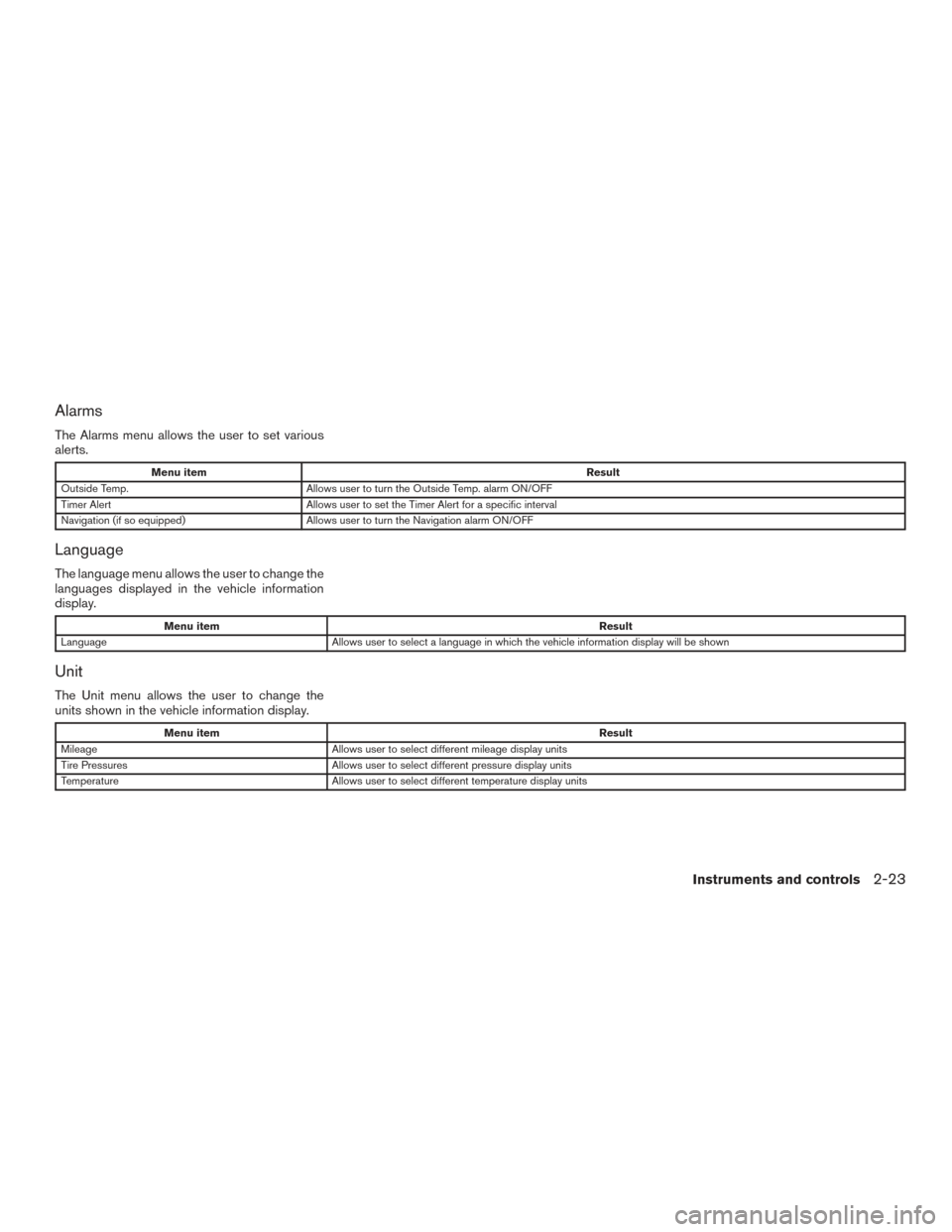
Alarms
The Alarms menu allows the user to set various
alerts.
Menu itemResult
Outside Temp. Allows user to turn the Outside Temp. alarm ON/OFF
Timer Alert Allows user to set the Timer Alert for a specific interval
Navigation (if so equipped) Allows user to turn the Navigation alarm ON/OFF
Language
The language menu allows the user to change the
languages displayed in the vehicle information
display.
Menu item Result
Language Allows user to select a language in which the vehicle information display will be shown
Unit
The Unit menu allows the user to change the
units shown in the vehicle information display.
Menu item Result
Mileage Allows user to select different mileage display units
Tire Pressures Allows user to select different pressure display units
Temperature Allows user to select different temperature display units
Instruments and controls2-23
Page 105 of 491
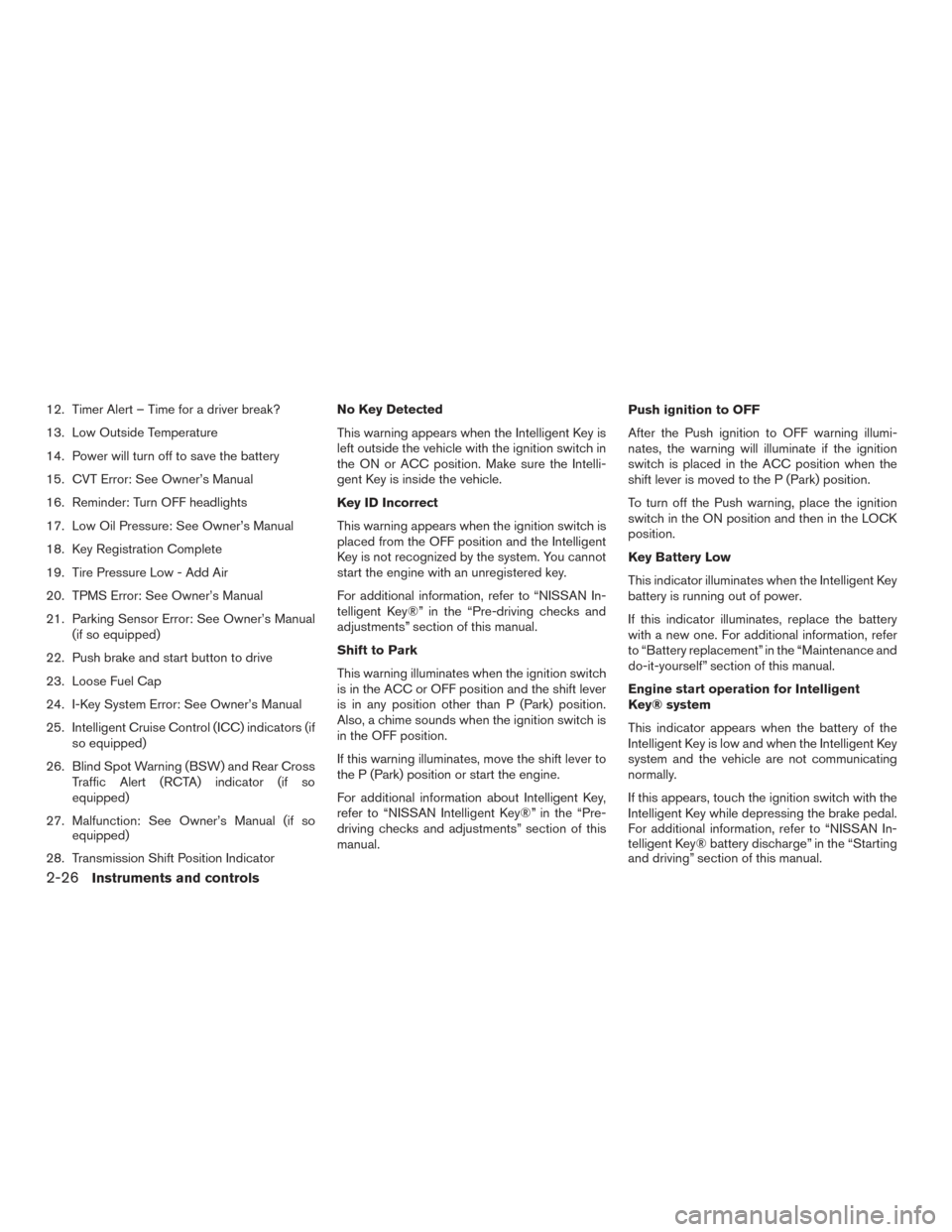
12. Timer Alert – Time for a driver break?
13. Low Outside Temperature
14. Power will turn off to save the battery
15. CVT Error: See Owner’s Manual
16. Reminder: Turn OFF headlights
17. Low Oil Pressure: See Owner’s Manual
18. Key Registration Complete
19. Tire Pressure Low - Add Air
20. TPMS Error: See Owner’s Manual
21. Parking Sensor Error: See Owner’s Manual(if so equipped)
22. Push brake and start button to drive
23. Loose Fuel Cap
24. I-Key System Error: See Owner’s Manual
25. Intelligent Cruise Control (ICC) indicators (if so equipped)
26. Blind Spot Warning (BSW) and Rear Cross Traffic Alert (RCTA) indicator (if so
equipped)
27. Malfunction: See Owner’s Manual (if so equipped)
28. Transmission Shift Position Indicator No Key Detected
This warning appears when the Intelligent Key is
left outside the vehicle with the ignition switch in
the ON or ACC position. Make sure the Intelli-
gent Key is inside the vehicle.
Key ID Incorrect
This warning appears when the ignition switch is
placed from the OFF position and the Intelligent
Key is not recognized by the system. You cannot
start the engine with an unregistered key.
For additional information, refer to “NISSAN In-
telligent Key®” in the “Pre-driving checks and
adjustments” section of this manual.
Shift to Park
This warning illuminates when the ignition switch
is in the ACC or OFF position and the shift lever
is in any position other than P (Park) position.
Also, a chime sounds when the ignition switch is
in the OFF position.
If this warning illuminates, move the shift lever to
the P (Park) position or start the engine.
For additional information about Intelligent Key,
refer to “NISSAN Intelligent Key®” in the “Pre-
driving checks and adjustments” section of this
manual.
Push ignition to OFF
After the Push ignition to OFF warning illumi-
nates, the warning will illuminate if the ignition
switch is placed in the ACC position when the
shift lever is moved to the P (Park) position.
To turn off the Push warning, place the ignition
switch in the ON position and then in the LOCK
position.
Key Battery Low
This indicator illuminates when the Intelligent Key
battery is running out of power.
If this indicator illuminates, replace the battery
with a new one. For additional information, refer
to “Battery replacement” in the “Maintenance and
do-it-yourself” section of this manual.
Engine start operation for Intelligent
Key® system
This indicator appears when the battery of the
Intelligent Key is low and when the Intelligent Key
system and the vehicle are not communicating
normally.
If this appears, touch the ignition switch with the
Intelligent Key while depressing the brake pedal.
For additional information, refer to “NISSAN In-
telligent Key® battery discharge” in the “Starting
and driving” section of this manual.
2-26Instruments and controls
Page 106 of 491
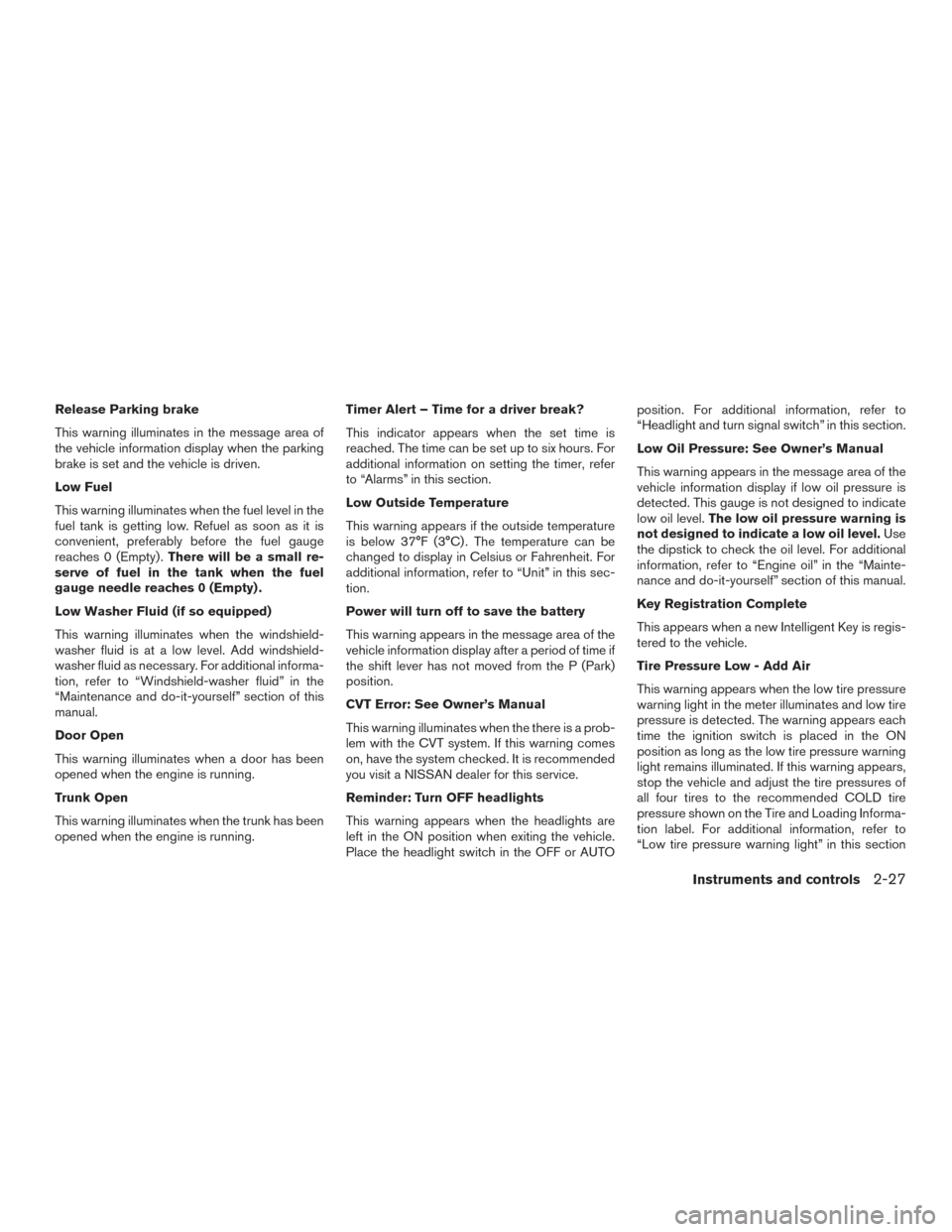
Release Parking brake
This warning illuminates in the message area of
the vehicle information display when the parking
brake is set and the vehicle is driven.
Low Fuel
This warning illuminates when the fuel level in the
fuel tank is getting low. Refuel as soon as it is
convenient, preferably before the fuel gauge
reaches 0 (Empty) .There will be a small re-
serve of fuel in the tank when the fuel
gauge needle reaches 0 (Empty) .
Low Washer Fluid (if so equipped)
This warning illuminates when the windshield-
washer fluid is at a low level. Add windshield-
washer fluid as necessary. For additional informa-
tion, refer to “Windshield-washer fluid” in the
“Maintenance and do-it-yourself” section of this
manual.
Door Open
This warning illuminates when a door has been
opened when the engine is running.
Trunk Open
This warning illuminates when the trunk has been
opened when the engine is running. Timer Alert – Time for a driver break?
This indicator appears when the set time is
reached. The time can be set up to six hours. For
additional information on setting the timer, refer
to “Alarms” in this section.
Low Outside Temperature
This warning appears if the outside temperature
is below 37°F (3°C) . The temperature can be
changed to display in Celsius or Fahrenheit. For
additional information, refer to “Unit” in this sec-
tion.
Power will turn off to save the battery
This warning appears in the message area of the
vehicle information display after a period of time if
the shift lever has not moved from the P (Park)
position.
CVT Error: See Owner’s Manual
This warning illuminates when the there is a prob-
lem with the CVT system. If this warning comes
on, have the system checked. It is recommended
you visit a NISSAN dealer for this service.
Reminder: Turn OFF headlights
This warning appears when the headlights are
left in the ON position when exiting the vehicle.
Place the headlight switch in the OFF or AUTOposition. For additional information, refer to
“Headlight and turn signal switch” in this section.
Low Oil Pressure: See Owner’s Manual
This warning appears in the message area of the
vehicle information display if low oil pressure is
detected. This gauge is not designed to indicate
low oil level.
The low oil pressure warning is
not designed to indicate a low oil level. Use
the dipstick to check the oil level. For additional
information, refer to “Engine oil” in the “Mainte-
nance and do-it-yourself” section of this manual.
Key Registration Complete
This appears when a new Intelligent Key is regis-
tered to the vehicle.
Tire Pressure Low - Add Air
This warning appears when the low tire pressure
warning light in the meter illuminates and low tire
pressure is detected. The warning appears each
time the ignition switch is placed in the ON
position as long as the low tire pressure warning
light remains illuminated. If this warning appears,
stop the vehicle and adjust the tire pressures of
all four tires to the recommended COLD tire
pressure shown on the Tire and Loading Informa-
tion label. For additional information, refer to
“Low tire pressure warning light” in this section
Instruments and controls2-27
Page 107 of 491
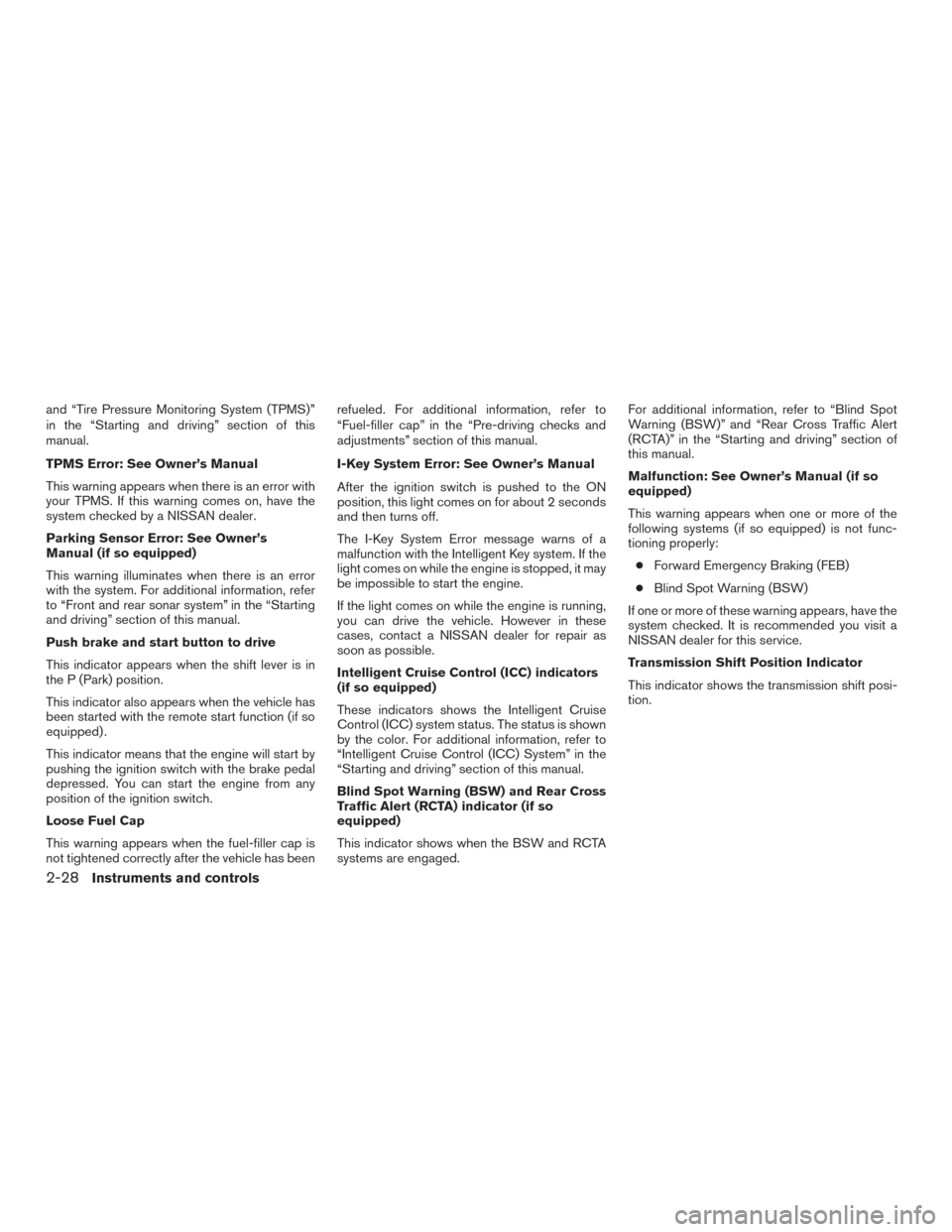
and “Tire Pressure Monitoring System (TPMS)”
in the “Starting and driving” section of this
manual.
TPMS Error: See Owner’s Manual
This warning appears when there is an error with
your TPMS. If this warning comes on, have the
system checked by a NISSAN dealer.
Parking Sensor Error: See Owner’s
Manual (if so equipped)
This warning illuminates when there is an error
with the system. For additional information, refer
to “Front and rear sonar system” in the “Starting
and driving” section of this manual.
Push brake and start button to drive
This indicator appears when the shift lever is in
the P (Park) position.
This indicator also appears when the vehicle has
been started with the remote start function (if so
equipped) .
This indicator means that the engine will start by
pushing the ignition switch with the brake pedal
depressed. You can start the engine from any
position of the ignition switch.
Loose Fuel Cap
This warning appears when the fuel-filler cap is
not tightened correctly after the vehicle has beenrefueled. For additional information, refer to
“Fuel-filler cap” in the “Pre-driving checks and
adjustments” section of this manual.
I-Key System Error: See Owner’s Manual
After the ignition switch is pushed to the ON
position, this light comes on for about 2 seconds
and then turns off.
The I-Key System Error message warns of a
malfunction with the Intelligent Key system. If the
light comes on while the engine is stopped, it may
be impossible to start the engine.
If the light comes on while the engine is running,
you can drive the vehicle. However in these
cases, contact a NISSAN dealer for repair as
soon as possible.
Intelligent Cruise Control (ICC) indicators
(if so equipped)
These indicators shows the Intelligent Cruise
Control (ICC) system status. The status is shown
by the color. For additional information, refer to
“Intelligent Cruise Control (ICC) System” in the
“Starting and driving” section of this manual.
Blind Spot Warning (BSW) and Rear Cross
Traffic Alert (RCTA) indicator (if so
equipped)
This indicator shows when the BSW and RCTA
systems are engaged.For additional information, refer to “Blind Spot
Warning (BSW)” and “Rear Cross Traffic Alert
(RCTA)” in the “Starting and driving” section of
this manual.
Malfunction: See Owner’s Manual (if so
equipped)
This warning appears when one or more of the
following systems (if so equipped) is not func-
tioning properly:
● Forward Emergency Braking (FEB)
● Blind Spot Warning (BSW)
If one or more of these warning appears, have the
system checked. It is recommended you visit a
NISSAN dealer for this service.
Transmission Shift Position Indicator
This indicator shows the transmission shift posi-
tion.
2-28Instruments and controls
Page 291 of 491
5 Starting and driving
Precautions when starting and driving................5-2
Exhaust gas (carbon monoxide) ..................5-2
Three-way catalyst ..............................5-2
Tire Pressure Monitoring System (TPMS) ..........5-3
Avoiding collision and rollover . . ..................5-6
Off-road recovery ...............................5-7
Rapid air pressure loss ..........................5-7
Drinking alcohol/drugs and driving ................5-8
Push-Button Ignition Switch ........................5-8
Operating range ................................5-9
Push-button ignition switch positions . . . .........5-10
Emergency engine shut off .....................5-10
NISSAN Intelligent Key® battery discharge .......5-11
NISSAN Vehicle Immobilizer System .............5-11
Before starting the engine ......................... 5-12
Starting the engine ............................... 5-12
Remote start (if so equipped) ...................5-13
Driving the vehicle ................................ 5-13
Continuously Variable Transmission (CVT) ........5-13
Parking brake .................................... 5-19
Blind Spot Warning (BSW) (if so equipped) .........5-19
BSW system operation ........................ 5-21
How to enable/disable the BSW system .........5-22 BSW system limitations
........................ 5-23
BSW driving situations ......................... 5-24
System temporarily unavailable ..................5-27
System maintenance ........................... 5-28
Rear Cross Traffic Alert (RCTA) (if so equipped) .....5-29
RCTA system operation ........................ 5-30
How to enable/disable the RCTA system .........5-32
RCTA system limitations ........................ 5-33
System temporarily unavailable ..................5-36
System maintenance ........................... 5-36
Cruise control (if so equipped) . . ...................5-37
Precautions on cruise control ...................5-37
Cruise control operations .......................5-38
Intelligent Cruise Control (ICC) (if so equipped) ......5-39
ICC system operation .......................... 5-40
The
ICC switch ............................... 5-42
ICC system limitations ......................... 5-47
System temporarily unavailable ..................5-50
System maintenance ........................... 5-52
Forward Emergency Braking (FEB) (if so equipped) . . 5-53 FEB system operation .......................... 5-54
Turning the FEB system on/off ..................5-56
FEB system limitations ......................... 5-56
Page 294 of 491
WARNING
●The exhaust gas and the exhaust sys-
tem are very hot. Keep people, animals
or flammable materials away from the
exhaust system components.
● Do not stop or park the vehicle over
flammable materials such as dry grass,
waste paper or rags. They may ignite
and cause a fire.
CAUTION
● Do not use leaded gasoline. Deposits
from leaded gasoline will seriously re-
duce the three-way catalyst’s ability to
help reduce exhaust pollutants.
● Keep your engine tuned up. Malfunc-
tions in the ignition, fuel injection, or
electrical systems can cause overrich
fuel flow into the three-way catalyst,
causing it to overheat. Do not keep driv-
ing if the engine misfires, or if notice-
able loss of performance or other un-
usual operating conditions are
detected. Have the vehicle inspected
promptly. It is recommended that you
visit a NISSAN dealer for this service. ●
Avoid driving with an extremely low fuel
level. Running out of fuel could cause
the engine to misfire, damaging the
three-way catalyst.
● Do not race the engine while warming it
up.
● Do not push or tow your vehicle to start
the engine.
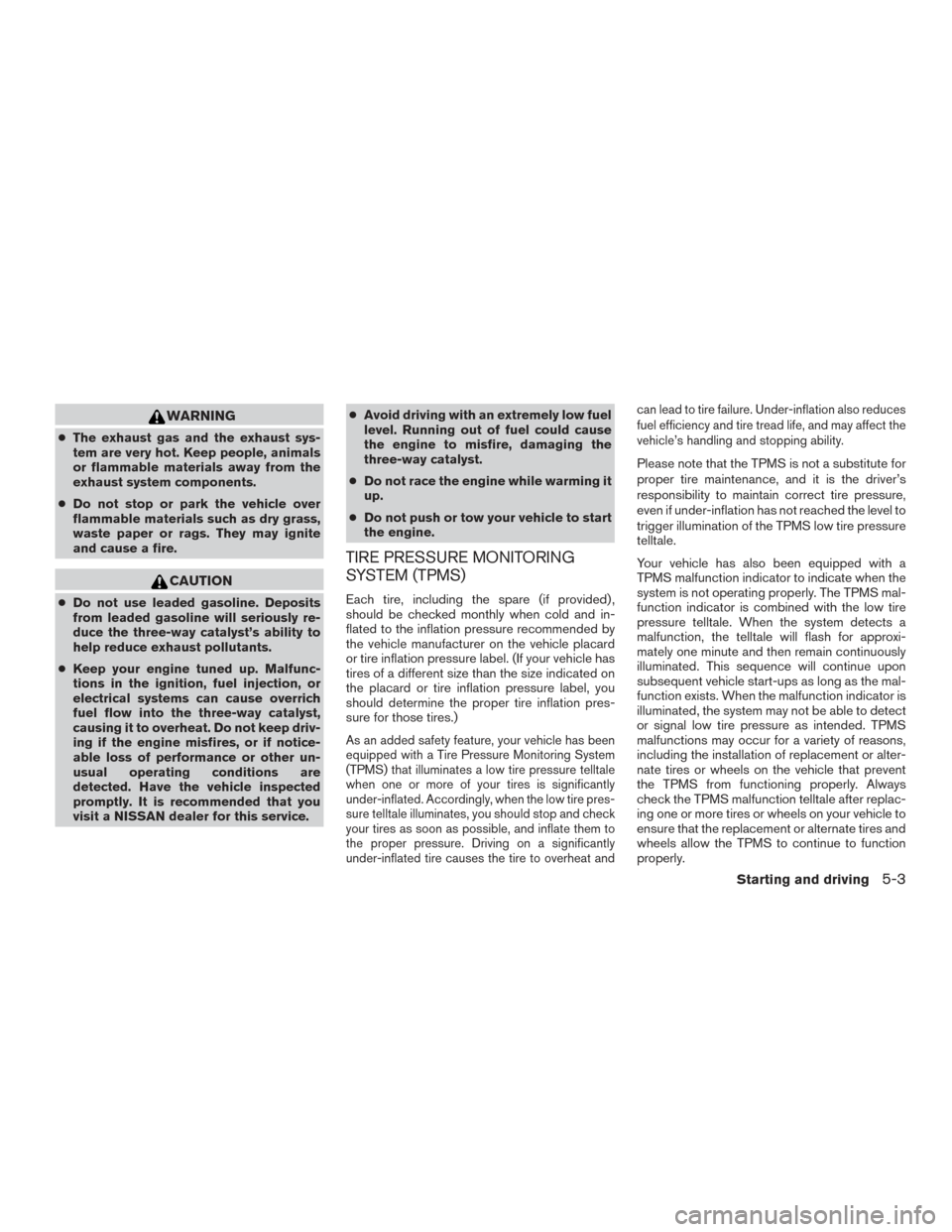
TIRE PRESSURE MONITORING
SYSTEM (TPMS)
Each tire, including the spare (if provided) ,
should be checked monthly when cold and in-
flated to the inflation pressure recommended by
the vehicle manufacturer on the vehicle placard
or tire inflation pressure label. (If your vehicle has
tires of a different size than the size indicated on
the placard or tire inflation pressure label, you
should determine the proper tire inflation pres-
sure for those tires.)
As an added safety feature, your vehicle has been
equipped with a Tire Pressure Monitoring System
(TPMS) that illuminates a low tire pressure telltale
when one or more of your tires is significantly
under-inflated. Accordingly, when the low tire pres-
sure telltale illuminates, you should stop and check
your tires as soon as possible, and inflate them to
the proper pressure. Driving on a significantly
under-inflated tire causes the tire to overheat and can lead to tire failure. Under-inflation also reduces
fuel efficiency and tire tread life, and may affect the
vehicle’s handling and stopping ability.
Please note that the TPMS is not a substitute for
proper tire maintenance, and it is the driver’s
responsibility to maintain correct tire pressure,
even if under-inflation has not reached the level to
trigger illumination of the TPMS low tire pressure
telltale.
Your vehicle has also been equipped with a
TPMS malfunction indicator to indicate when the
system is not operating properly. The TPMS mal-
function indicator is combined with the low tire
pressure telltale. When the system detects a
malfunction, the telltale will flash for approxi-
mately one minute and then remain continuously
illuminated. This sequence will continue upon
subsequent vehicle start-ups as long as the mal-
function exists. When the malfunction indicator is
illuminated, the system may not be able to detect
or signal low tire pressure as intended. TPMS
malfunctions may occur for a variety of reasons,
including the installation of replacement or alter-
nate tires or wheels on the vehicle that prevent
the TPMS from functioning properly. Always
check the TPMS malfunction telltale after replac-
ing one or more tires or wheels on your vehicle to
ensure that the replacement or alternate tires and
wheels allow the TPMS to continue to function
properly.
Starting and driving5-3
Page 295 of 491
Additional information:● Since the spare tire is not equipped with the
TPMS, the TPMS does not monitor the tire
pressure of the spare tire.
● The TPMS will activate only when the vehicle
is driven at speeds above 16 mph (25 km/h).
Also, this system may not detect a sudden
drop in tire pressure (for example a flat tire
while driving) .
● The low tire pressure warning light does not
automatically turn off when the tire pressure
is adjusted on all four tires. After all four tires
are inflated to the recommended pressure,
the vehicle must be driven at speeds above
16 mph (25 km/h) to activate the TPMS and
turn off the low tire pressure warning light.
Use a tire pressure gauge to check the tire
pressure.
● The “Tire Pressure Low - Add Air” warning
appears in the vehicle information display
when the low tire pressure warning light is
illuminated and low tire pressure is detected.
The “Tire Pressure Low - Add Air” warning
turns off when the low tire pressure warning
light turns off. ●
The “Check Tire Pressure” warning appears
each time the ignition switch is placed in the
ON position as long as the low tire pressure
warning light remains illuminated.
● The “Tire Pressure Low - Add Air” warning
does not appear if the low tire pressure
warning light illuminates to indicate a TPMS
malfunction.
● Tire pressure rises and falls depending on
the heat caused by the vehicle’s operation
and the outside temperature. Do not reduce
the tire pressure after driving because the
tire pressure rises after driving. Low outside
temperature can lower the temperature of
the air inside the tire which can cause a
lower tire inflation pressure. This may cause
the low tire pressure warning light to illumi-
nate. If the warning light illuminates, check
the tire pressure for all four tires.
● The Tire and Loading Information label (also
referred to as the vehicle placard or tire
inflation pressure label) is located in the
driver’s door opening.
● You can also check the tire pressure of all
tires (expect the spare) on the vehicle infor-
mation display screen (if so equipped) . The
order of the tire pressure figures displayed
on the screen corresponds with the actual
order of the tire position. For additional information, refer to “Low tire pres-
sure warning light” in the “Instruments and con-
trols” section, “Tire Pressure Monitoring System
(TPMS)” in the “In case of emergency” section
and “Tire Pressure” in the “Maintenance and do-
it-yourself” section of this manual.
WARNING
●
Radio waves could adversely affect
electric medical equipment. Those who
use a pacemaker should contact the
electric medical equipment manufac-
turer for the possible influences before
use.
5-4Starting and driving