2016 NISSAN ALTIMA steering
[x] Cancel search: steeringPage 79 of 491
2 Instruments and controls
Instrument panel...................................2-2
Meters and gauges ................................2-3
Speedometer and odometer .....................2-4
Tachometer ....................................2-5
Engine coolant temperature gauge ...............2-5
Fuel gauge ....................................2-6
Compass (if so equipped) ..........................2-7
Compass display ...............................2-7
Warning lights, indicator lights and audible
reminders ........................................ 2-10
Checking lights ............................... 2-10
Warning lights ................................ 2-11
Indicator lights ................................ 2-15
Audible reminders ............................. 2-17
Vehicle Information Display ........................2-17
How to use the vehicle information display .......2-18
Startup display ................................ 2-18
Resetting the trip computer .....................2-18
Settings ...................................... 2-18
Vehicle information display warnings and
indicators ..................................... 2-25
Security systems ................................. 2-29
Vehicle security system ......................... 2-29NISSAN vehicle immobilizer system
.............2-30
Wiper and washer switch ......................... 2-31
Switch operation .............................. 2-31
Rear window and outside mirror (if so equipped)
defroster switch .................................. 2-32
Headlight and turn signal switch ....................2-33
Headlight control switch ........................ 2-33
Daytime running light system
(if so equipped) ............................... 2-35
Instrument brightness control ...................2-36
Turn signal switch ............................. 2-36
Fog light switch (if so equipped) ................2-37
Horn ............................................ 2-37
Heated seat switches (if so equipped) ..............2-37
Heated steering wheel switch (if so equipped) .......2-38
Vehicle Dynamic Control (VDC) off switch ...........2-39
Power outlets .................................... 2-40
Extended
storage switch .......................... 2-41
Storage ......................................... 2-42
Map pockets .................................. 2-42
Seatback pockets (if so equipped) ..............2-42
Glove box .................................... 2-43
Console box .................................. 2-43
Page 82 of 491
18. Audio system controls (P. 4-27)Cruise control main/set switch
(P. 5-39)
19. Tilt/telescopic steering wheel controls
(P. 3-35)
20. Vehicle information display controls
(P. 2-17)
Steering wheel switch for audio control
(if so equipped) (P. 4-27)
Bluetooth® Hands-free Phone System
(if so equipped) (P. 4-27)
21. Hood release (P. 3-29)
22. Trunk opener (P. 3-30) Vehicle Dynamic Control (VDC) OFF
switch (P. 2-39)
Heated steering wheel switch
(if so equipped) (P. 2-38)
*: Refer to the separate Navigation System Own-
er’s Manual (if so equipped) .
Refer to the page number indicated in pa-
rentheses for operating details.
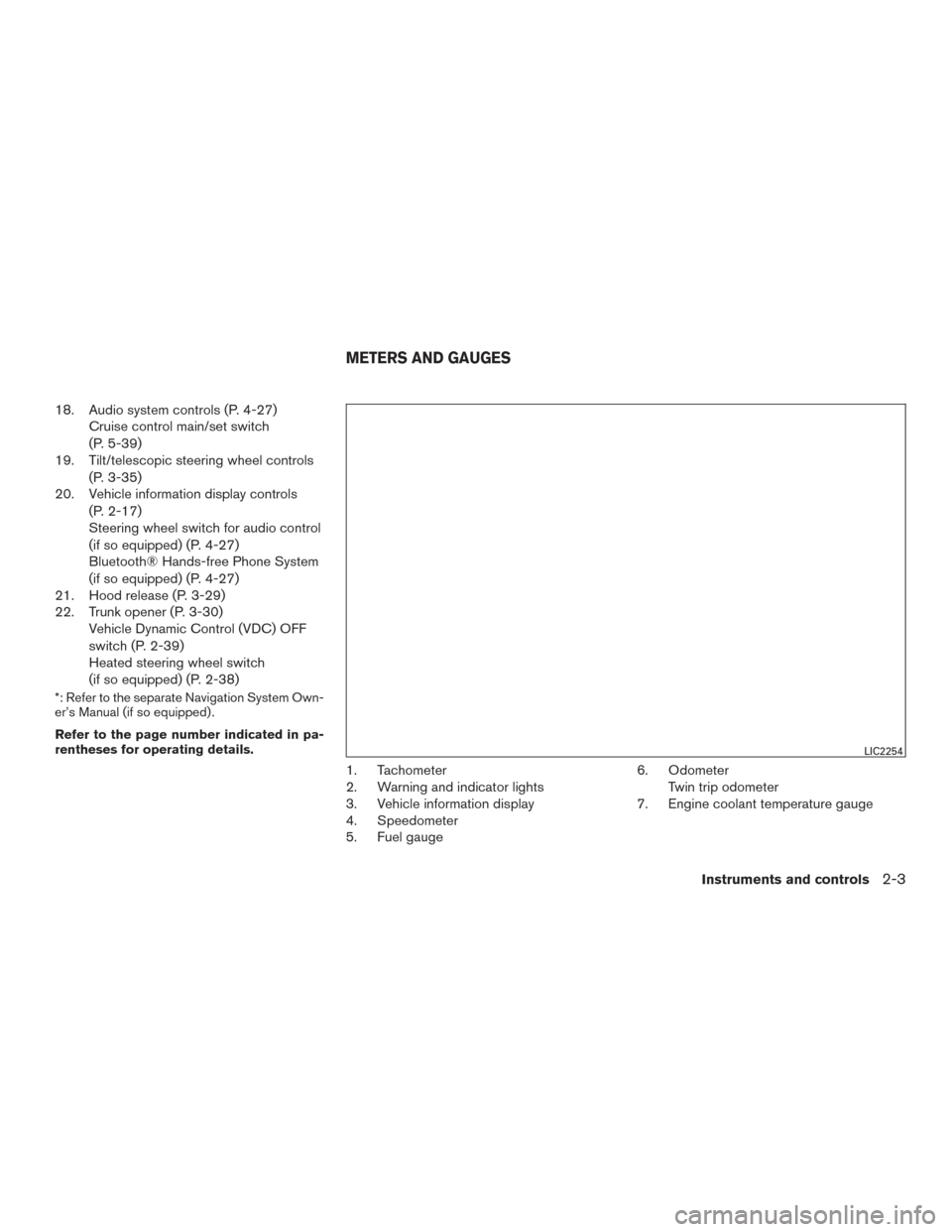
1. Tachometer
2. Warning and indicator lights
3. Vehicle information display
4. Speedometer
5. Fuel gauge 6. Odometer
Twin trip odometer
7. Engine coolant temperature gauge
LIC2254
METERS AND GAUGES
Instruments and controls2-3
Page 89 of 491
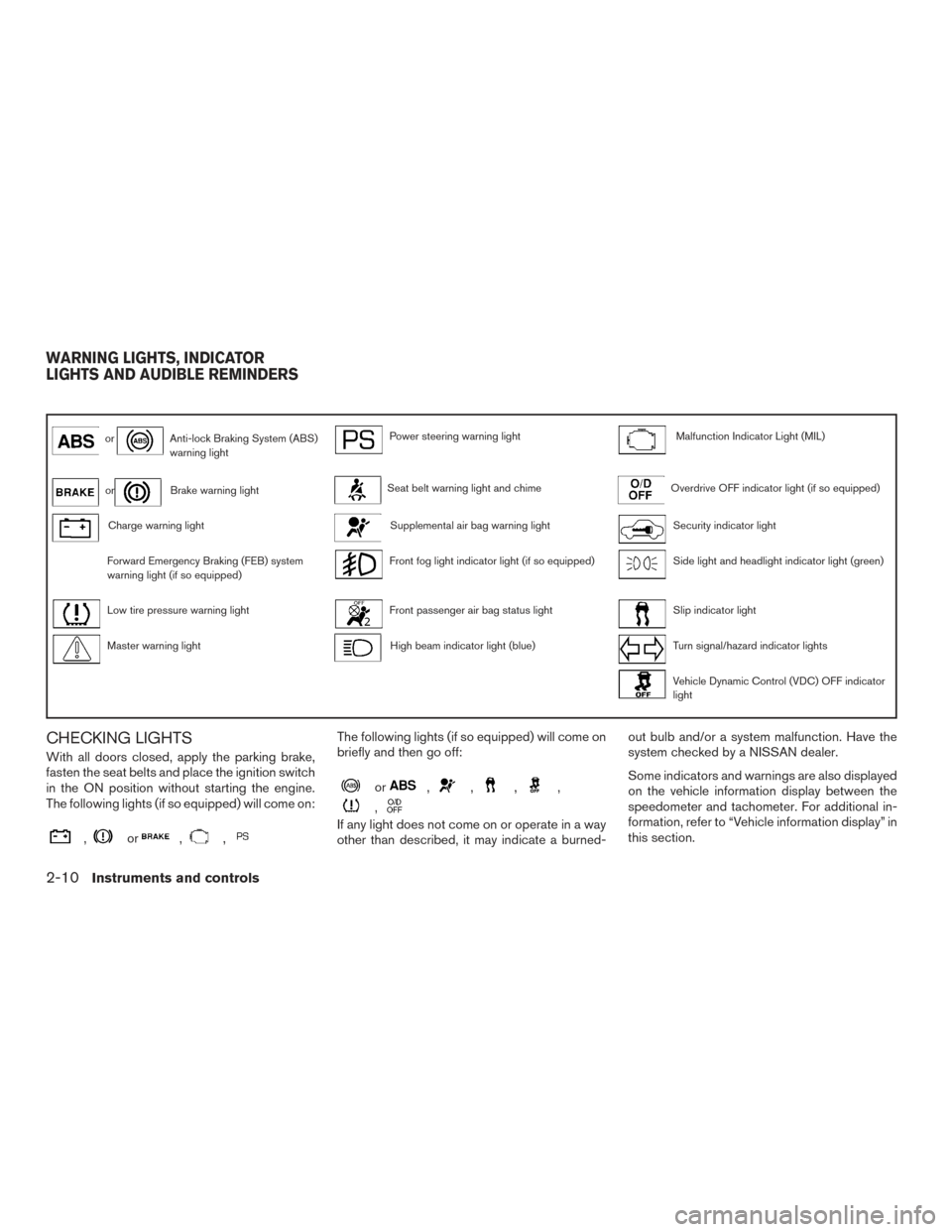
orAnti-lock Braking System (ABS)
warning lightPower steering warning lightMalfunction Indicator Light (MIL)
orBrake warning lightSeat belt warning light and chimeOverdrive OFF indicator light (if so equipped)
Charge warning lightSupplemental air bag warning lightSecurity indicator light
Forward Emergency Braking (FEB) system
warning light (if so equipped)Front fog light indicator light (if so equipped)Side light and headlight indicator light (green)
Low tire pressure warning lightFront passenger air bag status lightSlip indicator light
Master warning lightHigh beam indicator light (blue)Turn signal/hazard indicator lights
Vehicle Dynamic Control (VDC) OFF indicator
light
CHECKING LIGHTS
With all doors closed, apply the parking brake,
fasten the seat belts and place the ignition switch
in the ON position without starting the engine.
The following lights (if so equipped) will come on:
,or,,
The following lights (if so equipped) will come on
briefly and then go off:
or,,,,
,
If any light does not come on or operate in a way
other than described, it may indicate a burned-out bulb and/or a system malfunction. Have the
system checked by a NISSAN dealer.
Some indicators and warnings are also displayed
on the vehicle information display between the
speedometer and tachometer. For additional in-
formation, refer to “Vehicle information display” in
this section.
WARNING LIGHTS, INDICATOR
LIGHTS AND AUDIBLE REMINDERS
2-10Instruments and controls
Page 92 of 491
WARNING
●Radio waves could adversely affect elec-
tric medical equipment. Those who use a
pacemaker should contact the electric
medical equipment manufacturer for the
possible influences before use.
● If the light does not illuminate with the
ignition switch in the ON position, have
the vehicle checked by a NISSAN dealer
as soon as possible.
● If the light illuminates while driving,
avoid sudden steering maneuvers or
abrupt braking, reduce vehicle speed,
pull off the road to a safe location and
stop the vehicle as soon as possible.
Driving with under-inflated tires may
permanently damage the tires and in-
crease the likelihood of tire failure. Se-
rious vehicle damage could occur and
may lead to an accident and could result
in serious personal injury or death.
Check the tire pressure for all four tires.
Adjust the tire pressure to the recom-
mended COLD tire pressure shown on
the Tire placard located in the driver’s door opening to turn the low tire pres-
sure warning light OFF. If the light still
illuminates while driving after adjusting
the tire pressure, a tire may be flat or
the TPMS may be malfunctioning. If you
have a flat tire, replace it with a spare
tire as soon as possible. If no tire is flat
and all tires are properly inflated, have
the vehicle checked by a NISSAN
dealer.
● Since the spare tire is not equipped with
the TPMS, when a spare tire is mounted
or a wheel is replaced, tire pressure will
not be indicated, the TPMS will not
function and the low tire pressure warn-
ing light will flash for approximately
1 minute. The light will remain on after
1 minute. Contact a NISSAN dealer as
soon as possible for tire replacement
and/or system resetting.
● Replacing tires with those not originally
specified by NISSAN could affect the
proper operation of the TPMS.
CAUTION
● The TPMS is not a substitute for the
regular tire pressure check. Be sure to
check the tire pressure regularly.
● If the vehicle is being driven at speeds
of less than 16 mph (25 km/h), the
TPMS may not operate correctly.
● Be sure to install the specified size of
tires to the four wheels correctly.
Master warning light
When the ignition is in the ON position, the
master warning light illuminates if any of the fol-
lowing are displayed on the vehicle information
display.
● No key warning
● Low fuel warning
● Low windshield-washer fluid warning
● Parking brake release warning
● Door/trunk open warning
● Loose fuel cap
● Check tire pressure warning
Instruments and controls2-13
Page 93 of 491
Power steering warning light
WARNING
●If the engine is not running or is turned
off while driving, the power assist for
the steering will not work. Steering will
be harder to operate.
● When the power steering warning light
illuminates with the engine running,
there will be no power assist for the
steering. You will still have control of
the vehicle, but the steering will be
much harder to operate. Have the power
steering system checked by a NISSAN
dealer.
When the ignition switch is in the ON position,
the power steering warning light illuminates. After
starting the engine, the power steering warning
light turns off. This indicates that the electric
power steering system is operational. If the
power steering warning light illuminates while the
engine is running, it may indicate the power
steering system is not functioning properly and
may need servicing. Have the hydraulic pump
electric power steering system checked by a
NISSAN dealer. For additional information, refer
to “Power steering” in the “Starting and driving”
section of this manual.
Seat belt warning light and chime
The light and chime remind you to fasten your
seat belts. The light illuminates whenever the
ignition switch is placed in the ON or START
position and remains illuminated until the driver’s
seat belt is fastened. At the same time, the chime
sounds for about 6 seconds unless the driver’s
seat belt is securely fastened.
The seat belt warning light may also illuminate if
the front passenger’s seat belt is not fastened
when the front passenger’s seat is occupied. For
7 seconds after the ignition switch is placed in
the ON position, the system does not activate the
warning light for the front passenger.
For additional information, refer to “Seat belts” in
the “Safety—Seats, seat belts and supplemental
restraint system” section for precautions on seat
belt usage.
Supplemental air bag warninglight
When the ignition switch is placed in the ON or
START position, the supplemental air bag warn-
ing light illuminates for about 7 seconds and then
turns off. This means the system is operational. If any of the following conditions occur, the front
air bag, side air bag, curtain air bag, and preten-
sioner systems need servicing and your vehicle
must be taken to a NISSAN dealer:
● The supplemental air bag warning light re-
mains on after approximately 7 seconds.
● The supplemental air bag warning light
flashes intermittently.
● The supplemental air bag warning light does
not come on at all.
Unless checked and repaired, the supplemental
restraint system (air bag system) and/or the pre-
tensioners may not function properly. For addi-
tional details, refer to “Supplemental Restraint
System (SRS)” in the “Safety—Seats, seat belts
and supplemental restraint system” section of
this manual.
WARNING
If the supplemental air bag warning light
is on, it could mean that the front air bag,
side air bag, curtain air bag systems
and/or pretensioner systems will not op-
erate in an accident. To help avoid injury to
yourself or others, have your vehicle
checked by a NISSAN dealer as soon as
possible.
2-14Instruments and controls
Page 97 of 491
HOW TO USE THE VEHICLE
INFORMATION DISPLAY
The vehicle information display can be changed
using the buttons
and ENTER located on
the steering wheel.
1.
— navigate through the items in ve-
hicle information
ENTER — change or select an item in the
vehicle information display
2.
— go back to the previous menu
3.
— select/enter the Vehicle information
menu items or to change from one display screen
to the next (i.e. trip, TPMS, Fuel economy)
The ENTER andbuttons also control audio
and control panel functions. For additional infor-
mation, refer to “Steering wheel switch for audio
control” in the “Monitor, climate, audio, phone
and voice recognition systems” section of this
manual.
STARTUP DISPLAY
When the vehicle in placed in the ON or ACC
position the screens that display in the vehicle
information include:
● Active system status
● Tire pressures
● Trip computer
● Audio
● Navigation (if so equipped)
● Driver Assistance (if so equipped)
● Fuel economy
● Warnings
Warnings will only display if there are any pres-
ent. For additional information, refer to “Vehicle
information display warnings and indicators” in
this section.
To control what items display in the vehicle infor-
mation display, refer to “How to use the vehicle
information display” in this section.
RESETTING THE TRIP COMPUTER
1. Press thebutton until you reach the
trip computer mode.
2. Press the
button again for more than
1.5 seconds to reset average fuel consump-
tion, average speed, distance to empty, and
journey time.
SETTINGS
The setting mode allows you to change the infor-
mation displayed in the vehicle information dis-
play:
● Driver Assistance (if so equipped)
● Vehicle Settings
● Main Menu Selection
● Body Color
● Maintenance
● Alarms
● Language
● Unit
● Welcome Effects
● Factory Reset
LIC2322
2-18Instruments and controls
Page 116 of 491
FOG LIGHT SWITCH (if so equipped)
To turn the fog lights on, rotate the headlight
switch to the
position, then rotate the fog
light switch to the
position.
To turn the fog lights on with the headlight switch
in the AUTO position, the headlights must be on,
then rotate the fog light switch to the
po-
sition.
To turn the fog lights off, rotate the fog light
switch to the OFF position.
The headlights must be on and the low beams
selected for the fog lights to operate. The fog
lights automatically turn off when the high beam
headlights are selected. To sound the horn, push near the horn icon on the
steering wheel.
WARNING
Do not disassemble the horn. Doing so
could affect proper operation of the
supplemental front air bag system. Tam-
pering with the supplemental front air bag
system may result in serious personal
injury.
The front seats are warmed by built-in heaters.
1. Start the engine.
2. Push the LO or HI position of the switch, as desired. The indicator light in the switch will
illuminate.
The heater is controlled by a thermostat,
automatically turning the heater on and off.
The indicator light will remain on as long as
the switch is on.
3. When the seat is warmed or before you leave the vehicle, be sure to push the switch
to turn it off.
LIC3256LIC2319LIC3037
HORN HEATED SEAT SWITCHES (if so
equipped)
Instruments and controls2-37
Page 117 of 491
WARNING
Do not use or allow occupants to use the
seat heater if you or the occupants cannot
monitor elevated seat temperatures or
have an inability to feel pain in body parts
that contact the seat. Use of the seat
heater by such people could result in seri-
ous injury.
CAUTION
●The battery could run down if the seat
heater is operated while the engine is
not running.
● Do not use the seat heater for extended
periods or when no one is using the
seat.
● Do not put anything on the seat which
insulates heat, such as a blanket, cush-
ion, seat cover, etc. Otherwise, the seat
may become overheated.
● Do not place anything hard or heavy on
the seat or pierce it with a pin or similar
object. This may result in damage to the
heater.
● Any liquid spilled on the heated seat
should be removed immediately with a
dry cloth. ●
When cleaning the seat, never use
gasoline, benzine, thinner, or any simi-
lar materials.
● If any malfunctions are found or the
heated seat does not operate, turn the
switch off and have the system checked.
It is recommended you visit a NISSAN
dealer for this service.
The heated steering wheel system is designed to
operate only when the surface temperature of the
steering wheel is below 68°F (20°C) .
Push the heated steering wheel switch to warm
the steering wheel after the engine starts. The
indicator light will come on.
If the surface temperature of the steering wheel is
below 68°F (20°C) , the system will heat the
steering wheel and cycle off and on to maintain a
temperature above 68°F (20°C) . The indicator
light will remain on as long as the system is on.
Push the switch again to turn the heated steering
wheel system off manually. The indicator light will
go off.
LIC0421
HEATED STEERING WHEEL SWITCH
(if so equipped)
2-38Instruments and controls