2016 NISSAN 370Z COUPE radio
[x] Cancel search: radioPage 162 of 428

4 Center display, heater, air conditioner, audio,phone and voice recognition systems
Safety note ........................................................................\
.......... 4-3
Center multi-function control panel (models with
navigation system) .................................................................... 4-3
How to use multi-function controller .............................. 4-4
How to use touch screen ................................................. 4-4
Menu options ........................................................................\
4-6
How to select menus on the screen .............................. 4-7
Vehicle information and settings (models with
navigation system) .................................................................... 4-7 How to use STATUS button ............................................. 4-7
How to use brightness control and display
ON/OFF button ................................................................... 4-7
How to use INFO button .................................................. 4-7
How to use SETTING button ....................................... 4-10
RearView Monitor (models with navigation system) ..... 4-17 How to read displayed lines .......................................... 4-18
How to park with predictive course lines .................. 4-18
Difference between predictive and
actual distances ................................................................ 4-20
Predictive course line settings ...................................... 4-22
How to adjust screen ...................................................... 4-23
Operating tips ................................................................... 4-23
Ventilators ........................................................................\
......... 4-23
Center ventilators ............................................................. 4-23
Side ventilators ................................................................. 4-24 Heater and air conditioner .................................................. 4-24
Automatic air conditioner (Type A)
(if so equipped) .............................................................. 4-25
Automatic air conditioner (Type B)
(if so equipped) .............................................................. 4-27
Operating tips ................................................................. 4-29
In-cabin microfilter ......................................................... 4-29
Servicing air conditioner .............................................. 4-29
Audio system ........................................................................\
.. 4-30 Audio operation precautions ....................................... 4-30
FM-AM radio with Compact Disc (CD) player ....... 4-43
FM-AM-SAT radio with Compact Disc
(CD) player ...................................................................... 4-52
DVD (Digital Versatile Disc) player operation
(models with navigation system) ................................ 4-55
USB (Universal Serial Bus) connection port
(models with navigation system) ................................ 4-58
Bluetooth
Šstreaming audio (models with
navigation system) ......................................................... 4-62
iPod
Šplayer operation (models with
navigation system) ......................................................... 4-67
Auxiliary input jacks (models with
navigation system) ......................................................... 4-70
CD/DVD/USB memory care and cleaning .............. 4-71
Steering-wheel-mounted controls for audio ........... 4-72
Antenna ........................................................................\
.... 4-73
Page 163 of 428
Car phone or CB radio ........................................................ 4-74
BluetoothŠhands-free phone system (models with
navigation system) ................................................................. 4-75
Regulatory information .................................................... 4-76
Voice commands .............................................................. 4-77
Control buttons ................................................................. 4-77
Connecting procedure .................................................... 4-77
Phone selection ................................................................ 4-78
Quick Dial ........................................................................\
... 4-78
Making a call ..................................................................... 4-81
Receiving a call ................................................................. 4-82
During a call ...................................................................... 4-82
Phone setting .................................................................... 4-83
Troubleshooting guide ..................................................... 4-85
Bluetooth
Šhands-free phone system (models without
navigation system) ................................................................. 4-86
Regulatory information .................................................... 4-87 Using the system ........................................................... 4-88
Control buttons ............................................................... 4-90
Getting started ............................................................... 4-90
List of voice commands ............................................... 4-91
Speaker Adaptation (SA) mode ................................. 4-95
Troubleshooting guide .................................................. 4-98
NISSAN Voice Recognition System (models with
navigation system) ................................................................ 4-99
NISSAN voice recognition Standard Mode ............ 4-99
Using the system ........................................................ 4-102
NISSAN voice recognition Alternate
Command Mode ......................................................... 4-109
Using the system ........................................................ 4-118
Troubleshooting guide ............................................... 4-123
Page 184 of 428
HOW TO ADJUST SCREEN
To adjust the Display ON/OFF, Brightness, Tint,
Color, Contrast and Black Level of the RearView
Monitor, push the SETTING button with the
RearView Monitor on, select the “Display” key
on the screen and select the item key and adjust
the level using the multi-function controller.
Do not adjust the Brightness, Tint, Color,
Contrast and Black Level of the RearView
Monitor while the vehicle is moving. Make sure
the parking brake is firmly applied.
OPERATING TIPS
.When the shift lever is shifted to the R
(Reverse) position, the monitor screen auto-
matically changes to the RearView Monitor
mode. However, the radio can be heard.
. When the temperature is extremely high or
low, the screen may not clearly display
objects. This is not a malfunction.
. When strong light is directly coming on the
camera, objects may not be displayed
clearly. This is not a malfunction.
. Vertical lines may be seen in objects on the
screen. This is due to strong reflected light
from the bumper. This is not a malfunction.
. The screen may flicker under fluorescent
light. This is not a malfunction. .
The colors of objects on the RearView
Monitor may differ somewhat from the actual
color of objects. This is not a malfunction.
. Objects on the monitor may not be clear in a
dark environment. This is not a malfunction.
. If dirt, rain or snow accumulates on the
camera, the RearView Monitor may not
display object clearly. Clean the camera.
. Do not use alcohol, benzine or thinner to
clean the camera. This will cause discolora-
tion. To clean the camera, wipe with a cloth
dampened with diluted mild cleaning agent
and then wipe with a dry cloth.
. Do not damage the camera as the monitor
screen may be adversely affected.
. Do not use wax on the camera window.
Wipe off any wax with a clean cloth
dampened with mild detergent diluted with
water.SAA2275
CENTER VENTILATORS
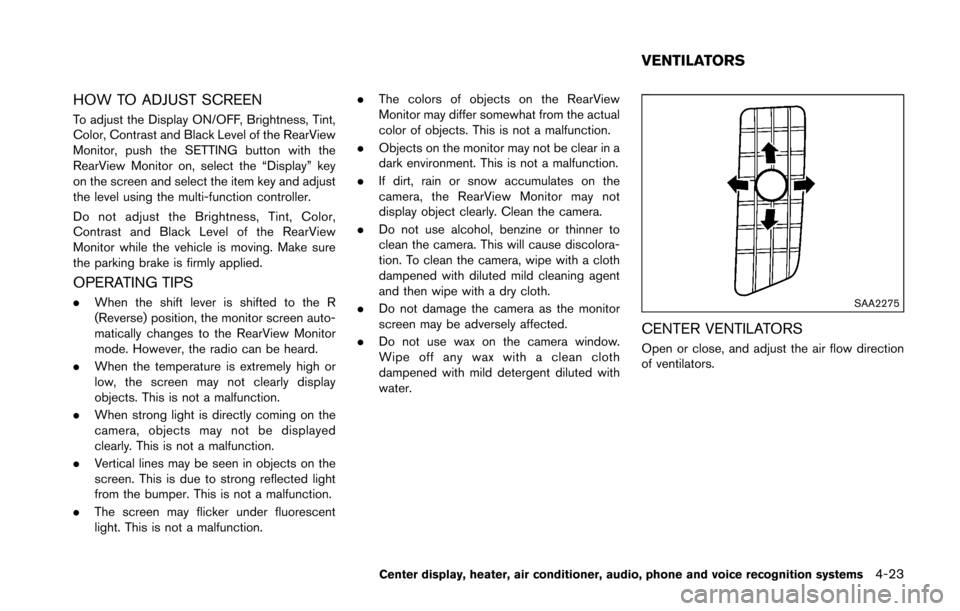
Open or close, and adjust the air flow direction
of ventilators.
Center display, heater, air conditioner, audio, phone and voice recognition systems4-23
VENTILATORS
Page 191 of 428
4-30Center display, heater, air conditioner, audio, phone and voice recognition systems
AUDIO OPERATION PRECAUTIONS
Radio
Push the ignition switch to the ACC or ON
position and push the radio band select button
to turn on the radio. If you listen to the radio with
the engine not running, the ignition switch
should be pushed to the ACC position.
Radio reception is affected by station signal
strength, distance from radio transmitter, build-
ings, bridges, mountains and other external
influences. Intermittent changes in reception
quality normally are caused by these external
influences.
Using a cellular phone in or near the
vehicle may influence radio reception
quality.
Radio reception:
Your NISSAN radio system is equipped with
state-of-the-art electronic circuits to enhance
radio reception. These circuits are designed to
extend reception range, and to enhance the
quality of that reception.
However there are some general characteristics
of both FM and AM radio signals that can affect
radio reception quality in a moving vehicle, even
when the finest equipment is used. These
characteristics are completely normal in a given
reception area, and do not indicate any mal-function in your NISSAN radio system.
Reception conditions will constantly change
because of vehicle movement. Buildings, terrain,
signal distance and interference from other
vehicles can work against ideal reception.
Described below are some of the factors that
can affect your radio reception.
Some cellular phones or other devices may
cause interference or a buzzing noise to come
from the audio system speakers. Storing the
device in a different location may reduce or
eliminate the noise.
SAA0306
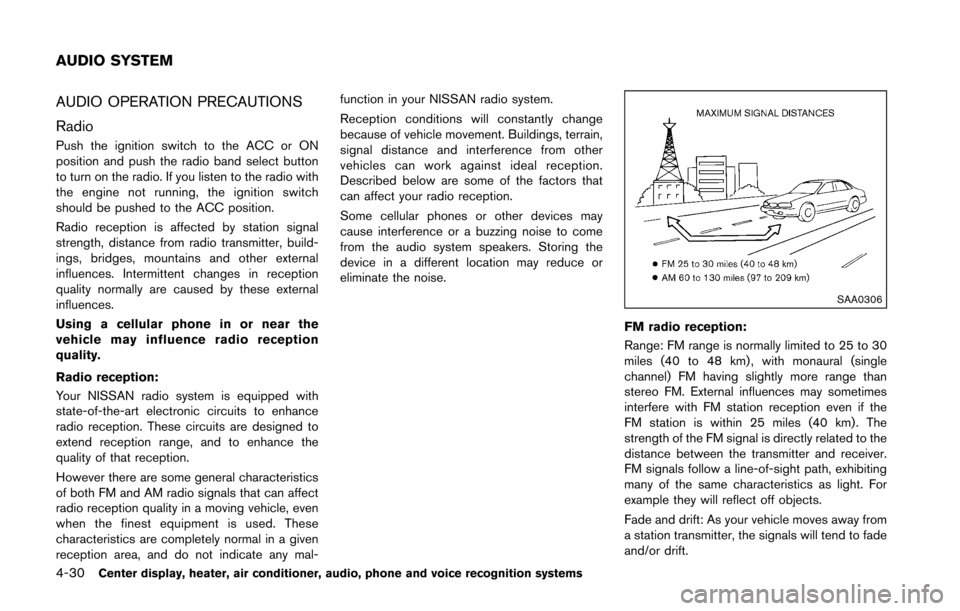
FM radio reception:
Range: FM range is normally limited to 25 to 30
miles (40 to 48 km) , with monaural (single
channel) FM having slightly more range than
stereo FM. External influences may sometimes
interfere with FM station reception even if the
FM station is within 25 miles (40 km). The
strength of the FM signal is directly related to the
distance between the transmitter and receiver.
FM signals follow a line-of-sight path, exhibiting
many of the same characteristics as light. For
example they will reflect off objects.
Fade and drift: As your vehicle moves away from
a station transmitter, the signals will tend to fade
and/or drift.
AUDIO SYSTEM
Page 192 of 428
Static and flutter: During signal interference from
buildings, large hills or due to antenna position,
usually in conjunction with increased distance
from the station transmitter, static or flutter can
be heard. This can be reduced by lowering the
treble setting to reduce the treble response.
Multipath reception: Because of the reflective
characteristics of FM signals, direct and re-
flected signals reach the receiver at the same
time. The signals may cancel each other,
resulting in momentary flutter or loss of sound.
AM radio reception:
AM signals, because of their low frequency, can
bend around objects and skip along the ground.
In addition, the signals can be bounced off the
ionosphere and bent back to earth. Because of
these characteristics. AM signals are also
subject to interference as they travel from
transmitter to receiver.
Fading: Occurs while the vehicle is passing
through freeway underpasses or in areas with
many tall buildings. It can also occur for several
seconds during ionospheric turbulence even in
areas where no obstacles exist.
Static: Caused by thunderstorms, electrical
power lines, electric signs and even traffic lights.Satellite radio reception (if so equipped):
When the satellite radio is used for the first time
or the battery has been replaced, the satellite
radio may not work properly. This is not a
malfunction. Wait more than 10 minutes with the
satellite radio ON and the vehicle outside of any
metal or large building for the satellite radio to
receive all of the necessary data.
The satellite radio mode requires an active
SiriusXM Satellite Radio subscription. The sa-
tellite radio is not available in Alaska, Hawaii and
Guam.
The satellite radio performance may be affected
if cargo carried on the roof blocks the satellite
radio signal.
If possible, do not put cargo near the satellite
antenna.
A build up of ice on the satellite radio antenna
can affect satellite radio performance. Remove
the ice to restore satellite radio reception.
SAA0480
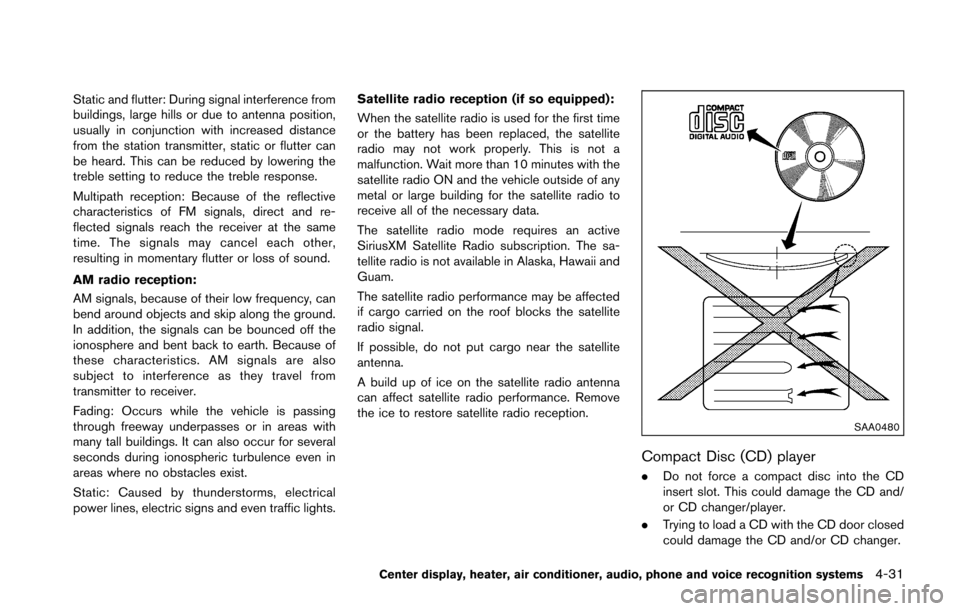
Compact Disc (CD) player
. Do not force a compact disc into the CD
insert slot. This could damage the CD and/
or CD changer/player.
. Trying to load a CD with the CD door closed
could damage the CD and/or CD changer.
Center display, heater, air conditioner, audio, phone and voice recognition systems4-31
Page 204 of 428
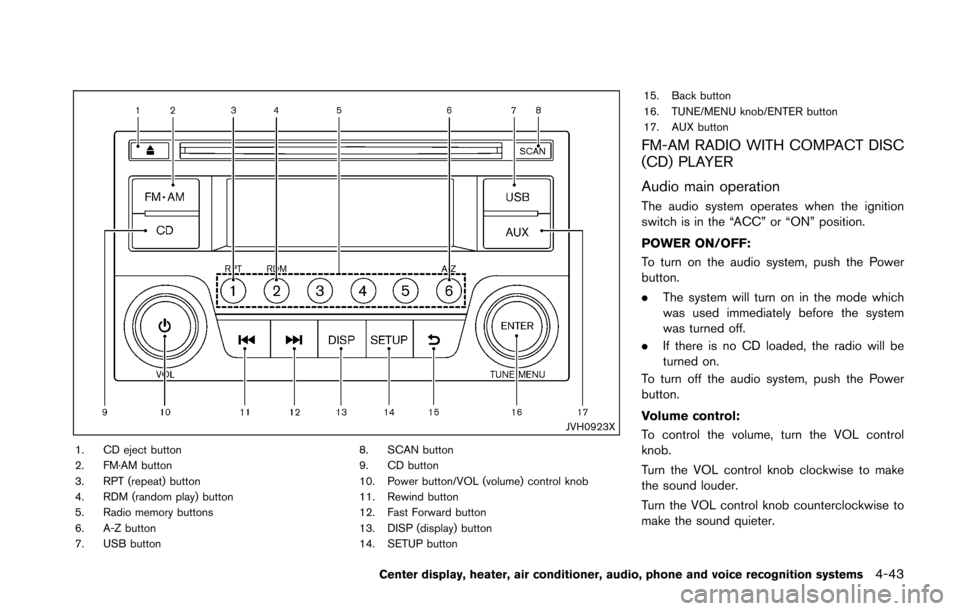
JVH0923X
1. CD eject button
2. FM·AM button
3. RPT (repeat) button
4. RDM (random play) button
5. Radio memory buttons
6. A-Z button
7. USB button8. SCAN button
9. CD button
10. Power button/VOL (volume) control knob
11. Rewind button
12. Fast Forward button
13. DISP (display) button
14. SETUP button15. Back button
16. TUNE/MENU knob/ENTER button
17. AUX button
FM-AM RADIO WITH COMPACT DISC
(CD) PLAYER
Audio main operation
The audio system operates when the ignition
switch is in the “ACC” or “ON” position.
POWER ON/OFF:
To turn on the audio system, push the Power
button.
.
The system will turn on in the mode which
was used immediately before the system
was turned off.
. If there is no CD loaded, the radio will be
turned on.
To turn off the audio system, push the Power
button.
Volume control:
To control the volume, turn the VOL control
knob.
Turn the VOL control knob clockwise to make
the sound louder.
Turn the VOL control knob counterclockwise to
make the sound quieter.
Center display, heater, air conditioner, audio, phone and voice recognition systems4-43
Page 206 of 428
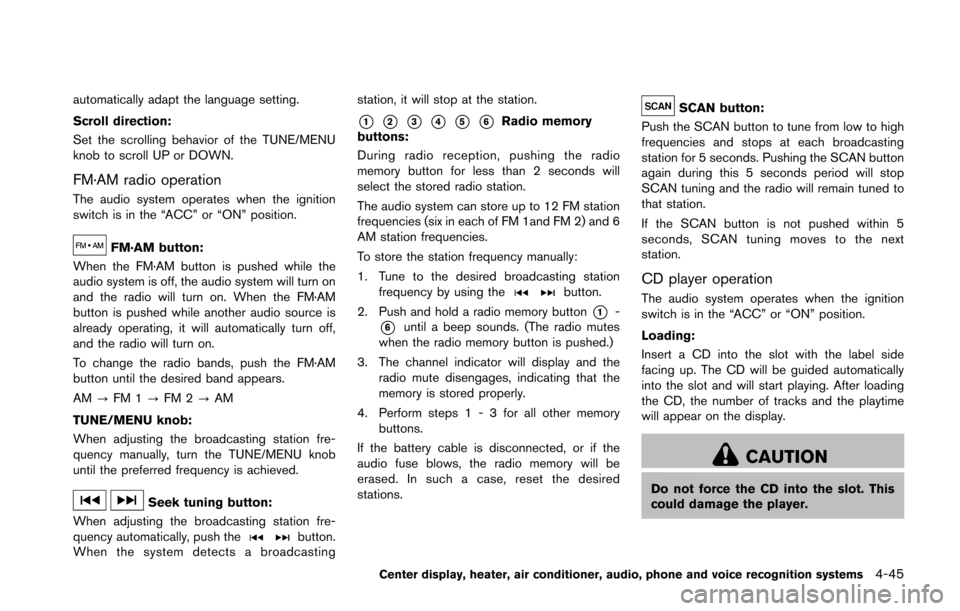
automatically adapt the language setting.
Scroll direction:
Set the scrolling behavior of the TUNE/MENU
knob to scroll UP or DOWN.
FM·AM radio operation
The audio system operates when the ignition
switch is in the “ACC” or “ON” position.
FM·AM button:
When the FM·AM button is pushed while the
audio system is off, the audio system will turn on
and the radio will turn on. When the FM·AM
button is pushed while another audio source is
already operating, it will automatically turn off,
and the radio will turn on.
To change the radio bands, push the FM·AM
button until the desired band appears.
AM ?FM 1 ?FM 2 ?AM
TUNE/MENU knob:
When adjusting the broadcasting station fre-
quency manually, turn the TUNE/MENU knob
until the preferred frequency is achieved.
Seek tuning button:
When adjusting the broadcasting station fre-
quency automatically, push the
button.
When the system detects a broadcasting station, it will stop at the station.
*1*2*3*4*5*6Radio memory
buttons:
During radio reception, pushing the radio
memory button for less than 2 seconds will
select the stored radio station.
The audio system can store up to 12 FM station
frequencies (six in each of FM 1and FM 2) and 6
AM station frequencies.
To store the station frequency manually:
1. Tune to the desired broadcasting station frequency by using the
button.
2. Push and hold a radio memory button
*1-
*6until a beep sounds. (The radio mutes
when the radio memory button is pushed.)
3. The channel indicator will display and the radio mute disengages, indicating that the
memory is stored properly.
4. Perform steps 1 - 3 for all other memory buttons.
If the battery cable is disconnected, or if the
audio fuse blows, the radio memory will be
erased. In such a case, reset the desired
stations.
SCAN button:
Push the SCAN button to tune from low to high
frequencies and stops at each broadcasting
station for 5 seconds. Pushing the SCAN button
again during this 5 seconds period will stop
SCAN tuning and the radio will remain tuned to
that station.
If the SCAN button is not pushed within 5
seconds, SCAN tuning moves to the next
station.
CD player operation
The audio system operates when the ignition
switch is in the “ACC” or “ON” position.
Loading:
Insert a CD into the slot with the label side
facing up. The CD will be guided automatically
into the slot and will start playing. After loading
the CD, the number of tracks and the playtime
will appear on the display.
CAUTION
Do not force the CD into the slot. This
could damage the player.
Center display, heater, air conditioner, audio, phone and voice recognition systems4-45
Page 212 of 428
AUX button:
Push the AUX button to play a compatible
device when it is connected.
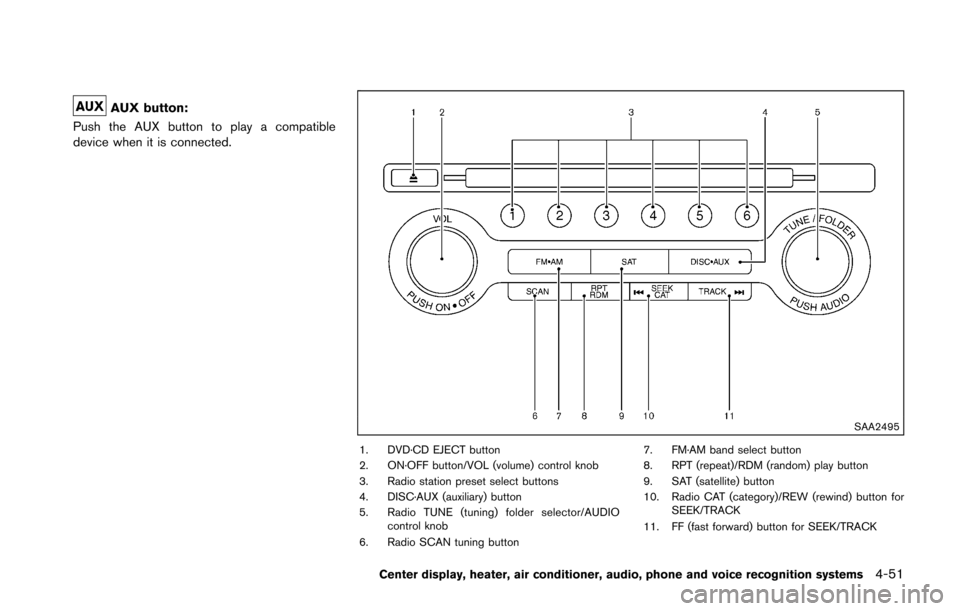
SAA2495
1. DVD·CD EJECT button
2. ON·OFF button/VOL (volume) control knob
3. Radio station preset select buttons
4. DISC·AUX (auxiliary) button
5. Radio TUNE (tuning) folder selector/AUDIO control knob
6. Radio SCAN tuning button 7. FM·AM band select button
8. RPT (repeat)/RDM (random) play button
9. SAT (satellite) button
10. Radio CAT (category)/REW (rewind) button for
SEEK/TRACK
11. FF (fast forward) button for SEEK/TRACK
Center display, heater, air conditioner, audio, phone and voice recognition systems4-51