2016 MITSUBISHI SHOGUN USB
[x] Cancel search: USBPage 278 of 404
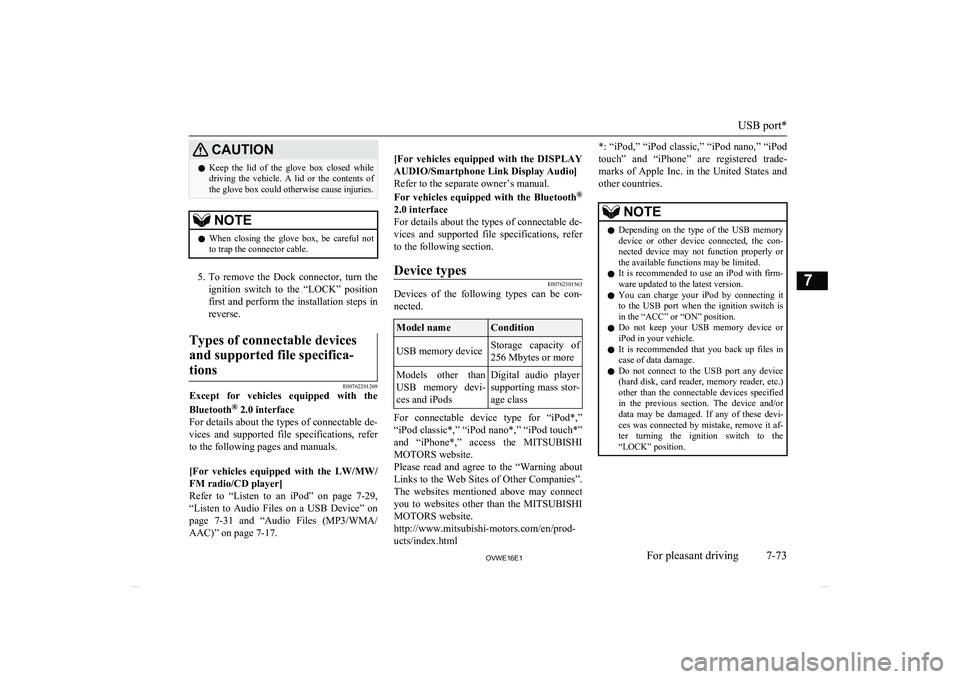
CAUTIONlKeep the lid of the glove box closed while
driving the vehicle. A lid or the contents of the glove box could otherwise cause injuries.NOTEl When closing the glove box, be careful not
to trap the connector cable.
5. To remove the Dock connector, turn the
ignition switch to the “LOCK” position
first and perform the installation steps in reverse.
Types of connectable devices
and supported file specifica-tions
E00762201269
Except for vehicles equipped with the Bluetooth ®
2.0 interface
For details about the types of connectable de-
vices and supported file specifications, referto the following pages and manuals.
[For vehicles equipped with the LW/MW/
FM radio/CD player]
Refer to “Listen to an iPod” on page 7-29,
“Listen to Audio Files on a USB Device” on page 7-31 and “Audio Files (MP3/WMA/
AAC)” on page 7-17.
[For vehicles equipped with the DISPLAY AUDIO/Smartphone Link Display Audio]
Refer to the separate owner’s manual.
For vehicles equipped with the Bluetooth ®
2.0 interface
For details about the types of connectable de-
vices and supported file specifications, refer to the following section.Device types
E00762301563
Devices of the following types can be con- nected.
Model nameConditionUSB memory deviceStorage capacity of
256 Mbytes or moreModels other than
USB memory devi- ces and iPodsDigital audio player
supporting mass stor-
age class
For connectable device type for “iPod*,”
“iPod classic*,” “iPod nano*,” “iPod touch*”
and “iPhone*,” access the MITSUBISHI
MOTORS website.
Please read and agree to the “Warning about Links to the Web Sites of Other Companies”.
The websites mentioned above may connect you to websites other than the MITSUBISHI
MOTORS website.
http://www.mitsubishi-motors.com/en/prod- ucts/index.html
*: “iPod,” “iPod classic,” “iPod nano,” “iPod
touch” and “iPhone” are registered trade- marks of Apple Inc. in the United States and
other countries.NOTEl Depending on the type of the USB memory
device or other device connected, the con-
nected device may not function properly or the available functions may be limited.
l It is recommended to use an iPod with firm-
ware updated to the latest version.
l You can charge your iPod by connecting it
to the USB port when the ignition switch is in the “ACC” or “ON” position.
l Do not keep your USB memory device or
iPod in your vehicle.
l It is recommended that you back up files in
case of data damage.
l Do not connect to the USB port any device
(hard disk, card reader, memory reader, etc.) other than the connectable devices specifiedin the previous section. The device and/or
data may be damaged. If any of these devi- ces was connected by mistake, remove it af- ter turning the ignition switch to the
“LOCK” position.
USB port*
7-73OVWE16E1For pleasant driving7
Page 279 of 404
File specifications
E00762401056
You can play music files of the following
specifications that are saved in a USB memo-ry device or other device supporting mass
storage class. When you connect your iPod, playable file specifications depend on the connected iPod.
ItemConditionFile formatMP3, WMA, AAC,
WAVMaximum number of levels (including the root)
Level 8
Number of folders700Number of files65,535HDMI port*
E00771400039
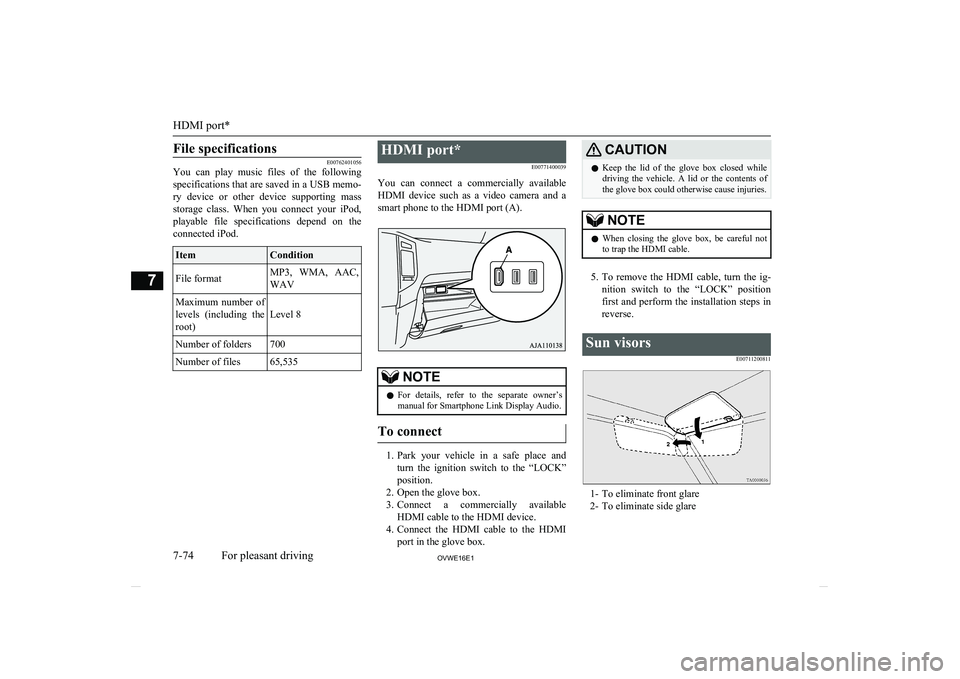
You can connect a commercially available HDMI device such as a video camera and a
smart phone to the HDMI port (A).NOTEl For details, refer to the separate owner’s
manual for Smartphone Link Display Audio.
To connect
1. Park your vehicle in a safe place and
turn the ignition switch to the “LOCK”
position.
2. Open the glove box.
3. Connect a commercially available
HDMI cable to the HDMI device.
4. Connect the HDMI cable to the HDMI
port in the glove box.
CAUTIONl Keep the lid of the glove box closed while
driving the vehicle. A lid or the contents of the glove box could otherwise cause injuries.NOTEl When closing the glove box, be careful not
to trap the HDMI cable.
5. To remove the HDMI cable, turn the ig-
nition switch to the “LOCK” position first and perform the installation steps in
reverse.
Sun visors
E00711200811
1- To eliminate front glare2- To eliminate side glare
HDMI port*
7-74OVWE16E1For pleasant driving7
Page 288 of 404

1- Sunglasses holder*
2- Glove box
3- Accessory box*
4- Centre console box
5- Side box*
6- Luggage floor box
Glove box
E00717602824
The glove box can be locked and unlocked
using the key.
1- To lock
2- To unlock
3- To open, pull the lever
NOTEl When the lamp switch is in the “” or
“
” position, the lower glove box lamp il-
luminates.
l The Auxiliary Video connector (RCA) (A) is
located in the glove box (if so equipped).
l The USB port (B) is located in the glove box
(if so equipped). For details, refer to “USB
port*” on page 7-71.NOTEl Small articles can be stored in the upper area
(C) of the glove box.Centre console box
E00722600105
Upper and lower boxes are located inside the
centre console box.
The centre console box can also be used as an
armrest. Refer to “Armrest” on page 4-08.
1- Upper box
2- Lower box
Storage spaces
7-83OVWE16E1For pleasant driving7
Page 363 of 404

Item3-door models5-door models3800 models—1,900 mm10Rear track3000 models—1,560 mm3200 models1,560 mm1,570 mm3800 models—1,570 mmMinimum turning radiusBody5.7 m6.1 mWheel5.3 m5.7 m*1: Vehicles for Russia, Kazakhstan, Belarus and Ukraine
*2 : Vehicles with only the front seats
*3 : Vehicles with only front seats or vehicles with only front seats and second seats
Vehicle performance
E01100303915Item3000 models3200 models3800 modelsMaximum speed175 km/h (109 mph)180 km/h (112 mph)200 km/h (124 mph)Maximum climbing ability (in1st
gear)35°
Vehicle performance
11-06OVWE16E1Specifications11
Page 378 of 404

Tank capacity.................................................... 2-03
Third seat........................................................... 4-11
Time Setting...................................................... 7-44
Tools.................................................................. 8-07 Storage.......................................................... 8-07
Towing.............................................................. 8-16
Trailer towing.................................................... 6-65
Transfer oil...................................................... 11-14
Transmission Automatic transmission................................ 6-19
Manual transmission..................................... 6-17
Tripmeter........................................................... 5-02
Turn-signal indication lamps.............................5-09
Turn-signal lever............................................... 5-42
Tyre pressure monitoring system...................... 6-53
Tyres................................................................ 10-12 How to change a tyre.................................... 8-09
Inflation pressures....................................... 10-13
Rotation....................................................... 10-15
Size (tyre and wheel).................................. 11-11
Snow tyres................................................... 10-16
Spare wheel information............................... 8-10
Tyre chains.................................................. 10-16
U
USB port............................................................7-71
Used engine oils safety instructions and disposal information..................................2-05
V
Vanity mirror..................................................... 7-75
Vanity mirror lamps
Bulb capacity.............................................. 10-26
Replacement................................................ 10-33
Vehicle care precautions................................... 9-02
Vehicle dimensions......................................... 11-04
Vehicle identification number......................... 11-02
Vehicle identification number plate................ 11-02
Vehicle information code plate....................... 11-02
Vehicle labeling...............................................11-02
Vehicle performance....................................... 11-06
Vehicle weight.................................................11-07
Ventilators......................................................... 7-02
W
Warning lamps.................................................. 5-10
Washer Fluid.................................................. 10-08,11-14
Switch................................................... 5-44,5-48
Washing.............................................................9-03
Water temperature gauge.................................. 5-06
Waxing.............................................................. 9-04
Weatherstripping............................................. 10-19
Weight............................................................. 11-07
Wheel condition.............................................. 10-14
Wheel Specification............................................... 11-11
Wiper de-icer switch......................................... 5-49
Wiper Rear window................................................. 5-48Switch........................................................... 5-44 Wiper blades............................................... 10-17
Alphabetical index
12- 5
OVWE16E1Alphabetical index