2016 MITSUBISHI OUTLANDER SPORT air condition
[x] Cancel search: air conditionPage 119 of 398
Continuously variable transmission (CVT) (if so equipped)
Features and controls 5-57
5
N00560800027
To gain extra acceleration in “D” (DRIVE) position (when passing another vehicle) push the accelerator to the floor. The CVT will automatically downshift.
For short waiting periods, such as at traffic lights, the vehicle can be left in selector leverposition and held stationary with the service brake. For longer waiting periods with the enginerunning, place the selector lever in the “N” (NEUTRAL) position and apply the parking brake, while holding the vehicle stationarywith the service brake. Prior to moving off after having stopped the vehicle, make sure that the selector lever is in“D” (DRIVE) position or Sports mode posi- tion.
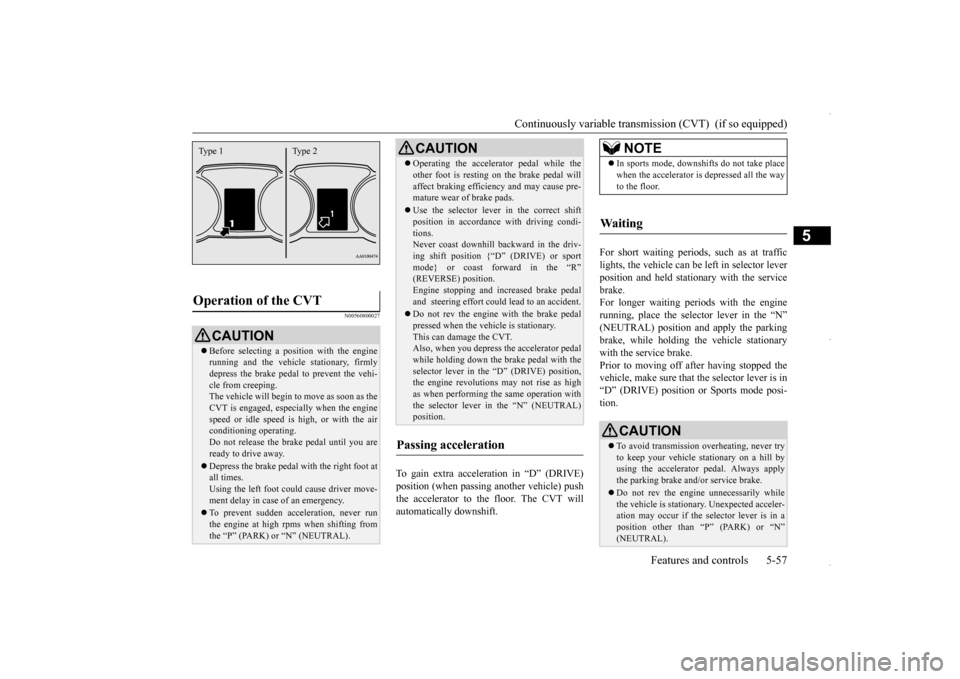
Operation of the CVT
CAUTION Before selecting a position with the engine running and the vehicle stationary, firmly depress the brake pedal to prevent the vehi- cle from creeping.The vehicle will begin to move as soon as the CVT is engaged, especially when the engine speed or idle speed is high, or with the airconditioning operating. Do not release the brake pedal until you are ready to drive away. Depress the brake pedal
with the right foot at
all times.Using the left foot could cause driver move- ment delay in case of an emergency. To prevent sudden acceleration, never run the engine at high rpms when shifting from the “P” (PARK) or “N” (NEUTRAL).Type 1 Type 2
Operating the accelerator pedal while the other foot is resting on the brake pedal will affect braking efficiency and may cause pre- mature wear of brake pads. Use the selector lever in the correct shift position in accordance with driving condi- tions.Never coast downhill backward in the driv- ing shift position {“D” (DRIVE) or sport mode} or coast forward in the “R”(REVERSE) position. Engine stopping and increased brake pedal and steering effort could lead to an accident. Do not rev the engine with the brake pedal pressed when the vehicle is stationary.This can damage the CVT. Also, when you depress the accelerator pedal while holding down the brake pedal with theselector lever in the “D” (DRIVE) position, the engine revolutions may not rise as high as when performing the same operation withthe selector lever in the “N” (NEUTRAL) position.
Passing acceleration
CAUTION
NOTE
In sports mode, downshifts do not take place when the accelerator is depressed all the way to the floor.
Waiting
CAUTION To avoid transmission overheating, never try to keep your vehicle stationary on a hill by using the accelerator pedal. Always apply the parking brake and/or service brake. Do not rev the engine unnecessarily while the vehicle is stationary. Unexpected acceler-ation may occur if the selector lever is in a position other than “P” (PARK) or “N” (NEUTRAL).
BK0229600US.bo
ok 57 ページ 2015年10月1日 木曜日 午後2時29分
Page 120 of 398
Electronically controlled 4WD system (if so equipped) 5-58 Features and controls
5
To park the vehicle, first bring it to a com- plete stop, fully engage the parking brake,and then move the selector lever to the “P” (PARK) position. If the CVT does not shift while driving, or your vehicle does not pick up enough speedwhen starting on an uphill slope, it may be that there is something unusual happening in the transmission, causing a safety device toactivate. Have your vehicle checked at an authorized Mitsubishi Motors dealer or a repair facility of your choice as soon as possi-ble.
N00517201178
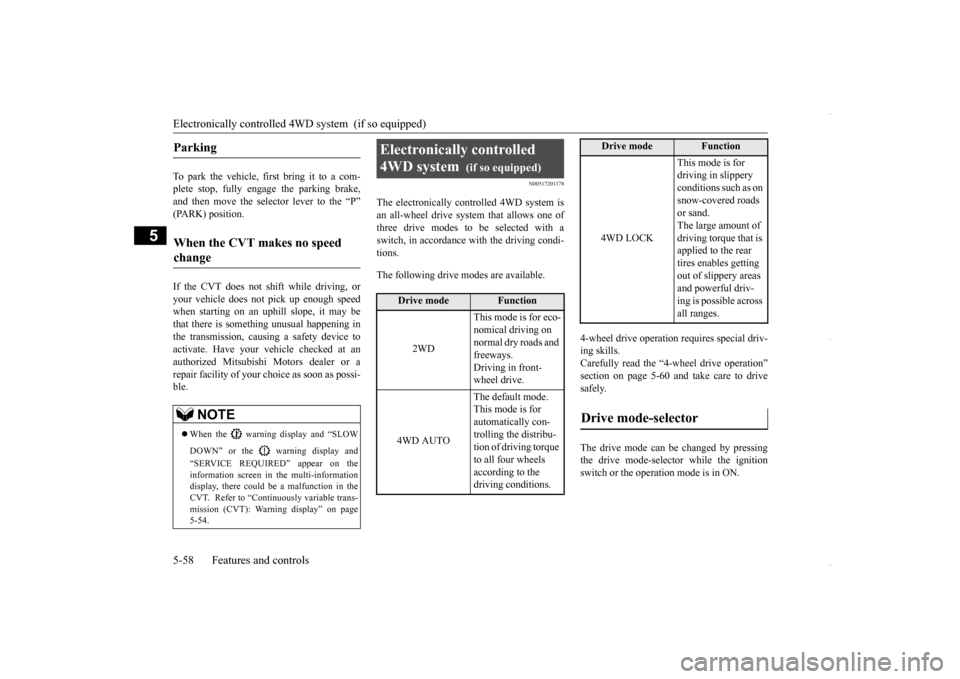
The electronically controlled 4WD system isan all-wheel drive system that allows one of three drive modes to be selected with a switch, in accordance with the driving condi-tions. The following drive modes are available.
4-wheel drive operation requires special driv- ing skills. Carefully read the “4-wheel drive operation”section on page 5-60
and take care to drive
safely. The drive mode can be changed by pressing the drive mode-selector while the ignition switch or the operation mode is in ON.
Parking
When the CVT makes no speed change
NOTE
When the warning display and “SLOW DOWN” or the warning display and “SERVICE REQUIRED” appear on the information screen in the multi-informationdisplay, there could be a malfunction in the CVT. Refer to “Continuously variable trans- mission (CVT): Warning display” on page5-54.
Electronically controlled 4WD system
(if so equipped)
Drive mode
Function
2WD
This mode is for eco- nomical driving on normal dry roads and freeways. Driving in front-wheel drive.
4WD AUTO
The default mode. This mode is for automatically con-trolling the distribu- tion of driving torque to all four wheels according to the driving conditions.
4WD LOCK
This mode is for driving in slippery conditions such as on snow-covered roads or sand. The large amount of driving torque that is applied to the rear tires enables getting out of slippery areas and powerful driv- ing is possible across all ranges.
Drive mode-selector
Drive mode
Function
BK0229600US.bo
ok 58 ページ 2015年10月1日 木曜日 午後2時29分
Page 122 of 398
4-wheel drive operation 5-60 Features and controls
5
N00530601195
Your vehicle has been designed primarily for use on pavement.But its unique 4 -wheel drive system allows you to occasionally travel on unpaved roads, to campgrounds, picnic sites, and similarlocations. Not only does this ensure better handling on dry, paved roads but also permits better trac-tion when driving on slippery, wet or snow-covered roads and when moving out of mud. But it is not suitable for heavy off road use or towing in rough conditions.It is particularly important to note that 4- wheel drive may not give sufficient hill climbing ability and engine braking on steepslopes. You should try to avoid driving on steep slopes. Also, you must exercise caution when drivingon sand and mud and when driving through water because sufficient traction may not be available in certain circumstances.Please avoid driving the vehicle through areas where the tires may get stuck in deep sand or mud.
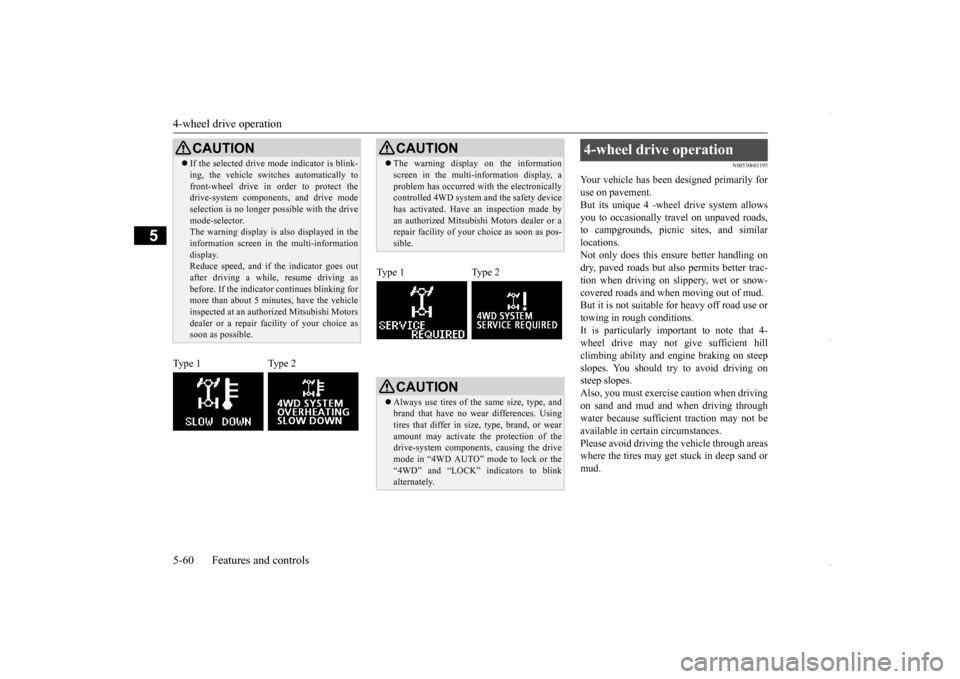
CAUTION If the selected drive mode indicator is blink- ing, the vehicle switches automatically to front-wheel drive in order to protect the drive-system components, and drive mode selection is no longer possible with the drivemode-selector. The warning display is also displayed in the information screen in the multi-informationdisplay. Reduce speed, and if the indicator goes out after driving a while, resume driving asbefore. If the indicator continues blinking for more than about 5 minutes, have the vehicle inspected at an authorized Mitsubishi Motorsdealer or a repair fa
cility of your choice as
soon as possible.
Type 1 Type 2
CAUTION The warning display on the information screen in the multi-information display, a problem has occurred with the electronically controlled 4WD system and the safety device has activated. Have an inspection made byan authorized Mitsubishi Motors dealer or a repair facility of your choice as soon as pos- sible.
Type 1 Type 2
CAUTION Always use tires of the same size, type, and brand that have no wear differences. Using tires that differ in size, type, brand, or wearamount may activate the protection of the drive-system components, causing the drive mode in “4WD AUTO” mode to lock or the“4WD” and “LOCK” indicators to blink alternately.
4-wheel drive operation
BK0229600US.bo
ok 60 ページ 2015年10月1日 木曜日 午後2時29分
Page 124 of 398
4-wheel drive operation 5-62 Features and controls
5
Set the drive mode-selector to “4WD LOCK” and then gradually depress the accelerator pedal for a smooth start. Keep the pressure on the accelerator pedal as constant as possible,and drive at low speed.
Your vehicle may not provide sufficient hill climbing ability and engine braking on steepslope. Avoid driving on steep slopes even
though the vehicle is an 4-wheel drive vehi- cle.
N00537800098
If the electrical circuits become wet, furtheroperation of the vehicle will be impossible; therefore, avoid driving through water unless absolutely necessary. If driving through wateris unavoidable, use the following procedure: Check the depth of the water and the terrain before attempting to drive through it. Drive slowly to avoid creating excessive water splashing.
Driving on sandy or muddy roads
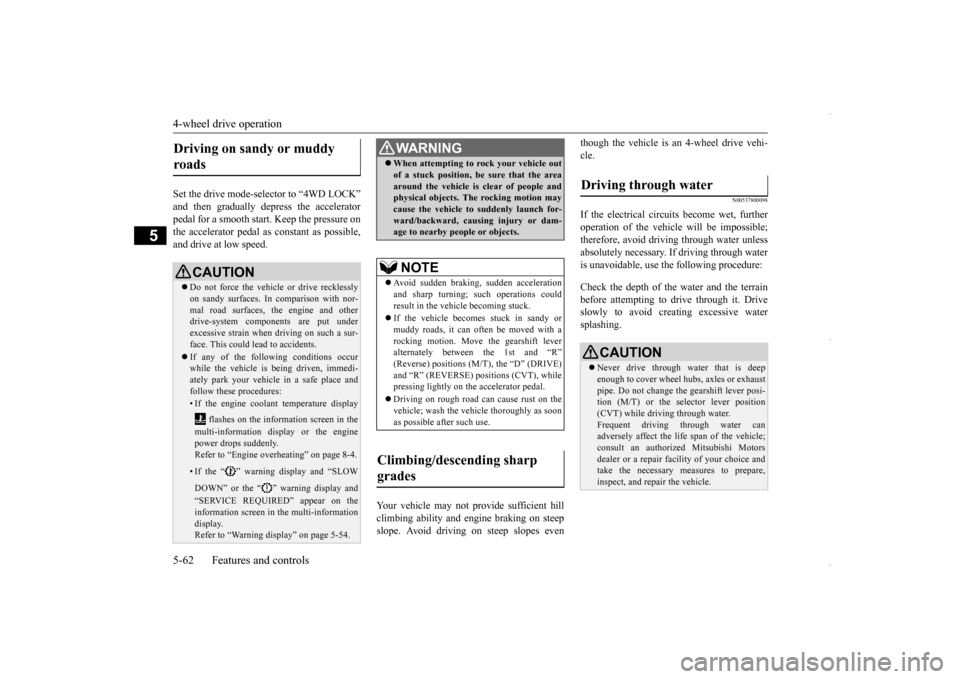
CAUTION Do not force the vehicle or drive recklessly on sandy surfaces. In comparison with nor- mal road surfaces, the engine and otherdrive-system components are put under excessive strain when driving on such a sur- face. This could lead to accidents. If any of the following conditions occur while the vehicle is being driven, immedi-ately park your vehicle in a safe place and follow these procedures:• If the engine coolant temperature display
flashes on the information screen in the multi-information display or the engine power drops suddenly. Refer to “Engine overheating” on page 8-4.• If the “ ” warning display and “SLOW DOWN” or the “ ” warning display and “SERVICE REQUIRED” appear on the information screen in the multi-information display.Refer to “Warning display” on page 5-54.
WA R N I N G When attempting to rock your vehicle out of a stuck position, be sure that the area around the vehicle is clear of people and physical objects. The rocking motion may cause the vehicle to
suddenly launch for-
ward/backward, causing injury or dam- age to nearby people or objects.NOTE
Avoid sudden braking, sudden acceleration and sharp turning; such operations could result in the vehicle becoming stuck. If the vehicle becomes stuck in sandy or muddy roads, it can often be moved with a rocking motion. Move the gearshift leveralternately between the 1st and “R” (Reverse) positions (M/T), the “D” (DRIVE) and “R” (REVERSE) positions (CVT), whilepressing lightly on the accelerator pedal. Driving on rough road can cause rust on the vehicle; wash the vehicle thoroughly as soon as possible after such use.
Climbing/descending sharp grades
Driving through water
CAUTION Never drive through water that is deep enough to cover wheel hubs, axles or exhaust pipe. Do not change the gearshift lever posi-tion (M/T) or the selector lever position (CVT) while driving through water. Frequent driving through water canadversely affect the life span of the vehicle; consult an authorized Mitsubishi Motors dealer or a repair facility of your choice and take the necessary measures to prepare, inspect, and repair the vehicle.
BK0229600US.bo
ok 62 ページ 2015年10月1日 木曜日 午後2時29分
Page 125 of 398
Inspection and maintenance fo
llowing rough road operation Features and controls 5-63
5
N00530700098
After operating the vehicle in rough road con- ditions, be sure to perform the following inspection and maintenance procedures: Check that the vehicle has not been dam- aged by rocks, gravel, etc. Carefully wash the vehicle with water. Drive the vehicle slowly while lightlydepressing the brake pedal in order to dry out the brakes. If the brakes still do not function properly, co
ntact an authorized
Mitsubishi Motors dealer or a repair facil- ity of your choice as soon as possible to have the brakes checked. Remove the insects, dried grass, etc. clog- ging the radiator core.
After driving through water, check the engine, transaxle and differential oil. If the oil or grease is milky or cloudy because of water contamination, it mustbe replaced with new oil. Check the inside of the vehicle. If water entry is found, dry the carpet etc. Inspect the headlights. If water is in the headlight housing, have it drained at an authorized Mitsubishi Motors dealer or arepair facility of your choice. Have an authorized Mitsubishi Motors dealer replace grease in the wheel bear- ings.
N00530800187
Since the driving torque can be applied to thefour wheels, the driving performance of thevehicle when operating in 4-wheel drive is greatly affected by the condition of the tires. Pay close attention to the tires. Install only the specified tires on all wheels. Refer to “Tires and wheels” onpage 11-5.
Be sure all four tires and wheels are the same size and type. When it is necessary to replace any of the tires or wheels, replace all four. All tires should be rotated before the wear difference between the front and rear tires is recognizable.
Good vehicle performance cannot be expected if there is a difference in wear between tires. Refer to “Tire rotation” on page 9-19. Check the tire inflation pressure regularly.
After driving through water, apply the brakes to be sure they are functioning properly. If the brakes are wet and not functioning prop- erly, dry them out by driving slowly while lightly depressing the brake pedal. Inspecteach part of the vehicle carefully.
Inspection and maintenance following rough road opera-tion
CAUTION
Cautions on the handling of 4-wheel drive vehicles Tires and wheels
CAUTION Always use tires of the same size, type, and brand that have no wear differences. Usingtires of different size, type, brands or degree of wear, will increase the differential oil tem- perature and result in possible damage to thedriving system. Further, the drive train will be subject to excessive loading, possibly leading to oil leakage, component seizure, orother serious failures.
BK0229600US.bo
ok 63 ページ 2015年10月1日 木曜日 午後2時29分
Page 128 of 398
Brake assist system 5-66 Features and controls
5
4. Depress the accelerator pedal and the hill start assist gradually will decrease the braking force as the vehicle starts moving.
N00562800050
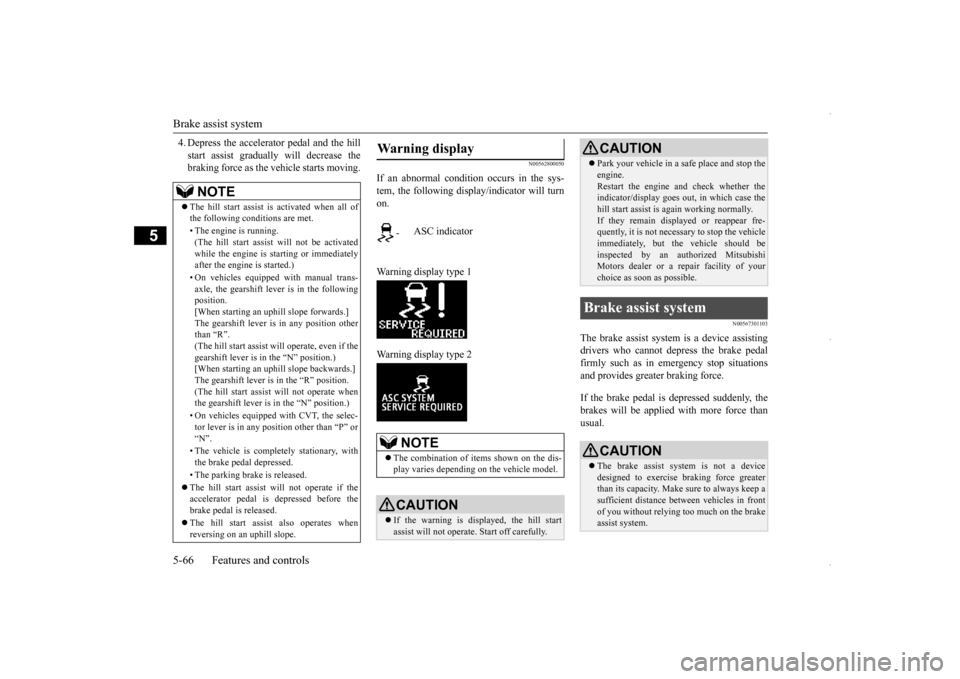
If an abnormal condition occurs in the sys- tem, the following display/indicator will turnon. Warning display type 1 Warning display type 2
N00567301103
The brake assist system
is a device assisting
drivers who cannot depress the brake pedalfirmly such as in emergency stop situations and provides greater braking force. If the brake pedal is depressed suddenly, the brakes will be applied with more force thanusual.
NOTE
The hill start assist is activated when all of the following conditions are met. • The engine is running. (The hill start assist will not be activated while the engine is starting or immediatelyafter the engine is started.) • On vehicles equipped with manual trans- axle, the gearshift lever is in the following position. [When starting an uphill slope forwards.]The gearshift lever is in any position other than “R”. (The hill start assist
will operate, even if the
gearshift lever is in the “N” position.) [When starting an uphill slope backwards.] The gearshift lever is in the “R” position.(The hill start assist will not operate when the gearshift lever is in the “N” position.) • On vehicles equipped with CVT, the selec- tor lever is in any position other than “P” or “N”. • The vehicle is completely stationary, with the brake pedal depressed. • The parking brake is released. The hill start assist will not operate if the accelerator pedal is depressed before thebrake pedal is released. The hill start assist also operates when reversing on an uphill slope.
Warning display
-
ASC indicator
NOTE
The combination of items shown on the dis- play varies depending on the vehicle model.CAUTION If the warning is displayed, the hill start assist will not operate. Start off carefully.
Park your vehicle in a safe place and stop the engine. Restart the engine and check whether the indicator/display goes out, in which case the hill start assist is again working normally. If they remain displayed or reappear fre- quently, it is not necessary to stop the vehicle immediately, but the vehicle should beinspected by an authorized Mitsubishi Motors dealer or a repair facility of your choice as soon as possible.
Brake assist system
CAUTION The brake assist system is not a device designed to exercise braking force greater than its capacity. Make sure to always keep asufficient distance between vehicles in front of you without relying too much on the brake assist system.CAUTION
BK0229600US.bo
ok 66 ページ 2015年10月1日 木曜日 午後2時29分
Page 130 of 398
Anti-lock braking system 5-68 Features and controls
5
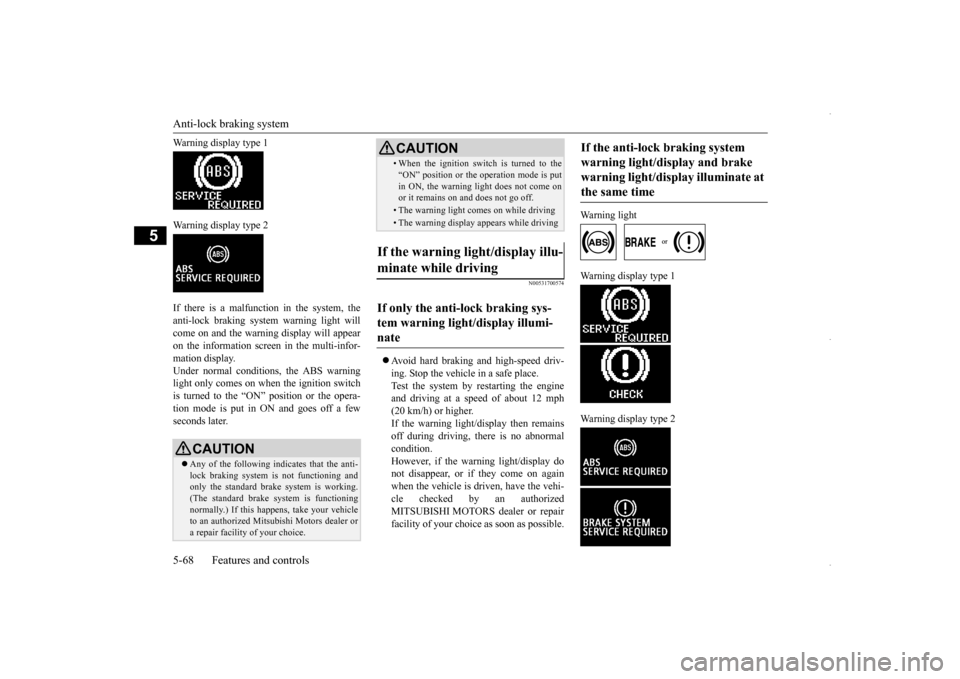
Warning display type 1 Warning display type 2 If there is a malfunction in the system, the anti-lock braking system warning light willcome on and the warning display will appear on the information screen in the multi-infor- mation display.Under normal conditions, the ABS warning light only comes on when the ignition switch is turned to the “ON” position or the opera-tion mode is put in ON and goes off a few seconds later.
N00531700574
Avoid hard braking and high-speed driv- ing. Stop the vehicle in a safe place. Test the system by restarting the engine and driving at a speed
of about 12 mph
(20 km/h) or higher. If the warning light/display then remains off during driving, there is no abnormalcondition. However, if the warning light/display do not disappear, or if they come on againwhen the vehicle is driven, have the vehi- cle checked by an authorized MITSUBISHI MOTORS dealer or repairfacility of your choice as soon as possible.
Warning light
Warning display type 1 Warning display type 2
CAUTION Any of the following indicates that the anti- lock braking system is not functioning and only the standard brake system is working. (The standard brake system is functioningnormally.) If this happens, take your vehicle to an authorized Mitsubishi Motors dealer or a repair facility of your choice.
• When the ignition switch is turned to the “ON” position or the operation mode is put in ON, the warning light does not come on or it remains on and does not go off.• The warning light comes on while driving• The warning display appears while driving
If the warning light/display illu- minate while driving If only the anti-lock braking sys- tem warning light/display illumi-nate
CAUTION
If the anti-lock braking system warning light/display and brake warning light/display illuminate at the same time
BK0229600US.bo
ok 68 ページ 2015年10月1日 木曜日 午後2時29分
Page 132 of 398
Active stability control (ASC) 5-70 Features and controls
5
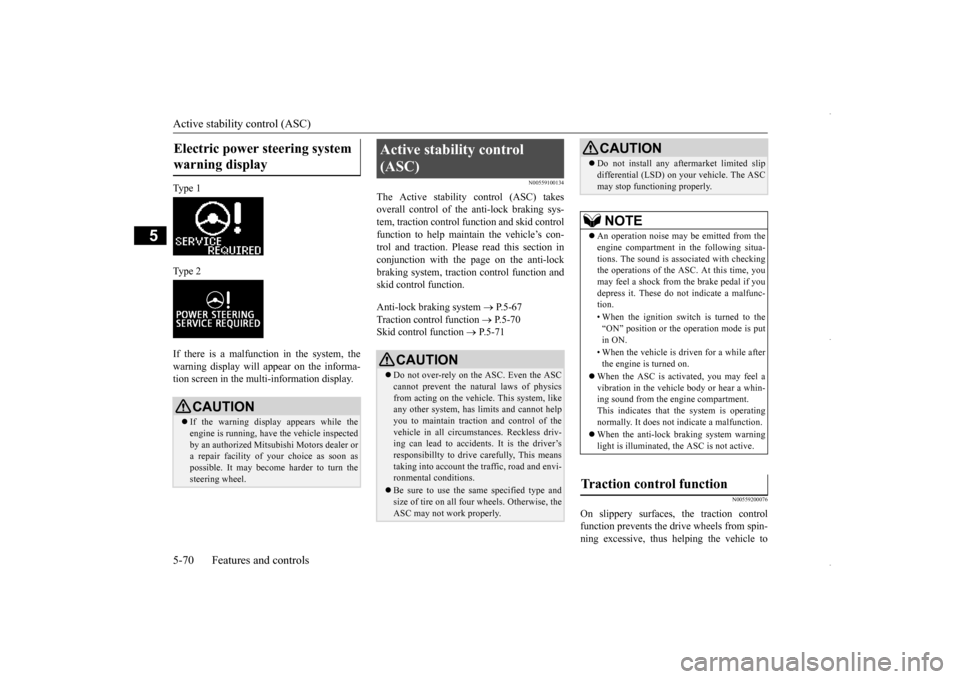
Ty p e 1 Ty p e 2 If there is a malfunction in the system, the warning display will appear on the informa-tion screen in the multi-information display.
N00559100134
The Active stability control (ASC) takesoverall control of the anti-lock braking sys-tem, traction control function and skid control function to help maintain the vehicle’s con- trol and traction. Please read this section inconjunction with the page on the anti-lock braking system, traction control function and skid control function. Anti-lock braking system
P.5-67
Traction control function
P.5-70
Skid control function
P.5-71
N00559200076
On slippery surfaces, the traction control function prevents the dr
ive wheels from spin-
ning excessive, thus helping the vehicle to
Electric power steering system warning display
CAUTION If the warning display appears while the engine is running, have the vehicle inspected by an authorized Mitsubishi Motors dealer ora repair facility of
your choice as soon as
possible. It may become harder to turn the steering wheel.
Active stability control (ASC)
CAUTION Do not over-rely on the ASC. Even the ASC cannot prevent the natural laws of physics from acting on the vehicle. This system, like any other system, has limits and cannot helpyou to maintain traction and control of the vehicle in all circumstances. Reckless driv- ing can lead to accidents. It is the driver’sresponsibillty to drive carefully, This means taking into account the traffic, road and envi- ronmental conditions. Be sure to use the same specified type and size of tire on all four wheels. Otherwise, the ASC may not work properly.
Do not install any aftermarket limited slip differential (LSD) on your vehicle. The ASC may stop functioning properly.NOTE
An operation noise may be emitted from the engine compartment in the following situa- tions. The sound is associated with checkingthe operations of the ASC. At this time, you may feel a shock from the brake pedal if you depress it. These do not indicate a malfunc-tion. • When the ignition switch is turned to the “ON” position or the operation mode is put in ON. • When the vehicle is driven for a while after the engine is turned on.
When the ASC is activated, you may feel a vibration in the vehicle body or hear a whin- ing sound from the engine compartment.This indicates that the system is operating normally. It does not indicate a malfunction. When the anti-lock braking system warning light is illuminated, the ASC is not active.
Traction control function
CAUTION
BK0229600US.bo
ok 70 ページ 2015年10月1日 木曜日 午後2時29分