2016 MINI COOPER CONVERTIBLE remote control
[x] Cancel search: remote controlPage 42 of 252
The vehicle automatically detects the remote
control when it is in close proximity or in the
car's interior.
Comfort Access supports the following func‐
tions:▷Unlocking/locking of the vehicle.▷Convenient closing.▷Unlocking of the tailgate separately.
Information
To avoid locking it into the vehicle, do not place
the remote control in the cargo area.
Functional requirements
▷There are no sources of interference
nearby.▷To lock the vehicle, the remote control
must be located outside of the vehicle near
the doors.▷The next unlocking and locking cycle is not
possible until after approx. 2 seconds.▷The engine can only be started if the re‐
mote control is in the vehicle.
Unlocking
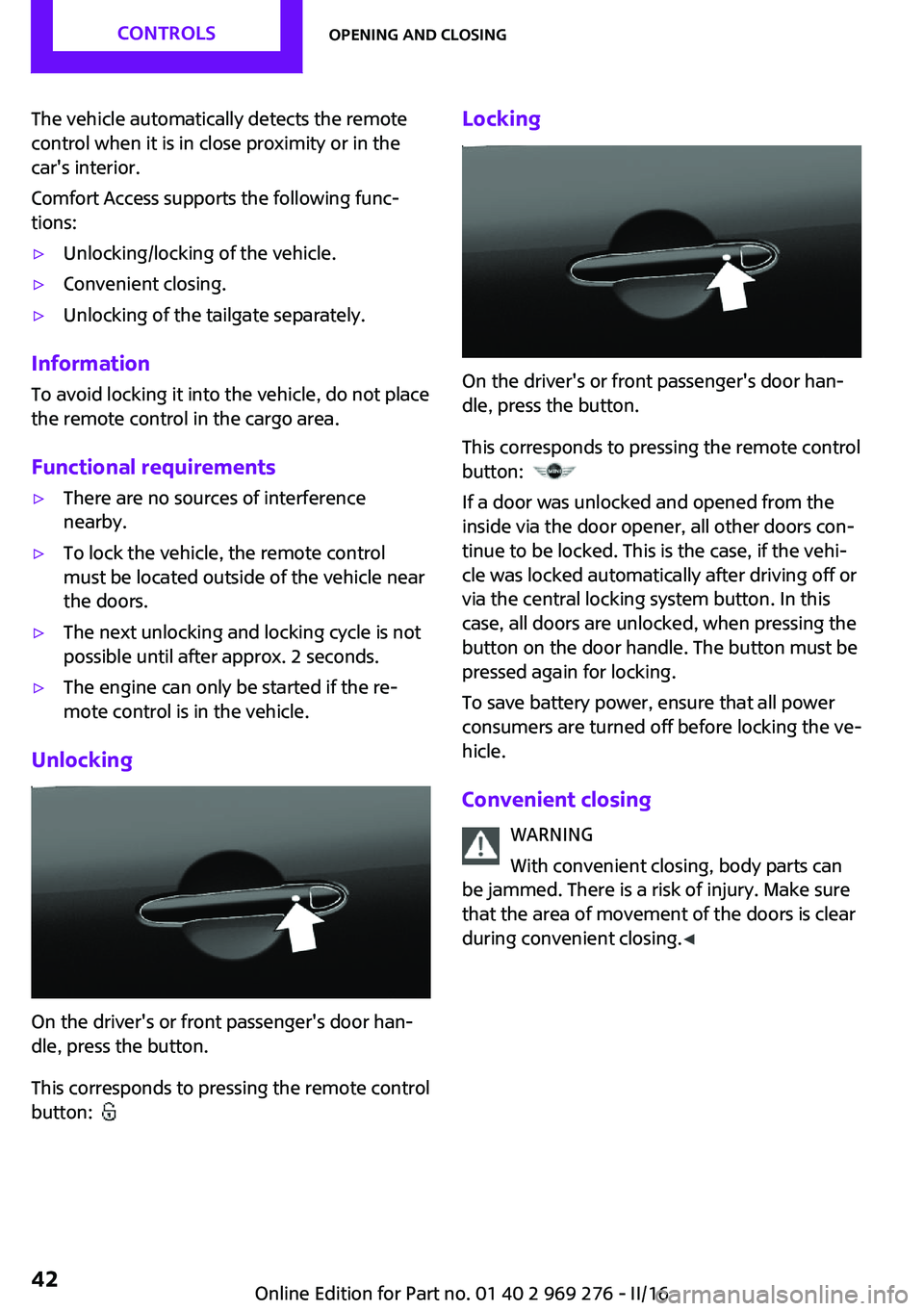
On the driver's or front passenger's door han‐
dle, press the button.
This corresponds to pressing the remote control
button:
Locking
On the driver's or front passenger's door han‐
dle, press the button.
This corresponds to pressing the remote control
button:
If a door was unlocked and opened from the
inside via the door opener, all other doors con‐
tinue to be locked. This is the case, if the vehi‐
cle was locked automatically after driving off or
via the central locking system button. In this
case, all doors are unlocked, when pressing the
button on the door handle. The button must be
pressed again for locking.
To save battery power, ensure that all power
consumers are turned off before locking the ve‐
hicle.
Convenient closing WARNING
With convenient closing, body parts can
be jammed. There is a risk of injury. Make sure
that the area of movement of the doors is clear
during convenient closing. ◀
Seite 42CONTROLSOpening and closing42
Online Edition for Part no. 01 40 2 969 276 - II/16
Page 43 of 252

Press and hold down the handle of the driver or
the front seat passenger.
This corresponds to pressing and holding the
remote control button:
In addition to locking, the convertible top and
the windows are closed.
Press and hold the button, until the convertible
top is fully closed.
Unlocking the tailgate separately
Press button on the exterior of the trunk lid.
This corresponds to pressing the remote control
button:
The situation of the doors does not change.
Malfunction Remote control detection by the vehicle can
among others be malfunctioning under the fol‐
lowing circumstances:
▷The battery of the remote control is dis‐
charged. Replace the battery, refer to
page 35.▷Interference of the radio connection from
transmission towers or other equipment
with high transmit power.▷Shielding of the remote control due to
metal objects.▷Interference of the radio connection from
mobile phones or other electronic devices
in direct proximity.
Do not transport the remote control together
with metal objects or electronic devices.
In the case of a malfunction, unlock and lock
the vehicle using the buttons of the remote
control or using the integrated key, refer to
page 40.
Adjusting Unlocking The settings are saved in the active profile. Per‐
sonal Profile, refer to page 36.
Doors1. "Settings"2."Doors/key"3. Select the symbol.4.Select the desired function.▷"Driver's door only"
Only the driver's door and the fuel filler
flap are unlocked. Pressing again un‐
locks the entire vehicle.▷"All doors"
The entire vehicle is unlocked.
Tailgate
Depending on optional features and country
version, this setting is not offered in some
cases.
1. "Settings"2."Doors/key"3. Select the symbol.4.Select the desired function.
Locking
The settings are saved in the active profile. Per‐
sonal Profile, refer to page 36.
1. "Settings"2."Doors/key"3.Select desired setting.▷"Lock if no door is opened"Seite 43Opening and closingCONTROLS43
Online Edition for Part no. 01 40 2 969 276 - II/16
Page 44 of 252

The vehicle locks automatically after a
short period of time if no door is
opened after unlocking.▷"Lock after start driving"
The vehicle locks automatically after
you drive off.
Confirmation signals from the vehicle
1. "Settings"2."Doors/key"3.Select desired setting.▷With alarm system:
"Acoustic sig. lock/unlock"
Unlocking is signaled by one honk of
the horn.▷"Flash when lock/unlock"
Unlocking is signaled by two flashes,
locking by one.
Alarm system
The concept
When the vehicle is locked, the vehicle alarm
system responds to:
▷Opening a door, the hood or the trunk lid.▷Movements in the vehicle interior.▷Changes in the vehicle tilt, e. g., during at‐
tempts at stealing a wheel or when towing
the car.▷Disconnected battery voltage.
The alarm system briefly signals tampering:
▷Acoustic alarm.▷By switching on the hazard warning system.▷By flashing the daytime running lights.
Switching on and off
When you lock or unlock the vehicle, either
with the remote control or with Comfort Access,
the alarm system is switched on and off at the same time.
Door lock with the alarm system
switched on
The alarm system is triggered when the door is
opened, when the vehicle is unlocked via the
door lock.
Switching off the alarm, refer to page 45.
Tailgate with the alarm system
switched on
The tailgate can be opened even when the
alarm system is switched on.
After the trunk lid is closed, it is locked and
monitored again when the doors are locked.
The hazard warning system flashes once.
Panic mode
You can trigger the alarm system if you find
yourself in a dangerous situation.
Press button on the remote control for
at least 3 seconds.
To switch off the alarm: press any button.
Indicator lamp on the interior rearview
mirror▷The indicator lamp flashes briefly every
2 seconds:
The alarm system is switched on.▷Indicator lamp flashes for approx. 10 sec‐
onds, then it flashes briefly every 2 sec‐
onds:Seite 44CONTROLSOpening and closing44
Online Edition for Part no. 01 40 2 969 276 - II/16
Page 45 of 252

Interior motion sensor and tilt alarm sensor
are not active, as doors, hood, or tailgate
are not correctly closed. Correctly closed
access points are secured.
When the still open access points are
closed, interior motion sensor and tilt alarm
sensor will be switched on.▷The indicator lamp goes out after unlock‐
ing:
The vehicle has not been tampered with.▷The indicator lamp flashes after unlocking
until the engine ignition is switched on, but
no longer than approx. 5 minutes:
An alarm has been triggered.
Tilt alarm sensor The tilt of the vehicle is monitored.
The alarm system responds in situations such as
attempts to steal a wheel or when the car is
towed.
Interior motion sensor The interior is monitored to the height of the
seats. The alarm system is switched on together
with the interior motion sensor even when the
convertible top is open. Falling objects such as
leaves can trigger the alarm unintentionally.
Avoiding unintentional alarms
The tilt alarm sensor and interior motion sensor
can be switched off together, such as in the fol‐
lowing situations:
▷In automatic car washes.▷In duplex garages.▷During transport on trains carrying vehicles,
at sea or on a trailer.▷With animals in the vehicle.Switching off the tilt alarm sensor and
interior motion sensor
Press the remote control button again
within 10 seconds as soon as the vehi‐
cle is locked.
The indicator lamp lights up for approx. 2 sec‐
onds and then continues to flash.
The tilt alarm sensor and interior motion sensor
are turned off until the vehicle is locked again.
Switching off the alarm▷Unlock vehicle with the remote control or
switch on the ignition, if needed through
emergency detection of remote control, re‐
fer to page 35.▷For Comfort Access:If you have the remote
control with you, unlock vehicle using the
button on the driver's side or passenger
side door.
Power windows
Information WARNING
Unattended children or animals can
cause the vehicle to move and endanger them‐
selves and traffic, e.g., due to the following ac‐
tions:
▷Pressing the Start/Stop button.▷Releasing the parking brake.▷Opening and closing the doors or windows.▷Engaging selector lever position N.▷Using vehicle equipment.
There is risk of accidents or injuries. Do not
leave children or animals unattended in the ve‐
hicle. Take the remote control with you when
exiting and lock the vehicle. ◀
If an accident of a certain severity occurs, the
windows are automatically closed except a
gap.
Seite 45Opening and closingCONTROLS45
Online Edition for Part no. 01 40 2 969 276 - II/16
Page 46 of 252

Overview
Opening
▷ Press the button to the resistance
point.
The window opens while the switch is held.▷ Press the switch beyond the resist‐
ance point.
The window opens automatically. Pressing
again stops the motion.▷ Press the button to the resistance
point.
All side windows open at the same time,
while the switch is being held.▷ Press the switch beyond the resist‐
ance point.
All side windows open automatically at the
same time. Pressing again stops the mo‐
tion.
See also: Convenient opening, refer to page 38,
via remote control.
Closing WARNING
When operating the windows, body parts
and objects can be jammed. There is a risk of
injury or risk of property damage. Make sure
that the area of movement of the windows is
clear during opening and closing. ◀
▷ Pull the switch to the resistance point.
The window closes while the switch is held.▷ Pull the switch beyond the resistance
point.
The window closes automatically if the door
is closed. Pulling again stops the motion.▷ Pull the switch.
All side windows close at the same time,
while the switch is being held.
See also: Convenient closing, refer to page 39,
via remote control.
See also: closing by means of Comfort Access,
refer to page 42.
Pinch protection system WARNING
When operating the windows, body parts
and objects can be jammed. There is a risk of
injury or risk of property damage. Make sure
that the area of movement of the windows is
clear during opening and closing. ◀
WARNING
Accessories on the windows such as an‐
tennas can impact jam protection. There is a
risk of injury. Do not install accessories in the
area of movement of the windows. ◀
If closing force exceeds a specific threshold as a
window closes, closing is interrupted.
The window reopens slightly.
Closing without the pinch protection
system
WARNING
When operating the windows, body parts
and objects can be jammed. There is a risk of
injury or risk of property damage. Make sure
that the area of movement of the windows is
clear during opening and closing. ◀
Seite 46CONTROLSOpening and closing46
Online Edition for Part no. 01 40 2 969 276 - II/16
Page 50 of 252

Push and hold the switch until the convertible
top is completely open or closed and the end of
the procedure is indicated by a corresponding
Check Control message.
WARNING
A convertible top that is not completely
open or closed is not locked and can open by
itself while driving due to the wind. There is a
risk of injuries or a risk of property damage.
Make sure that the convertible top is always
completely open or closed. ◀
The convertible top movement is interrupted if
the switch is released. The sequence can be
continued in the desired direction using the
switch.
Operate switch again until the convertible op‐
eration is terminated.
Convenient operation from outside
When equipped with Comfort Access the con‐
vertible top can also be operated from outside.▷Convenient opening, refer to page 38, via
the remote control.▷Convenient closing, refer to page 39, via
the remote control.▷Closing by means of Comfort Access, refer
to page 41.
Cargo area partition
With the convertible top closed, the cargo area
volume can be expanded.
Expanding the cargo area volume, refer to
page 158.
Manually closing the convertible top General information
If the convertible top has an electrical malfunc‐
tion, it can be closed manually. Two persons
are necessary to do this.
Safety information
WARNING
The convertible top cannot be locked in
the fully open position if there is an electrical
malfunction and would raise while driving.
There is a risk of an accident. Do not manually
open the convertible top. If possible, have an
open convertible top manually closed by a
dealer’s service center or another qualified
service center or repair shop. ◀
Before closing1.To provide the persons involved with more
space, lower the windows fully.2.Switching off the ignition.3.Take the hexagon wrench and screwdriver
out of the onboard vehicle tool kit, refer to
page 208.
Unlocking the convertible top
1.Loosen and remove screw, arrow, using the
hexagonal wrench.2.Slide the cover in driving direction, arrow 1,
and pull it outward, arrow 2. Next, turn up‐
ward in driving direction, arrow 3.Seite 50CONTROLSOpening and closing50
Online Edition for Part no. 01 40 2 969 276 - II/16
Page 63 of 252

Transporting children safelyVehicle features and op‐
tions
This chapter describes all standard, country-
specific and optional features offered with the
series. It also describes features that are notnecessarily available in your car, e. g., due to
the selected options or country versions. This
also applies to safety-related functions and sys‐
tems. The respectively applicable country provi‐
sions must be observed when using the respec‐
tive features and systems.
The right place for children
Information
WARNING
Unattended children or animals can
cause the vehicle to move and endanger them‐
selves and traffic, e.g., due to the following ac‐
tions:▷Pressing the Start/Stop button.▷Releasing the parking brake.▷Opening and closing the doors or windows.▷Engaging selector lever position N.▷Using vehicle equipment.
There is risk of accidents or injuries. Do not
leave children or animals unattended in the ve‐
hicle. Take the remote control with you when
exiting and lock the vehicle. ◀
Children should always be in the rear WARNING
Children shorter than 5 ft, 150 cm cannot
correctly fasten the safety belt without suitable
additional restraint systems. The protective ef‐
fect of the safety belts can be limited or lost
when safety belts are fastened incorrectly. An
incorrectly fastened safety belt can cause addi‐
tional injuries, e.g., in the event of an accident
or during braking and evasive maneuvers.
There is a risk of injury or danger to life. Secure
children shorter than 5 ft, 150 cm using suitable
restraint systems. ◀
Accident research shows that the safest place
for children is in the rear seat.
Only transport children younger than 13 years
of age or shorter than 5 ft, 150 cm in the rear in
suitable child restraint systems provided in ac‐
cordance with the age, weight and size of the
child.
Children 13 years of age or older must wear a
safety belt as soon as a suitable child restraint
system can no longer be used due to their age,
weight and size.
Children on the front passenger seat
Before using a child restraint system on the
front passenger seat, ensure that the front,
knee, and side airbags on the front passenger
side are deactivated. Automatic deactivation of
front-seat passenger airbags, refer to
page 107.
Information WARNING
Active front-seat passenger airbags can
injure a child in a child restraint system when
the airbags are activated. There is a risk of in‐
jury. Make sure that the front-seat passenger
airbags are deactivated and that the PASSEN‐
GER AIRBAG OFF indicator lamp lights up. ◀Seite 63Transporting children safelyCONTROLS63
Online Edition for Part no. 01 40 2 969 276 - II/16
Page 68 of 252

Engine stop
Information WARNING
Unattended children or animals can
cause the vehicle to move and endanger them‐
selves and traffic, e.g., due to the following ac‐
tions:▷Pressing the Start/Stop button.▷Releasing the parking brake.▷Opening and closing the doors or windows.▷Engaging selector lever position N.▷Using vehicle equipment.
There is risk of accidents or injuries. Do not
leave children or animals unattended in the ve‐
hicle. Take the remote control with you when
exiting and lock the vehicle. ◀
WARNING
An unsecured vehicle can begin to move
and possibly roll away. There is risk of an acci‐
dent. Before exiting, secure the vehicle against
rolling.
In order to ensure that the vehicle is secured
against rolling away, observe the following:
▷Set the parking brake.▷On uphill grades or on a downhill slope,
turn the front wheels in the direction of the
curb.▷On uphill grades or on a downhill slope,
also secure the vehicle, e.g., with a wheel
chock. ◀
Before driving into a car wash
So that the vehicle can roll into a car wash ob‐
serve instructions for going into an automatic
car wash, refer to page 226.
Steptronic transmission
Switching off the engine1.Engage selector lever position P with the
vehicle stopped.2.Press the Start/Stop button.
The engine is switched off.
The radio-ready state is switched on.3.Set the parking brake.
Manual transmission
Switching off the engine
1.With the vehicle at a standstill, press the
Start/Stop button.
The engine is switched off.
The radio-ready state is switched on.2.Shift into first gear or reverse.3.Set the parking brake.
Auto Start/Stop function
The concept
The Auto Start/Stop function helps save fuel.
The system switches off the engine during a
stop, for example, in traffic congestion or at
traffic lights. The ignition remains switched on.
The engine starts automatically for driving off.
Information
After every start of the engine using the Start/ Stop button, the Auto Start/Stop function is in
the last selected state, refer to page 70. When
the Auto Start/Stop function is active, it is avail‐
able when the vehicle is traveling faster than
about 3 mph, approx. 5 km/h.
Depending on the selected driving mode, refer
to page 124, the system is automatically acti‐
vated or deactivated.
Seite 68CONTROLSDriving68
Online Edition for Part no. 01 40 2 969 276 - II/16