2016 MERCEDES-BENZ GLE-Class computer reset
[x] Cancel search: computer resetPage 6 of 450

Alarm systemsee ATA (Anti-Theft Alarm system)
AMG
Adaptive sport suspension sys-
tem ................................................ 209
AMG menu (on-board computer) .....2 77
Anti-lock braking system
see ABS (Anti-lock Braking System)
Anti-Theft Alarm system
see ATA (Anti-Theft Alarm system)
Approach/departure angle .............. 190
Ashtray ............................................... 341
Assistance display (on-board com-
puter) ..................................................2 71
Assistance menu (on-board com-
puter) ..................................................2 71
ASSYST PLUS
Displaying a service message ........3 60
Hiding a service message .............. 360
Resetting the service interval dis-
play ................................................ 360
Service message ............................ 360
Special service requirements ......... 361
ATA (Anti-Theft Alarm system)
Activating/deactivating ................... 77
Function ...........................................7 7
Switching off the alarm .................... 77
ATTENTION ASSIST
Activating/deactivating ................. 272
Display message ............................ 301
Function/notes ............................. 224
Audio menu (on-board computer) .... 269
Audio system
see separate operating instructions
Authorized Mercedes-Benz Center
see Qualified specialist workshop
Authorized workshop
see Qualified specialist workshop
AUTO lights
Display message ............................ 294
see Lights
Automatic car wash (care) ............... 361
Automatic engine start (ECO start/
stop function) .................................... 150
Automatic engine switch-off (ECO
start/stop function) .......................... 150
Automatic headlamp mode .............. 114Automatic transmission
Accelerato
r pedal position ............. 157
Changing gear ............................... 157
DIRECT SELECT lever ..................... 154
Display message ............................ 311
Drive program ................................ 158
Drive program display .................... 154
Driving tips .................................... 157
DYNAMIC SELECT controller ......... 152
Emergency running mode .............. 162
Engaging drive position .................. 156
Engaging neutral ............................ 155
Engaging park position automati-
cally ............................................... 155
Engaging reverse gear ................... 155
Engaging the park position ............ 155
Gliding mode ................................. 157
Kickdown ....................................... 157
Manual shifting .............................. 159
Oil temperature (on-board com-
puter, Mercedes-AMG vehicles) ..... 277
Overview ........................................ 154
Problem (malfunction) ................... 162
Pulling away ................................... 148
Starting the engine ........................ 147
Steering wheel paddle shifters ...... 159
Trailer towing ................................. 158
Transmission position display ........ 154
Transmission positions .................. 156
Automatic transmission emer-
gency mode ....................................... 162
Axle load, permissible (trailer tow-
ing) ...................................................... 445
B
Bag hook ............................................ 334
Ball coupling
Installing ........................................ 258
Removing ....................................... 262
BAS (Brake Assist System) ................. 67
BAS PLUS with Cross-Traffic Assist
(Brake Assist PLUS with Cross-
Traffic Assist)
Function/notes ................................ 67
Important safety notes .................... 67
Battery (high-voltage)
see High-voltage battery
4Index
Page 18 of 450

Important safety notes .................. 210
Problem (malfunction) ................... 213
Range of the sensors .....................210
Trailer towing ................................. 210
Warning display ............................. 211
PASSENGER AIR BAG
Display message ............................ 290
Indicator lamps ................................ 45
Problem (malfunction) ................... 290
Pets in the vehicle ............................... 65
Plastic trim (cleaning instruc-
tions) .................................................. 367
PLUG-IN HYBRID operating
Electrical energy generated ........... 250
PLUG-IN HYBRID operation
Automatic engine start (ECO
start/stop function) ....................... 253
Automatic engine switch-off (ECO
start/stop function) ....................... 253
Charge level of the high-voltage
battery ........................................... 247
Charging the high-voltage battery .. 248
Displaying the total range and
electric range ................................. 250
Driving tips .................................... 252
DYNAMIC SELECT controller ......... 251
ECO start/stop function ................ 253
Electric motor (power display) ....... 245
Electrical energy generated
(Audio 20) ...................................... 250
Electrical energy generated
(COMAND) ..................................... 250
Energy flow display ........................ 247
Fuel consumption .......................... 250
Fuel consumption (Audio 20) ......... 250
Fuel consumption (COMAND) ........ 250
General notes ................................ 242
High-voltage battery (condition of
charge) .......................................... 247
Hybrid drive system overview ........ 244
HYBRID menu ................................ 273
Important safety notes .................. 242
Instrument cluster (power dis-
play) ............................................... 245
Instrument cluster overview .......... 245
Noiseless start ............................... 250
Operating (on-board computer) ..... 247
Operating mode ............................. 246 Overrun mode ................................ 253
Pa
rking .......................................... 254
P
ower display (electric motor) ....... 245
Problems with SRS (supplemental
restraint system) ............................ 256
Problems with the combustion
engine ............................................ 255
Problems with the hybrid drive
system ........................................... 256
Problems with the Recuperative
Brake System ................................ 255
Pulling away ................................... 251
READY display ............................... 250
Recuperative Brake System ........... 242
Resetting the values (Audio 20) ..... 250
Resetting the values (COMAND) .... 250
Route-based operating strategy ..... 253
Shifting manually ........................... 251
Starting .......................................... 250
When the vehicle is stationary ....... 252
Power locks ......................................... 86
Power washers .................................. 363
Power windows
see Side windows
Pre-entry climate control (via
SmartKey)
Problems (malfunctions) ................ 140
Pre-entry climate control at depar-
ture time
General notes ................................ 140
Pre-entry climate control at time of
departure
Setting departure time ................... 141
Pre-entry climate control via key
General notes ................................ 139
Pre-entry climate control via
SmartKey
Activating/deactivating ................. 139
PRE-SAFE
®(anticipatory occupant
protection)
Display message ............................ 287
Operation ......................................... 58
PRE-SAFE
®Brake
Activating/deactivating ................. 272
Display message ............................ 287
Function/notes ................................ 74
Important safety notes .................... 74
16Index
Page 21 of 450

Side marker lamp (display mes-
sage)................................................... 294
Side windows
Cleaning ......................................... 364
Convenience closing feature ............ 92
Convenience opening feature ..........9 2
Important safety information ........... 91
Opening/closing .............................. 91
Overview .......................................... 91
Problem (malfunction) .....................9 5
Resettin g........................................ .93
Reversin gfeature ............................ .91
Sliding sunroof
Important safety notes .................... 95
Opening/closing .............................. 96
Problem (malfunction) ..................... 99
Resetting ......................................... 97
see Panorama roof with power
tilt/sliding panel
SmartKey
Changing the battery ....................... 81
Changing the programming .............8 0
Checking the battery ...................... .81
Convenience closing feature ............ 93
Convenience opening feature .......... 92
Dis play message ............................ 314
Door central locking/unlocking ...... .78
Important safety notes .................... 78
KEYLESS-GO start function .............. 80
Loss .................................................8 3
Mechanical key ................................ 80
Overview .......................................... 78
Positions (ignition lock) ................. 145
Problem (malfunction) ............ ......... 83
Starting the engine ........................ 147
Smartphone
Starting the engine ........................ 148
Snow chains
Informat
ion .................................... 390
Sockets
Center console .............................. 343
General notes ................................ 343
Luggage compartment ...................3 43
Rear compartment ......................... 343
Special seat belt retractor .................. 60
Specialist workshop ............................ 29
Speed, controlling
see Cruise control Speedometer
Digital ............................................ 267
In the Instrument cluster ................. 34
Segments ...................................... 263
Selecting the display unit ...............2 74
Standing lamps
Display message ............................ 293
Switching on/off ........................... 115
Start/stop function
see ECO start/stop function
Starting (engine) ................................ 147
STEER CONTROL .................................. 76
Steering
Display message ............................ 313
Steering Assist and Stop&Go Pilot
(DISTRONIC PLUS)
Activating/deactivating ................. 272
Display message ............................ 308
Steering assistant STEER CON-
TROL
see STEER CONTROL
Steering wheel
Adjusting (electrically) ................... 108
Adjusting (manually) ...................... 107
Button overview ............................... 36
Buttons (on-board computer) ......... 264
Cleaning ......................................... 367
Important safety notes .................. 107
Steering wheel heating .................. 108
Storing settings (memory func-
tion) ............................................... 113
Steering wheel heating
Problem (malfunction) ................... 109
Switching on/off ........................... 108
Steering wheel paddle shifters ........ 159
Stopwatch (RACETIMER) ................... 277
Stowage areas ................................... 329
Stowage compartments
Armrest (under) ............................. 330
Center console .............................. 331
C
enter console (rear) ..................... 331
Cup holders ................................... 339
Eyeglasses compartment ............... 331
Glove box ....................................... 330
Important safety information ......... 330
Stowage net ................................... 331
Stowage net ....................................... 331
Index19
Page 24 of 450

Power supply ................................. 262
Pulling away with a trailer .............. 149
Removing the ball coupling ............ 262
Trailer loads ................................... 445
Towing away
Important safety guidelines ........... 381
Installing the towing eye ................3 82
Notes for 4MATIC vehicles ............ 383
Removing the towing eye ...............3 82
Transporting the vehicle ................ 383
With both axles on the ground ....... 382
Towing eye ......................................... 369
Traffic Sign Assist
Display message ............................ 304
Function/notes .............................2 26
Important safety notes .................. 226
Instrument cluster display ............. 226
Trailer coupling
see Towing a trailer
Trailer loads and drawbar nose-
weights ............................................... 261
Trailer towing
Active Blind Spot Assist ................. 233
Active Lane Keeping Assist ............ 235
Blind Spot Assist ............................ 229
PARKTRONIC ................................. 210
Permissible trailer loads and
drawbar noseweights ..................... 261
Transfer case ..................................... 162
Transmission
see Automatic transmission
Transmission position display ......... 154
Transmission position display
(DIRECT SELECT lever) ......................154
Transporting the vehicle .................. 383
Traveling uphill
Brow of hill ..................................... 190
Driving downhill .............................1 90
Maximum gradient-climbing capa-
bility ............................................... 190
Trim pieces (cleaning instruc-
tions) ..................................................3 67
Trip computer (on-board com-
puter) ..................................................2 66
Trip odometer
Calling up ....................................... 266
Resetting (on-board computer) ...... 267 Trunk
see Tailgate
Turn signals
Changing bul bs (front) ................... 121
Di
splay message ............................ 292
Switching on/off ........................... 116
Two-way radio
Frequencies ................................... 431
Installation ..................................... 431
Transmission output (maximum) .... 431
TWR (Tongue Weight Rating) (defi-
nition) ................................................. 408
Type identification plate
see Vehicle identification plate
U
UnlockingEmergency unlocking ....................... 86
From inside the vehicle (central
unlocking button) .............................8 5
Upshift indicator (on-board com-
puter, Mercedes-AMG vehicles) .......277
V
Vanity mirror (in the sun visor) ........341
Vehicle
Correct use ...................................... 29
Data acquisition ............................... 30
Display message ............................ 311
Equipment ....................................... 26
Individual settings .......................... 273
Limited Warranty .............................3 0
Loading .......................................... 397
Locking (in an emergency) ............... 86
Locking (SmartKey) .......................... 78
Lowering ........................................ 412
Maintenance .................................... 27
Parking for a long period ................ 181
Pulling away ................................... 148
Raising ........................................... 410
Reporting problems ......................... 29
Securing from rolling away ............ 409
Towing away .................................. 381
Transporting .................................. 383
Unlocking (in an emergency) ........... 86
Unlocking (SmartKey) ...................... 78
22Index
Page 113 of 450
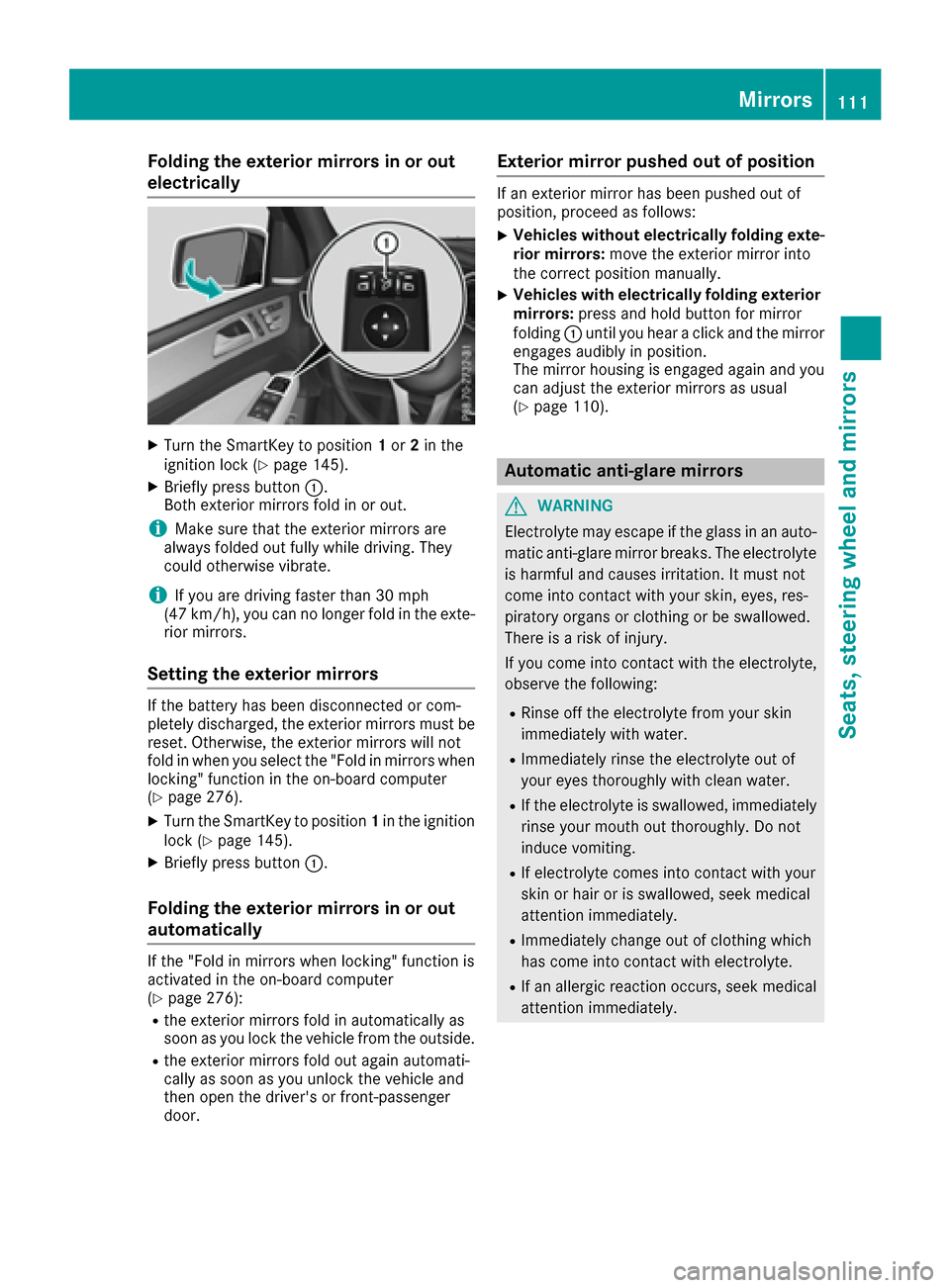
Folding the exterior mirrors in or out
electrically
XTurn theSmartKey to position 1or 2in th e
ignition loc k (Ypage 145).
XBriefly press butto n:.
Both exterio rmirror sfol din or out .
iMakesure that th eexterio rmirror sare
always folded out fully while driving .They
could otherwise vibrate .
iIf you are driving fasterthan 30 mph
(47 km/h), you can no longer fol din th eexte -
rio rmirrors.
Setting the exterior mirrors
If th ebattery has been disconnected or com-
pletely discharged, th eexterio rmirror smust be
reset .Otherwise, th eexterio rmirror swill no t
fol din when you select th e"Fold in mirror swhen
locking" function in th eon-board computer
(
Ypage 276).
XTurn th eSmartKey to position 1in th eignition
loc k (Ypage 145).
XBriefly press butto n:.
Folding the exterior mirrors in or out
automatically
If th e"Fold in mirror swhen locking" function is
activated in th eon-board computer
(
Ypage 276):
Rth eexterio rmirror sfol din automatically as
soo nas you loc kth evehicl efrom th eoutside .
Rtheexterio rmirror sfol dout again automati-
call yas soo nas you unlock th evehicl eand
then open th edriver' sor front-passenger
door .
Exterior mirror pushed out of position
If an exterio rmirror has been pushed out of
position ,procee das follows :
XVehicles without electricall yfolding exte-
rior mirrors :mov eth eexterio rmirror int o
th ecorrect position manually.
XVehicles with electricall yfolding exterior
mirrors :press and hold butto nfor mirror
foldin g: until you hear aclick and th emirror
engage saudibly in position .
The mirror housing is engage dagain and you
can adjust th eexterio rmirror sas usual
(
Ypage 110).
Automatic anti-glare mirrors
GWARNIN G
Electrolyte may escape if th eglass in an auto -
matic anti-glare mirror breaks .The electrolyt e
is harmful and causes irritation .It must no t
come int ocontact wit hyour skin, eyes, res -
piratory organs or clothing or be swallowed.
Ther eis aris kof injury.
If you come int ocontact wit hth eelectrolyte,
observ eth efollowing:
RRins eoff th eelectrolyt efrom your skin
immediately wit hwater.
RImmediately rinse th eelectrolyt eout of
your eyes thoroughly wit hclean water.
RIf th eelectrolyt eis swallowed, immediately
rinse your mout hout thoroughly. Do no t
induce vomiting .
RIf electrolytecomes int ocontact wit hyour
skin or hair or is swallowed, seek medical
attention immediately.
RImmediately chang eout of clothing whic h
has come int ocontact wit helectrolyte.
RIf an allergic reaction occurs, seek medical
attention immediately.
Mirrors111
Seats, steering wheel and mirrors
Z
Page 175 of 450
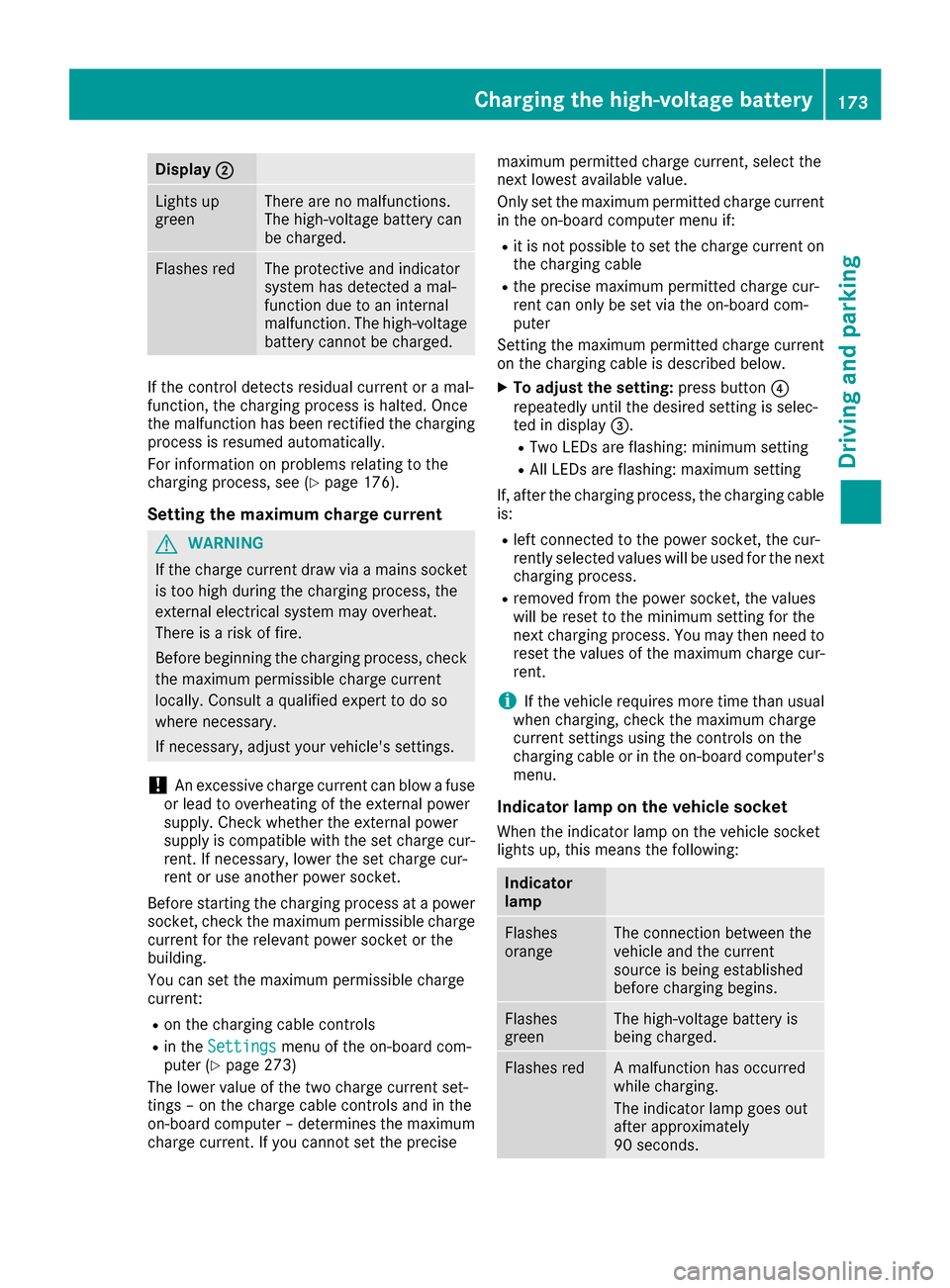
Display;
Lightsup
greenThere are no malfunctions.
The high-voltage battery can
be charged.
Flashes redThe protective and indicator
system has detecte d amal-
function due to an internal
malfunction .The high-voltage
battery canno tbe charged.
If th econtrol detects residual curren tor amal-
function ,th echarging process is halted. Once
th emalfunction has been rectifie dth echarging
process is resumed automatically.
Fo rinformation on problem srelating to th e
charging process, see (
Ypage 176).
Setting themaximum charg ecurren t
GWARNIN G
If th echarg ecurren tdraw via amain ssocke t
is to ohigh during th echarging process, th e
external electrical system may overheat.
There is aris kof fire.
Befor ebeginning th echarging process, chec k
th emaximum permissibl echarg ecurren t
locally. Consult aqualified exper tto do so
wher enecessary.
If necessary, adjust your vehicle's settings.
!An excessive charg ecurren tcan blow afus e
or lead to overheating of th eexternal powe r
supply. Chec kwhether th eexternal powe r
supply is compatible wit hth eset charg ecur -
rent. If necessary, lower th eset charg ecur -
ren tor use another powe rsocket.
Befor estarting th echarging process at apowe r
socket, chec kth emaximum permissibl echarg e
curren tfor th erelevan tpowe rsocke tor th e
building .
You can set th emaximum permissibl echarg e
current:
Ron th echarging cable control s
Rin theSettingsmen uof th eon-boar dcom-
puter (Ypage 273)
The lower value of th etwo charg ecurren tset -
ting s –on th echarg ecable control sand in th e
on-boar dcomputer –determine sth emaximum
charg ecurrent. If you canno tset th eprecis e maximum permitte
dcharg ecurrent, select th e
next lowes tavailable value .
Only set th emaximum permitte dcharg ecurren t
in th eon-boar dcomputer men uif:
Rit is no tpossibl eto set th echarg ecurren ton
th echarging cable
Rth eprecis emaximum permitte dcharg ecur -
ren tcan only be set via th eon-boar dcom-
puter
Setting th emaximum permitte dcharg ecurren t
on th echarging cable is described below.
XTo adjust th esetting: press butto n?
repeatedly until th edesire dsetting is selec-
te din display =.
RTwo LEDs are flashing: minimum setting
RAllLEDs are flashing: maximum setting
If ,after th echarging process, th echarging cable
is:
Rlef tconnecte dto th epowe rsocket, th ecur -
rentl yselected value swill be used for th enext
charging process.
Rremove dfrom th epowe rsocket, th evalue s
will be reset to th eminimum setting for th e
next charging process. You ma
y then need to
reset th evalue sof th emaximum charg ecur -
rent.
iIf th evehicl erequire smor etime than usual
when charging ,chec kth emaximum charg e
curren tsetting susin gth econtrol son th e
charging cable or in th eon-boar dcomputer' s
menu.
Indicator lam pon th evehicle socket
Whe nth eindicator lamp on th evehicl esocke t
lights up, this mean sth efollowing:
Indicator
lam p
Flashes
orang eThe connection between th e
vehicl eand th ecurren t
source is bein gestablished
before charging begins .
Flashes
greenThe high-voltage battery is
beingcharged.
Flashes redA malfunction has occurred
while charging .
The indicator lamp goe sout
after approximately
90 seconds.
Charging the high-voltage battery17 3
Driving an d parking
Z
Page 252 of 450

Charging the high-voltage battery when
stationary
The engine and electric motor are switched off.
The arrows for the energy flow are not shown.
Further information on charging the high-volt-
age battery via:
Ra mains socket (Ypage 172)
Ra charging station (Ypage 175)
Ra wallbox (Ypage 175)
Displaying the total range and electrical
range
The approximate range is based on the current
driving style.
XPress the=or; button on the steering
wheel to select the Tripmenu.
XConfirm by pressing aon the steering
wheel.
XPress :or9 to select the approximate
total range and electrical range.
Displaying fuel consumption and gen-
erated electricity
:Fuel consumption
;Electrical energy generated
Every bar of the graph displays the average
value for one minute.
Fuel consumption indicator :may differ from
the indicator in the From
Starttrip computer in
the Tripmenu.
To reset values: the values are reset along with
the From Start
trip computer (Ypage 266).
XTo select Consumption: turn and press the
controller.
The display of the multimedia system shows
fuel consumption :and electrical energy
generated ;for the past 15 minute sof driv-
ing.
Starting the engine
The vehicle starts in electric mode without the
internal combustion engine (noiseless start).
The internal combustion engine starts only after
the power demanded by the driver exceeds the
available power that the electric motor can cur-
rently provide.
Noiseless start operation is dependent on the
outside temperature and the operating temper-
ature of the internal combustion engine. If not all
conditions for noiseless start operation are ful-
filled, the vehicle starts with the internal com-
bustion engine.
250PLUG-IN HYBRID operation
Driving and parking
Page 267 of 450

Left control panel
=
;RCalls up the menu and menu bar
9
:Press briefly:
RScrolls in lists
RSelects a submenu or function
RIn theAudiomenu: selects the
previous or next station, when the
preset list or station list is active,
or an audio track or video scene
RIn the Tel(telephone) menu:
switches to the phone book and
selects a name or telephone num-
ber
9
:Press and hold:
RIn the Audiomenu: selects a pre-
set list or a station list in the
desired frequency range, or
selects an audio track or video
scene using rapid scrolling
RIn the Tel(Telephone) menu:
starts rapid scrolling if the phone
book is open
aRConfirms the selection or display
message
RIn the Tel(Telephone) menu:
switches to the telephone book
and starts dialing the selected
number
%Press briefly:
RBack
RSwitches off voice-operated con-
trol for navigation or the Voice
Control System
RHides display messages or calls up
the last Tripmenu function used
RExits the telephone book/redial
memory
%Press and hold:
RCalls up the standard display in the
Tripmenu
Right control panel
~RRejects or ends a call
RExits the telephone book/redial
memory
6RMakes or accepts a call
RSwitches to the redial memory
W
XRAdjusts the volume
8RMute
?RSwitches on voice-operated con-
trol for navigation or the Voice
Control System
Multifunction display
:Permanent display: outside temperature or
speed (Ypage 274)
;Time
=Text field
?Menu bar
ADrive program (Ypage 154)
BTransmission position (Ypage 154)
XTo display menu bar ?: press the=
or ; button on the steering wheel.
If you do not press the buttons any longer,
menu bar ?is faded out after a few seconds.
Text field =shows the selected menu or sub-
menu as well as display messages.
Displays and operation265
On-board computer and displays
Z