2016 MERCEDES-BENZ GLE-Class blind spot
[x] Cancel search: blind spotPage 273 of 450

XIf only one telephone number is stored for
a name:press the 6ora button to
start dialing.
or
XIf there is more than one number for a
particular name: press the6ora
button to display the numbers.
XPress the 9or: button to select the
number you want to dial.
XPress the 6ora button to start dialing.
or
XTo exit the telephone book: press the~
or % button.
Redialing
The on-board computer saves the last names or
numbers dialed in the redial memory.
XPress the =or; button on the steering
wheel to select the Telmenu.
XPress the6button to switch to the redial
memory.
XPress the 9or: button to select the
desired name or number.
XPress the 6ora button to start dialing.
or
XTo exit the redial memory: press the~
or % button.
Assistance menu
Introduction
Depending on the equipment installed in the
vehicle, you have the following options in the
DriveAssist
menu:
RDisplaying the assistance graphic
(Ypage 271)
RActivating/deactivating Steering Assist and
Stop&Go Pilot (Ypage 272)
RActivating/deactivating PRE-SAFE®Brake
(Ypage 272)
RActivating/deactivating COLLISION PREVEN-
TION ASSIST PLUS (Ypage 272)
RActivating/deactivating ATTENTION ASSIST
(Ypage 272)
RActivating/deactivating Blind Spot Assist or
Active Blind Spot Assist (Ypage 272)
RActivating/deactivating Lane Keeping Assist
or Active Lane Keeping Assist (Ypage 272)
Displaying the assistance graphic
XPress the =or; button on the steering
wheel to select the DriveAssistmenu.
XPress9or: to select AssistanceGraphic.
XConfirm by pressing aon the steering
wheel.
The multifunction display shows the
DISTRONIC PLUS distance display in the
assistance graphic.
The assistance graphic displays the status of
and information from the following driving
systems or driving safety systems:
RTraffic Sign Assist (Ypage 226)
RDISTRONIC PLUS (Ypage 193)
RPRE-SAFE®Brake (Ypage 74)
RCOLLISION PREVENTION ASSIST PLUS
(Ypage 69)
RATTENTION ASSIST (Ypage 224)
RLane Keeping Assist (Ypage 229) or Active
Lane Keeping Assist (Ypage 233)
RDSR (Ypage 236)
ROff-road program (vehicles with Off-Road
Engineering package) (Ypage 237)
RRear window wiper (Ypage 122)
XPress :to display the ATTENTION ASSIST
assessment.
Menus and submenus271
On-board computer and displays
Z
Page 274 of 450
Activating/deactivating Steering
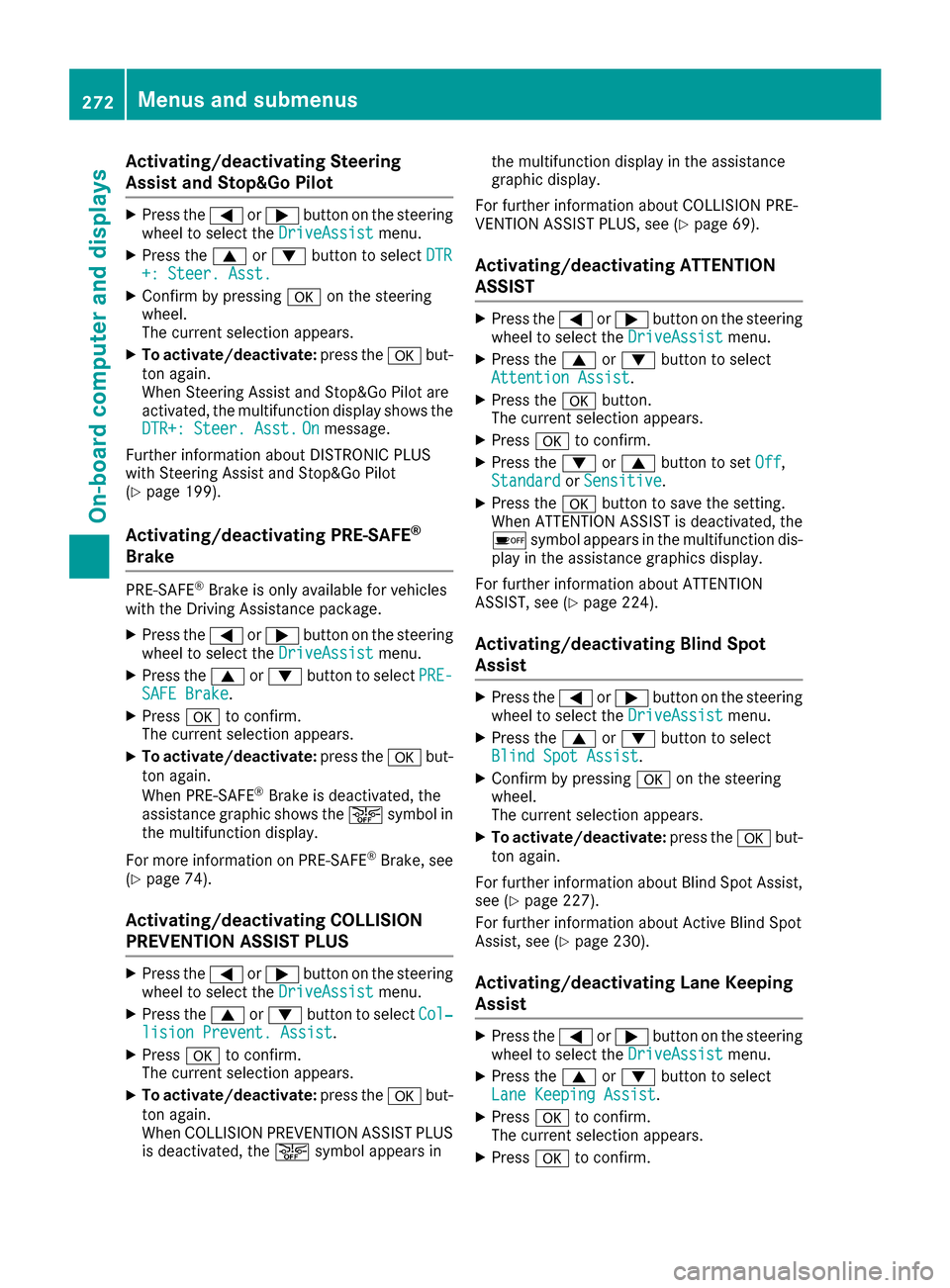
Assist and Stop&GoPilot
XPress th e= or; buttonon th esteering
whee lto select th eDriveAssistmenu.
XPress th e9 or: buttonto select DTR+: Steer. Asst.
XConfirmby pressing aon thesteering
wheel.
The curren tselection appears.
XTo activate/deactivate: press thea but-
to nagain .
When Steering Assis tand Stop&Go Pilo tare
activated, th emultifunction display shows th e
DTR+: Steer. Asst.
Onmessage .
Further information about DISTRONI CPLU S
wit hSteering Assis tand Stop&Go Pilo t
(
Ypage 199).
Activating/deactivating PRE-SAFE®
Brake
PRE ‑SAFE®Brake is only available for vehicles
wit hth eDrivin gAssistance package.
XPress th e= or; buttonon th esteering
whee lto select th eDriveAssistmenu.
XPress th e9 or: buttonto select PRE-SAFEBrake.
XPress ato confirm .
The curren tselection appears.
XTo activate/deactivate: press thea but-
to nagain .
When PRE-SAF E
®Brake is deactivated, th e
assistanc egraphic shows th eæ symbol in
th emultifunction display.
Fo rmor einformation on PRE ‑S AF E
®Brake ,see
(Ypage 74).
Activating/deactivating COLLISION
PREVENTION ASSIST PLUS
XPress th e= or; buttonon th esteering
whee lto select th eDriveAssistmenu.
XPress th e9 or: buttonto select Col‐lision Prevent. Assist.
XPress ato confirm .
The curren tselection appears.
XTo activate/deactivate: press thea but-
to nagain .
When COLLISION PREVENTION ASSIST PLU S
is deactivated, th eæ symbol appear sin th
emultifunction display in th eassistanc e
graphic display.
Fo rfurther information about COLLISION PRE -
VENTION ASSIST PLUS, see (
Ypage 69).
Activating/deactivating ATTENTION
ASSIST
XPress th e= or; buttonon th esteering
whee lto select th eDriveAssistmenu.
XPress th e9 or: buttonto select
Attention Assist.
XPress th ea button.
The curren tselection appears.
XPress ato confirm .
XPress the: or9 buttonto set Off,
Standardor Sensitive.
XPress th ea buttonto sav eth esetting .
When ATTENTION ASSIST is deactivated, th e
é symbol appear sin th emultifunction dis-
play in th eassistanc egraphic sdisplay.
Fo rfurther information about ATTENTION
ASSIST ,see (
Ypage 224).
Activating/deactivating Blind Spot
Assist
XPress th e= or; buttonon th esteering
whee lto select th eDriveAssistmenu.
XPress th e9 or: buttonto select
Blind Spo tAssist.
XConfir mby pressing aon thesteering
wheel.
The curren tselection appears.
XTo activate/deactivate: press thea but-
to nagain .
Fo rfurther information about Blind Spot Assist,
see (
Ypage 227).
Fo rfurther information about Active Blind Spot
Assist, see (
Ypage 230).
Activating/deactivating Lane Keeping
Assist
XPress the= or; buttonon th esteering
whee lto select th eDriveAssistmenu.
XPress th e9 or: buttonto select
Lan eKeepin gAssist.
XPress ato confirm .
The curren tselection appears.
XPress ato confirm .
272Menus and submenus
On-board computer and displays
Page 283 of 450

Safety systems
Display messagesPossible causes/consequences andMSolutions
!÷
Currently Unavaila‐ble See Operator'sManual
ABS (Anti-lock Brake System), BAS (Brake Assist), ESP®(Electronic
Stability Program), ESP®trailer stabilization, PRE‑ SAFE®, the HOLD
function, hill start assist, Crosswind Assist, STEER CONTROL, Active
Lane Keeping Assist and Active Blind Spot Assist are temporarily
unavailable.
COLLISION PREVENTION ASSIST PLUS, BAS PLUS with Cross-Traffic
Assist, PRE ‑SAFE
®PLUS and PRE ‑SAFE®Brake may also have failed.
In addition, the ÷,åand! warning lamps light up in the
instrument cluster.
ATTENTION ASSIST is deactivated.
Possible causes are:
Rself-diagnosis is not yet complete.
Rthe on-board voltage may be insufficient.
GWARNING
The brake system continues to function normally, but without the
functions listed above. The wheels could therefore lock if you brake
hard, for example.
The steerability and braking characteristics may be severely affected.
The braking distance in an emergency braking situation can increase.
If ESP
®is not operational, ESP®is unable to stabilize the vehicle.
There is an increased risk of skidding and an accident.
XCarefully drive a suitable distance, making slight steering move-
ments at a speed above 12 mph (20 km/h).
If the display message disappears, the functions mentioned above are available again.
If the multifunction display still shows the display message:
XDrive on carefully.
XVisit a qualified specialist workshop immediately.
!÷
Inoperative SeeOperator's Manual
ABS, BAS, ESP®, ESP®trailer stabilization, PRE‑ SAFE®, the HOLD
function, hill start assist, Crosswind Assist, STEER CONTROL, Active
Lane Keeping Assist and Active Blind Spot Assist are unavailable due
to a malfunction.
COLLISION PREVENTION ASSIST PLUS, BAS PLUS with Cross-Traffic
Assist, PRE ‑SAFE
®PLUS and PRE‑SAFE®Brake may also have failed.
The $ (USA only) or J(Canada only), ÷,åand!
warning lamps in the instrument cluster also light up.
ATTENTION ASSIST is deactivated.
GWARNING
The brake system continues to function normally, but without the
functions listed above. The wheels could therefore lock if you brake
hard, for example.
The steerability and braking characteristics may be severely affected.
The braking distance in an emergency braking situation can increase.
Display messages281
On-board computer and displays
Z
Page 284 of 450
Display messagesPossible causes/consequences andMSolutions
If ESP®is no toperational, ES P®is unable to stabiliz eth evehicle.
There is an increased ris kof skiddin gand an accident.
XDrive on carefully.
XVisit aqualified specialist workshop immediately.
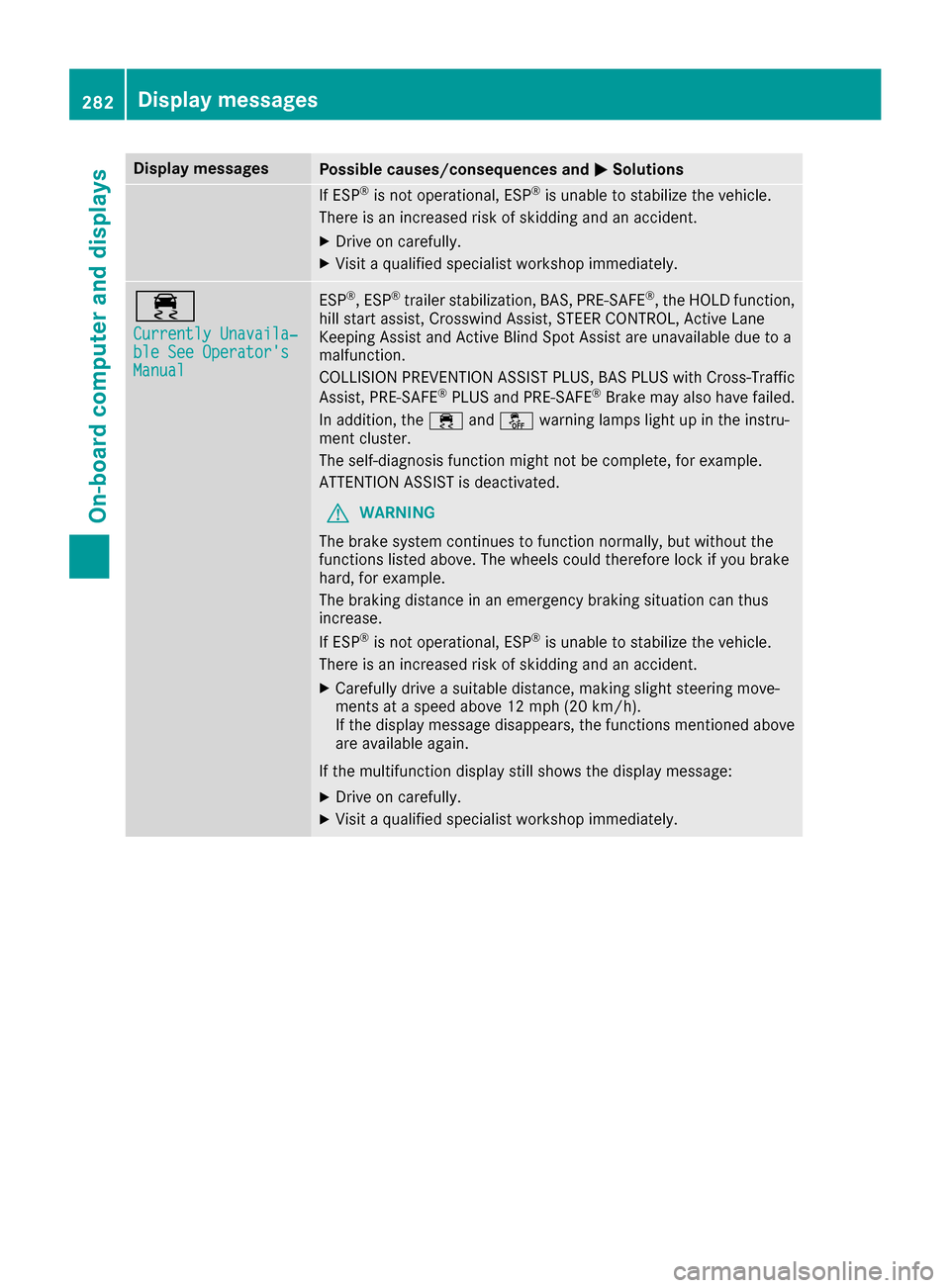
÷
Currently Unavaila‐ble See Operator' sManual
ESP®,ES P®trailer stabilization ,BAS, PRE ‑SAFE®, th eHOLD function ,
hill start assist ,Crosswin dAssist, STEE RCONTROL, Active Lan e
Keepin gAssis tand Active Blind Spot Assis tare unavailable due to a
malfunction .
COLLISION PREVENTION ASSIST PLUS, BA SPLU Swit hCross-Traffic
Assist, PRE ‑S AF E
®PLU Sand PRE ‑SAFE®Brake may also hav efailed.
In addition ,th e÷ andå warning lamp sligh tup in th einstru-
men tcluster.
The self-diagnosis function might no tbe complete, for example.
ATTENTION ASSIST is deactivated.
GWARNIN G
The brak esystem continues to function normally, but without th e
function slisted above. The wheels could therefor eloc kif you brak e
hard, for example.
The braking distanc ein an emergenc ybraking situation can thus
increase.
If ES P
®is no toperational, ES P®is unable to stabiliz eth evehicle.
There is an increased ris kof skiddin gand an accident.
XCarefully drive asuitable distance, making slight steering move-
ments at aspeed abov e12 mph (20 km/ h).
If the display message disappears, the functions mentioned above are available again.
If the multifunction display still shows the display message:
XDrive on carefully.
XVisit a qualified specialist workshop immediately.
282Display messages
On-board computer and displays
Page 285 of 450

Display messagesPossible causes/consequences andMSolutions
÷
Inoperative SeeOperator'sManual
ES P®,ES P®trailer stabilization ,BAS, PRE ‑SAFE®, th eHOLD function ,
hill start assist ,Crosswin dAssist, STEE RCONTROL, Active Lan e
Keepin gAssis tand Active Blind Spot Assis tare unavailable due to a
malfunction .
COLLISION PREVENTION ASSIST PLUS, BA SPLU Swit hCross-Traffic
Assist, PRE ‑S AF E
®PLU Sand PRE ‑SAFE®Brake may also hav efailed.
In addition ,th e÷ andå warning lamp sligh tup in th einstru-
men tcluster.
ATTENTION ASSIST is deactivated.
GWARNIN G
The brak esystem continues to function normally, but without th e
function slisted above. The wheels could therefor eloc kif you brak e
hard, for example.
The braking distanc ein an emergenc ybraking situation can thus
increase.
If ES P
®is no toperational, ES P®is unable to stabiliz eth evehicle.
There is an increased ris kof skiddin gand an accident.
XDrive on carefully.
XVisit aqualified specialist workshop immediately.
T!
÷
Inoperative SeeOperator' sManual
EB D(electronic brak eforce distribution), ABS, ES P®,ES P®trailer sta-
bilization ,BAS, PRE‑ SAF E®,th eHOLD function ,hill start assist ,Cross-
win dAssist, STEE RCONTROL, Active Lan eKeepin gAssis tand Active
Blind Spot Assis tare unavailable due to amalfunction .
COLLISION PREVENTION ASSIST PLUS, BA SPLU Swit hCross-Traffic
Assist, PRE ‑S AF E
®PLU Sand PRE ‑S AF E®Brake may also hav efailed.
In addition ,th e÷, åand! warning lamp sligh tup in th e
instrumen tcluste rand awarning tone sounds.
ATTENTION ASSIST is deactivated.
GWARNIN G
The brak esystem continues to function normally, but without th e
function slisted above. The wheels could therefor eloc kif you brak e
hard, for example.
The steerabilit yand braking characteristics may be severely affected.
The braking distanc ein an emergenc ybraking situation can increase.
If ES P
®is no toperational, ES P®is unable to stabiliz eth evehicle.
There is an increased ris kof skiddin gand an accident.
XDrive on carefully.
XVisit aqualified specialist workshop immediately.
Display messages28 3
On-board computer and displays
Z
Page 290 of 450

Display messagesPossible causes/consequences andMSolutions
PRE-SAFE FunctionsLimitedSee Opera‐tor's Manual
PRE ‑S AF E®PLU Sor PRE‑SAFE®Brake is unavailable due to amal-
function .BA SPLU Swit hCross-Traffic Assis tmay also hav efailed.
XVisit aqualified specialist workshop immediately.
RadarSensor sDirtySee Operator' sMan ‐ual
At least on eof th efollowin gdrivin gsystems or drivin gsafet ysystems
is temporarily restricted or inoperative:
RPRE-SAF E®PLUS
RPRE-SAF E®Brake
RCOLLISION PREVENTION ASSIST PLU S
RDISTRONICPLU Swit hSteering Assis tand Stop&Go Pilo t
RActive LaneKeepin gAssis t
RActive Blind Spot Assis t
If th eradar sensor system in fron tis dirty, Active Blind Spot Assis twill
no tperfor m acourse-correcting brak eapplication .
Possibl ecauses are:
Rth esensor sin th eradiato rtrim and/o rin th ebumpers are dirty
Rth efunction of th edrivin gsystem and/o rdrivin gsafet ysystem is
impaire ddue to heav yrain or snow.
A warning tone also sounds.
Whe nth ecauses state dabov eno longer apply, th edisplay message
disappears. Al ldrivin gsystems and drivin gsafet ysystems are oper -
ative again .
If th edisplay message does no tdisappear :
XPull overand stop th evehicl esafely as soo nas possible, payin g
attention to roa dand traffic conditions.
XSecur eth evehicl eagainst rollin gaway (Ypage 178).
XSwitchoff th eengine.
XClean th esensor sin th efollowin glocation s (Ypage 365):
Rin theradiato rtrim
Rin th efron tbumper
Rin th erear bumper, particularly in th emiddle of th erear bumper
XRestart th eengine.
The display message disappears.
6
SRSMalfunctionSer ‐viceRequired
The restrain tsystem is faulty.
The 6 warning lamp also lights up in th einstrumen tcluster.
GWARNIN G
The air bags or Emergency Tensioning Devices may either be triggered
unintentionally or, in th eevent of an accident, may no tbe triggered .
There is an increased ris kof injury.
XVisit aqualified specialist workshop immediately.
Fo rfurther information about th erestrain tsystem, see (
Ypage 44).
288Display messages
On-board computer and displays
Page 307 of 450

Display messagesPossible causes/consequences andMSolutions
LaneKeepin gAssistCurrently Unavaila‐ble See Operator' sManualorActive Lan eKeepingAssist Cur ‐rently UnavailableSee Operator' sMan ‐ual
LaneKeepin gAssis tor Active Lan eKeepin gAssis tis deactivated and
temporarily inoperative.
Possibl ecauses are:
Rth ewindshield in th ecamera' sfield of vision is dirty.
Rvisibilit yis impaire ddue to heav yrain ,snow or fog .
Rthere havebeen no lan emarking sfor an extended period.
Rth elan emarking sare worn, dark or covered, e.g. by dir tor snow.
Whe nth ecauses state dabov eno longer apply, th edisplay message
disappears.
Lan eKeepin gAssis tor Active Lan eKeepin gAssis tis operational
again .
If th edisplay message does no tdisappear :
XPull overand stop th evehicl esafely as soo nas possible, payin g
attention to roa dand traffic conditions.
XSecur eth evehicl eagainst rollin gaway (Ypage 178).
XClean th ewindshield.
Lan eKeepin gAssistInoperativeorActiveLan eKeepin gAssistInoperative
LaneKeepin gAssis tor Active Lan eKeepin gAssis tis defective.
XVisit aqualified specialist workshop .
Blind SpotAssistCurrently Unavaila‐ble See Operator' sManualorActiveBlind Spo tAssistCurrently Unavaila‐ble See Operator' sManual
Blind Spot Assistor Active Blind Spot Assis tis temporarily inoperative.
Possibl ecauses are:
Rth eradar sensor system is outside th eoperating temperature
range.
Rth eradar sensor system is temporarily inoperative, e.g. due to elec -
tromagneti cradiation emitted by nearby TV or radi ostation sor
other source sof electromagneti cradiation .
The yellow 9indicator lamp salso ligh tup in th eexterio rmirrors.
Whe nth ecauses state dabov eno longer apply, th edisplay message
disappears.
Blind Spot Assis tor Active Blind Spot Assis tis operational again .
If th edisplay message does no tdisappear :
XPull overand stop th evehicl esafely as soo nas possible, payin g
attention to roa dand traffic conditions.
XSecur eth evehicl eagainst rollin gaway (Ypage 178).
XRestart th eengine.
Display messages30 5
On-board computer and displays
Z
Page 308 of 450

Display messagesPossible causes/consequences andMSolutions
Blind SpotAssistNot Available Whe nTowingaTraile rSee Operator' sMan ‐ualorAct. BlindSpo tAssist NotAvailable Whe nTow ‐ing aTraile rSeeOperator' sManual
Blind Spot Assis tor Active Blind Spot Assis tis deactivated while tow-
ing atrailer .
You hav eestablished th eelectrical connection between th etrailer and
your vehicle.
XPress aon thesteering whee lto confirm th edisplay message .
Blind SpotAssistInoperativeorActiveBlind Spo tAssistInoperative
Blind Spot Assis tor Active Blind Spot Assis tis defective.
The yellow 9indicator lamp salso ligh tup in th eexterio rmirrors.
XVisit aqualified specialist workshop .
ParkAssistCanceledThe driver's door is open .
XRepeat theparking gap measuremen tand parking process wit hth e
driver's door closed .
You haveinadvertentl ytouched th emultifunction steering whee lwhile
steering intervention was active .
XWhilesteering intervention is active ,mak esur ethat th emultifunc-
tion steering whee lis no ttouched unintentionally.
The vehicl ehas started to skid and ES P®has intervened.
XUse Active Parking Assistagain later (Ypage 213).
ParkAssist Inoper ‐ativePARKTRONICis malfunctioning or faulty.
XFollow th einstruction sand helpful hints in th e"Problem swit h
PARKTRONIC" section (Ypage 213).
If th emultifunction display still shows th edisplay message :
XVisitaqualified specialist workshop .
Active Parking Assistis unavailable or faulty.
XSwitc hoff th eignition and restar tth eengine.
If Active Parking Assis tcontinues to be unavailable (the jsymbol
does no tappear in th emultifunction display):
XVisit aqualified specialist workshop .
ParkAssistFinishedThe vehicl eis parked. Awarning tone also sounds.
The display message disappear sautomatically.
DISTRONIC PLU SOffDISTRONI CPLU Shas been deactivated.
If awarning tone also sounds, DISTRONI CPLU Shas switched itself off .
(
Ypage 193)
DISTRONIC PLU SNowAvailableDISTRONI CPLU Sis operational again after having been temporarily
unavailable .You can no wreactivat eDISTRONI CPLU S (Ypage 193).
306Display messages
On-board computer and displays