2016 MERCEDES-BENZ GLC-Class off road
[x] Cancel search: off roadPage 11 of 222

My addressSaving ..............................................6 8
N
Navigation
Adjusting the volume of the navi-
gation announcements .................... 29
Alternative route .............................. 88
Avoiding an area ............................ 100
Basic settings .................................. 64
Blocking a route section affected
by a traffic jam ................................. 89
Calling up the compass display ..... 104
Calling up the menu ....................... 103
Canceling/continuing route guid-
ance ................................................. 88
Country information ......................... 99
Displaying current position .............. 89
Drive Information ........................... 104
Entering a destination ...................... 66
Entering a destination using geo-
coordinates ...................................... 79
Entering a destination using
Mercedes-Benz Apps ....................... 79
Entering a destination using the
map ................................................. 75
Entering a point of interest .............. 72
Entering characters (character
bar) .................................................. 32
Entering intermediate destina-
tions ................................................. 76
Entry restriction ............................... 62
First use ........................................... 62
General notes .................................. 62
GPS reception .................................. 62
Important safety notes .................... 62
Info on navigation .......................... 105
Lane recommendation ..................... 85
Map functions .................................. 96
Moving the map ............................... 64
Off-road/Off-map (off-road desti-
nation) ............................................. 90
Online map display ........................ 103
Personal POIs and routes ................. 79
Problems ....................................... 106
Reading out traffic reports ............... 93
Repeating announcements .............. 87 Route flight .................................... 104
Route information ............................ 88
Saving destinations .......................... 94
Saving home address ....................... 68
Selecting a destination from the
list of last destinations ..................... 72
Setting route options (avoiding:
highways, toll roads, tunne
ls, fe
r-
ries) ................................................. 65
Setting the announcements vol-
ume ................................................. 87
Setting the route type (short
route, fast route, dynamic route or
economic route) ............................... 64
Showing/hiding the menu ............... 63
Starting route calculation ................ 69
Switching announcements on/
off .................................................... 87
Switching to ..................................... 63
Traffic jam function .......................... 89
Updating the digital map ................ 102
Navigation announcements
Switching off .................................... 30
North orientation (navigation) ........... 97
O
Off-road................................................ 90
Off-road program
Setting (COMAND) ........................... 58
Online and Internet functions
Calling up ....................................... 151
Calling up the device list ................ 150
Destination/routes download ........ 155
Enabling a mobile phone for Inter-
net access ..................................... 147
Ending the connection ................... 152
Establishing a connection .............. 151
Further Mercedes-Benz Apps ......... 157
Manually setting the access data
of the mobile phone network pro-
vider .............................................. 148
Mercedes-Benz Mobile Website ..... 157
Options menu ................................ 158
Resetting settings .......................... 158
Selecting the access data of the
mobile phone network provider ..... 148
Index9
Page 13 of 222

Switching object detection on/
off .................................................... 54
Switching on/off (COMAND) ........... 53
Receiving vCards ............................... 131
Redialing (telephone) ........................ 118
Reducing the volume
Switching announcements on/off
(COMAND) ....................................... 65
Reserve fuel level
Switching announcements on/off(COMAND) ....................................... 65
Resetting (factory settings) ............... 48
Road map
see Map (navigation)
Route (navigation)
Selecting an alternative route .......... 88
Setting route options (avoiding:
highways, toll roads, tunnels, fer-
ries) ................................................. 65
Setting the route type (short
route, fast route, dynamic route or
economic route) ............................... 64
Starting calculation .......................... 69
Route guidance
Canceling/continuing ...................... 88
Freeway information ........................ 86
General notes .................................. 84
Lane recommendations ................... 85
Off-road ........................................... 90
Traffic reports .................................. 91
S
Safety notesAudio CD/DVD and MP3 mode ..... 179
Using the telephone ....................... 110
Satellite radio
Displaying information ................... 175
Overview ........................................ 172
Registering .................................... 171
Switching to ................................... 172
SatRadio
Channel list updates ...................... 175
Memory functions .......................... 173
Music and sports alerts ................. 173
Notes ............................................. 170
Selecting a category ...................... 172
Selecting a channel ....................... 172 Tagging music tracks ..................... 174
SD memory card
Ejecting .......................................... 182
Inserting ........................................ 182
Inserting/removing ........................ 182
Searching for a gas station
When the fuel level is low ................ 78
Seat-belt adjustment function
Activating/deactivating
(COMAND) ....................................... 51
Selecting stations
Radio ............................................. 167
Sending DTMF tones ......................... 119
Setting access data
Online and Internet ........................ 148
Setting the language
COMAND ......................................... 45
Setting the night design ..................... 38
Setting the text reader speed ............ 41
Setting the volume
Telephone calls ................................ 30
Setting the waveband
Radio ............................................. 167
Settings
Sound settings ............................... 208
Short message
see Text messages (SMS)
SIRIUS weather display
5-day forecast ................................ 212
Daily forecast ................................. 212
Detail information .......................... 213
Information chart ........................... 212
Selecting a location for the
weather forecast ............................ 213
Switching on/off ........................... 212
Weather map ................................. 215
Sound
Switching on/off .............................. 30
Sound settings
Balance/fader ............................... 208
Calling up the sound menu ............ 208
Equalizer ........................................ 208
Sound system
see Burmester
®surround sound system
Speed dial
Deleting ......................................... 135
Setting up ...................................... 134
Index11
Page 59 of 222

iDeactivating the cooling with air dehu-
midification function reduces fuel con-
sumption.
Synchronizing the climate control set-
tings
Use OSync(synchronization) to select the
climate control setting for all zones together
O or separately ª.
This setting is made in the bottom bar of the
climate control menu.
XCall up the climate control menu
(
Ypage 55).
XSlide 6the controller repeatedly until the
bottom bar is activated.
XTo select OSync: turn and press the con-
troller.
XSwitch the synchronization function on O
or off ª.
For further information on synchronizing cli-
mate control settings (see the vehicle Oper-
ator's Manual).
DYNAMIC SELECT
General notes
You can use DYNAMIC SELECTto configure
the following settings for the Individual drive
program:
RDrive system
RSuspension
RSteering
RClimate control
RECO start/stop function/ECO Assist
iIn a few countries, the ECO start/stop
function is deactivated at the factory due to
the available fuel grade. In this case, the
ECO start/stop function is not available
regardless of the display in the COMAND
display.
The off-road program is only available on vehi-
cles with the Off-Road Engineering package
and is not available for PLUG-IN HYBRID. You can set the following programs in the
Off‐
road Settingsmenu:
RSlippery
ROff-road
RGradient
RRocking free
RTrailer
ROff
In addition, current vehicle and engine data is visualized via the two further Vehicle Data
andEngine Datamenus.
There may be fewer settings depending on
your vehicle's equipment.
For further information on the Individual drive
program; see the vehicle Operator's Manual.
Configuration via the DYNAMIC
SELECT switch
iThere may be fewer settings depending
on your vehicle's equipment.
XUse the DYNAMIC SELECT switch to select
the Individual drive program; see the vehi-
cle Operator's Manual.
A window appears after a short while.
XTo confirm Adjust: press the controller.
The Individual Configuration
menu
appears.
XTo select DriveSuspension,Steering,
Climate Control
, Eco Start/Stop
Functionor Eco Assist: turn and press
the controller.
The menu symbol, text and image show the
selected setting.
DYNAMIC SELEC T57
Vehicle functions
Z
Page 60 of 222

Setting off-road program
XTo switch the off-road program on:press
the
button.
A window appears after a short while.
XTo confirm Adjust: press the controller.
The Offroad Settings
menu appears.
XTo select SlipperyOffroad,Incline,
Trailer
, Rocking Assistor Off: turn
and press the controller.
The menu symbol, text and image show the
selected setting.
The Rocking free program can be selected up
to a speed of 20 km/h.
If you switch off the off road program, the
Comfort drive program is configured auto-
matically.
For further information on the off-road pro-
gram; see the vehicle Operator's Manual.
Displaying vehicle data
i
There may be fewer displays depending
on your vehicle's equipment.
XPress button Ø.
The vehicle menu is displayed.
XTo select DYNAMICSELECT: turn and press
the controller.
The Individual Configuration
,Off‐
road Settings, Vehicle Dataand
Engine Data
menus appear.
XSelect Vehicle Data.
Updates of the following data are dis-
played:
ROff-road-/type of road to match the
selected drive program
RG-Force cross to display longitudinal and
lateral acceleration
RAccelerator and brake pedal activity
RVehicle level setting animation
RVehicle level display
RActivity of the spring struts
RWheel angle
ROverrun mode animation
RCompass display
RLongitudinal and latitudinal angle
RDSR
Daytime or night-time view is shown depend-
ing on the automatic light sensor.
Displaying engine data
i
There may be fewer displays depending
on your vehicle's equipment.
XPress button Ø.
The vehicle menu is displayed.
XTo select DYNAMICSELECT: turn and press
the controller.
The Individual Configuration
,Off‐
road Settings, Vehicle Dataand
Engine Data
menus appear.
XSelect Engine Data.
The following current data is displayed:
REngine output
REngine torque
REngine oil temperature
ROn-board voltage
Individual configuration setting
options
You can choose from the following settings
for the drive:
CComfort
SSport
S+Sport +
MManual
EEco
58DYNAMIC SELECT
Vehicle functions
Page 67 of 222
Function activated: after each route calcu-
lation, route alternatives are offered that
correspond to the local conditions
(
Ypage 88).
If desired, you can have COMAND calculate
alternative routes even during route guid-
ance (
Ypage 88).
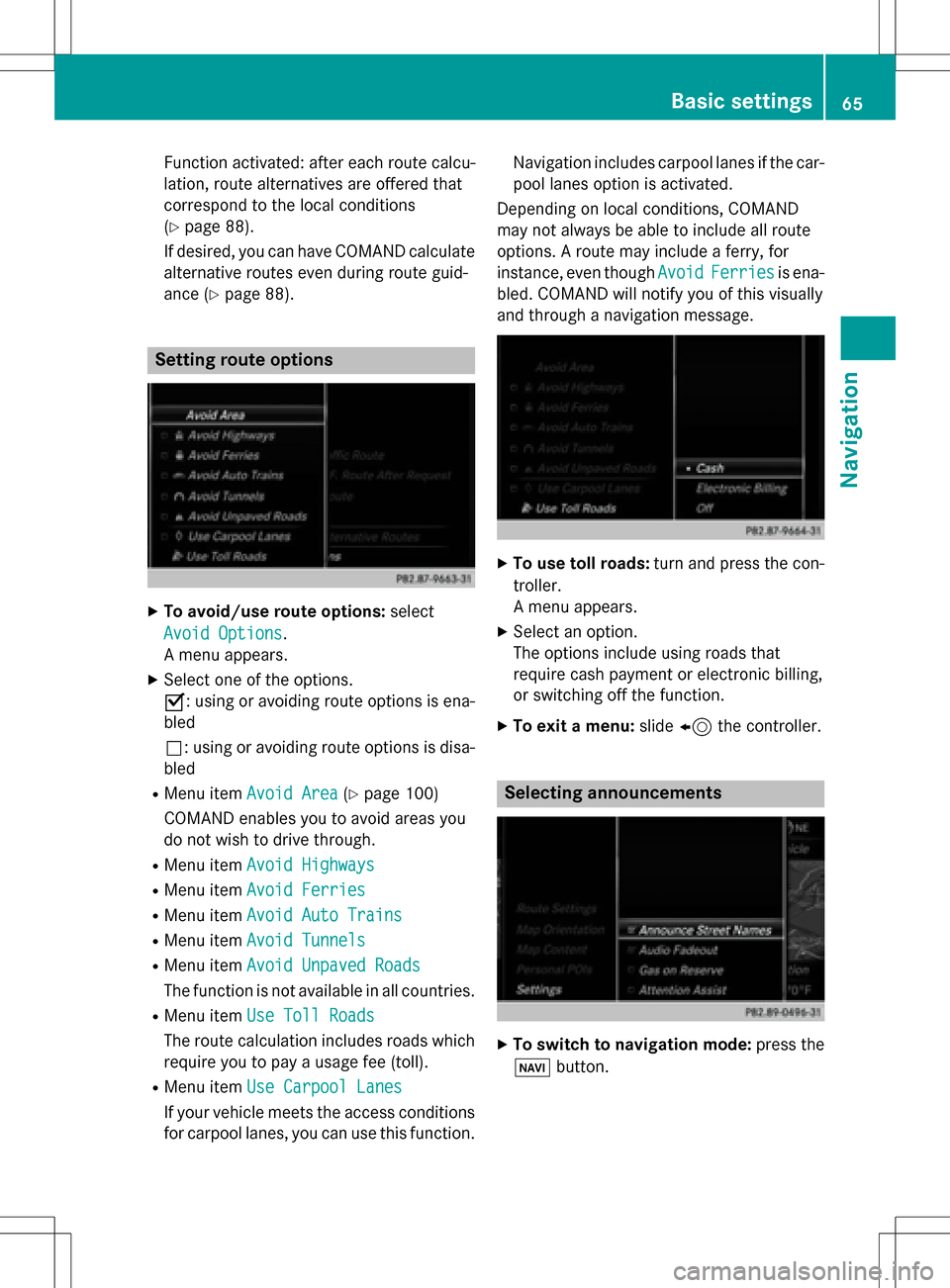
Setting route options
XTo avoid/use route options: select
Avoid Options
.
A menu appears.
XSelect one of the options.
O: using or avoiding route options is ena-
bled
ª: using or avoiding route options is disa-
bled
RMenu item Avoid Area(Ypage 100)
COMAND enables you to avoid areas you
do not wish to drive through.
RMenu item Avoid Highways
RMenu itemAvoid Ferries
RMenu itemAvoid Auto Trains
RMenu itemAvoid Tunnels
RMenu itemAvoid Unpaved Roads
The function is not available in all countries.
RMenu itemUse Toll Roads
The route calculation includes roads which
require you to pay a usage fee (toll).
RMenu item Use Carpool Lanes
If your vehicle meets the access conditions
for carpool lanes, you can use this function. Navigation includes carpool lanes if the car-
pool lanes option is activated.
Depending on local conditions, COMAND
may not always be able to include all route
options. A route may include a ferry, for
instance, even though Avoid
Ferriesis ena-
bled. COMAND will notify you of this visually
and through a navigation message.
XTo use toll roads: turn and press the con-
troller.
A menu appears.
XSelect an option.
The options include using roads that
require cash payment or electronic billing,
or switching off the function.
XTo exit a menu: slide8 the controller.
Selecting announcements
XTo switch to navigation mode: press the
Ø button.
Basic settings65
Navigation
Z
Page 68 of 222
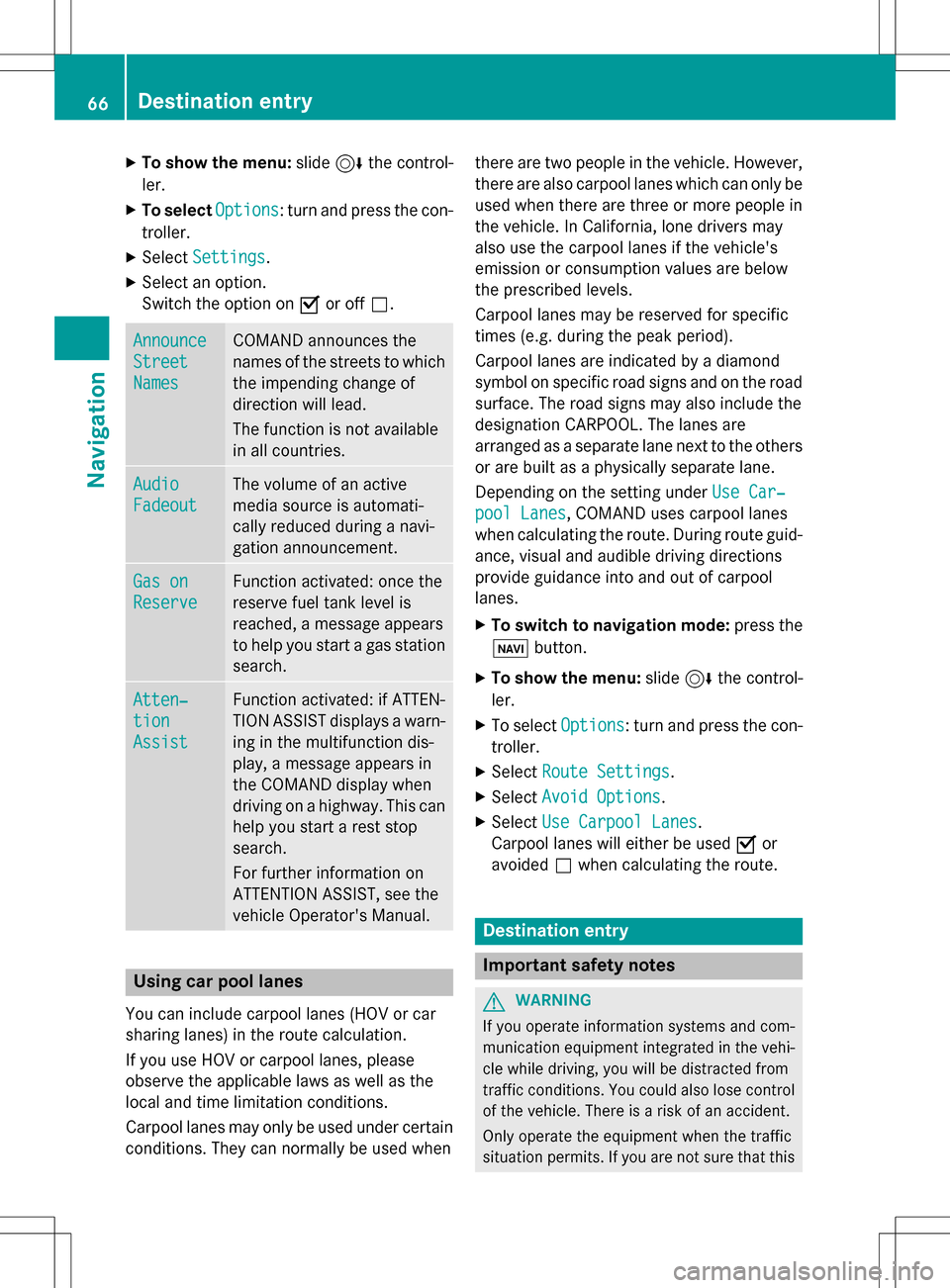
XTo show the menu:slide6the control-
ler.
XTo select Options: turn and press the con-
troller.
XSelect Settings.
XSelect an option.
Switch the option on Oor off ª.
Announce
Street
Names
COMAND announces the
names of the streets to which
the impending change of
direction will lead.
The function is not available
in all countries.
Audio
Fadeout
The volume of an active
media source is automati-
cally reduced during a navi-
gation announcement.
Gas on
Reserve
Function activated: once the
reserve fuel tank level is
reached, a message appears
to help you start a gas station
search.
Atten‐
tion
Assist
Function activated: if ATTEN-
TION ASSIST displays a warn-
ing in the multifunction dis-
play, a message appears in
the COMAND display when
driving on a highway. This can
help you start a rest stop
search.
For further information on
ATTENTION ASSIST, see the
vehicle Operator's Manual.
Using car pool lanes
You can include carpool lanes (HOV or car
sharing lanes) in the route calculation.
If you use HOV or carpool lanes, please
observe the applicable laws as well as the
local and time limitation conditions.
Carpool lanes may only be used under certain
conditions. They can normally be used when there are two people in the vehicle. However,
there are also carpool lanes which can only be
used when there are three or more people in
the vehicle. In California, lone drivers may
also use the carpool lanes if the vehicle's
emission or consumption values are below
the prescribed levels.
Carpool lanes may be reserved for specific
times (e.g. during the peak period).
Carpool lanes are indicated by a diamond
symbol on specific road signs and on the road
surface. The road signs may also include the
designation CARPOOL. The lanes are
arranged as a separate lane next to the others
or are built as a physically separate lane.
Depending on the setting under Use Car‐
pool Lanes, COMAND uses carpool lanes
when calculating the route. During route guid-
ance, visual and audible driving directions
provide guidance into and out of carpool
lanes.
XTo switch to navigation mode: press the
ß button.
XTo show the menu: slide6the control-
ler.
XTo select Options: turn and press the con-
troller.
XSelect Route Settings.
XSelectAvoid Options.
XSelectUse Carpool Lanes.
Carpool lanes will either be used Oor
avoided ªwhen calculating the route.
Destination entry
Important safety notes
GWARNING
If you operate information systems and com-
munication equipment integrated in the vehi-
cle while driving, you will be distracted from
traffic conditions. You could also lose control
of the vehicle. There is a risk of an accident.
Only operate the equipment when the traffic
situation permits. If you are not sure that this
66Destination entry
Navigation
Page 84 of 222
When importing routes, please note:
RThe Mercedes-Benz Apps may generate a
route based on a different map from the
one used by COMAND. Points on the route
may therefore be situated off the digital
roads. For this reason an imported route
commenced in COMAND may deviate from
the original route from the Mercedes-Benz
Apps.
RThe Mercedes-Benz Apps minimize the
number of route points offered. For this
reason an imported route commenced in
COMAND may deviate from the original
route from the Mercedes-Benz Apps.
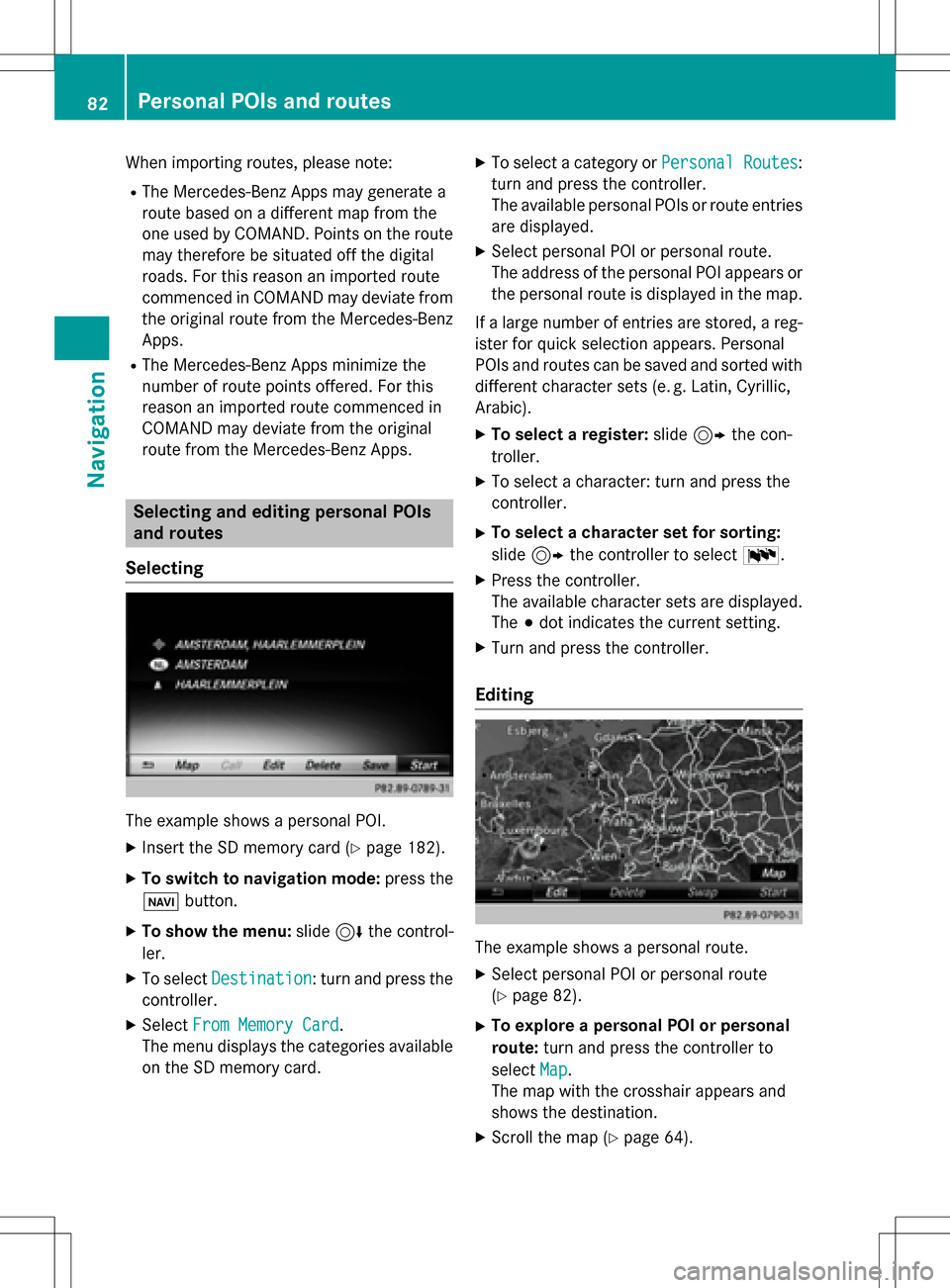
Selecting and editing personal POIs
and routes
Selecting
The example shows a personal POI.
XInsert the SD memory card (Ypage 182).
XTo switch to navigation mode: press the
ß button.
XTo show the menu: slide6the control-
ler.
XTo select Destination: turn and press the
controller.
XSelect From Memory Card.
The menu displays the categories available
on the SD memory card.
XTo select a category or Personal Routes:
turn and press the controller.
The available personal POIs or route entries
are displayed.
XSelect personal POI or personal route.
The address of the personal POI appears or
the personal route is displayed in the map.
If a large number of entries are stored, a reg-
ister for quick selection appears. Personal
POIs and routes can be saved and sorted with
different character sets (e. g. Latin, Cyrillic,
Arabic).
XTo select a register: slide9 the con-
troller.
XTo select a character: turn and press the
controller.
XTo select a character set for sorting:
slide 9 the controller to select B.
XPress the controller.
The available character sets are displayed.
The#dot indicates the current setting.
XTurn and press the controller.
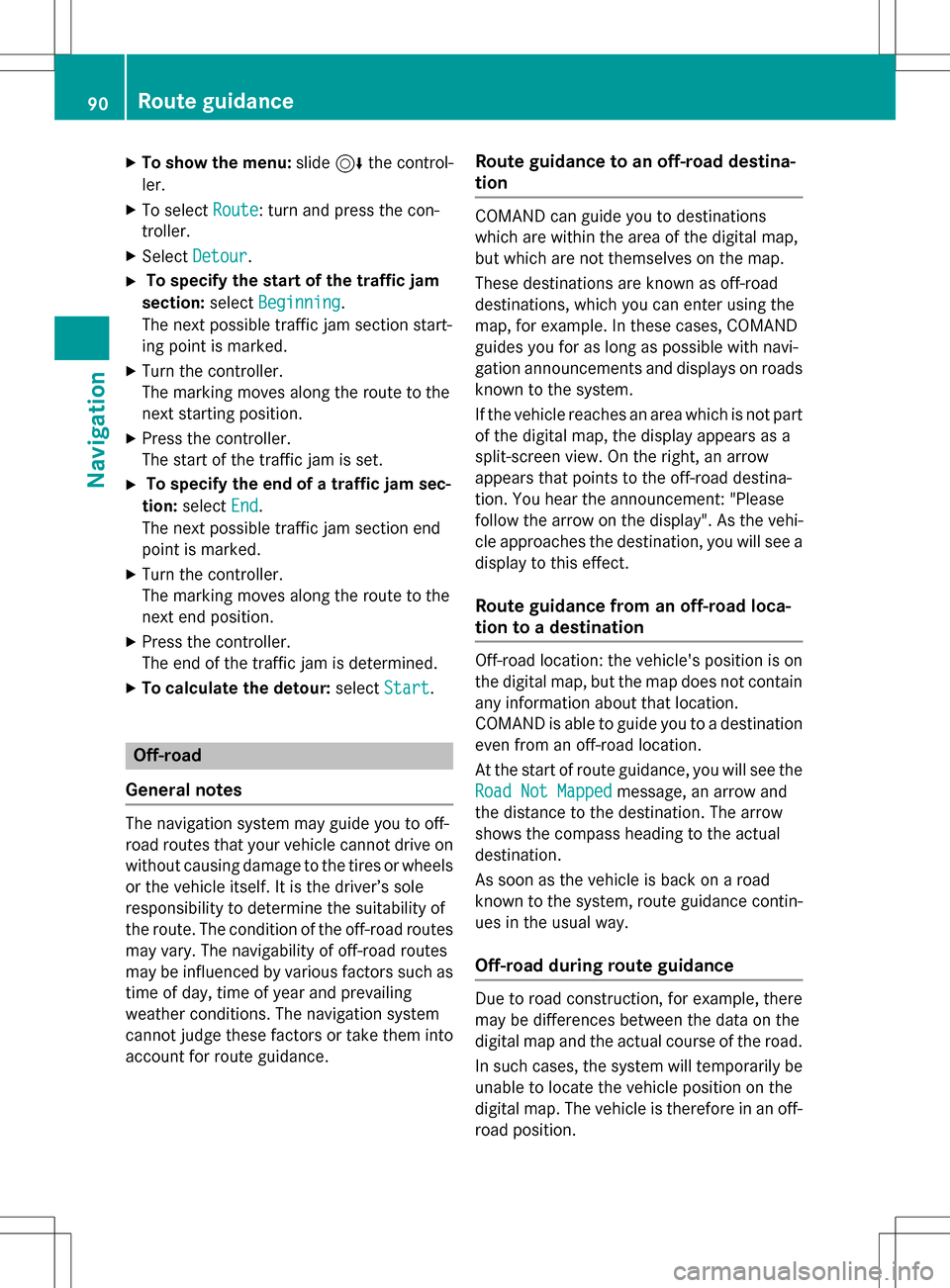
Editing
The example shows a personal route.
XSelect personal POI or personal route
(
Ypage 82).
XTo explore a personal POI or personal
route: turn and press the controller to
select Map
.
The map with the crosshair appears and
shows the destination.
XScroll the map (Ypage 64).
82Personal POIs and routes
Navigation
Page 92 of 222
XTo show the menu:slide6the control-
ler.
XTo select Route: turn and press the con-
troller.
XSelect Detour.
XTo specify the start of the traffic jam
section: selectBeginning
.
The next possible traffic jam section start-
ing point is marked.
XTurn the controller.
The marking moves along the route to the
next starting position.
XPress the controller.
The start of the traffic jam is set.
XTo specify the end of a traffic jam sec-
tion: select End
.
The next possible traffic jam section end
point is marked.
XTurn the controller.
The marking moves along the route to the
next end position.
XPress the controller.
The end of the traffic jam is determined.
XTo calculate the detour: selectStart.
Off-road
General notes
The navigation system may guide you to off-
road routes that your vehicle cannot drive on
without causing damage to the tires or wheels
or the vehicle itself. It is the driver’s sole
responsibility to determine the suitability of
the route. The condition of the off-road routes
may vary. The navigability of off-road routes
may be influenced by various factors such as
time of day, time of year and prevailing
weather conditions. The navigation system
cannot judge these factors or take them into
account for route guidance.
Route guidance to an off-road destina-
tion
COMAND can guide you to destinations
which are within the area of the digital map,
but which are not themselves on the map.
These destinations are known as off-road
destinations, which you can enter using the
map, for example. In these cases, COMAND
guides you for as long as possible with navi-
gation announcements and displays on roads
known to the system.
If the vehicle reaches an area which is not part
of the digital map, the display appears as a
split-screen view. On the right, an arrow
appears that points to the off-road destina-
tion. You hear the announcement: "Please
follow the arrow on the display". As the vehi-
cle approaches the destination, you will see a
display to this effect.
Route guidance from an off-road loca-
tion to a destination
Off-road location: the vehicle's position is on
the digital map, but the map does not contain
any information about that location.
COMAND is able to guide you to a destination
even from an off-road location.
At the start of route guidance, you will see the
Road Not Mapped
message, an arrow and
the distance to the destination. The arrow
shows the compass heading to the actual
destination.
As soon as the vehicle is back on a road
known to the system, route guidance contin-
ues in the usual way.
Off-road during route guidance
Due to road construction, for example, there
may be differences between the data on the
digital map and the actual course of the road.
In such cases, the system will temporarily be
unable to locate the vehicle position on the
digital map. The vehicle is therefore in an off-
road position.
90Route guidance
Navigation