2016 MERCEDES-BENZ E-CLASS ESTATE lights
[x] Cancel search: lightsPage 139 of 565
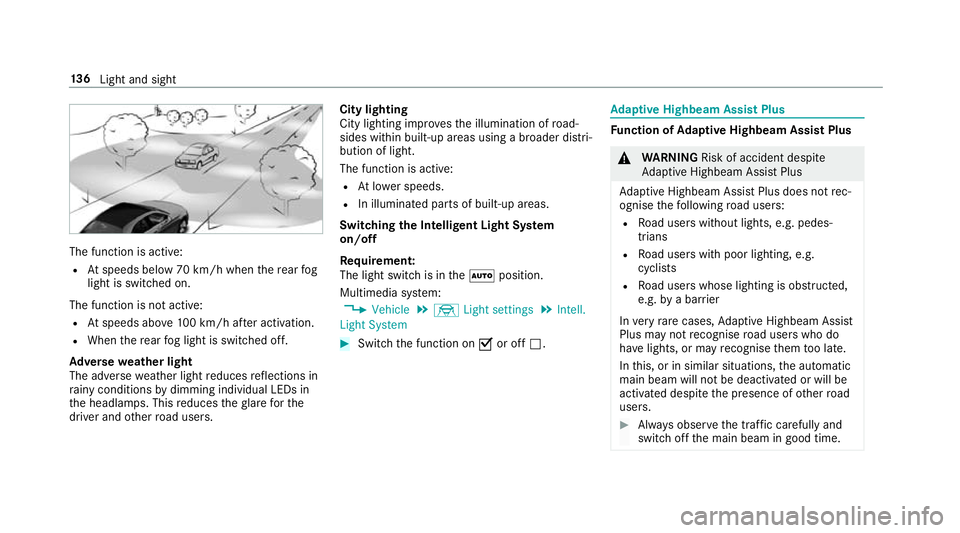
The function is active:
R Atspeeds below 70 km/h when there ar fog
light is switched on.
The function is not active:
R Atspeeds abo ve100 km/h af ter activation.
R When there ar fog light is switched off.
Ad versewe ather light
The adverse weather light reduces reflections in
ra iny conditions bydimming individual LEDs in
th e headlamps. This reduces theglare forthe
driver and other road users. City lighting
City lighting impr
ovesth e illumination of road‐
sides within built-up areas using a broader distri‐
bution of light.
The function is active:
R Atlowe r speeds.
R In illumina ted parts of built-up areas.
Switching the Intelligent Light Sy stem
on/off
Requ irement:
The light switch is in theà position.
Multimedia sy stem:
, Vehicle .
÷ Light settings .
Intell.
Light System #
Switch the function on Oor off ª. Ad
aptive Highbeam Assist Plus Fu
nction of Adaptive Highbeam Assist Plus &
WARNING Risk of accident despi te
Ad aptive Highbeam Assist Plus
Ad aptive Highbeam Assist Plus does not rec‐
ognise thefo llowing road users:
R Road users without lights, e.g. pedes‐
trians
R Road users with poor lighting, e.g.
cyclists
R Road users whose lighting is obstructed,
e.g. bya bar rier
In very rare cases, Adaptive Highbeam Assist
Plus may not recognise road users who do
ha ve lights, or may recognise them too late.
In this, or in similar situations, the automatic
main beam will not be deactivated or will be
activated despite the presence of other road
users. #
Alw ays obser vethe tra ffic carefully and
switch off the main beam in good time. 13 6
Light and sight
Page 141 of 565
Setting
the sur round lighting Re
quirement:
The light switch is in theà position.
Multimedia sy stem:
, Vehicle .
÷ Light settings .
Loca-
tor lighting
Exterior switch-off delay time: theex terior
lighting is switched on for a short time af terthe
ve hicle is switched off. #
Set the switch-off delay time.
Locator lighting: if a switch-off delay time is
set, theex terior lighting remains lit for 30 sec‐
onds af terth eve hicle is unloc ked. When you
st art theve hicle, the locator lighting is switched
off and automatic driving lights are activated. Interior lighting
Ad
justing the in terior lighting Fr
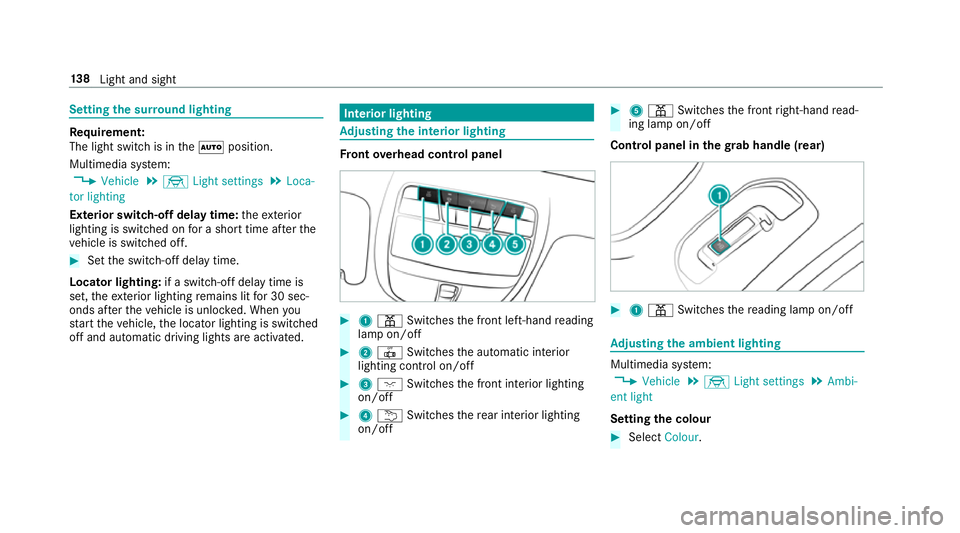
ont overhead control panel #
1 p Switches the front left-hand reading
lamp on/off #
2 | Switches the automatic interior
lighting control on/off #
3 c Switches the front interior lighting
on/off #
4 u Switches there ar interior lighting
on/off #
5 p Switches the front right-hand read‐
ing lamp on/off
Cont rol panel in thegr ab handle (rear) #
1 p Switches there ading lamp on/off Ad
justing the ambient lighting Multimedia sy
stem:
, Vehicle .
÷ Light settings .
Ambi-
ent light
Setting the colour #
Select Colour. 13 8
Light and sight
Page 158 of 565
cle. This is
the case in enclosed spaces or if
th eve hicle getsst uck in sn ow,fo rex ample. #
Alw ays switch thest ationary heater off
in enclosed spaces without an air
ex traction sy stems, e.g. in garage s. #
Keep theta ilpipe and the area around
th eve hicle free from snow when the
engine or thest ationary heater are run‐
ning. #
Open a window on the windward side of
th eve hicle toensure an adequate sup‐
ply of fresh air. &
WARNING Risk offire due tohot station‐
ary heater components
When thest ationary heater is swit ched on,
parts of theve hicle can become very hot,
e.g. theex haust sy stem.
Flammable materials such as lea ves, grass or
twigs may ignite if they come into contact
wi th:
R hot parts of theex haust sy stem R
theex haust gas itself #
When thest ationary heater is swit ched
on, make sure that:
R hot vehicle parts do not come into
contact with flammable materials
R theex haust gas can flow out of the
ta ilpipe unhindered
R theex haust gas does not come into
contact with flammable materials *
NO
TEBattery discharge caused bysta‐
tionary heater or stationary ventilation
operation Ope
rating thest ationary heater or stationary
ve ntilation drains the batter y. #
After heating or ventilating theve hicle
twice, drive for a longer period of time. Re
quirement:
The fuel tank is filled toat least reser vefuel
le ve l. #
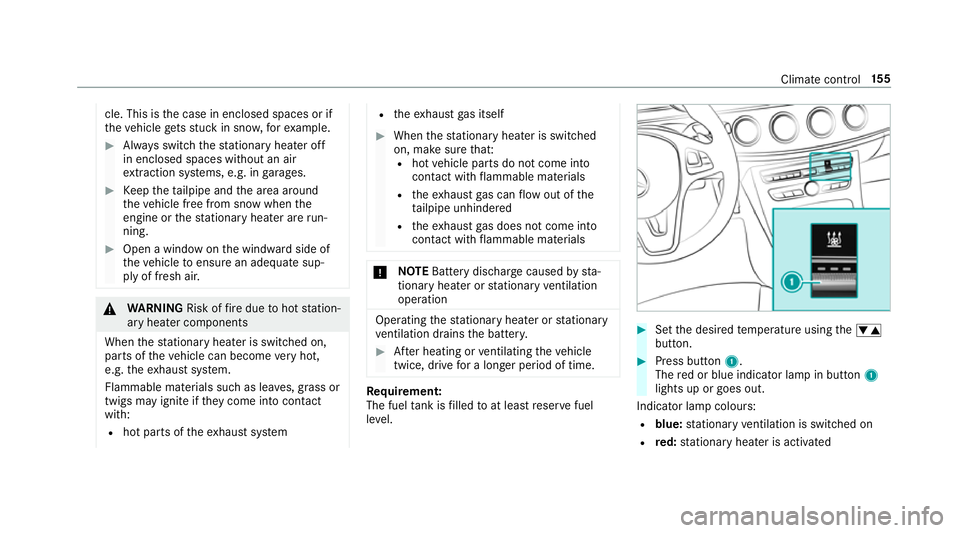
Set the desired temp erature using thew
button. #
Press button 1.
The red or blue indicator lamp in button 1
lights up or goes out.
Indicator lamp colours: R blue: stationary ventilation is switched on
R red: stationary heater is activated Climate control
15 5
Page 170 of 565
The engine is
restar ted automatically if:
R Vehicles with manual transmission: Yo u
depress the clutch pedal.
R Vehicles with manual transmission: Yo u
engage reve rsege ar k.
R Vehicles with automatic transmission: In
transmission position h,youre lease the
brake pedal when the HOLD function is not
active.
R Vehicles with automatic transmission:
Yo u shift out of transmission position j.
R Vehicles with automatic transmission:
Yo u shift into transmission position hor
k.
R You depress the accelerator pedal.
R Allvehicles except
E 220 d 4MATIC All‑Ter rain: You swit chto
drive program S+
R E 220 d 4MATIC All‑Ter rain: You swit chto
drive program All‑Terrain.
R Youch ange theve hicle le vel.
R An automatic engine start is necessar y.If
th e engine was switched off bythe ECO start/
st op function and you lea vetheve hicle, a warn‐
ing tone sounds. The Vehicle is operational
Switch off the ignition before exiting display
messa gealso appears in the multifunction dis‐
pla y.
If yo u do not swit choff the ignition, the ignition
is automatically switched off af ter one minute. Switching
the ECO start/s top function
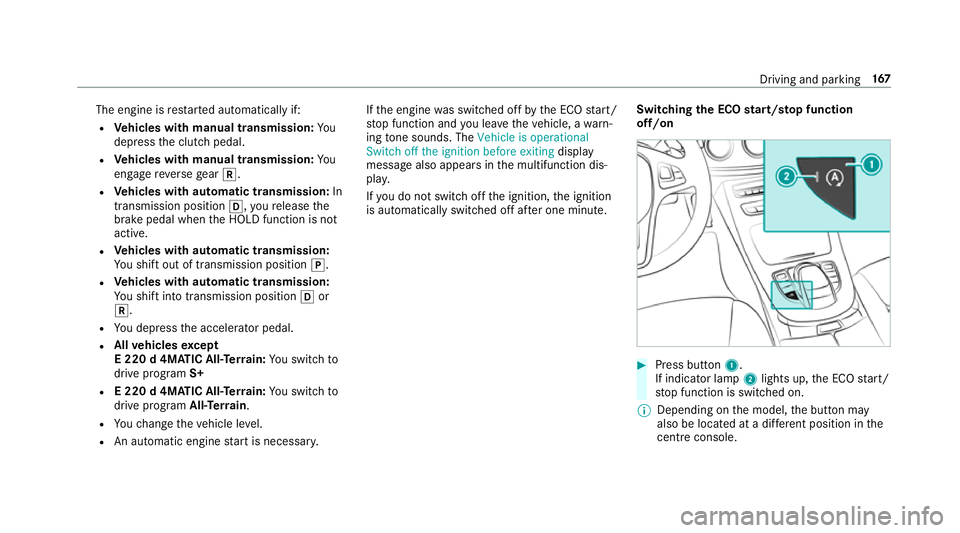
off/on #
Press button 1.
If indicator la mp2lights up, the ECO start/
st op function is switched on.
% Depending on the model, the button may
also be located at a dif fere nt position in the
centre console. Driving and pa
rking 167
Page 171 of 565
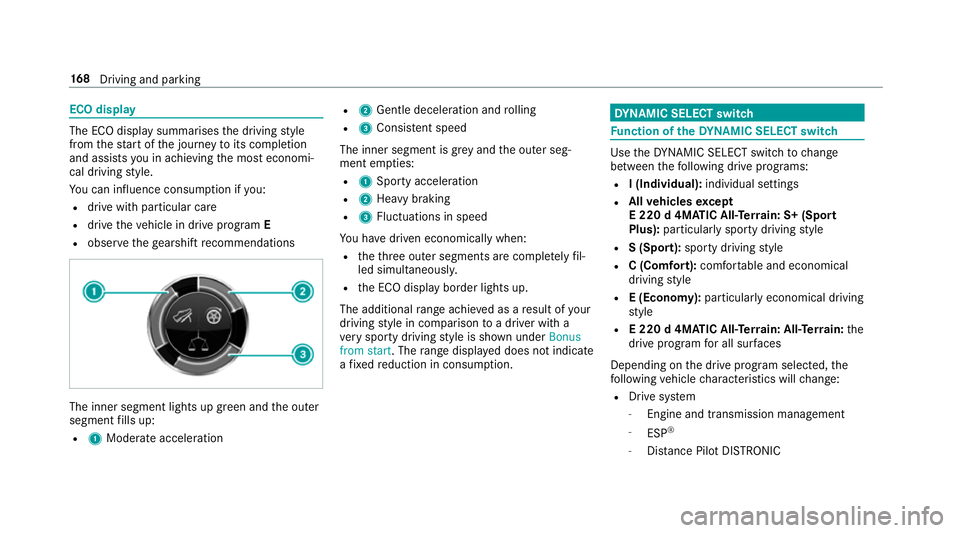
ECO display
The ECO display summarises
the driving style
from thest art of the journey toits completion
and assists you in achieving the most economi‐
cal driving style.
Yo u can influence consum ption if you:
R drive with particular care
R drive theve hicle in drive program E
R obser vethege arshift recommendations The inner segment lights up green and
the outer
segment fills up:
R 1 Moderate acceleration R
2 Gentle decele ration and rolling
R 3 Consis tent speed
The inner segment is gr eyand the outer seg‐
ment em pties:
R 1 Sporty acceleration
R 2 Heavy braking
R 3 Fluctuations in speed
Yo u ha vedriven economically when:
R theth re e outer segments are comple tely fil‐
led simultaneousl y.
R the ECO display border lights up.
The additional range achi eved as a result of your
driving style in comparison toa driver with a
ve ry sporty driving style is shown under Bonus
from start. The range displ ayed does not indicate
a fixe dre duction in consum ption. DY
NA MIC SELECT switch Fu
nction of theDY NA MIC SELECT switch Use
theDY NA MIC SELECT switch tochange
between thefo llowing drive programs:
R I (Individual): individual settings
R Allvehicles except
E 220 d 4MATIC All‑Ter rain: S+ (Sport
Plus): particularly sporty driving style
R S (Sport): sporty driving style
R C (Comfort): comfortable and economical
driving style
R E (Economy): particularly economical driving
st yle
R E 220 d 4MATIC All‑Ter rain: All‑Ter rain: the
drive prog ram for all sur faces
Depending on the drive program selected, the
fo llowing vehicle characteristics will change:
R Drive sy stem
- Engine and transmission management
- ESP ®
- Distance Pilot DISTRONIC 16 8
Driving and pa rking
Page 185 of 565
#
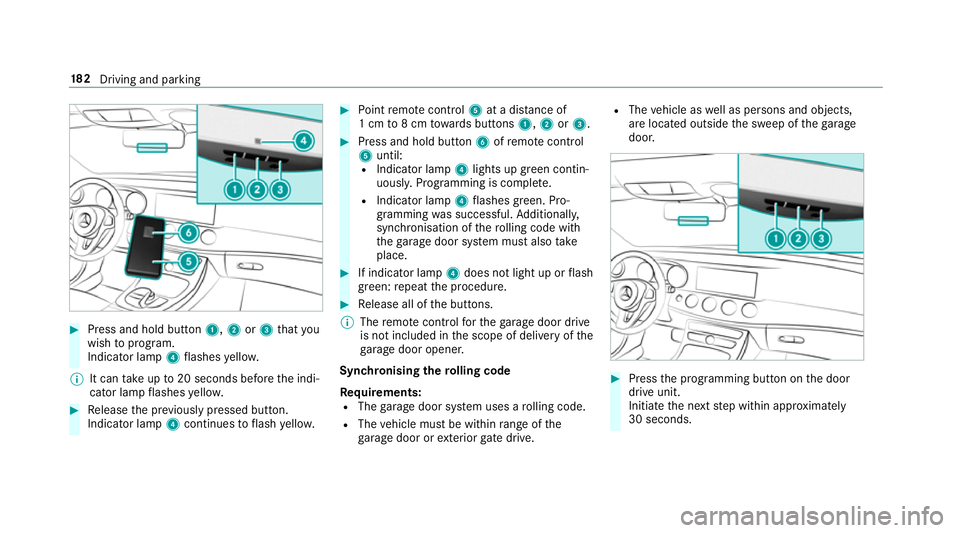
Press and hold button 1,2or3 that you
wish toprog ram.
Indicator lamp 4flashes yello w.
% It can take up to20 seconds before the indi‐
cator lamp flashes yello w. #
Release the pr eviously pressed button.
Indicator lamp 4continues toflash yello w. #
Point remo tecontrol 5at a di stance of
1 cm to8 cm towa rds buttons 1,2or3. #
Press and hold button 6ofremo tecontrol
5 until:
R Indicator la mp4lights up green contin‐
uousl y.Programming is comple te.
R Indicator lamp 4flashes green. Pro‐
gr amming was successful. Additionally,
synchronisation of thero lling code with
th ega rage door sy stem must also take
place. #
If indicator lamp 4does not light up or flash
green: repeat the procedure. #
Release all of the buttons.
% The remo tecontrol forth ega rage door drive
is not included in the scope of delivery of the
ga rage door opener.
Synchronising thero lling code
Re quirements:
R The garage door sy stem uses a rolling code.
R The vehicle must be within range of the
ga rage door or exterior gate drive. R
The vehicle as well as persons and objects,
are located outside the sweep of thega rage
door. #
Press the programming button on the door
drive unit.
Initiate the next step within appr oximately
30 seconds. 18 2
Driving and pa rking
Page 187 of 565
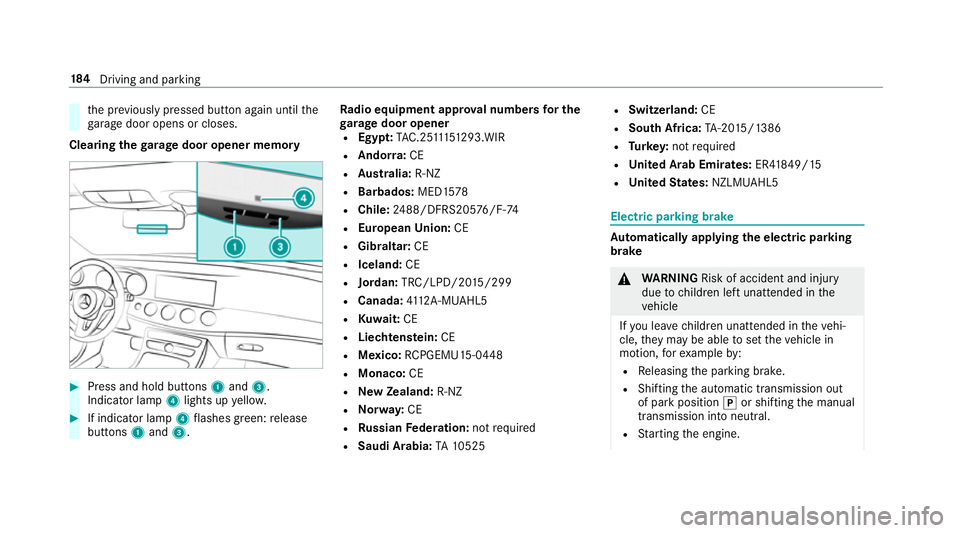
th
e pr eviously pressed button again until the
ga rage door opens or closes.
Clearing thega rage door opener memo ry#
Press and hold buttons 1and 3.
Indicator lamp 4lights up yello w. #
If indicator lamp 4flashes green: release
buttons 1and 3. Ra
dio equipment appr oval numbers for the
ga rage door opener
R Egypt: TAC.2 5111 51 293.WIR
R Ando rra: CE
R Austra lia: R-NZ
R Barbados: MED1578
R Chile: 2488/DFRS205 76/F-74
R European Union: CE
R Gibraltar: CE
R Iceland: CE
R Jordan: TRC/LPD/20 15/299
R Canada: 4112 A-MUAHL5
R Kuwa it:CE
R Liechtens tein: CE
R Mexico: RCPGEMU15-0448
R Monaco: CE
R New Zealand: R-NZ
R Norway: CE
R Russian Federation: notrequ ired
R Saudi Arabia: TA10525 R
Switzerland: CE
R South Africa: TA-20 15/1386
R Turkey: not requ ired
R United Arab Emirates: ER41849/15
R United States: NZLMUAHL5 Electric parking brake
Au
tomatically applying the electric parking
brake &
WARNING Risk of accident and inju ry
due tochildren left unat tended in the
ve hicle
If yo u lea vechildren unat tended in theve hi‐
cle, they may be able toset theve hicle in
motion, forex ample by:
R Releasing the parking brake.
R Shifting the automatic transmission out
of park position jor shifting the manual
transmission into neutral.
R Starting the engine. 184
Driving and pa rking
Page 188 of 565
In addition,
they may operate vehicle equip‐
ment. #
Never lea vechildren and animals unat‐
te nded in theve hicle. #
When leaving theve hicle, alw aysta ke
th eke y with you and lock theve hicle.
This also applies tomobile phones if the
"Digital Car Key in the smartphone"
function is activated via the Mercedes
connect me web app. Ve
hicles with manual transmission:
The electric parking brake is applied while the
ve hicle is being kept stationary bythe HOLD
function if one of thefo llowing conditions are
fulfilled:
R The engine is switched off.
R The seat belt tongue is not inser ted in the
seat belt buckle of the driver's seat and the
driver's door is opened.
R There is a sy stem malfunction.
R The po wer supp lyis insuf ficient.
R The vehicle is stationary for a lengt hyperiod. When
the electric parking brake is applied,
th e! indicator lamp lights up in the instru‐
ment clus ter.
The electric parking brake is not automatically
applied if the engine is switched off bythe ECO
st art/ stop function.
Ve hicles with automatic transmission:
The electric parking brake is applied if the trans‐
mission is in position jand one of thefo llow‐
ing conditions is fulfilled:
R The engine is switched off.
R The seat belt tongue is not inser ted in the
seat belt buckle of the driver's seat and the
driver's door is opened.
% Toprev ent application: pull the handle of the
electric parking brake.
In thefo llowing situations, the electric parking
brake is also engaged:
R The Dis tance Pilot DISTRONIC brings the
ve hicle toast andstill.
R The HOLD function is keeping theve hicle sta‐
tionar y. R
Parking Pilot is keeping theve hicle station‐
ar y.
This is only the case if one of thefo llowing con‐
ditions is also fulfilled:
R The engine is switched off.
R The seat belt tongue is not inser ted in the
seat belt buckle of the driver's seat and the
driver's door is opened.
R There is a sy stem malfunction.
R The po wer supply is insuf ficient.
R The vehicle is stationary for a lengt hyperiod.
When the electric parking brake is applied,
th e! indicator lamp lights up in the instru‐
ment clus ter.
The electric parking brake is not automatically
applied if the engine is switched off bythe ECO
st art/ stop function.
Re leasing the electric pa rking brake auto‐
matically
Ve hicles with manual transmission: Driving and parking
18 5