2016 MERCEDES-BENZ CLS brake fluid
[x] Cancel search: brake fluidPage 7 of 342
BAS PLUS with Cross-Traffic Assist
(Brake Assist PLUS with Cross-
Traffic Assist)
Important safety notes .................... 65
Battery (SmartKey)
Checking .......................................... 79
Important safety notes .................... 78
Replacing ......................................... 79
Battery (vehicle)
Charging ........................................ 293
Display message ............................ 223
Important safety notes .................. 291
Jump starting ................................. 294
Belt
see Seat belts
Blind Spot Assist
Activating/deactivating (on-
board computer) ............................ 205
Display message ............................ 226
Notes/function .............................. 187
see Active Blind Spot Assist
Bluetooth ®
Connecting another mobile
phone ............................................ 250
Searching for a mobile phone ........ 249
see also Digital Operator's Man-
ual .................................................. 245
Telephony ...................................... 248
Box (trunk) ......................................... 255
Brake Assist
see BAS (Brake Assist System)
Brake fluid
Display message ............................ 215
Notes ............................................. 334
Brake force distribution
see EBD (electronic brake force
distribution)
Brake lamps
Display message ............................ 221
Brakes
ABS .................................................. 64
Adaptive Brake Assist ...................... 68
BAS .................................................. 65
BAS PLUS with Cross-Traffic
Assist ............................................... 65
Brake fluid (notes) ......................... 334
Display message ............................ 213
High-performance brake system .... 151 HOLD function ............................... 164
Important safety notes .................. 150
Maintenance .................................. 151
Parking brake ................................ 147
Riding tips ...................................... 150
Warning lamp ................................. 237
Breakdown
Where will I find...? ........................ 286
see Flat tire
see Towing away
Brightness control (instrument
cluster lighting) ................................... 34
C California
Important notice for retail cus-
tomers and lessees .......................... 26
Calling up a malfunction
see Display messages
Car
see Vehicle
Care
360° camera ................................. 283
Car wash ........................................ 279
Carpets .......................................... 285
Display ........................................... 283
Exhaust pipe .................................. 283
Exterior lights ................................ 282
Gear or selector lever .................... 284
Interior ........................................... 283
Matte finish ................................... 281
Notes ............................................. 279
Paint .............................................. 280
Plastic trim .................................... 283
Power washer ................................ 280
Rear view camera .......................... 282
Roof lining ...................................... 285
Seat belt ........................................ 284
Seat cover ..................................... 284
Sensors ......................................... 282
Steering wheel ............................... 284
Trim pieces .................................... 284
Washing by hand ........................... 280
Wheels ........................................... 281
Windows ........................................ 281
Wiper blades .................................. 282
Wooden trim .................................. 284 Index 5
Page 19 of 342
Service menu (on-board com-
puter) .................................................. 205
Service message
see ASSYST PLUS
Service products
Brake fluid .................................... .3 34
Coolant (engine) ............................ 334
Engine oil ....................................... 333
Fuel ................................................ 332
Important safety notes .................. 331
Refrigerant (air-conditioning sys-
tem) ............................................... 335
Washer fluid ................................... 335
Setting the air distribution .............. .1 21
Setting the airflow ............................ 122
Setting the date/time format
see also Digital Operator's Man-
ual ................................................. .2 45
Setting the language
see also Digital Operator's Man-
ual ................................................. .2 45
Setting the time
see also Digital Operator's Man-
ual ................................................. .2 45
Settings
Factory (on-board computer) ......... 209
On-board computer ....................... 205
SETUP (on-board computer) ............. 209
Side impact air bag ............................ .4 8
Side marker lamp (display mes-
sage) ................................................... 221
Side windows
Cleaning ......................................... 281
Convenience closing feature ............ 88
Convenience opening feature ......... .8 8
Important safety information ........... 86
Opening/closing .............................. 87
Problem (malfunction) .................... .9 0
Resettin g ........................................ .8 9
Reversin g feature ............................ .8 7
SIRIUS services
see also Digital Operator's Man-
ual ................................. ................. 245
Sliding sunroof
Important safet y
notes .................... 90
Opening/closing .............................. 91
Problem (malfunction) ..................... 93 Resetting ......................................... 91
SmartKey
Changing the battery ....................... 79
Changing the programming ............ .7 7
Checking the battery ...................... .7 9
Convenience closing feature ............ 88
Convenience opening feature .......... 88
Dis play message ............................ 234
Door central locking/unlocking ...... .7 6
Important safety notes .................... 76
Loss ................................................ .8 0
Mechanical key ................................ 78
Overview .......................................... 76
Positions (ignition lock) ................. 127
Problem (malfunction) ..................... 80
Starting the engine ........................ 129
SMS
see also Digital Operator's Man-
ual .................................................. 245
Snow chains ...................................... 303
Sockets
Center console .............................. 262
General notes ................................ 262
Rear compartment ........................ .2 63
Sound
Switching on/off ........................... 246
Spare wheel
Stowing .......................................... 327
Special seat belt retractor .................. 59
Specialist workshop ............................ 29
Speed, controlling
see Cruise control
Speedometer
Digital ............................................ 199
In the Instru ment cluster ................. 34
Segments ...................................... 196
Selecting the display unit .............. .2 05
SPORT handling mode
Deactivating/activating
(Mercedes-AMG vehicles) ................ 71
Warning lamp ................................. 240
Standing lamps
Display message ............................ 221
Switching on/off ........................... 108
Start/stop function
see ECO start/stop function
Starting (engine) ................................ 128Index 17
Page 23 of 342
Reporting problem s ........................ .2 9
Securing from rolling away ............ 321
Towing away .................................. 296
Transporting .................................. 298
Unlocking (in an emergency) ........... 83
Unlocking (SmartKey) ...................... 76
Vehicle data ................................... 336
Vehicle data ....................................... 336
Vehicle dimensions ........................... 336
Vehicle emergency locking ................ 83
Vehicle identification number
see VIN
Vehicle identification plate .............. 330
Vehicle level
AIRMATIC ...................................... 166
Vehicle level (display message) ....... 224
Vehicle tool kit .................................. 286
Video
Operating the DVD ......................... 202
see also Digital Operator's Man-
ual .................................................. 245
VIN
Seat ............................................... 331
Type plate ...................................... 330
Voice Control System
see Separate operating instructions
W
Warning and indicator lamps
ABS ................................................ 238
Brakes ........................................... 237
Check Engine ................................. 241
Coolant .......................................... 241
Distance warning ........................... 243
ESP ®
.............................................. 238
ESP ®
OFF ....................................... 239
Fuel tank ........................................ 241
General notes ................................ 235
Overview .......................................... 34
PASSENGER AIR BAG OFF ............... 42
Reserve fuel ................................... 241
Restraint system ............................ 240
Seat belt ........................................ 236
SPORT handling mode ................... 240
Tire pressure monitor .................... 244
Warranty .............................................. 26 Washer fluid
Display message ............................ 234
Wheel and tire combinations
Tires ............................................... 325
Wheel bolt tightening torque ........... 324
Wheel chock ...................................... 321
Wheels
Changing a wheel .......................... 320
Checking ........................................ 301
Cleaning ......................................... 281
Emergency spare wheel ................. 326
Important safety notes .................. 301
Information on driving .................... 301
Interchanging/changing ................ 320
Mounting a new wheel ................... 324
Mounting a wheel .......................... 321
Removing a wheel .......................... 323
Storing ........................................... 321
Tightening torque ........................... 324
Wheel size/tire size ....................... 325
Window curtain air bag
Operation ......................................... 49
Windows
see Side windows
Windshield
Defrosting ...................................... 122
Windshield washer fluid
see Windshield washer system
Windshield washer system
Adding washer fluid ....................... 277
Important safety notes .................. 335
Windshield wipers
Problem (malfunction) ................... 113
Replacing the wiper blades ............ 112
Switching on/off ........................... 111
Winter driving
Important safety notes .................. 303
Slippery road surfaces ................... 152
Snow chains .................................. 303
Winter tires
M+S tires ....................................... 303
Wiper blades
Cleaning ......................................... 282
Important safety notes .................. 112
R e
placing ....................................... 112
Wooden trim (cleaning instruc-
tions) .................................................. 284 Index 21
Page 32 of 342
The following text is published as required of
manufacturers under Title 49, Code of U.S. Fed-
eral Regulations, Part 575 pursuant to the
"National Traffic and Motor Vehicle Safety Act of
1966".
If you believe that your vehicle has a defect
which could cause a crash or could cause injury
or death, you should immediately inform the
National Highway Traffic Safety Administration
(NHTSA) in addition to notifying Mercedes-Benz
USA, LLC.
If NHTSA receives similar complaints, it may
open an investigation, and if it finds that a safety
defect exists in a group of vehicles, it may order
a recall and remedy campaign. However, NHTSA
cannot become involved in individual problems
between you, your dealer, or Mercedes-Benz
USA, LLC.
To contact NHTSA, you may call the Vehicle
Safety Hotline toll-free at
1-888-327-4236(TTY: 1-800-424-9153 ); go to
http://www.safercar.gov ; or write to: Admin-
istrator, NHTSA, 400 Seventh Street, SW.,
Washington, DC 20590.
You can also obtain other information about
motor vehicle safety from
http://www.safercar.gov
Limited Warranty
! Follow the instructions in this manual about
the proper operation of your vehicle as well as
about possible vehicle damage. Damage to
your vehicle that arises from culpable contra-
ventions against these instructions is not cov-
ered either by the Mercedes-Benz Limited
Warranty or by the New or Used-Vehicle War-
ranty.
QR codes for the rescue card
The QR codes are secured in the fuel filler flap
and on the opposite side on the B-pillar. In the
event of an accident, rescue services can use
the QR code to quickly find the appropriate res-
cue card for your vehicle. The current rescue
card contains the most important information
about your vehicle in a compact form, e.g. the
routing of the electric cables.
You can find more information under http://
portal.aftersales.i.daimler.com/public/ content/asportal/en/communication/
informationen_fuer/QRCode.html.
Data stored in the vehicle
Data storage A wide range of electronic components in your
vehicle contain data memories.
These data memories temporarily or perma-
nently store technical information about: R
vehicle's operating state R
incidents R
malfunctions
In general, this technical information docu-
ments the state of a component, a module, a
system or the surroundings.
These include, for example: R
operating conditions of system components,
e.g. fluid levels R
the vehicle's status messages and those of its
individual components, e.g. number of wheel
revolutions/speed, deceleration in move-
ment, lateral acceleration, accelerator pedal
position R
malfunctions and defects in important system
components, e.g. lights, brakes R
vehicle reactions and operating conditions in
special driving situations, e.g. air bag deploy-
ment, intervention of stability control sys-
tems R
ambient conditions, e.g. outside temperature
This data is of an exclusively technical nature
and can be used to: R
assist in recognizing and rectifying malfunc-
tions and defects R
analyze vehicle functions, e.g. after an acci-
dent R
optimize vehicle function
The data cannot be used to trace the vehicle's
movements.
When your vehicle is serviced, technical infor-
mation can be read from the event data memory
and malfunction data memory.
Services include, for example: R
repair services R
service processes R
warranties R
quality assurance30
Data stored in the vehicle
Introduction
Page 153 of 342
Wet roads If you have driven for a long time in heavy rain
without braking, there may be a delayed reac-
tion from the brakes when braking for the first
time. This may also occur after the vehicle has
been washed or driven through deep water.
You have to depress the brake pedal more
firmly. Maintain a greater distance from the
vehicle in front.
After driving on a wet road or having the vehicle
washed, brake firmly while paying attention to
the traffic conditions. This will warm up the
brake discs, thereby drying them more quickly
and protecting them against corrosion.
Limited braking performance on salt-
treated roads If you drive on salted roads, a layer of salt resi-
due may form on the brake discs and brake
pads. This can result in a significantly longer
braking distance. R
In order to prevent any salt build-up, apply the
brakes occasionally while paying attention to
the traffic conditions. R
Carefully depress the brake pedal and the
beginning and end of a journey. R
Maintain a greater distance to the vehicle
ahead.
Servicing the brakes
! The brake fluid level may be too low, if: R
if the red brake warning lamp lights up in
the instrument cluster and R
you hear a warning tone while the engine is
running
Observe additional warning messages in the
multifunction display.
The brake fluid level may be too low due to
brake pad wear or leaking brake lines.
Have the brake system checked immediately.
Consult a qualified specialist workshop to
arrange this.
! Vehicles with 4MATIC: function or per-
formance tests may only be carried out on a 2-
axle dynamometer. If you wish to operate the
vehicle on such a dynamometer, please con-
sult a qualified specialist workshop in
advance. You could otherwise damage the
drive train or the brake system. ! Vehicles with 4MATIC: as the ESP ®
sys-
tem operates automatically, the engine and
the ignition must be switched off (SmartKey in
position 0 or 1 in the ignition lock or Start/
Stop button in position 0 or 1 ) while the park-
ing brake is being tested on a brake dyna-
mometer.
Braking maneuvers triggered automatically
by ESP ®
may seriously damage the brake sys-
tem.
! Vehicles with 4MATIC: as the ESP ®
sys-
tem operates automatically, the engine and
the ignition system must be switched off
(SmartKey in position 0 or 1 in the ignition
lock or Start/Stop button in position 0 or 1 )
when: R
testing the parking brake on a brake dyna-
mometer. R
you intend to have the vehicle towed with
one of the axles raised.
Braking maneuvers triggered automatically
by ESP ®
may seriously damage the brake sys-
tem.
All checks and maintenance work on the brake
system must be carried out at a qualified spe-
cialist worksho p.
Ha ve brake pads installed and brake fluid
replaced at a qualified specialist workshop.
If the brake system has only been subject to
moderate loads, you should test the functional-
ity of your brakes at regular intervals. To do so,
press firmly on the brake pedal when driving at a
high speed. This improves the grip of the brake
pads.
You can find a description of Brake Assist (BAS)
on ( Y
page 65) or of BAS PLUS on ( Y
page 65).
The braking characteristics of the vehicle can be
seriously impaired if: R
brake pads other than those recommended
are installed R
the recommended brake fluid is not used
Safe braking can no longer be guaranteed.
AMG high-performance and ceramic
brakes
The high-performance brake system is only
installed on the Mercedes-AMG
CLS 63 S 4MATIC model. Driving tips 151
Driving and parking Z
Page 217 of 342
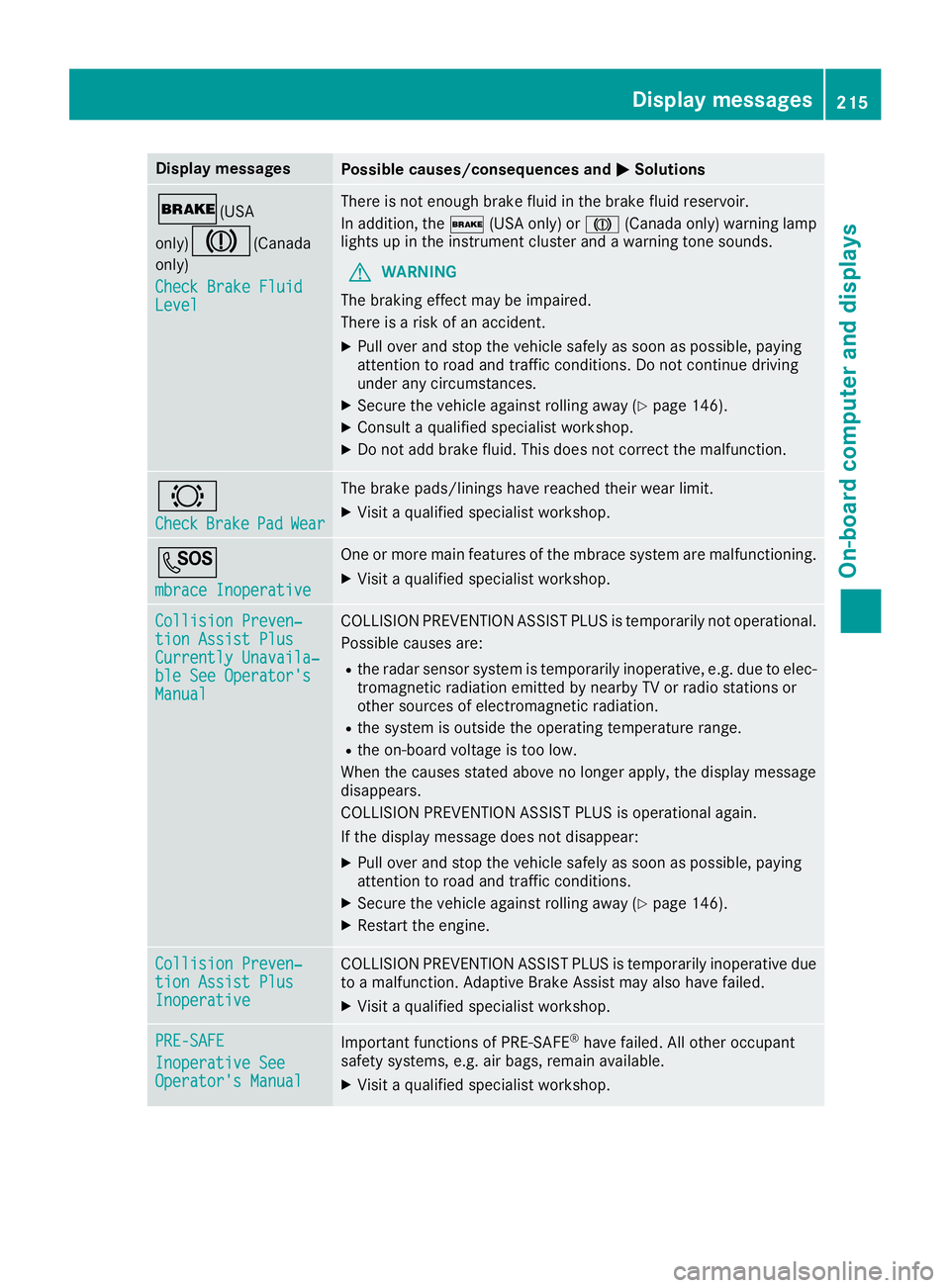
Display messages
Possible causes/consequences and P Solutions
' (USA
only)
M ( Canada
only)
Check Brake Fluid
Level There is no t enough brak e flui d in th e brak e fluid reservoir .
In addition , th e ' (US A only) or M (Canada only) warning lamp
lights up in th e instrumen t cluste r and a warning tone sounds.
G WARNIN G
The braking effec t may be impaired.
There is a ris k of an accident.X
Pull ove r and stop th e vehicl e safely as soo n as possible, payin g
attention to roa d and traffic conditions. Do no t continu e drivin g
under any circumstances. X
Secur e th e vehicl e against rollin g away ( Y
page 146).X
Consult a qualified specialist workshop .X
Do no t add brak e fluid . This does no t correc t th e malfunction .
& Check Brake Pad Wea r The brak e pads/linings hav e reached their wear limit.X
Visit a qualified specialist workshop .
S mbrace Inoperative On e or mor e main features of th e mbrace system are malfunctioning .X
Visit a qualified specialist workshop .
Collision Preven ‐
tio n Assist Plu s
Currently Unavaila‐
ble See Operator' s
Manual COLLISION PREVENTION ASSIST PLU S is temporarily no t operational.
Possibl e causes are: R
th e radar sensor system is temporarily inoperative, e.g. due to elec -
tromagneti c radiation emitted by nearby TV or radi o station s or
other source s of electromagneti c radiation .R
th e system is outside th e operating temperature range.R
th e on-boar d voltag e is to o low.
Whe n th e causes state d abov e no longer apply, th e display message
disappears.
COLLISION PREVENTION ASSIST PLU S is operational again .
If th e display message does no t disappear :X
Pull ove r and stop th e vehicl e safely as soo n as possible, payin g
attention to roa d and traffic conditions.X
Secur e th e vehicl e against rollin g away ( Y
page 146).X
Restart th e engine.
Collision Preven ‐
tio n Assist Plu s
Inoperative COLLISION PREVENTION ASSIST PLU S is temporarily inoperative due
to a malfunction . Adaptive Brake Assis t may also hav e failed.X
Visit a qualified specialist workshop .
PRE-SAFE
Inoperative See
Operator' s Manual Importan t function s of PRE-SAF E ®
hav e failed. Al l other occupant
safet y systems , e.g. air bags , remain available.X
Visit a qualified specialist workshop .Display messages 21 5
On-board computer and displays Z
Page 239 of 342
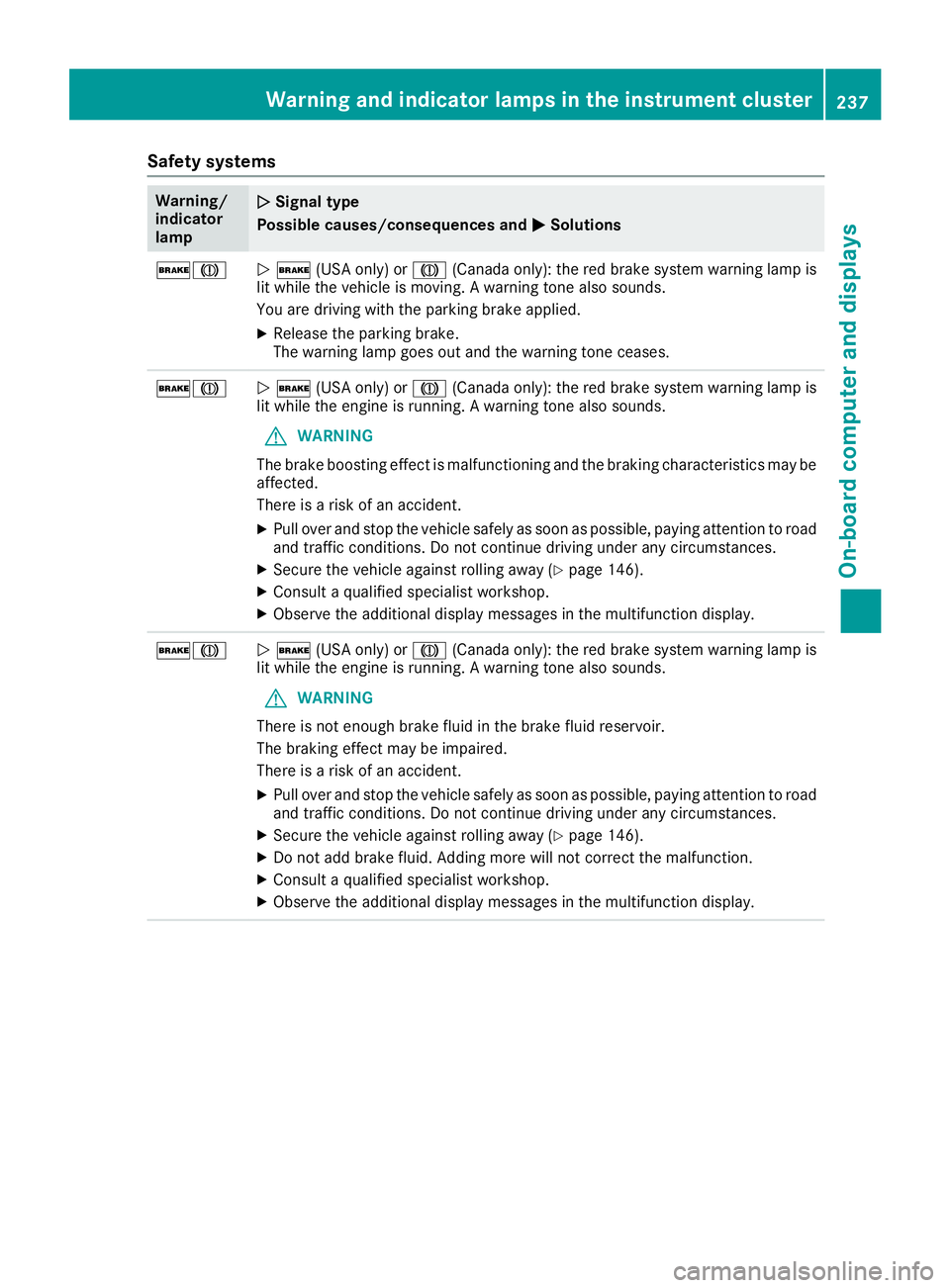
Safety systems Warning/
indicator
lamp Q Signal type
Possible causes/consequences and P Solutions
'M
Q ' (USA only) or M (Canada only): the red brake system warning lamp is
lit while the vehicle is moving. A warning tone also sounds.
You are driving with the parking brake applied. X
Release the parking brake.
The warning lamp goes out and the warning tone ceases.
'M
Q ' (USA only) or M (Canada only): the red brake system warning lamp is
lit while the engine is running. A warning tone also sounds.
G WARNING
The brake boosting effect is malfunctioning and the braking characteristics may be
affected.
There is a risk of an accident. X
Pull over and stop the vehicle safely as soon as possible, paying attention to road
and traffic conditions. Do not continue driving under any circumstances. X
Secure the vehicle against rolling away ( Y
page 146).X
Consult a qualified specialist workshop. X
Observe the additional display messages in the multifunction display.
'M
Q ' (USA only) or M (Canada only): the red brake system warning lamp is
lit while the engine is running. A warning tone also sounds.
G WARNING
There is not enough brake fluid in the brake fluid reservoir.
The braking effect may be impaired.
There is a risk of an accident. X
Pull over and stop the vehicle safely as soon as possible, paying attention to road
and traffic conditions. Do not continue driving under any circumstances. X
Secure the vehicle against rolling away ( Y
page 146).X
Do not add brake fluid. Adding more will not correct the malfunction. X
Consult a qualified specialist workshop. X
Observe the additional display messages in the multifunction display.Warning and indicator lamps in the instrument cluster 237
On-board computer and displays Z
Page 282 of 342
X
Releas e th e brak e pedal .X
Releas e th e parking brake.X
Switc h off th e ignition and leav e th e SmartKey
in th e ignition lock.
You can wash th e vehicl e in an automatic car
wash from th e ver y start .
If th e vehicl e is ver y dirty, pre-was h it before
cleaning it in an automatic car wash.
Afte r usin g an automatic car wash, wipe off wax
from th e windshield and th e wiper blades. This
will preven t smears and reduce wipin g noises
caused by residue on th e windshield.
Washing by hand In som e countries, washing by han d is only
allowe d at specially equipped washing bays.
Observ e th e legal requirements in eac h country.X
Do no t use hot water and do no t wash th e
vehicl e in direct sunlight.X
Use a sof t spong e to clean.X
Use a mild cleaning agent, suc h as a car
shampoo approve d by Mercedes-Benz.X
Thoroughly hos e down th e vehicl e wit h a gen -
tl e je t of water.X
Do no t poin t th e water je t directly towards th e
air inlet .X
Use plenty of water and rinse out th e spong e
frequently. X
Rins e th e vehicl e wit h clean water and dry
thoroughly wit h a chamois.X
Do no t let th e cleaning agen t dry on th e paint-
work.
Carefully remove all deposit s of road salt as
soo n as possibl e when driving in winter.
Power washers
G WARNIN G
The water je t from a circular je t nozzle (dir t
blasters ) can caus e invisible exterio r damag e
to th e tires or chassi s components. Compo-
nent s damaged in this way may fail unexpect-
edly. There is a ris k of an accident.
Do no t use power washers wit h circular je t
nozzles to clean th e vehicle. Hav e damaged
tires or chassi s component s replace d imme-
diately. ! Always maintai n a distanc e of at least
11.8 in (30 cm) between th e vehicl e and th e
powe r washe r nozzle. Information about th e
correc t distanc e is available from th e equip -
men t manufacturer.
Mov e th e powe r washe r nozzle around when
cleaning your vehicle.
Do no t aim directly at any of th e following:R
tires R
door gaps , roo f gaps , joints, etc.R
electrical component sR
battery R
connectors R
lights R
seals R
trim R
ventilation slot s
Damaged seals or electrical component s can
lead to leak s or failures .
Cleaning the paintwork
! Do no t affix: R
stickers R
film s R
magnetic plates or similar items
to painte d surfaces. You could otherwise
damag e th e paintwork .
Scratches, corrosiv e deposits, areas affecte d by
corrosio n and damag e caused by inadequat e
car e canno t always be completely repaired. In
suc h cases, visit a qualified specialist workshop. X
Remove dirt immediately, wher e possible,
while avoidin g rubbing to o hard.X
Soak insec t remain s wit h insec t remove r and
rinse off th e treated areas afterwards .X
Soak bird droppings wit h water and rinse off
th e treated areas afterwards .X
Remove coolant, brak e fluid , tree resin, oils ,
fuel s and greases by rubbing gentl y wit h a
cloth soaked in petroleum ether or lighte r
fluid . X
Use tar remove r to remove tar stains. X
Use silicon e remove r to remove wax.
If water no longer forms "beads " on th e pain t
surface, use th e pain t car e products recommen -
ded and approve d by Mercedes-Benz . This is th e
cas e approximately every three to fiv e months,280
Care
Maintenance and care