2016 MERCEDES-BENZ C CLASS reset
[x] Cancel search: resetPage 101 of 398

! Only open the sliding sunroof if it is free of
snow and ice. Otherwise, malfunctions may
occur.
Do not allow anything to protrude from the
sliding sunroof. Otherwise, the seals could be
damaged.
! The weather can change abruptly. It could
start to rain or snow. Make sure that the slid-
ing sunroof is closed when you leave the vehi-
cle. The vehicle electronics can be damaged if
water enters the vehicle interior.
Resonance noises can occur in addition to the
usual airflow noises when the sliding sunroof is
open. They are caused by minor pressure fluc-
tuations in the vehicle interior. Change the posi-
tion of the sliding sunroof or open a side window
slightly to reduce or eliminate these noises.
Only for vehicles with panorama roof with
power tilt/sliding panel:
G WARNING
At high speeds the raised sliding sunroof auto-
matically lowers slightly at the rear. This could
trap you or other persons. There is a risk of
injury. Make sure that nobody reaches into
the sweep of the sliding sunroof whilst the
vehicle is in motion.
If somebody becomes trapped, immediately
pull back the sliding sunroof switch. The slid-
ing sunroof lifts during opening.
Sliding sunroof reversing feature Your vehicle may be equipped with a sliding
sunroof or a panorama roof with power tilt/slid-
ing panel. In this section, the term "sliding sun-
roof" refers to both types of sliding sunroof.
The sliding sunroof is equipped with an auto-
matic reversing feature. If a solid object blocks
or restricts the sliding sunroof during the closing
process, the sliding sunroof opens again auto-
matically. The automatic reversing feature is
only an aid and is no substitute for your attention
when closing the sliding roof. G WARNING
The reversing feature does not react: R
to soft, light and thin objects, e.g. small fin-
gers R
over the last 1/6 in (4 mm) of the closing
movement R
during resetting R
when closing the sliding sunroof again man-
ually immediately after automatic reversing
This means that the reversing feature cannot
prevent someone being trapped in these sit-
uations. There is a risk of injury.
Make sure that no body parts are in close
proximity during the closing procedure.
If somebody becomes trapped: R
release the switch immediately, or R
press the switch in any direction during the
automatic closing process
The closing process is stopped.
Operating the sliding sunroof
Opening and closing
C
To raise
D
To open
Page 102 of 398

automatic operation by pressing or pulling
again.
When opening and raising the roof, automatic
operation is only available if the sliding sunroof
is in the closed position.
The sun protection cover automatically opens
along with the sliding sunroof. You can open or
close the sun protection cover manually when
the sliding sunroof is raised or closed.
You can continue to operate the sliding sunroof
after switching off the engine or removing the
SmartKey from the ignition lock. This function is
available for up to five minutes or until the driv-
er's or front-passenger door is opened.
Resetting
! If the sliding sunroof still cannot be opened
or closed fully after resetting, contact a quali-
fied specialist workshop.
Reset the sliding sunroof if it does not move
smoothly. X
Turn the SmartKey to position 1 or 2 in the
ignition lock. X
Raise the sliding sunroof fully at the rear
( Y
page 99).X
Keep the W switch pressed for another
second. X
Make sure that the sliding sunroof can be fully
opened and closed again ( Y
page 99).X
If this is not the case, repeat the steps above. Operating the panorama roof with
power tilt/sliding panel
Opening and closing
C
To raise D
To open
Page 105 of 398
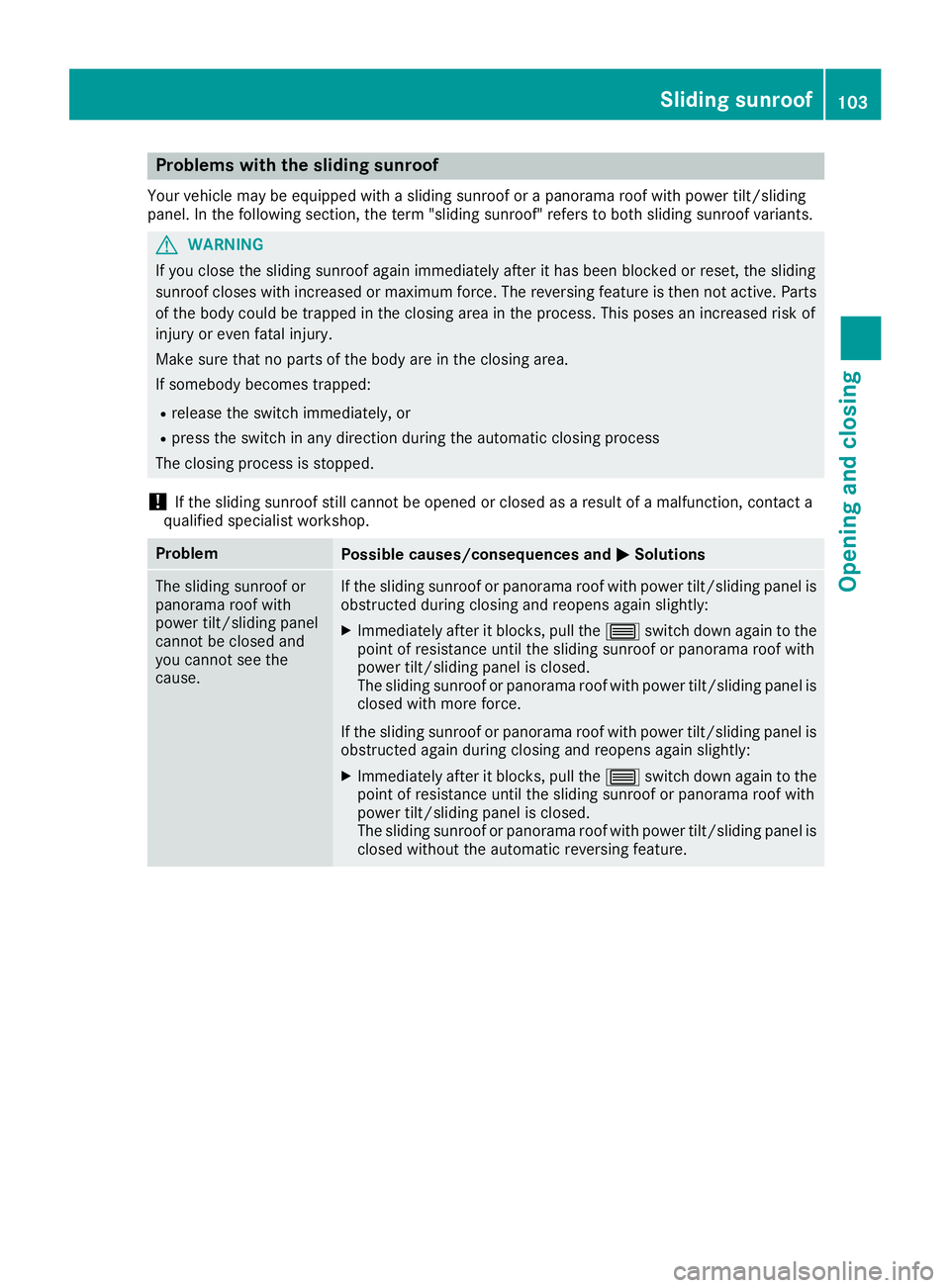
Problems with the sliding sunroof Your vehicle may be equipped with a sliding sunroof or a panorama roof with power tilt/sliding
panel. In the following section, the term "sliding sunroof" refers to both sliding sunroof variants.
G WARNING
If you close the sliding sunroof again immediately after it has been blocked or reset, the sliding
sunroof closes with increased or maximum force. The reversing feature is then not active. Parts
of the body could be trapped in the closing area in the process. This poses an increased risk of
injury or even fatal injury.
Make sure that no parts of the body are in the closing area.
If somebody becomes trapped: R
release the switch immediately, or R
press the switch in any direction during the automatic closing process
The closing process is stopped.
! If the sliding sunroof still cannot be opened or closed as a result of a malfunction, contact a
qualified specialist workshop.
Problem
Possible causes/consequences and P Solutions
The sliding sunroof or
panorama roof with
power tilt/sliding panel
cannot be closed and
you cannot see the
cause. If the sliding sunroof or panorama roof with power tilt/sliding panel is
obstructed during closing and reopens again slightly: X
Immediately after it blocks, pull the W switch down again to the
point of resistance until the sliding sunroof or panorama roof with
power tilt/sliding panel is closed.
The sliding sunroof or panorama roof with power tilt/sliding panel is
closed with more force.
If the sliding sunroof or panorama roof with power tilt/sliding panel is
obstructed again during closing and reopens again slightly: X
Immediately after it blocks, pull the W switch down again to the
point of resistance until the sliding sunroof or panorama roof with
power tilt/sliding panel is closed.
The sliding sunroof or panorama roof with power tilt/sliding panel is
closed without the automatic reversing feature. Sliding sunroof 103
Opening and closing Z
Page 118 of 398

X
If the mirror moves out of position, repeat the
steps. X
After successfully storing, reset the driving
position of the exterior mirror.
Calling up a stored parking position set-
ting X
Turn the SmartKey to position 2 in the ignition
lock ( Y
page 146).X
Adjust the exterior mirror on the front-
passenger side using button
Page 178 of 398
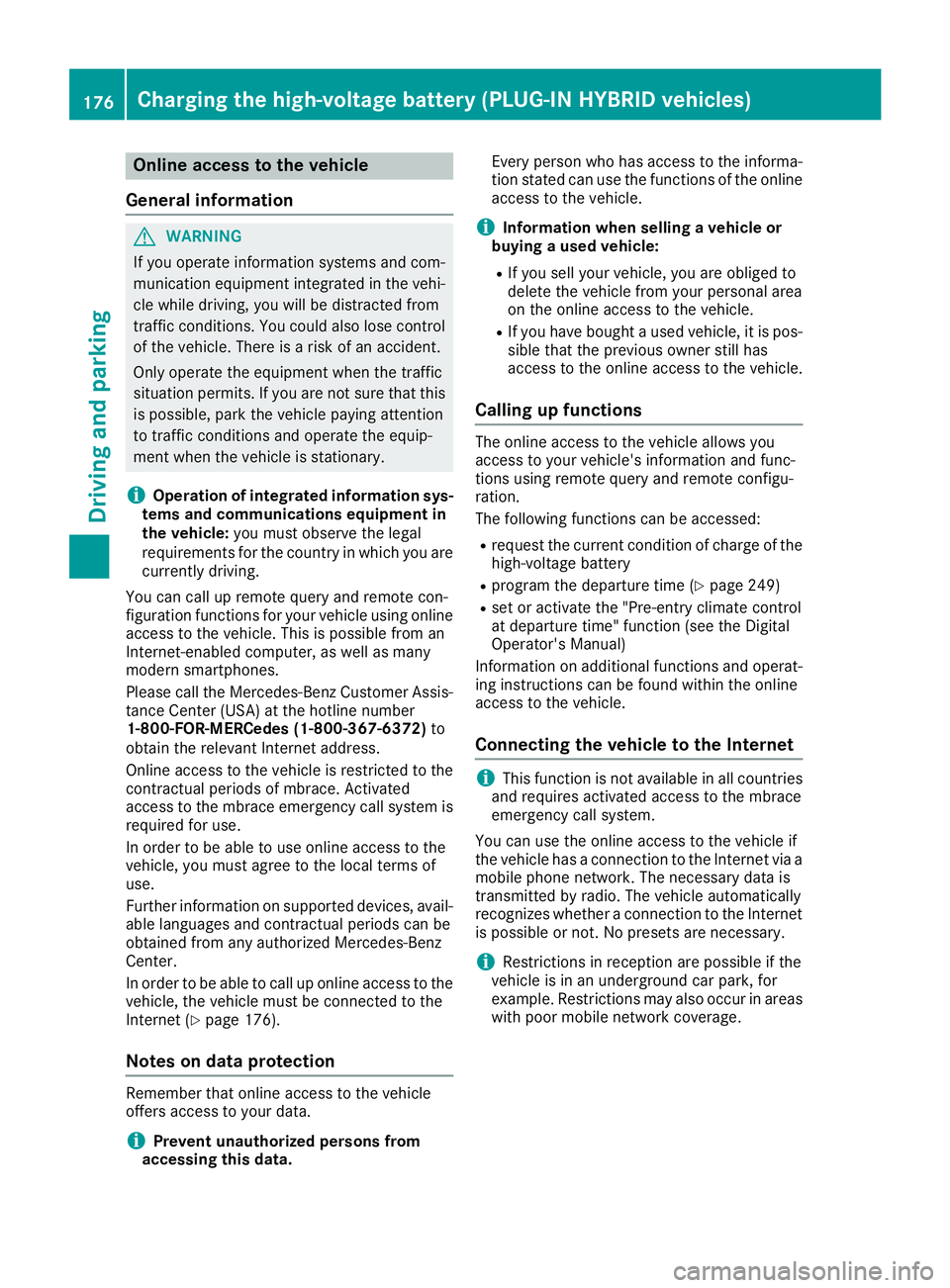
Online access to the vehicle
General information
G WARNING
If you operate information systems and com-
munication equipment integrated in the vehi-
cle while driving, you will be distracted from
traffic conditions. You could also lose control
of the vehicle. There is a risk of an accident.
Only operate the equipment when the traffic
situation permits. If you are not sure that this
is possible, park the vehicle paying attention
to traffic conditions and operate the equip-
ment when the vehicle is stationary.
i Operation of integrated information sys-
tems and communications equipment in
the vehicle: you must observe the legal
requirements for the country in which you are
currently driving.
You can call up remote query and remote con-
figuration functions for your vehicle using online
access to the vehicle. This is possible from an
Internet-enabled computer, as well as many
modern smartphones.
Please call the Mercedes-Benz Customer Assis-
tance Center (USA) at the hotline number
1-800-FOR-MERCedes (1-800-367-6372) to
obtain the relevant Internet address.
Online access to the vehicle is restricted to the
contractual periods of mbrace. Activated
access to the mbrace emergency call system is
required for use.
In order to be able to use online access to the
vehicle, you must agree to the local terms of
use.
Further information on supported devices, avail-
able languages and contractual periods can be
obtained from any authorized Mercedes-Benz
Center.
In order to be able to call up online access to the
vehicle, the vehicle must be connected to the
Internet ( Y
page 176).
Notes on data protection
Remember that online access to the vehicle
offers access to your data.
i Prevent unauthorized persons from
accessing this data. Every person who has access to the informa-
tion stated can use the functions of the online
access to the vehicle.
i Information when selling a vehicle or
buying a used vehicle: R
If you sell your vehicle, you are obliged to
delete the vehicle from your personal area
on the online access to the vehicle. R
If you have bought a used vehicle, it is pos-
sible that the previous owner still has
access to the online access to the vehicle.
Calling up functions The online access to the vehicle allows you
access to your vehicle's information and func-
tions using remote query and remote configu-
ration.
The following functions can be accessed: R
request the current condition of charge of the
high-voltage battery R
program the departure time ( Y
page 249)R
set or activate the "Pre-entry climate control
at departure time" function (see the Digital
Operator's Manual)
Information on additional functions and operat-
ing instructions can be found within the online
access to the vehicle.
Connecting the vehicle to the Internet
i This function is not available in all countries
and requires activated access to the mbrace
emergency call system.
You can use the online access to the vehicle if
the vehicle has a connection to the Internet via a
mobile phone network. The necessary data is
transmitted by radio. The vehicle automatically
recognizes whether a connection to the Internet
is possible or not. No presets are necessary.
i Restrictions in reception are possible if the
vehicle is in an underground car park, for
example. Restrictions may also occur in areas
with poor mobile network coverage.176
Charging the high-voltage battery (PLUG-IN HYBRID vehicles)
Driving and parking
Page 243 of 398
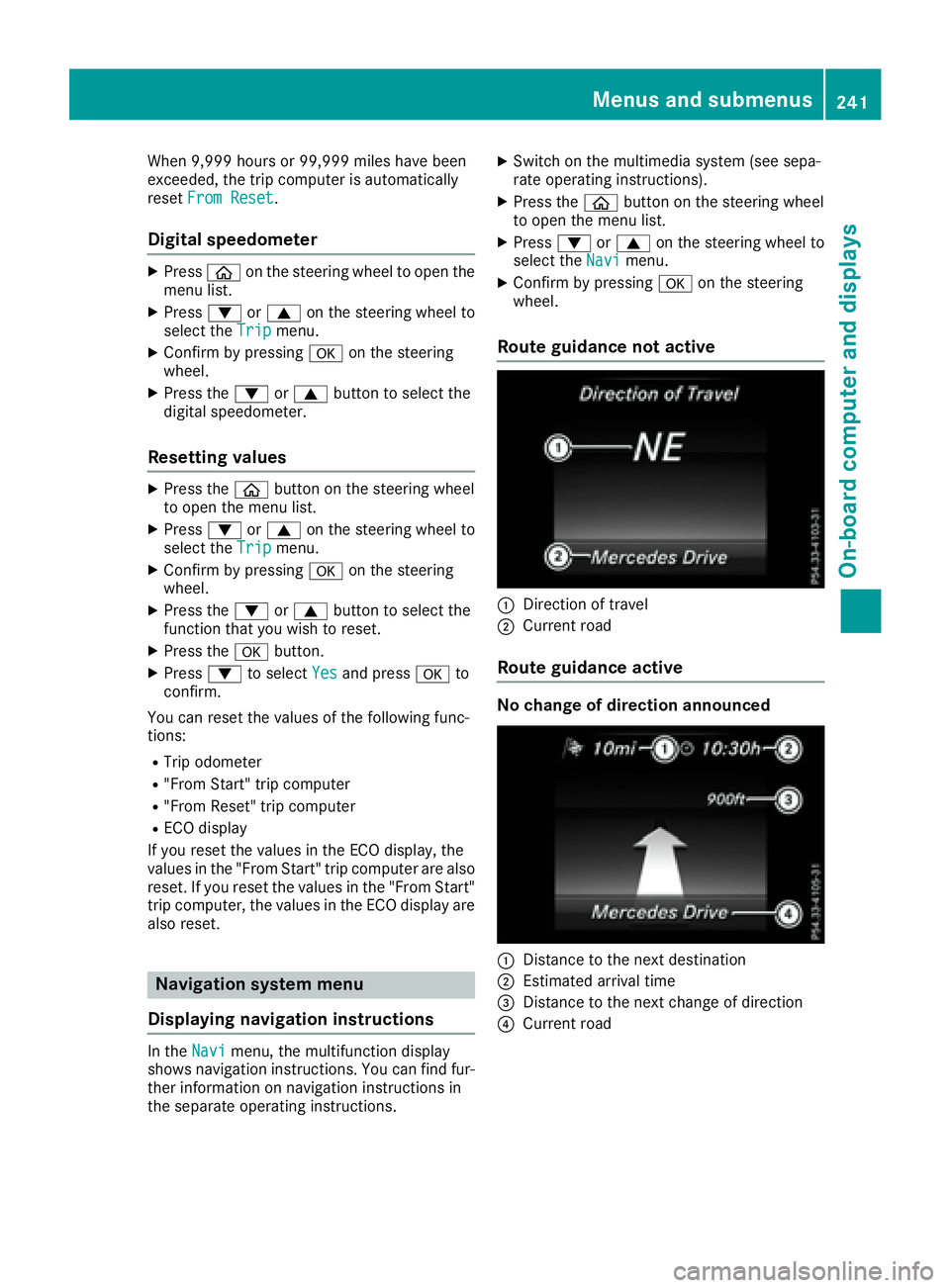
When 9,999 hours or 99,999 miles have been
exceeded, the trip computer is automatically
reset From Reset .
Digital speedometer X
Press
Page 256 of 398
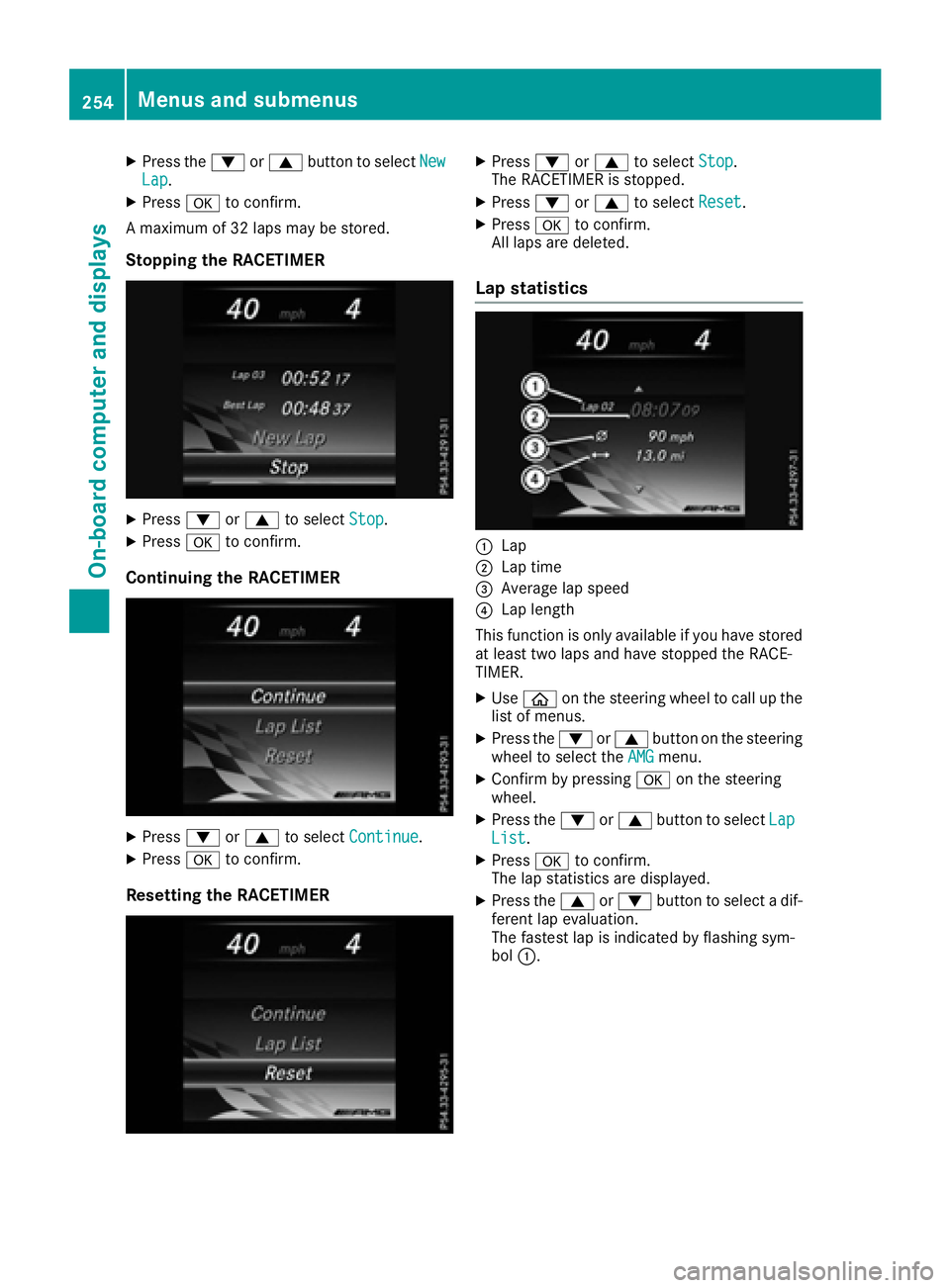
X
Press the d or c button to select New
Lap .X
Press v to confirm.
A maximum of 32 laps may be stored.
Stopping the RACETIMER X
Press d or c to select Stop .X
Press v to confirm.
Continuing the RACETIMER
X
Press d or c to select Continue .X
Press v to confirm.
Resetting the RACETIMER X
Press d or c to select Stop .
The RACETIMER is stopped. X
Press d or c to select Reset .X
Press v to confirm.
All laps are deleted.
Lap statistics
C
Lap D
Lap time
Page 358 of 398

! Vehicles with 4MATIC must not be towed
with either the front or the rear axle raised, as
doing so will damage the transmission.
Vehicles with 4MATIC may either be towed away
with both axles on the ground or be loaded up
and transported.
! Vehicles with automatic transmission must
not be towed with the rear axle raised. The
vehicle/trailer combination may otherwise
swerve or even roll over.
Towing a vehicle with both axles on
the ground The automatic transmission automatically shifts
to position P when you open the driver's or front-
passenger door or when you remove the Smart-
Key from the ignition lock. In order to ensure
that the automatic transmission stays in posi-
tion N when towing the vehicle, you must
observe the following points: X
Make sure that the vehicle is stationary. X
Turn the SmartKey to position 2 in the ignition
lock. X
Depress and hold the brake pedal. X
Shift the automatic transmission to position
N . X
Leave the SmartKey in position 2 in the igni-
tion lock. X
Release the brake pedal. X
Release the electric parking brake. X
Switch on the hazard warning lamps
( Y
page 120).
In order to signal a change of direction when
towing the vehicle with the hazard warning
lamps switched on, use the combination switch
as usual. In this case, only the indicator lamps
for the direction of travel flash. After resetting
the combination switch, the hazard warning
lamp starts flashing again.
Transporting the vehicle
PLUG-IN HYBRID vehicles
Transportation of the vehicle should only be car-
ried out by professional recovery companies. 4MATIC vehicles/vehicles with auto-
matic transmission
! When the vehicle is loaded for transport, the
front and rear axles must be stationary and on
the same transportation vehicle. Positioning
over the connection point of the transport
vehicle is not permitted. The drive train may
otherwise be damaged.
All vehicles
! You may only secure the vehicle by the
wheels, not by parts of the vehicle such as
axle or steering components. Otherwise, the
vehicle could be damaged.
The towing eye can be used to pull the vehicle
onto a trailer or transporter for transporting pur-
poses. X
Turn the SmartKey to position 2 in the ignition
lock. X
Shift the automatic transmission to position
N .
As soon as the vehicle has been loaded: X
Prevent the vehicle from rolling away by
applying the electric parking brake. X
Shift the automatic transmission to posi-
tion P . X
Turn the SmartKey to position 0 in the ignition
lock and remove it. X
Secure the vehicle.
Notes on 4MATIC vehicles
! Vehicles with 4MATIC must not be towed
with either the front or the rear axle raised, as
doing so will damage the transmission.356
Towing and tow-starting
Breakdown assistance